

Page 1
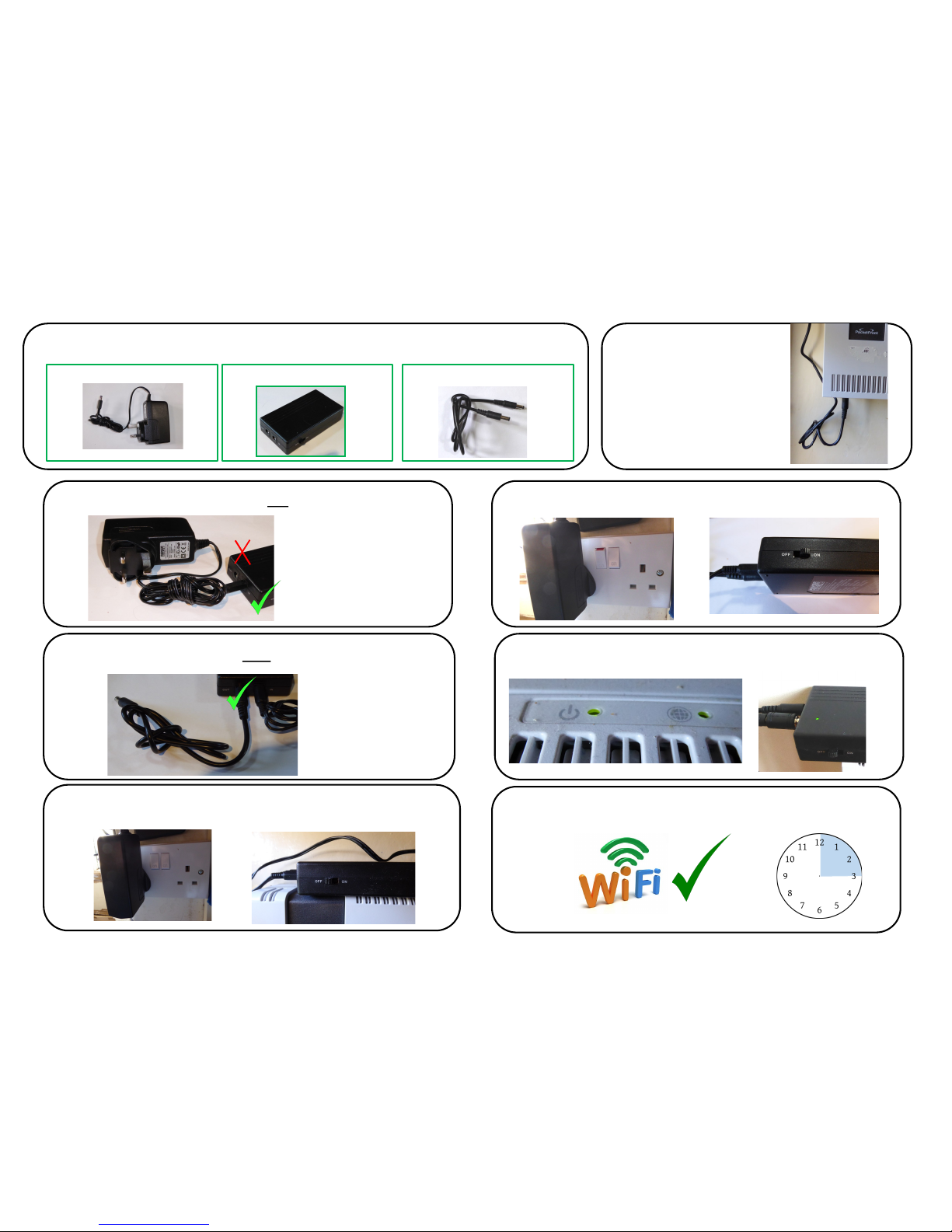
1 In the box, you will find
The 230V mains to DC adapter The PUPS22 Micro UPS A short connection lead.
5 Plug the other end of the
short lead into the router
4 Plug the 230V adapter into a socket, switch the PUPS to OFF
6 Switch on the socket and turn On the PUPS22.
7 The router will boot up and the PUPS22 LED will go green
Quick Start Guide: Powersolve PUPS22 Micro Uninterrupble Power Supply
8 Even if the Power fails, the Router WiFi will run for 3Hours
3 Plug in the short lead to the OUT socket on the PUPS22
OUT
2 Plug in the 230V adapter to the IN socket on the PUPS22
IN
OUT
Page 2
Quick Start Guide: Powersolve PUPS22 Micro Uninterrupble Power Supply
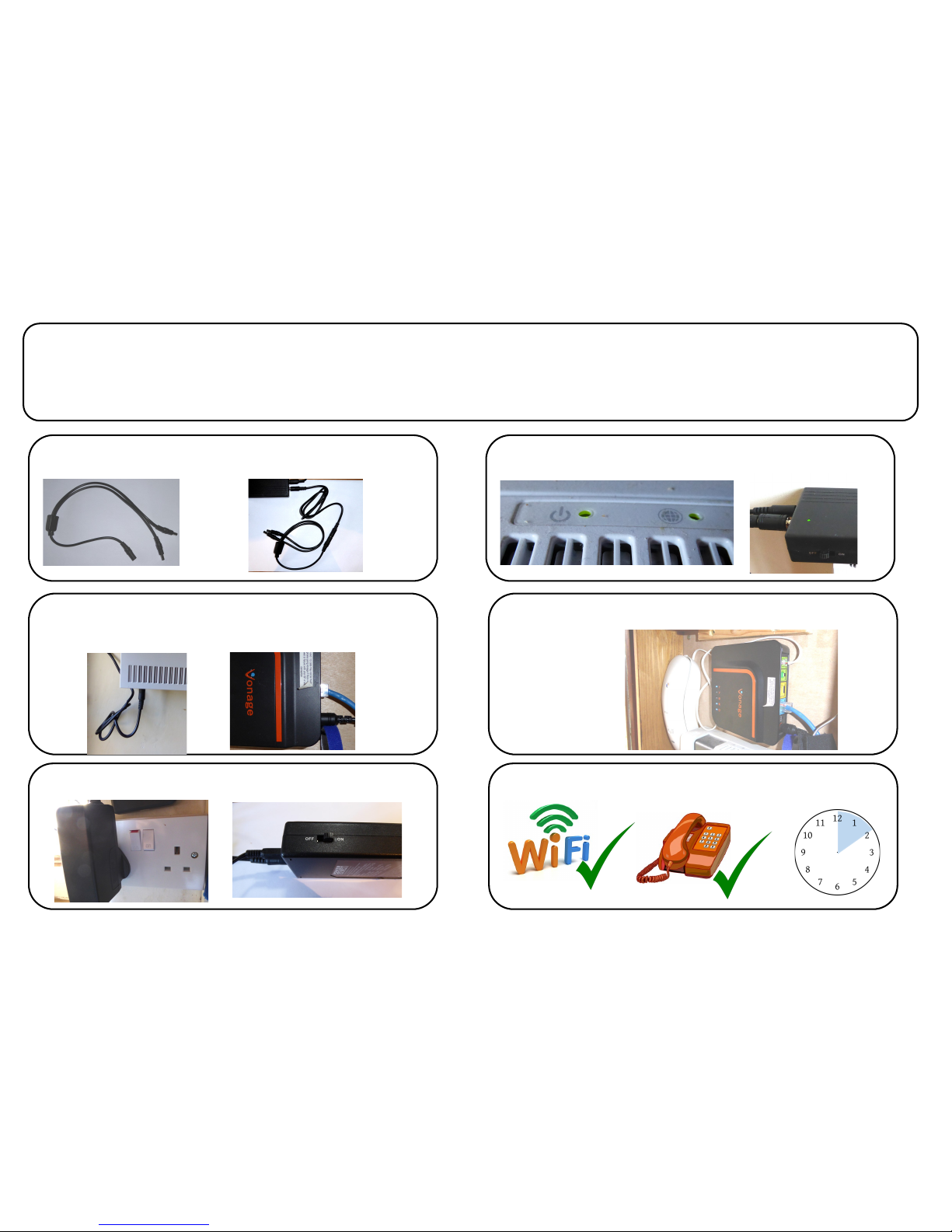
If you need to keep a Vonage VoIP telephone working as well as the router, here are
some extra steps, first follow steps 1-4 (overleaf)
5a Plug the other end of the short lead into a splitter Cable
6a Plug one of the split cable ends in to the router and the
other into the Vonage adapter
7a Switch on the socket and turn On the PUPS22.
9a The Vonage adapter will boot up
8a The router will boot up and the PUPS22 LED will go green
10 If the Power fails, the WiFi and a wired phone will run for 2 Hours
 Loading...