

Page 1
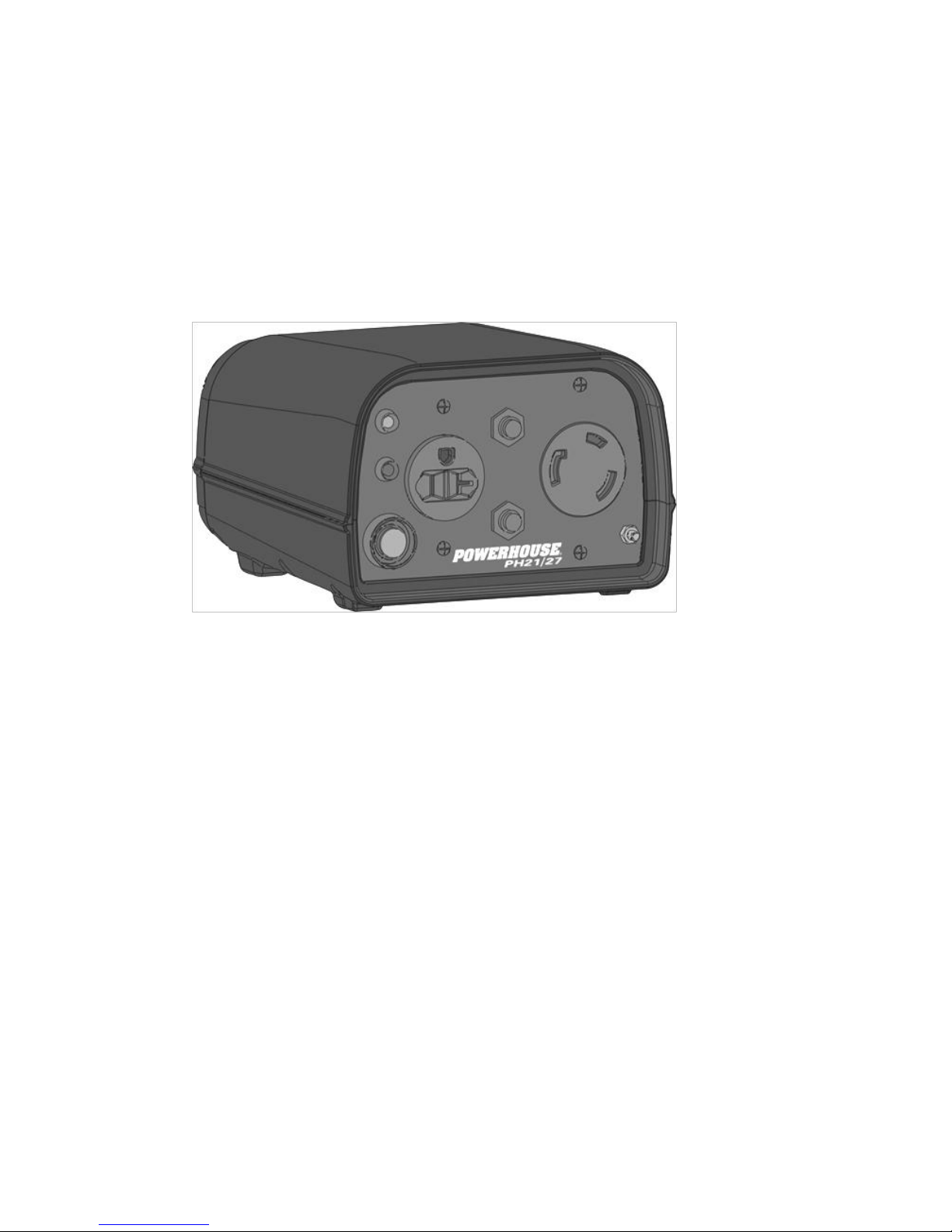
PH21/27 POWERHOUSE®
Dual Generator Parallel Kit
Operating Instructions
PLEASE READ THIS MANUAL CAREFULLY
BEFORE USING
Page 2
TABLE OF CONTENTS
TABLE OF CONTENTS ..................................................................................................................... 2
1. SAFETY INSTRUCTIONS: ......................................................................................................... 2
2. Parallel Operating Features: ....................................................................................................... 2
3 Parallel Operation Procedure: ........................................................................................................ 3
3.1 Parallel Output and Overload Lights ................................................................................................... 4
3.2 Shutting off the generators: ................................................................................................................. 5
3.3 Air Conditioning Operation .................................................................................................................. 5
4 Troubleshooting Parallel Operation ................................................................................................. 6
1. SAFETY INSTRUCTIONS:
Follow all safety and operating instruction for proper use of the
generator.
Never Connect or Disconnect the parallel kit cables from the
generators while running. Doing so will cause perminate damage
not covered under warranty.
The load requirement of the electrical appliance cannot exceed the
combined continual output of the paralleled generators.
The special parallel cables for the PH2100PRi and PH2700PRi are
specific to the parallel operation of two POWERHOUSE® generators.
DO NOT use them for other brands of generators or other applications.
This kit cannot be used for paralleling three or more generators or
running two different brands of generators.
ONLY the POWERHOUSE® Dual Generator Parallel Kit and cables
may be connected to the parallel signal port. DO NOT CONNECT TO
OTHER ELECTRONICS OR USE OTHER CABLES. Permanent
damage not covered by the warranty will occur.
2. Parallel Operating Features:
1. Two PH2100PRi or PH2700PRi model generators can run in parallel to increase the total output to a
maximum load of.
4200 W (Continual output, 4000 W) with the PH2100PRi.
5200 W (Continual output, 5000 W) with the PH2700PRi.
2. You can also run a PH2100PRi and a PH2700PRi in parallel. The maximum output will be 4200 W
(Continual output, 4000 W).
2 PH21/27 Parallel Kit 3/12/2010
Page 3
3 Parallel Operation Procedure:
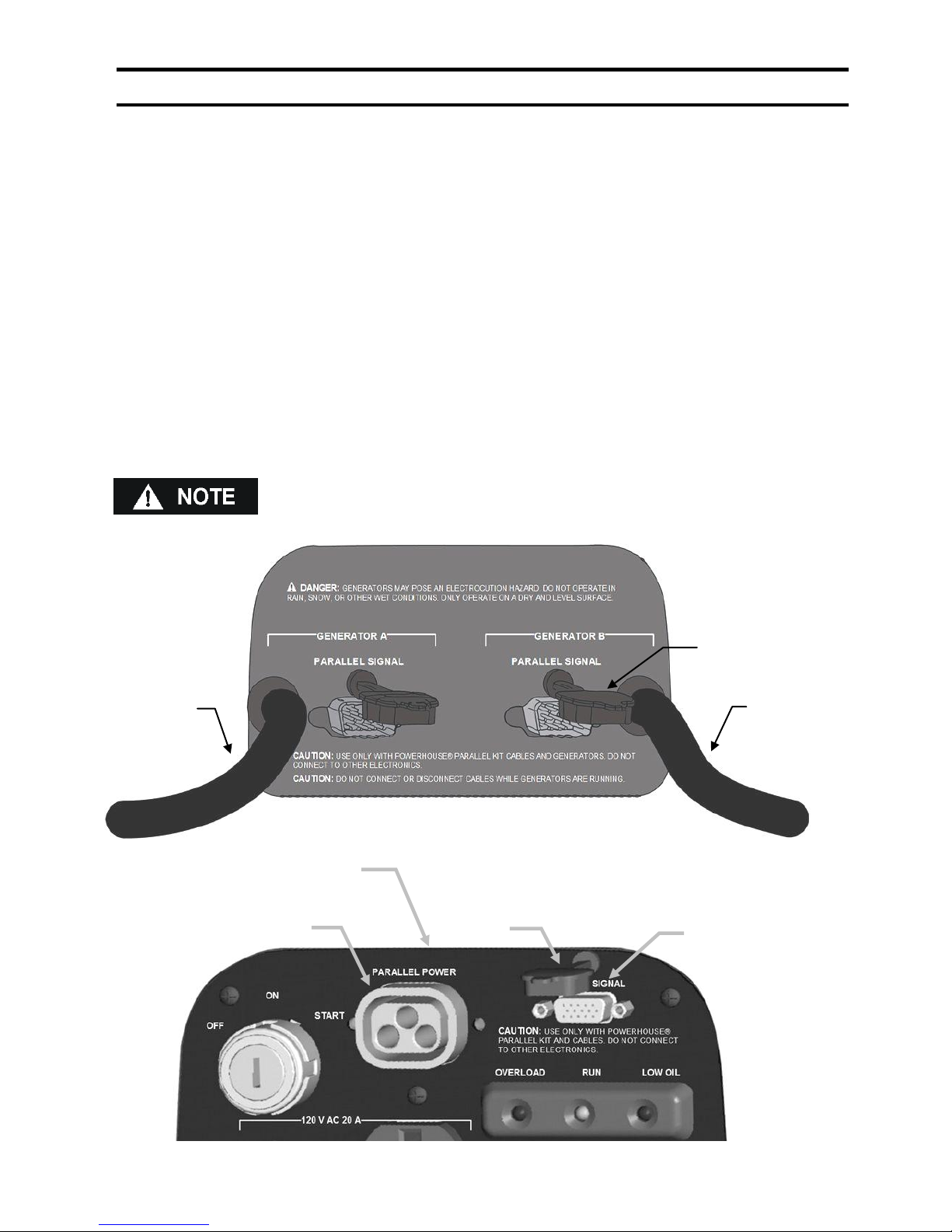
3-Pin Parallel
Cable ‘A’
3-Pin Parallel
Cable ‘B’
Cover
Parallel Signal Port
3-Pin Parallel Power Socket
Cover
PH2100PRi/PH2700PRi
1. Prepare two POWERHOUSE® generators for operation.
2. Parallel power and signal connections MUST be done with the generator engine NOT running.
DO NOT connect or disconnect the parallel power or signal cables while the engine is running.
Irreparable inverter damage WILL result and is not covered under warranty.
3. Connect the 15-pin signal cable between the parallel kit and each generator’s signal ports and secure
with the thumb screws. Do not over tighten.
4. Connect the 3-pin parallel power cable from the parallel kit into each generator’s parallel power
sockets making sure that the cables for generator ‘A’ and generator ‘B’ are not switched.
5. Start both generators and confirm that both green "RUN" lights are illuminated on the generators and
on the front panel of the parallel kit.
6. Start both generators. The starting procedure is the same as the normal starting procedure.
7. Securely plug the electrical appliance plug into the appropriate receptacles and switch on the
electrical appliance.
When running the generators in parallel, the economy function will
automatically be turned off and both units will be running at the higher
engine speed.
3 PH21/27 Parallel Kit 3/12/2010
Page 4
3.1 Parallel Output and Overload Lights
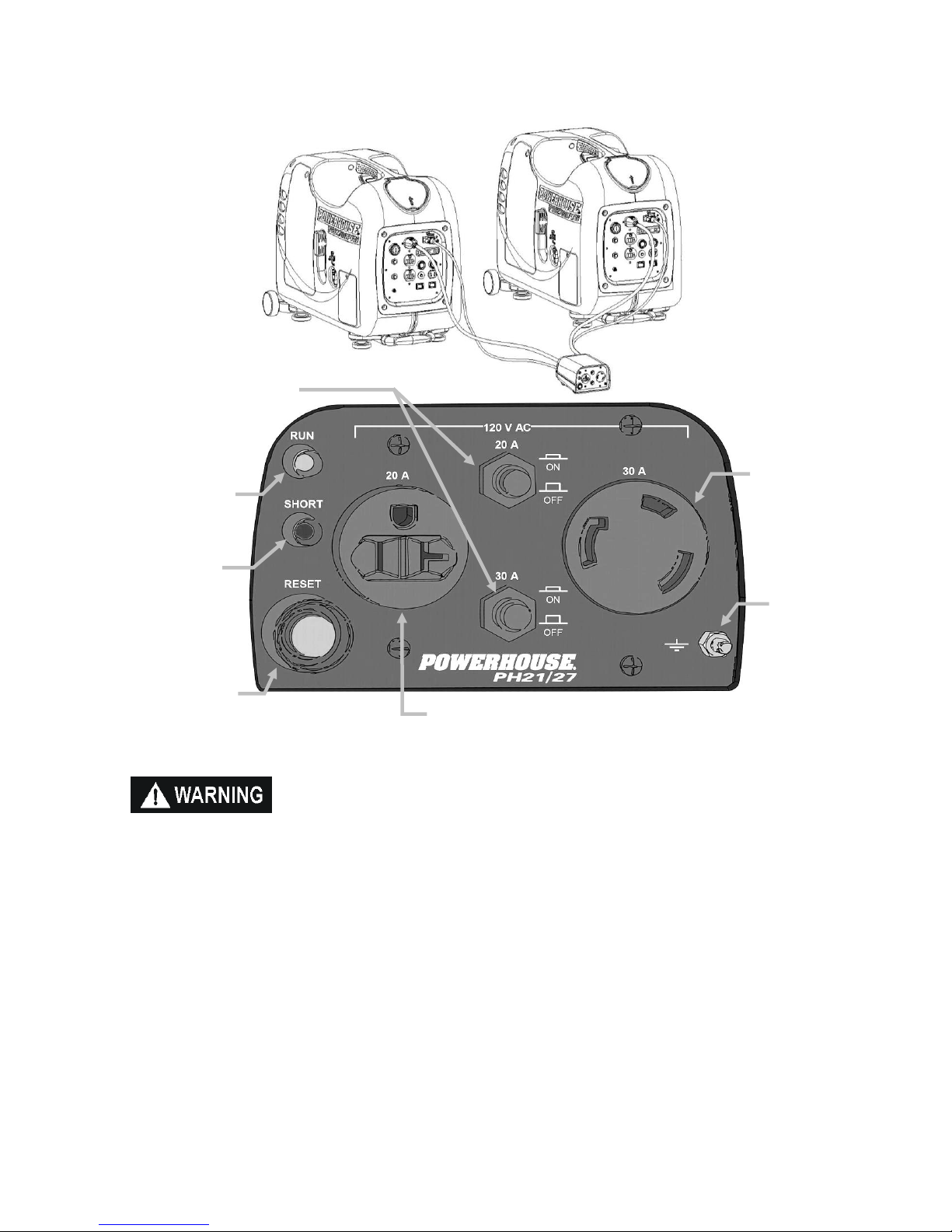
Grounding
Terminal
120V-30 amp Locking
Receptacle
120V-20 amp
Receptacle
Overload Reset
Button (Green)
120V Short
Indicator (Red)
Output Indicator
(Green)
20 and 30
amp Circuit
Breakers
To prevent electrical shock from faulty appliances, the parallel kit
should be grounded. Connect a length of heavy cable between the
parallel ground terminal and an external ground source.
1. During normal operating conditions, the output indicator lights (Green) will remain illuminated.
2. If the generators are overloaded (in excess of 4200W when using two PH2100PRi units or
5200W when using two PH2700PRi units) the overload indicator light (red) will flash slowly on
only one generator. The indicator lights on the other unit and the parallel kit will all be off.
3. At this time, there will be no electrical output from the parallel panel and the connected appliance
or load will be shut off.
4. Remove all electrical loads from the generators and/or parallel kit and then determine and
correct the cause of the overload.
5. To reset the overload condition (Red light), press and release the (Green) overload reset button
on the parallel panel. The (Green) indicator lights should be illuminated on both generators and
on the parallel panel within 15 seconds.
4 PH21/27 Parallel Kit 3/12/2010
Page 5

6. If there is a direct electrical short between either of the 120V receptacles on the parallel panel
and the connected appliance or load, the output indicator light (green) will go out and the red
short indicator will illuminate. The generators will continue to run although the indicator lights on
both units and the parallel kit will all be off, and all electrical output will cease.
7. Remove all electrical loads from the 120V 20A and 30A receptacles and then determine and
correct the cause of the short.
8. To reset the short light (red ) on the parallel panel, press the (green) overload reset button on the
parallel panel. The (green) indicator light should be illuminated within 15 seconds.
The 120 volt receptacles on each of the generator control panels can also
be used in conjunction with the 20 and 30 amp receptacles on the parallel
kit, as long as the combined loads from the parallel kit and the receptacle
on the generator do not exceed the generator rating of a single unit.
PH2100PRi (2000W) / PR2700PRI (2600W).
3.2 Shutting off the generators:
1. Turn off all electrical appliances.
2. Turn off both generators.
3. Unplug the appliance power cords from the receptacles.
4. Disconnect the power and signal cables from the parallel power and signal sockets of the two
generators. Make certain that the engines of both generators have been turned off,
BEFORE disconnecting these cables.
3.3 Air Conditioning Operation
1. When running in parallel, two PH2100PRi or PH2700PRi models can start and run most 15,000
BTU Air conditioners.
2. Bring the generators to normal operating temperatures before applying the air conditioning load.
Always allow a 2 minute wait period when manually cycling an air conditioner off and on. A
longer wait period may be required under unusually hot weather conditions. Additionally, all other
loads should be turned off until the air conditioner has started and is performing normally.
3. It is also important to follow the air conditioner manufacturer's instructions for starting and
restarting for proper operation. Some air conditioner manufacturers offer a start capacitor or
rapid start kit as an extra cost option. The lack of a start capacitor can cause the air conditioner
to draw too much starting current and overload the generator.
5 PH21/27 Parallel Kit 3/12/2010
Page 6
4 Troubleshooting Parallel Operation
Problem
Condition
Cause
Correction
Flashing overload
light.
The red overload light on
one of the generators is
flashing slowly. There are
no indicator lights on the
other generator or
parallel panel. There is
no AC output from either
of the generators or
parallel panel. Both
engines are running at a
slow idle.
The load (Wattage)
has exceeded the
capacity of one or
both generators.
Remove all loads from
the parallel panel and the
generators and press the
green reset button on the
parallel panel. The green
indicator light on both
generators and the
parallel kit should come
on within 15 seconds.
If the reset is pushed
without correcting the
cause for the overload,
the system will try to
reset briefly but the units
will again shut down.
Repeatedly pressing the
reset button without
correcting the overload
condition may cause
permanent damage to
the generators and/or
parallel kit.
Short indicator light on
the parallel panel
The red (Short) indicator
light on the parallel panel
is on. The indicator lights
on both generators are
all off. There is no AC
output from either of the
generators or parallel
panel. Both engines are
running at a slow idle.
The hot and neutral
output wires between
the parallel kit and
appliances are
shorted, or there is a
short in the
appliance.
Remove all loads from
the parallel panel and the
generators and check the
appliances for shorts.
Repair or replace shorted
appliances as needed.
Press the green reset
button on the parallel
panel. The green
indicator light on both
generators and the
parallel kit should come
on within 15 seconds.
Repeatedly pressing the
reset button without
correcting the short
circuit may cause
permanent damage to
the generators and/or
parallel kit.
6 PH21/27 Parallel Kit 3/12/2010
Page 7

Problem
Condition
Cause
Correction
No indicator lights
(Red or Green)
There is no AC output
from either of the
generators or parallel
panel. Both engines are
running at a slow idle.
Loose or
disconnected power
cord between the
parallel kit and
parallel power socket
on the generator.
Remove all loads from
the parallel panel and the
generators.
Reconnect or plug in the
power cord from the
parallel kit to the power
socket on the generator.
The green indicator light
should come back on in
approximately 15
seconds. If not, press the
green reset button on the
parallel panel.
No AC output from
parallel panel
The green light on both
generators and parallel
panel are on. The
generators are running at
high idle.
An excessive load is
connected to either
the 30A or 20A
receptacle on the
parallel panel.
Remove or reduce
excessive loads.
Reset circuit breakers.
7 PH21/27 Parallel Kit 3/12/2010
 Loading...