

Page 1
Set-up Guide
POSTURITE
www.posturite.co.uk
Patent pending
Protected by Registered Design Right
EU Trade Mark Application No 7894990
Page 2
Technical Data
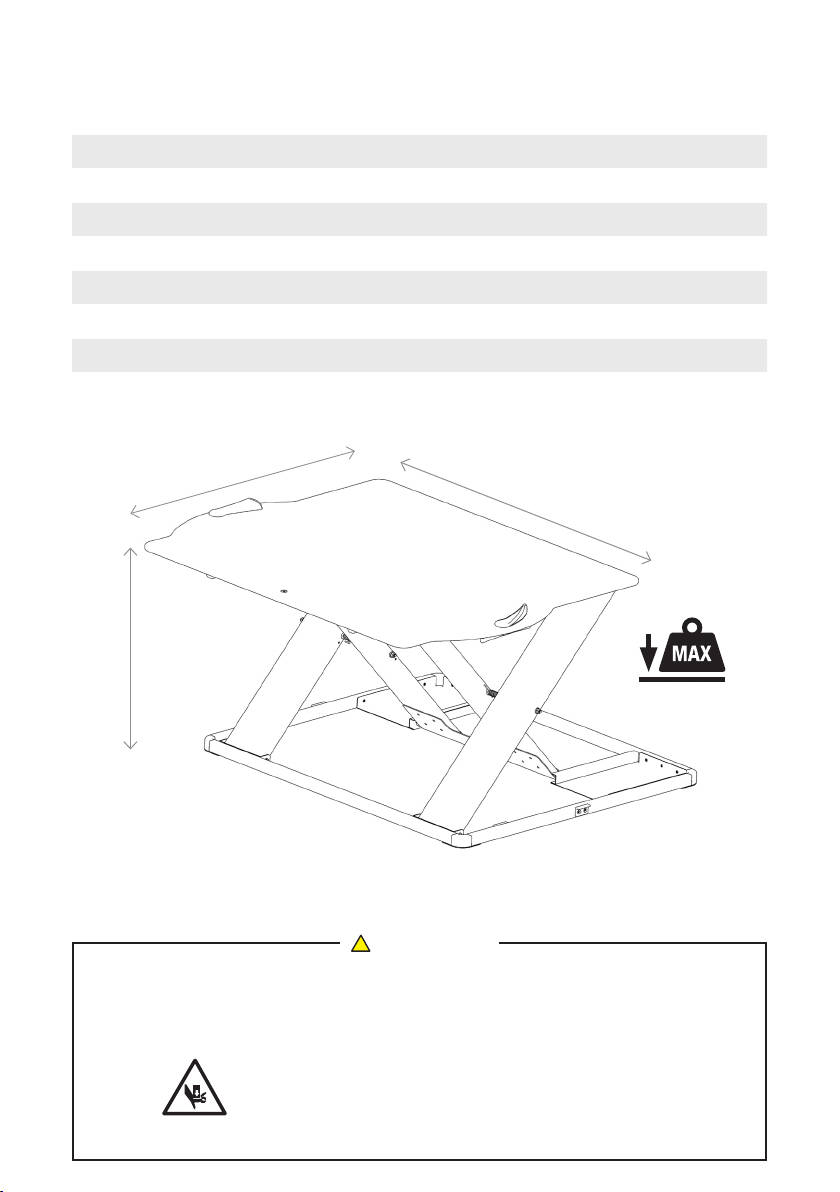
Product dimensions (flat) WxDxH 780 x 600 x 30 mm 30 x 23 x 1 ins
Lift range (top surface) 30-420 mm 1-16.5 ins
Minimum desktop/table surface required (WxD) 800 x 620 mm 32 x 25 ins
Top surface forward protrusion when fully raised 180 mm 7 ins
Net weight 12 kg 26 Ibs
Maximum weight capacity 12 kg 26 Ibs
Height adjustment levels 14 14
600mm / 23.6 ins
30-420mm / 1-16.5 ins
!
CAUTION
780mm / 30.7 ins
Do not stand on Opløft.
Do not exceed the maximum weight capacity (12kg /26lbs).
12kg / 26lbs
Do not place hands or fingers near the supporting
bars when raising and lowering.
Page 3
Operation
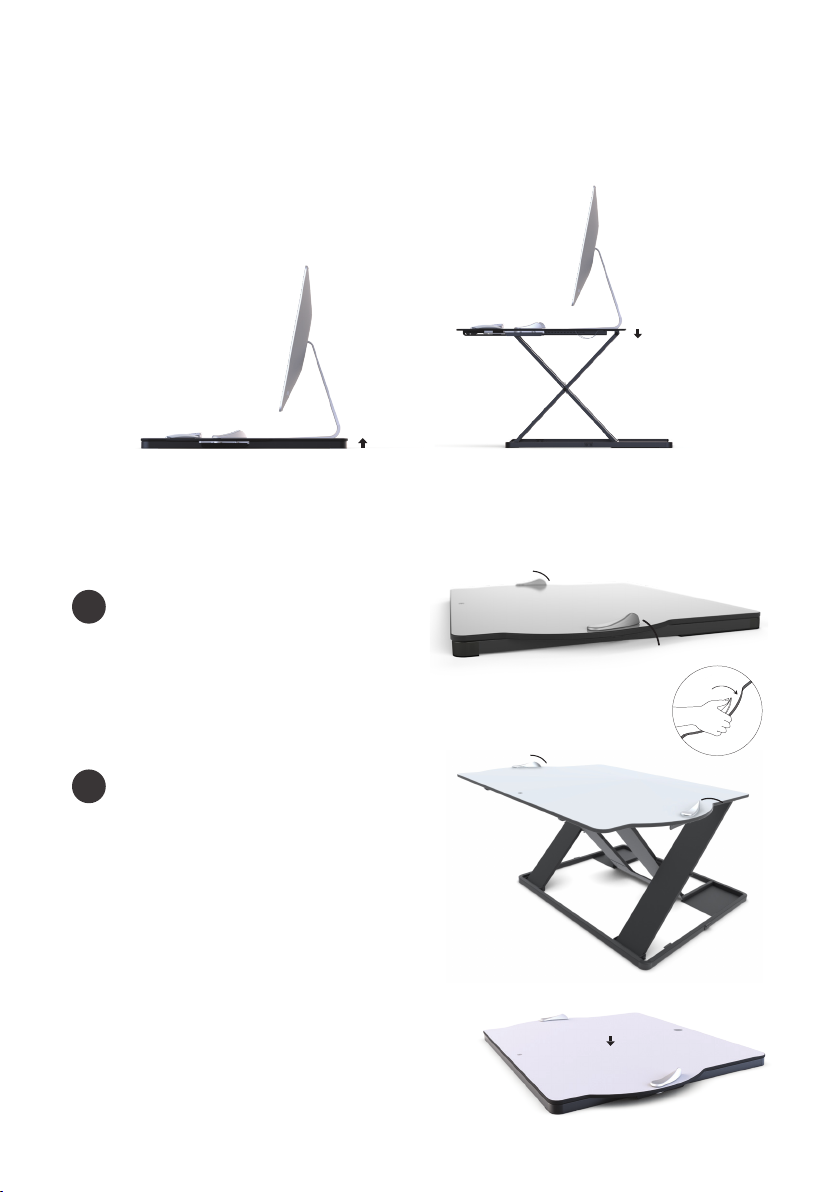
Carefully remove the Opløft from the packaging and place on a suitable desk/table surface.
TO RAISE
Grip sides and simultaneously
push out both handles.
Slowly lift to raise the surface
and release handles once at
desired height.
TO LOWER
Grip sides and simultaneously
push out both handles. Apply
downward pressure to the
surface and release handles when
you reach the desired height.
TO CLOSE FULLY
At the lowest position while
maintaining a downward force,
release side handles to securely
close. If needed, push down to
the middle of the platform until a
secure click is heard.
Page 4
POSTURITE
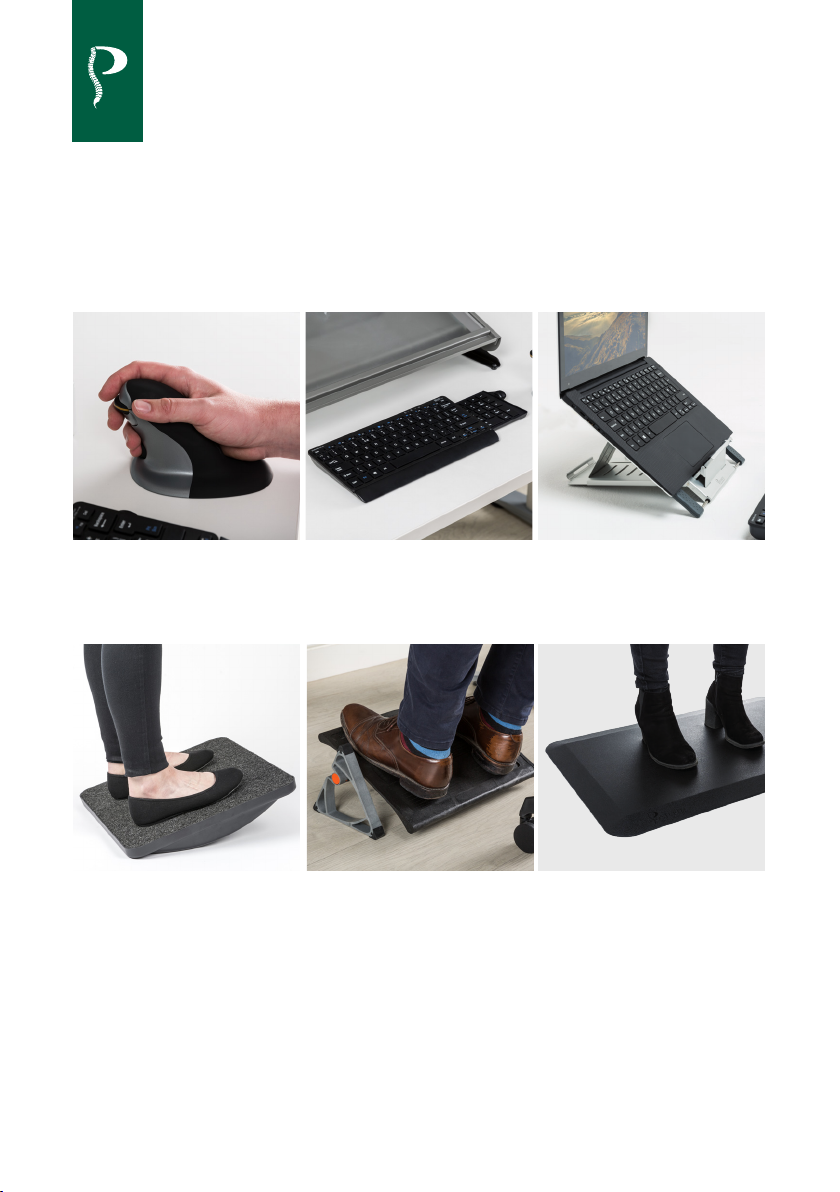
Other ergonomic office products available
Penguin
Ambidextrous Vertical Mouse
MoovRite
Rocking standing platform
Number Slide Keyboard
with retractable number pad
TriRite
Multi position footrest
Slim Cool Laptop Stand
Ultra slim portable laptop stand
Anti-Fatigue Mat
Extra support and combats fatigue
www.posturite.co.uk
© 2018 Posturite Ltd. All Rights Reserved. Posturite, the logo design, Opløft, the logo design are registered
trademarks of Posturite Ltd. The Mill, Berwick, East Sussex BN26 6SZ, United Kingdom
 Loading...