

Page 1

Manual de Programación
ESPECIFICACIONES SUJETAS A CAMBIO SIN PREVIO AVISO.
SM2410, SM2410B, SM2420 y SM2430
Page 2

Enter/Exit Programming Mode
(This barcode is also found at page 8.)
Page 3

IMPORTANT NOTICE
Every effort is mode to ensure the accuracy of our
product information; however, we accept no
responsibility for errors or omissions. Specification
or version may be subject to change without notice.
The actual specification and version are based on
the product delivered.
Page 4

TABLE OF CONTENTS
Introduction...................................................................... 1
Change the scanner setting.............................................2
Default parameters..........................................................2
Default values of operating parameters .....................3
Default values of keyboard emulation parameters.....4
Default values of RS-232C parameters......................4
Default values of USB emulation parameters............4
Default values of decoding parameters......................5
Program procedure using barcode menus................. 7
Enter/Exit programming mode......................................... 8
System setting.................................................................9
Reset........................................................................ 10
Display firmware version.......................................... 10
Save as customer default ......................................... 11
Return to RS-232C default....................................... 11
Return to PC/AT default ...........................................12
Return to USB default ..............................................12
Return to customer default....................................... 13
Abort (Exit programming mode)...............................13
Sleep mode ...................................................................14
Motor sleep mode off................................................15
Motor sleep after 30 minutes....................................15
Motor sleep after 60 minutes....................................16
Laser sleep mode off................................................16
Laser sleep after 15 minutes....................................17
Laser sleep after 30 minutes....................................17
Beeper tone...................................................................18
High frequency......................................................... 19
Medium frequency....................................................19
Low frequency..........................................................20
Long sound duration (100msec) ..............................20
Medium sound duration (50msec)............................21
Short sound duration (20msec)................................ 21
Scanner timing...............................................................22
Same code delay 200msec...................................... 23
Same code delay 300msec...................................... 23
Page 5

Same code delay 500msec...................................... 24
Same code delay 600msec...................................... 24
RS-232 communication .................................................25
Baud rate 19200.......................................................26
Baud rate 9600.........................................................26
Baud rate 4800.........................................................27
Baud rate 2400.........................................................27
7 data bit...................................................................28
8 data bit...................................................................28
1 stop bit...................................................................29
2 stop bit...................................................................29
Even parity ...............................................................30
Odd parity.................................................................30
Mark parity................................................................31
Space parity..............................................................31
None parity...............................................................32
None handshaking ...................................................32
RTS/CTS on.............................................................33
Message terminator-None........................................33
Message terminator-CR/LF......................................34
Message terminator-CR...........................................34
Message terminator-LF............................................35
Message terminator-H.tab........................................35
Message terminator-STX/ETX .................................36
Message terminator-EOT.........................................36
Keyboard wedge............................................................37
US keyboard ............................................................38
International keyboard (ALT method)....................... 38
Message terminator-None........................................39
Message terminator-Enter........................................39
Message terminator-H.tab........................................40
Capital lock...............................................................41
Function key emulation ............................................42
USB interface ................................................................43
US keyboard ............................................................44
International keyboard (ALT method)....................... 44
Message terminator-Enter........................................45
Message terminator-None........................................45
Page 6

Message terminator-H.tab........................................46
Code selection............................................................... 47
Code 39 enable........................................................ 48
Code 39 disable .......................................................48
Full ASCII code39 enable......................................... 49
Full ASCII code 39 disable.......................................49
Codabar enable........................................................50
Codabar disable.......................................................50
UPC/EAN/JAN enable..............................................51
UPC/EAN/JAN disable.............................................51
ITF 2 of 5 enable......................................................52
ITF 2 of 5 disable .....................................................52
Chinese post code enable ........................................ 53
Chinese post code disable.......................................53
Code 128 enable...................................................... 54
Code 128 disable .....................................................54
Code 93 enable........................................................ 55
Code 93 disable .......................................................55
EAN 128 enable.......................................................56
EAN 12 disable ........................................................56
Code 32 enable (Italian pharmacy code) .................57
Code 32 disable (Italian pharmacy code).................57
MSI enable...............................................................58
MSI disable ..............................................................58
EAN 13 convert to ISBN/ISSN enable .....................59
EAN 13 convert to ISBN/ISSN disable.....................59
UPC/EAN add on off ................................................60
Add on 5 only ...........................................................60
Add on 2 only ...........................................................61
Add on 2 or 5............................................................61
EAN/UPC + add on (one mandatory).......................62
EAN/UPC + add on (mandatory)..............................62
Force UPC-A to EAN-13 format enable ...................63
Force UPC-A to EAN-13 format disable...................63
Barcode identifier code setting......................................64
Barcode identifier code selection............................. 66
Set message format with code identifier as
Alpha-30 format........................................................67
Page 7

Data editing....................................................................68
Header (preamble)................................................... 69
Trailer (postamble)...................................................70
Set............................................................................ 70
Code length setting flow........................................... 71
ITF 2 of 5 min. length setting....................................72
ITF 2 of 5 max. length setting...................................72
Chinese post code maximum length setting ............ 73
Chinese post code minimum length setting ............. 73
ASCII character .............................................................74
SOH..........................................................................75
STX ..........................................................................75
ETX ..........................................................................76
EOT.......................................................................... 76
HT.............................................................................77
LF.............................................................................77
CR............................................................................78
ESC.......................................................................... 78
# ...............................................................................79
$ ...............................................................................79
%..............................................................................80
*................................................................................ 80
0 ...............................................................................81
1 ...............................................................................81
2 ...............................................................................82
3 ...............................................................................82
4 ...............................................................................83
5 ...............................................................................83
6 ...............................................................................84
7 ...............................................................................84
8 ...............................................................................85
9 ...............................................................................85
Enter/Exit programming mode....................................... 86
Page 8

1
1. INTRODUCTION
The series of scanners can be configured by
scanning a series of programming barcode labels.
This allows decoding options and i nterface protocols
to be tailored to a specific application. The
configuration is stored in non-volatile memory and
will not be lost by removing power from the scanner.
The scanner is a multi-interface communication
scanner. If you had ordered only the one type of
interface, default will change the initial interface
configuration to the interface requested, i.e. RS-232C,
keyboard wedge, or USB. But if you had ordered as
multi-interface, the initial interface configuration will
be set as keyboard wedge (PC/AT); if needed to
change to other interface, you need to set up from a
programming guide.
During the programming mode, the laser scanner will
acknowledge a good and v alid readi ng with o ne short
beep. It will give serial beeps for either an invalid or
bad reading.
Page 9

2
2. CHANGE THE SCANNER SETTING
In order to change the scanner setting, ple ase follow
the sequence below
1. Scan Enter/Exit programming mode barcode
(2 beeps Low—high)
2. Scan barcode for the desired feature (1bee p)
3. Scan Enter/Exit programming mode barcode to
save the configuration.(2 beeps ,long---short)
After reading a valid barcode in programming mode
the scanner will gave a high beep.
3. DEFAULT PARAMETERS
This table gives the default settings of all the
programmable parameters. The default settings will
be restored whenever the "Reset" programming label
is scanned and the laser scanner is in programming.
Page 10
3
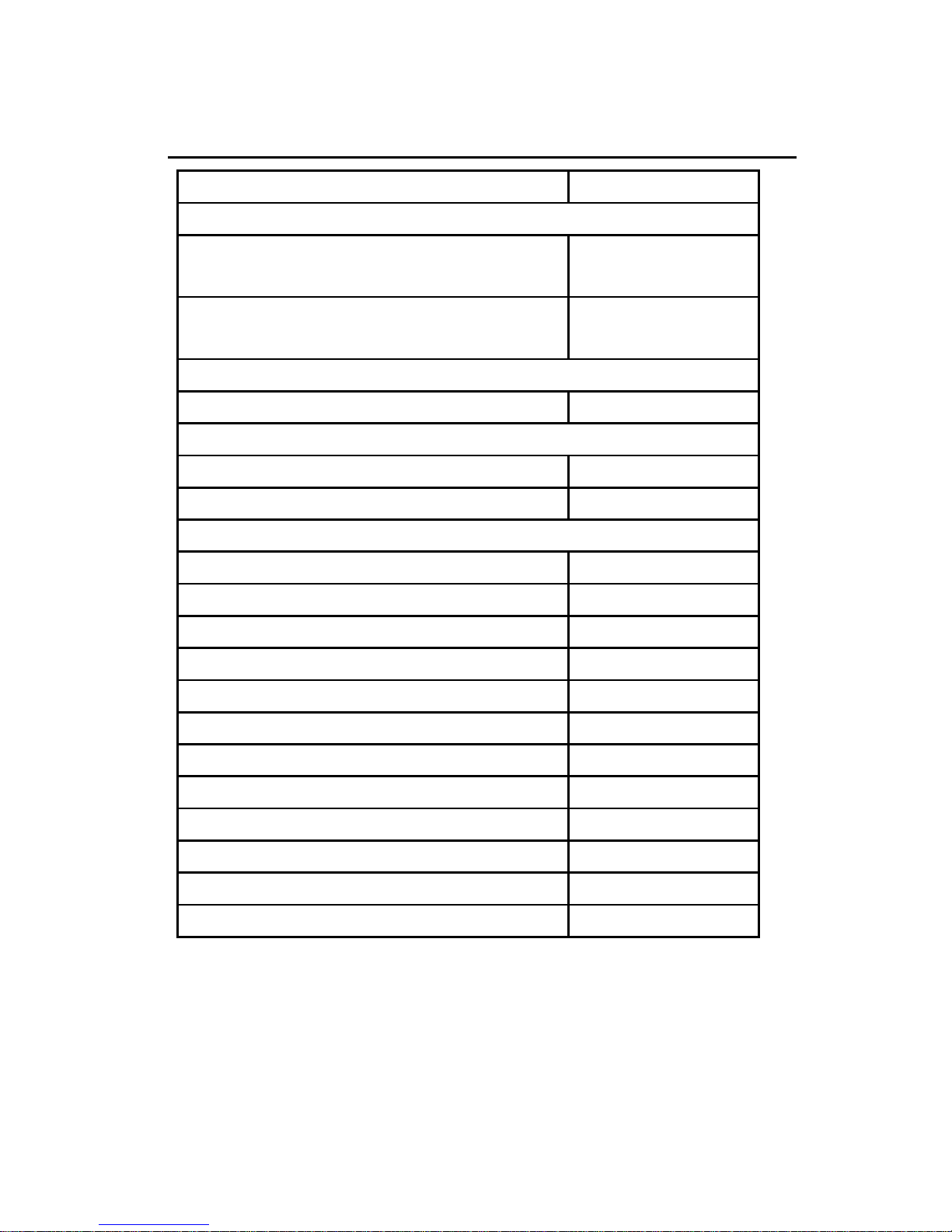
DEFAULT VALUES OF OPERATING PARAMETERS
Function Default
Sleep mode
Motor sleep mode
After 30
minutes
Laser sleep mode
After 15
minutes
Scanner timing
Same code delay 500msec
Beeper Tone
Frequency medium
Duration 50msec
Code Identifiers
Code ID off
Code 39 M
ITF 2 of 5 I
Chinese post code H
UPC-A A
UPC-E E
EAN-13 F
EAN-8 FF
Codabar N
Code 128 K
Code 93 L
MSI/Plessy P
Page 11
4
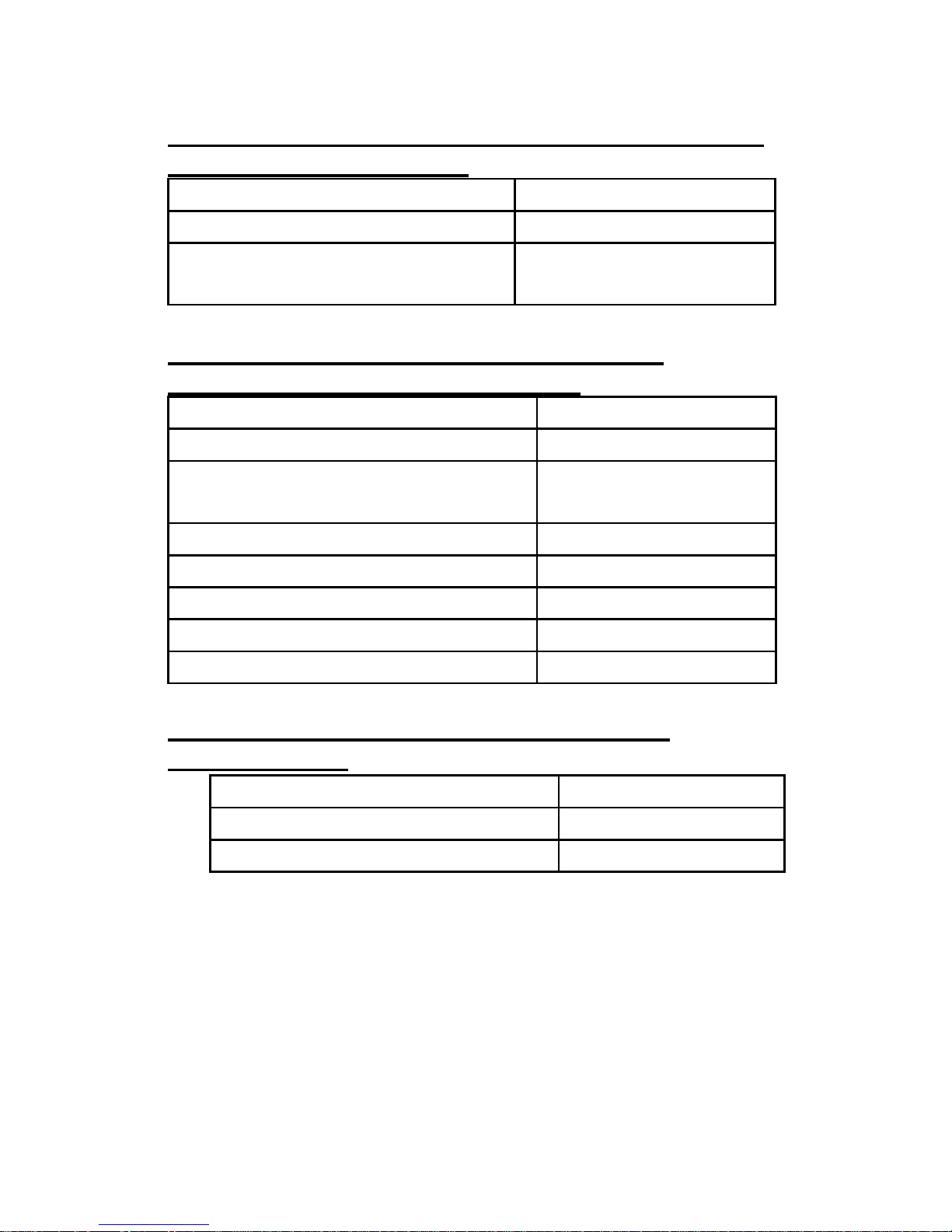
DEFAULT VALUES OF KEYBOARD EMULATION
PARAMETERS SETTING
Function Default Values
Keyboard type selection IBM PC/AT USA
Message terminator
Enter/ carriage
return
DEFAULT VALUES OF RS-232C SERIAL
COMMUNICATION PARAMETERS
Function Default Values
Handshaking protocol None
ACK/NAK response time
setting
300 msec
Baud rate 9600
Data bit 8
Stop bit 1
Parity None
Message terminator selection CR/LF
DEFAULT VALUES OF USB EMULATION
PARAMETERS
Function Default Values
Keyboard Type US Keyboard
Message Terminator Enter
Page 12
5
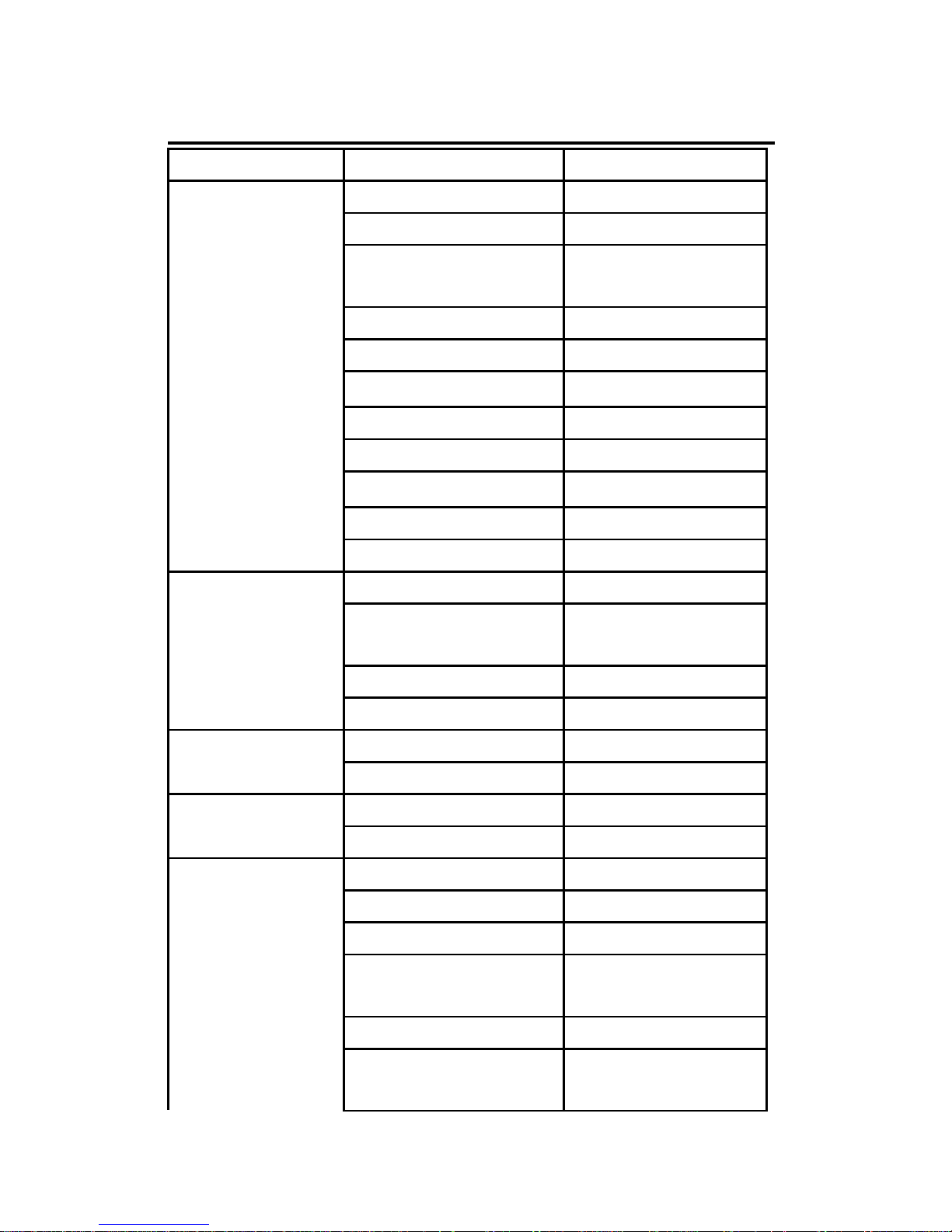
DEFAULT VALUES OF DECODING PARAMETERS
Function Code Default Value
Code 39 Enable
ITF 2 of 5 Disable
Chinese Post
Code
Disable
UPC/EAN/JAN Enable
Codabar Disable
※
MSI/PLESSY
Disable
Code 128 Disable
Code 93 Disable
※
EAN-128
Disable
Italian Pharmacy Disable
Reading codes
selection
ISSN/ ISBN Disable
Codes Standard
Start/stop
characters
Not transmitting
Check digit Disabled
Code 39
Concatenation Off
Length 6-32 Interleaved
2 of 5
Check digit Disable
Length 8~32 Chinese Post
Code
Check digit none
Format All
A
ddendum Disable
UPC-E=UPC-A Disabled
UPC-A leading
digit
Transmit
UPC-A check digit Transmit
UPC/EAN
/JAN
UPC-E leading
digit
Transmit
Page 13
6
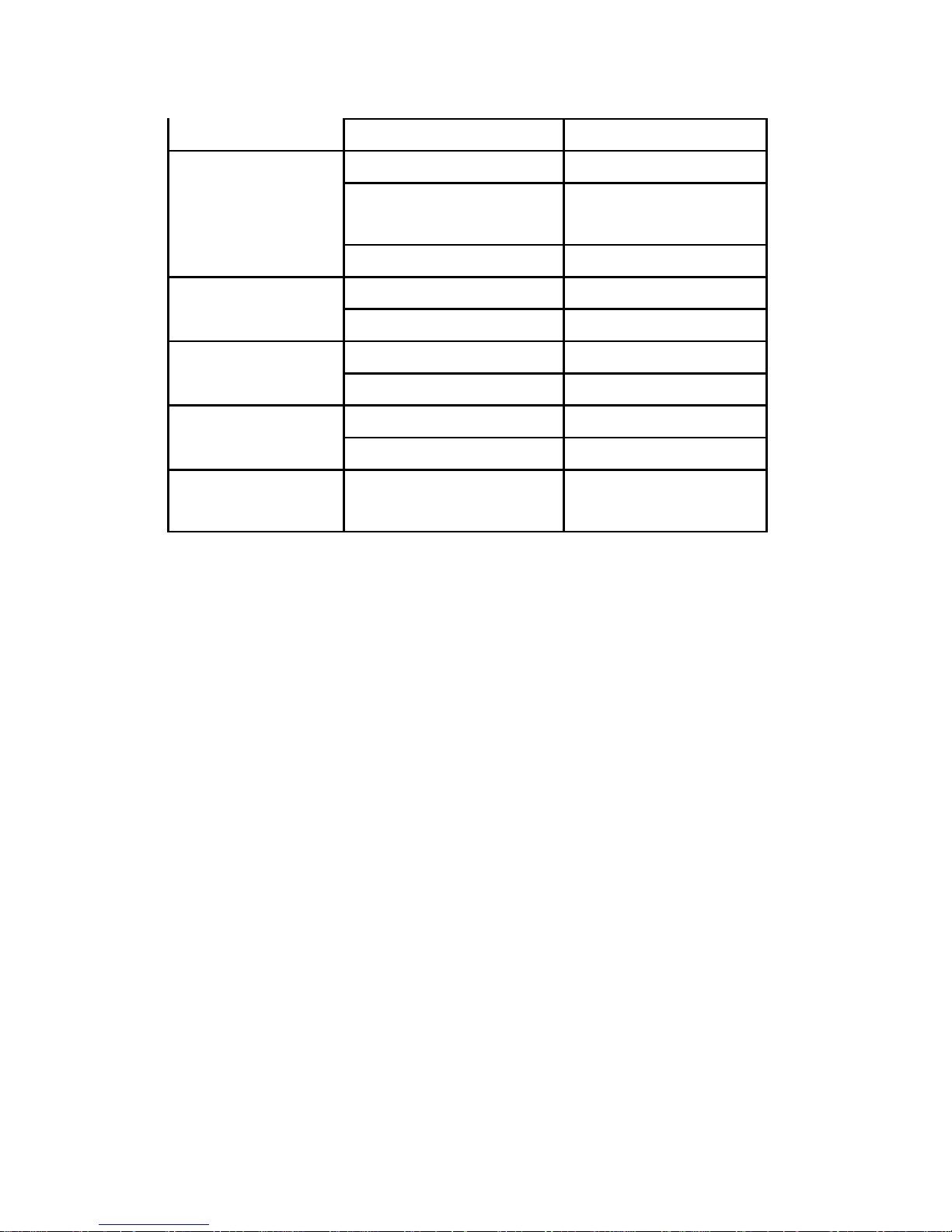
UPC-E check digit Transmit
Type Standard
Start/stop
characters
A,B,C,D
Codabar
Length 6~32 digits
FNC 2 append Disable
Code 128
Check digit Disable
Length 3~32
Code 93
Check digit Not transmit
Length 6~32
MSI
Check digit Transmit
Italian
Pharmacy
Transmit "A"
Character
Not transmitting
Note: The configuration of the items with asterisk
(※) is effective when being appointed in advance
Page 14
7
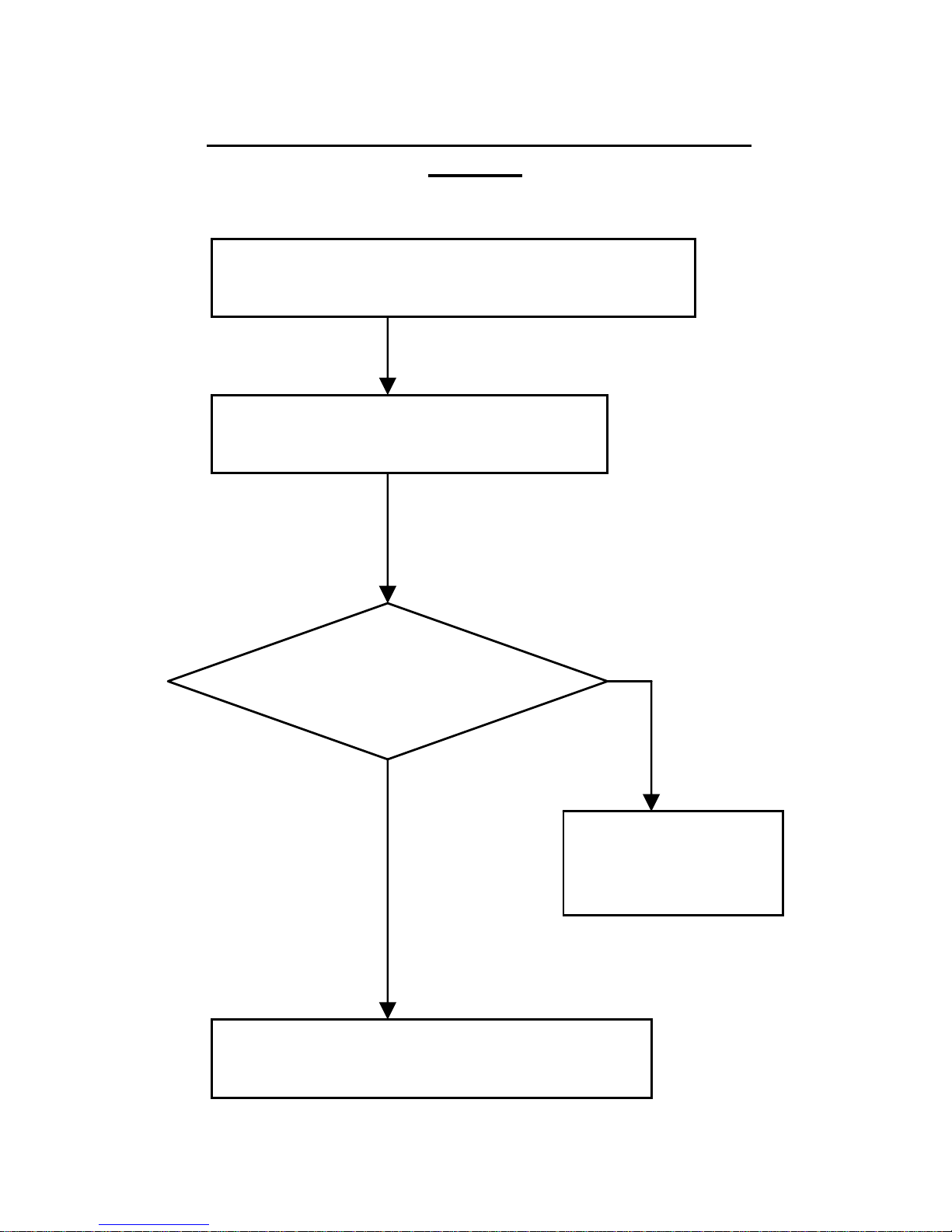
PROGRAM PROCEDURE USING BARCODE
MENUS
Read Enter/Exit programming mode
barcode to start of confi
g
uration
Change scanner setting by
scannin
g
mode
Select code 39 full
ASCII table?
Y
es
Read “Set”
barcode to
co
nfirm
N
o
Read Enter/Exit programming
mode barcode to save and exit
Page 15

8
Enter/Exit Programming Mode
All framed barcode names represent
as default settings.
Page 16

9
SYSTEM SETTING
Page 17

10
RESET
※ The reading of the “RESET” label turns all the
parameters back to default values.
※ The scanner remains in the last interface mode
when the scanner is reset. The label below
should be scanned if the scanner is
configured for the first time.
The reading of the “Show Version” label will show
firmware version.
Display firmware version
Page 18

11
Save as Customer default
The setting allows the multi-desired setting barcode
to be saved as a customer default.
The RS-232C interface scanner is used when
connecting to the serial port of a PC or terminal
Return to RS-232C default
Page 19

12
Return to PC/AT default
Keyboard wedge interface for IBM PC AT and
compatibles
Return to USB default
Page 20

13
Return to customer default
The reading of the “ABORT” label discards all the
parameters reading prior to the “Enter/Exit of
Programming”
Abort (Exit programming mode)
Page 21

14
SLEEP MODE
Page 22

15
Motor Sleep mode off
Motor Sleep after 30 minutes
Page 23

16
Motor sleep after 60 minutes
Laser sleep mode off
Page 24
17
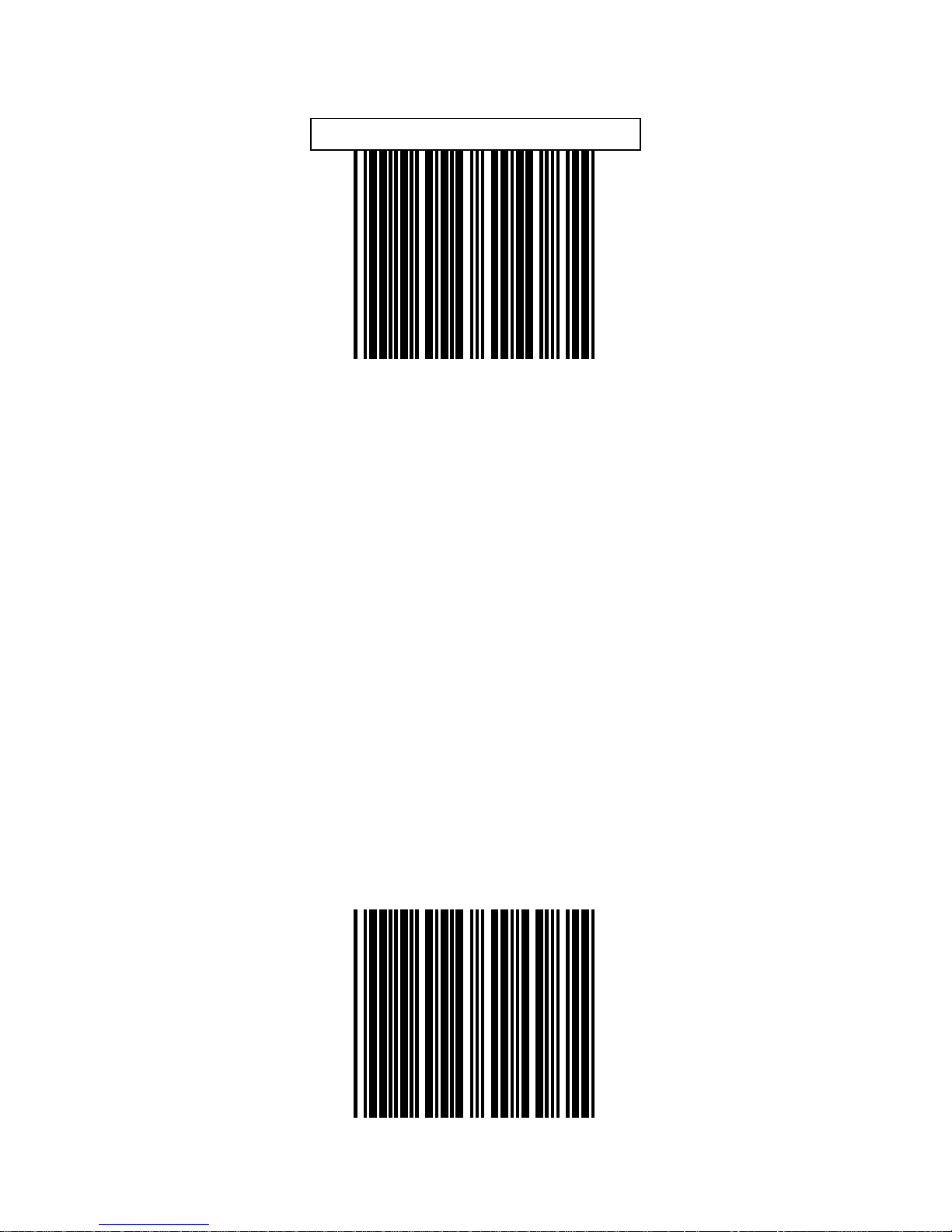
Laser sleep after 15 minutes
Laser sleep after 30 minutes
Page 25

18
BEEPER TONE
Page 26
19
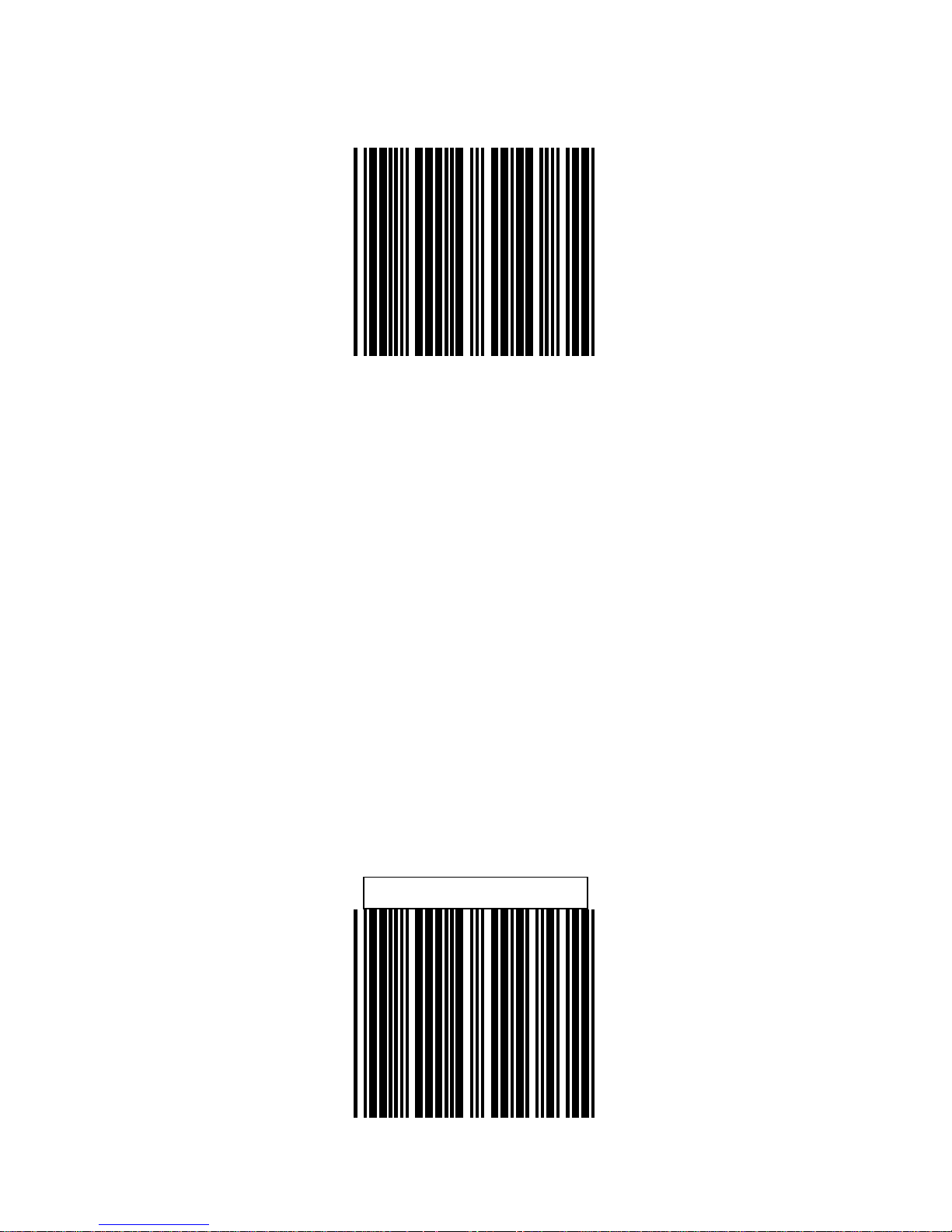
High Frequency
Medium Frequency
Page 27
20
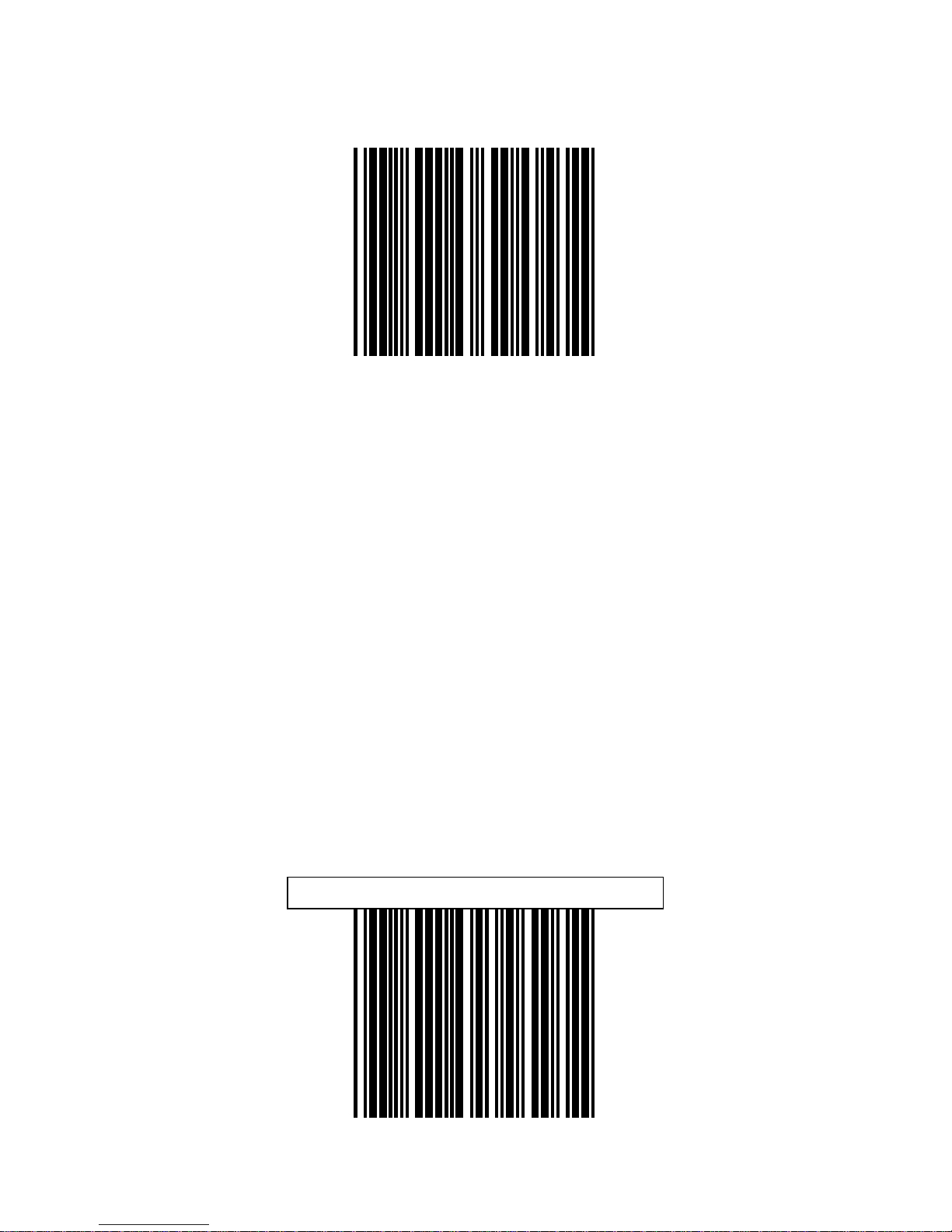
Low Frequency
Long sound duration (100msec.)
Page 28

21
Medium sound duration (50msec)
Short sound duration (20msec.)
Page 29

22
SCANNER TIMING
Page 30

23
Same code delay time 200 msec.
Same Code delay 300msec
Page 31
24
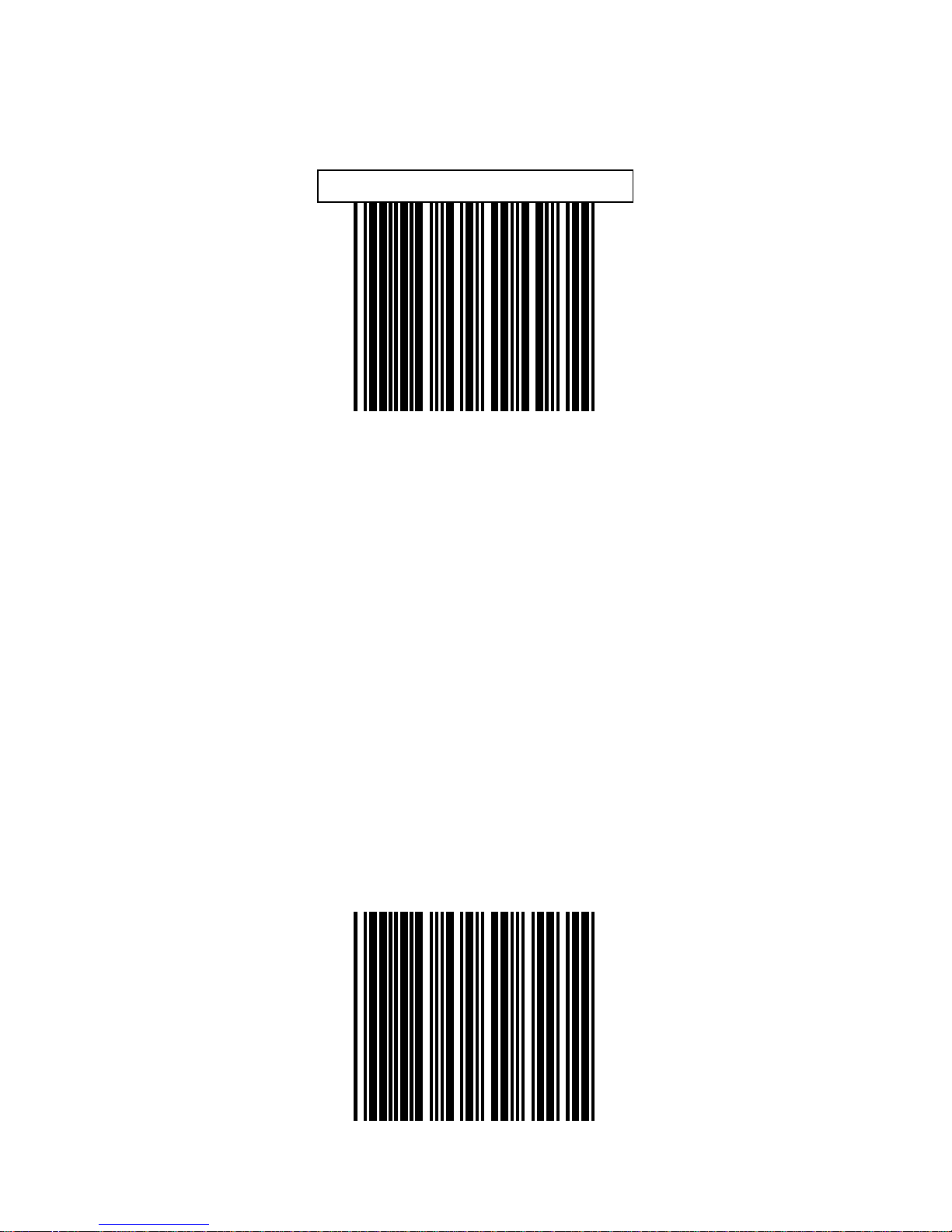
Same code delay 500msec
Same code delay time 600 msec
.
Page 32

25
RS-232
COMMUNICATION
Page 33
26
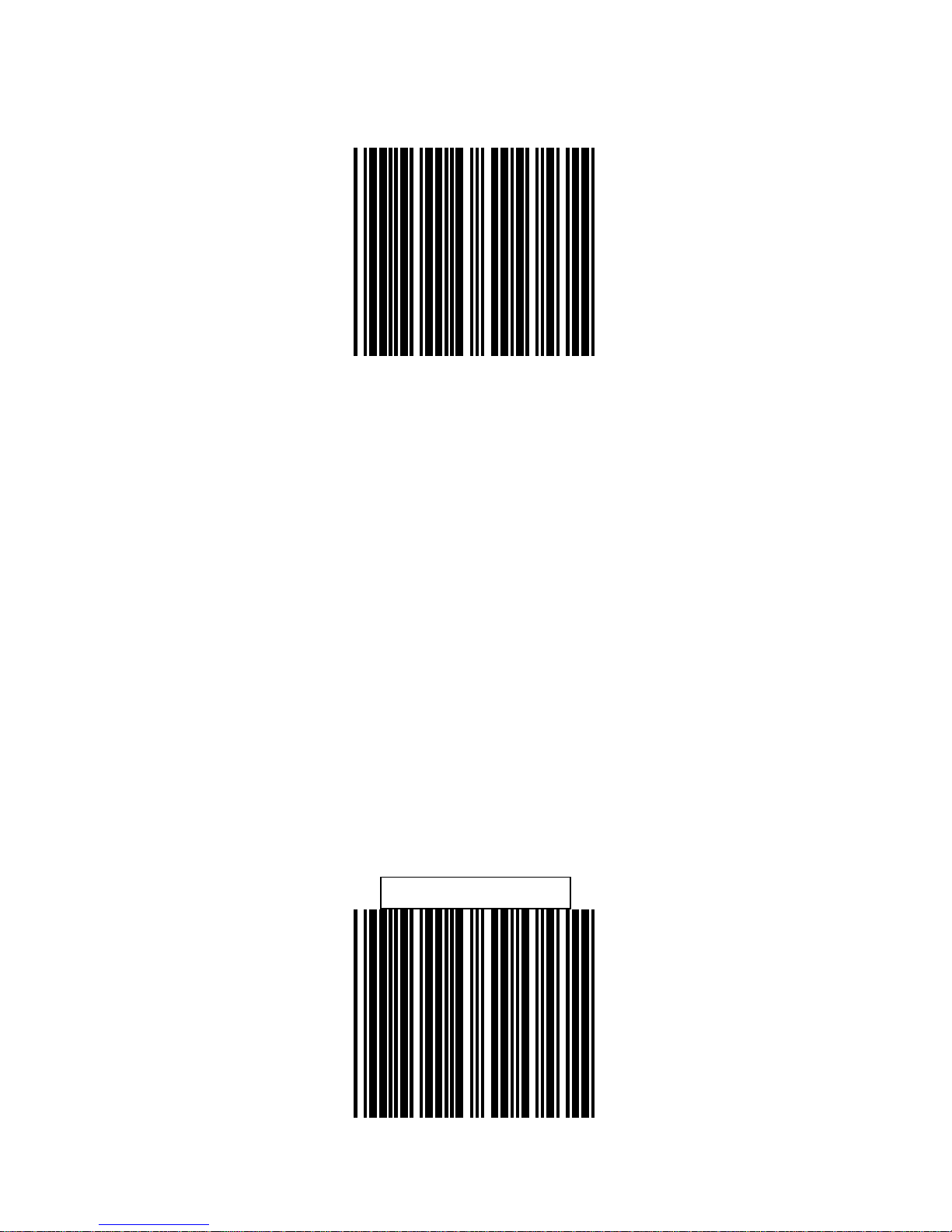
Baud Rate 19200
Baud Rate 9600
Page 34

27
Baud Rate 4800
Baud Rate 2400
Page 35
28
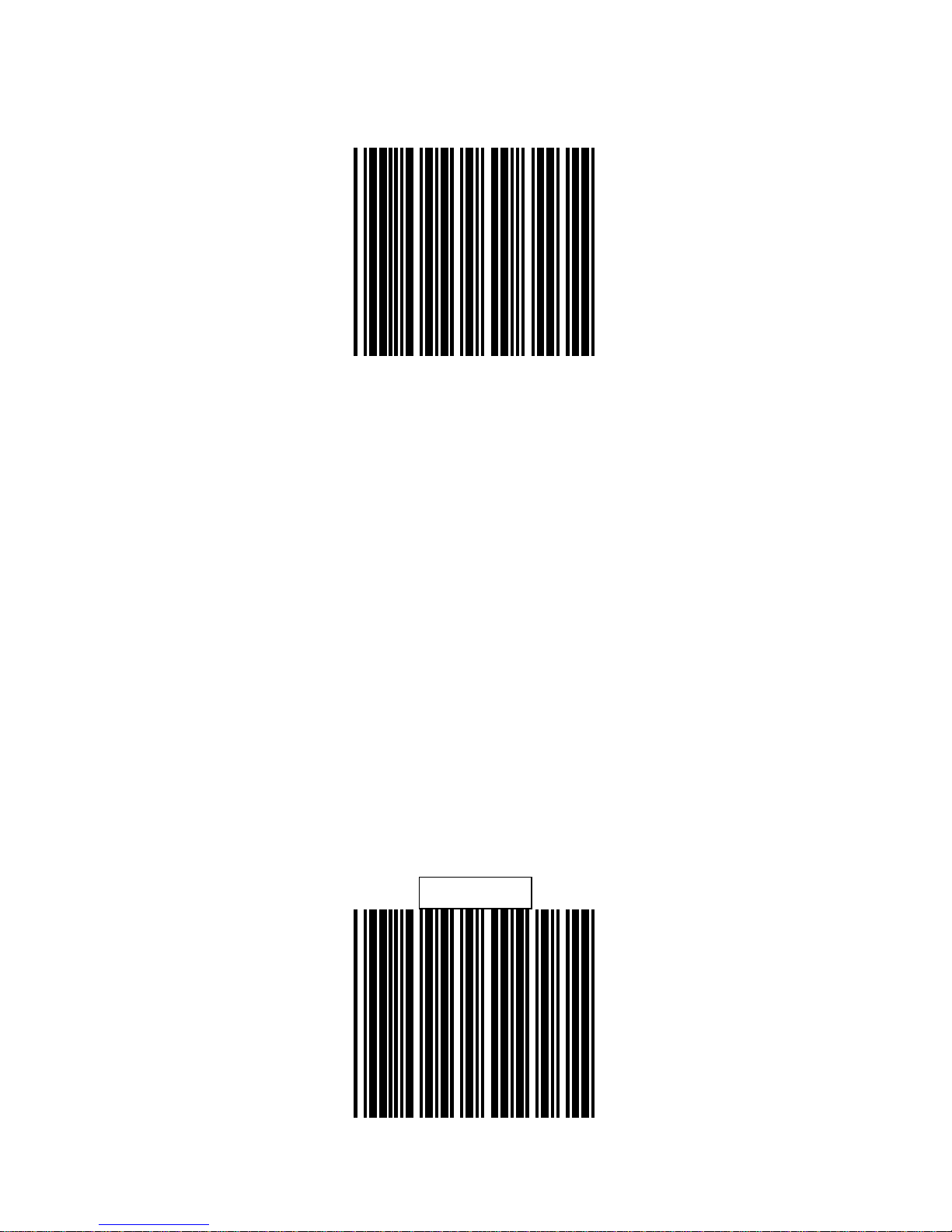
7 Data bit
8 Data bit
Page 36
29
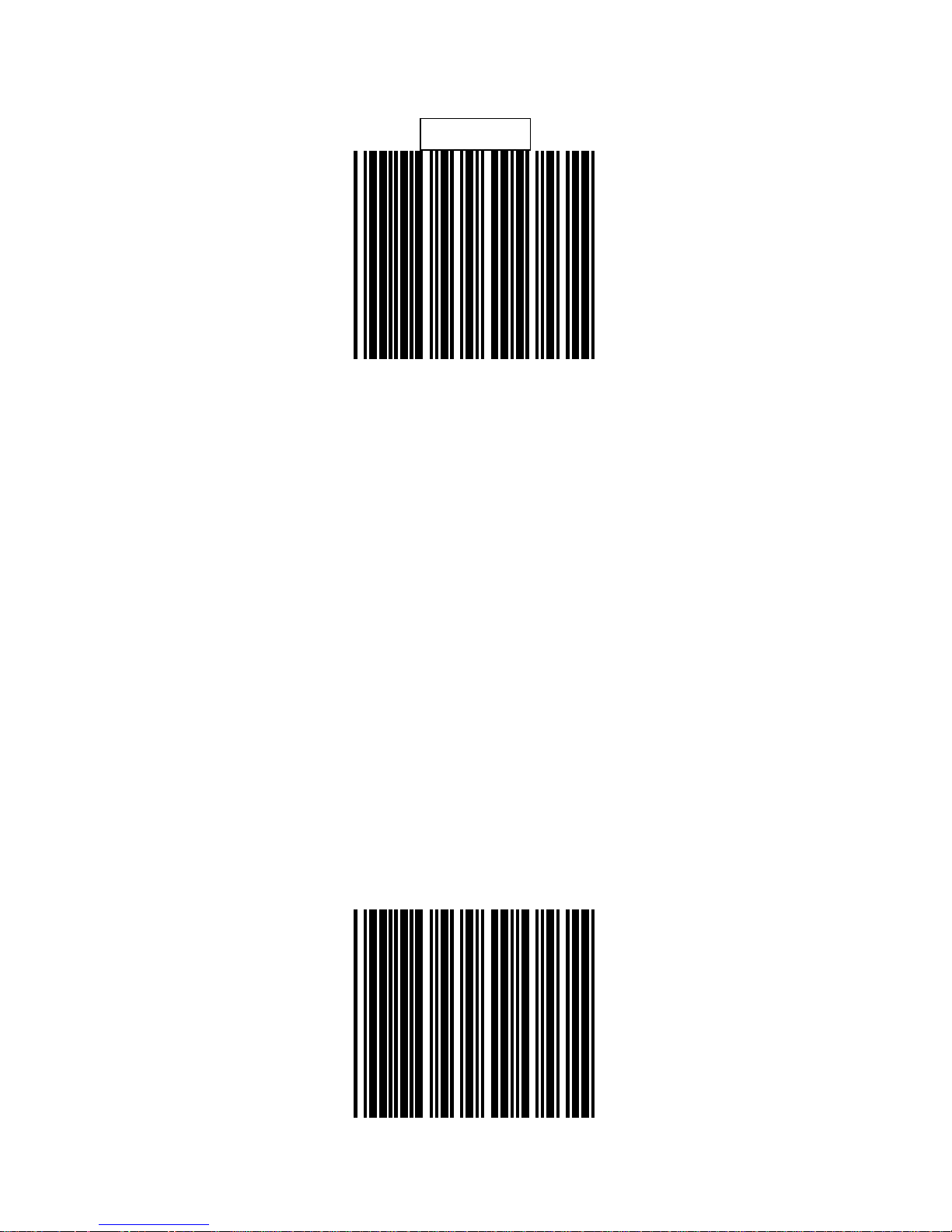
1 Stop bit
2 Stop bit
Page 37

30
Even parity
Odd Parity
Page 38

31
Mark parity
Space Parity
Page 39
32
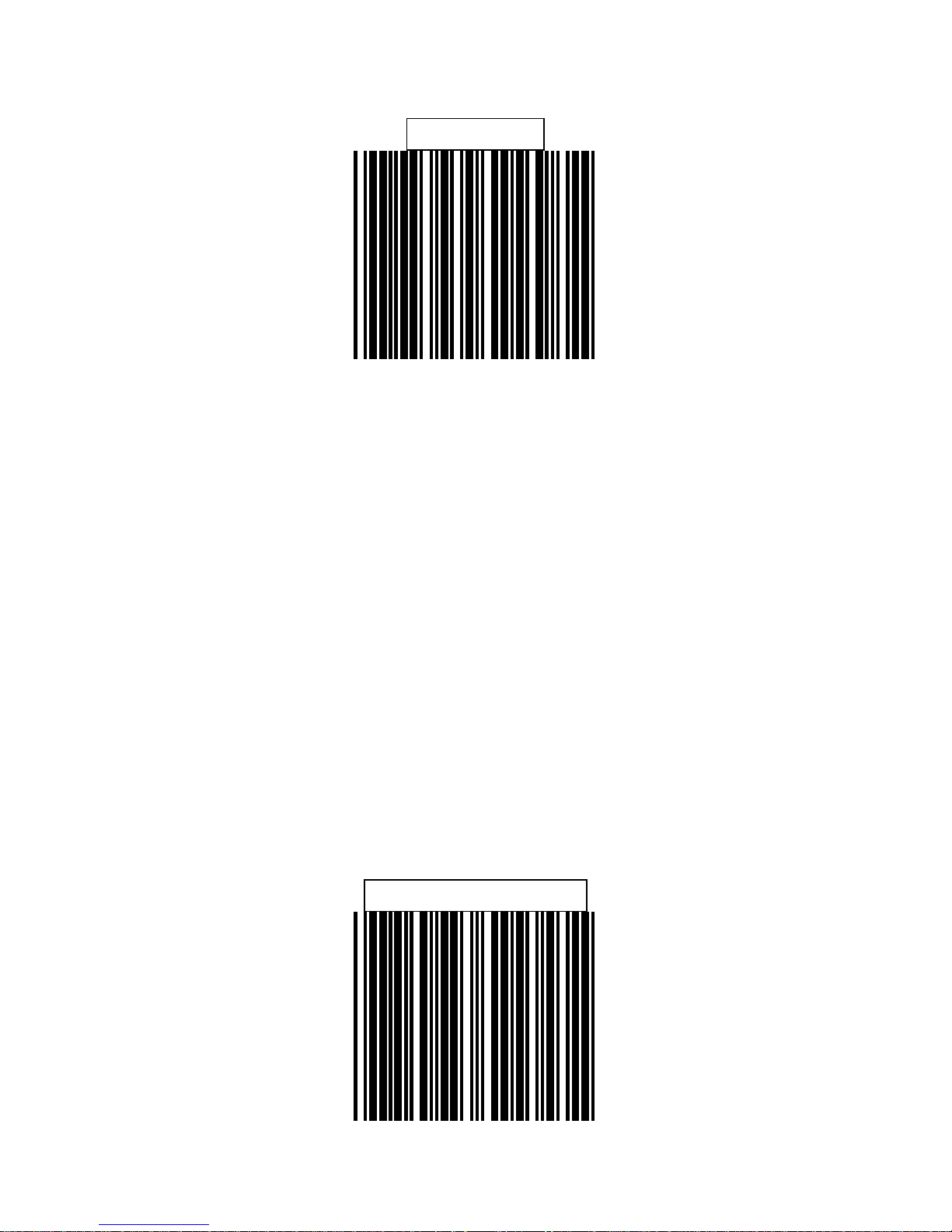
None Parity
None Handshaking
Page 40

33
RTS/CTS on
Message terminator-None
Page 41
34
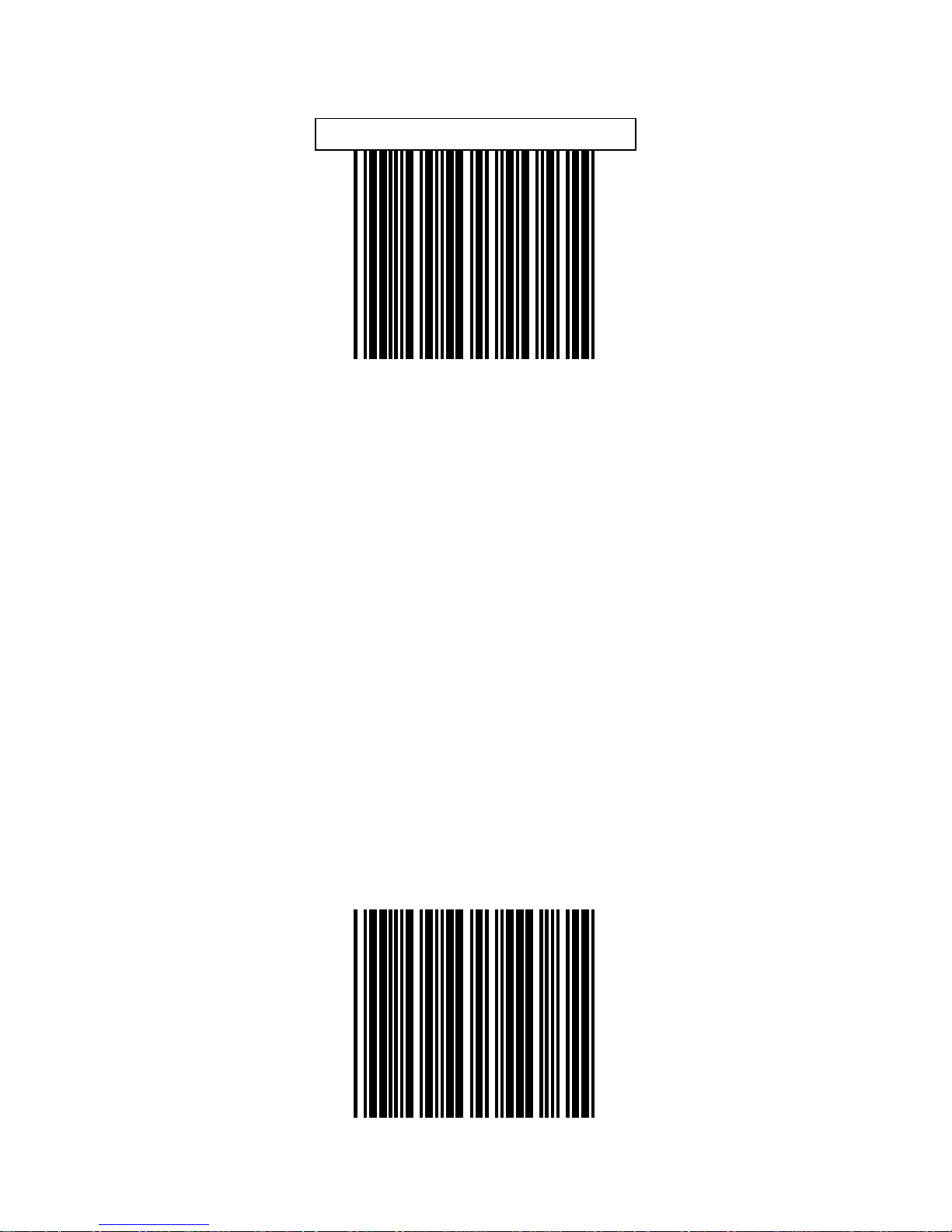
Message Terminator-CR/LF
Message Terminator-CR
Page 42

35
Message Terminator-LF
Message Terminator-H.tab
Page 43

36
Message Terminator-STX/ETX
Message Terminator-EOT
Page 44

37
KEYBOARD WEDGE
Page 45

38
US Keyboard
International Keyboard
(ALT method)
Page 46
39
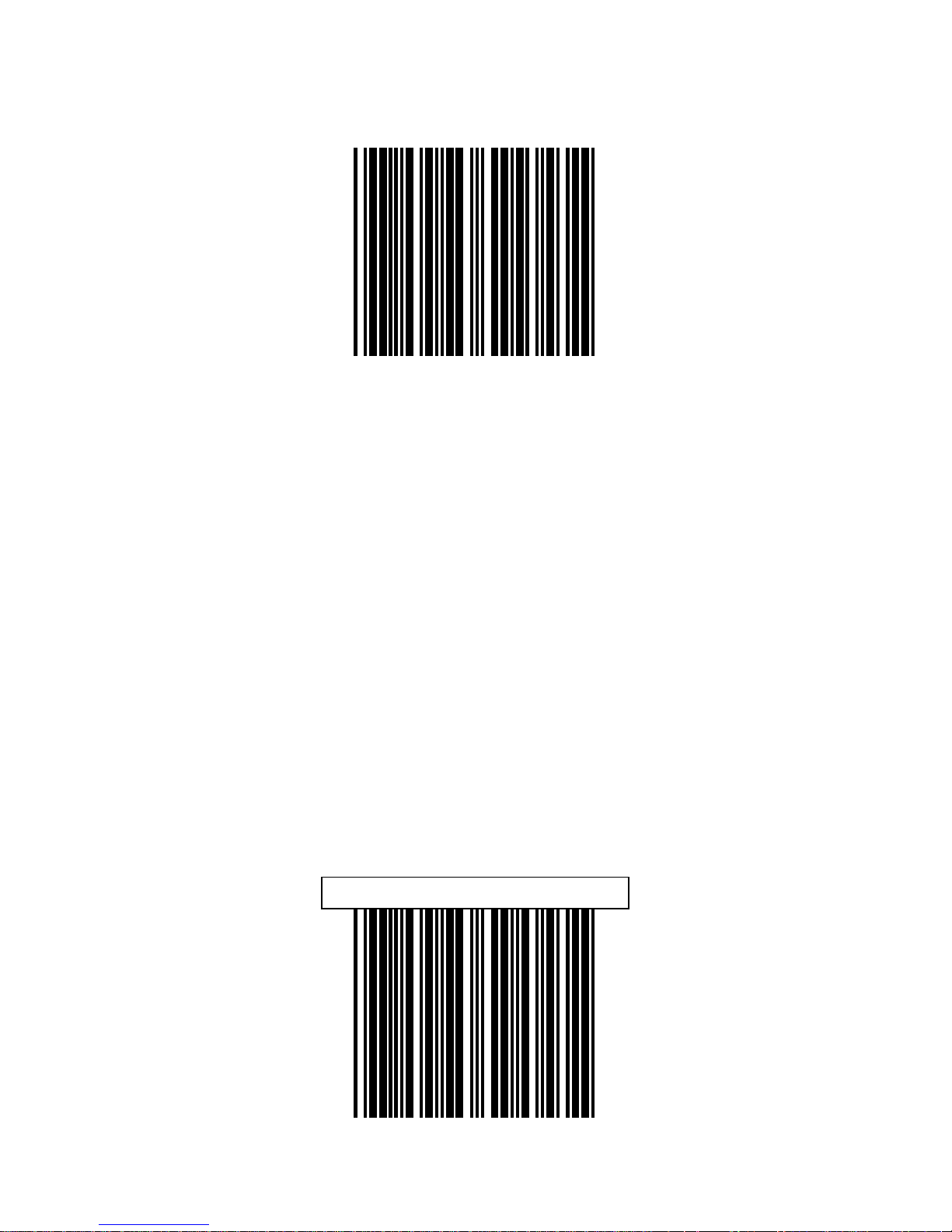
Message Terminator-None
Message Terminator-Enter
Page 47

40
Message Terminator-H.tab
Page 48
41
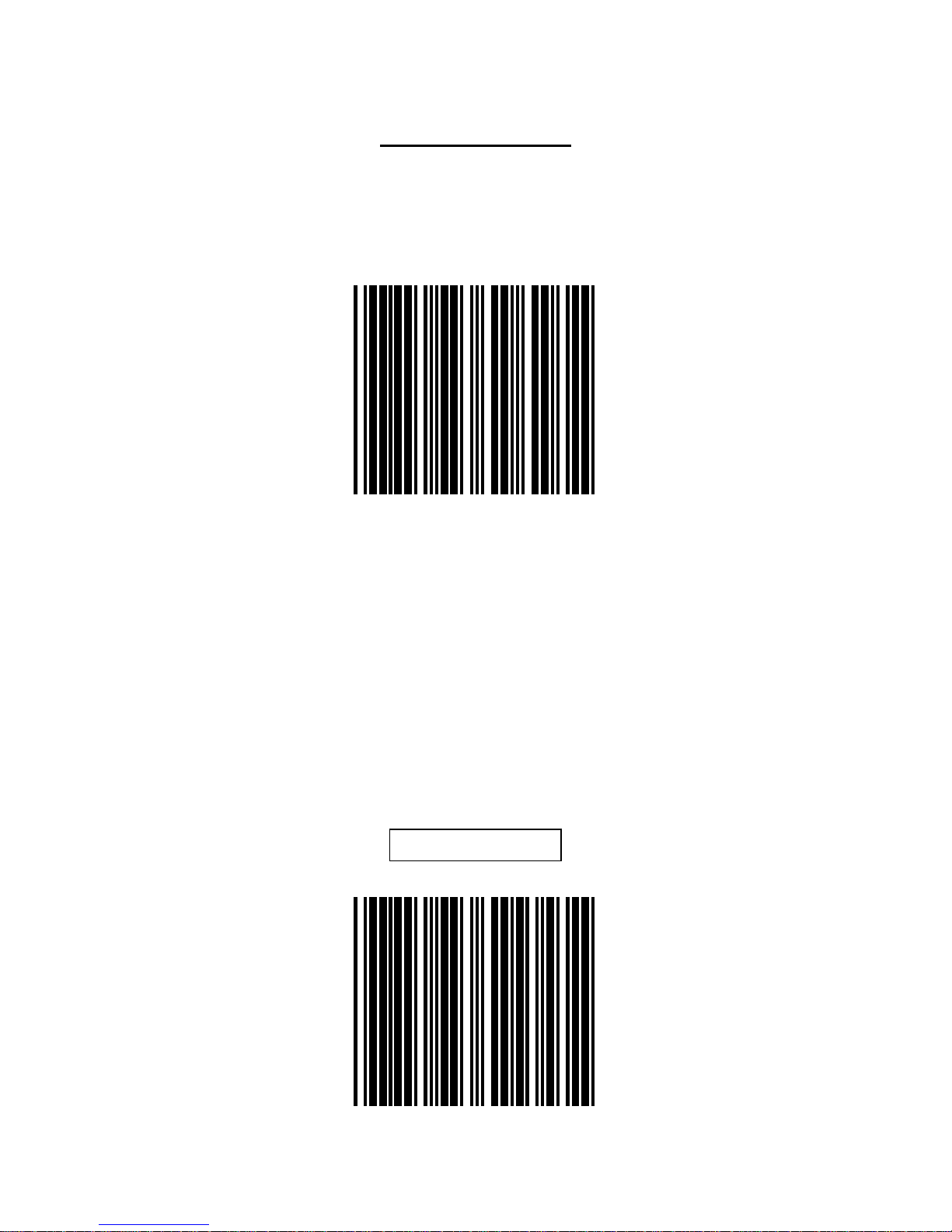
CAPITAL LOCK
Select the suitable code to match your keyboard
caps lock status
Capital lock on
Capital lock off
Page 49
42
FUNCTION KEY EMULATION
The series allow you to emulat e Function keys, Arrow
keys, and many other “extended” keys. An IBM
compatible keyboard does not translate to ASCII
characters. It can be concatenated with input data
as header and/or trailer. (see Appendix B)
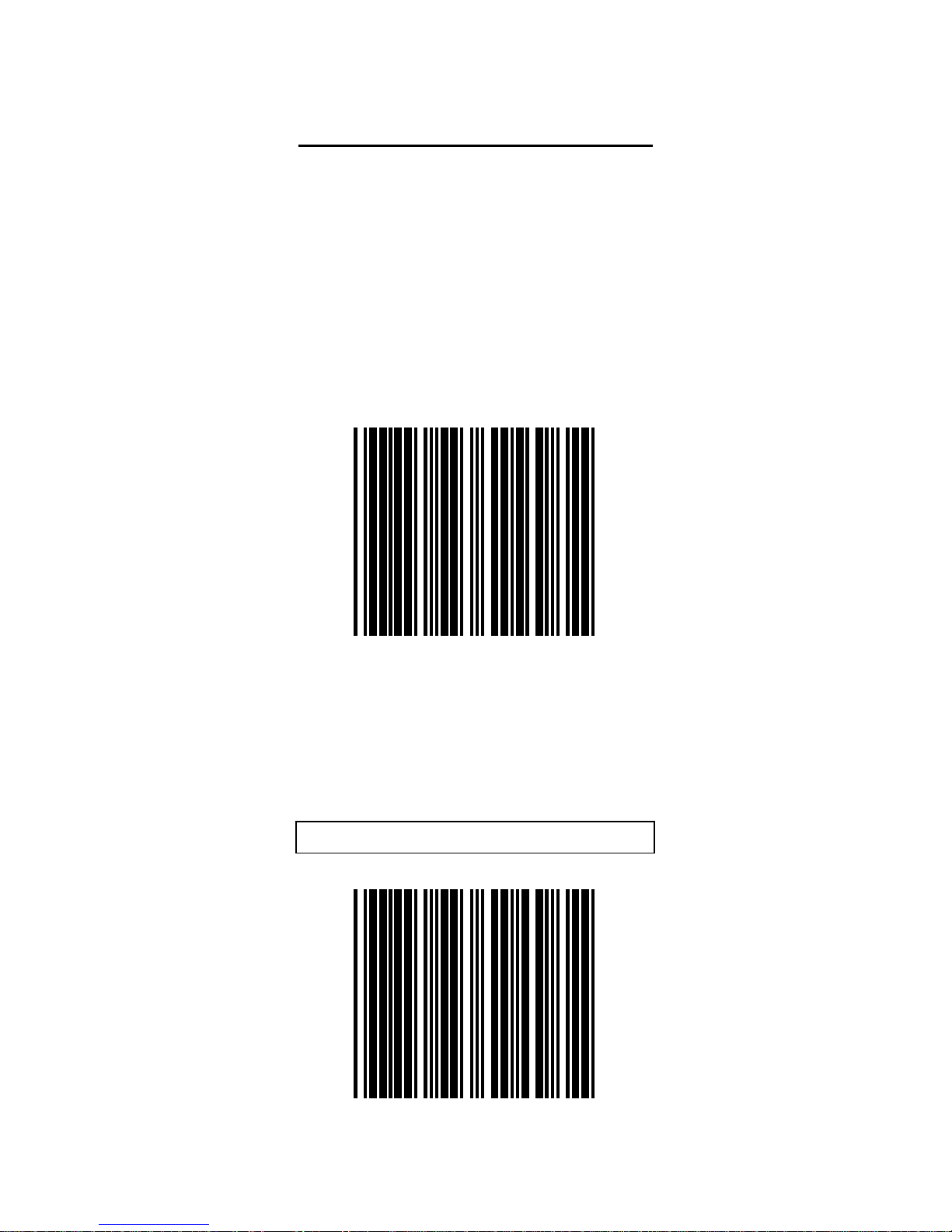
Function key emulation enable
Function key emulation disabl e
Page 50

43
USB INTERFACE
Page 51

44
US Keyboard
International Keyboard
(ALT method)
Page 52
45
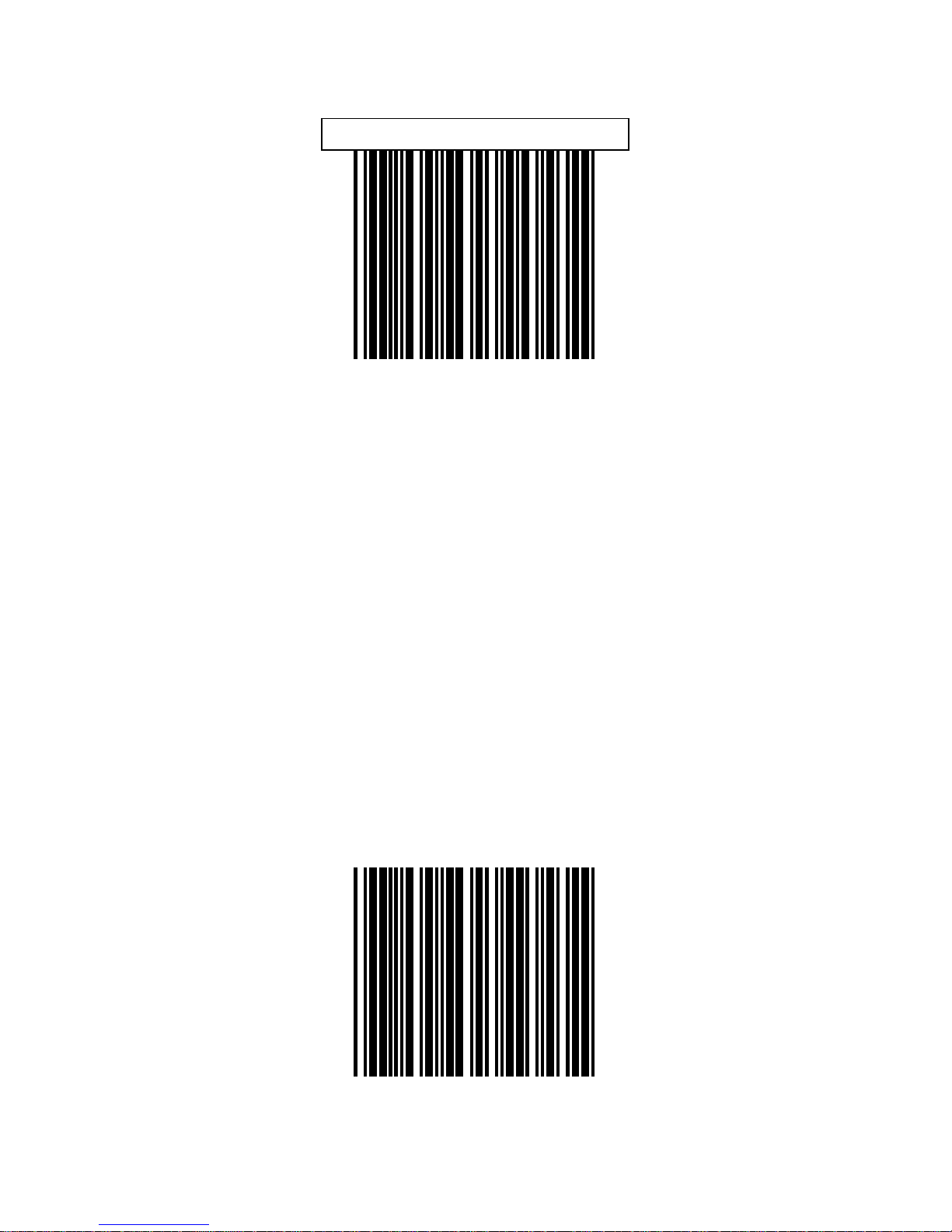
Message Terminator-Enter
Message terminator-None
Page 53

46
Message Terminator-H.tab
Page 54

47
CODE SELECTION
Page 55
48
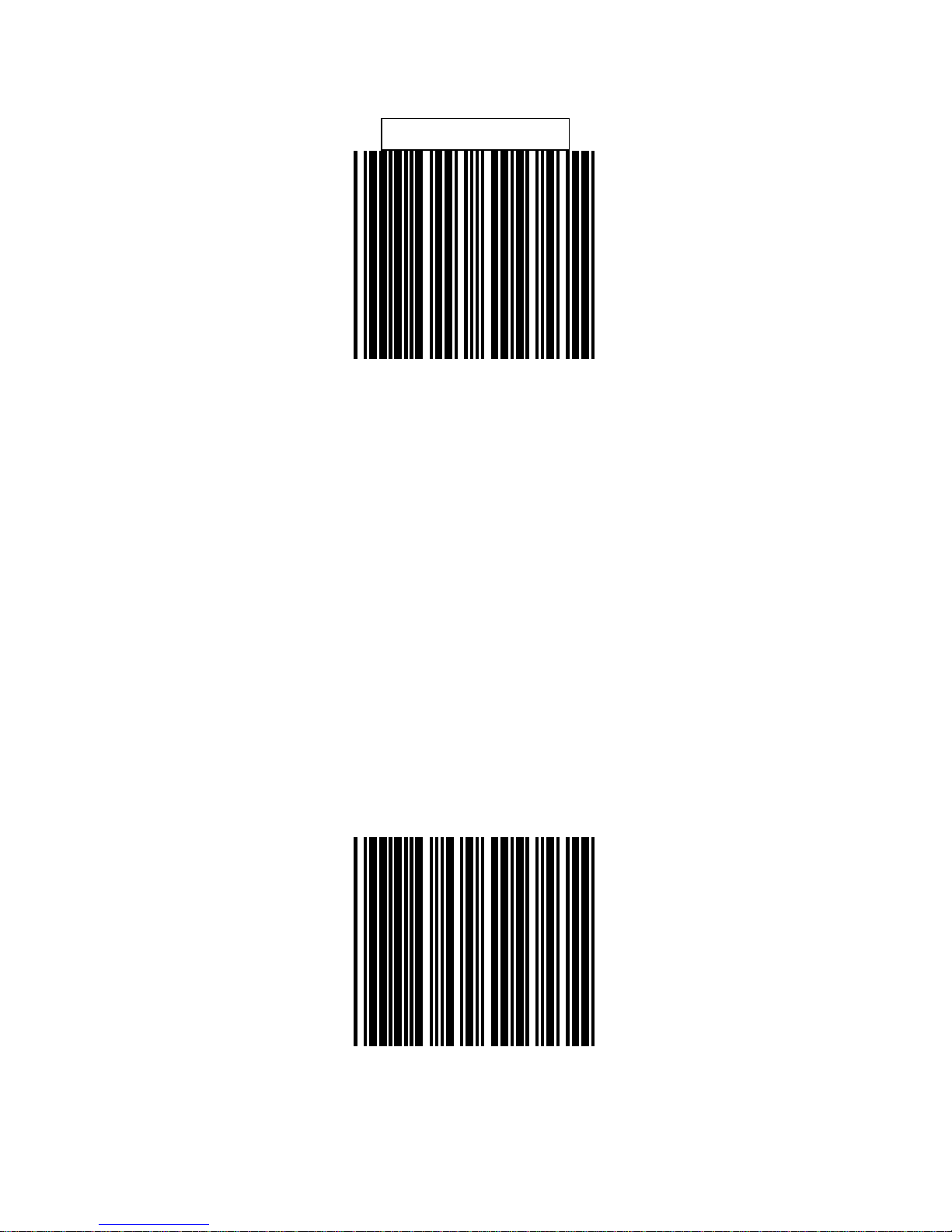
Code 39 Enable
Code 39 Disable
Page 56
49
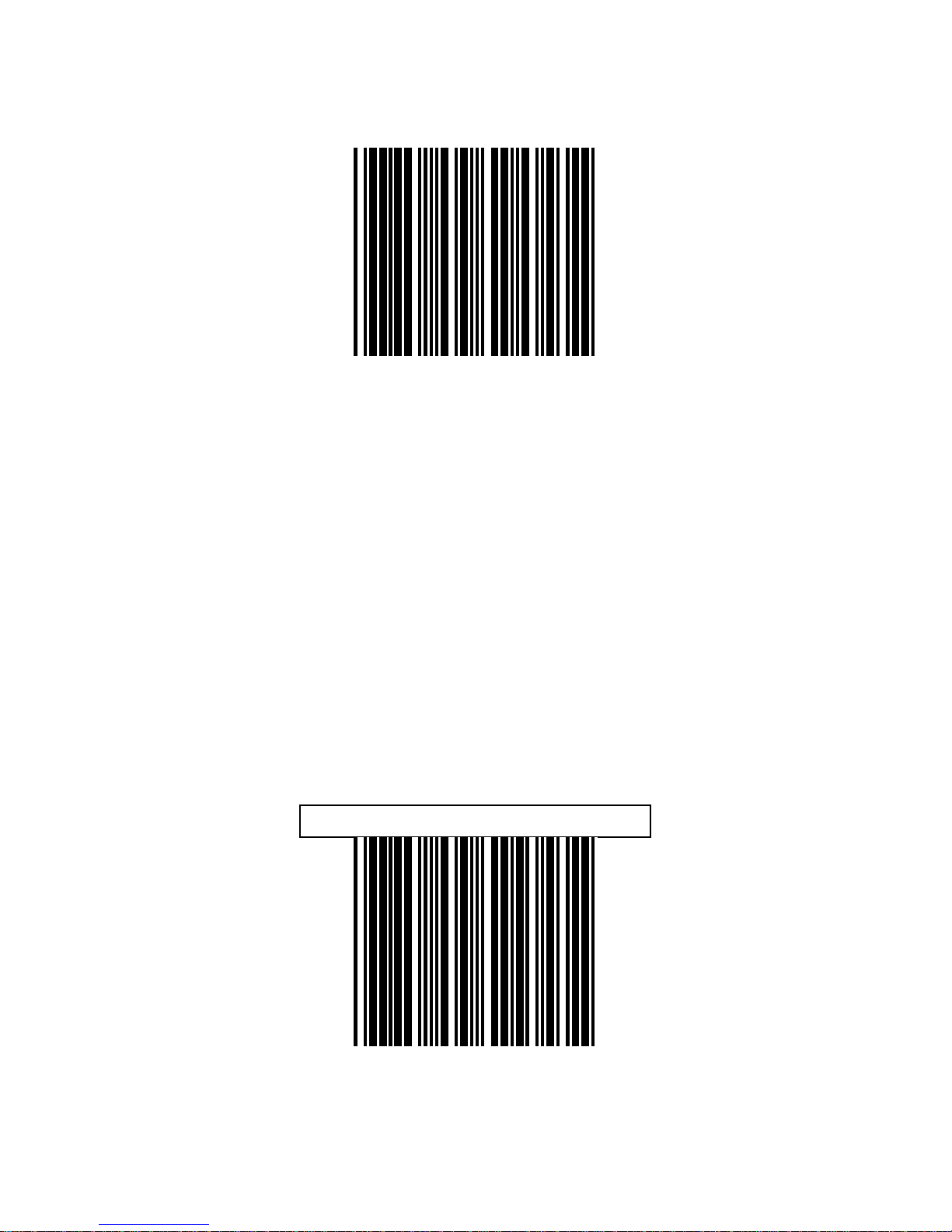
FULL ASCII CODE39 Ena ble
FULL ASCII CODE 39 Disabl e
Page 57
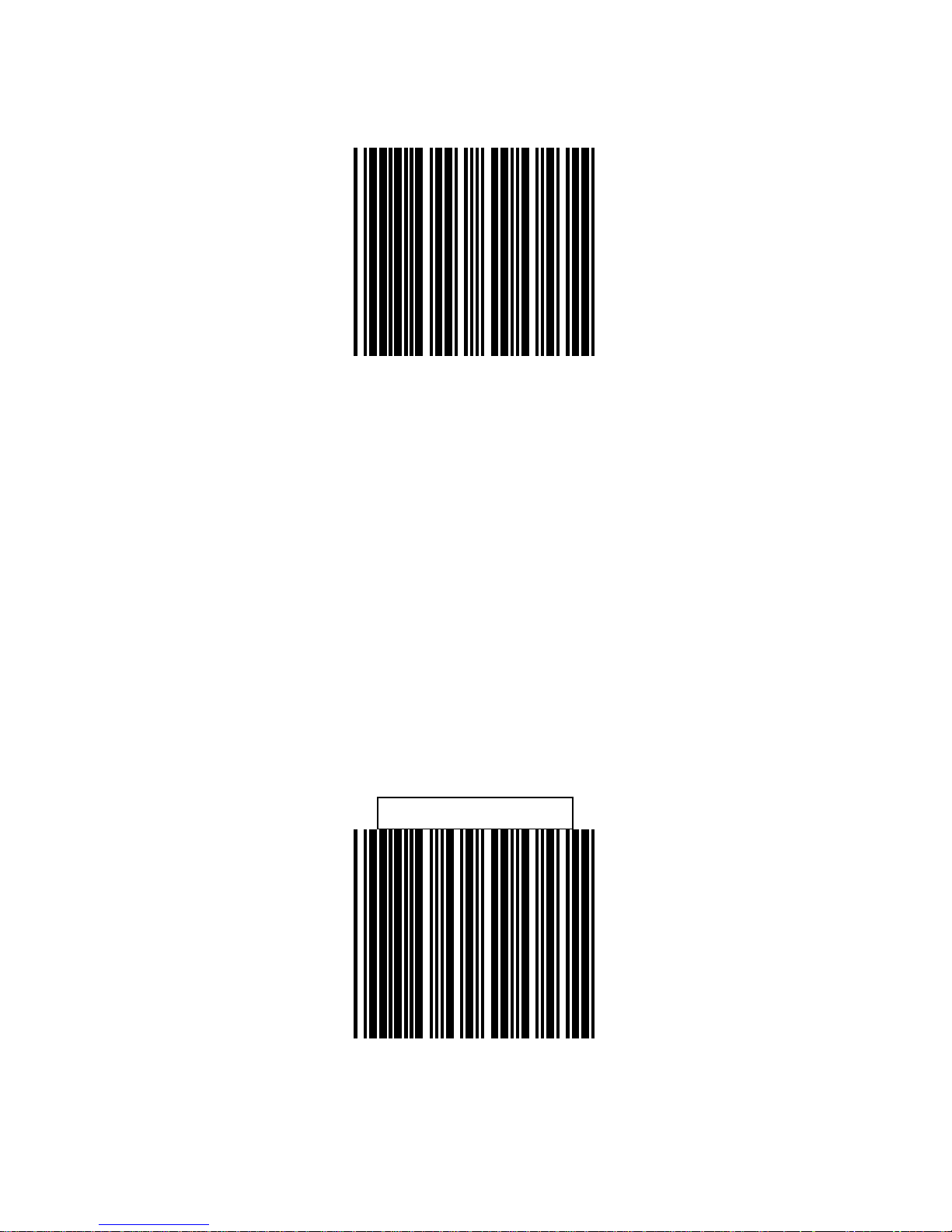
50
Codabar Enable
Codabar Disable
Page 58
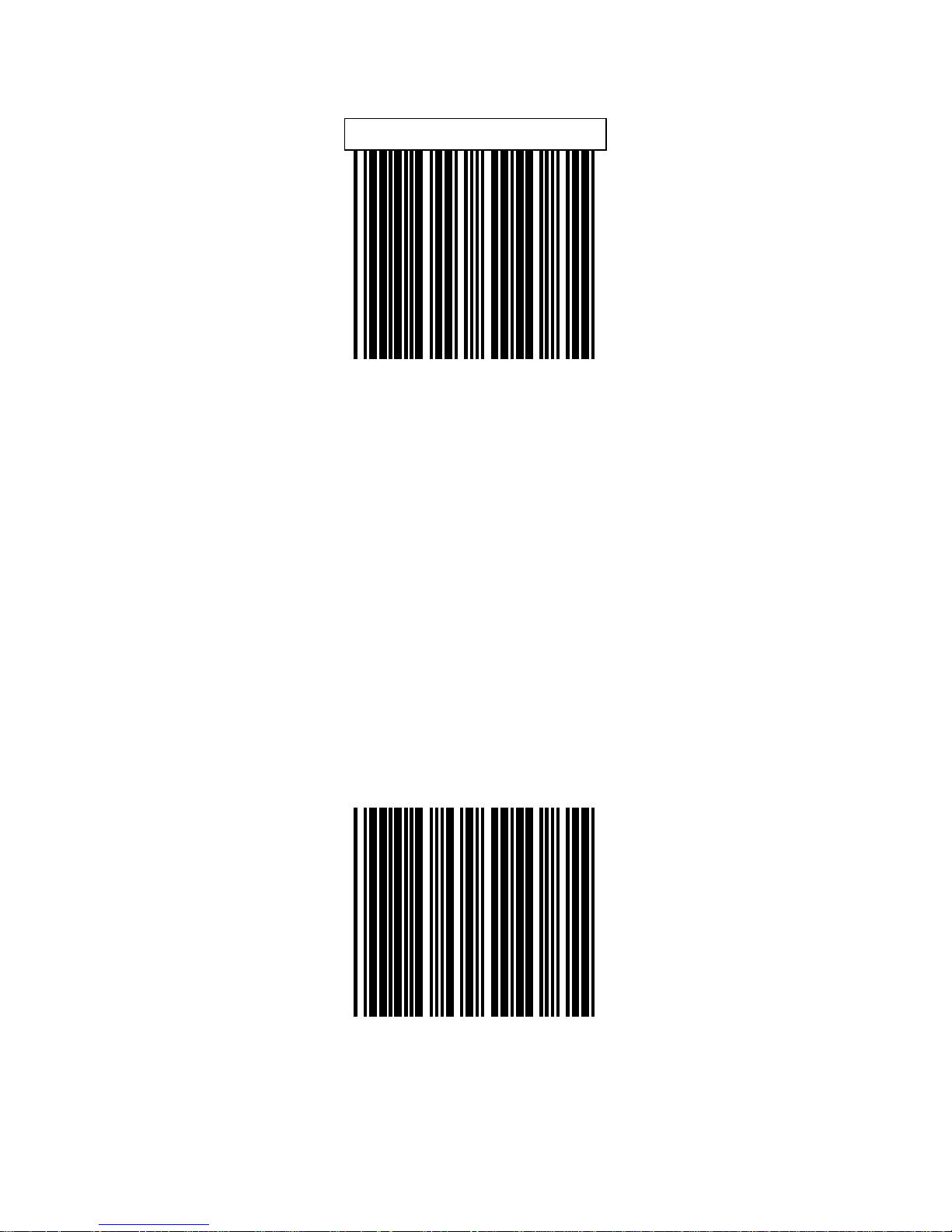
51
UPC/EAN/JAN Enable
UPC/EAN/JAN Disable
Page 59
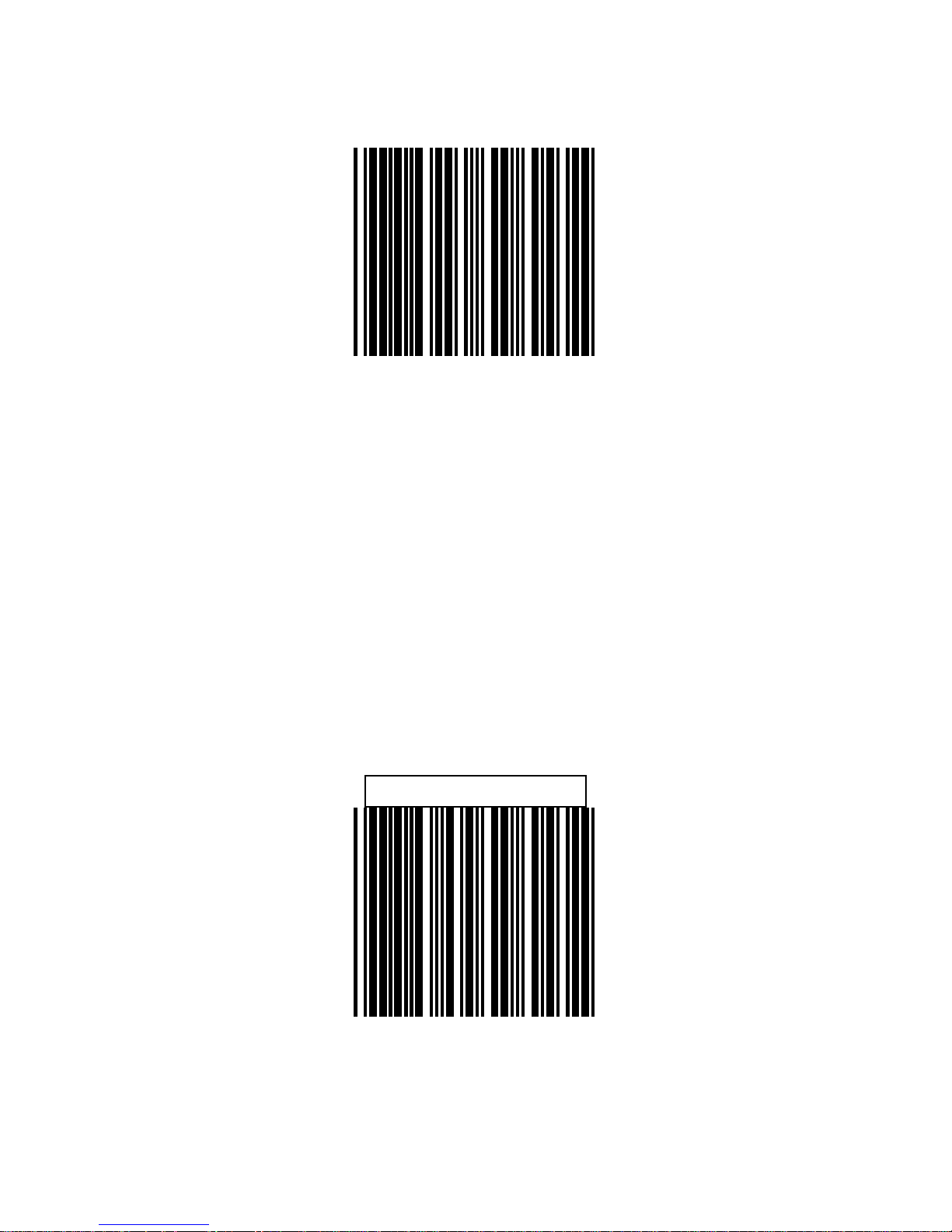
52
ITF 2 of 5 Enable
ITF 2 OF 5 Disable
Page 60
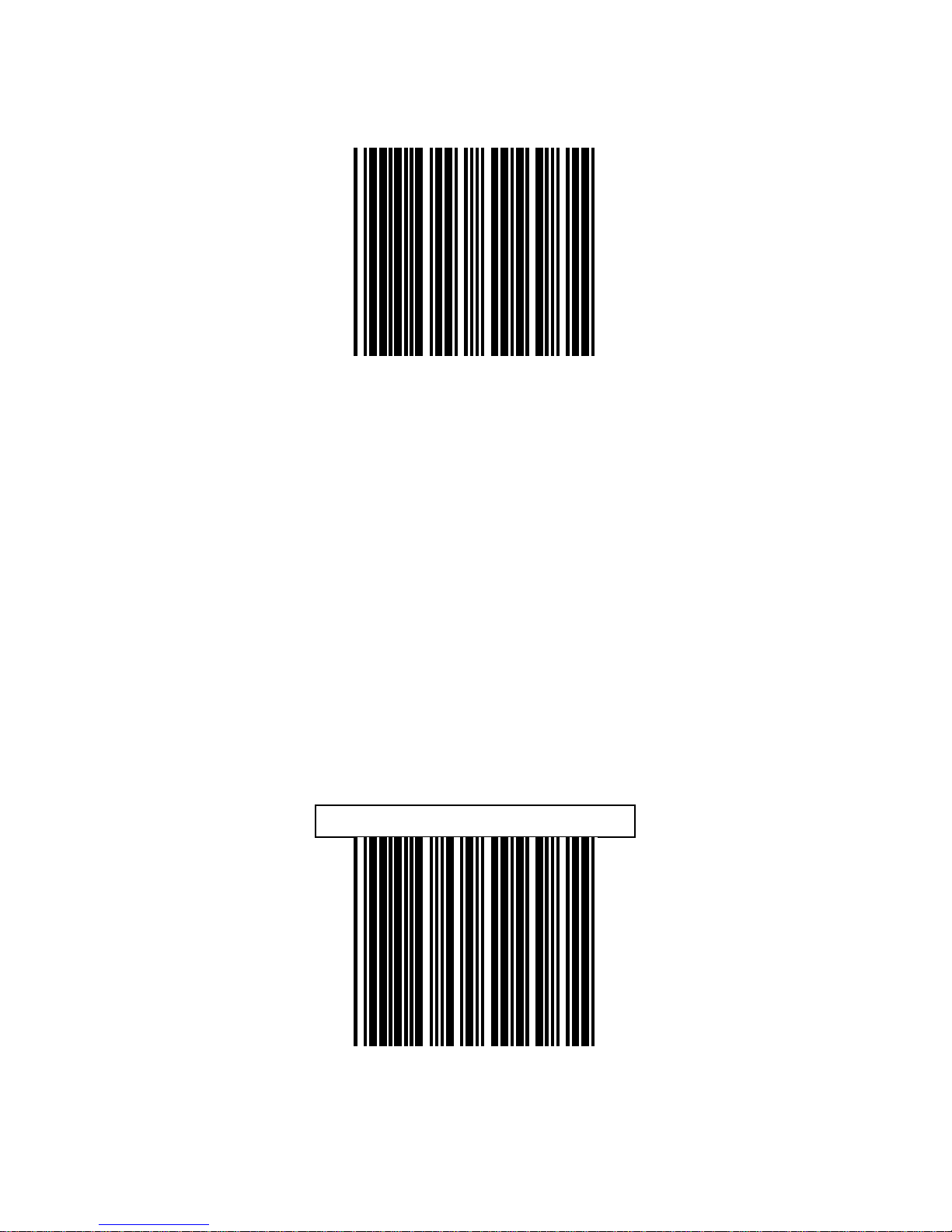
53
Chinese Post Code Enable
Chinese Post Code Disable
Page 61
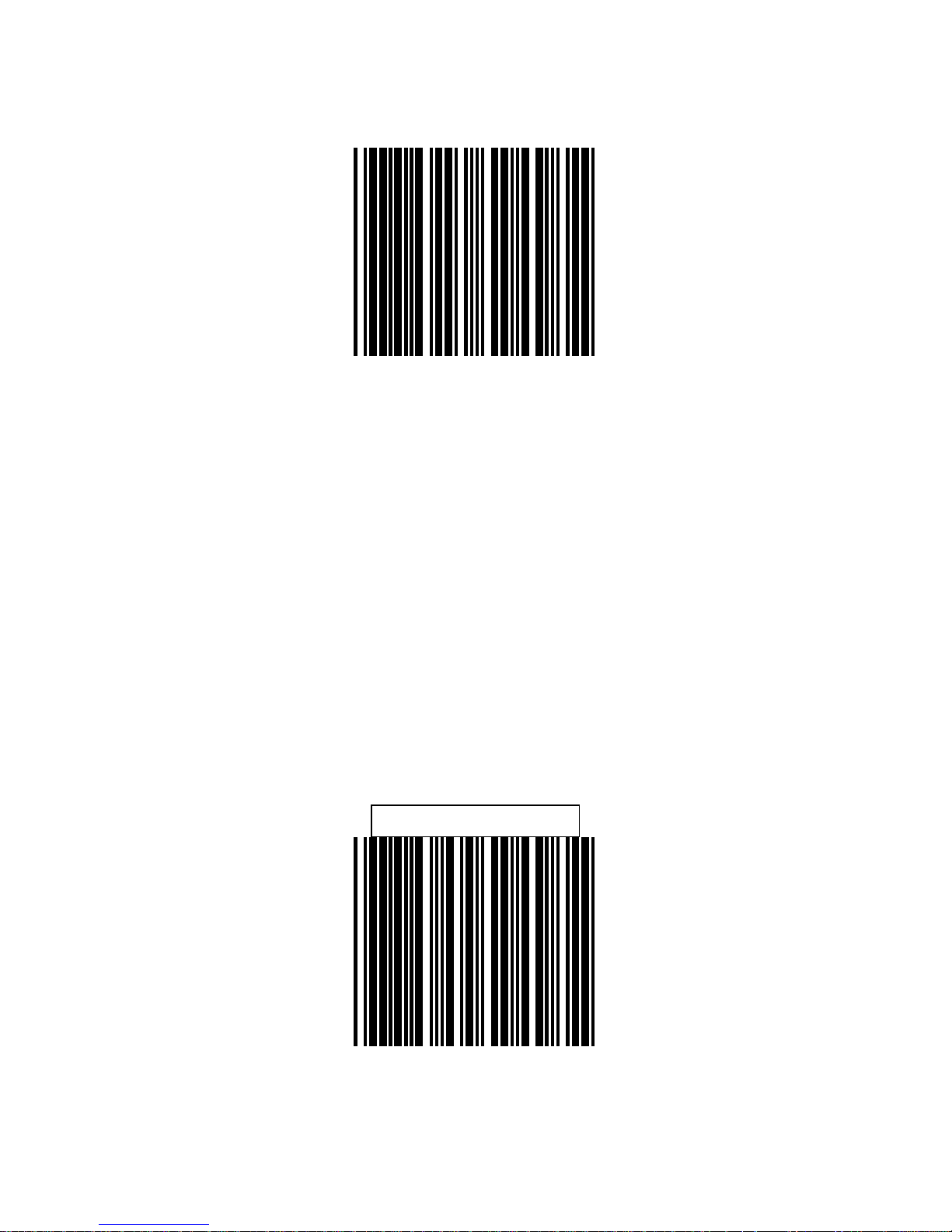
54
Code 128 Enable
Code 128 Disable
Page 62
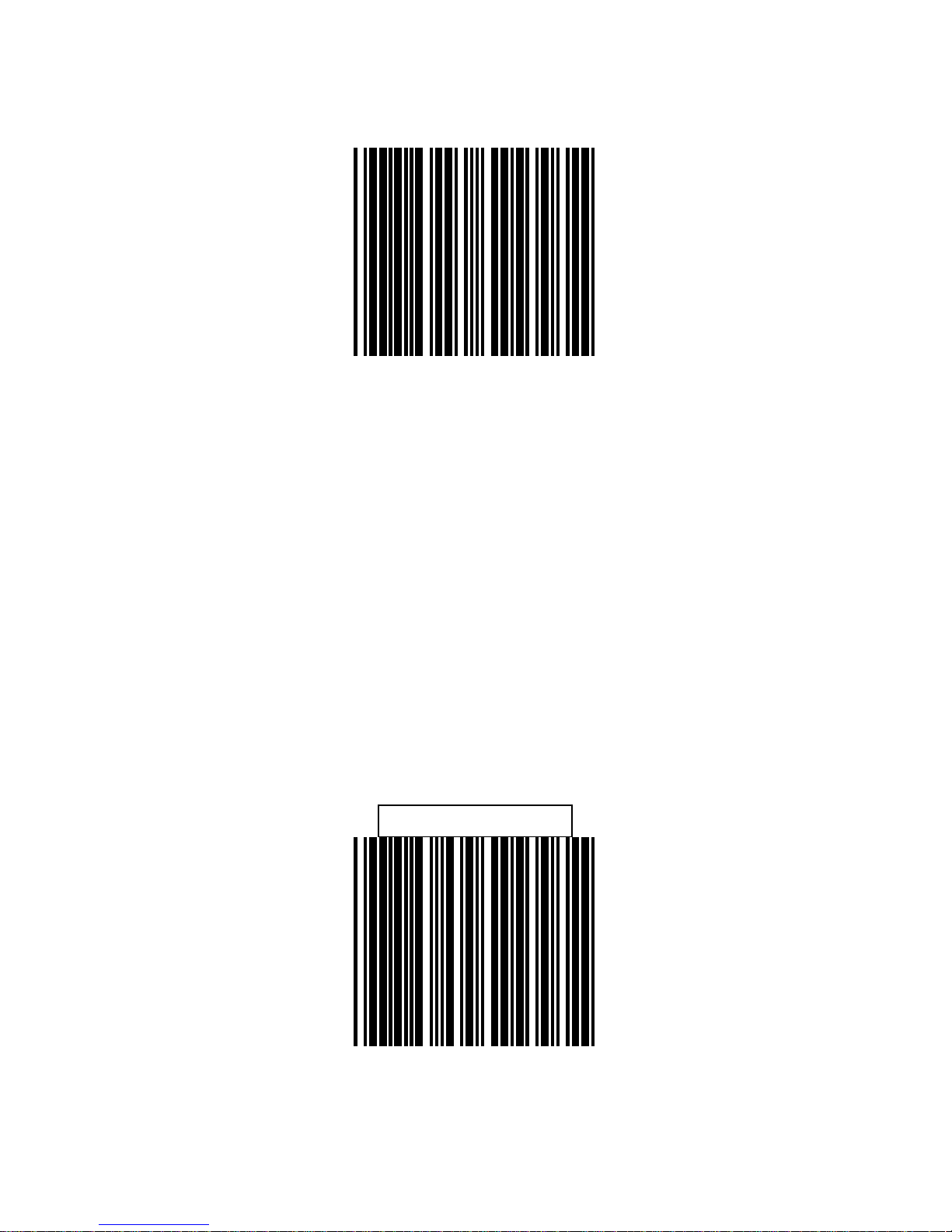
55
Code 93 Enable
Code 93 Disable
Page 63
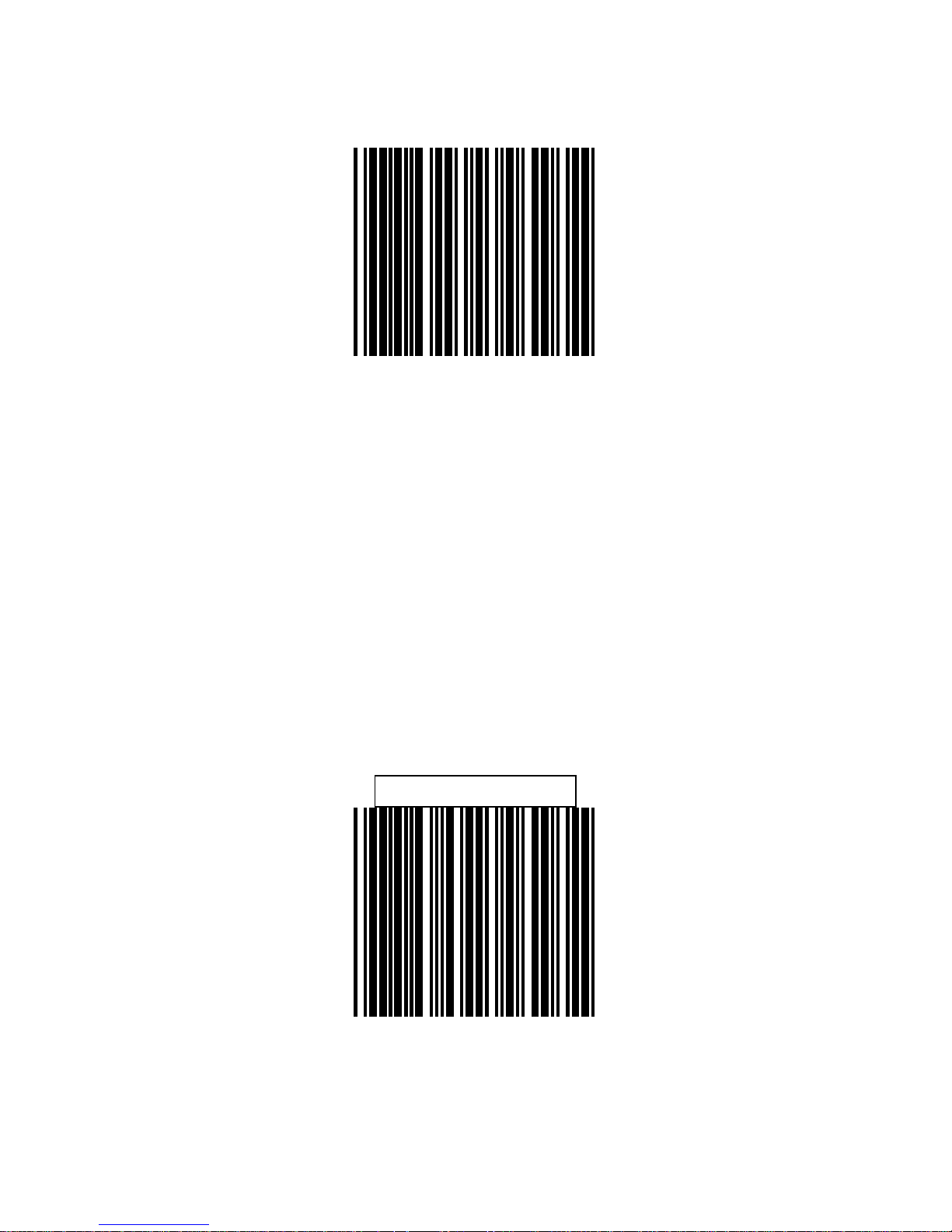
56
EAN-128 Enable
EAN-128 Disable
Page 64
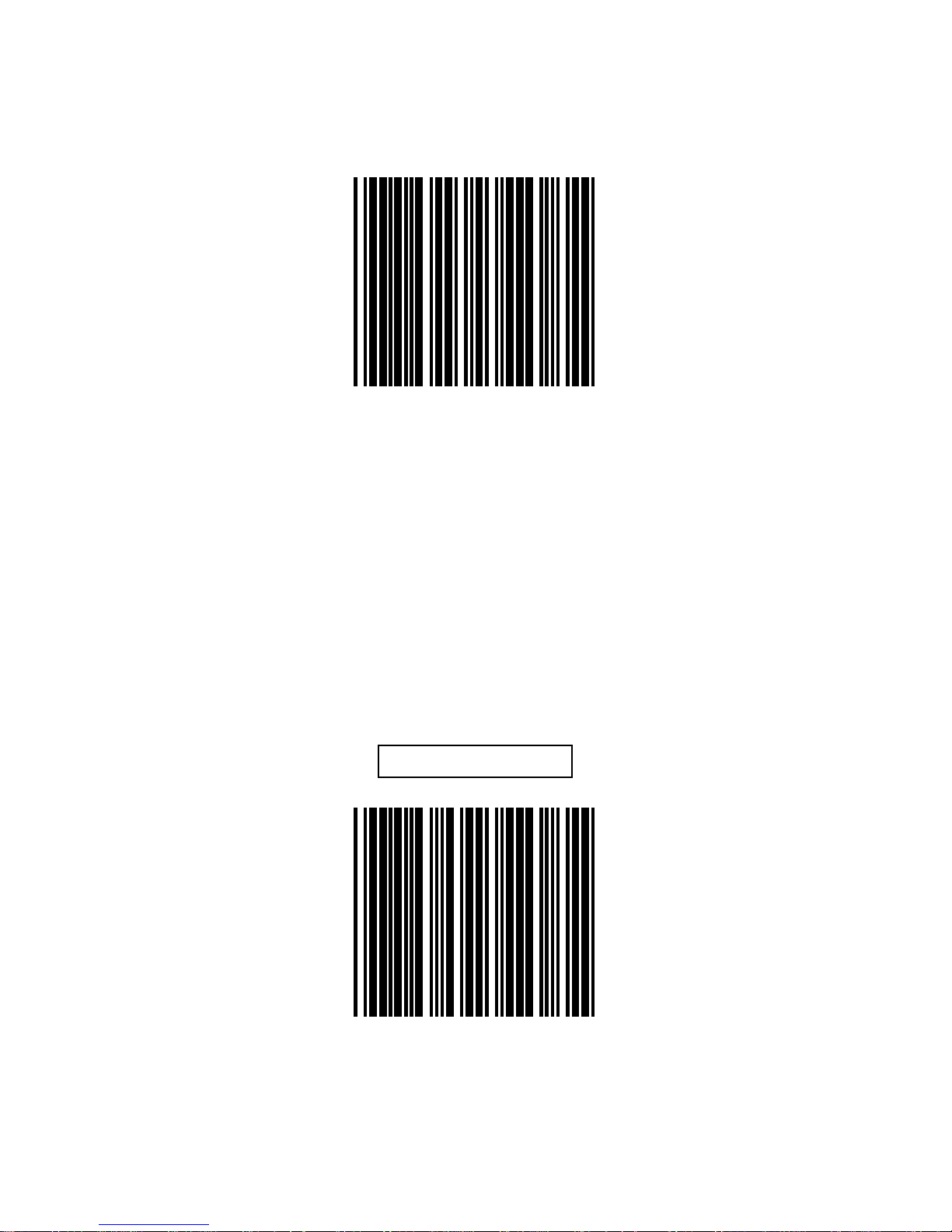
57
Code 32 Enable
(Italian Pharmacy Code)
Code 32 Disable
(Italian Pharmacy Code)
Page 65
58
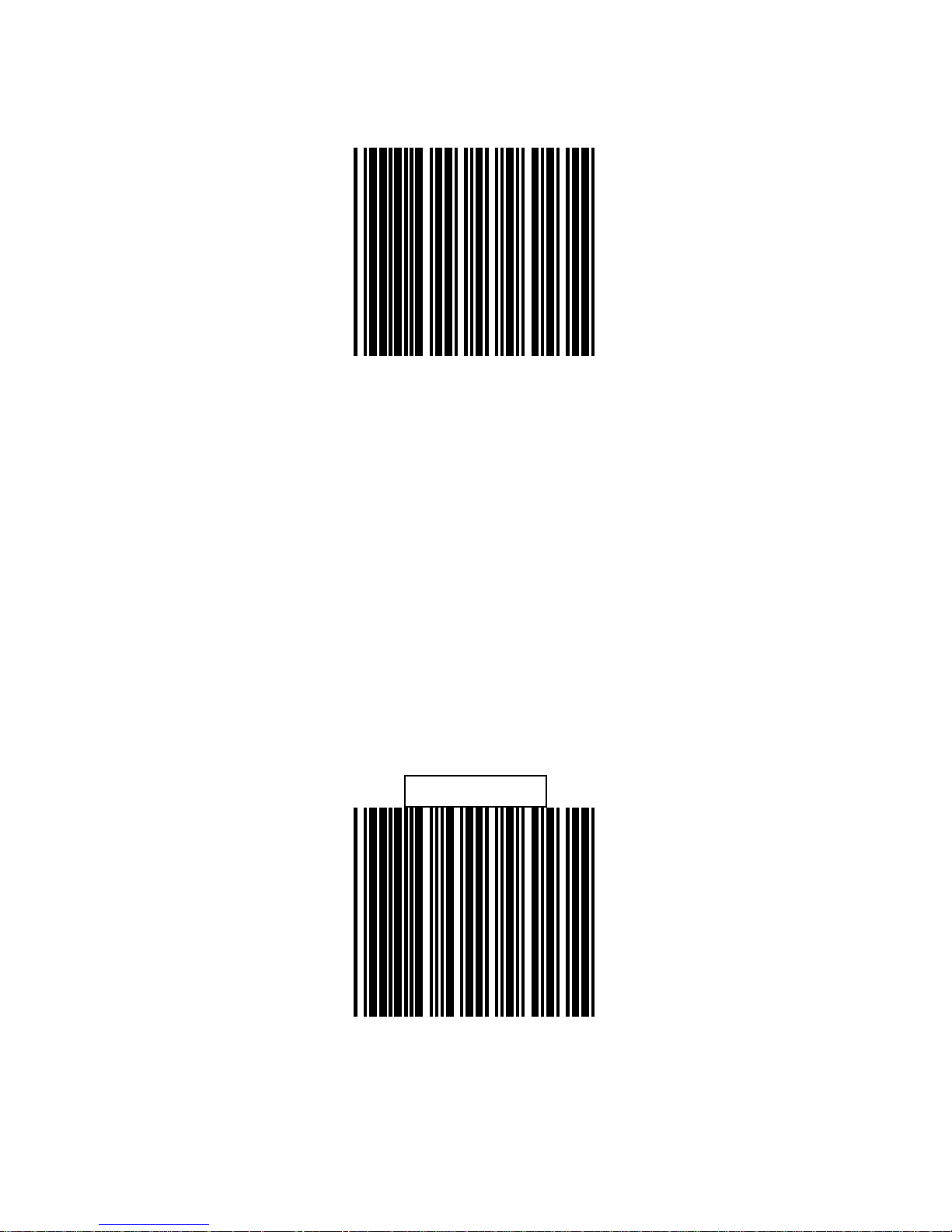
MSI enable
MSI Disable
Page 66
59
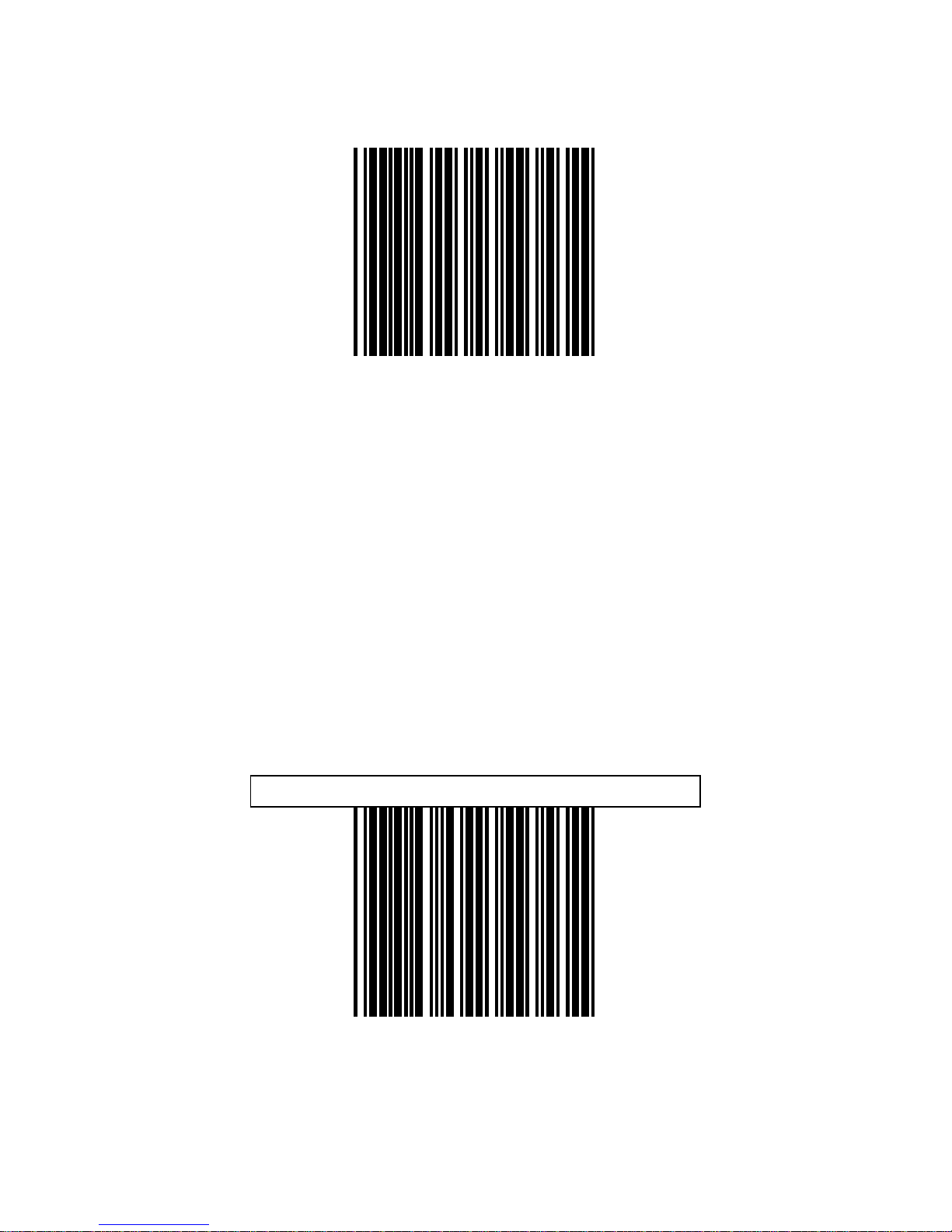
EAN-13 Convert to ISBN/ISSN Enable
EAN-13 Convert to ISBN/ISSN Disable
Page 67
60
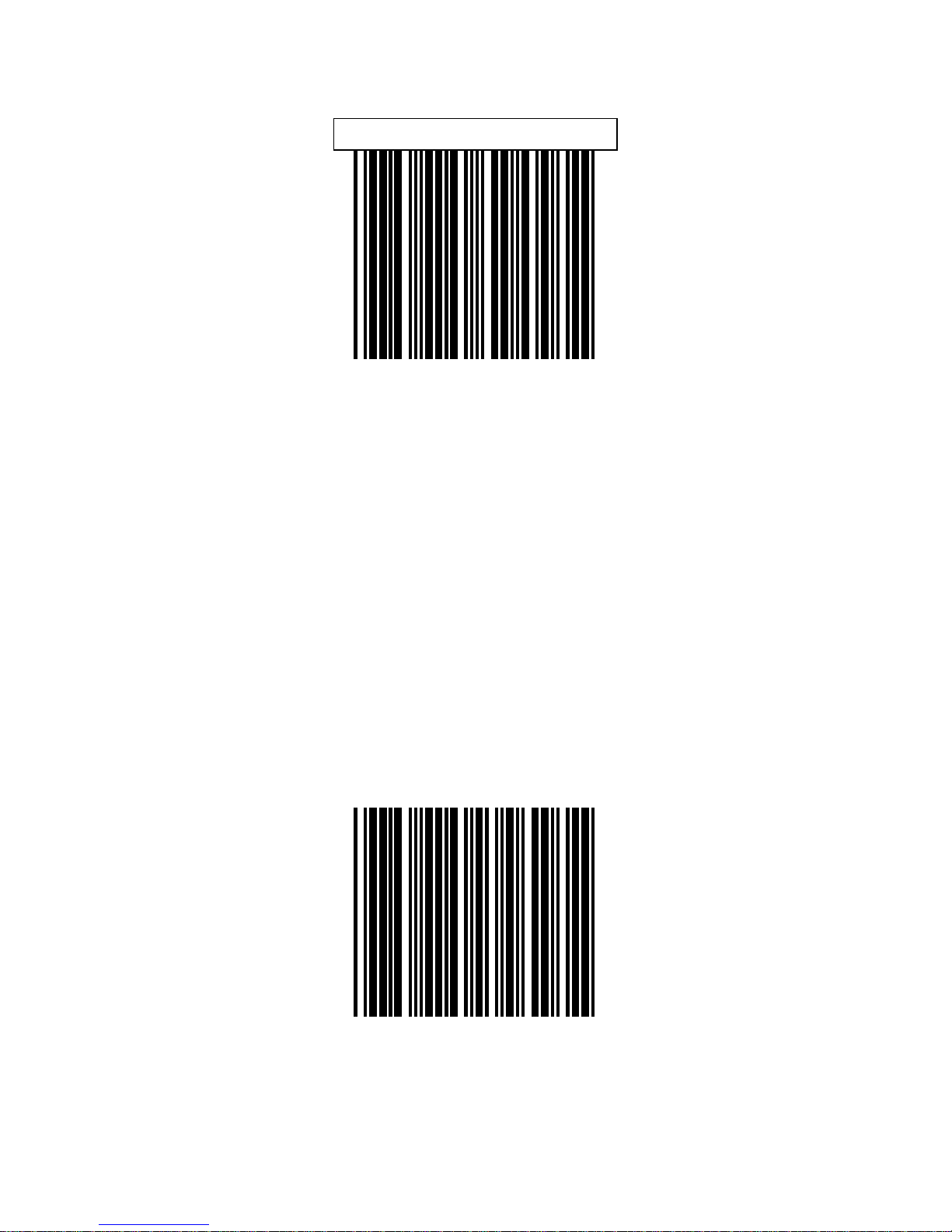
UPC/EAN ADD ON OFF
ADD ON 5 only
Page 68

61
ADD ON 2 only
ADD ON 2 or 5
Page 69
62
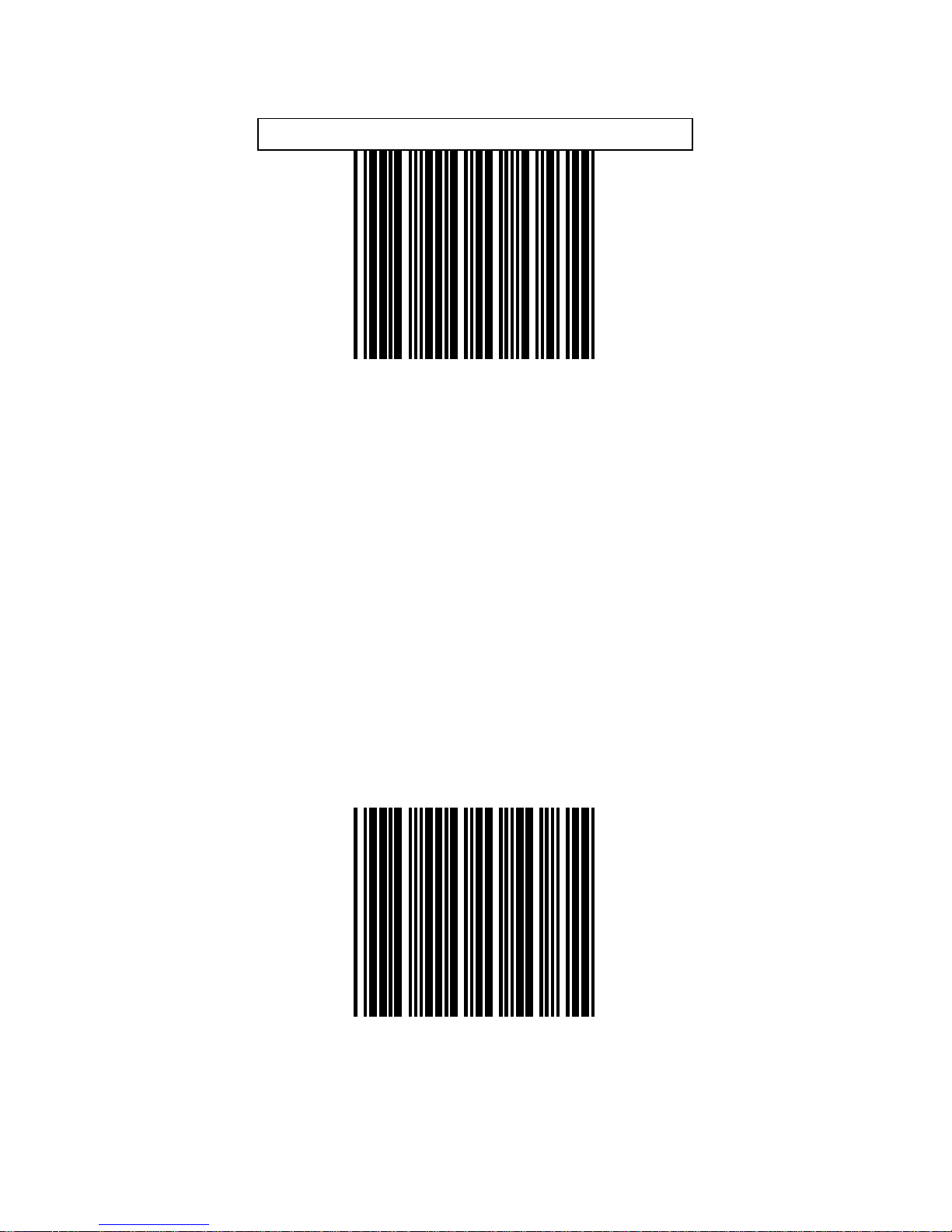
EAN/UPC +Add on (none mandatory)
EAN/UPC + Add on ( mand atory)
Page 70
63
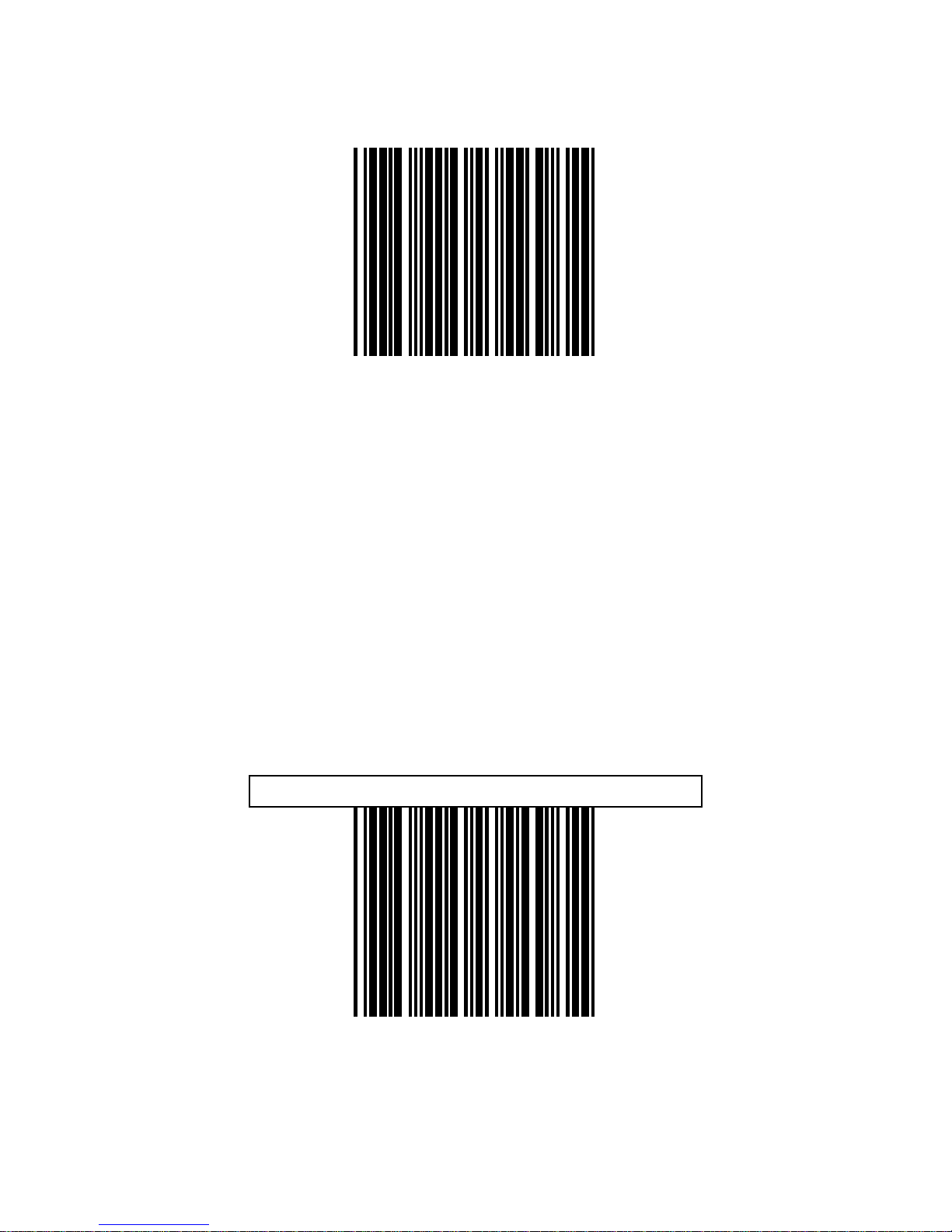
Force UPC-A to EAN-13 format enable
Force UPC-A to EAN-13 form at disable
Page 71

64
BARCODE
IDENTIFIER CODE
SETTING
Page 72

65
The series scanner can transmit max.2 digit
barcode identifier code for different type of
barcode, Use enable or disable identifier setting
barcode to choose transmit or not transmit
barcode identifier code.
Each of the series type scanners also can set
max.2digits as barcode identifier code according
to different barcode. The procedure is as
follows:
1.)
Scan “Enter/Exit programming mode” label
2.)
Scan “Barcode identifier setting code” label
3.)
Scan the new code mark from ASCII table (max.
two digits). For example, if one “AB” want for
code mark then scan “A” and “B”
4.)
Scan “save setting to confirm” label
5.)
Scan “ Enter/Exit programming mode” label
.
Page 73
66
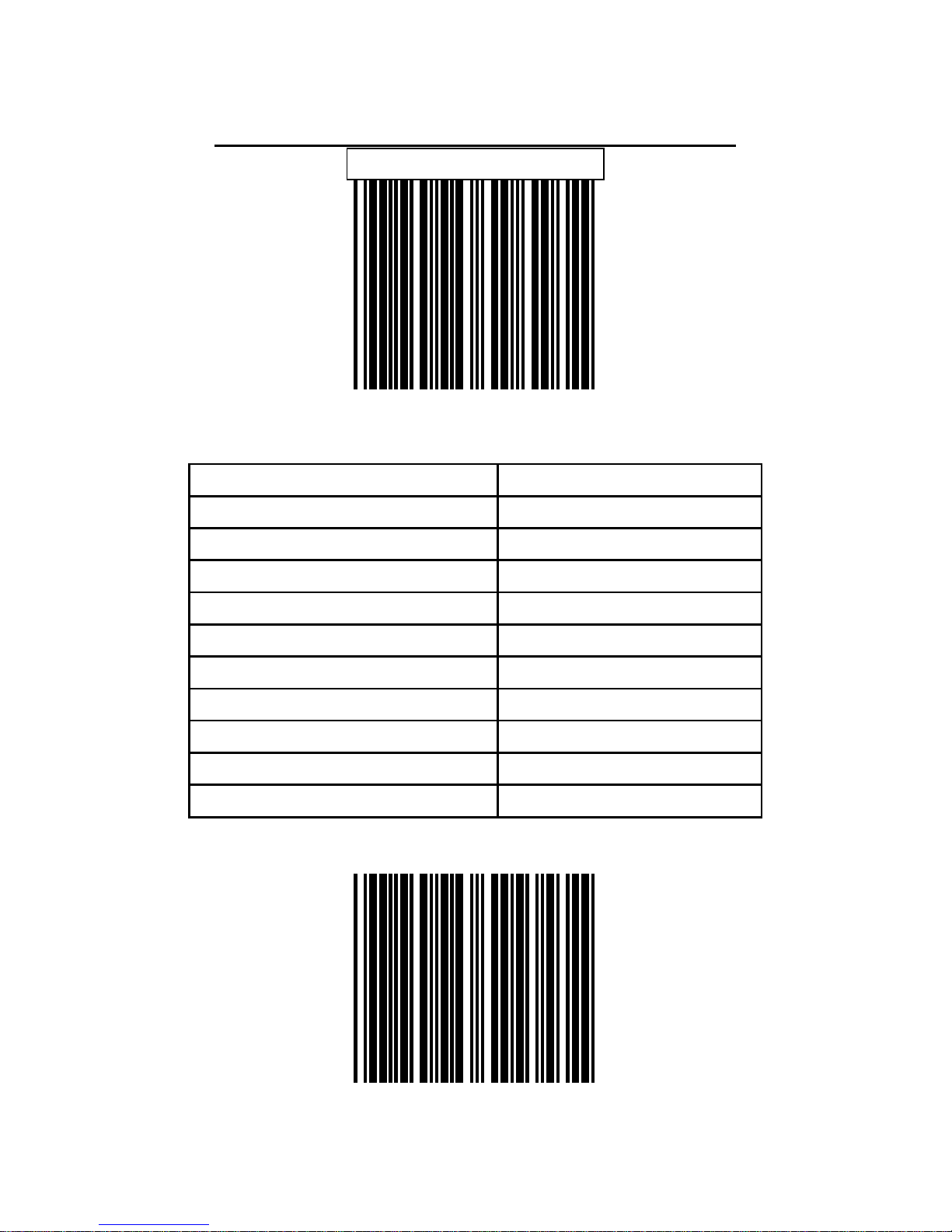
BARCODE IDENTIFIER CODE SELECTION
Disable identifier code
scan “enable identifier code” label to transmit the
label ID as following table
Enable identifier code
Code 39 M
ITF 2 of 5 I
Chinese post code H
UPC-A A
UPC-E E
EAN-13 F
EAN-8 FF
Codabar N
Code 128 K
Code 93 L
MSI/Plessy P
Page 74

67
SET MESSAGE FORMAT WITH CODE IDENTIFIER
AS ALPHA-30 FORMA T
IS02
Code Code identifier
UPC-A A
UPC-E E
EAN-8 FF
EAN-13 F
CODE 39 *
CODBAR %
ITF 2 OF 5 i
CODE 93 &
CODE 128 #
MSI/PLESSY @
EAN-128 P
Page 75

68
DATA EDITING
Page 76

69
The Header and Trailer allows you to append a
header and/or a trailer to eve ry message transmitted
via the serial ports or the keyboard port. There is no
restriction in selecting header or trailer characters as
far as the sum of the lengths of header and trailer is
not greater than 10 digits.
1. Select either header or trailer you are going to
program by scanning the corresponding la bel
2. Scan the character(s) you want from the
enclosed ASCII table to set as header or trailer
(be sure to enable full ASCII code 39 option
before you start).
3. Read the “Set” label to confirm your choice into
memory.
Header (preamble)
Page 77

70
Trailer (Postamble)
Set
Page 78
71
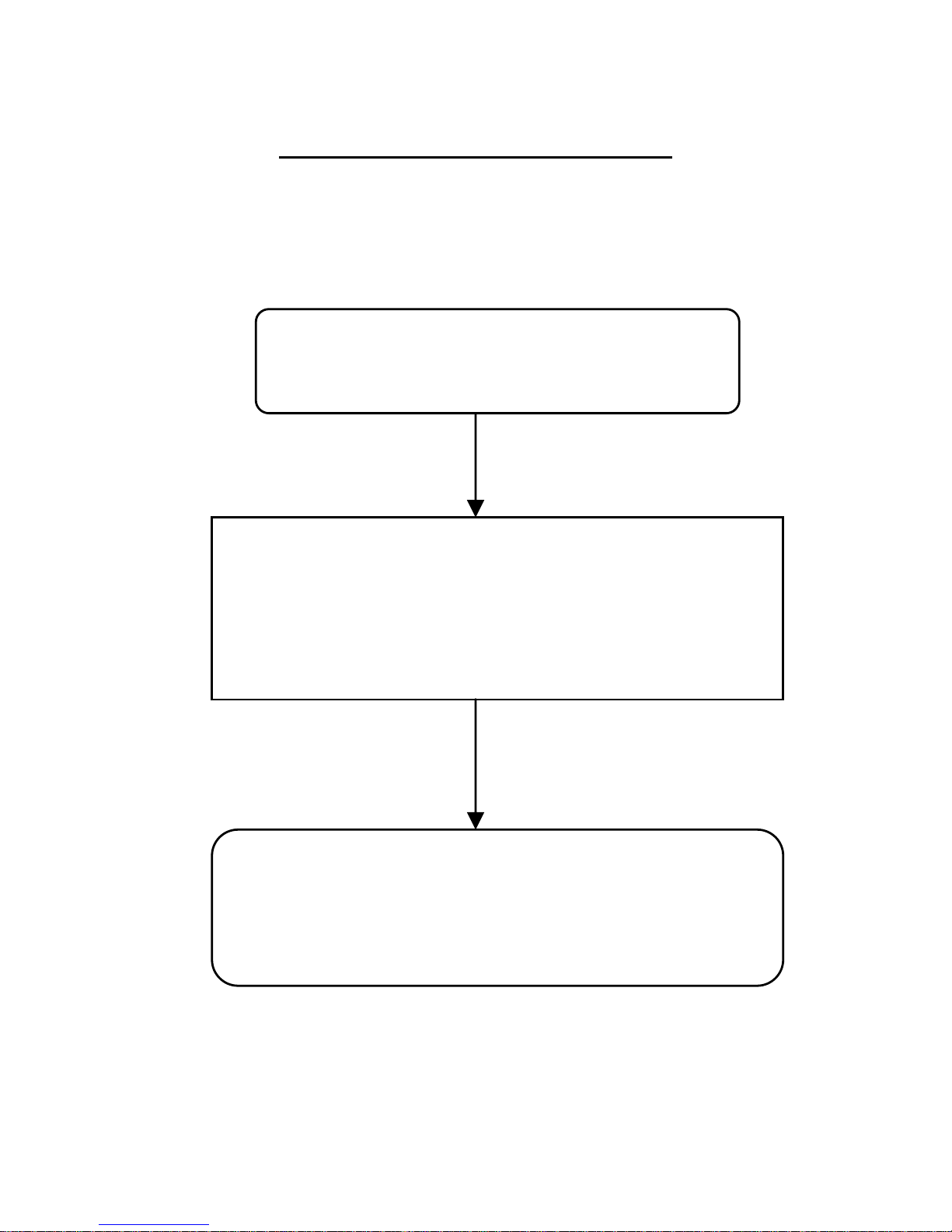
CODE LENGTH SETTING FLOW
Programming Minimum or
Maximum label
Scan “SET” label to confirm your choice into
memory.
Scan two number label from Code39 FUL L
ASCII table. Example:4 character length,
scan “0”,”4”
Page 79
72
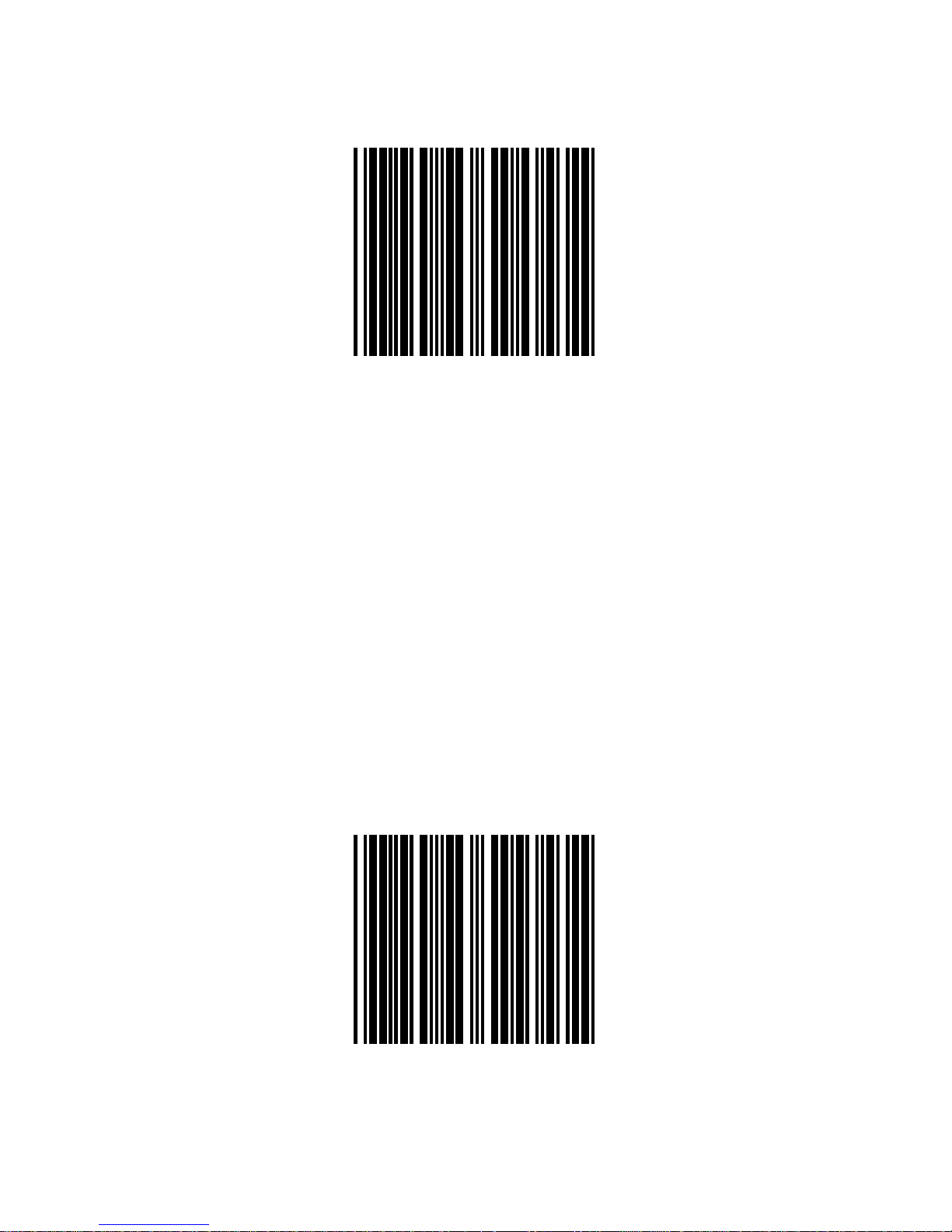
ITF 2 OF 5 Min. length setting
ITF 2 of 5 Max. length setting
Page 80

73
Chinese post code maximum
Length setting
Chinese post code minimum
Length setting
Page 81

74
ASCII CHARACTER
Page 82

75
SOH
STX
Page 83

76
ETX
EOT
Page 84

77
HT
LF
Page 85

78
CR
ESC
Page 86

79
#
$
Page 87

80
%
*
Page 88

81
0
1
Page 89

82
2
3
Page 90

83
4
5
Page 91

84
6
7
Page 92

85
8
9
Page 93

86
Enter/Exit Programming Mode
 Loading...