

Page 1
Portable Electronics Ltd (www.hdmp4.com)
Quick Start Guide
For Gen-E™ 7" A9 Android Tablet
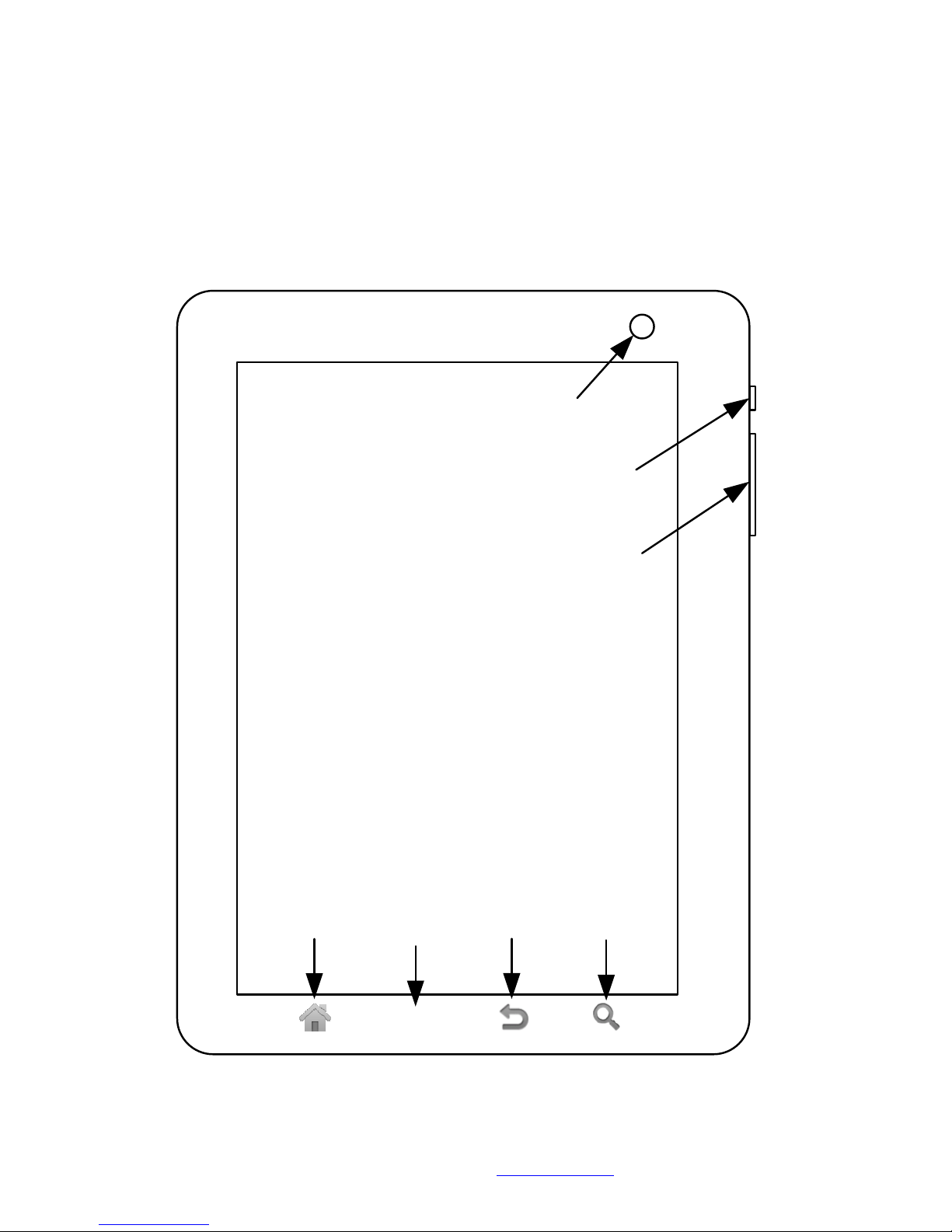
1024x600
LCD
2MP camera
MENU
Home
button
Menu
button
Back
button
Search
button
Power button
(hold to turn on unit)
Volume up/down button
Note: actual colour of the device may vary.
Page 2
Gen-E™ 7" A9 Android Tablet Quick Start Guide © 2011
2
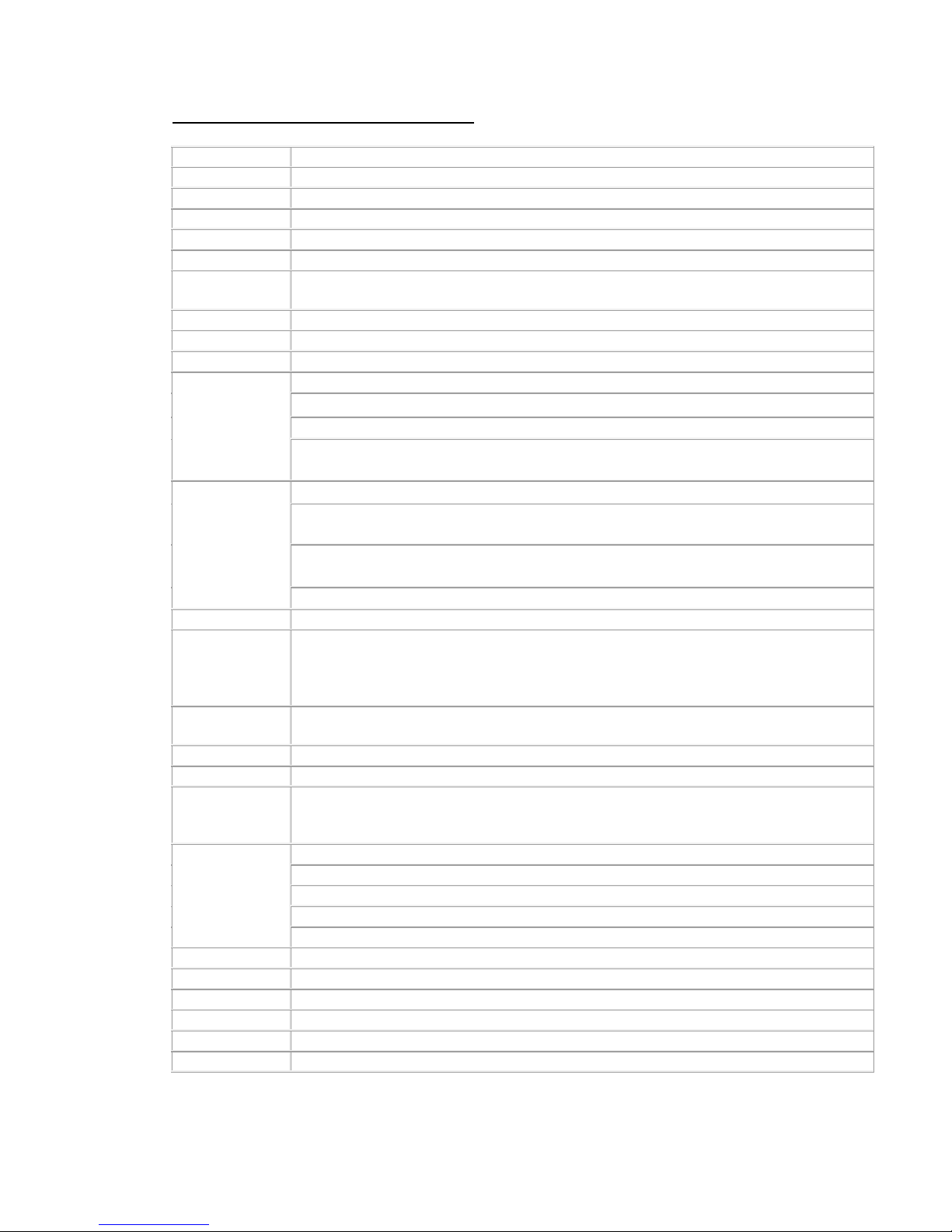
Gen-E™ 7" A9 Android Tablet Specifications*
CPU
NEC EV2
GPU PowerVR SGX530
Architecture Arm Cortex A9, dual core
Frequency up to 1Ghz
OS Android 2.2 (to be upgraded to 3.x)
Language multiple user interface languages and language input supported
Included
applications
TBA
Memory 512MB DDR2
ROM 8GB
Display 7", 1024x600, capacitive multitouch
Video
Up to 1080p
Formats: MKV, AVI, RM, RMVB, MOV, VOB, DAT, FLV, 3GP/MP4
Android codec: H.263, H.264 AVC, MPEG-4 SP, VP8
HW decoder: H.264 (BP, MP, HP, SP), MPEG4 (SP, ASP), MPEG1/2 (MP), VC-1 (SP,
MP, AP), DivX (hometheater, HD)
Audio
Formats: MP3, MIDI, AAC, WAV, AMR, WMA, OGG
Android codec: AAC LC/LTP, HE-AACv1 (AAC+), HE-AACv2 (enhanced AAC+),
AMR-NB, AMR-WB, MP3, MIDI, Ogg Vorbis, PCM/WAVE
HW decoder: MP3 (MPEG-1,2 layer 3), AAC (AAC-LC, HE-AAC, Enhanced aacPlus),
WMA (WMA9 Level 3 decoding), AC-3 (Dolby digital 5.1)
HW encoder: MP3 (MPEG-1,2 layer 3), AAC (AAC-LC)
Photo JPG/JPEG, BMP, PNG, GIF
Wireless
connection
Build-in Triband (900/1800/2100Mhz) 3G WCDMA and Quadband GSM, with support
for cellular voice call and SMS
802.11b/g/n WIFI
Bluetooth 3.0
Sensors
AGPS (optional)
Accelerometer
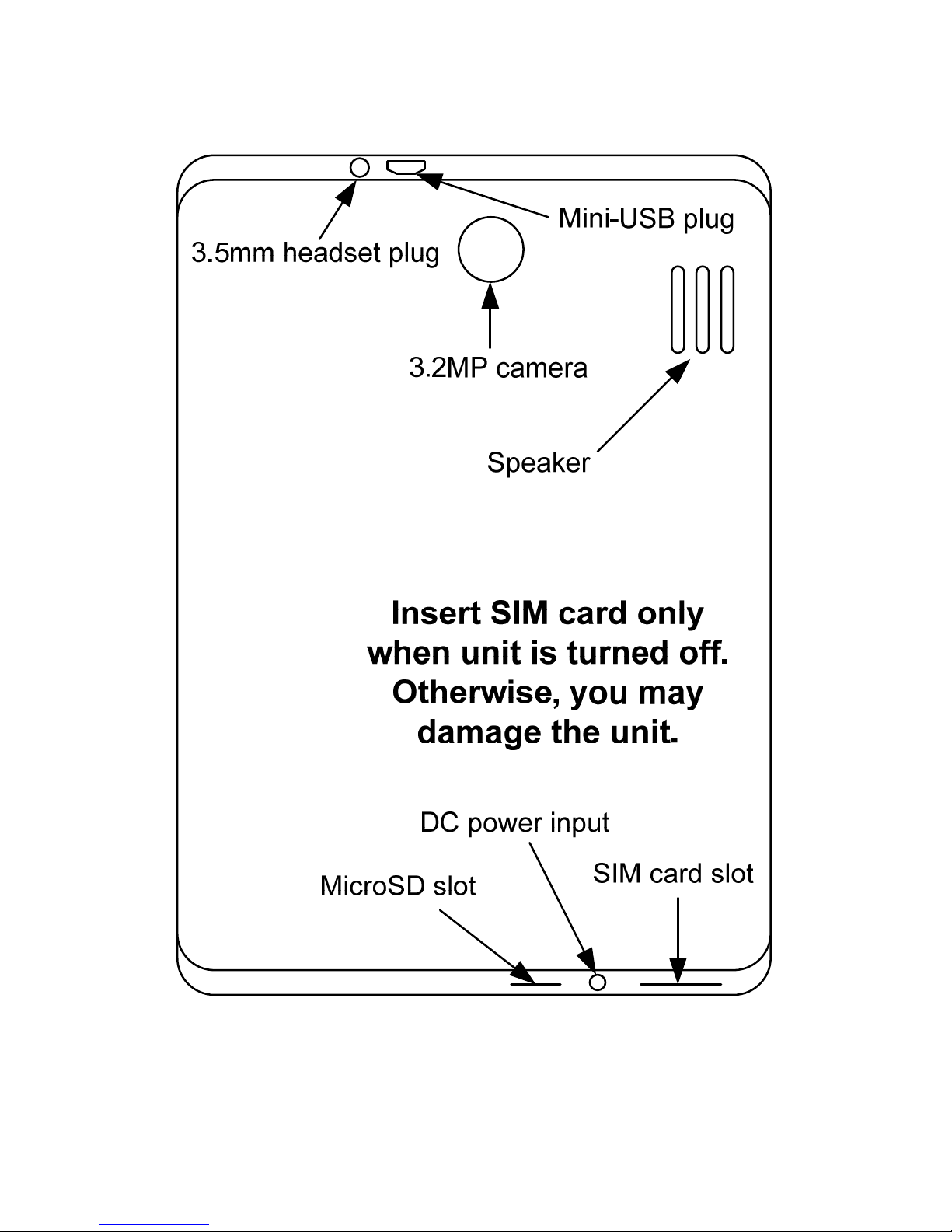
Camera 3.2MP autofocus rear, 2MP front
Expansion up to 32GB MicroSDHC
Miscellaneous
Build-in speaker
Build-in vibrator
Build-in mic
Interface
1x 3.5mm Headphone
1x SIM card
1x MicroSD card
1x mini USB
1x 2.5mm 5V DC
Adapter AC 110-240V, DC 12V, 2A
Dimensions 195x124x13mm
Weight 390g
Battery capacity 3.7V, 4000mAh
Battery Life >6hr
Warranty 1 year
*Subject to change without notice.
Page 3
Gen-E™ 7" A9 Android Tablet Quick Start Guide © 2011
3
If this is your first Android device, please congratulate yourself in joining the fastest growing
Smartphone platform in the world today. To take full advantage of the Android platform and
experience the Google vision of the Always-On Smartphone world. You will need to either
login to your existing Google account or create a new Google account on this Android device.
You will be prompted to do so when you try to open any of the Google applications, e.g.
Market, Gmail, etc.
You may connect to the internet by WIFI or 3G. If you are connecting via 3G, you will need to
input the APN details of your network provider manually. To add the APN details, at the
home screen, press Menu -> Settings -> Wireless & networks -> Mobile networks -> Access
Point Names -> press Menu -> New APN -> fill in the APN details of your provider.
You can find APN details of most Australian and New Zealand carriers from our web site http://portable.geek.nz/APN
Enjoy your Android tablet.
If you need more help or information on the operations of the Android 2.2 operating system,
please download the Android Users Guide from
http://www.google.com/googlephone/AndroidUsersGuide.pdf
If you enjoy your experience with this Android tablet, please spread the word. For your
convenience, you can find FAQ, Android and other related information available on our web
site (hdmp4.com) very useful. To keep up to date with the latest trend in the Android world,
you are encouraged to subscribe to our RSS feeds on the latest Android news and
applications review/info on our web site – www.hdmp4.com
This product is brought to you by Portable Electronics Ltd – www.hdmp4.com
Please feel free to provide feedback and discuss any concern or issues you may have in our
feedback and support forum - http://portable.idea.informer.com
You may also want to subscribe to our product and firmware announcements by e-mail or
RSS via our homepage.
Page 4
Gen-E™ 7" A9 Android Tablet Quick Start Guide © 2011
4
 Loading...