

Page 1
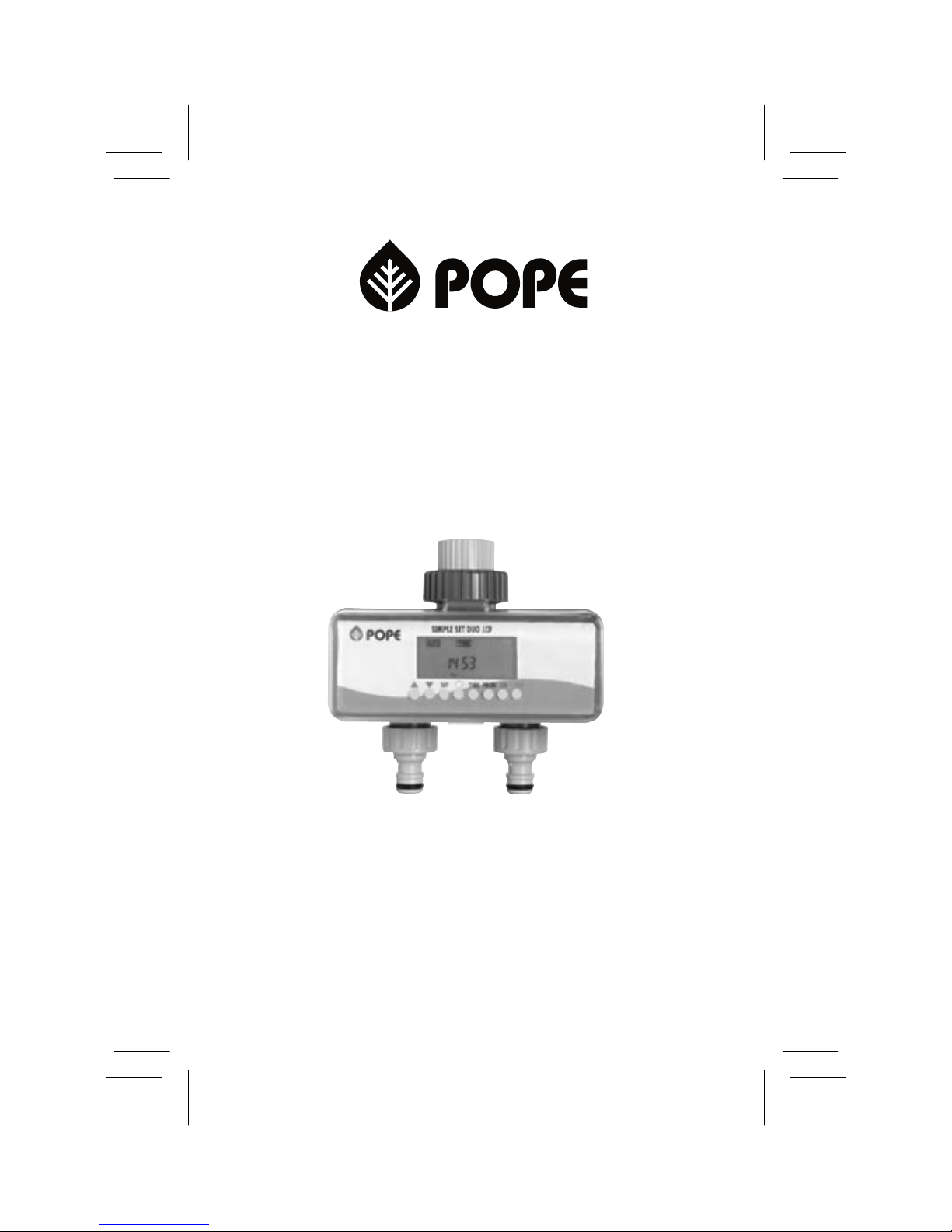
Your Pope® Simple Set Duo-LCD Twin Automatic
Tap Timer is two independent tap timers in one unit.
It gives you the ultimate exibility in set and forget
garden watering for two areas of your garden.
Key features:
• Easy to use
• Two independent tap timers in one compact unit
• Connects straight to the tap
• Simple to install
• Up to 16 different start times per program
• Guaranteed for 12 months
• Runs on 2 x AA alkaline batteries (no wiring required)
• Includes tap adaptor, to t 3/4” and 1” taps
• Durable body
SIMPLE SET DUO-LCD
TWIN AUTOMATIC TAP TIMER
Page 2

Control Key Denitions
Or Advance or reverse key
(eg setting hours, minutes, programs etc)
Display current time.
Conrm input data
Set current time and day
Set Watering Program (1 – 16)
or review watering program data
(Together) Erase all
Manual open key
Manual close key
Collar
Pope® Simple Set Duo-LCD Twin Automatic Tap Timer
Liquid - Crystal
Display
Control Buttons
3/4” Hose Connectors
3/4” Tap Connector
Page 3
HOW TO INSTALL
1. Install 2 new AA ALKALINE Batteries in the battery compartment
(Using old batteries will decrease the overall operational time of the timer).
2. Set the current time and day, and programs before installation
(see operating instructions)
3. Fit the 3/4” tap connector or the included 1” adaptor to your garden tap.
If using the 1” tap adaptor, attach directly to the tap.
4. Loosen the collar until the tted 3/4” tap connector is loose.
Then holding the timer steady with one hand, t to the tap
5. Hand tighten the collar until secure. Do not over tighten.
Operating Instructions
SET CURRENT TIME AND DAY
(The Pope Simple Set Duo-LCD Twin Automatic Tap Timer uses a 24 hour clock)
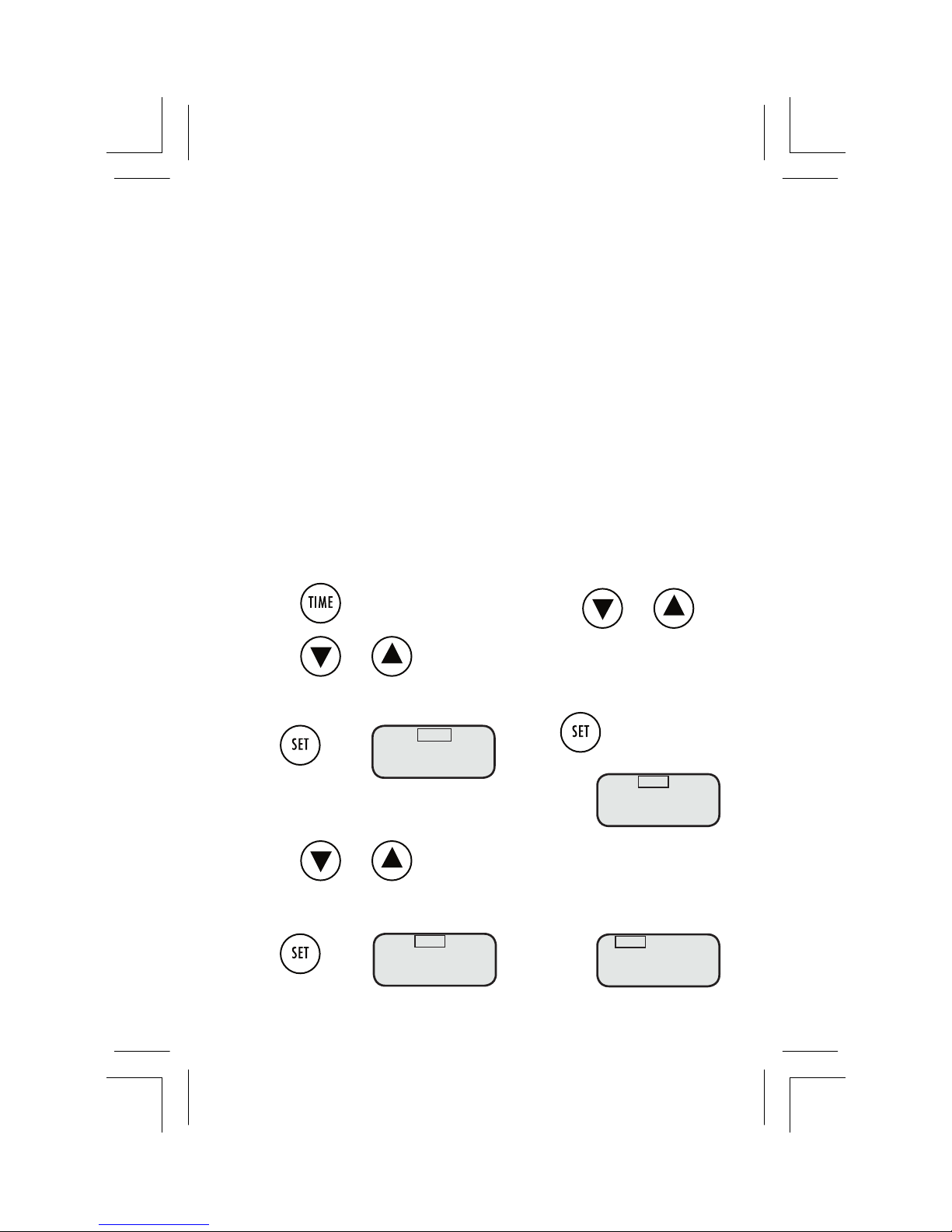
Set hour:
1. Press
2. Press or to set hour.
The hour will ash
Adjustment range: 0 – 23
Press when
Set minutes
3. Press or
The minute range will ash
Adjustment range: 0 –59
Press when
Set day
4. Press or
The weekday selection will ash
Sunday, (Su) Monday (Mo), etc
Press when correct.
5. The AUTO display comes on.
AUTO
8:3O
Mo
TIME
8:3O
Mo
TIME
8:3O
Su
TIME
8:OO
Su
correct.
correct.
Page 4
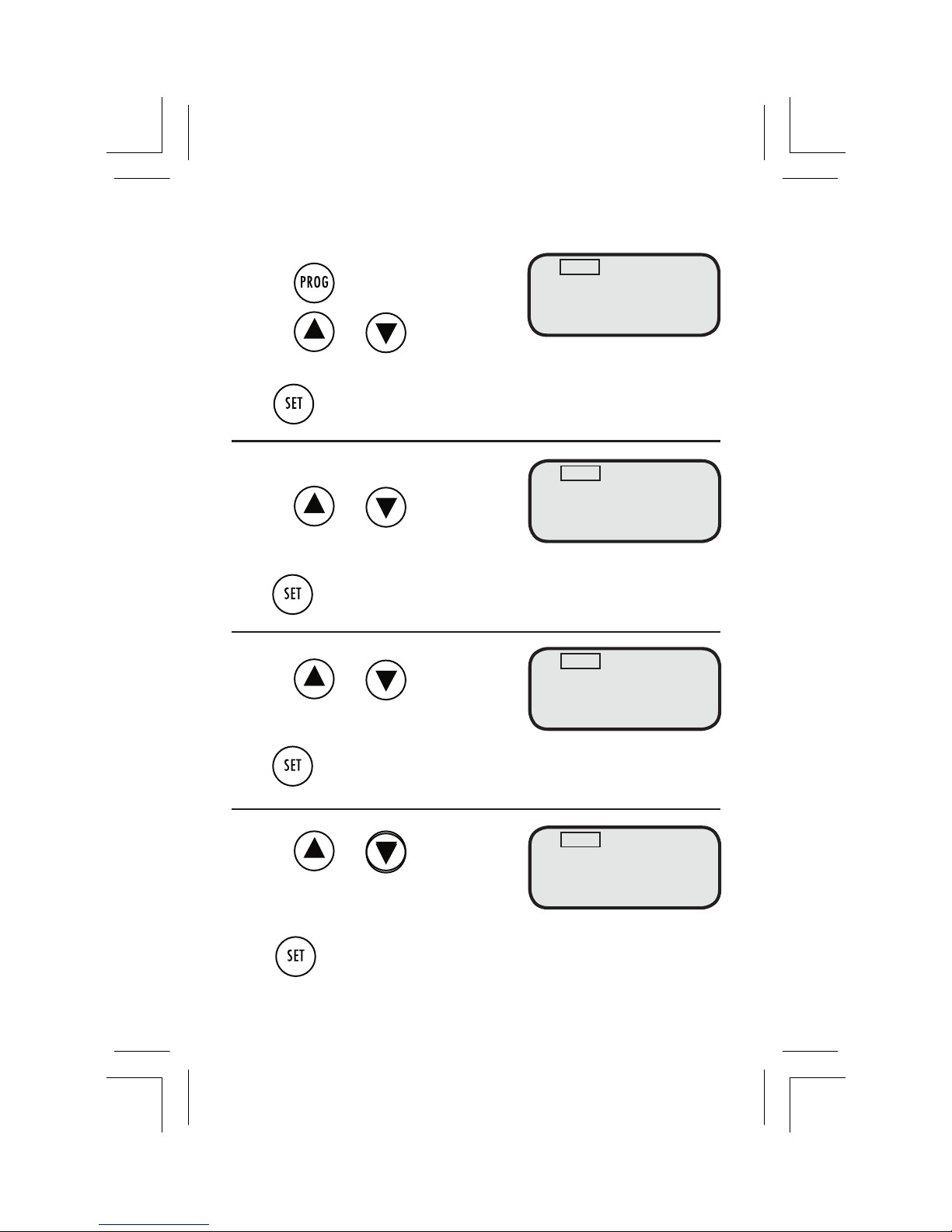
SET WATERING PROGRAM FOR OUTLET 1
1. Press
2.Press or
Choose the desired program. Adjustment range: 1 – 16
Press to conrm the selected program. START TIME hour will ash
SELECT START TIME
3.Press or
Choose the hour to START watering
Adjustment range 0 – 23 hours
Press to conrm the START TIME hour. The minute range will ash
4. Press or
Choose the minute to START watering
Adjustment range 0 –59 minutes
Press to conrm the START TIME minutes. The run time range will ash
5. Press or
Choose how many hours run time for
the program. Adjustment range 0 – 9
Press to conrm the hours set for the run time. The minutes will ash
AUTO
1 6:1O O:OO
PROG START TIME RUN TIME
AUTO
1 6:OO O:OO
PROG START TIME RUN TIME
AUTO
1 6:1O O:OO
PROG START TIME RUN TIME
AUTO
1 O:OO O:OO
PROG START TIME RUN TIME
Page 5
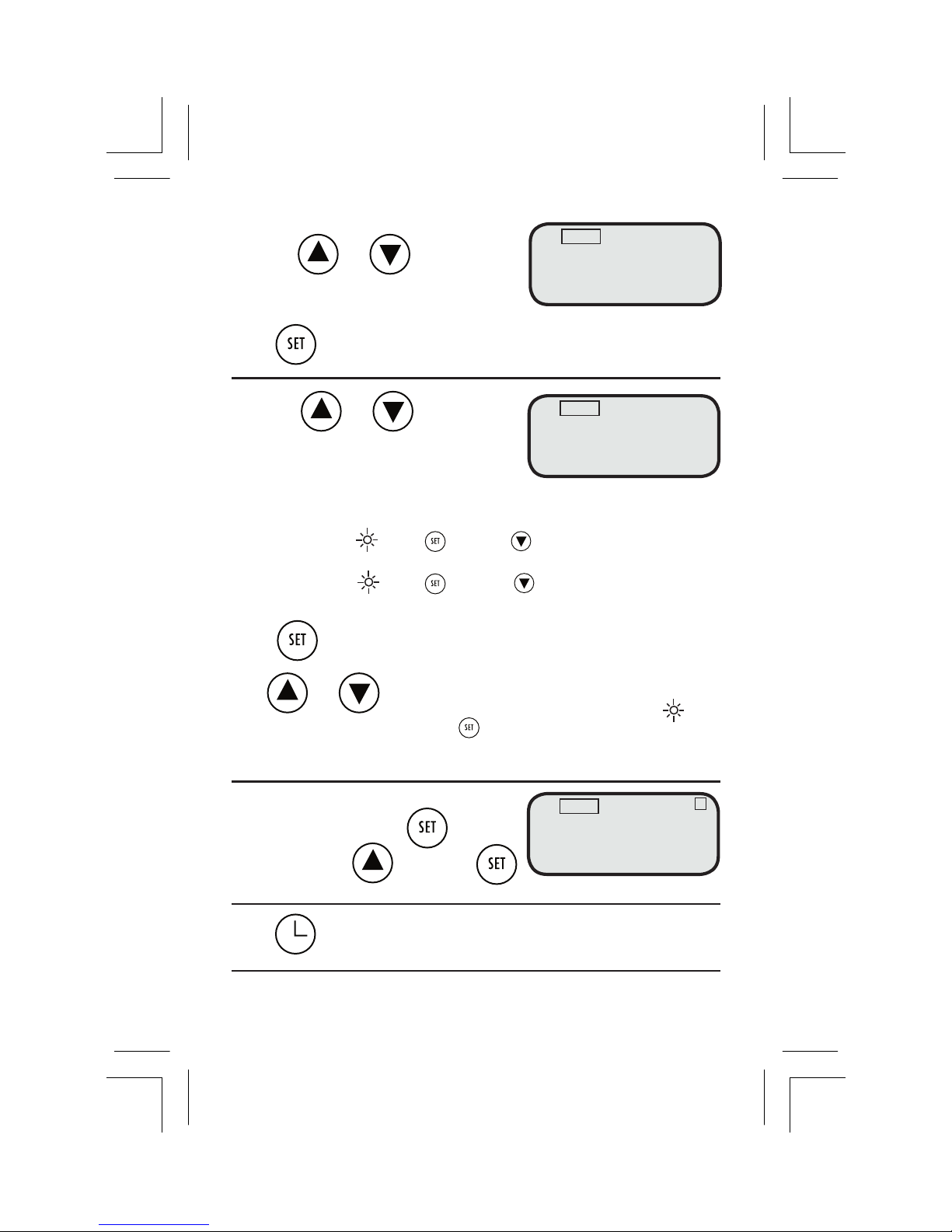
6. Press or
Choose how many minutes to run the
program. Adjustment Range 0 – 59 minutes
Press to conrm the minutes set for the run time. The 2nd symbol
(for watering days/frequency) will ash
7. Press or
Choose between watering days or frequency.
Every 2nd day watering is automatically
selected and will ash.
2nd = waters every second day eg Sunday, Tuesday, Thursday and Saturday appears.
If correct move to press or press to change.
3rd = waters every third day eg Sunday, Wednesday, Saturday appears.
If correct move to press or press to change.
To select watering days
Press on ashing day to select day,
and or to move between days. More than one day
can be chosen. When complete move to
and press
Outlet 1 will begin to ash
8.To select outlet 1 Press
To select outlet 2 then press
Press to return to the current time.
Repeat steps 2 through 8 for additional programs
AUTO
1 6:1O O:15
Su Tu Th Sa
PROG START TIME RUN TIME
2nd
AUTO
2 6:1O O:15
Mo
PROG START TIME RUN TIME
AUTO
1 6:1O O:15
Su Mo We Fr
PROG START TIME RUN TIME
2nd
1
Page 6
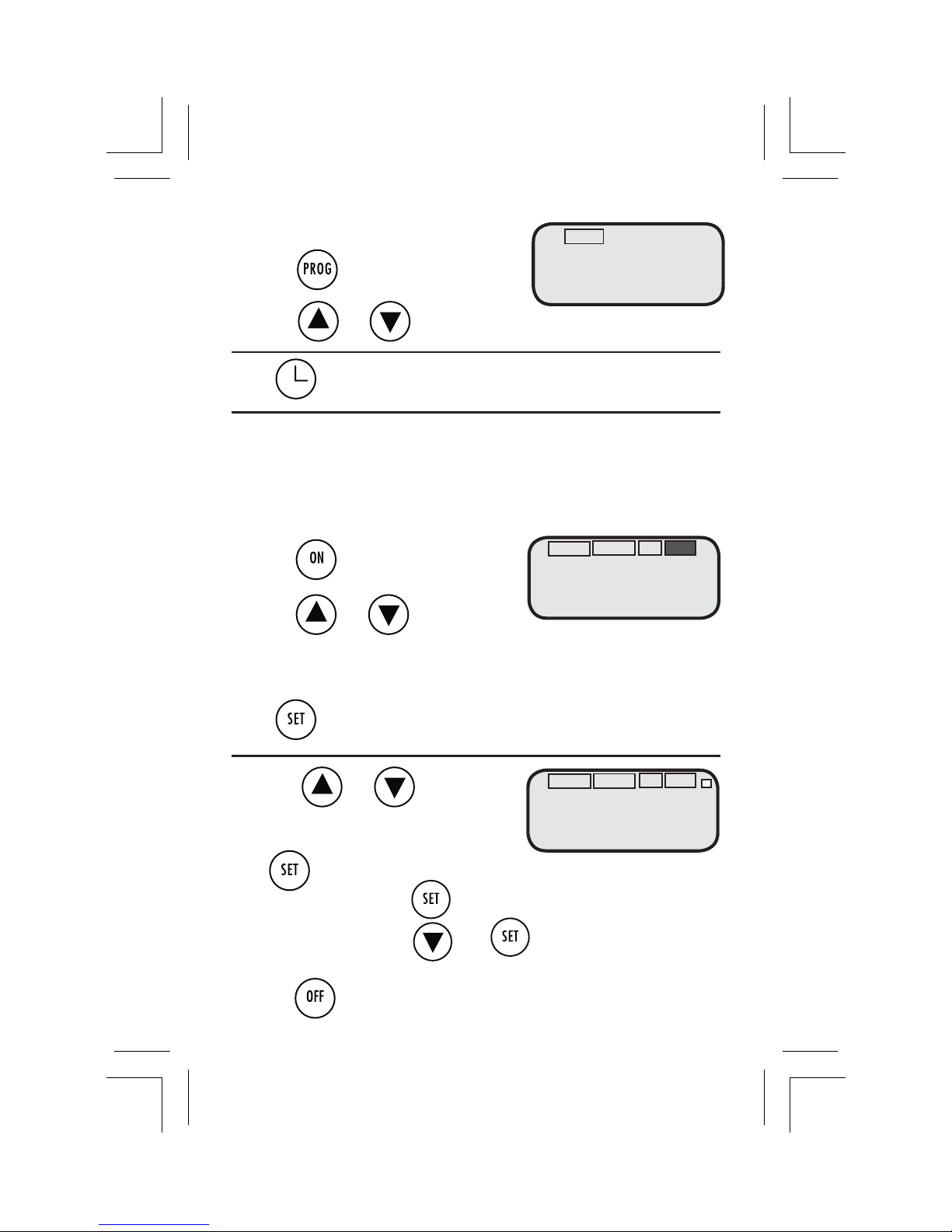
MANUAL OPERATION
You can bypass the programs set in your Pope® Simple Set Duo-LCD
Automatic Tap Timer by using manual operation.
To Set Manual On (for water ow)
1. Press
2. Press or
RUN TIME hour of watering will ash
Adjustment range 0-9 hours
Press to conrm the hours set for run time. The minutes of run
time will start to ash
3. Press or
RUN TIME minutes of watering will ash
Adjustment range 0 –59minutes
Press to confirm the minutes set for run time. The outlet selection will start to flash.
4. To select outlet 1 press
To select outlet 2 press then
Water ow will commence for the RUN TIME selected
5. Press to stop water ow.
To review set programs
1. Press
2. Press or to review each program.
Press to return to the current time
AUTO
6:1O O:15
Mo
RUN TIME
TIME
ON OFF
AUTO
6:1O O:15
Mo
RUN TIME
TIME
ON OFF
OFF
AUTO
1 6:1O O:15
Su Mo We Fr
PROG START TIME RUN TIME
2nd
1
Page 7

Technical Specications
Water pressure: Maximum up to 600 kPa.
If operating in a higher
water pressure area, use
a pressure reducer.
Temperature: Max 60º C
Batteries: 2 x AA Alkaline
Use with cold water only
Trouble shooting
• Check batteries – if batteries are running low the
valve will close automatically
• Ensure that programs have been set correctly
and that there is no overlap
• Make sure the tap is turned on
AUTO
RUN TIME
TIME
Low battery indicator
When the battery is running low an
indicator will appear and the valve will
automatically close.
Page 8

Guarantee
This Pope® product has a 12 month
warranty against defects in materials and
workmanship when used in normal home
garden watering applications.
The Pope® Simple Set Duo-LCD Automatic
Tap Timer will operate in pressures up to
600 kPa.
Use a pressure reducing device in higher
pressure areas. Use of this product under
these conditions without a pressure reducer
will void the warranty.
Disassembling of this product will also void
the warranty.
 Loading...