

Page 1
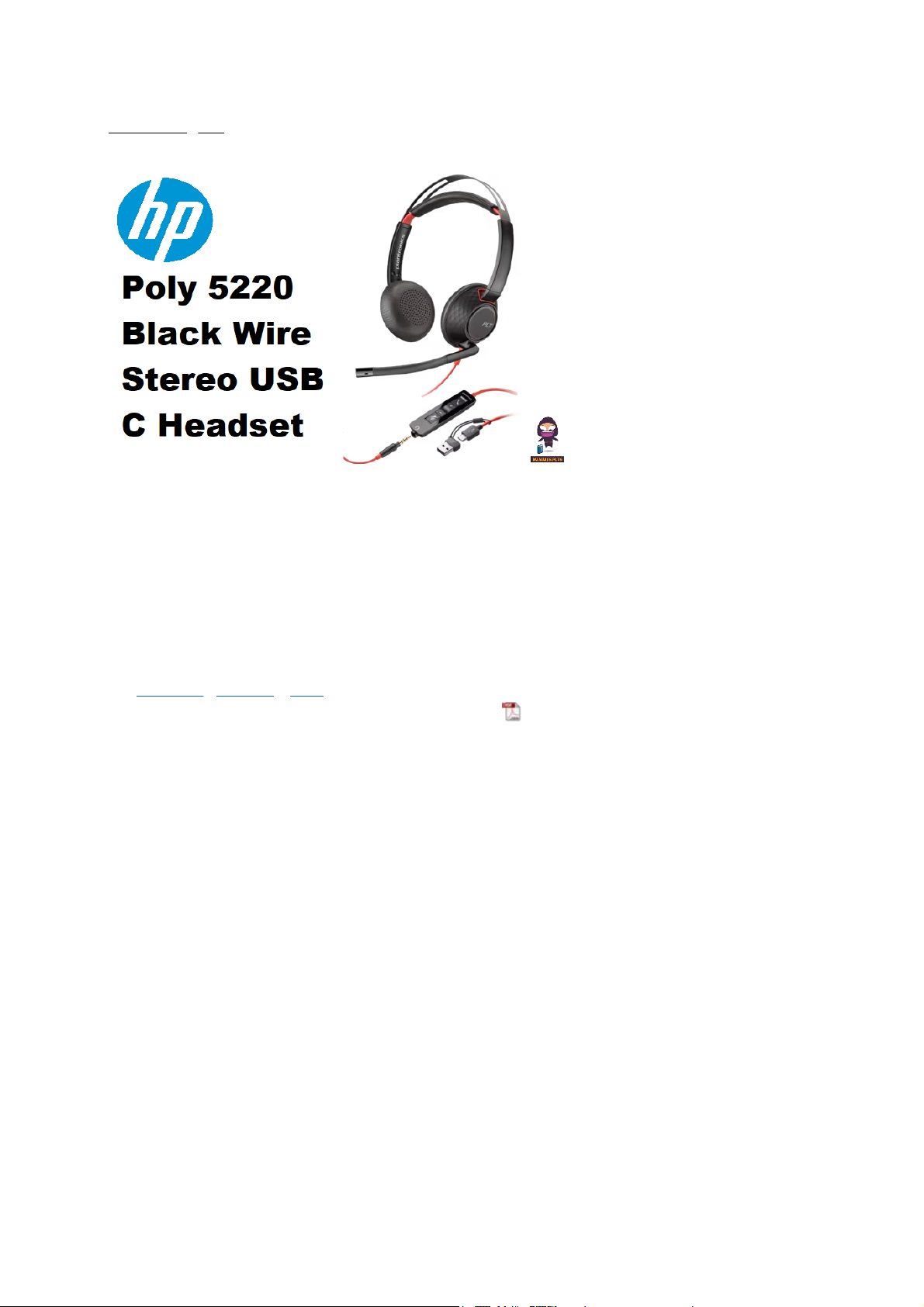
Strona główna » HP » HP Poly 5220 Black Wire Stereo USB C Headset
Instrukcje
zawartość
1 hp Poly 5220 Czarny przewód stereofoniczny USB C Headset
2 Instrukcje bezpieczeństwa
3 Przegląd
4 Konfiguracja
5 Dopasowanie
6 Podstawy
7 Rozwiązywanie problemów
8 Najczęściej zadawane pytania
9 Kontakt
10 Dokumenty/zasoby
10.1 Odniesienia
HP Poly 5220 Czarny przewód Stereo USB C
Instrukcje zestawu słuchawkowego
Instrukcje+ — Uproszczone instrukcje obsługi.
⚙
10.02.2025, 21:33
HP Poly 5220 Czarny przewód Stereo USB C Instrukcje zestawu słuchawkowego
1/17
Page 2

HP Poly 5220 Czarny przewód Stereo USB C Headset
⚙
10.02.2025, 21:33
HP Poly 5220 Czarny przewód Stereo USB C Instrukcje zestawu słuchawkowego
2/17
Page 3

Instrukcje bezpieczeństwa
Aby zmniejszyć ryzyko pożaru, porażenia prądem, obrażeń ciała i uszkodzenia
mienia, przeczytaj wszystkie instrukcje obsługi i poniższe instrukcje
bezpieczeństwa przed użyciem produktu Poly. Temperatura pracy,
przechowywania i ładowania wynosi od 10˚C do 40˚C (od 50˚F do 104˚F).
Używaj wyłącznie produktów i akcesoriów Poly przeznaczonych do
stosowania z tym produktem.
Jeśli po użyciu produktu wystąpi podrażnienie skóry, należy przerwać
stosowanie produktu i skontaktować się z firmą Poly.
DZIECI. Nigdy nie pozwalaj dzieciom bawić się produktem – małe części
mogą stwarzać ryzyko zadławienia.
Nie rozmontowuj produktu, ponieważ może to narazić Cię na
niebezpieczne napięcia lub inne zagrożenia. Nieprawidłowy ponowny
montaż może spowodować porażenie prądem lub pożar, gdy produkt
będzie następnie używany.
Odłącz produkt od zasilania, przerwij jego używanie i skontaktuj się z firmą
Poly, jeśli produkt się przegrzeje lub jeśli jego obudowa, przewód lub
wtyczka zostaną uszkodzone.
Narażenie na wysoki poziom głośności dźwięku lub nadmierne ciśnienie
akustyczne może spowodować tymczasowe lub trwałe uszkodzenie słuchu.
Chociaż nie ma jednego ustawienia głośności, które byłoby odpowiednie
dla wszystkich, należy zawsze używać zestawu słuchawkowego/słuchawek z
głośnością ustawioną na umiarkowanym poziomie i unikać długotrwałego
narażenia na wysoki poziom głośności dźwięku. Im głośniejszy dźwięk, tym
mniej czasu potrzeba, aby słuch mógł ucierpieć. Możesz doświadczać
różnych poziomów dźwięku podczas korzystania z zestawu
słuchawkowego/słuchawek z różnymi urządzeniami. Urządzenie, którego
używasz i jego ustawienia wpływają na poziom słyszanego dźwięku. Jeśli
odczuwasz dyskomfort słuchu, powinieneś przestać słuchać urządzenia
⚙
10.02.2025, 21:33
HP Poly 5220 Czarny przewód Stereo USB C Instrukcje zestawu słuchawkowego
3/17
Page 4

przez zestaw słuchawkowy/słuchawki i udać się do lekarza na badanie
słuchu. Aby chronić słuch, niektórzy eksperci ds. słuchu sugerują, aby:
1. Przed założeniem zestawu słuchawkowego/słuchawek na uszy ustaw
regulator głośności na niską wartość i ustaw możliwie najniższą głośność.
2. Unikaj zwiększania głośności, aby zablokować głośne otoczenie. Zawsze,
gdy to możliwe, używaj zestawu słuchawkowego/słuchawek w cichym
otoczeniu z niskim poziomem hałasu w tle.
3. Ogranicz czas korzystania ze słuchawek przy wysokim poziomie głośności.
4. Zmniejsz głośność, jeśli dźwięk z zestawu słuchawkowego/słuchawek
uniemożliwia Ci słyszenie osób mówiących w pobliżu. Więcej informacji na
temat zestawów słuchawkowych/słuchawek i słuchu można znaleźć na
stronie poly.com/healthandsafety .
If you use your headset/headphones while driving, check local laws
regarding use of a mobile phone and headset, and ensure your attention
and focus remain on driving safely. Use of a headset/headphones that
covers both ears will impair your ability to hear other sounds and in most
regions is illegal to use while operating a motor vehicle or riding a bicycle
and may be a serious hazard for you and others.
If this product includes earbuds/eartips, install and use them in accordance
with the instructions provided.
Do not force earbuds/eartips down the ear canal. Consult a doctor if they
become lodged in the ear canal.
Plug the mains adapter or charger into a socket outlet that is near to the
equipment and will be easily accessible.
Battery Warnings for Wireless Products
If your product has an embedded, non-replaceable battery, do not attempt
to open the product or remove the battery as this may cause injury and/or
⚙
10.02.2025, 21:33
HP Poly 5220 Czarny przewód Stereo USB C Instrukcje zestawu słuchawkowego
4/17
Page 5

damage the product. If your product has a replaceable battery, use only the
battery type supplied by Poly. Remove a spent battery promptly.
Replace rechargeable batteries after three years or 300 charge cycles,
whichever occurs first.
Do not dispose of the product or battery in a fire or heat above 40°C
(104°F).
Do not expose the battery to extremely high temperatures. It may result in
an explosion or the leakage of flammable liquid or gas.
Do not open, deform or mutilate the battery. There may be corrosive
materials which can cause damage to eyes or skin and may be toxic if
swallowed.
Never put batteries in mouth. If swallowed, contact a physician or poison
control center.
Swallowing may lead to burns, perforation of soft tissue, and death. Severe
burns can occur within 2 hours of ingestion.
Always store batteries where children cannot reach them.
Do not allow any battery or its holder to contact metal objects such as keys
or coins.
RECYCLING The product battery must be recycled or disposed of properly.
Contact your local recycling center for battery removal and proper disposal.
Use only the charger supplied by Poly to charge the product and follow the
charging instructions provided.
Alternatively, if your headset is designed to be charged with your cell phone
charger, use only cell phone chargers approved and provided by your cell
phone manufacturer. Do not use the charger for any other purpose.
Ensure that the voltage rating corresponds to the power supply you intend to
use.
MFi
Use of the Made for Apple badge means that an accessory has been designed
to connect specifically to the Apple product(s) identified in the badge, and has
⚙
10.02.2025, 21:33
HP Poly 5220 Czarny przewód Stereo USB C Instrukcje zestawu słuchawkowego
5/17
Page 6

been certified by the developer to meet Apple performance standards.Apple
is not responsible for the operation of this device or its compliance with safety
and regulatory standards.
EU Declaration of Conformity
Hereby, HP Inc. declares that the product described in the accompanying
documentation is in compliance with the essential requirements and other
relevant provisions of Directive 2014/53/EU. A copy of the Declaration of
Conformity to the essential requirements may be found at
poly.com/conformity.
EU WEEE Statement
A crossed-out wheelie bin symbol denotes that waste electrical and electronic
equipment and batteries must not be disposed of as unsorted municipal
waste, but collected separately. For more detailed information, please go to
poly.com
France Specific Absorption Rate (SAR/DAS)
In accordance with France Specific Absorption Rate disclosure, this product
SAR is: DAS/SAR < 0.3 W/Kg.
UK Declaration of Conformity
Hereby, HP Inc. UK Ltd. declares that the equipment types as described in the
accompanying documentation is in compliance with the relevant statutory
requirements. A copy of the Declaration of Conformity to the essential
requirements may be found at poly.com/conformity
China RoHS
www.poly.com/rohs
⚙
10.02.2025, 21:33
HP Poly 5220 Czarny przewód Stereo USB C Instrukcje zestawu słuchawkowego
6/17
Page 7

India RoHS
India’s “E-waste Rules” are compliant and does not contain restricted
materials over the threshold, unless permitted.
Taiwan RoHS
www.poly.com/rohs
UK Declaration of Conformity
Hereby, HP Inc. UK Ltd. declares that the equipment types as described in the
accompanying documentation is in compliance with the relevant statutory
requirements. A copy of the Declaration of Conformity to the essential
requirements may be found at poly.com/conformity.
⚙
10.02.2025, 21:33
HP Poly 5220 Czarny przewód Stereo USB C Instrukcje zestawu słuchawkowego
7/17
Page 8

Overview
⚙
10.02.2025, 21:33
HP Poly 5220 Czarny przewód Stereo USB C Instrukcje zestawu słuchawkowego
8/17
Page 9

Setup
Power on your headset by connecting to your computer or mobile device via
USB or 3.5 mm connector.
IMPORTANT Ensure that your 3.5 mm connector is fully connected to the
headset controller
Load software
⚙
10.02.2025, 21:33
HP Poly 5220 Czarny przewód Stereo USB C Instrukcje zestawu słuchawkowego
9/17
Page 10

Customize your device behavior through advanced settings and options with
the Poly Lens Desktop App. Some softphones require the installation of Poly
software to enable device call control (answer/end and mute) functionality.
Download: poly.com/lens.
NOTE Device settings are also available in Plantronics Hub Desktop App.
Update your Poly device
Keep your firmware and software up-to-date to improve performance and
add new features to your Poly device.
Update your device using your computer with the Poly Lens Desktop App.
Download at
poly.com/lens
While updating:
Do not use your Poly device until the update is complete.
Do not start a second update from a second device.
Do not stream media.
Do not answer or place a call.
Fit
Adjust the headband
Lengthen or shorten the band until it fits comfortably. The cushions should sit
comfortably over the center of your ears
⚙
10.02.2025, 21:33
HP Poly 5220 Czarny przewód Stereo USB C Instrukcje zestawu słuchawkowego
10/17
Page 11

Position the boom
The headset can be worn with the boom on your left or right side. For true
stereo listening, wear the boom on your left side. Rotate the boom to align
with your mouth.
Adjust the boom
Gently bend the boom in or out so it is approximately one finger width from
the corner of your mouth.
⚙
10.02.2025, 21:33
HP Poly 5220 Czarny przewód Stereo USB C Instrukcje zestawu słuchawkowego
11/17
Page 12

Basics
Make/take/end calls
Headset call control is a software feature and is dependent on a compatible
softphone. If you have not installed Poly Lens Desktop App (poly.com/lens)
or do not have a compatible softphone, press the headset call button first and
then make/take/end the call using the softphone application.
Answer or end a call
Tap the Call button or use your softphone.
Make a call
Dial using your softphone application.
Redial
When not on an active call, double-tap the call button to redial the last call.
⚙
10.02.2025, 21:33
HP Poly 5220 Czarny przewód Stereo USB C Instrukcje zestawu słuchawkowego
12/17
Page 13

Hold
Double-tap the Call button to put a call on hold.
Volume
Listening volume
Press the Volume up (+) or Volume down (-) button.
Adjust headset microphone volume (softphone)
Place a test softphone call and adjust the softphone volume and PC sound
volume accordingly.
Mute
During a call, briefly press the mute button to mute the microphone on the
inline controller. To unmute press the button again.
Troubleshooting
Headset
I hear a high-pitched noise when wearing the headset.
Ensure that your 3.5 mm connector is fully connected to the \headset
controller.
I cannot hear caller.
The listening volume is too low. Press the volume up button on the
headset. and/or ensure that the volume setting on your computer is set
accurately.
Your headset is not set as the default audio device. Use the audio settings
in your sound control panel/preferences to select your headset as the
⚙
10.02.2025, 21:33
HP Poly 5220 Czarny przewód Stereo USB C Instrukcje zestawu słuchawkowego
13/17
Page 14

default audio device.
Ensure that your 3.5 mm connector is fully connected to the headset
controller.
Callers cannot hear me.
Headset is muted. Tap the mute button to unmute the microphone.
The headset microphone boom aligned incorrectly. Align the headset
boom with your mouth.
Your headset is not set as the default Voice device. Use the audio settings
in your sound control panel/preferences to change the input device.
Ensure that your 3.5 mm connector is fully connected to the headset
controller.
The sound in the headset is distorted.
Lower the listen volume on your softphone until the distortion disappears.
I can hear an echo in the headset.
Adjust volume on the headset.
Ensure that your 3.5 mm connector is fully connected to the headset
controller.
When I use my headset with a softphone, the headset call control and
mute buttons don’t work.
Make sure the softphone you are using is supported by viewing
www.plantronics.com/softphonecompatibility.
If required to enable headset control (answer/end and mute) functionality,
ensure you have Poly Lens Desktop App installed. See Load software.
⚙
10.02.2025, 21:33
HP Poly 5220 Czarny przewód Stereo USB C Instrukcje zestawu słuchawkowego
14/17
Page 15

Your mobile device may not support call control functionality. Check with
device manufacturer.
The other headset I was using to listen to music does not work anymore.
Your headset will set itself as the default audio device in Windows. Use the
audio settings in your sound control panel/ preferences to change the
audio device.
My phone is not finding my headset during a call or while listening to
music.
Podczas rozmowy telefonicznej lub słuchania muzyki upewnij się, że dźwięk
jest kierowany do wybranego zestawu słuchawkowego, przechodząc do
ustawień i upewniając się, że jest to ustawienie domyślne.
Często zadawane pytania
P: Czy mogę używać zestawu słuchawkowego Poly Blackwire 5220 ze
swoim smartfonem?
O: Tak, zestaw słuchawkowy jest kompatybilny ze smartfonami
wyposażonymi w port USB-C lub 3,5 mm.
P: Jak dostosować głośność w zestawie słuchawkowym?
A: Możesz regulować głośność za pomocą wbudowanych elementów
sterujących na słuchawkach. Po prostu naciśnij przyciski Volume +/-,
aby zwiększyć lub zmniejszyć głośność.
P: Czy zestaw słuchawkowy Poly Blackwire 5220 nadaje się do
wideokonferencji?
O: Tak, zestaw słuchawkowy idealnie nadaje się do wideokonferencji,
ponieważ oferuje redukcję szumów, czystą jakość dźwięku i wygodę
noszenia podczas dłuższych spotkań.
⚙
10.02.2025, 21:33
HP Poly 5220 Czarny przewód Stereo USB C Instrukcje zestawu słuchawkowego
15/17
Page 16

Kontakt
POTRZEBUJESZ WIĘCEJ POMOCY?
poly.com/wsparcie
Plantronics, Inc. Plantronics BV
345 Ulica Encinal
Santa Cruz, Kalifornia 95060
Stany Zjednoczone
Skorpion 171
2132 LR Hoofddorp
Niderlandy
© 2021 Plantronics, Inc. Wszelkie prawa zastrzeżone. Poly, projekt śmigła i
logo Poly są znakami towarowymi Plantronics, Inc. Wszystkie inne znaki
towarowe są własnością ich właścicieli. Wyprodukowano przez Plantronics, Inc.
209253-06 06.21
Dokumenty / Zasoby
hp Poly 5220 Czarny przewód Stereo USB C Headset
[pd
f] Instrukcje
Poly 5220 Czarny przewód Stereo USB C Headset, Poly 5220,
Czarny przewód Stereo USB C Headset, Przewód Stereo USB
C Headset, Stereo USB C Headset
Odniesienia
Instrukcja obsługi
Manuals+ , Polityka prywatności
Ta strona internetowa jest niezależną publikacją i nie jest ani powiązana, ani popierana przez żadnego z właścicieli znaków towarowych.
Znak słowny „Bluetooth®” i logo są zarejestrowanymi znakami towarowymi należącymi do Bluetooth SIG, Inc. Znak słowny „Wi-Fi®” i
logo są zarejestrowanymi znakami towarowymi należącymi do Wi-Fi Alliance. Jakiekolwiek użycie tych znaków na tej stronie internetowej
nie oznacza żadnego powiązania ani poparcia.
⚙
10.02.2025, 21:33
HP Poly 5220 Czarny przewód Stereo USB C Instrukcje zestawu słuchawkowego
16/17⚙10.02.2025, 21:33
Page 17

HP Poly 5220 Czarny przewód Stereo USB C Instrukcje zestawu słuchawkowego
17/17
 Loading...