

Page 1
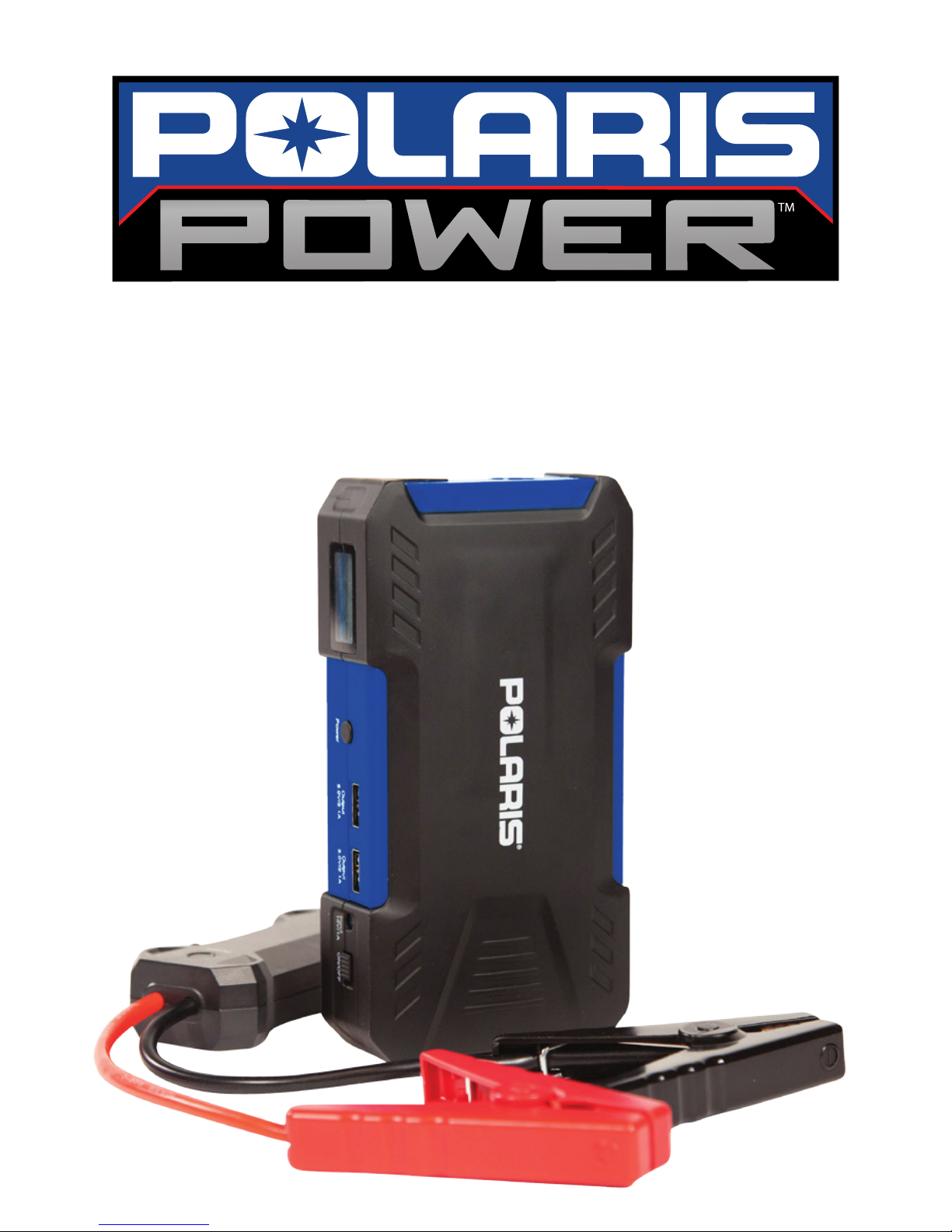
polaris flex jump-starter
Quick Start Guide
Page 2
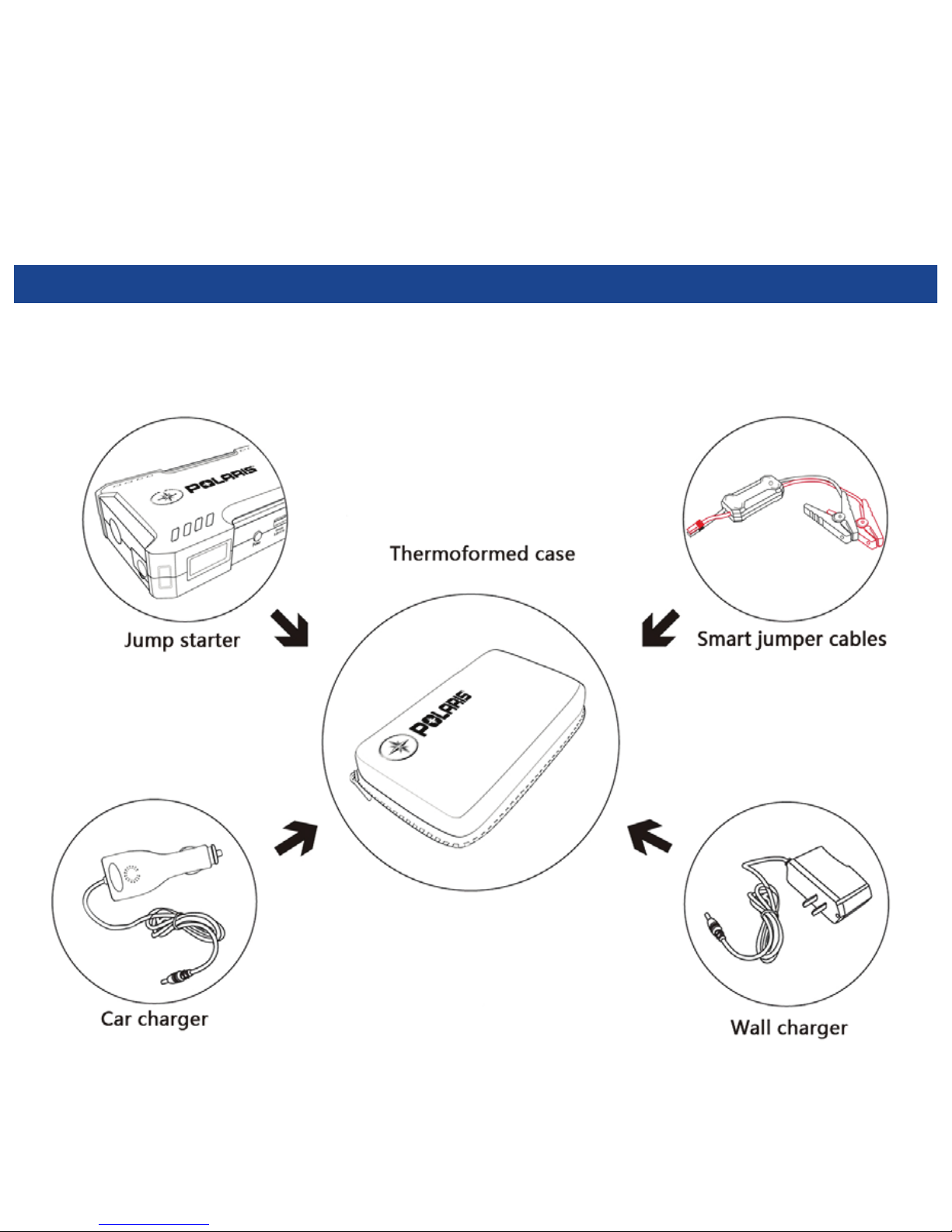
Package
Contents
Page 3

Flashlight
Jump-start Port
LCD Display
Flashlight
Power Button
Charging
Port
Main Power
Switch
USB Ports
at a
glance
Page 4
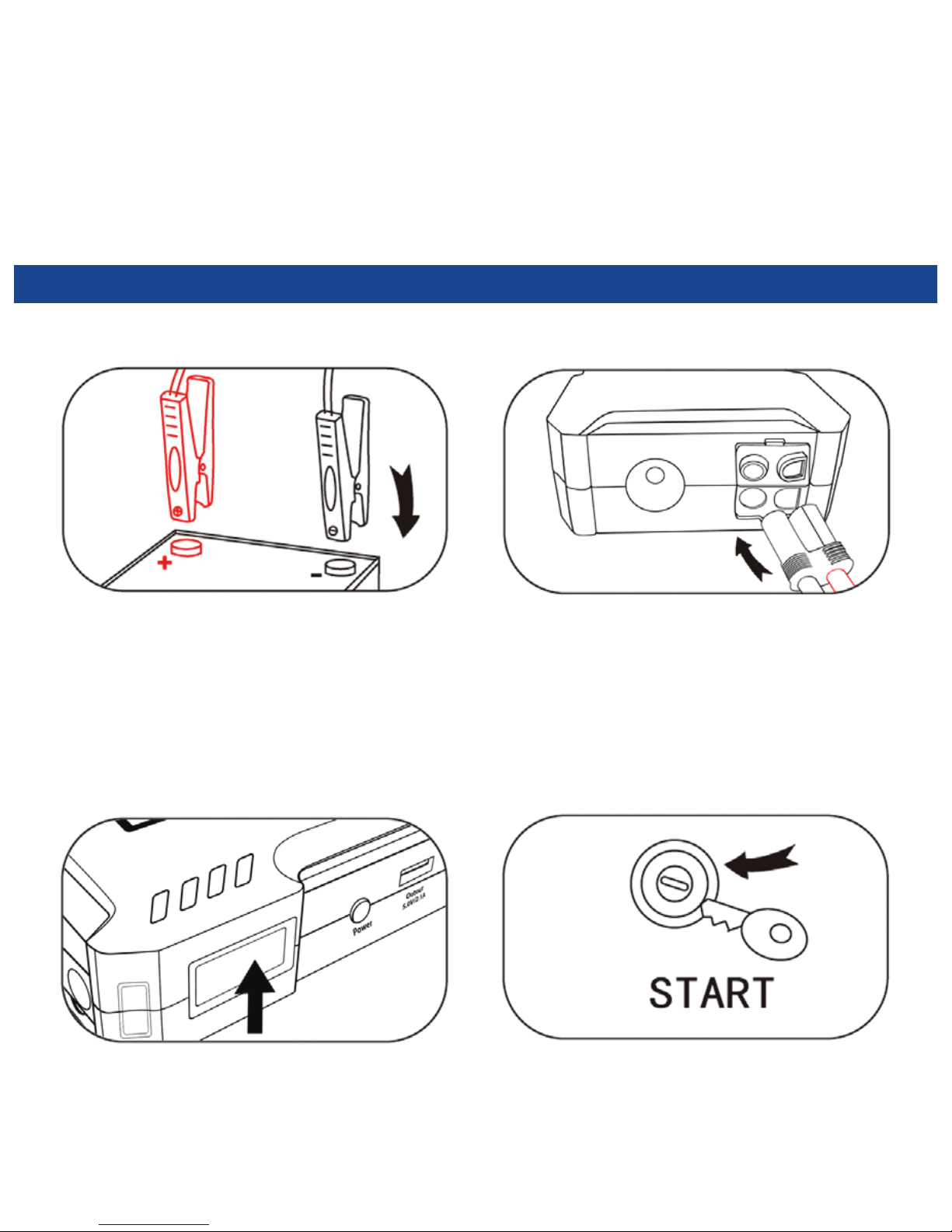
3. Switch on jump-starter and check
it is over 50% charged.
2. Plug in the jumper cables.1. Attach the red Jump-starting clamp to
the red positive [+] battery terminal,
and connect the black clamp to the
negative [—] battery terminal.
4. Start your engine.
Jump-starting
your Vehicle
Page 5
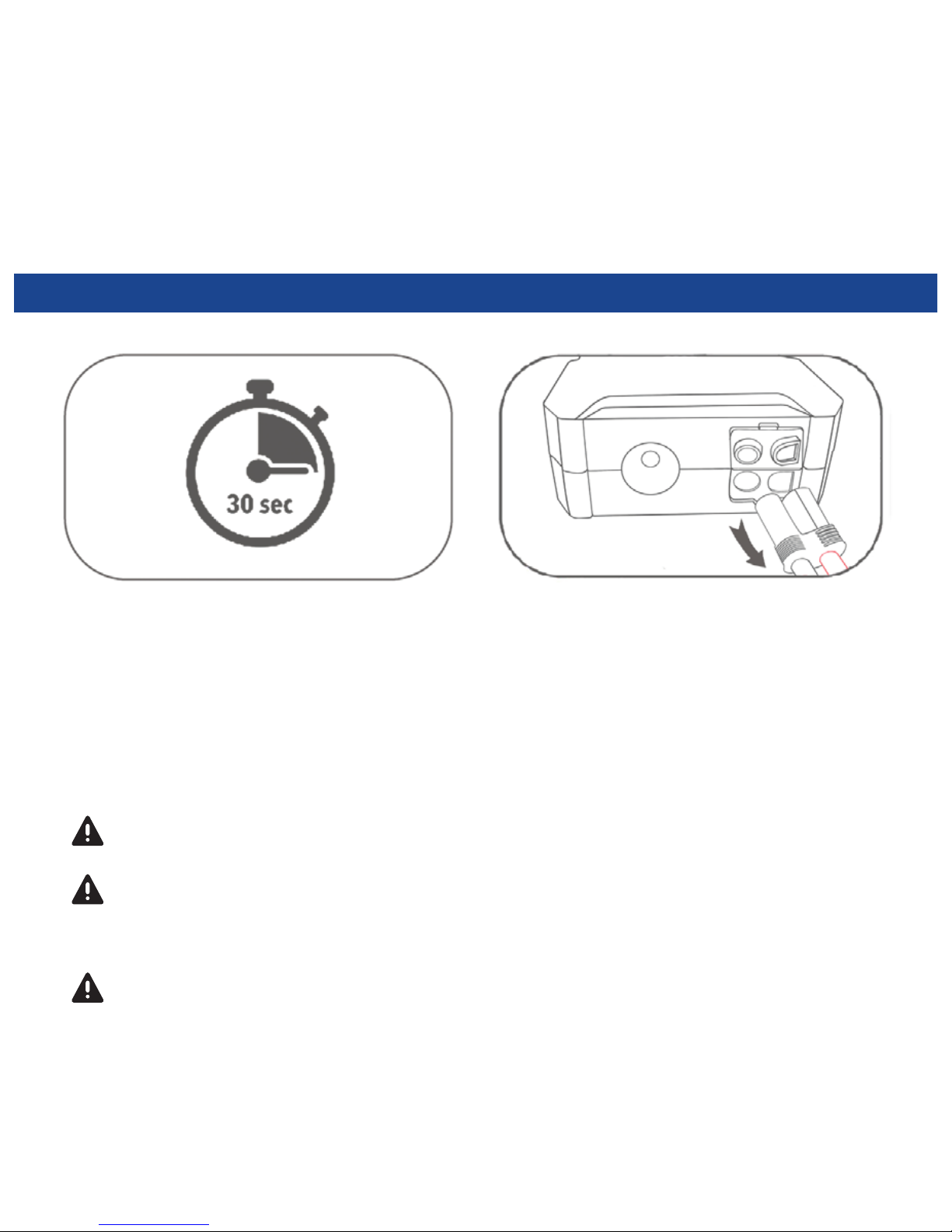
For maximum output and product
longevity, wait 30 seconds between
jump-start attempts.
Do not connect the red and black clamps together.
If display shows 50% or less, charge jump-starter prior to next use.
Failure to do so could result in damage to jump-starter.
Jumper cables must be connected properly to the vehicle’s battery terminals.
(See your vehicle owner’s manual for proper jump-starting procedure.)
Unplug the jumper cables
within 30 seconds.
Jump-starting
your Vehicle
Page 6
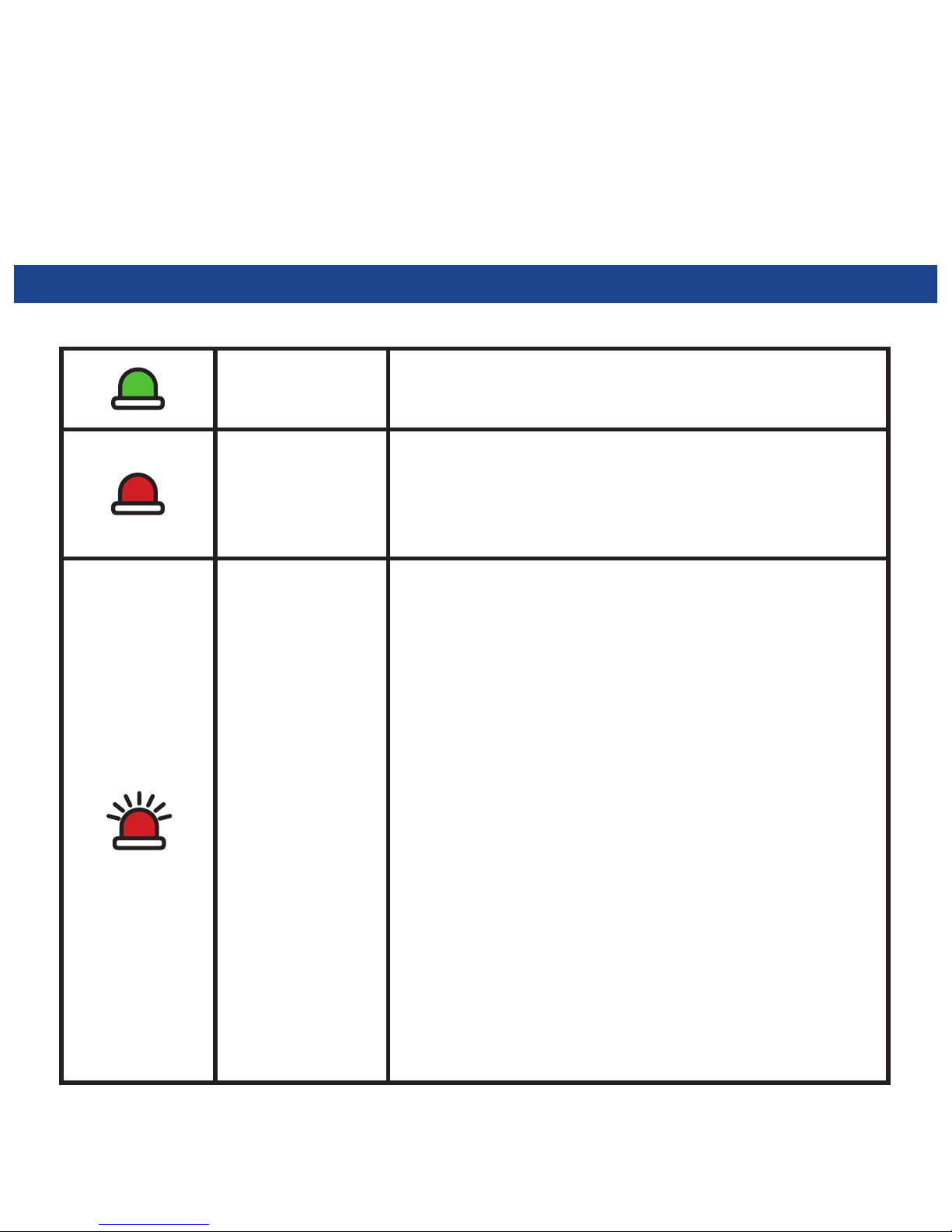
Steady
Ready to jump-start.
Steady
Standby. Cables are plugged into
the jump-starter and are now ready
to be connected to the battery.
Flashing
1. Cables are hooked up properly
but have not been used for
60 seconds. Please press
reset button to be ready.
2. Reverse Polarity Protection:
clamps are attached to the
incorrect battery terminals.
Please connect terminals
and press reset button.
3. Short Circuit Protection:
Black and red clamps are
touching. Please connect
the correct terminals and
press reset button.
Knowing
the Cables
Page 7
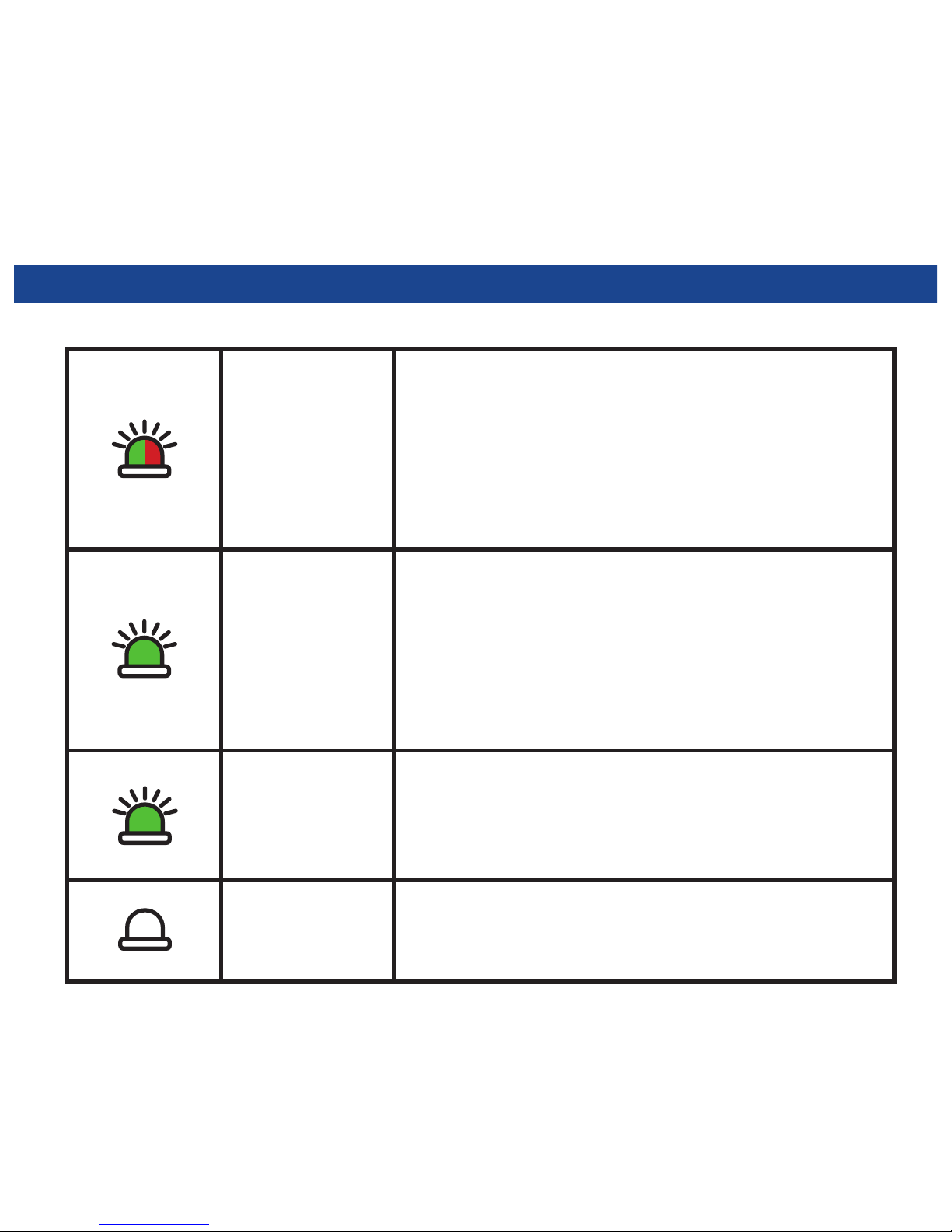
Flashing
Reverse Charging Protection:
Vehicle voltage normal,
jump-starting is not necessary.
Please seek a service professional
for further assistance.
Slow
Flashing
Over Temperature Protection:
Cables are overheated, allow
cables to cool until the red light
reappears. Press reset button
prior to next use.
Rapid
Flashing
Over Discharge Protection: The
voltage of Jump-Starter is low,
recharge your Jump-Starter.
No
Flashing
Please contact Polaris
customer service.
Knowing
the Cables
Page 8
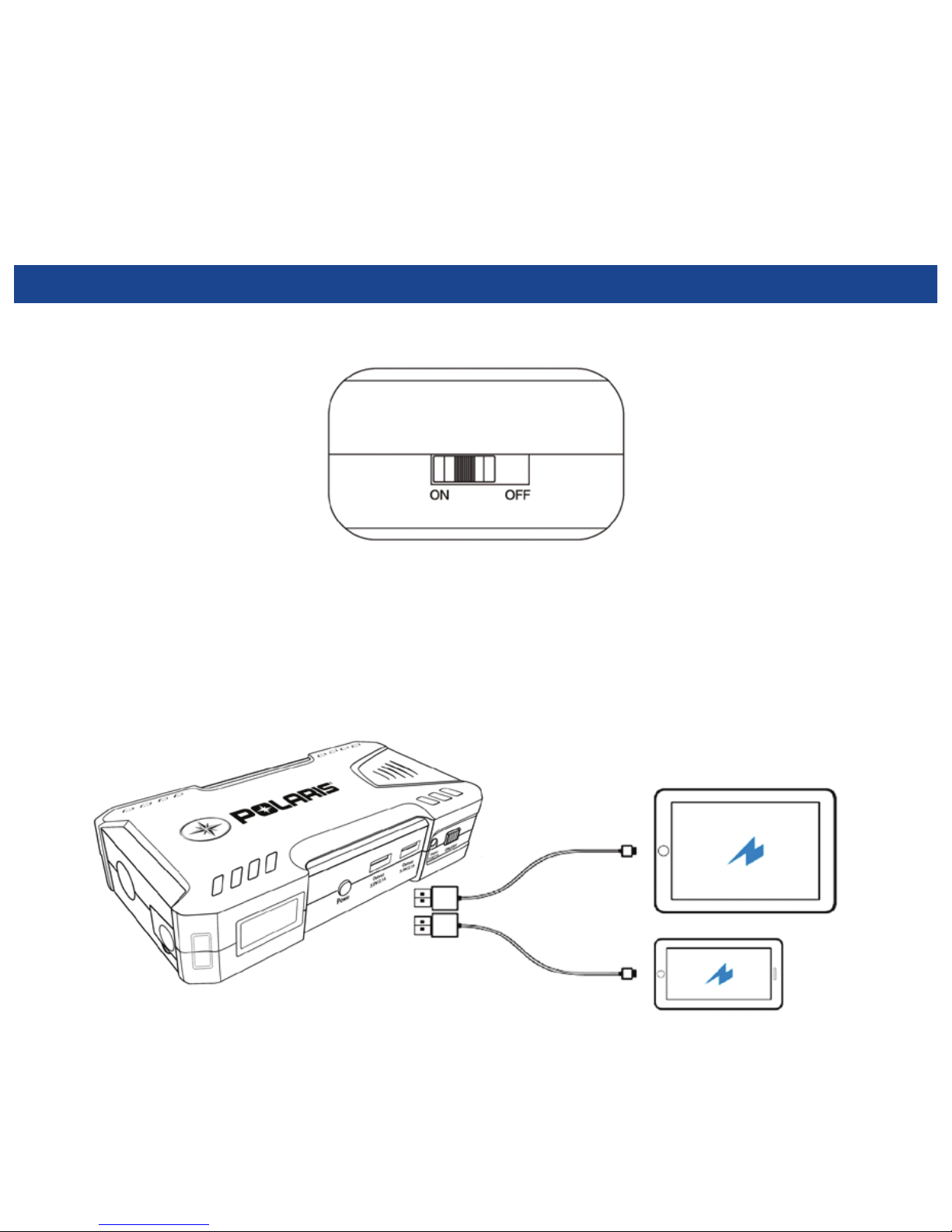
Turn on the main switch
Using
USB Ports
Page 9
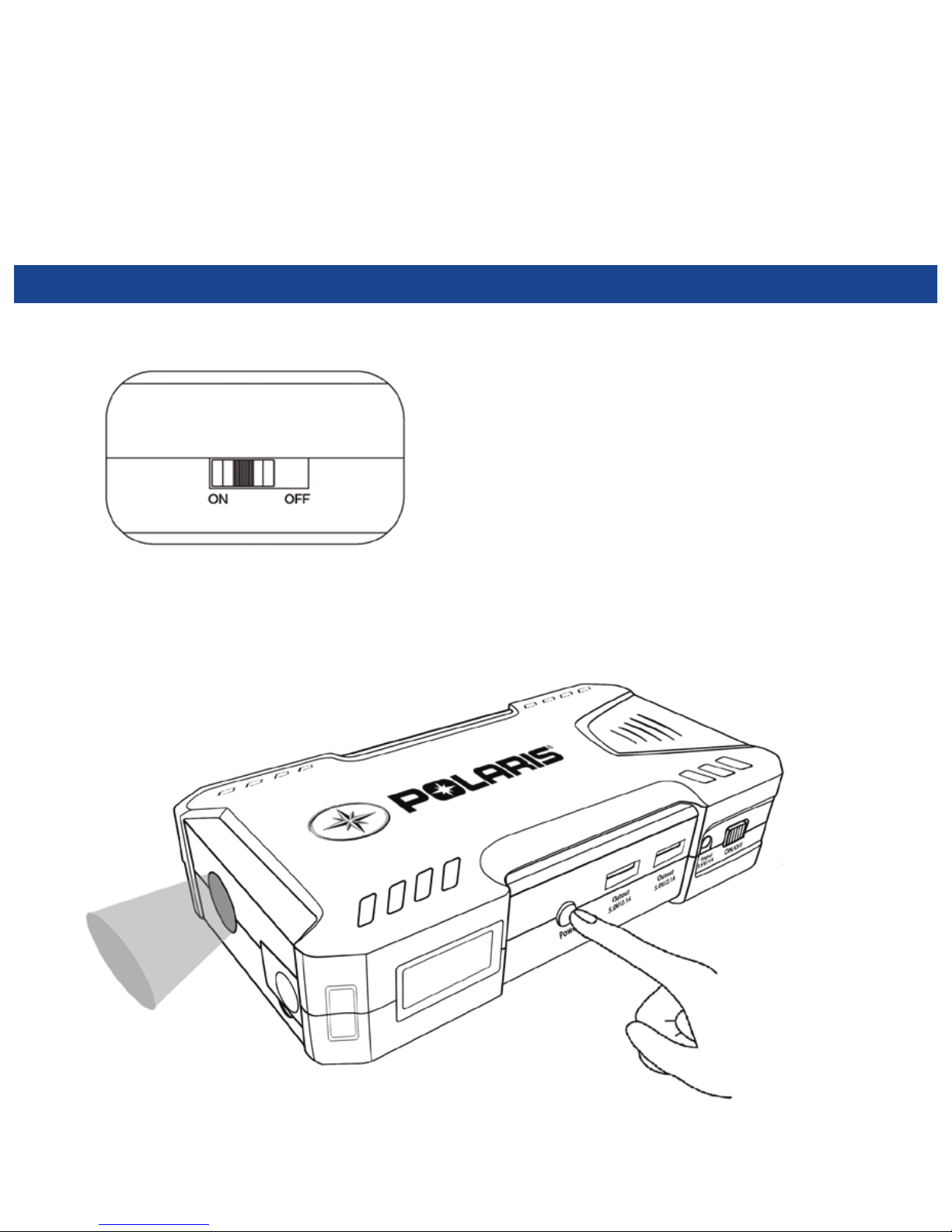
Turn on the main switch
Press and hold power button for 3 seconds:
Steady flashlight beam.
Next quick press: SOS Strobe
Next quick press: Fast Strobe
Next quick press: Turn off flashlight
Using
the flashlight
Page 10
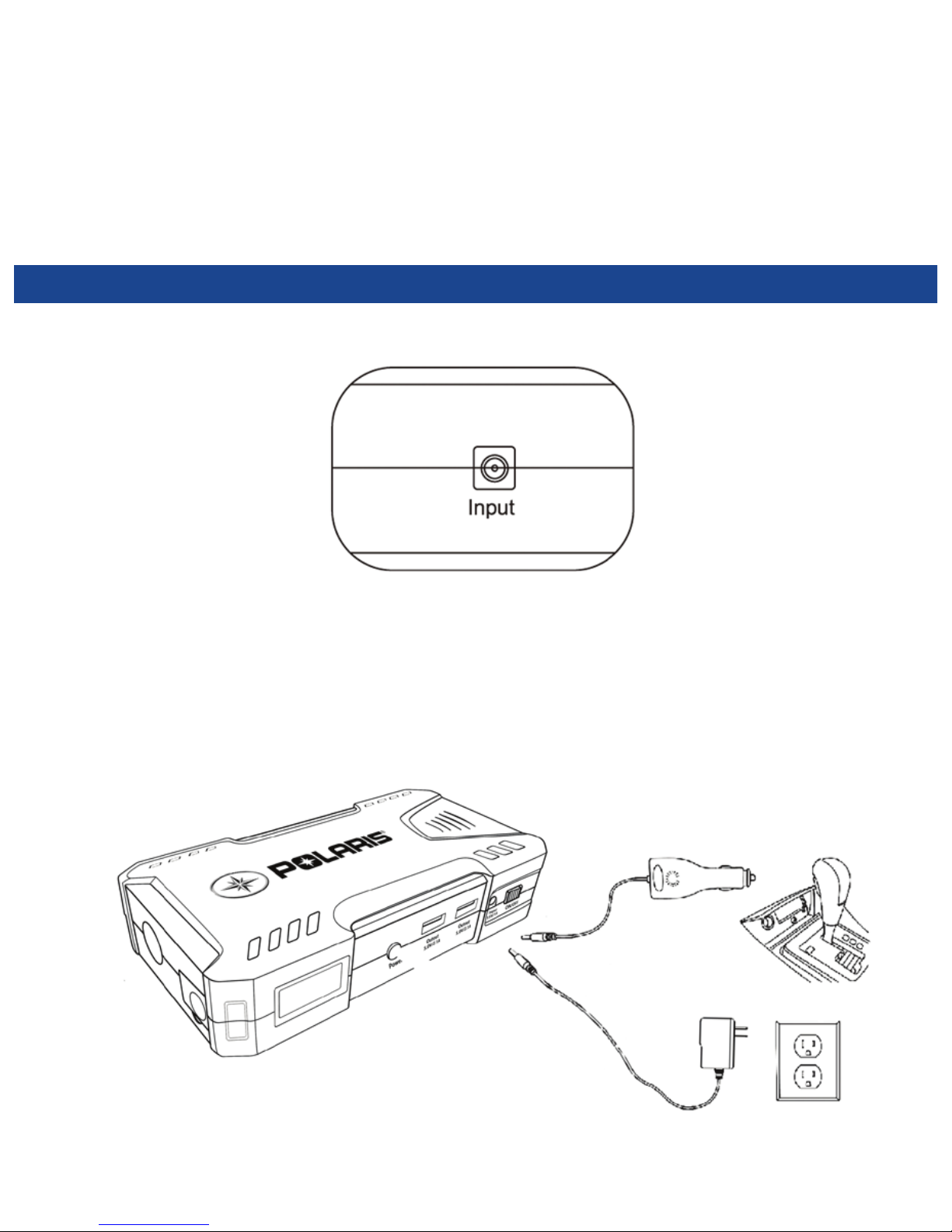
Locate the charging port.
recharging
the product
Page 11

Capacity
12000mAh / 44.4Wh
Weight
556g / 19.6oz
Size
178 x 91 x 45 mm / 7.0 x 3.6 x 1.8 in
Input
15V / 2.1Ax2
USB Output
5V / 2.1Ax2
Flashlight
200 Lumens
Product
Specifications
Page 12
12-Month Limited Warranty
1 (888) 704-5290
www.polarispower.com
Rev 1.2 20160721
Customer
Service
 Loading...