

Page 1
Manufactured by
Polar Electro Oy
Professorintie 5
FI-90440 KEMPELE
Tel +358 8 5202 100
Fax +358 8 5202 300
www.polar.com
Compatible with Polar
and
GymLink
AFTER TRAINING
Get instant analysis and in-depth insights into your training and recovery
with Polar V800, the Polar Flow mobile app and web service.
KEY FEATURES
Polar V800 oers a host of unique features to help you train better. Here
you can nd a summary of the most important ones.
ORTHOSTATIC TEST **
Allows you to optimize your training and avoid overtraining by showing
how your heart rate responds to exercise and other factors such as stress
and illness. The test shows your heart rate during rest, active standing
up and standing, and compares it with the average of your previous
test results. By repeating the test regularly, you’ll notice if there are any
untypical heart rate responses.
JUMP TEST ***
Helps you estimate your leg muscular strength and power output, as well
as neuromuscular fatigue. You can do three dierent types of jump tests:
squat, countermovement and continuous.
ROUTE GUIDANCE
Sync your favorite routes from the Polar Flow web service to your V800,
and it’ll guide you along the way to explore new paths.
BACK- TO-START
Guides you back to the starting point of your session, or any saved POI
(point-of-interest).
RACE PACE
Dene a target time for a set distance, and race pace will help you keep a
steady pace and achieve your goal.
** Polar Bluetooth® Smart heart rate sensor required
*** Polar Stride Sensor Bluetooth® Smart required
To nd out more about the various other features in the V800, go to
polar.com/support and see the full user manual.
V800
Battery type
Operating time
Operating temperature
Water resistance
Training computer materials
Wrist strap and buckle materials
CR2025
O-ring 20.0 x 1.0 Material FPM
-10 °C to + 50 °C / 14 °F to 122 °F
30 m
Polyamide
38% Polyamide, 29% Polyurethane, 20% Elastane,
13% Polyester
H7 Heart rate sensor
Battery type
Battery sealing ring
Operating temperature
Water resistance
Connector material
Strap material
TECHNICAL SPECIFICATION
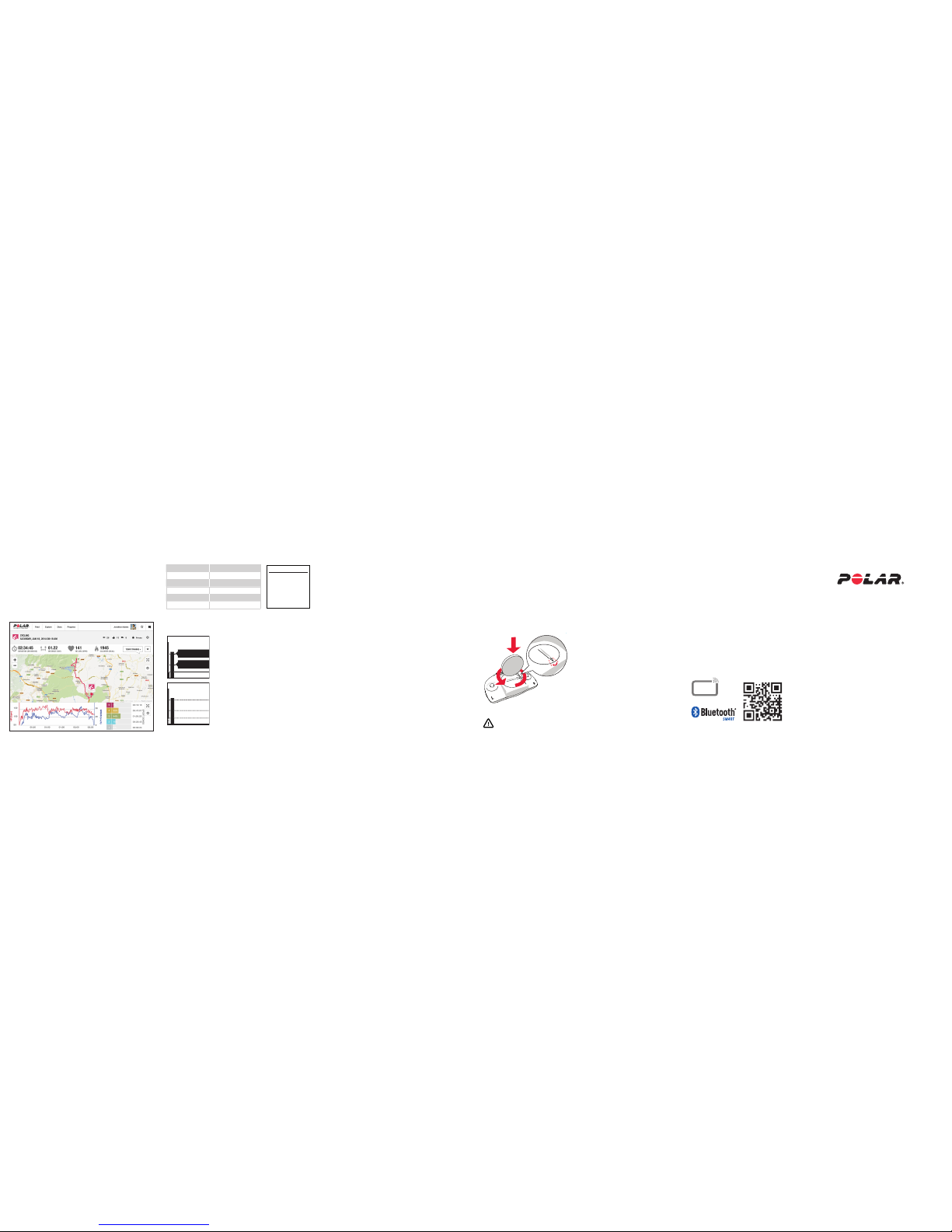
CHANGING HEART RATE SENSOR BATTERY
1. Using a coin, open the
battery cover by turning it
counterclockwise to OPEN.
2. Insert the battery (CR
2025) inside the cover with
the positive (+) side against
the cover. Make sure the
sealing ring is in the groove
to ensure water resistance.
3. Press the cover back into
the connector.
4. Use the coin to turn the
cover clockwise to CLOSE.
Danger of explosion if the battery is replaced with wrong type.
VIEW SUMMARY - V800
Get an instant summary of your training data and training load, and how
it aects your recovery status. You can also see how your training benets
you.
CUSTOMIZE WITH ACCESSORIES
Enhance your experience and achieve a more complete understanding of
your performance with these Bluetooth® Smart accessories:
Polar Stride Sensor Bluetooth® Smart
Measures your running speed/pace, distance, running cadence and stride
length, and enables you to do the Jump test.
Polar Speed Sensor Bluetooth® Smart
Measures distance and your real-time, average and maximum cycling
speed/pace. Useful for indoor cycling.
Polar Cadence Sensor Bluetooth® Smart
Measures your real-time, average and maximum cycling cadence as
revolutions per minute.
Uses Bluetooth® Smart wireless technology and coded 5 kHz transmission.
Find product support
350 mAh Li-pol rechargeable battery
13 h/ 50 h with low power mode
-10 °C to +50 °C / 14 °F to 122 °F
30 m
Aluminum alloy, stainless steel
Acrylonitrile butadiene styrene,thermpolastic
polymer, polycarbonate, stainless steel, aluminum
www.polar.com/en/support/V800
* Most accurate with heart rate measurement
17951154.00 ENG 01/2014 10011
ANALYZE IN AN INSTANT - FLOW APP
Analyze your training data at a glance and sync your trainings to the Polar
Flow web service.
ANALYZE EVERY DETAIL - FLOW WEB SERVICE
Analyze every detail, view your progress and share your training with your
friends or coach at polar.com/ow.
TRAINING LOAD *
The intensity and duration of your training sessions put a strain on your
body. To improve, you need to nd the right balance between training and
recovery. Find out what your training load and recovery time are and how
to optimize your training.
Recovery Time Training Load
> 49 h Extreme
25 – 48 h Very demanding
13 – 24 h Demanding
7 – 12 h Reasonable
0 – 6 h Mild
Find the full user manual and video tutorials at www.polar.com/support
TRACK YOUR DAILY ACTIVITY
Wear your Polar V800 24/7 and it will give you a reliable recovery status
based on all your daily activity. It tracks every movement with its
integrated activity tracker.
RECOVERY STATUS *
Although you love to train, you need to rest as well. Recovery status helps
you know when you have recovered enough to train again.
Very strained
You’ve been training hard lately. Resting is
recommended before your next heavy training
period.
Strained
You haven’t fully recovered from your previous
training.
Balanced
Your training load is on your typical level. Your
training and resting is in balance.
Undertrained
Lately you’ve been exercising less than normally.
C
l
o
s
e
O
p
e
n
Polar V800
Getting Started Guide
English
Undertrained
Balanced
Strained
Very
strained
Recovery status
Thu
15:30
Fri
6:00
Recovery status
Summary
Training load
Demanding
Recovery need
for this session
21
h
Page 2
WELCOME
Congratulations on your great purchase! In this handy guide we’ll walk you through the rst steps in starting to use
Polar V800, your choice for smarter training.
Polar V800 is a great training device by itself, but you’ll get even more out of it when you use it together with the
Polar Flow web service and mobile app. Plan your sessions, get guidance to achieve your targets, analyze results and
enjoy your achievements.
POLAR V800
TRAINING COMPUTER
Monitor your training data,
such as heart rate, speed,
distance and route, and
even the smallest activities
in your everyday life.
POLAR FLOW
MOBILE APP
View your training
data at a glance. The
mobile app syncs
your data to the Polar
Flow web service.
You can download it
from the App Store or
Google Play.
POLAR FLOW
WEB SERVICE
Plan and analyze every
detail of your training
and learn more about
your performance at
polar.com/ow
GET STARTED
To start using your V800 with the Flow web service, go to
ow.polar.com/V800 and create your Flow account. In the web service you
can customize your settings and create targets easily.
If you’re in a hurry for your rst run with V800, let’s do a quick setup to get
you going:
1. Plug V800 into your computer with a cable to charge the battery.
2. When charging is complete, choose your language and set up your
V800. Ready to go! is displayed when you’re done.
To get the most accurate and personal training data, it’s important that you’re
precise with physical settings like your training background, age, weight and sex.
Make sure the USB connector snaps rmly into place.
Charging
USEFUL TIPS
Check your recovery status
» Tap the display in the time view
Change watch face
» Press and hold UP
Access quick menu
» Press and hold LIGHT
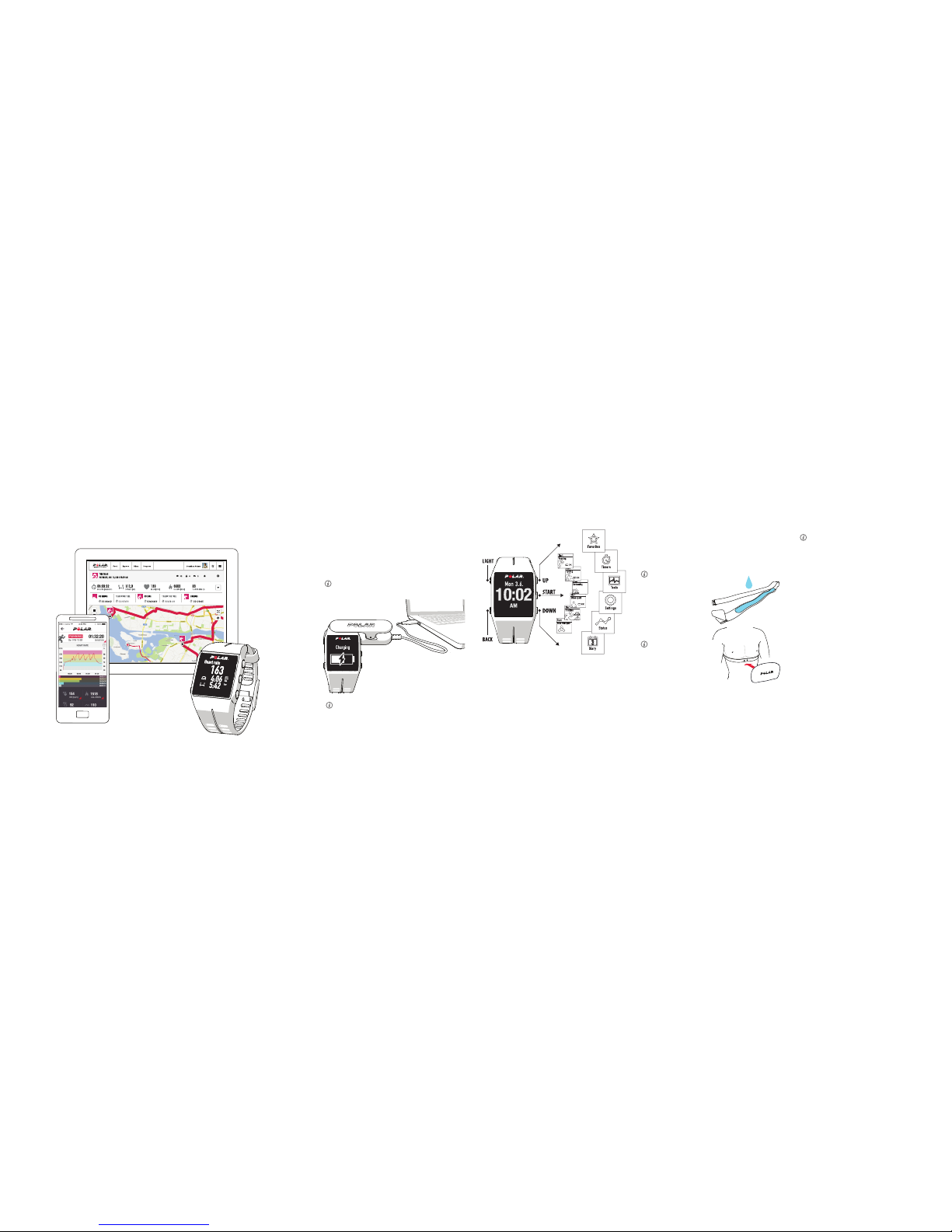
GET TO KNOW YOUR V800
Browse through the menu by pressing UP or DOWN. Conrm selections
with the START button, and return, pause and stop with the BACK button.
TRAINING WITH YOUR V800
When you use our heart rate sensors when training, you get the most
out of Polar’s unique smart coaching features. Heart rate data gives you
an insight into your physical condition and how your body responds to
training. This will help you ne-tune your training plans and reach your
peak performance.
1. Moisten the electrode area of
the strap.
2. Attach the connector to the
strap.
3. Tie the strap around your
chest, just below the chest
muscles, and adjust the strap
to t tightly but comfortably.
Detach the connector from the
strap, and rinse the strap under
running water after every training
session. Sweat and moisture
may keep the heart rate sensor
activated, so also remember to
wipe it dry.
If you bought your V800 without a heart rate sensor, not to worry, you can always
buy one later.
TRAINING WITH HEART RATE
Before your rst training session, you need to pair the heart rate sensor
with your V800. Wear your heart rate sensor, press START and touch the
sensor with your V800, then wait for the sensor to be found and choose
Yes.
You can also pair a new sensor in Settings > General settings> Pair and
sync > Pair new device.
START TRAINING
Press START and choose your sport. Wait for all the needed sensors to be
found and press START again when you’re ready to go.
When using GPS, stand still with the display facing upwards until the signal is
found. When the signal is found, OK is displayed.
DURING TRAINING
In addition to heart rate, your V800 measures comprehensive data such
as training time, calories, speed, distance, location and altitude.
Choose what’s shown on the display
» Choose the information you want to see during your sessions in the
Polar Flow web service
Take a lap
» Press START or tap the display during a session
Switch sports during a multisport session
» Press BACK to switch sports and to see your transition time
HeartTouch
» To activate the backlight and check the time, bring your V800 close
to your heart rate sensor during training
PAUSE AND STOP TRAINING
Press BACK to pause your training session. When paused, press and hold
BACK to stop your training session.
 Loading...