

Page 1
Pair your phone with your M600
You need to ins tall the Android Wear app on your phon e to connect your
smartwatch and your phone.
1. Insta ll the Android We ar app
on your sma rtphone fro m Google Play
TM or
the
App Stor e.
2. Open the An droid Wear app on y our phone.
3. Swipe up on y our M600 until y ou see its watch c ode, and tap the s ame code on
your phone.
4. Android ph one users: You’l l get a Bluetooth pair ing request o n your phone.
Make sure th e pairing code o n your M600 match es with the pair ing code shown
on your pho ne. Tap Pair or OK.
iPhone u sers: Accept th e Bluetooth pair ing request on y our phone by tapp ing
Pair or OK. You’ll ha ve to conrm conn ecting your dev ices: Make sure th e code
on your M6 00 matches wit h the code shown on y our phone, and ta p CONFIRM.
5. You’ll see a qui ck conrmatio n message on bot h the M600 and you r phone
when the p airing is compl eted. The initia l sync and update c an take a while.
6. Follow th e onscreen ins tructions on y our phone to copy yo ur Google Account
from you r phone to your M60 0 and to turn on watch notications.
Activate the Polar app on your M600
To get Polar’s ac tivity tr acking and tr aining feature s working on your
M600, y ou need to activ ate the Polar app on your smar twatch by
instal ling the Polar Flow app on your phone.
1. Insta ll the Polar Flo w app on your smar tphone from Go ogle Play or the A pp
Store. If y ou already ha ve the Polar Flo w app on your phone, m ake sure it’s
the latest version.
2. Open the Pol ar Flow app on yo ur phone.
iPhone u sers: To proceed you need to op en the Polar app on y our M600 by
press ing the front but ton. Then tap St art on your phone.
3. Choose wh ether you wear th e M600 on your le ft or right wr ist, then tap
Continue. iPhone u sers: tap Save a nd Sync.
4. Sign in wit h your Polar acco unt or create a new on e.
5. You’ll see the t ext “Setup comp leted” when you’v e succesfully a ctivated the
Polar ap p on your M600.
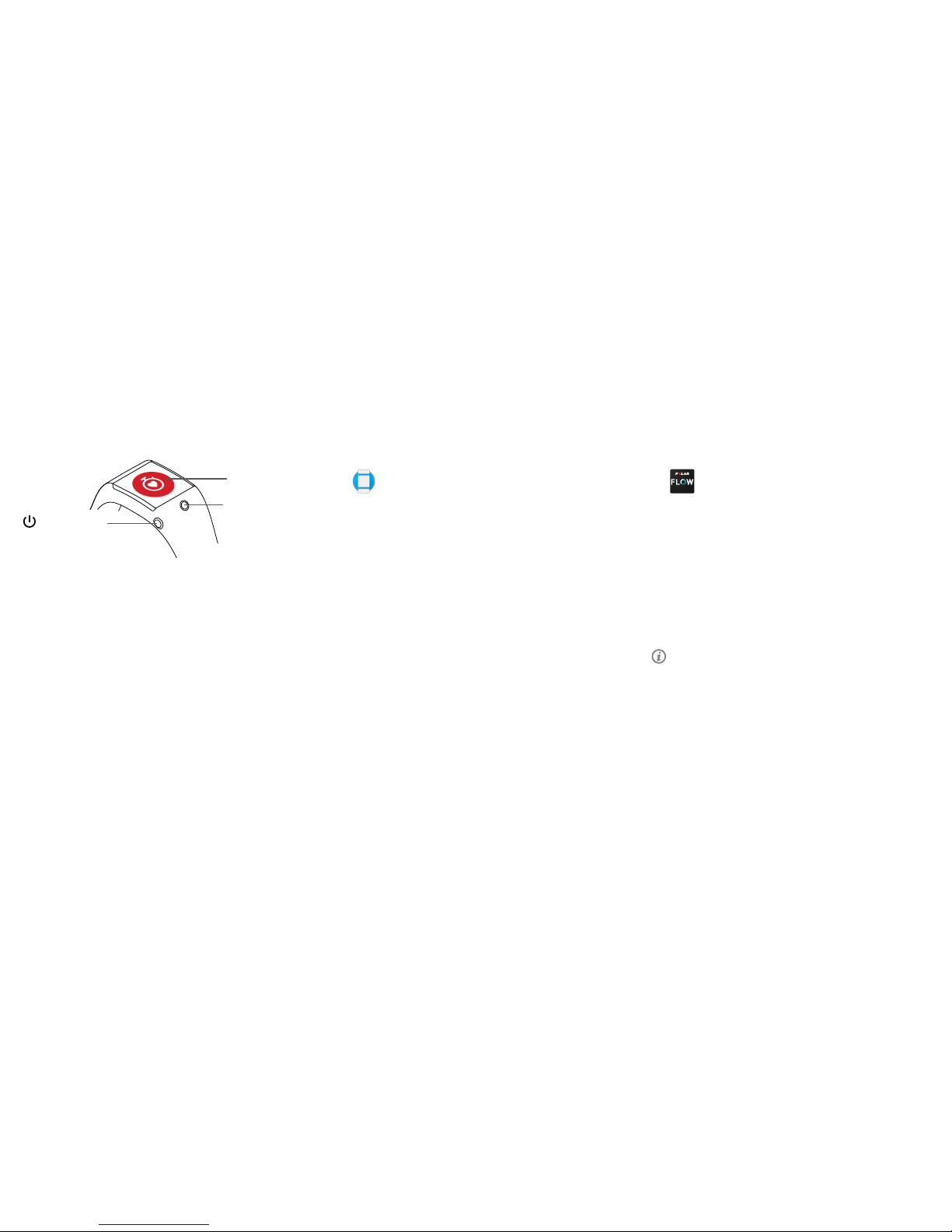
Side power button
Press a nd hold to turn
on or off
Front button
Press t o start Pola r app
Polar app
You’re ready to go, have fun!
Set up your Polar M600
Polar M6 00 sports w atch is compatib le with smart phones runnin g AndroidTM 4.3+ o r
iOS
TM
9.0+. Vis it g.co/WearCheck on you r phone to see if it’s co mpatible with A ndroid
Wear
TM
. Follow t hese three sta ges of setup to ge t started usin g your new spor ts
optimize d smartwa tch. Keep your M6 00 and phone clos e to each other dur ing the
setup. Pl ease note that the rst time setup c an take severa l minutes.
iPhone users: you need to manually connect your M600
to a Wi-Fi network.
1. Make sure t he display of you r M600 is acti ve, and swipe do wn from the
top of the sc reen.
2. Tap the settin gs icon > Connectivity > Wi- Fi > +Add network.
3. Find and ta p the network y ou want to connec t to. If the netwo rk
requir es a passwor d, tap Enter on phon e. On your phone , enter the
passw ord and tap Connect.
Get ready
1. Star t charging you r M600, and let it char ge during the setup.
2. Turn on your M6 00 by pressi ng and holding the s ide power butt on until
the Pola r logo appears . After that, th e initial power ing up of the oper ating
syste m will take a few minu tes.
3. Tap to begin, and c hoose your language. If y ou choose a wron g language,
swipe r ight to return to th e language menu .
4. Make sure yo ur smartphon e is connected to th e Internet, and turn
Bluetooth on.
1
2 3
Page 2
Technical specification
M600
BATTE RY TYPE 500 MA H LI-POL BAT TERY
HEART R ATE SENSO R INTERN AL OPTIC AL
OPERAT ING TEMPER ATURE -10 °C TO +50 °C/ 14 °F T O 122 °F
WATER RES ISTANCE SUITABL E FOR SWIMMI NG (IPX8 10M)
WRISTBAND MATERIALS SILICONE
POLYCARBONATE
STAINLE SS STEEL
DEVICE MATERIALS CORNING
®
GORILLA® 3 GLA SS
POLYCA RBONATE/ACRYLONITRILE BUTADIENE S TYRENE+30% GLA SS FIBER
STAINLESS STEEL
POLYMETHYL METHACRYLATE
POLYAMIDE
Stay tuned with Polar
/polarglobal
ANDROID W EAR, GO OGLE PLAY A ND OTHER MA RKS ARE TR ADEMAR KS OF GOOGL E INC.
APP STOR E IS A SERVIC E MARK OF AP PLE INC.
CORNING A ND GORILL A ARE REGIS TERED TR ADEMARK S OF CORNING IN CORPORAT ED.
IOS IS A TR ADEMAR K OR REGISTE RED TRAD EMARK OF CIS CO IN THE U.S. A ND OTHER COU NTRIES AN D IS
USED UNDER LICENSE.
MANUFACTURED BY
POLA R ELECTRO O Y
PROFESSORINT IE 5
FI-90440 KEMPELE
TEL +35 8 8 5202 100
FAX +35 8 8 5202 30 0
WWW.POLAR.COM
POWERED BY
COMPATIBLE WITH
1796022 0.02 ENG 2 /2017
M600
POWERED BY ANDROID WEAR
TM
Getting Started Guide
English
After training
• Press and ho ld the front but ton to stop recor ding the trainin g session.
• The M600 au tomatically s yncs your tra ining data to the Pol ar Flow app wh ere
you can v iew your activ ity, trainin g and sleep data at a gl ance. For more de tailed
traini ng analysis go to ow. pola r.co m.
• When you’ve n ished trainin g, loosen the ban d and wear it as you w ould a
normal watch.
• Keep your M60 0 clean by sepa rating the wri stband from th e device and rin sing
both unde r running water af ter each train ing session.
• Don’t charge th e M600 when it’s w et or sweaty.
Learn more about your M600
• Learn more a bout your Pola r M600 at support.polar.com/en/M600 .
• See also A ndroid Wear supp ort document ation at
support.google.com/androidwear.
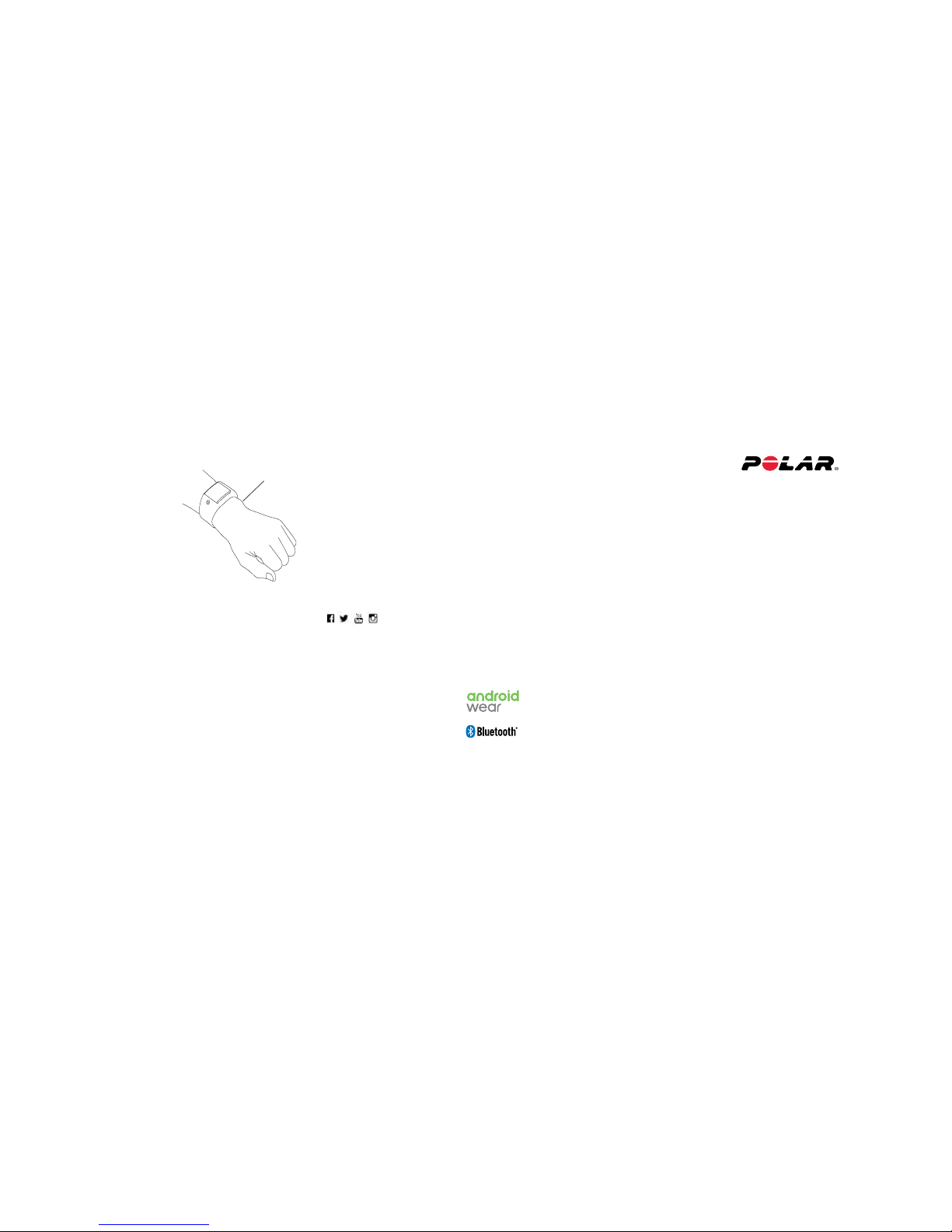
Wrist b one
Training with your M600
• To get accurate hea rt rate read ings during
traini ng, you need to sec ure the band rm ly
on top of your w rist, just b ehind the wri st
bone. The sen sor must be touchi ng your
skin, bu t the wristban d should not be too
tight.
• To start trai ning, open the Pol ar app by
press ing the front but ton, choose Training,
and nd the s port you want t o do. Wait for the
M600 to nd your heart r ate (and the GPS) ,
and pres s the front but ton to start re cording
the training session.
 Loading...