

Page 1
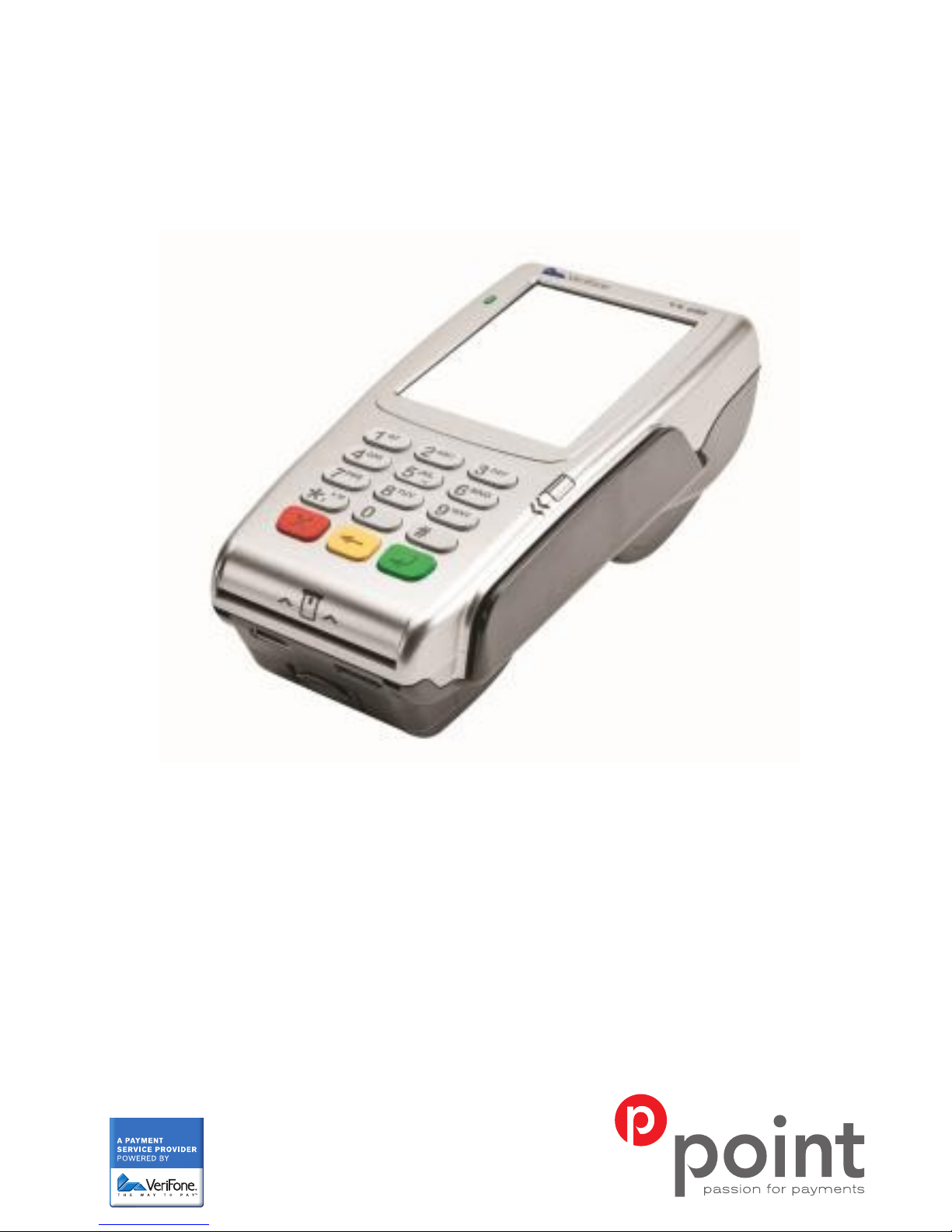
USER GUIDE FOR
VX680 GPRS
Page 2
VX680
INCLUDED IN VX680 KIT:
• Charger
•
Charging cable
• Battery
• Pen
TERMINAL MEASUREMENTS
Length: 172 mm
Max width: 82 mm
Height: 62 mm
Weight: 477 g
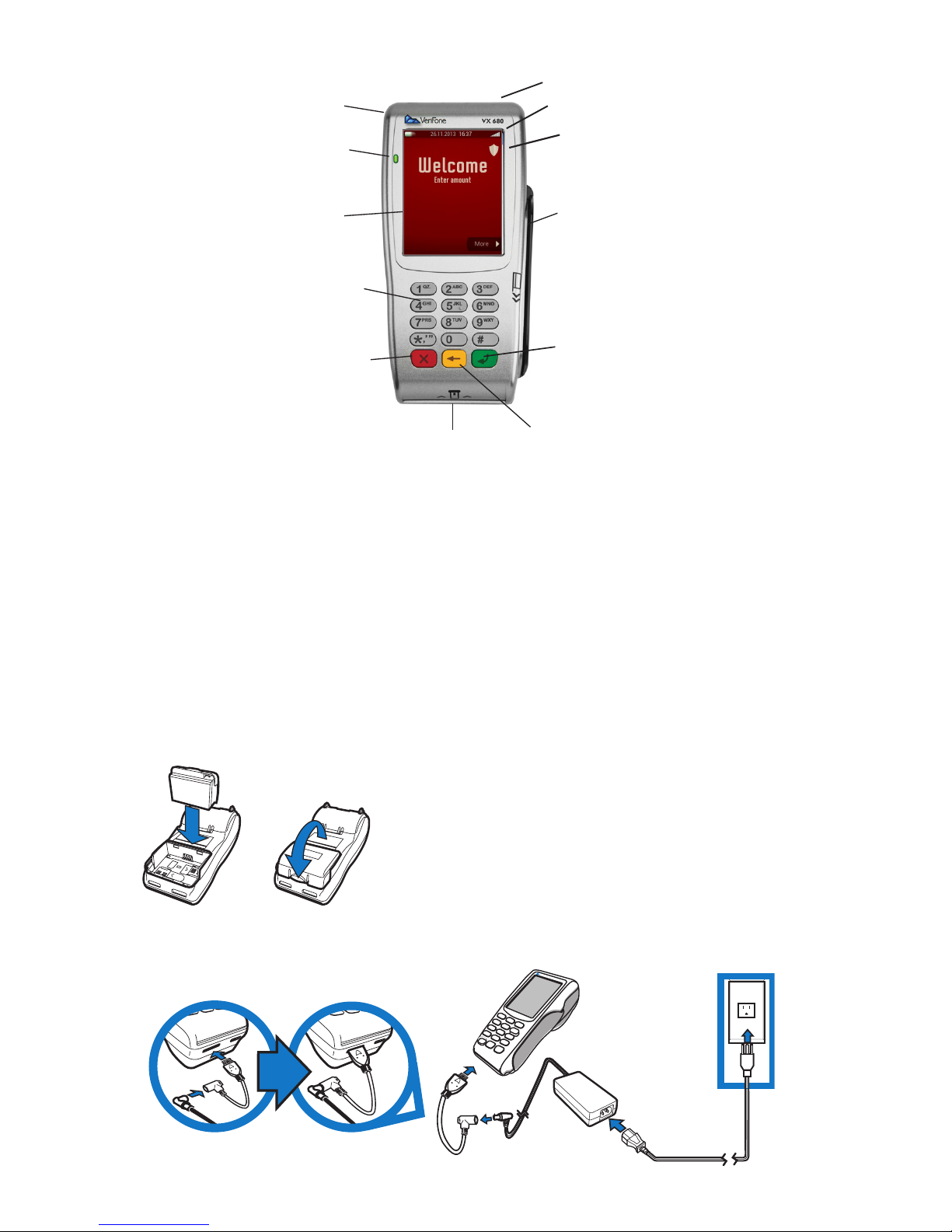
Printer (on back)
Pen
Led
Screen
Keypad
Magnetic stripe
CANCEL BUTTON: Disconnect
terminal from electricity before
switching it off. To switch off the
terminal, hold button down for
10-15 seconds.
CONFIRM: To start up the terminal,
hold button down for 10-15 seconds.
Chip Card Reader
CORRECTION:
To correct input.
Security sign
GPRS signal
PRINTOUT OF A RECEIPT
With the terminal is a printout of a receipt.
Make sure your name, organization and
address is correct before you start using
the terminal. If something is not correct,
please contact our customer service at
+354 544-5060.
BATTERY CHARGER
CONNECTING THE TERMINAL TO ELECTRICITY
2
Page 3
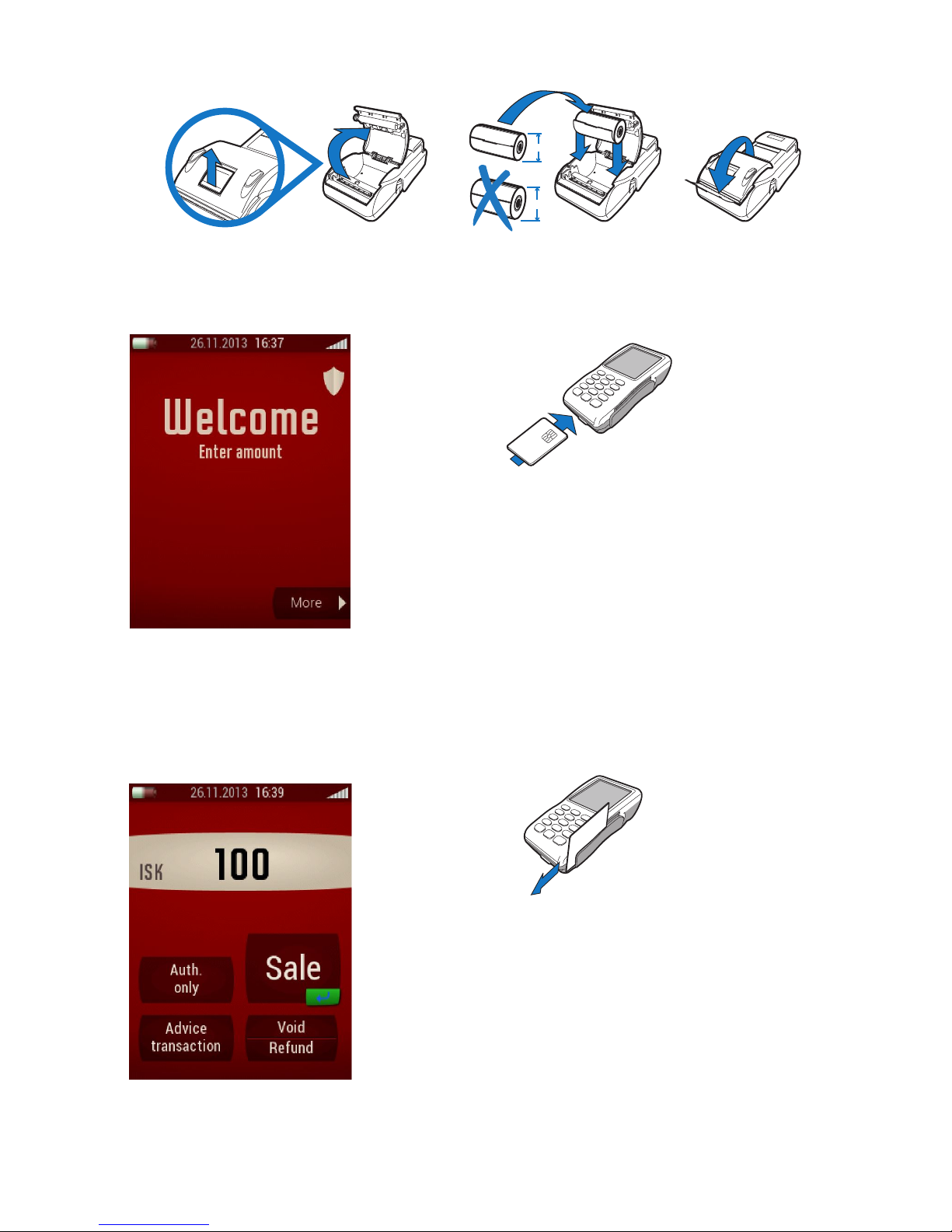
When the terminal starts up
or is in the first position,
"Welcome" dispalys on the
screen. The terminal displays
also the time, date, charging
status and the GPRS signal.
Purchases can be made when
the terminal is in the state of
"Welcome". Initial purchase is
made by entering amount.
Merchant enters the amount and presses the Confirm
(green button) on keyboard or selects Sale on the
screen.
Cardholder inserts the Chip into the reader. The POS
Terminal reads the card and connects it to the server.
Cardholder enters the PIN number and presses
Confirm (green button) on the keyboard to confirm. If
the sale is authorized it prints out the Merchants copy.
It is possible to choose whether the receipt is printed or
not. Press the Clear (red button) to skip printing a
receipt. Press the Confirm (green button) to accelerate
the printing of the receipt.
START MENU
MAGNETIC STRIPE
Merchant enters the amount and presses the
Confirm (green button) on the keyboard or selects
Sale on the screen.
Cardholder slides the card through the card reader. POS
terminal reads the card and connects the card to the
server. If the sale is authorized it prints out the Merchant
copy that the Cardholder signs. Cardholders copy is also
printed even if nothing is selected).
It is possible to choose whether the receipt is
printed or not. Press the Clear (red button) to
skip printing a receipt. Press the Confirm (green button)
to accelerate the printing of the receipt.
REPLACE THE PAPER ROLL
38mm
49mm
The paper that is used for VX680 has to be temperature sensitive (thermo) paper.
The diameter of the roll can not be more than 38mm compared to 55g. paper.
3
CHIP AND PIN
Page 4

REVIEW OF ACTIONS IN POS TERMINAL
SALE
Enter amount with Start menu screen - Choose "Sale " or "Enter" (g reen button).
VOID
Used to invalidate the debit or credit card transaction in the POS terminal.
You can only void the transaction the same day it was made. It is not possible to void the
transaction if it has been transmitted with the batch.
Enter amount on Start menu - Choose "Void" on screen.
SEND BATCH
Used to close the batch in POS terminals. When the upload is complete there are no transactions
in the POS terminal and it is ready for use again. The transactions are sent to relevant acquirers
where payment is finalized. It is recomended to send batch daily. The oldest entry in the POS
terminals should not be older than three working days. The Startup menu displays the touch
button "Send batch", after the first sale on the POS terminals.
Choose "Send batch" on Start menu.
REFUND
Used when repaying cardholder's product or service. It can only be performed when credit card is
involved.
Enter amount on Start menu - Choose "Refund" on screen.
MANUAL PAN ENTRY
Used when paying for product or services by telephone, i.e. when the cardholder is not present to
hand over his card. You can only perform a "Manual pan" entry with credit cards.
Enter amount on Start menu - Choose "Enter"or "Sale" button - Choose "Manual Entry"
button on screen.
ADVISE TRANSACTION
It is only used in emergency, i.e. malfunction on POS terminal or authorization system is down.
You can use the function "Advise transaction" with the operation "Authorization only".
Enter amount on Start menu - Choose "Advise transaction" on screen.
AUTHORIZATION ONLY
This action brings no transaction to the card account, but only authorized authorization to check
whether there is " Authorization" for the sale by credit card, before services are provided, e.g.
hotels and car rentals. You can use the function "Authorization only" with the operation
"Advise Transaction".
Enter amount on Start menu - Choose Authorization on screen.
4
Page 5

5
PRINT TOTAL LIST
With daily settlement, the daily transactions are closed by sending batch. To do this, manually
select on the Start menu "Send batch". The POS terminal sends the batch and prints the "Total
list".
It is also possible to print the total list by using the "More" button on Start menu - "Print
Total list".
PRINT DETAIL LIST
When you need to check how much you sold, you can use "Print detail list".
Use "More" button on Start menu - "Print detail list".
PRINT LAST RECEIPT
A copy of the last receipt can be printed in the POS terminal.
To print out a copy, press " More" button on Start menu - " Print last receipt" .
PRINTING
This function offers the following sub-functions:
Page 6

TELEPHONE CUSTOMER SUPPORT +354 544-5060
SUPPORT
Our support has a very broad knowledge of POS terminals and answer the most
puzzling questions. We can help you directly by phone and
we do our best to ensure that you as a customer will be happy.
Our customer support is open on weekdays from 8:00 to 23:00 (GMT).
Saturdays and Sundays from 09:00 to 23:00 (GMT).
You can also send an inquiry by email to the address [email protected]
Point Transaction Systems
passion for payments
Point Transaction Systems in Iceland ehf., Hlíðasmára 12, 201 Kópavogur, Iceland, Phone: +354 544 5060, Email [email protected], Open 8-17 (GMT )weekdays.
 Loading...