

Page 1
1
EN
User manual
English
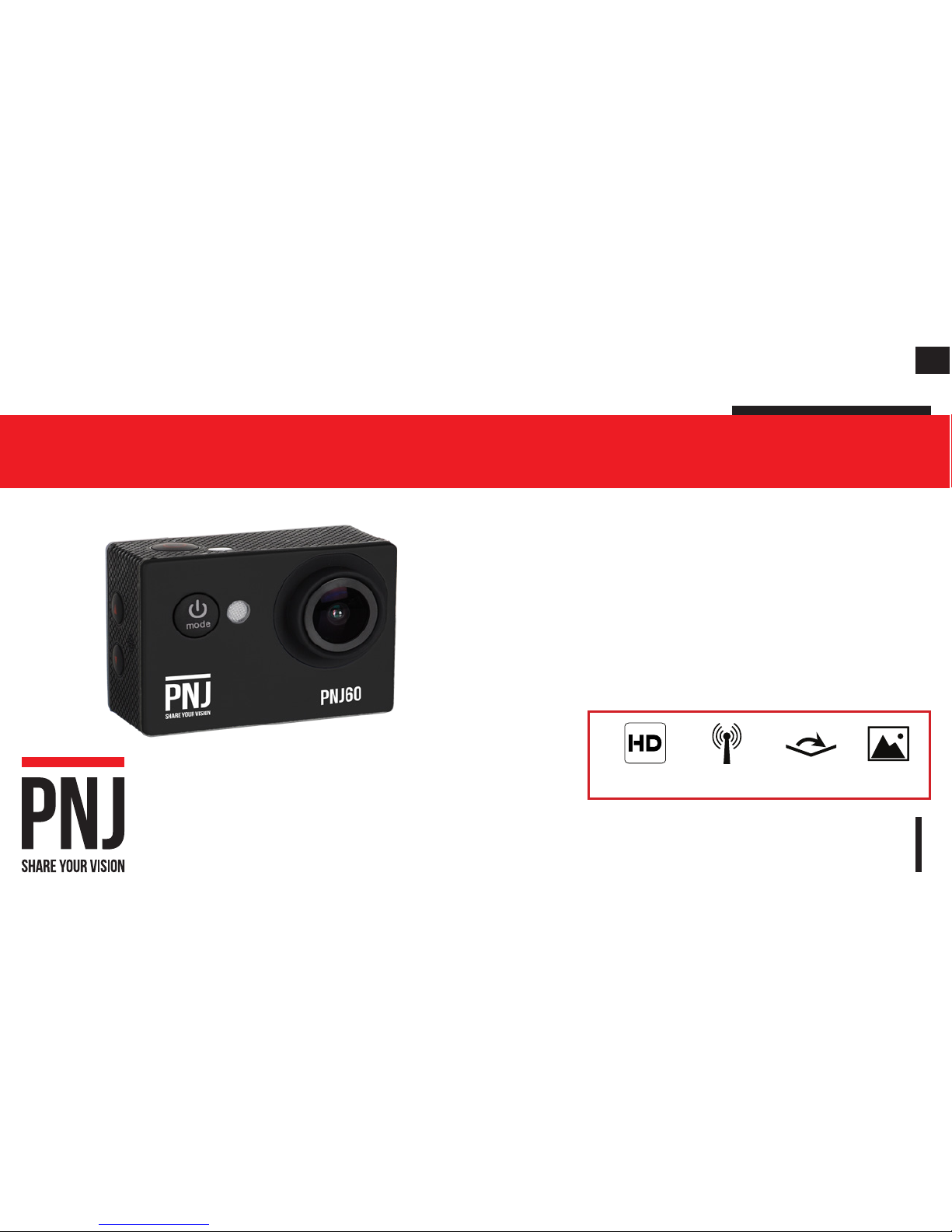
PNJ 60
Thank you for choosing a PNJ product. This manual describes how to prepare and use your product. It’s also providing information about
the utilization and safety precautions, the regulations, compliance and technical specications of the device. Please read completely,
carefully and regularly before use, become familiar with all the feature of the device and ensure safety use of your camera to fully enjoy
with it. Keep this manual for future use. The manual is also available on our website www.pnj.fr under the heading «User manuals».
www.pnj.FR
Ultra HD
1080p 30fps,
720p 30fps/ 60fps
Resolution
Photos: 12m
wide-viewing angle
WiFi function
Page 2
EN
1
1.ATTENTION / WARNING / WAARSCHUWING ........................................................................................ 3
2.Battery ....................................................................................................................................................4
3.Precaution of use ................................................................................................................................... 6
4.Warning ...................................................................................................................................................7
5.Download the App ..................................................................................................................................8
6.Included in the pack ............................................................................................................................... 9
7.Waterproof housing ..............................................................................................................................10
8.Camera parts name .............................................................................................................................11
9.Mounting your camera .........................................................................................................................12
10.Storage, Micro SD cards ....................................................................................................................13
11.Charging the battery ..........................................................................................................................13
12.Utilization (Navigating the menus) ...................................................................................................14
13.Connecting the ''PNJ 60" App ...........................................................................................................14
14.Capturing Videos/Car mode/Photos .................................................................................................16
15.Visualize the Videos/Photos .............................................................................................................17
16.Videos/Car mode settings .................................................................................................................. 18
17.Photos settings ................................................................................................................................... 19
CONTENTS
Page 3

2
EN
18.System settings ..................................................................................................................................20
19.Maintenance........................................................................................................................................21
20.Guarantee ............................................................................................................................................ 22
21.Recycle ................................................................................................................................................23
22.Declaration of conformity ...................................................................................................................24
23.Trademarks .........................................................................................................................................25
24.Modications ......................................................................................................................................25
Page 4
EN
3
1.ATTENTION / WARNING / WAARSCHUWING
Veuillez lire le “User Manual” entièrement et attentivement avant toute utilisation Le manuel mis à jour
est disponible sur le site www.pnj.fr/modes-demploi/
ATTENTION: Toutes les précautions d'utilisation concernant les batteries doivent être suivies rigoureusement. Une mauvaise manipulation de la batterie peut provoquer un incendie, une explosion, des
blessures personnelles ou des dégâts matériels.
Please read the operation manual carefully before using the product The english User Manual can be
downloaded on our website: www.pnj.fr/en/user-manuals/
WARNING : Batteries are dangerous, please follow the instructions to avoid injuries or damages.
Lees de instructies in de bedieningshandleiding zorgvuldig door voordat u onze producten gebruikt
De bedieningshandeleiding kunt u downloaden vanaf onze website: www.pnj.fr/en/user-manuals/
WAARSCHUWING : Baterijen zijn gevarlijk, het niet opvolgen van de gebruikshandekeiding kan blessures en schaden veroorzaken.
nl
en
fr
Page 5
4
EN
2.BATTERY
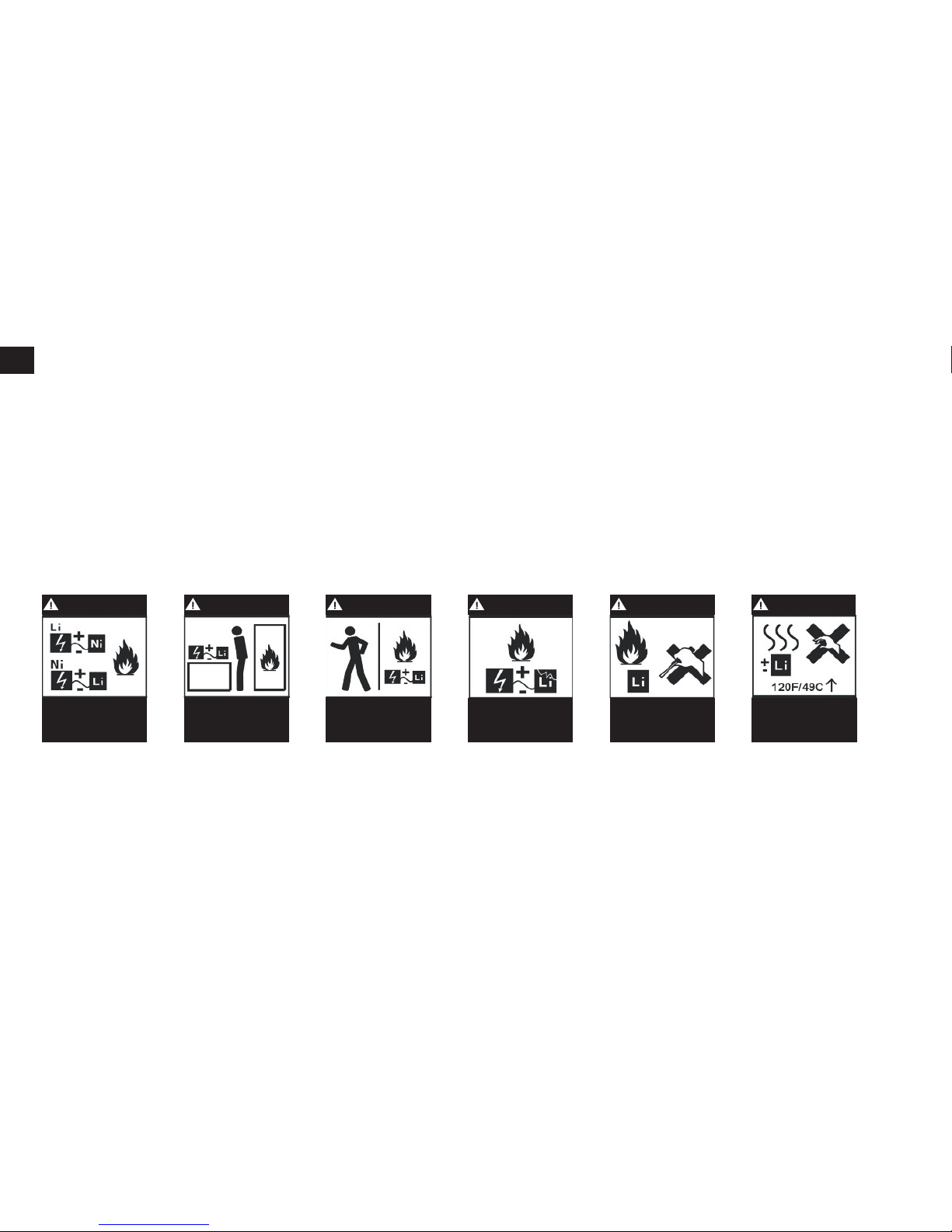
- By holding, charging or using the battery, you assume all risks related with the use of lithium batteries.
- Always keeps the device out of the reach of children.
- Never leave the battery unattended while charging.
- Never leave the battery charging more than 1 hour.
- Use only the USB charger provided in the pack. Never use a charger unadaptable.
- Before charging the battery, check that it is not damaged. Check that the battery has not inflated or
that the battery compartment is not punctured. If you notice any of these situations: DON’T CHARGE
THE BATTERY !
- A used battery should be removed from the device and replaced.
- If you notice that the battery starts to inflate during the charging, disconnect the battery immediately
and never use it again. The continued use of an inflated or damaged battery may cause an explosion.
- Always ensure that the output voltage of the charger matches with the battery voltage. Do not charge
at a higher voltage than recommended. Only use the charger supplied in the pack.
- Disconnect the battery from the charger if it becomes too hot (never exceed 49°C / 120°F) or inflates.
if the battery becomes hot, disconnect the charger immediately.
- Only charge on a non-afflamable surface. Do not charge inside a vehicle.
- Do not exposed the battery to a heat source or high temperature.
- Do not put the battery in contact with water or immersed in any other liquids.
- Improper use of the battery may cause res, explosions or others danger.
Page 6
EN
5
- In case of re caused by the battery, do not use water to extinguish the re (sand recommended).
-Do not carry batteries without packaging, in your pocket or bag, because the shock of the batteries
against each other could cause a short circuit.
- Keep the battery in a dry place at room temperature.
ATTENTION
ATTENTION ATTENTION
ATTENTION ATTENTION ATTENTION
Always use a charger
suitable for Li-Po
Always charging
away from ammable
materials
Never leave the
battery unattended
while charging
Never change or
transform a battery
Never use a hot battery
Never charge a
damaged battery
Page 7
6
EN
When using your drone, please respect the following precautions:
- In order to ensure respect for privacy, please avoid any harmful use to others.
- Not suitable for children under 3 years old.
- Warning: Risk of ingestion of small parts, prohibited for children under 3 years old.
- Be sure to use this product carefully and responsibly to avoid all kind of injury and/or material
damage.
- Make sure that the use of the device is accordance with the legal disposal of the country where you
are located.
- Avoid all contact with the following elements: sand, dust, water, liquid substance, sun, heat.
Otherwise, it could cause irreversible damage.
- Not suitable for people with epilepsy, unless otherwise medically prescribed.
- Respect the safety instructions in this manual.
- Only use accessories provided by PNJ.
- Before each utilization, check that the batteries are fully charged.
3.PRECAUTION OF USE
Page 8
EN
7
The law required to use this camera in prudent and responsible manners to avoid all human or material
damage.
In case for unauthorized use or for illicit purposes, you will be fully responsible for any damage causes.
Be sure to respect laws, without violating the privacy of other people. PNJ assumes no responsibility
in case of damage resulting directly or indirectly from the use of this device, any parts of this device
or the manual. PNJ is not responsible for any accident, injury, death, loss or other claim of any kind
related or resulting the use of this product.
4.WARNING
Page 9
8
EN
5.DOWNLOAD THE APP
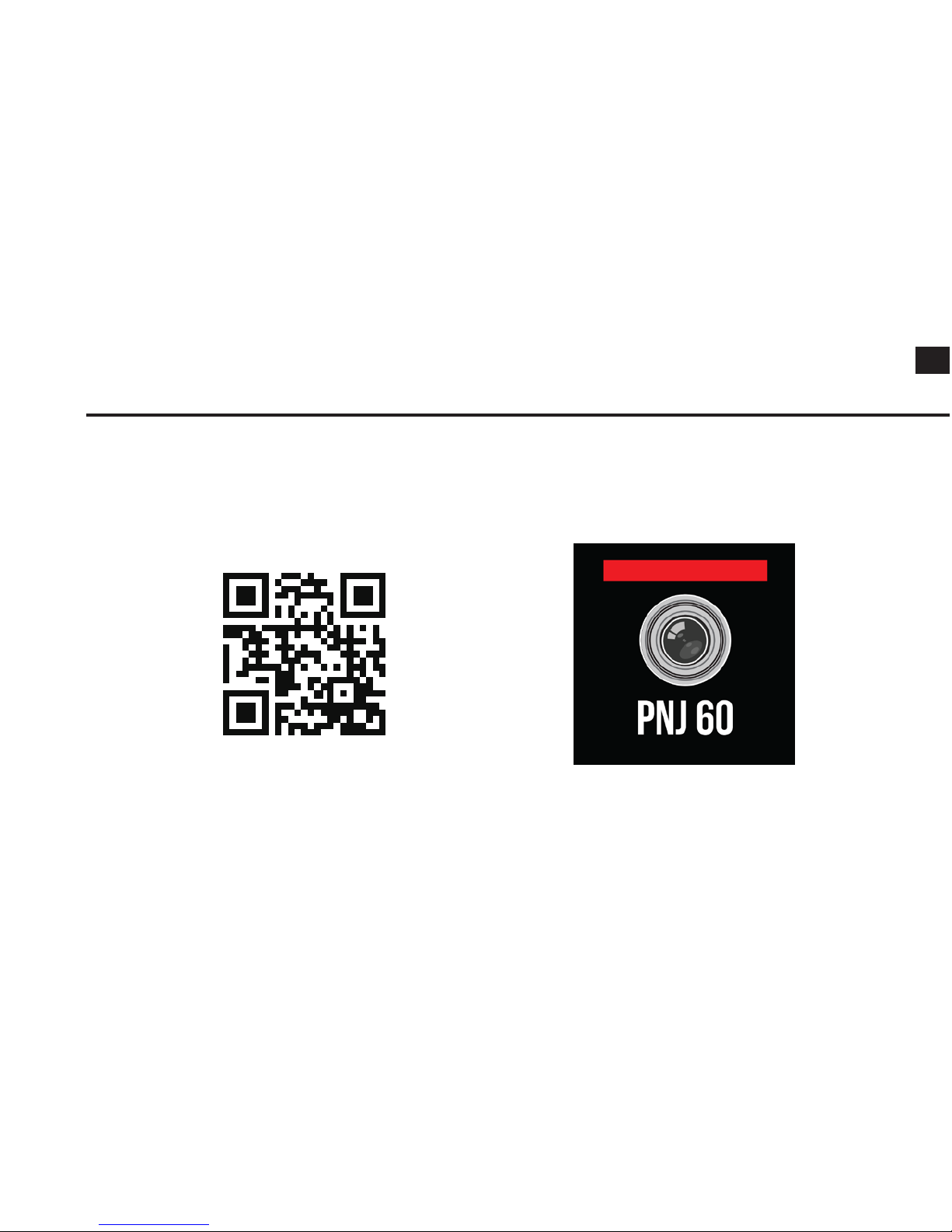
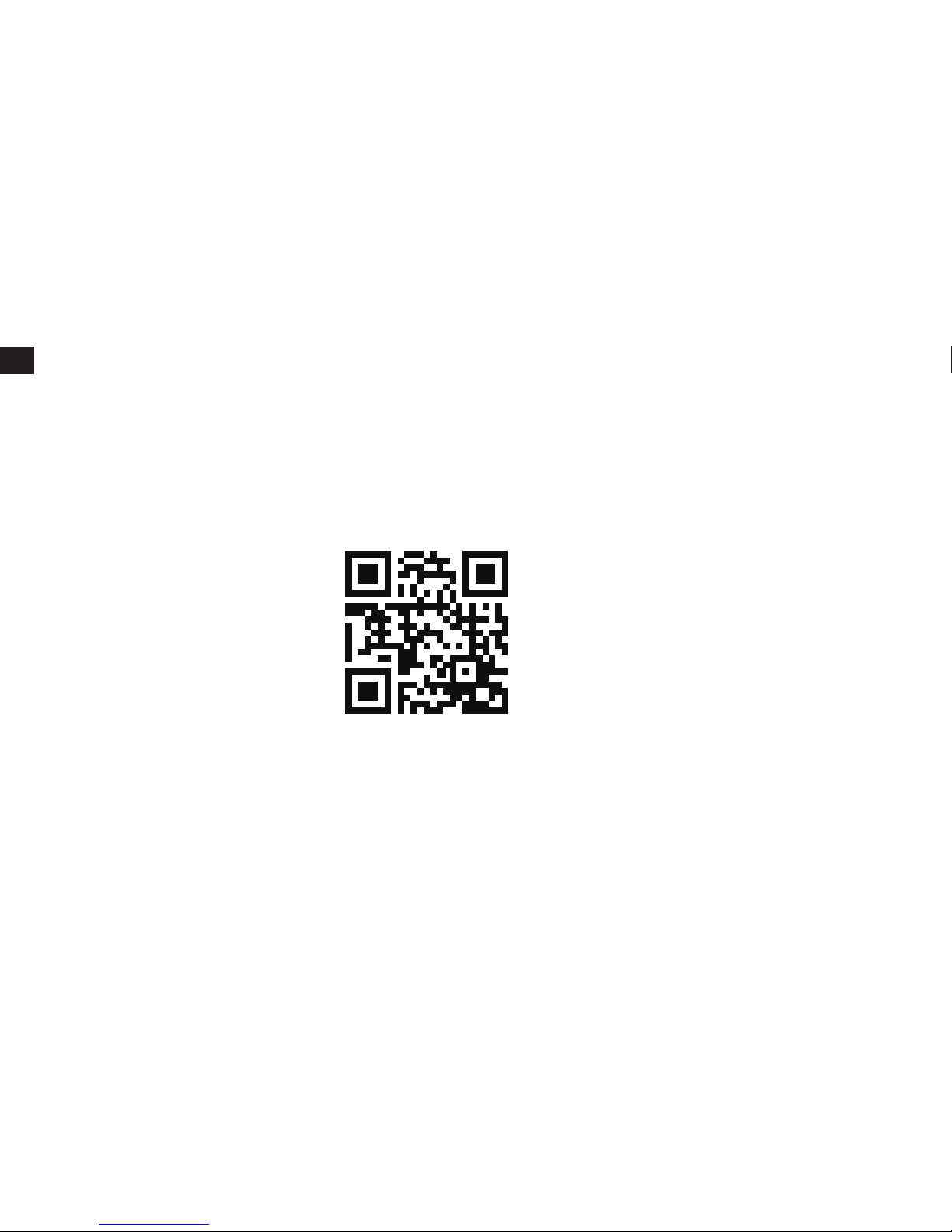
Scan the QR code below, to have the access to our website www.pnj.fr and download the application
for free. You can also search ''PNJ 60'' in Google Play Store or Apple Store to download the application
for being able to control the action cam in distance via your smartphone.
Web PNJ Logo PNJ60
Page 10
EN
9
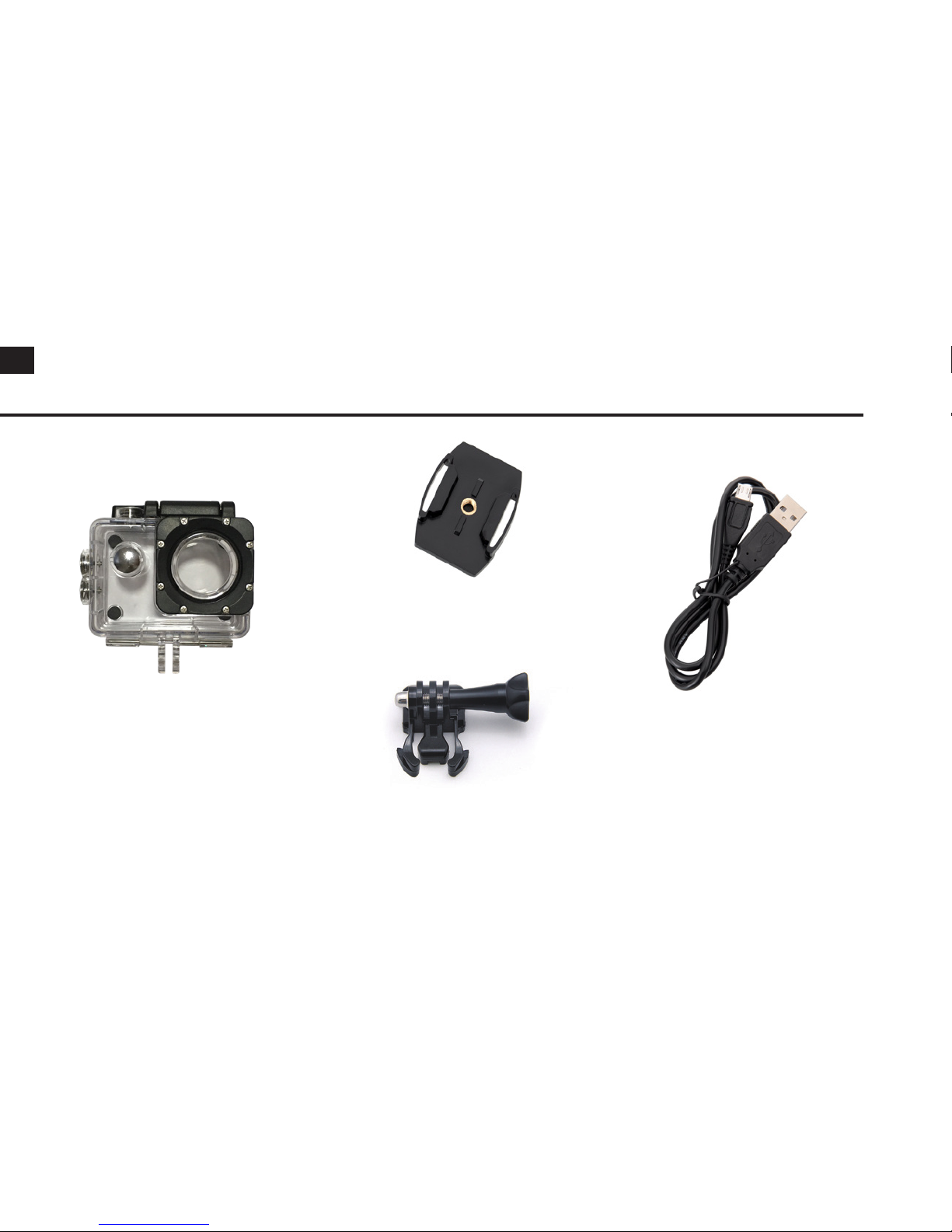
6.INCLUDED IN THE PACK
Waterproof housing
Mount
Helmet mount
USB cable
Page 11
10
EN
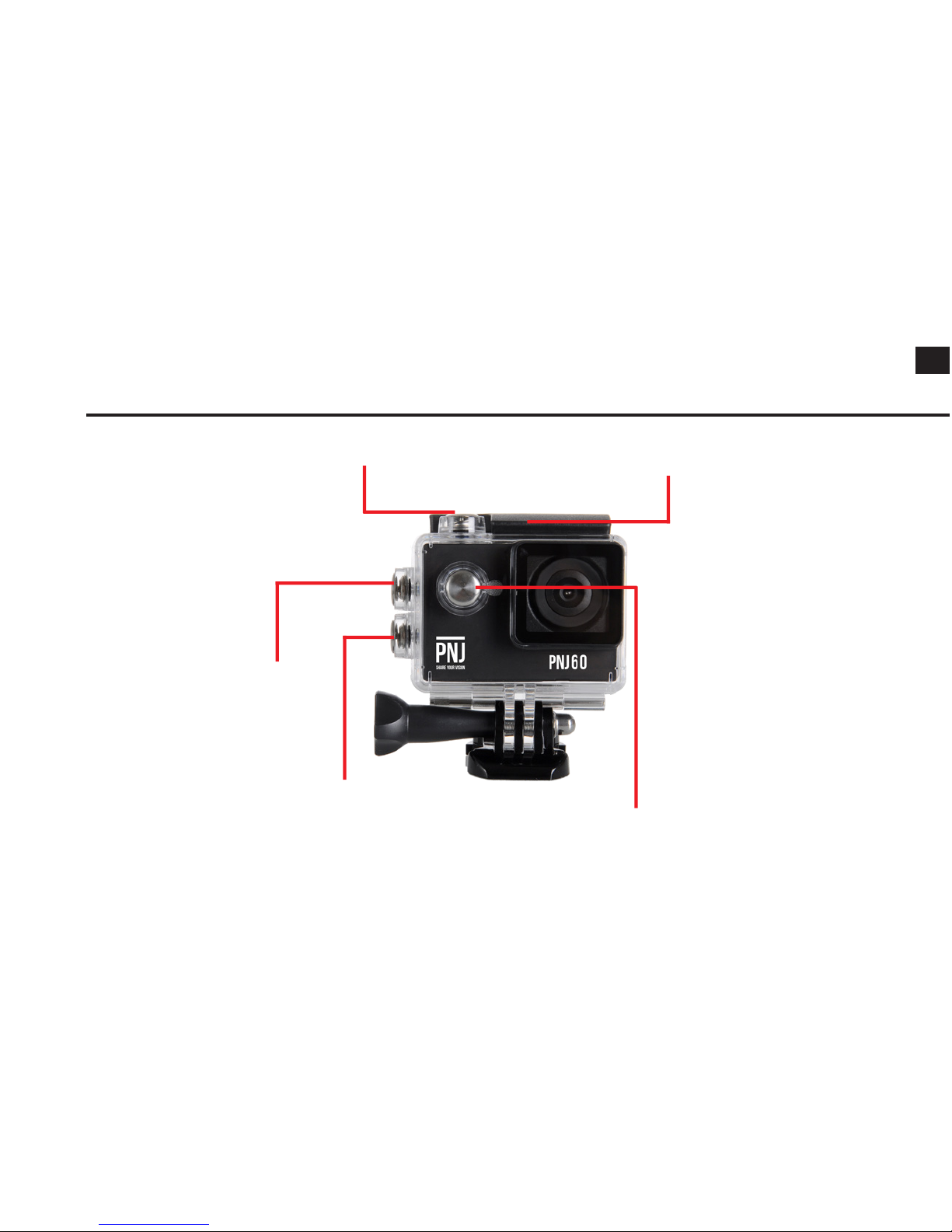
7.WATERPROOF HOUSING
Select/ Shutter Button
Latch
Up/ Playback Button
Down
Power/ Mode Button
Page 12
EN
11
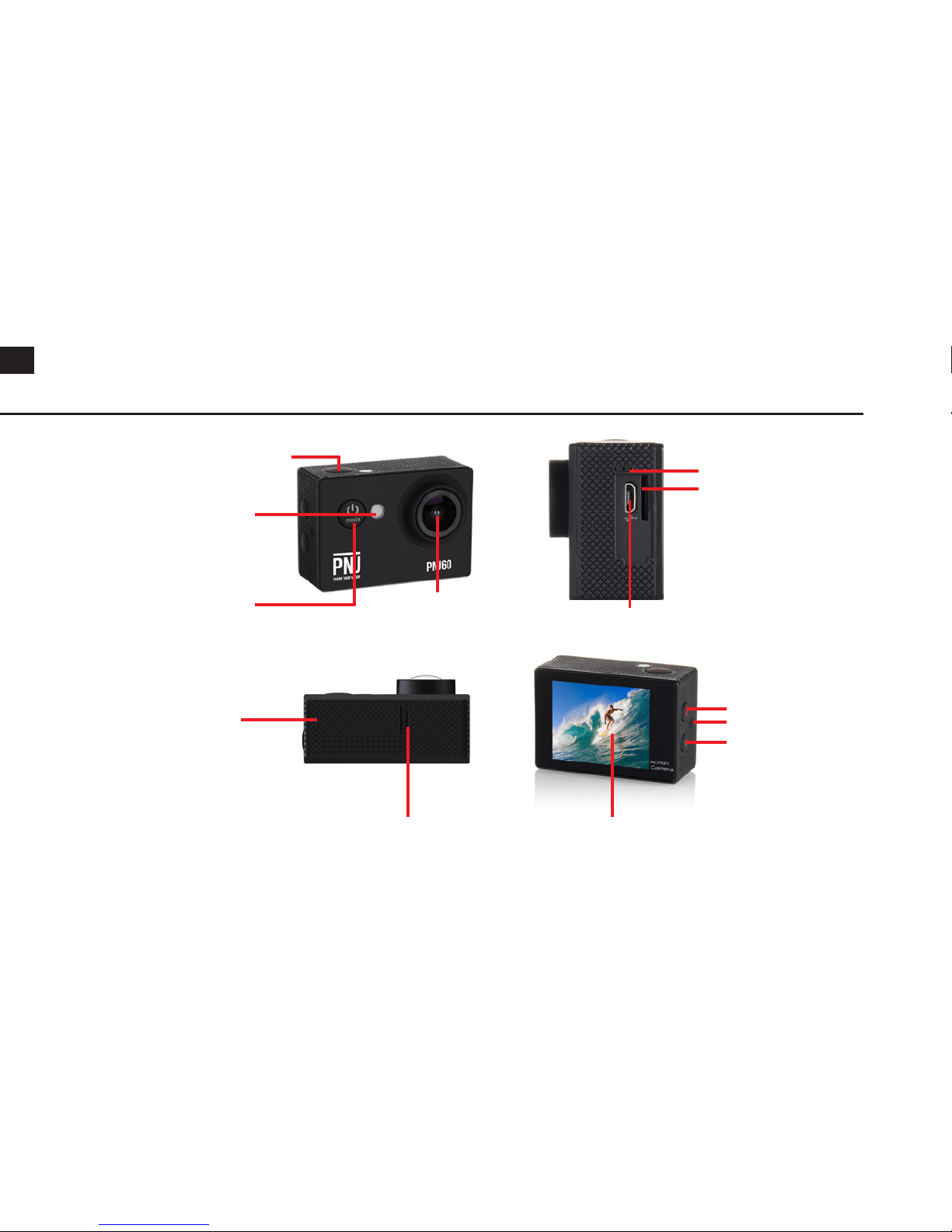
8.CAMERA PARTS NAME
Shutter/ Select Button
Microphone
Speaker
Micro SD Slot
Down
Up/ Playback Button
Micro USB port
ScreenBattery door latch
Charging Status Light
Power/ Mode Button
Battery door
Lens
Page 13
12
EN
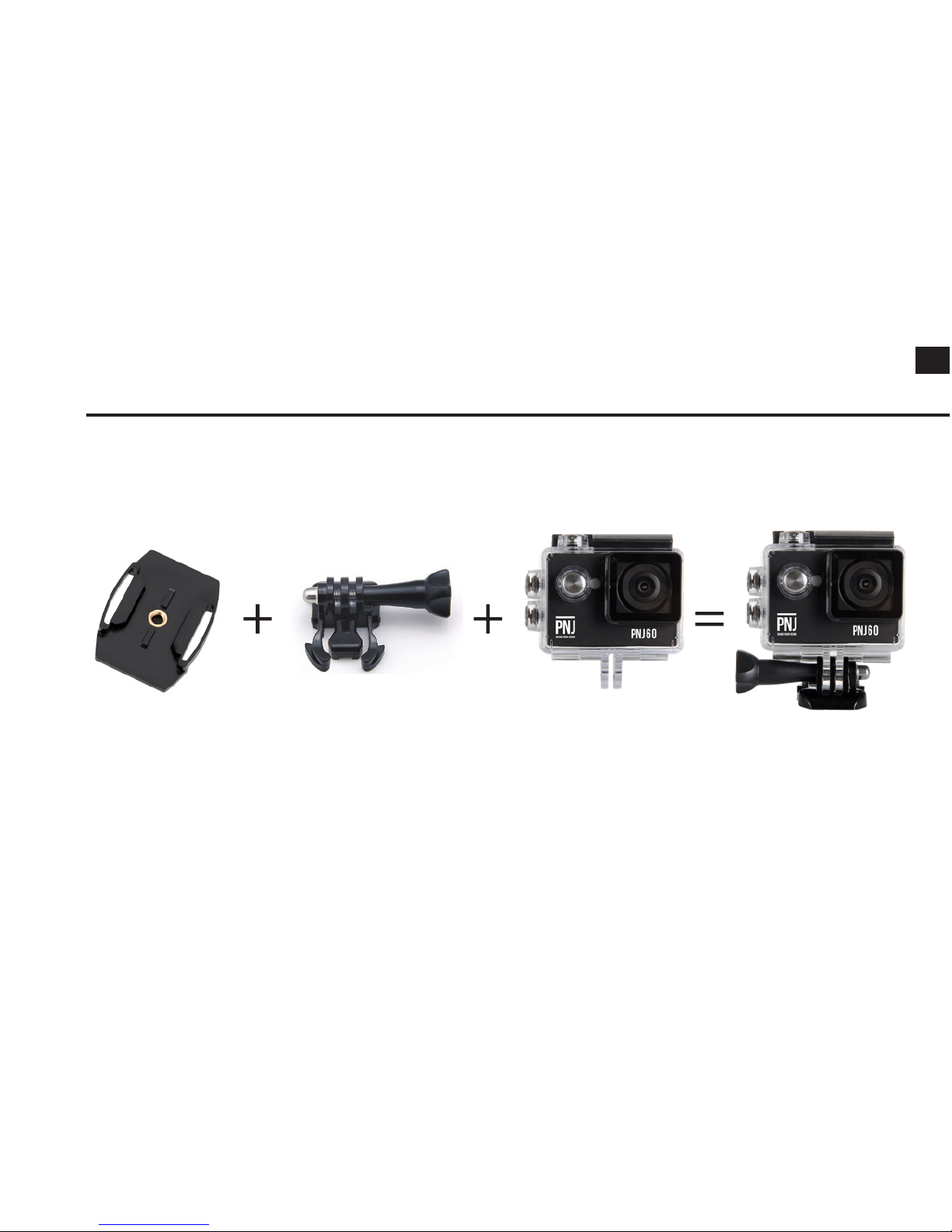
9.MOUNTING YOUR CAMERA
Page 14
EN
13
10.STORAGE, MICRO SD CARDS
This camera is compatible with 4GB, 16 GB, and 32GB capacity microSD, microSDHC, and microSD
card with a class 10 speed rating. We recommend using brand name memory cards for maximum
reliability in high-vibration activities,
11.CHARGING THE BATTERY
To charge the battery of the PNJ 80 correctly, please read the following instructions:
1. Connect the camera to a computer or USB power supply.
2. The charging status light remains ON while the battery is charging.
3. The charging status light will turn OFF when the battery is fully charged..
Note:
Charging time: 4 hours
If recording is occuring when battery reaches 0%, the camera will save le and power OFF. The les
will be saved before the shut down of the camera. In some cases, the les can be dammaged or
unreadable.
Page 15
14
EN
12.UTILIZATION (NAVIGATING THE MENUS)
Press and hold the Power/ Mode button to turn on the PNJ 60. Repeatly press on the Power/ Mode
button to cycle through camera modes and settings (Video; Car mode; Photo; Playback).
Press the Up/ Down buttons to cycle through the options and press the Select/ Shutter button to
select the desired option.
To unselect the option, press the Power/ Mode button.
To change the camera settings, press the Down button then the Select/ Shutter button.
To power off, press and hold the Power/ Mode button. .
13.CONNECTING THE ''PNJ 60" APP
The "PNJ 60" App lets you control your camera remotely by using a smartphone or tablet. Features
include full camera control, live preview, photo playback and sharing of select content and more.
1. You can download the "PNJ 60" App at the 'Apple Store or Google Play.
2. Press and hold the Select/ Shutter button for 3 seconds until you see "Waiting for WiFi connection".
3. Open the Wi setting on your smartphone or tablet and connect to the network called "PNJ-60-
XXXXX" (followed by a series of numbers).
4. Enter the password: ''1234567890''
5. Open the "PNJ 60" App on your smartphone or tablet.
Page 16
EN
15
Compatibility:
The "PNJ 60" App is compatible with Android smartphone with a system of 4.0 or more, For iOS
version, 7.0 or more.
Note: Compatibility varies by smartphone/ tablet, playback content, sharing and access to the
camera's memory card might be not available on some smartphone/ tablet.
Page 17
16
EN
14.CAPTURING VIDEOS/CAR MODE/PHOTOS
1) Recording video/ Car mode
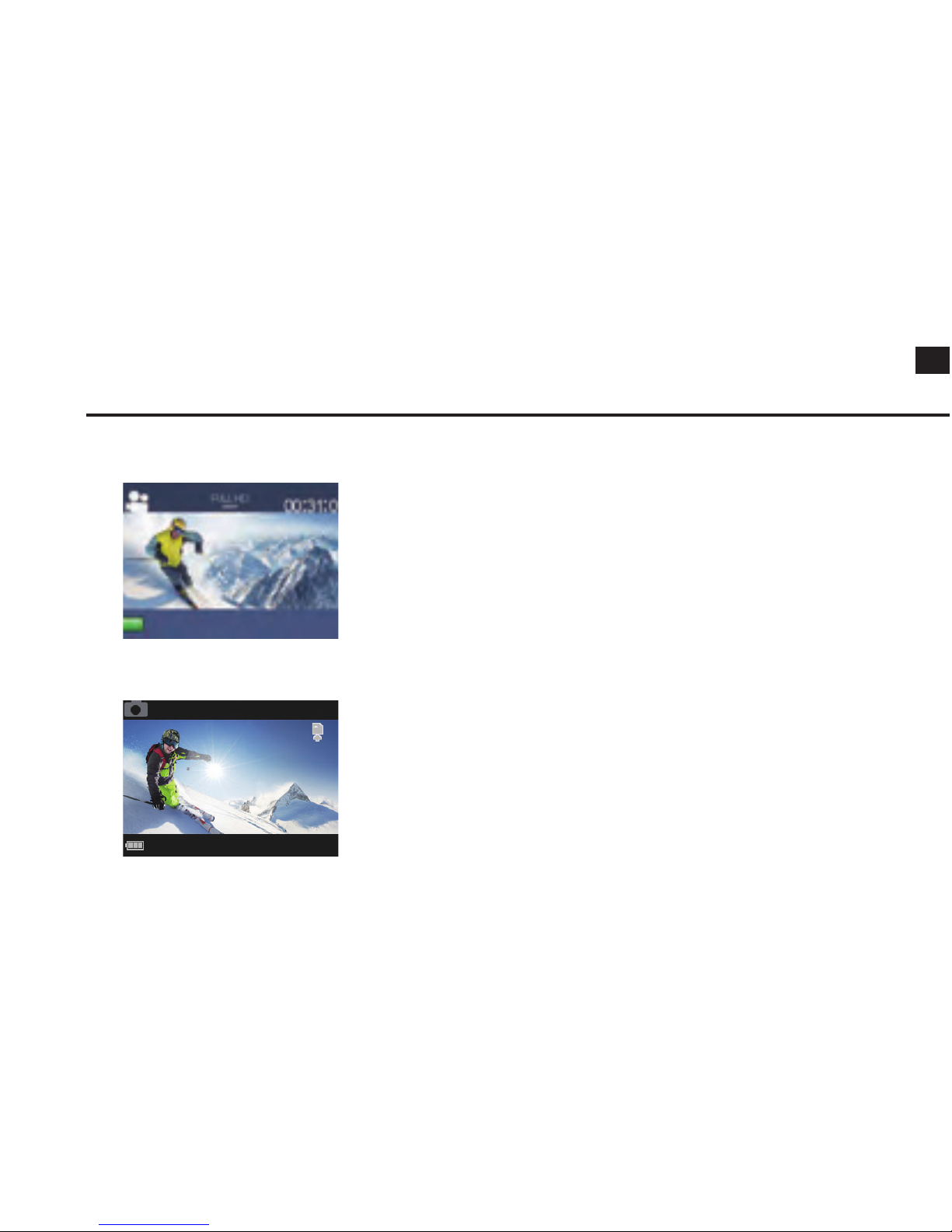
Press the Select/ Shutter button to begin/ stop a recording.
Option 1: 1080p 30fps
Option 2: 720p 60fps
2) Taking photo
Press the Select/ Shutter button to take a photo.
You can change the photo and video settings in the setting
menu.
Page 18
EN
17
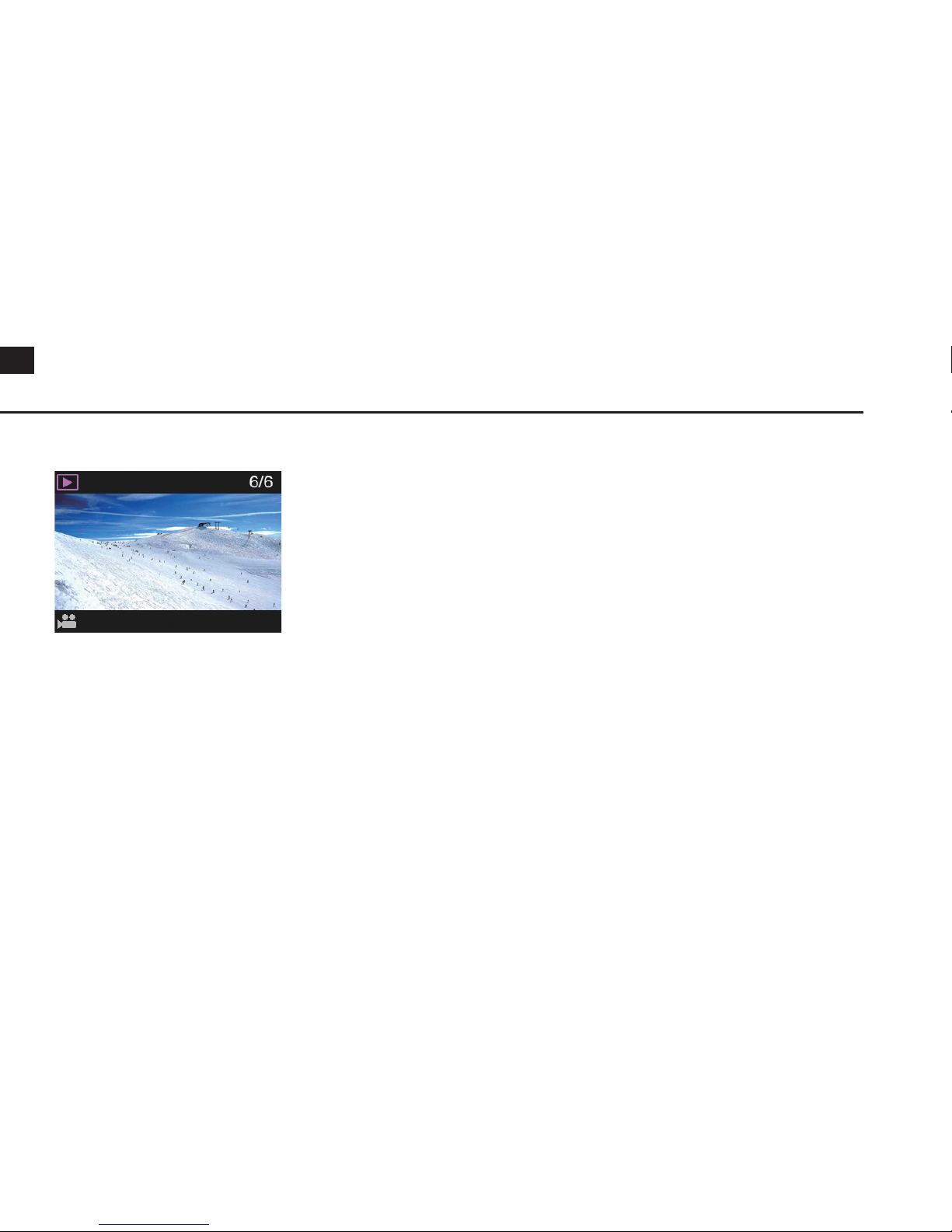
15.VISUALIZE THE VIDEOS/PHOTOS
Press the Power/ Mode button and cycle through the Playback
mode to access to the MicroSD card. Press the Select/ Shutter
button to select a photo or video.
Page 19
18
EN
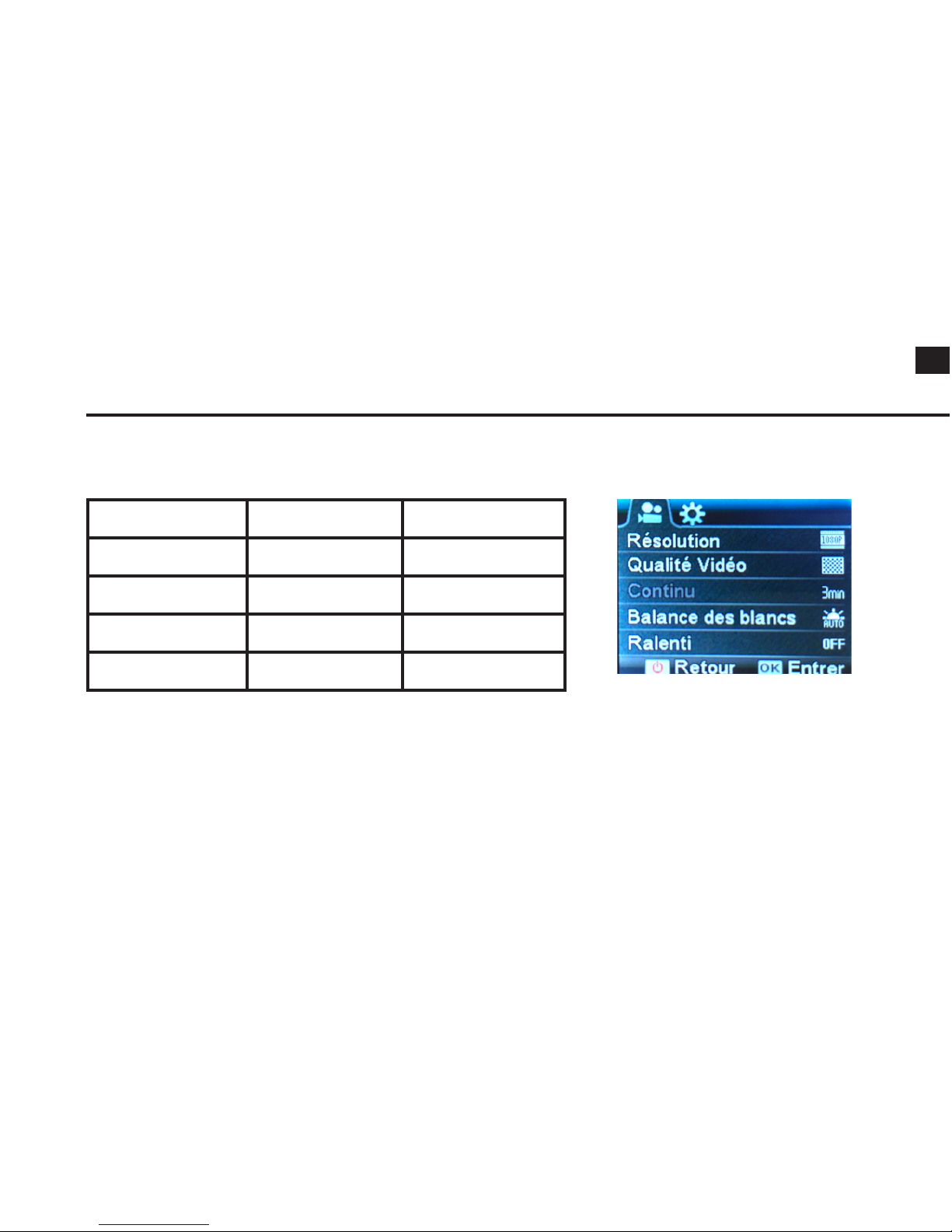
16.VIDEOS/CAR MODE SETTINGS
MicroSD card 1080p 30fps 720p 60fps
32 GB 240 Min 320 Min
16 GB 120 Min 160 Min
8 GB 60 Min 80 Min
4 GB 30 Min 40 Min
2) Quality: High/ Fine/ Normal
3) White balance: Auto/ Daylight/ Cloudy/ Tungsten
4) Seamless: 1min/ 3min/ 5min
5) Slow motion: Off/ On
6) Date Stamp: Off/ Date/ Date & time
1) Video resolution : 1080p 30fps or 720p 30fps/60fps
Page 20
EN
19
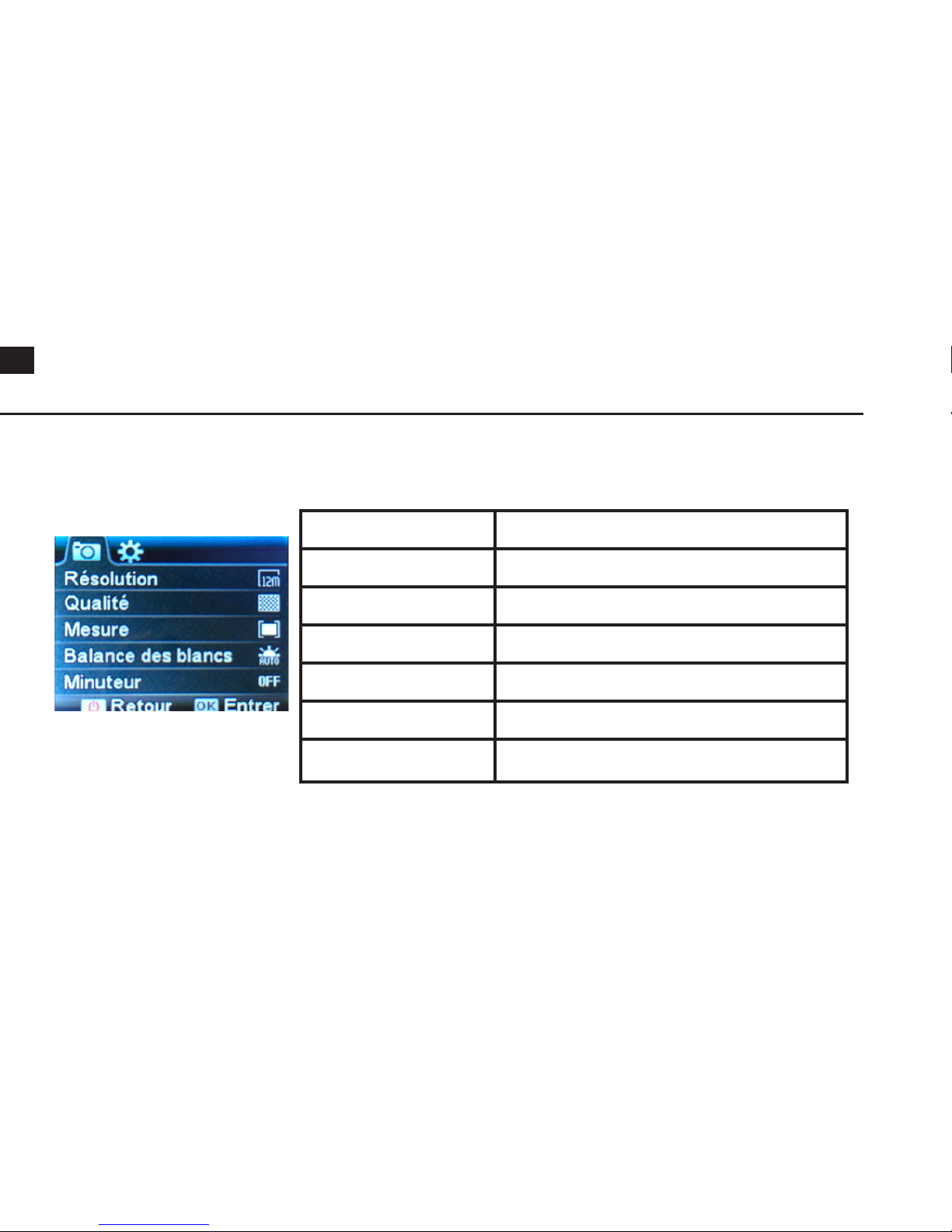
Resolution 12M / 10M / 8M / 5M / 3M
Quality Super high / High/ Normal
Mesure Center / Multi-spot / Spot
White balance Auto / Daylight / Cloudy / Tungsten
Self-timer Off / 2s / 10s / Double
Burst mode Off / On
Date stamp Off / Date / Date & time
17.PHOTOS SETTINGS
Page 21
20
EN
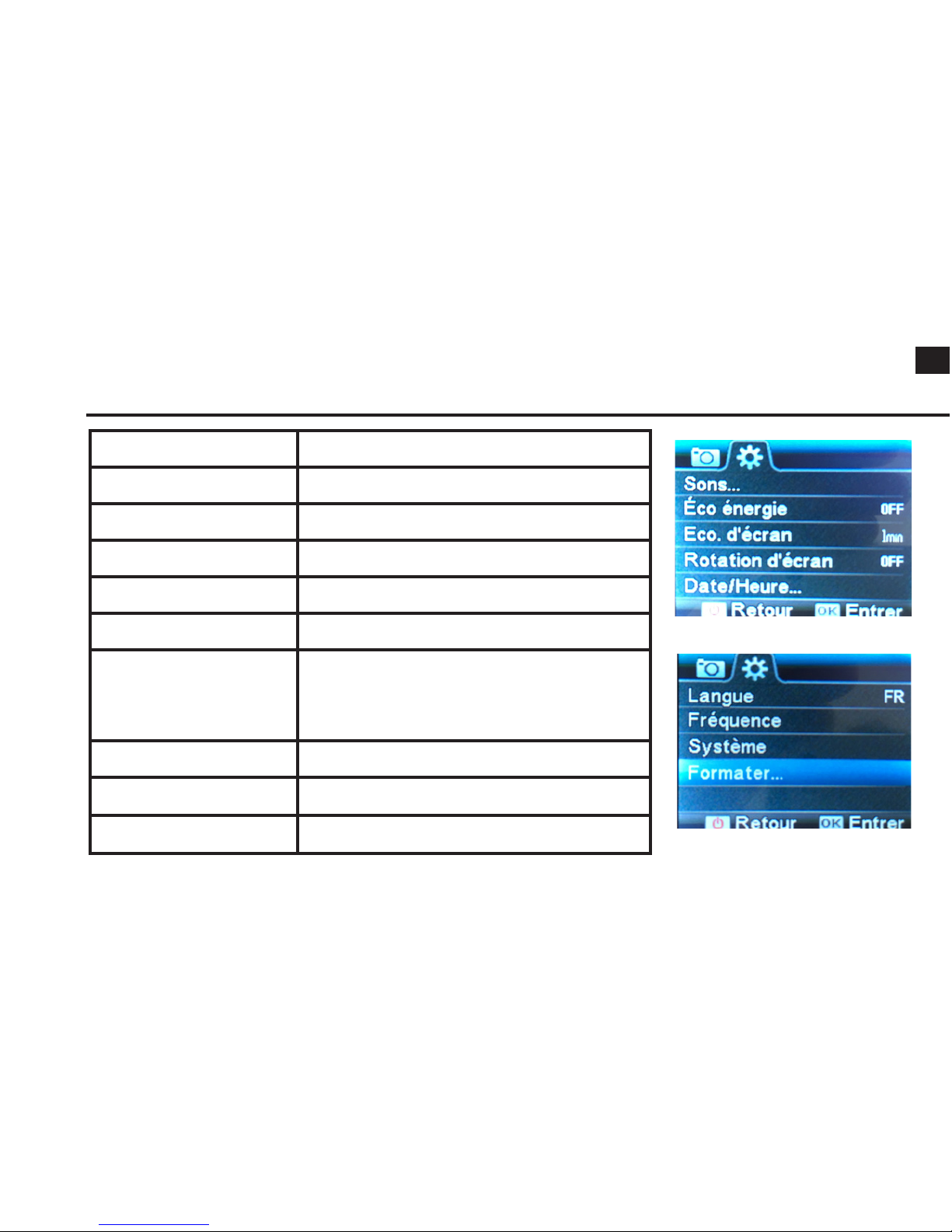
Sound
On/ Off , Beep On/ Off, Volume 0/ 1/ 2/ 3
Frequency
50Hz/ 60Hz
Power saver
Off/ 1min/ 3min/ 5 min
Screen saver
Off/ 1min/ 3min/ 5min
Screen rotation
On/ Off
Date/ Time
YYYY/MM/DD
Language
English/ Chinese/ Italian/ Spanish/ Portuguese/
German/ Dutch/ French/ Czech/ Polish/
Turkish/ Russia/ Japonese/ Korean/ Thai
Format
Yes/ No
Reset
Yes/ No
Version
V2.5
18.SYSTEM SETTINGS
Page 22
EN
21
19.MAINTENANCE
- The battery should be stored in a dry and ventilated area. The storage temperature range is
between 18°C and 25°. Avoid to charge and uncharged excessively to extend its life. Ensure to charge
it before storing it, if it won’t be use for a long period.
- If the action cam won’t be use for a long period, be sure to remove the batteries from the
compartment. Battery leakage may damage the action cam and may cause a re. Once used, ensure
to throw the batteries according the legal regulations in order to preserve the environment.
- To avoid any problems, we strongly advise you to have the habit to remove the action cam's battery
when you are not using it.
- Make sure to store your materials in a dry place, away from water and the heat.
- The maintenance can only be carried out by the After-sell Service from the shop or from the
distributor. If you nd a problem with your action cam, be sure to call them directly. It’s not
recommended to change by yourself the lens for example, because its requires technical knowledge.
- Use only the accessories specied by the manufacturer.
- Find out all our products and accessories in our website www.pnj.fr
Page 23
22
EN
20.GUARANTEE
This product is warranted for a period of 24 months from the date of original purchase by the
consumer, except for certain wear parts, against manufacturing defects, upon presentation of proof
of purchase (receipt with date, place of purchase, name of the product).
During the contractual warranty period, the defective product must be returned in its original
packaging to the retailer’s service center or to the www.pnj.fr website, depending on the place of
purchase. After inspection of the product, the after-sales service will repair or replace the defective
part or product, to the exclusion of any other compensation, if the product has been used correctly.
The warranty does not cover:
- All damaged or deteriorated as a result of a fall or accident, voluntary or involuntary.
- The battery charger when connected to a wall power supply (voltage too high).
- Products that have undergone unauthorized alterations, modications, customizations or other
assembly.
- Damage resulting from accidents, normal wear and tear, contact with liquid (rain, water, etc.).
- Defects due to alteration or deterioration of the product caused by a fall within 3 meters, accidental
shock orimmersion, voluntary or involuntary.
- Defects due to abnormal use of the product, installation of spare parts not in accordance
withinstructions in this manual or at www.pnj.fr.
- Damage resulting from a repair performed by the user themself or an unauthorized third party,
Page 24
EN
23
excluding exchange of spare parts provided by PNJ.
- Defects caused by parts not supplied by PNJ, including a battery not approved by PNJ. All products
found to be defective after analysis will be returned to the shipper at their expense.
The spare parts necessary for the use of the product are available for 12 months, from the date of
rst commercialization of the product. Wear parts: Battery: 6 months.
21.RECYCLE
These symbols indicate that this product should not be disposed of with other household
waste. Selective collection of electrical and electronic waste: Electrical products should not
be disposed of with household products. According to the European Directive 2012/19 /
EC for the disposal of electrical and electronic equipment and its execution in national law,
used electrical products must be collected separately and arranged at collection points
provided for this purpose. Consult local authorities or your dealer for recycling advice.
Page 25
24
EN
22.DECLARATION OF CONFORMITY
SAS PNJ, 110, Esplanade du Général de Gaulle 92400 Courbevoie, France,declares
under its sole responsibility that the product described in this manual complies with the
requirements of the Directives R&TTE 1999/5/CE et RoHS 2011/65/EU.
A copy of the Declaration of conformity is available in the following website:
www.pnj.fr/certications
Date: 24/03/2017
Christian Pouthier, product manager SAS PNJ
Page 26
EN
25
23.TRADEMARKS
Les marques citées sont des marques déposées par leur fabricant respectif. Photos et
caractéristiques non contractuelles. Garantie : 1 an. Fabriqué en RPC.
All brands or product names are or may be trademarks of their respective owners. Pictures and
specications are not contractual. 1 year warranted. Made in PRC.
De vermelde merken zijn gedeponeerde merken door hun respectievelijke producent. Foto's en
kenmerken niet contractueel. Geproduceerd in China. Garantie: 1 jaar.
Die zitierten Marken sind durch die jeweiligen Hersteller eingetragene Marken. Fotos und
technische Daten sind unverbindlich. Hergestellt in China. Garantie: 1 Jahr.
24.MODIFICATIONS
The explanations contained in this User Manual are provided for information purposes only and
may be subject to modication, without prior notice. SAS PNJ cannot be held responsible directly or
indirectly for any prejudice or loss of data resulting from an error or omission from this document.
SAS PNJ reserves the right to modify the product and its operating instructions without any
restriction or obligation to inform the user. Thus, the purchased product may differ somewhat from
the one described in this document. The latest version of the online User Guide prevails over this one.
To obtain it, go to: www.pnj.fr
FR
EN
NL
DE
Page 27
26
EN
_ _ _ _ _ _ _ _ _ _ _ _ _ _ _ _ _ _ _ _ _ _ _ _ _ _ _ _ _ _ _ _ _ _ _ _ _ _ _ _ _ _ _ _ _ _ _ _ _ _ _ _ _ _ _ _ _ _ _ _ _ _ _ _
_ _ _ _ _ _ _ _ _ _ _ _ _ _ _ _ _ _ _ _ _ _ _ _ _ _ _ _ _ _ _ _ _ _ _ _ _ _ _ _ _ _ _ _ _ _ _ _ _ _ _ _ _ _ _ _ _ _ _ _ _ _ _ _ _
_ _ _ _ _ _ _ _ _ _ _ _ _ _ _ _ _ _ _ _ _ _ _ _ _ _ _ _ _ _ _ _ _ _ _ _ _ _ _ _ _ _ _ _ _ _ _ _ _ _ _ _ _ _ _ _ _ _ _ _ _ _ _ _ _
_ _ _ _ _ _ _ _ _ _ _ _ _ _ _ _ _ _ _ _ _ _ _ _ _ _ _ _ _ _ _ _ _ _ _ _ _ _ _ _ _ _ _ _ _ _ _ _ _ _ _ _ _ _ _ _ _ _ _ _ _ _ _ _ _
_ _ _ _ _ _ _ _ _ _ _ _ _ _ _ _ _ _ _ _ _ _ _ _ _ _ _ _ _ _ _ _ _ _ _ _ _ _ _ _ _ _ _ _ _ _ _ _ _ _ _ _ _ _ _ _ _ _ _ _ _ _ _ _ _
_ _ _ _ _ _ _ _ _ _ _ _ _ _ _ _ _ _ _ _ _ _ _ _ _ _ _ _ _ _ _ _ _ _ _ _ _ _ _ _ _ _ _ _ _ _ _ _ _ _ _ _ _ _ _ _ _ _ _ _ _ _ _ _ _
_ _ _ _ _ _ _ _ _ _ _ _ _ _ _ _ _ _ _ _ _ _ _ _ _ _ _ _ _ _ _ _ _ _ _ _ _ _ _ _ _ _ _ _ _ _ _ _ _ _ _ _ _ _ _ _ _ _ _ _ _ _ _ _ _
_ _ _ _ _ _ _ _ _ _ _ _ _ _ _ _ _ _ _ _ _ _ _ _ _ _ _ _ _ _ _ _ _ _ _ _ _ _ _ _ _ _ _ _ _ _ _ _ _ _ _ _ _ _ _ _ _ _ _ _ _ _ _ _ _
_ _ _ _ _ _ _ _ _ _ _ _ _ _ _ _ _ _ _ _ _ _ _ _ _ _ _ _ _ _ _ _ _ _ _ _ _ _ _ _ _ _ _ _ _ _ _ _ _ _ _ _ _ _ _ _ _ _ _ _ _ _ _ _ _
_ _ _ _ _ _ _ _ _ _ _ _ _ _ _ _ _ _ _ _ _ _ _ _ _ _ _ _ _ _ _ _ _ _ _ _ _ _ _ _ _ _ _ _ _ _ _ _ _ _ _ _ _ _ _ _ _ _ _ _ _ _ _ _ _
_ _ _ _ _ _ _ _ _ _ _ _ _ _ _ _ _ _ _ _ _ _ _ _ _ _ _ _ _ _ _ _ _ _ _ _ _ _ _ _ _ _ _ _ _ _ _ _ _ _ _ _ _ _ _ _ _ _ _ _ _ _ _ _ _
_ _ _ _ _ _ _ _ _ _ _ _ _ _ _ _ _ _ _ _ _ _ _ _ _ _ _ _ _ _ _ _ _ _ _ _ _ _ _ _ _ _ _ _ _ _ _ _ _ _ _ _ _ _ _ _ _ _ _ _ _ _ _ _ _
_ _ _ _ _ _ _ _ _ _ _ _ _ _ _ _ _ _ _ _ _ _ _ _ _ _ _ _ _ _ _ _ _ _ _ _ _ _ _ _ _ _ _ _ _ _ _ _ _ _ _ _ _ _ _ _ _ _ _ _ _ _ _ _ _
_ _ _ _ _ _ _ _ _ _ _ _ _ _ _ _ _ _ _ _ _ _ _ _ _ _ _ _ _ _ _ _ _ _ _ _ _ _ _ _ _ _ _ _ _ _ _ _ _ _ _ _ _ _ _ _ _ _ _ _ _ _ _ _ _
_ _ _ _ _ _ _ _ _ _ _ _ _ _ _ _ _ _ _ _ _ _ _ _ _ _ _ _ _ _ _ _ _ _ _ _ _ _ _ _ _ _ _ _ _ _ _ _ _ _ _ _ _ _ _ _ _ _ _ _ _ _ _ _ _
_ _ _ _ _ _ _ _ _ _ _ _ _ _ _ _ _ _ _ _ _ _ _ _ _ _ _ _ _ _ _ _ _ _ _ _ _ _ _ _ _ _ _ _ _ _ _ _ _ _ _ _ _ _ _ _ _ _ _ _ _ _ _ _ _
_ _ _ _ _ _ _ _ _ _ _ _ _ _ _ _ _ _ _ _ _ _ _ _ _ _ _ _ _ _ _ _ _ _ _ _ _ _ _ _ _ _ _ _ _ _ _ _ _ _ _ _ _ _ _ _ _ _ _ _ _ _ _ _
_ _ _ _ _ _ _ _ _ _ _ _ _ _ _ _ _ _ _ _ _ _ _ _ _ _ _ _ _ _ _ _ _ _ _ _ _ _ _ _ _ _ _ _ _ _ _ _ _ _ _ _ _ _ _ _ _ _ _ _ _ _ _ _
_ _ _ _ _ _ _ _ _ _ _ _ _ _ _ _ _ _ _ _ _ _ _ _ _ _ _ _ _ _ _ _ _ _ _ _ _ _ _ _ _ _ _ _ _ _ _ _ _ _ _ _ _ _ _ _ _ _ _ _ _ _ _ _
NOTES
Page 28

EN
27
www.pnj.fr
 Loading...