

Page 1

Manual
Discover Anna.
Manual PW version 2.0
Page 2

Hello Anna.
Before there were thermostats. Now there is Anna.
Anna works for you and does what she is supposed to do:
create a comfortable indoor environment.
This manual explains how to use Anna.
Visit www.plugwise.com/anna for additional tips and frequently
asked questions.
This manual is subject to change.
The website contains the most recent version of this manual.
Copyright 2015, Plugwise. All rights reserved.
Page 3
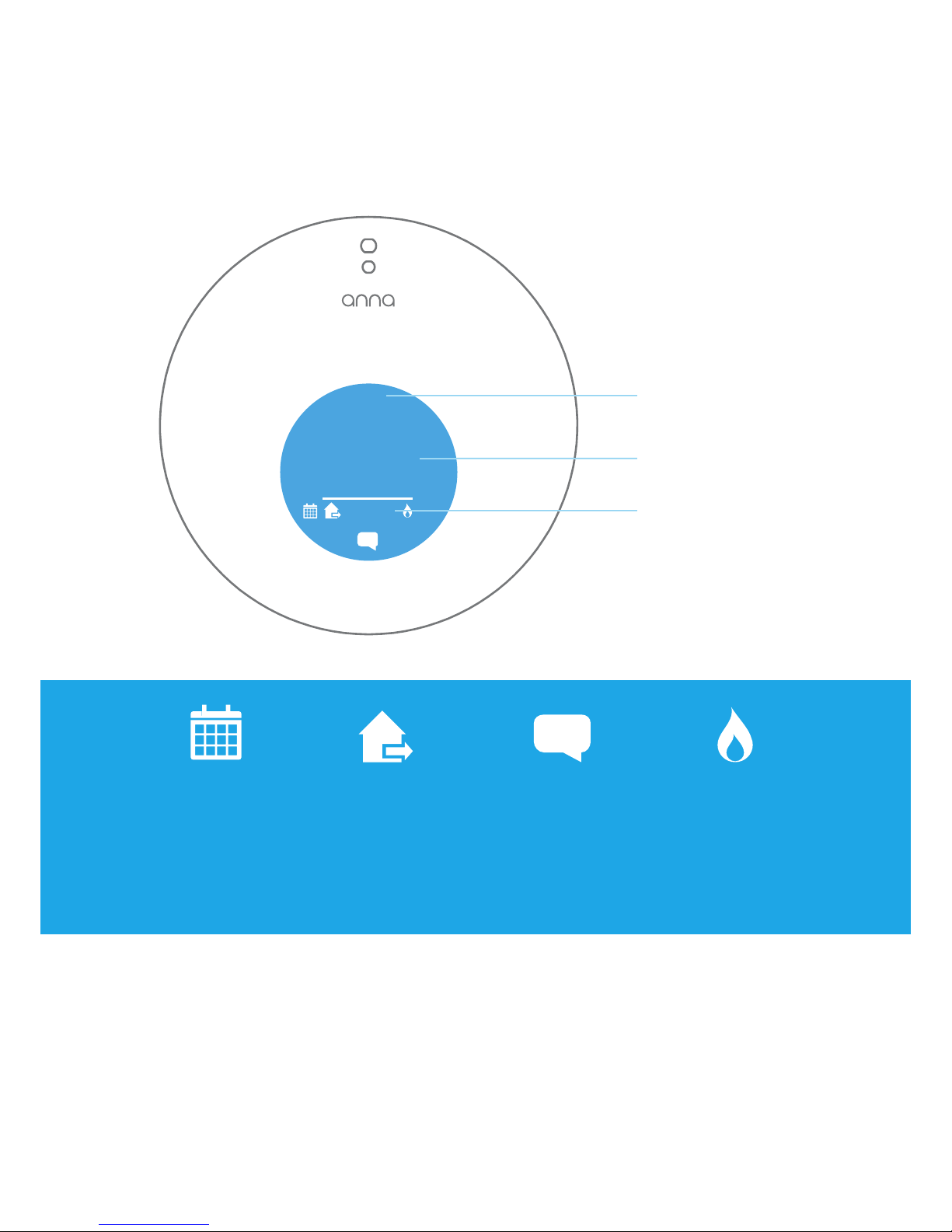
Anna’s screen.
○
20,
○
19,3
○
16:12
5
Anna’s screen will automatically turn off when no one is nearby.
Anna can sense your presence up to 30 cm away. The screen will
automatically light up when Anna senses someone around.
Time
Set temperature
Measured
temperature
Schedule active
You have activated the
temperature schedule.
Status active
You have activated a
status.
Notication
There is a message for you.
Click on the icon to read the
message.
Boiler active
You are now heating.
Page 4
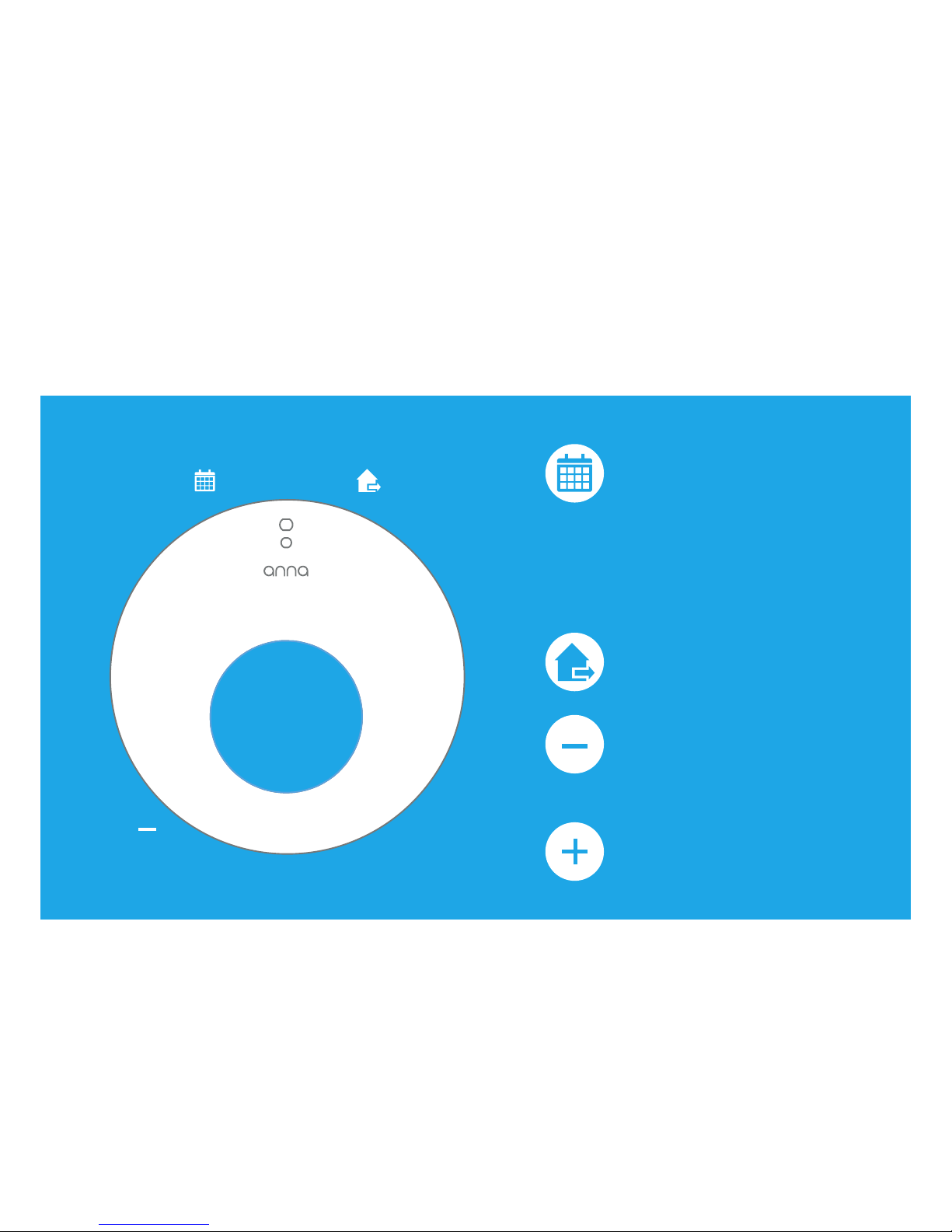
Setting Anna.
The app and the HTML interface provide the same functions as the
ones available through Anna.
Here you set the schedule and the status.
*
The new temperature setting will remain in effect until the next
scheduled temperature point has been reached.
For this to happen, the schedule must be enabled.
+
ShtSht
ng
Sht
Press long on top:
Turn the temperature
schedule on or off.
You can only turn the
temperature schedule
on or off after you have
created a schedule in the
app.
Press short on top:
Change status.
Press left bottom:
Temporarily lower
temperature*.
Press right bottom:
Temporarily higher
temperature*.
You can control Anna at the wall by touching the three parts of the
metal brim.
By briey touching the upper side, you can change the status.
By touching the upper side longer, you can turn the schedule on or off.
By touching the left side, you can put the temperature lower.
You use the right side to put the temperature higher.
Page 5

Adjusting the Anna settings.
Anna has an infrared sensor making it possible for Anna to sense
that you are standing in front of it. Anna can sense your presence up
to 30 cm away: The screen then automatically lights up.
When you perceive that the infrared sensor no longer works properly
you can readjust Anna.
You do this by touching Anna’s left button for 5 seconds. When you
release this button, Anna will glow orange and the screen will shut
itself off: Anna now resets the infrared sensor.
You can also adjust the infrared sensor via the HTML-interface.
Anna glows.
Anna uses colours to show that she is doing
what she was asked to do.
By touching the left side, you lower the temperature:
Anna turns blue.
The temperature can be increased by touching the right side:
Anna turns red.
When you activate or change the schedule,
Anna ashes twice using white light.
Are you adjusting the status? Then the white light on Anna will ash
once.
When you adjust Anna’s settings via the app or the HTML-interface,
the white light conrms that Anna has received the message.
Page 6
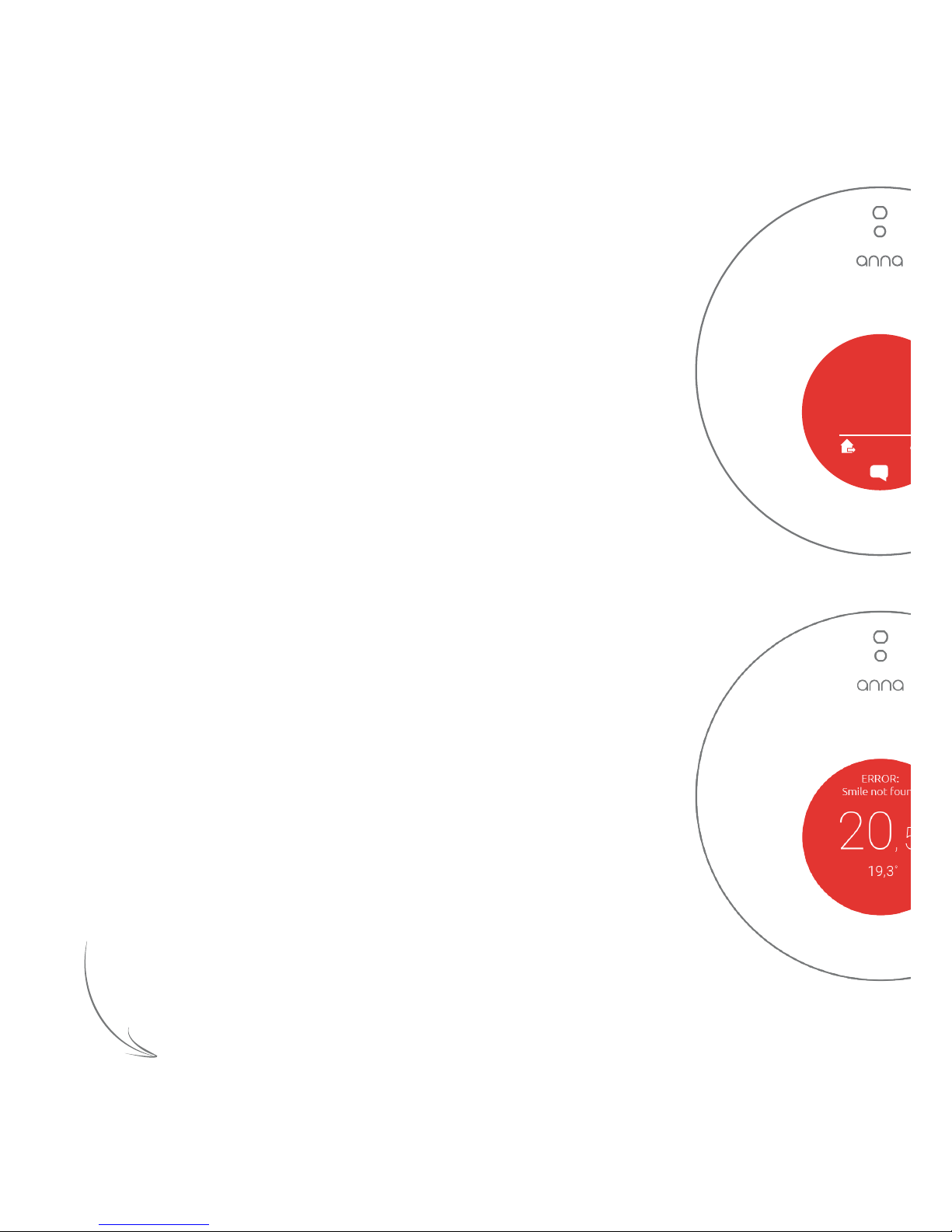
Malfunctions.
○
20,
○
19,3
○
16:12
5
Anna’s screen is red.
When Anna detects a boiler malfunction, the screen
will turn red and a message icon will appear on the
screen.
You can read this message in the app.
You can open this message in the app by opening the
Anna-screen. Tap on the message icon inside the red
circle on your smartphone or tablet. Keep in mind that
in the event of a boiler malfunction, Anna is unable
to control the boiler, and a change in temperature
therefore will not be effected.
This message will only disappear after the boiler’s
malfunction has been resolved.
The screen will then turn blue again.
“Smile not found”.
When the Smile is no longer able to communicate
with Anna, the screen will turn red and the text ‘Smile
not found’ will be displayed.
You cannot reach Anna through the app or the HTML
interface. You can only change Anna’s settings
through Anna herself.
This may occur because the cable between Anna
and the Smile is loose or is faulty. Check the cable
connection between Anna and the Smile and try to
restart the Smile by switching it off and on again. If
this does not solve the problem, please contact the
helpdesk.
Csult us manual rve ult.
If y cann sve oem, se ca an inar.
Page 7

Maintenance and updates.
Updates
Updates contain solutions to problems and may include new
functionalities. It is recommended that you always install updates as
quickly as possible. If this is not done automatically, you can access
and install updates via the HTML-interface of Anna.
Cleaning
You can clean Anna by wiping it with a dry soft cloth.
Power failure
Following a power failure, Anna should automatically reactivate
itself; Anna’s clock will be synchronised, provided internet access is
available.
Ventilation
Keep the ventilation openings at the back of Anna open and free from
dust.
Page 8

Environment.
Contact.
Old electrical and electronic appliances very often contain valuable
materials. Therefore, never dispose discarded appliances with normal
household waste. Hand your old appliances in at the municipal
collection points for electrical and electronic equipment.
Having trouble?
Please visit our website at www.plugwise.com/anna.
Here you will nd handy tips and instructions.
You can also ll in the contact form:
www.plugwise.com/technical-contact
Still having difculties?
You can always call us on workdays
between nine (09.00h) and ve (17.00h)
+31(0) 88 24 33 033.
How do I set up the help desk connection?
To be of the best possible service to you, you can temporarily use
the Smile to set up a help desk connection so that Plugwise help
desk staff and developers can view your environment directly
together with you to determine the problem. Press six times in quick
succession the black button on the Smile. This establishes a 48-hour
connection. Contact the help desk in advance, so we know that you
are establishing the help desk connection.
Page 9

EU Declaration of Conformity
Plugwise B.V. hereby declares that this Anna / Anna 230 is in compliance with the
essential requirements and other relevant provisions of European Directives.
A copy of the EU declaration of Conformity is available at
https://www.plugwise.com/certification-security.
Page 10

 Loading...