

Page 1
PACKAGE CONTENTS
• Tripod
• Carrying case
• Quick Setup Guide
FEATURES
• Small, tabletop size
• Supports most cameras or camcorders up to 3.3 lbs (1.5 kg)
• Supports low-angle shooting at 8" (20.3 cm) height
• Adjustable center column for quick height adjustment
• 11" (28 cm) folded length and carrying bag for portability
• Quick-ip leg locks for quick and easy setup
• Extendable leg braces for extreme low-angle macro shooting
• Light-weight and durable aluminum legs
• 3-way pan head for precise setting and smooth video
• Panoramic angles: 360° horizontal and 90° vertical
• No-slip rubber feet for stability
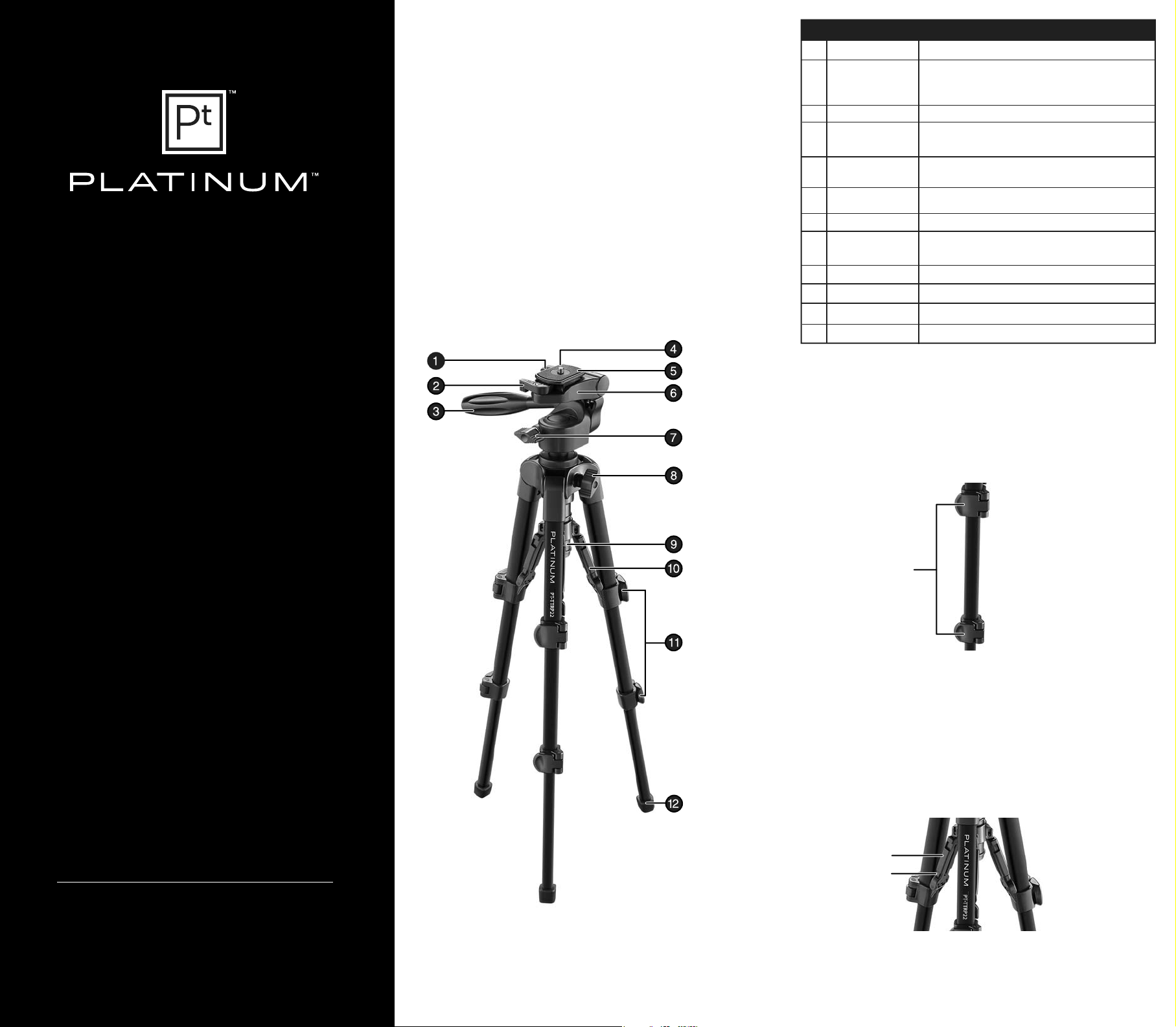
# ITEM
1 Side-tilt locking knob
2 Quick-release
mounting plate
locking lever
3 Tilt locking handle
4 Mounting screw
5 Quick-release
mounting plate
6 Mounting base plate
7 Pan locking knob
8 Center column stopper
knob
9 Center column
10 Slide brace
11 Leg lever
12 Rubber foot
DESCRIPTION
Locks the side-tilt base plate.
Locks the quick-release plate to the mounting base plate.
Adjusts and locks the pan head so it will not tilt.
Secure your camera or camcorder to the quick-release mounting
plate with this screw.
Mount your camera or camcorder to this removable plate.
Slide the quick-release mounting plate into this base plate.
Locks the horizontal movement of the head.
Locks center column movement.
Provides quick height adjustment.
Individually adjusts leg angles.
Provides quick leg adjustment.
Provides a secure, non-slip footing for your tripod.
SETTING UP YOUR TRIPOD
1 Flip the leg levers (two / leg) on each leg open, extend the legs to the length
you want, then close the levers to lock the legs in place.
Caution: Incorrectly securing a leg lever can cause the tripod leg to retract
unexpectedly and could result in damage to the tripod or to the attached
camera or camcorder.
PTTTRP22
22" TABLETOP TRIPOD
QUICK SETUP GUIDE
Leg lever
2 To adjust the height of the center column, loosen the center column stopper
knob, raise the center column to the height you want, then tighten the stopper
knob.
3 To set the angle position of a leg, press in on the tabs on the sides of the slide
brace, then pull the leg out. To put the leg back in the standard position, push
the leg back into the brace until the tabs lock into place.
Slide brace
Tab
Before using your new product,
please read these instructions to prevent any damage.
Page 2
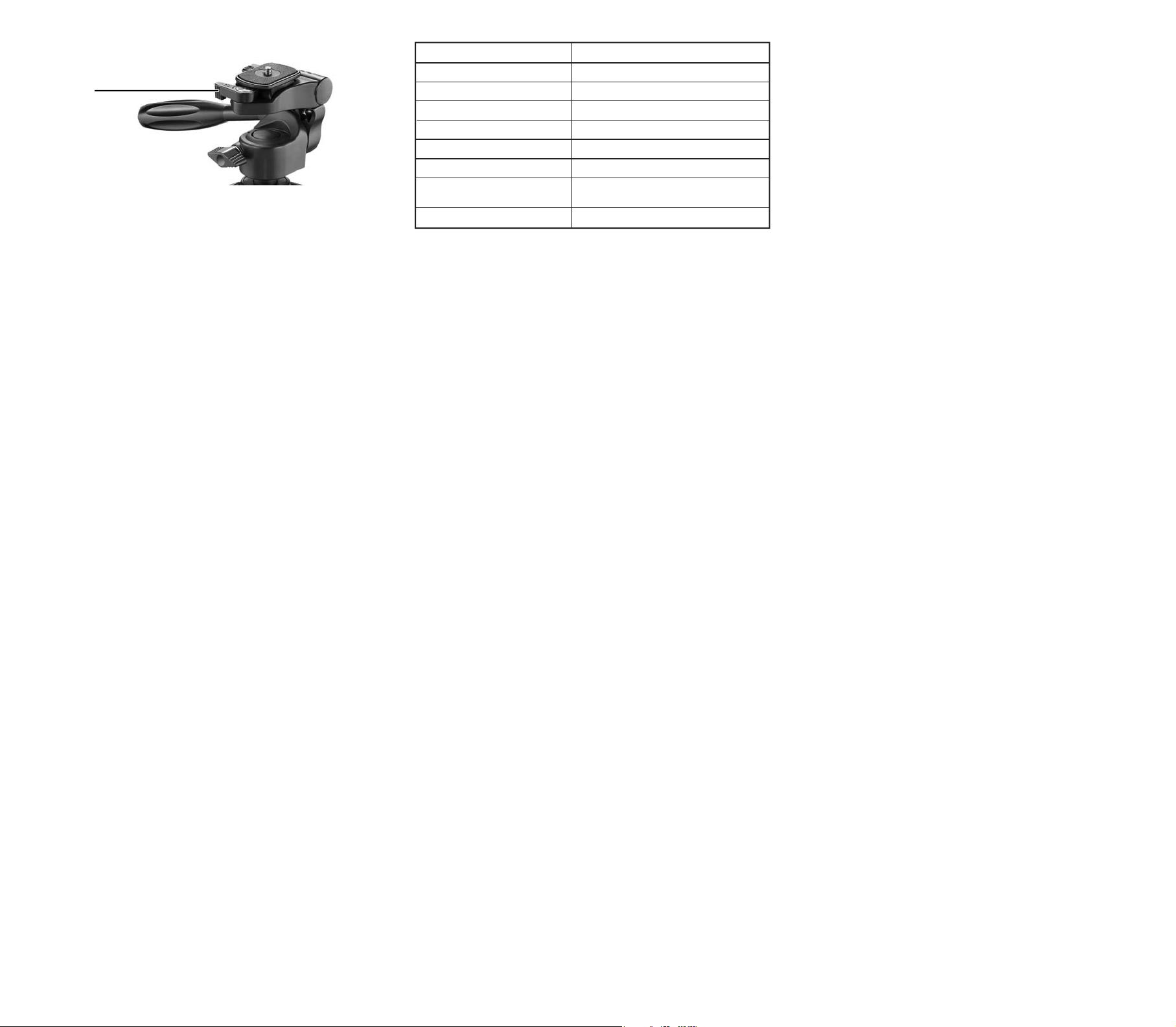
4 Lift the quick-release mounting plate locking lever, then remove the quick
release mounting plate.
Quick-release
mounting plate
locking lever
5 Align the bottom of your camera or camcorder with the 1/4" mounting screw,
then secure your camera or camcorder to the plate with the screw. The screw
should be tight.
6 Slide the mounting plate onto the base plate, then press the locking lever down
to lock the mounting plate in place.
USING YOUR TRIPOD
• To adjust your camera to the portrait position, loosen the side-tilt locking knob,
rotate the plate up 90°, then tighten the knob.
• To pan, loosen the pan locking knob, pan the tripod head, then tighten the knob
to lock the head in place.
Note: For maximum stability, always make sure that your camera lens is over a
leg.
• To adjust the vertical tilt, loosen the tilt locking handle, then use the handle to
adjust the vertical position. Tighten the tilt locking handle.
SPECIFICATIONS
Maximum operating height 22 in. (55.9 cm)
Minimum operating height 8 in. (20.3 cm)
Folded height 11.1 in. (28.2 cm)
Net weight 1.3 lbs. (0.6 kg)
Max operating load 3.3 lbs. (1.5 kg)
Number of leg sections 3
Mounting screw thread 1/4-20
Panoramic angle Horizontal: 360°
Vertical: 90°
Material Aluminum alloy and plastic
ONE-YEAR LIMITED WARRANTY
CONTACT PLATINUM
For customer service, call 1-800-499-3964.
The Pt logo is a registered trademark of Best Buy.
PLATINUM is a trademark of Best Buy and its aliated companies. Registered in some countries.
Distributed by Best Buy Purchasing, LLC
7601 Penn Ave South, Richeld, MN 55423 U.S.A.
©2014 Best Buy. All rights reserved.
Made in China
IMPORTANT SAFETY INSTRUCTIONS
• Make sure that all leg locks are correctly tightened and that the legs are fully
opened before use.
• Do not carry or transport your tripod with camera equipment attached (for
example, over your shoulder or cradled in your arms).
• Do not expose your tripod to excessive heat or cold, or use near any ame or re.
• Do not oil or grease any part of the tripod.
• Do not use any solvents or thinners to clean your tripod. Use only a mild
detergent and wipe dry with a soft, lint-free cloth.
• Do not exceed the load limit of this tripod.
V1 ENGLISH 14-0526
 Loading...