

Page 1
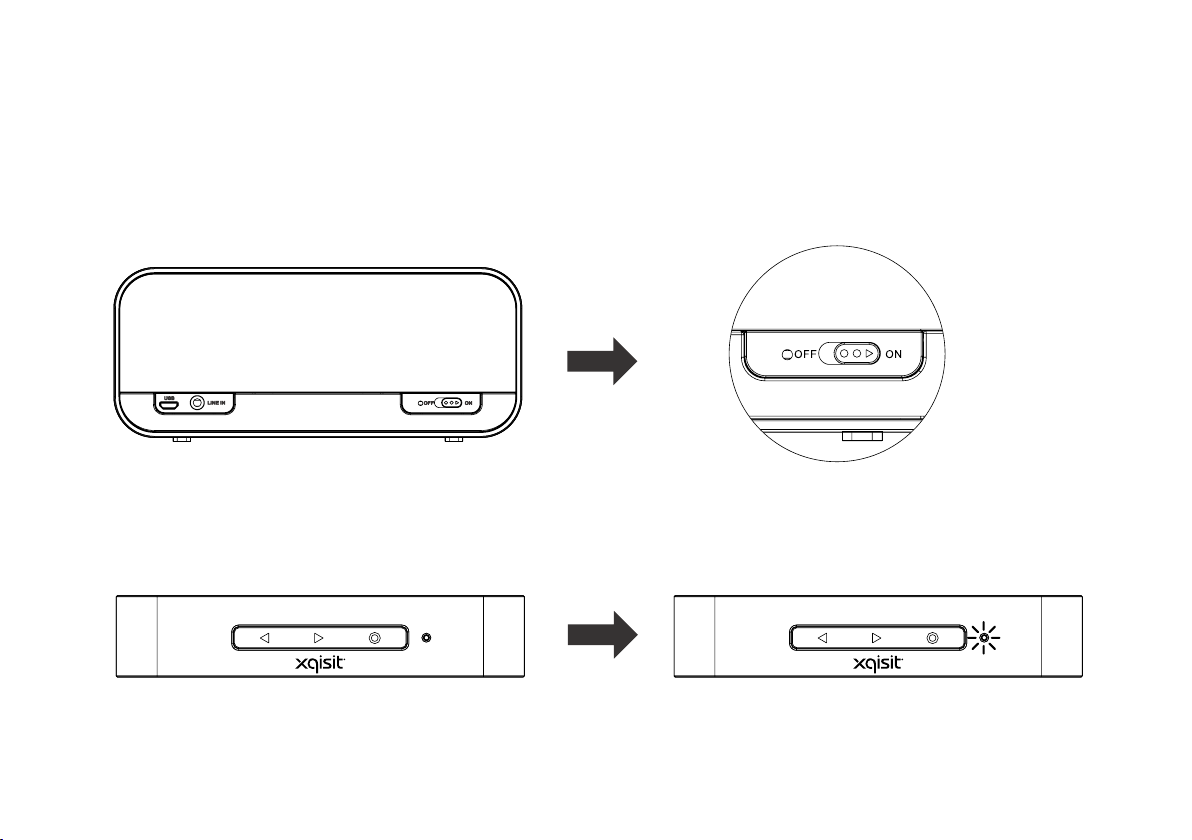
How to Turn ON…
1) Slide the Main Power Button to the “ON” position at the back of the Speaker
Page 2
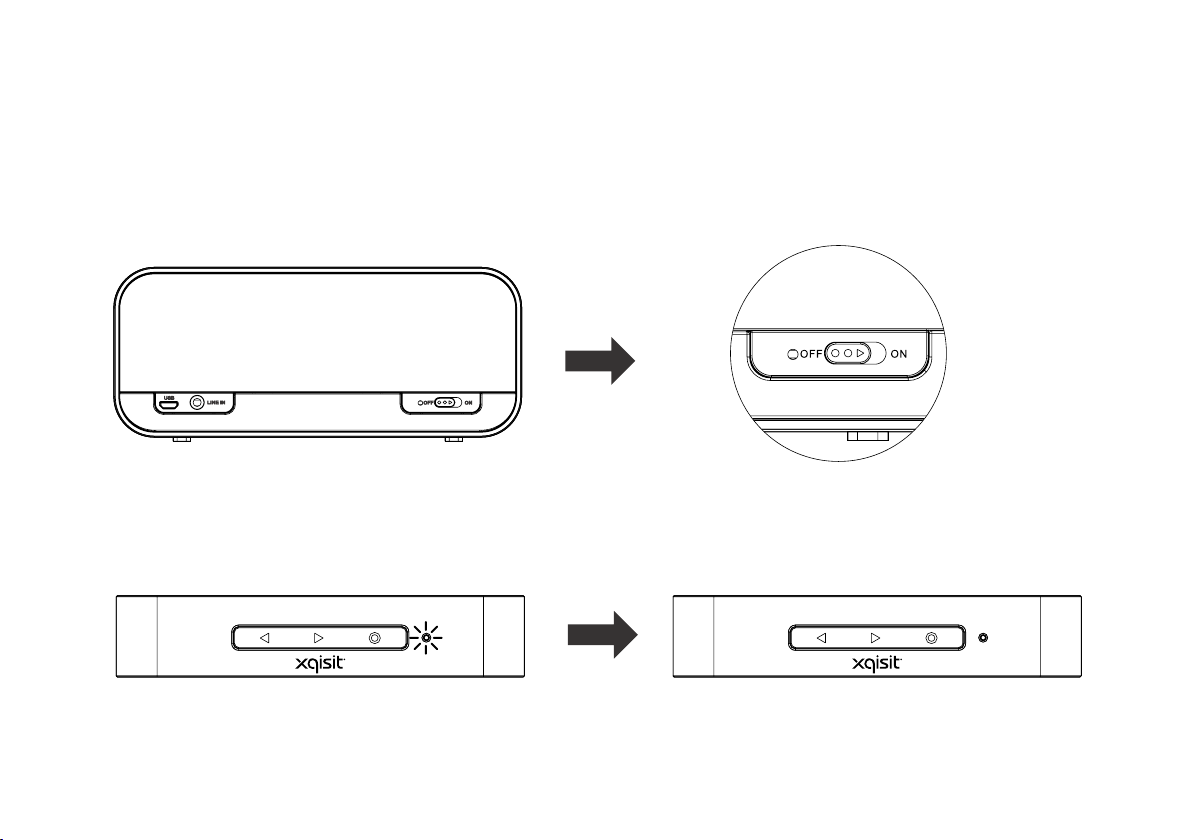
How to Turn OFF…
1) Slide the Main Power Button to the “OFF” position at the back of the Speaker
Page 3
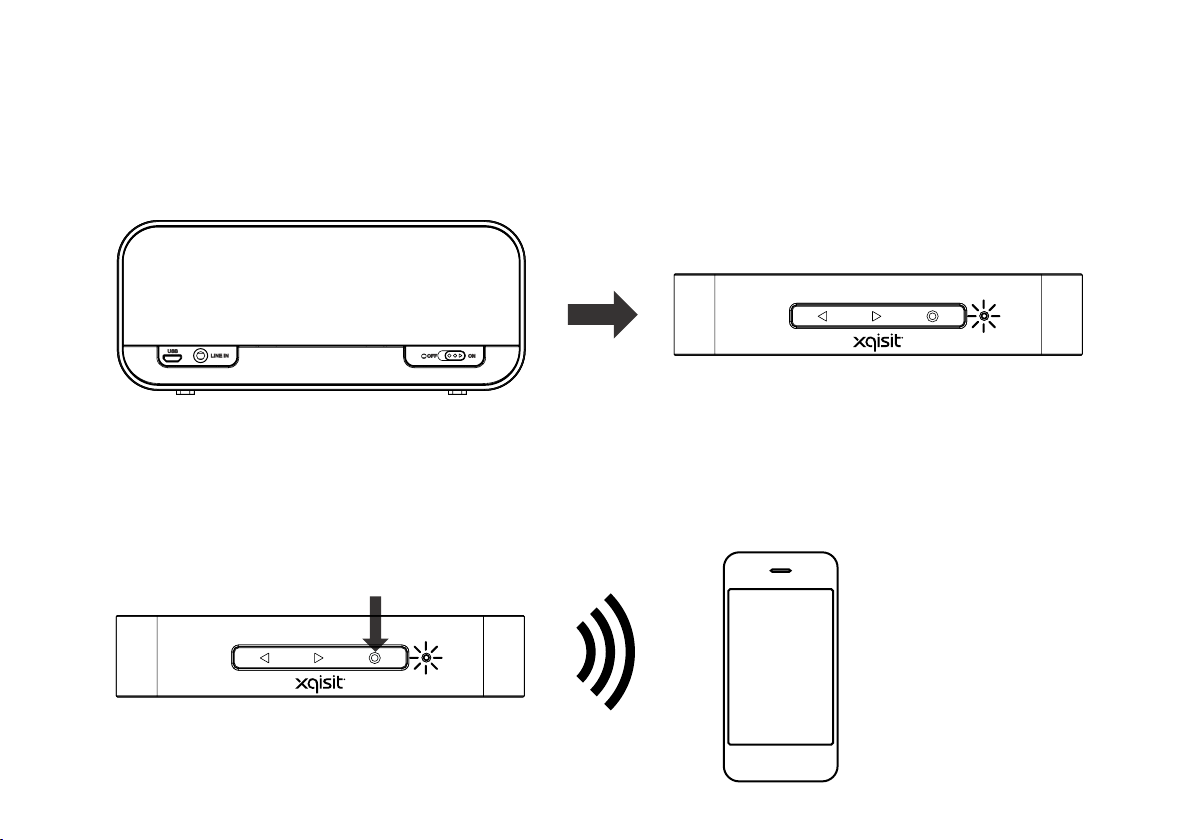
How to Connect…
1) Slide the Main Power Button to the “ON” position at the back of the Speaker
2) Hold down the “Multi Function Button” until LED ashing Blue + Red; search “xqBroken” on your
Bluetooth device and connect
Multi Function Button
Page 4
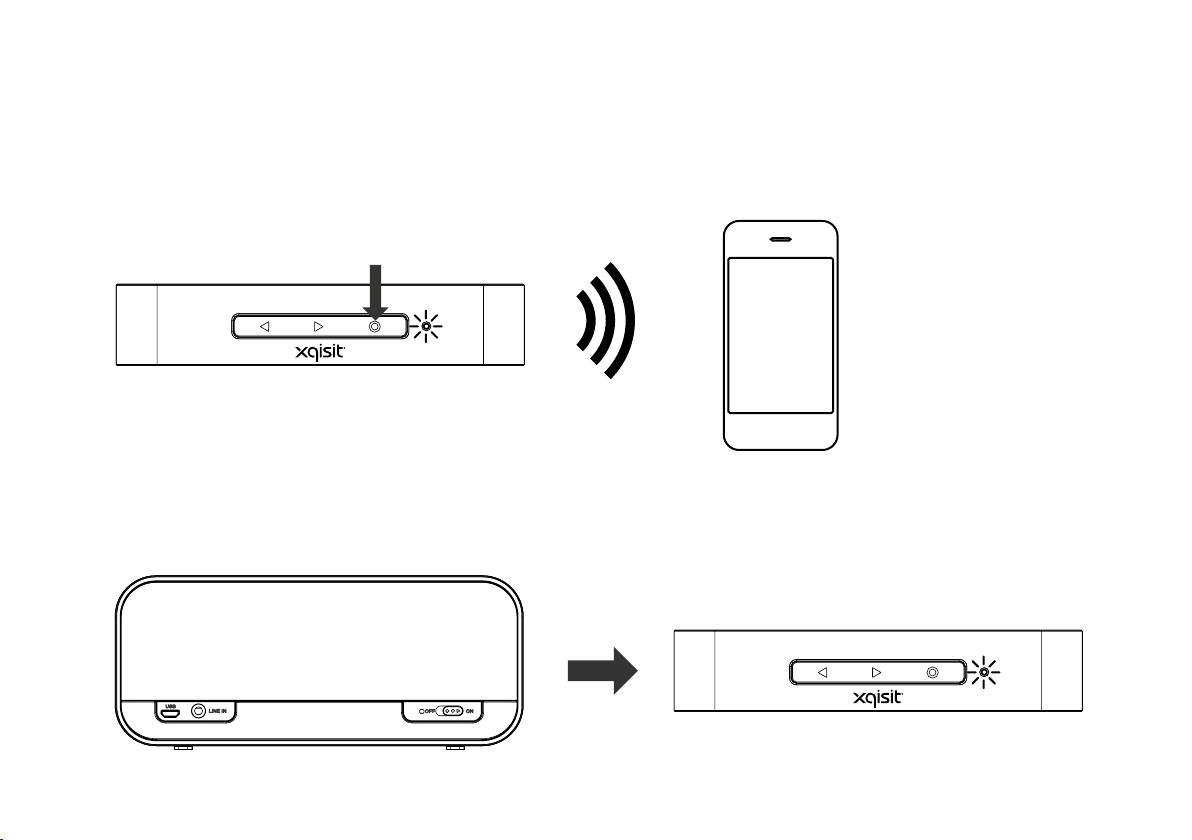
How to Connect Two Devices…
1) Connect the Second Bluetooth Device as same connection procedure as connecting to the First
Bluetooth Device.
Multi Function Button
2) Active the Bluetooth function on the both paired Devices and Power “ON” the Speaker, both Devices
will reconnect to the speaker automatically. (or may connect to speaker manually, if necessary)
Page 5
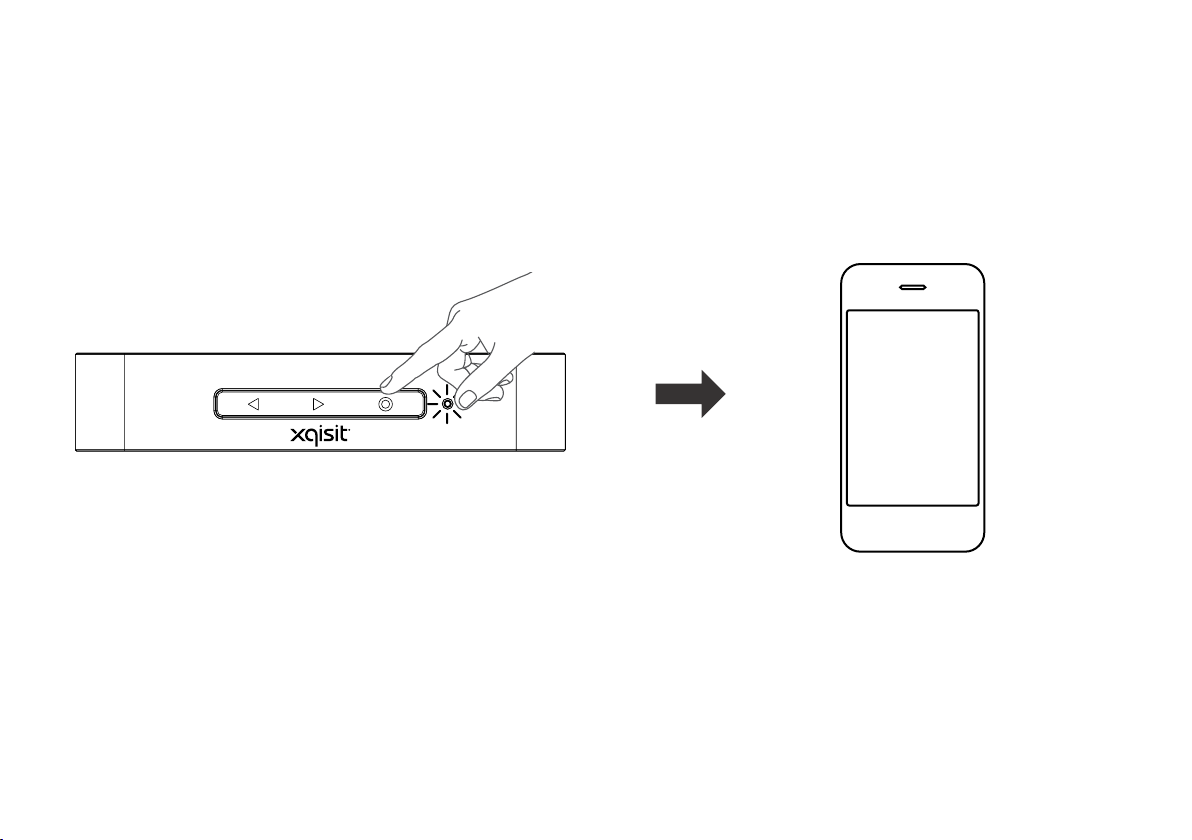
How to Call up Voice Control*…
1) Double Press the “MFB”, when connected to the Mobile Phone*
X 2
* The Siri service will be activated,
if iPhone connected
Page 6
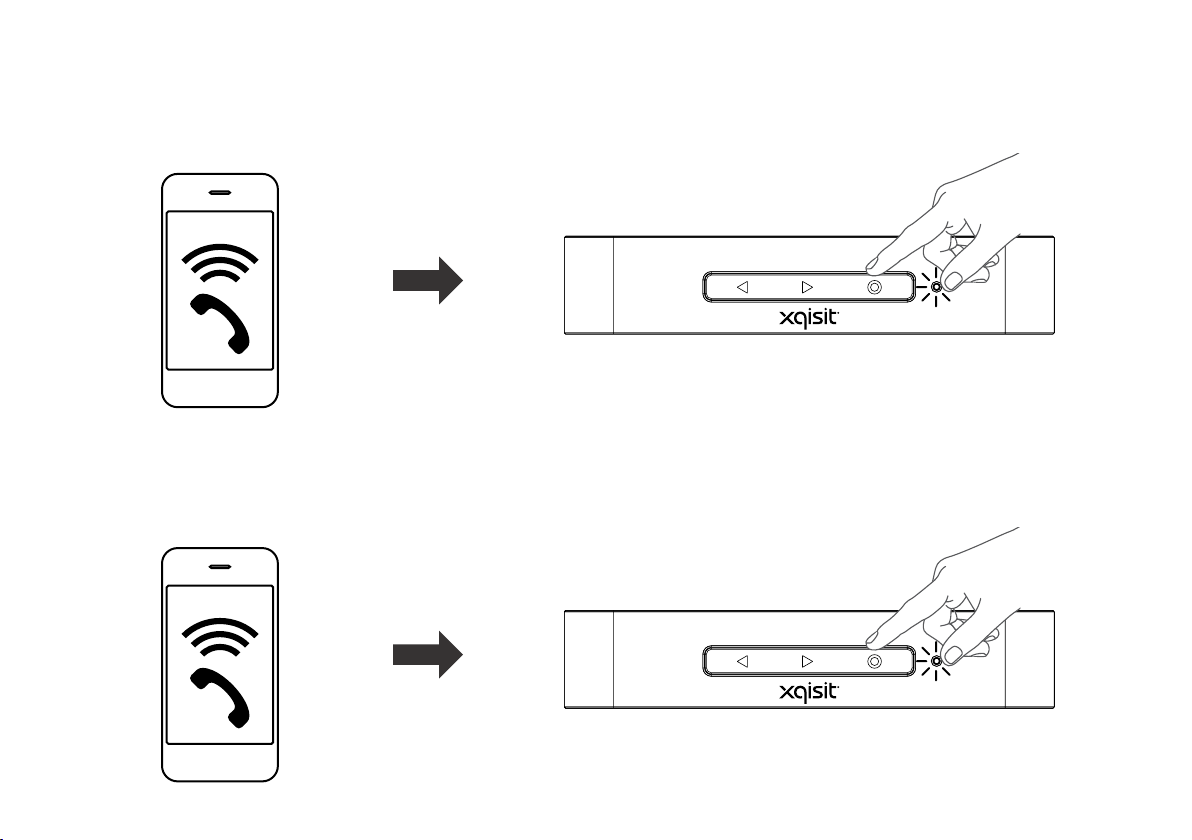
How to Answer the incoming call…
1) When incoming call ringing, press “Multi-Function Button” to answer the call
How to Reject the incoming call…
1) When incoming call ringing, press “Multi-Function Button” to reject the call
Holding
Page 7

LED indicator
Power OFF
-LED OFF
Charging
(No Matter Power ON/OFF)
-Flashing Blue
(On - 2s; OFF - 2s)
USB Upgrade Mode
Pairing
-Flashing Red and Blue
(ON - 0.5s; OFF - 0.5s)
Power OFF + Fully Charged
-LED OFF
Power ON
(Battery Level>30%;
During SBC Music Playing)
- Solid Blue
Power ON
(Battery Level>30%;
During AAC Music Playing)
- Solid Green
Power ON
(Battery Level<30%)
-Flashing Red
(On - 1s; OFF - 1s)
Power ON
(Battery Level>30%;
During Apt-X Music Playing)
- Solid Purple
Page 8
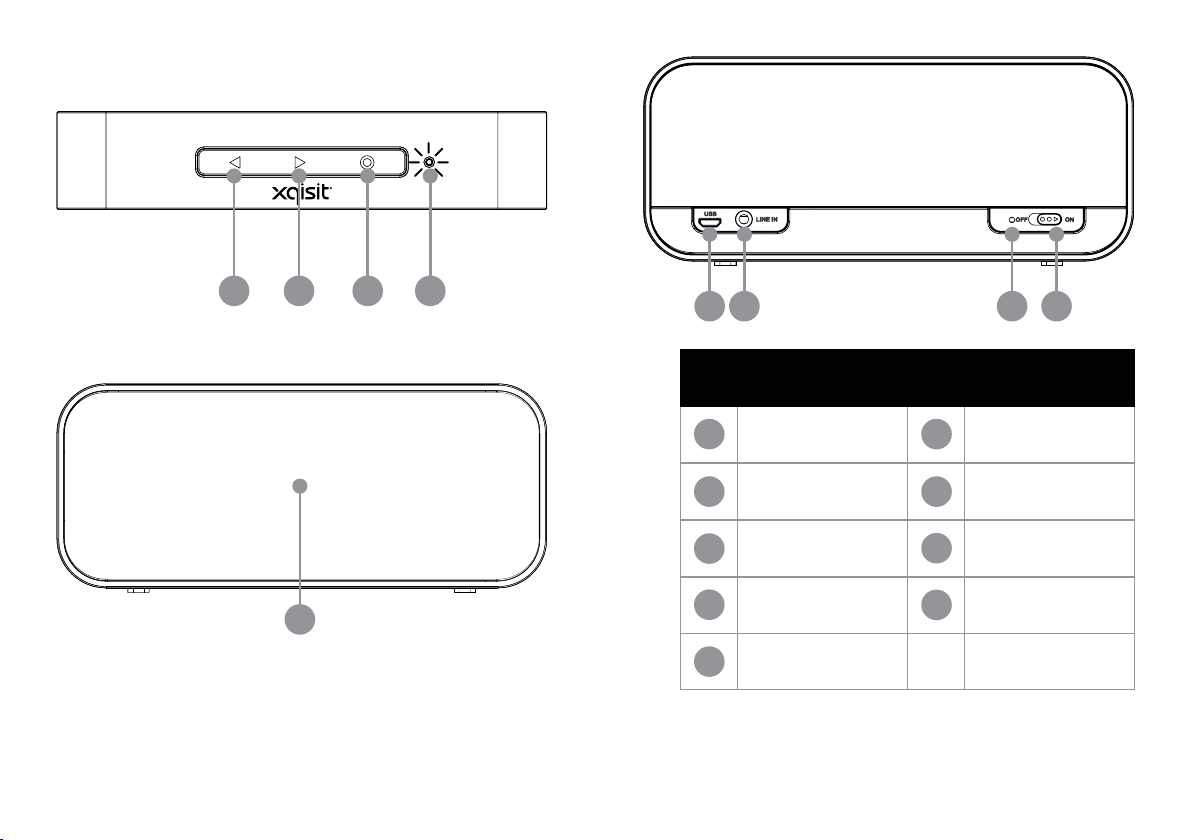
1
2
3 4
5 7
6 8
1 6
2 7
3
9
4
5
Volume Down /
Previous Track
Volume Up /
Next Track
Play/Pause; Pairing;
Phone
Battery Indicator Microphone
USB Audio & Power
8
9
Aux-in
Reset Button
Main Power Switch
* At least fully charged once a month
* Make sure the iOS 4.1.x is NOT using on your iDevice, it will cause the speaker not stable when
playing music
Page 9
• Bluetooth ver. 3.0
• 35mm full range speaker driver with iui Passive Woofer
• Rechargeable Lithium-ion Battery for up to 8 hours playtime
• Convenient charging with provided Micro USB Cable
• Music Streaming over Bluetooth with AAC# and Apt-X* codec
• Speaker Phone feature with Wide Brand Speech (WBS) for HD voice supporting
• Voice Prompt Support
• Multi-Point Connectivity
# AAC over Bluetooth: supporting by iOS 4.3.3 or above
* Apt-X over Bluetooth: supporting by Device with Apt-X compatible
Page 10

This device complies with part 15 of the FCC Rules. Operation is subject to the fol-lowing
two conditions: (1) This device may not cause harmful interference, and (2) this device must
accept any interference re-ceived, including interference that may cause undesired
operation.
caution the user that changes or modifications not expressly approved by the party
responsible for compliance could void the user’s authority to operate the quipment.
NOTE: This equipment has been tested and found to comply with the limits for a Class B
digital device, pursuant to part 15 of the FCC Rules. These limits are designed to provide
reasonable protection against harmful interference in a residential installation.
This equipment generates, uses and can radiate radio frequency energy and, if not installed
and used in accordance with the instructions, may cause harmful interference to radio
communications. However, there is no guarantee that interference will not occur in a
particular installation. If this equipment
does cause harmful interference to radio or television reception, which can be
determined by turning the equipment off and on, the user is encouraged to try to correct the
interference by one or more of the following measures:
—Reorient or relocate the receiving antenna.
—Increase the separation between the equipment and receiver.
—Connect the equipment into an outlet on a circuit different from that to which the receiver
is connected.
—Consult the dealer or an experienced radio/
TV technician for help.
 Loading...