

Page 1
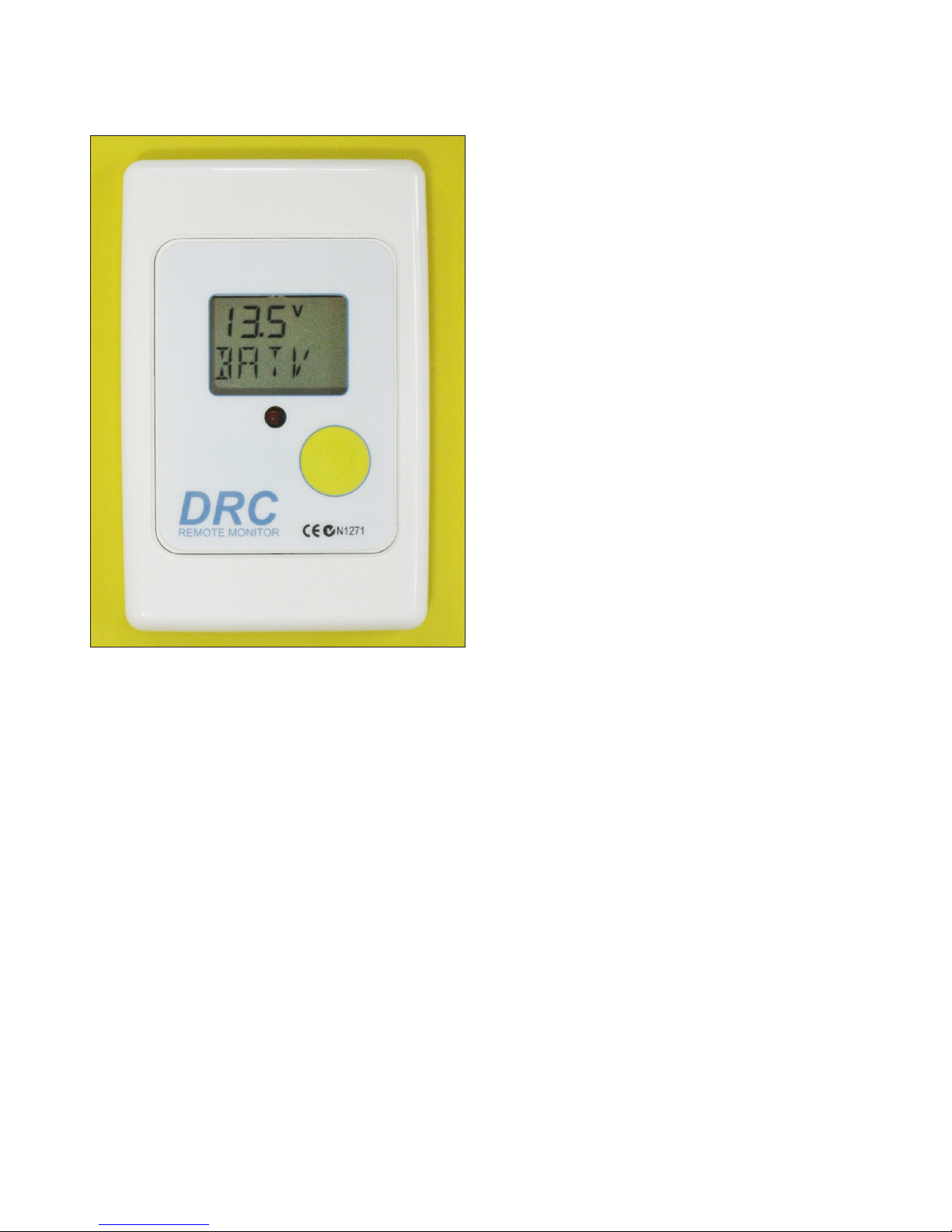
Description
The Dingo Remote Control (DRC) is a device
which allows remote user access to a Dingo
series charge controller.
It displays exactly the same information as the
Dingo screen, and the DRC button behaves
in exactly the same way as the button on the
Dingo controller.
This means you can use the DRC for everything
you would normally do at the Dingo itself, only
in a more convenient location. You can access
all the information and adjust all the settings just
as you can on the Dingo itself.
New Features
The DRC has two additional features to those
on the Dingo.These are automatic LED backlighting and an audible Alarm.
LED Back-lighting
The DRC display is back lit with yellow LED
light. The back-light will turn off if you have not
pushed the button for 5 minutes.
If the display is off, then the rst button push will
turn the display back on, but not do anything
else. Subsequent button pushes work as normal.
Audible Alarm
The DRC has an audible alarm which is activated by outputs from the Dingo.
The alarm will be activated when the red led is
on or ashing. This mirrors the alarm led on the
Dingo. To avoid false alarms, the alarm condition must be present for 30 seconds before the
audible alarm activates.
The alarm will be on if:
a. The battery voltage is below the alarm setting
or
b. The load has been disconnected or is in the
process of disconnecting or reconnecting.
The alarm can be silenced by pressing the
button.
Once the alarm has rung, then it will not reactivate unless the alarm condition has rst been
removed by the Dingo for a least 30 seconds.
Enabling alarm operation.
As shipped, the audible alarm is not activated.
The alarm can be activated by pressing the
button and holding it down for 10 seconds. This
can be done in any screen (And the the display
may change during this time). After 10 seconds,
the screen will change to show ‘ALMT 0 min’.
The number on the screen is the number of
minutes that the alarm will be allowed to sound.
If set to 0, then the audible alarm is disabled.
Setting alarm time
To adjust the time, do a long push to start the
number ashing. Then use short pushes to
adjust the number. Then a long push to save the
change. The change is saved to the DRC memory and is not lost if the DRC is disconnected.
When nished, short push to return to normal
operation. The maximum alarm time that can be
selected is 8 minutes.
Installation
The DRC is packaged in a modied CLIPSAL®
2000 series switch plate. This is a standard
electrical tting and is mounted in the same way
as light switches or power points.
The screws supplied can be used to mount the
Dingo Series Remote Control
Page 2
DRC directly to timber or metal surfaces. CLIPSAL® 2000 series accessories can be used to
mount it to plasterboard, masonry, and other
surfaces. An electrician would be able to supply
and t these accessories.
The DRC should be mounted vertically.
When rst plugged in, the alarm sounds for 2
seconds and the red led is on. This indicates
correct connection.
Cables
In most cases it is not necessary to use a
shielded cable to connect to the Dingo.
For long runs in a noisy environment, it may be
advisable to use a shielded cable with one end
of the shield connected to battery negative.
You can order custom length cables.
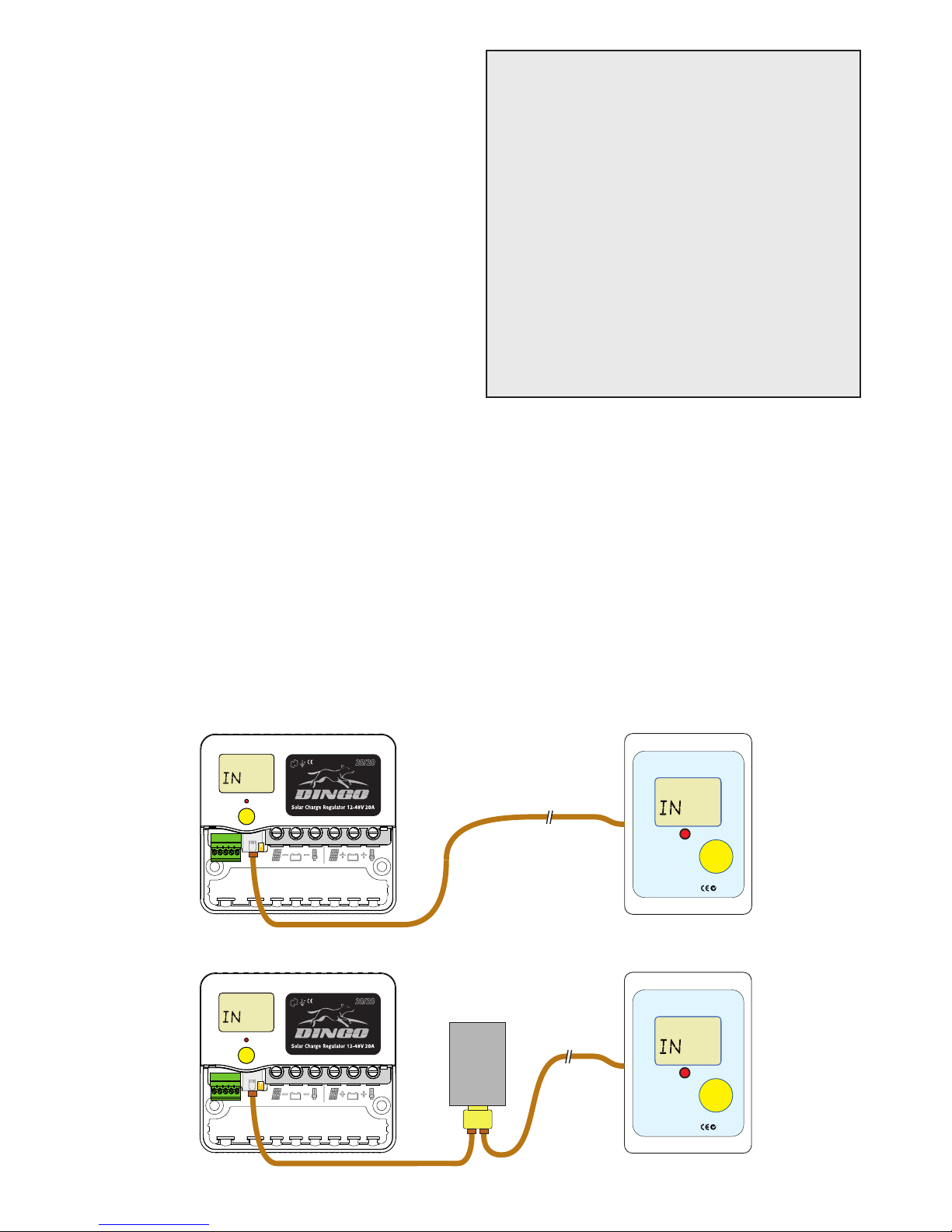
The DRC is connected via an RJ12 socket on
the back side.
If you want to ‘rough in’ the wiring in advance of
the installation (e.g. while walls are being built),
use a shielded four conductor cable of a type
you can crimp an RJ12 plug onto (eg. at phone
cable or CAT5 data cable).
When making your own cable, crimp the plugs
on so that when the snouts of both plugs are
facing you, tabs up, the wire colors run the
same way.
DRC Remote Control
Specications
Dimensions: 76 W x 116 H x 28 D mm
Current Draw: standby 1.2 mA
with back light on 3.3 mA
with alarm led 2.2 mA
maximum 5.4 mA
Mounting hole centres 84 mm
(Vertical on the centre line)
Shipping weight 130 Grams
WARNING: The cable required is NOT wired
the same as a standard telephone cable. Inline
joiners (PLJ) and double adaptors from other
suppliers may not have the same internal wiring
and could cause damage. Any joiners or adaptors must have a straight through connection.
Limitations
The DRC can be used with up to 100 metres of
cable. It can be added to a Dingo system with
up to 5 other Dingo accesories (not including
switchblocks or MPPT devices).
BOOS T
T
Ah
DRC
N1271
REMOTE MONITOR
Custom Cable
BOOS T
T
Ah
DRC
N1271
REMOTE MONITOR
DCAB
Custom Cable
Double
Adaptor
Direct Connection
With Other Accessories
DSA
BOO ST
Ah
BOO ST
Ah
 Loading...