

Page 1
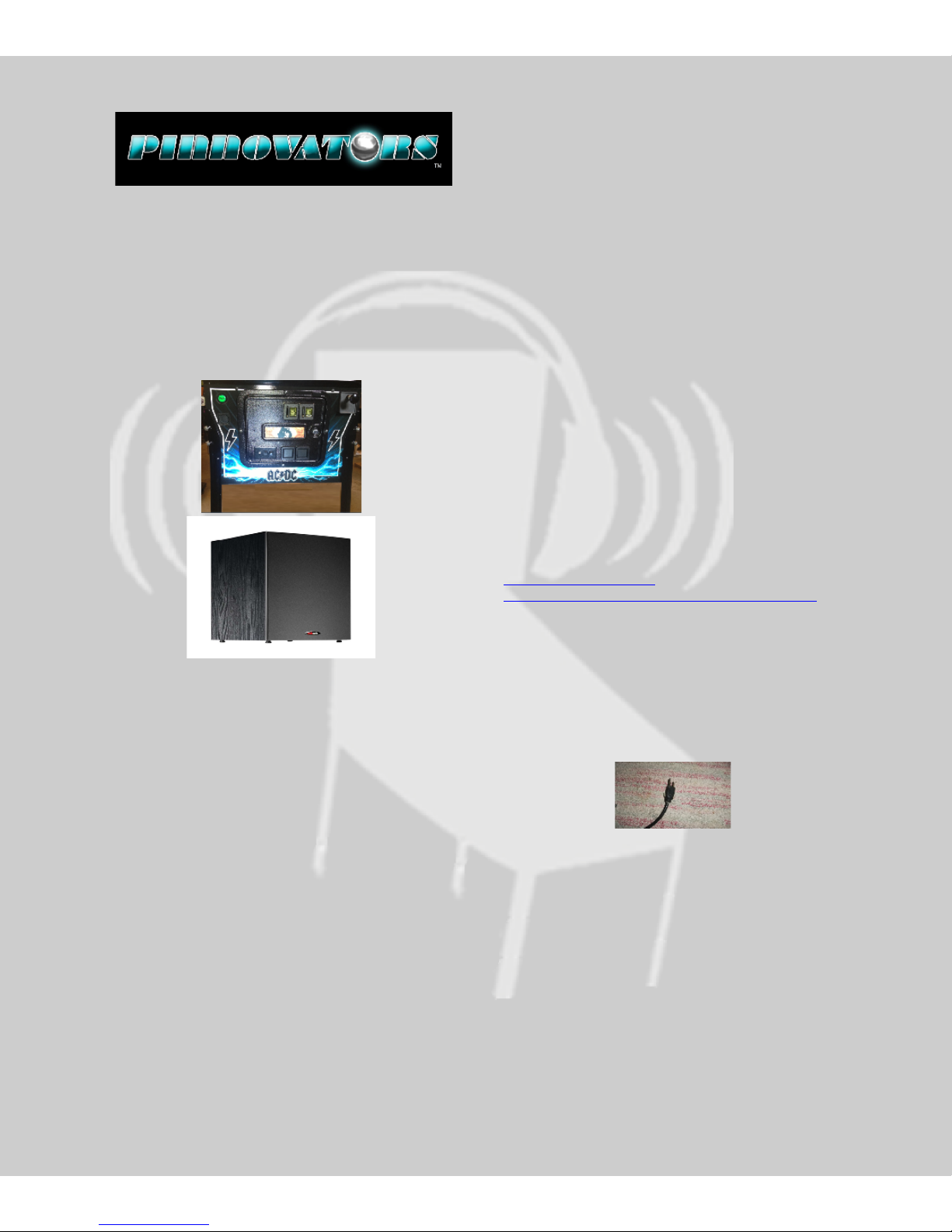
SAM+ and SAMsub
Installation Manual
Version 1.1 April 36, 2014
1. Warnings and Agreements
Welcome! As with any Pinball Machine
modification and add on kit, there is a required level
of expertise for the installation. If you are not
proficient in basic pinball parts installation we
recommend having our kit installed by someone who
is proficient with the basics of pinball repair.
Pinnovators requires our kit be installed by an
experienced Pinball service technician with basic
electrical skills. As with any electrical piece of
equipment a danger does exist and you must agree
to not hold Pinnovators responsible for any injury,
damages, etc. before continuing.
Sound Levels: Pinnovators recommends running
your headphone and subwoofer sound levels at a
safe level to prevent long term hearing loss. For a
good example of recommend sound levels, we
recommend following suggestions given by major
audio equipment manufacturers such as Apple and
their Ipod.
phys.org/news80304823.html
www.macworld.com/article/1060274/hearingprotection.html
Contents
1. Warnings and Agreements ........................1
2. What’s included in the Kits........................2
3. Requirements: ..........................................2
4. Preparation...............................................2
5. Back Box Installation .................................3
6. Connecting a Subwoofer ...........................4
7. Final Checkout ..........................................4
8. PIN-SMX ...................................................4
ESD: We recommend always discharging yourself to
a metal surface on your machine before touching
the electronics inside it.
Power Cord: ALWAYS UNPLUG THE POWER CORD
for safety when working on your pinball machine!
Playfield Propping: Pinnovators highly advises
following Playfield propping instruction for your
pinball machine. These instructions are typically
found inside the Operators manual for each
machine. Failure to follow these instructions can
cause fatal injuries or even Death. Pinnovators also
recommends having an assistant hold a propped
playfield in the up position when servicing under the
playfield.
1
Page 2
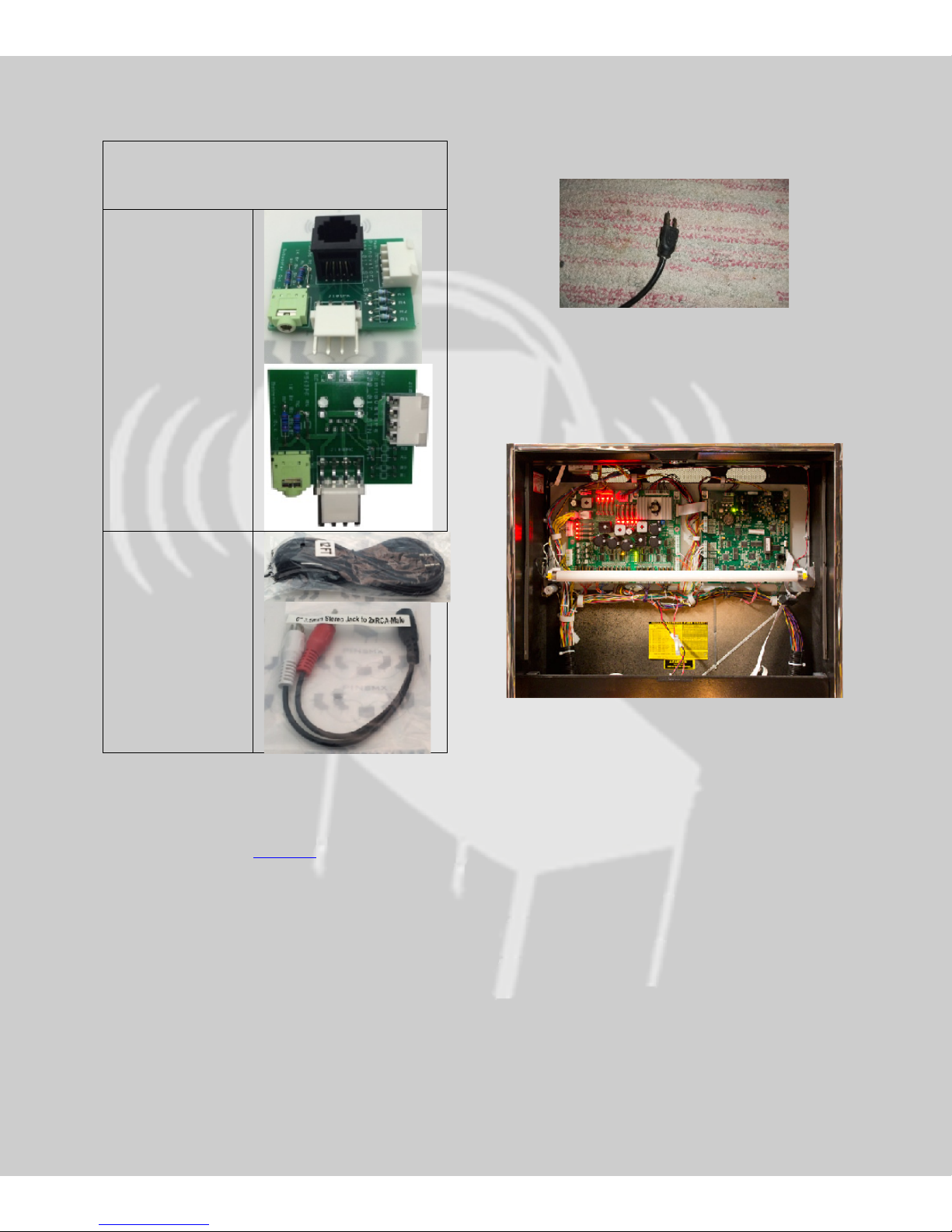
PinPac 2 SAM+ Kit and SAMsub kit
Back Box Board:
Interface Cable
2. What’s included in the Kits
SAM+ kit
SAMsub kit
(No Headphone
panel)
and adapter come
with all kits.
4. Preparation
Unplug the Pinball Machine!
Next remove the back glass on the system to expose
the System circuit boards. Tron is shown below as an
example.
3. Requirements:
A. The Machine must have a Stern SAM sound
board Please visit IPDB.ORG to learn what
system your machine has.
2
Page 3
5. Back Box Installation
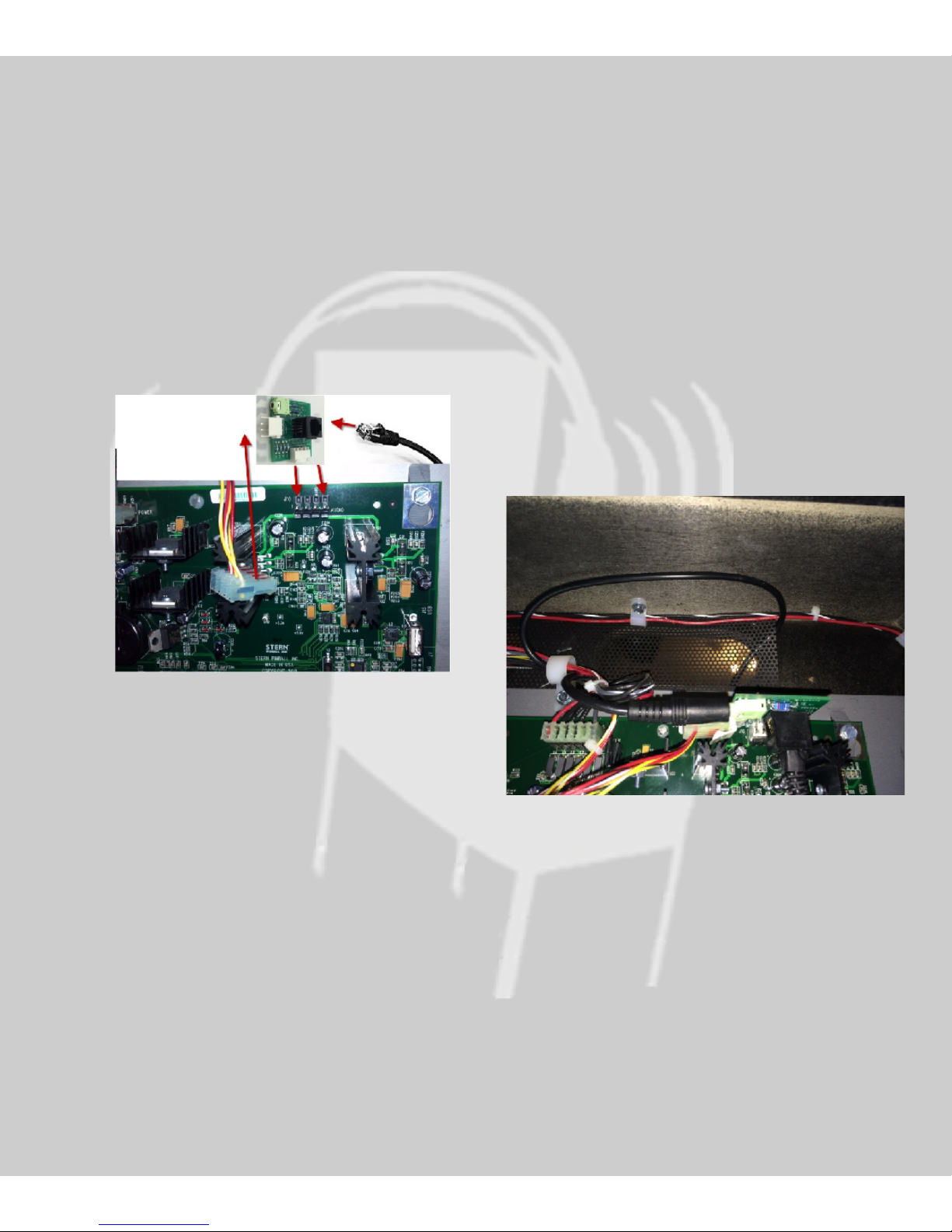
Locate the speaker connectors shown by the red
arrows in the picture. Remove the speaker
connector from the main CPU board by carefully
rocking the connector while pulling it out:
Plug supplied Pinnovators cable into the RJ45
jack on the new Back Box Board Connector
(SAM+ only).
Using the 12 foot 3.5mm to 3.5mm supplied
cable, poke the cable through the air vent
located above the main CPU board as shown
below.
Secure the cable into the nylon cable clamp to
protect the cable from being pulled out. The
nylon cable clamp does not have to be removed
to get the wire into it. The clamp can be slightly
stretched open.
Plug the 3.5mm cable end into the green female
connector on the Pinnovators Back Box Board.
Insert the Back Box Board into the speaker
connectors on the sound card as shown above. Make
sure it’s fully inserted and aligned properly.
ALIGNMENT is CRITICAL! You may damage
your sound board if the connector is not
properly aligned. Check it twice!
Note: The SAMsub kit will not have the black
RJ45 connector loaded so you will not have an
RJ45 cable. The cable is part of the Pinnovators
headphone kit.
Insert the original Speaker cable on to the pins
of the Back Box Board.
Reassemble the Back Box.
3
Page 4

6. Connecting a Subwoofer
Pinnovators provides a 12 foot cable to give you the
flexibility of placing your subwoofer close by to your
pinball machine. The end of the cable has a 3.5mm
male plug on the end. Plug this end into a subwoofer
that has a 3.5mm input. Some of the Yamaha home
subwoofers only have a 3.5mm input so this will
work great in that situation. Smaller computer
subwoofer systems will also have a 3.5mm input as
shown below.
Pinnovators recommends the Polk Audio PSW10
subwoofer. This model is very affordable and
produces great sound!
Use the included 3.5mm female to RCA adapter
cable to connect to this speaker.
7. Final Checkout
Power up your subwoofer!
Power up your pinball system!
Start a game!
Make sure the front panel switch on the PinPac
Control panel is in the “UP” position if you have
the headphone kit installed.
Verify sound can be heard from the Back Box
speakers and the lower Cabinet speaker.
Adjust the subwoofer to your liking.
8. PIN-SMX
While we have your attention! Please check out
our PIN-SMX passive subwoofer mixer kit at
Pinnovators.com.
The PIN-SMX allows you to connect up to four
pinball machines to one subwoofer. Each input
is fully isolated from the others to prevent
ground loops. Each input level is fully adjustable
so you can adjust each game sub level to your
liking.
Enjoy your new Subwoofer kit!,
The Pinnovators team.
4
 Loading...