

Page 1
Temperature Controller
Quick Start Guide
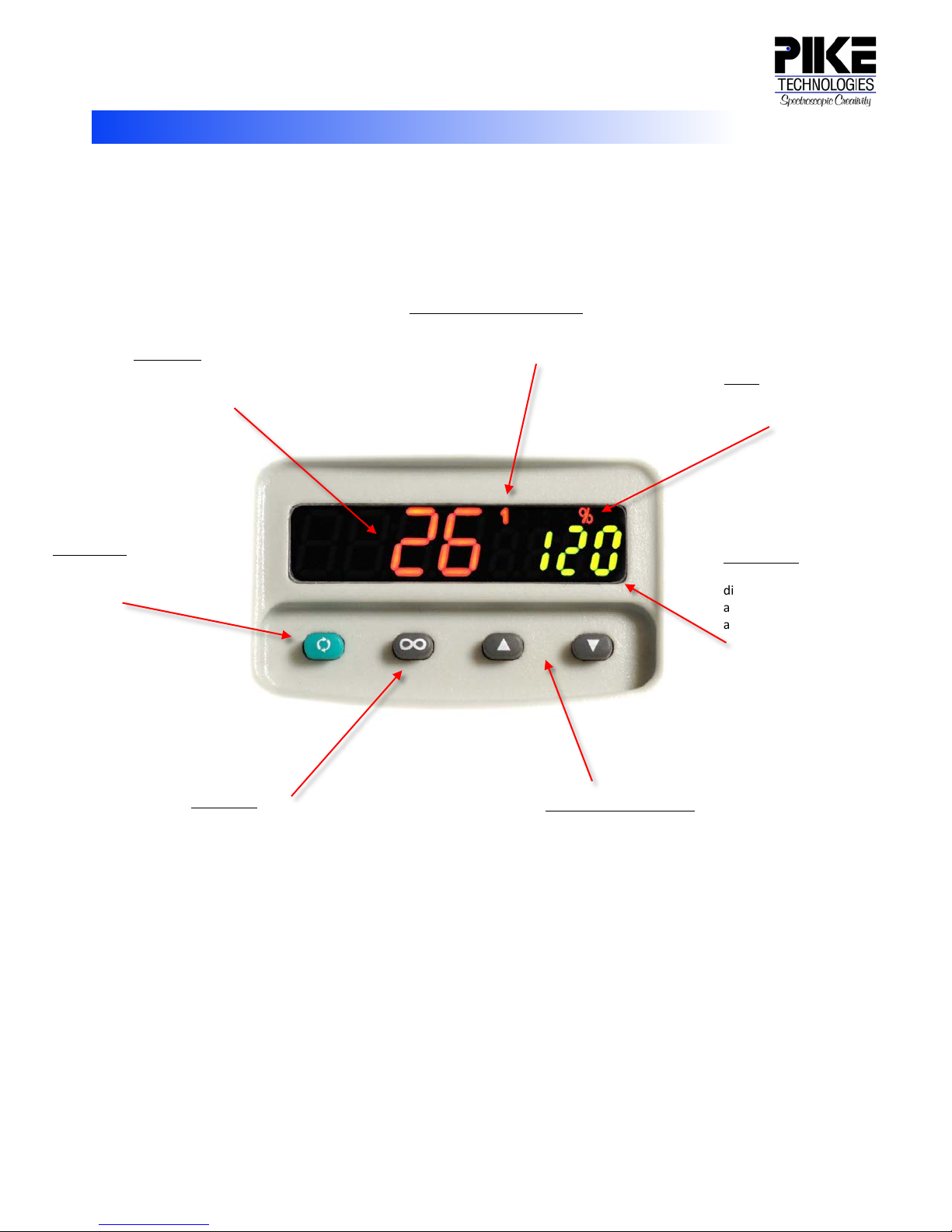
Left Display
Active Output Indicator Lights
% LED
Right Display
Advance Key
Up and Down Arrow Keys
Infinity Key
EZ-ZONE PM Front Panel Operation
Advances the Right Display
through parameter prompts.
Indicates actual temperature.
Can also display the value of
a parameter.
Returns to the Home Page.
Lit when the corresponding
controller output is on or when
communicating.
Adjusts the set point in the Right
Display. Also changes the
parameter values.
On: Manual Mode
Off: Auto Mode
Indicates set point. Can also
display the output power or
a parameter whose value
appears in the Left Display.
Page 2
6125 Cottonwood Drive., Madison, WI 53719 Phone: (608) 274-2721 Fax: (608) 274-0103
350-007601-02
WARNING
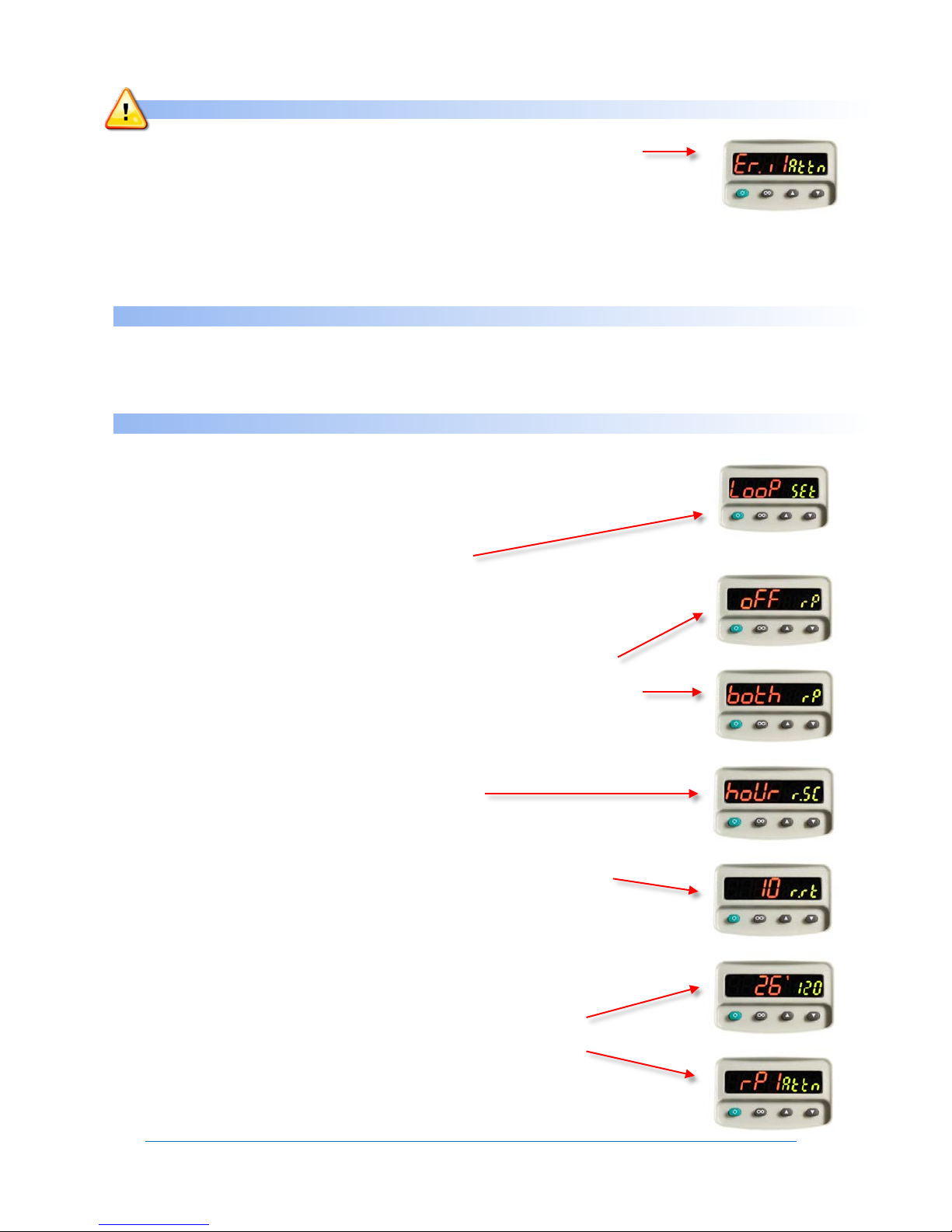
If “Er.il” “Attn” is displayed, verify that the Temperature Sensor is connected properly.
IIf the error persists, contact PIKE Technologies.
Do Not alter the sensor parameter or reset defaults without consulting PIKE Technologies first.
If the accessory does not heat up, check fuses and verify that the accessory power is connected.
IIf the problem persists, contact PIKE Technologies.
TO CHANGE SET POINT
Press and hold the up or down arrow until the Right Display indicates desired set point temperature.
Left Display indicates actual temperature.
TO IMPLEMENT A RAMP FUNCTION
1. Press the Up and Down arrow keys simultaneously for 6 seconds to enter the Operation menus
(Oper lit in green), and continue holding for another 4 seconds to enter the Setup menus (Set lit
in green).
2. Press the Up or Down Key until the Left Display Reads “Loop” (Setup Page: Loop Menu).
3. Press the Advance Key until the Right Display reads “rP” (ramp to set point mode).
a. Use the Arrow Keys to select “StPt” (ramp initiated after any set point change)
or “Str” (ramp initiated at start-up only) or “both” (ramp always active).
4. Press the Advance Key until the Right Display reads “r.SC” (ramp scale).
a. Use the Arrow Keys to select “hour” (degrees/hour) or “Min” (degrees/minute).
5. Press the Advance Key until the right display reads “r.rt” (ramp rate).
a. Use the Arrow Keys to set the rate (in degrees) for the set point ramp.
6. Press the Infinity Key to return to the Home Page.
7. Now when the set point is changed, the display will alternate between the target set point
value and “rPl Attn” to indicate that the control is ramping to the set point.
E-Mail: [email protected] · Web: www.piketech.com
 Loading...