

Page 1
Page 2
2
BI-300 Series Manual
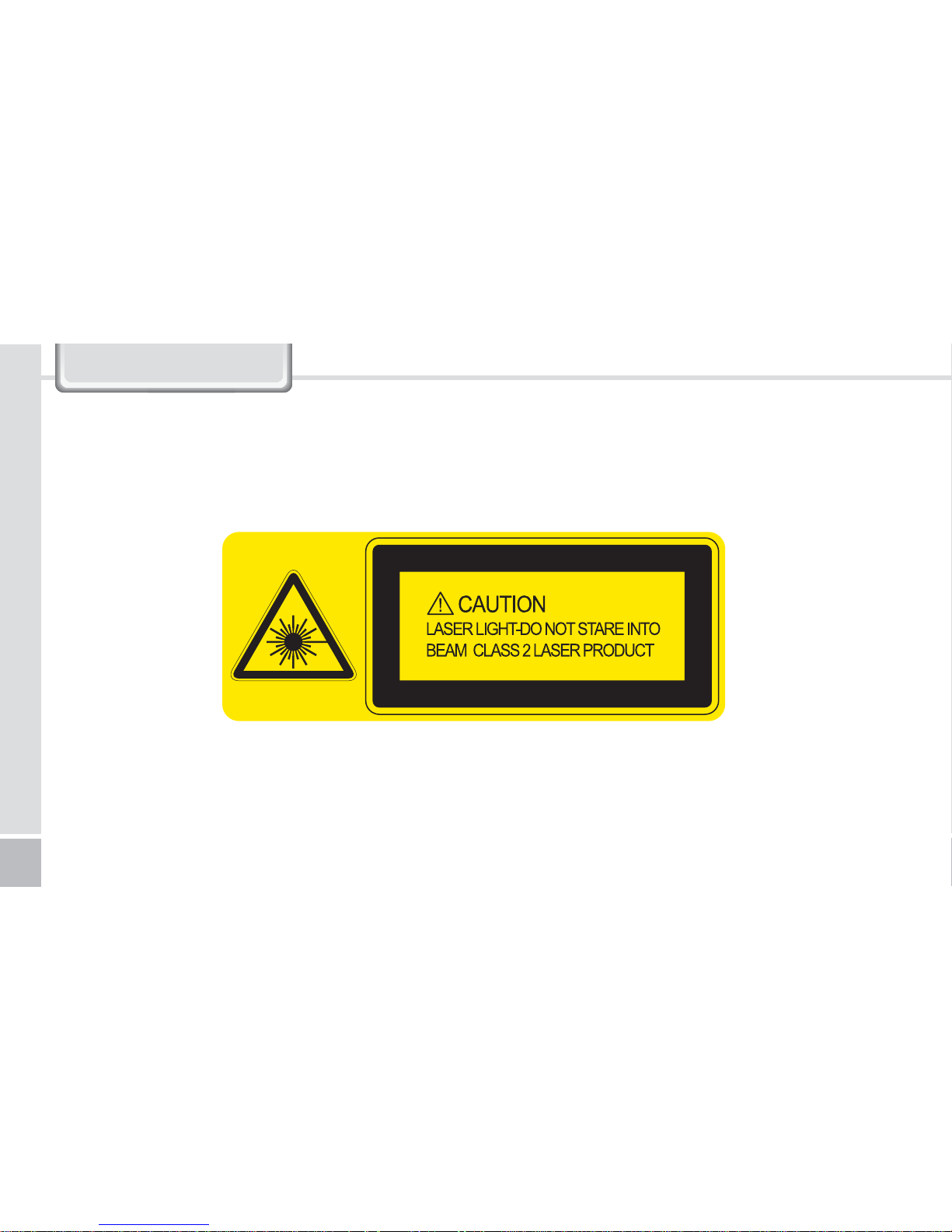
1. Laser Warning
Page 3
Cordless Barcode Scanner
3
Battery Precautions
Do not subject the battery to shock such as dropping, and do not disassemble. (Doing so can result in malfunction, shortening of
battery life, and/or danger from overheating.)
Do not place the battery near any source of heat such as a heater, microwave oven, etc. (Doing so can result in explosion.)
Only use authentic authorized batteries and chargers. (Neglecting to do so can result in explosion and/or fire, as well as
shortening of battery life.)
Do not allow the battery terminal (metal portion) to come into contact with any electricity-conducting object such as necklaces,
coins, etc. (Doing so can result in overheating of the battery and object in contact, thus posing the risk of fire.)
Do not leave the battery on a car dashboard under direct sunlight or in a sealed high-temperature area. Store indoors under
room temperature. (Neglecting to follow this instruction can result in explosion.)
Store in a place away from children and/or pets to prevent placing in mouth and/or biting. (Neglecting to do so can result in
product damage and/or bodily injury.)
Due to the nature of the battery, usage time may shorten even after fully charged due to low voltage.
2
2. Battery-Related
Battery Operation Temperature : 0°C to 40°C
CAUTION
RISK OF EXPLOSION IF BATTERY IS REPLACED
BY AN INCORRECT TYPE.
DISPOSE OF USED BATTERIES ACCORDING
TO THE INSTRUCTIONS
Page 4
4
BI-300 Series Manual
Battery Replacement1
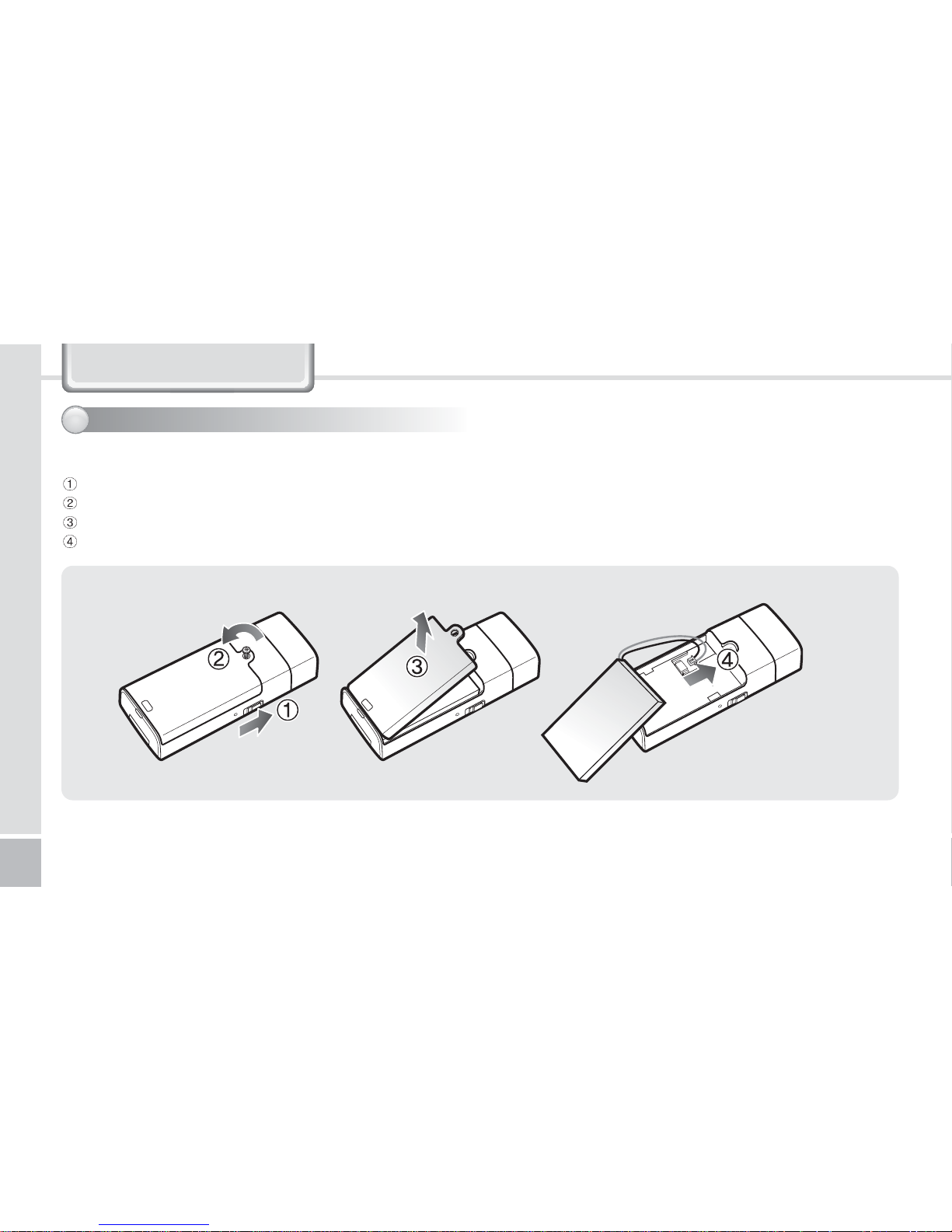
[Battery Removal]
Turn the BI-300 power off.
Turn the screw on the battery cover counter-clockwise to loosen, then remove.
Lift off the battery cover in the direction of the arrow.
Turn the screw clockwise to fasten firmly.
2
2. Battery-Related
Page 5
5
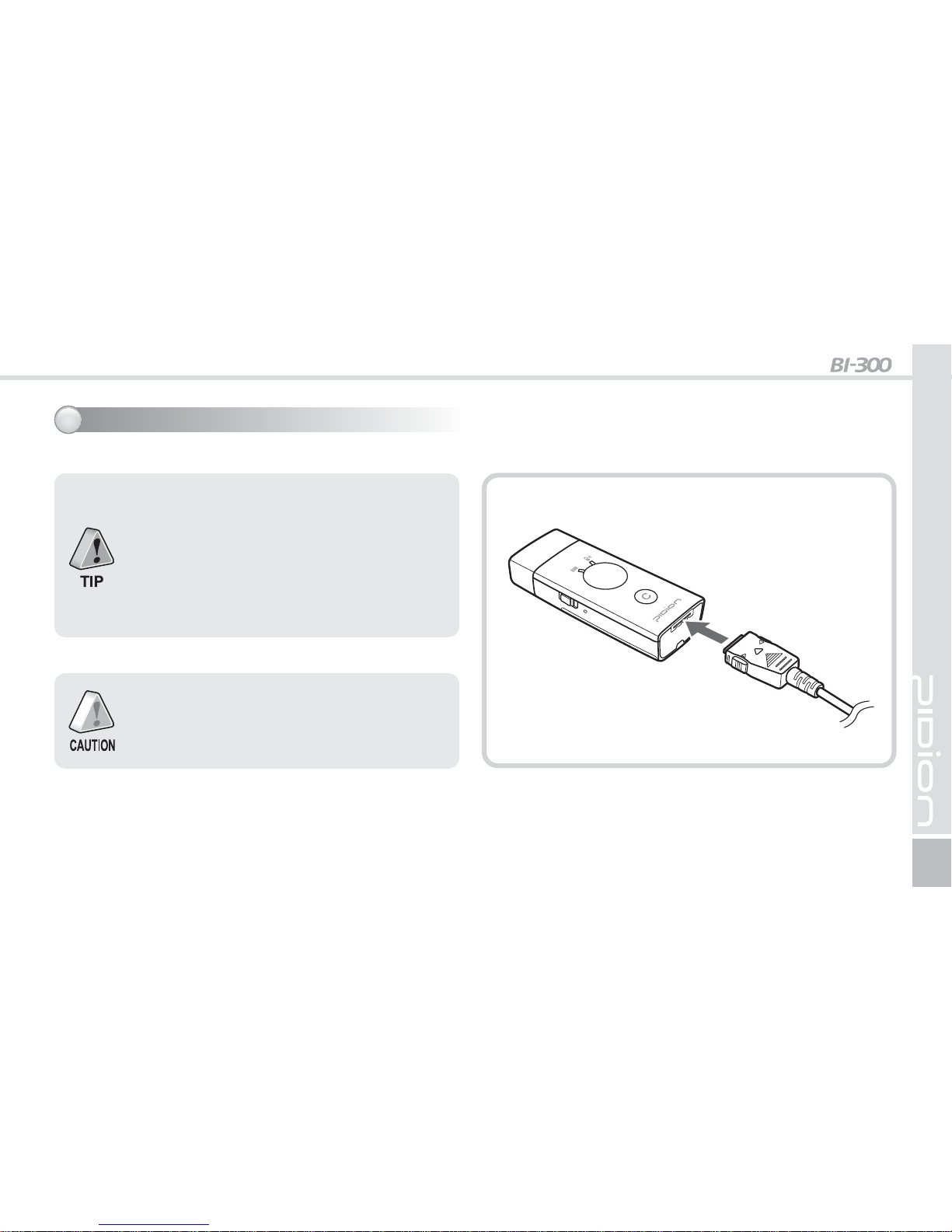
Make sure to use authentic products as the
battery may sustain damage and/or provide
reduced performance if the authorized charging
method and/or authentic charger are not used.
Cordless Barcode Scanner
Connect the charger to the 24pin connector jack at the bottom of the BI-300 and charge.
When the Charge Bluetooth lamp turns
orange and blinks slowly and continuously,
battery power is running low, and the battery
should be charged. During charging, the
Charge Bluetooth lamp blinks green and stays
lit in green when charging is complete.
(Charging Time: Approx. 2 hours 30 minutes)
Battery Charging2
Page 6
Wait before using product as the BI-300 booting
time is approximately one minute.
6
BI-300 Series Manual
3
3. Usage
Power On/Off1
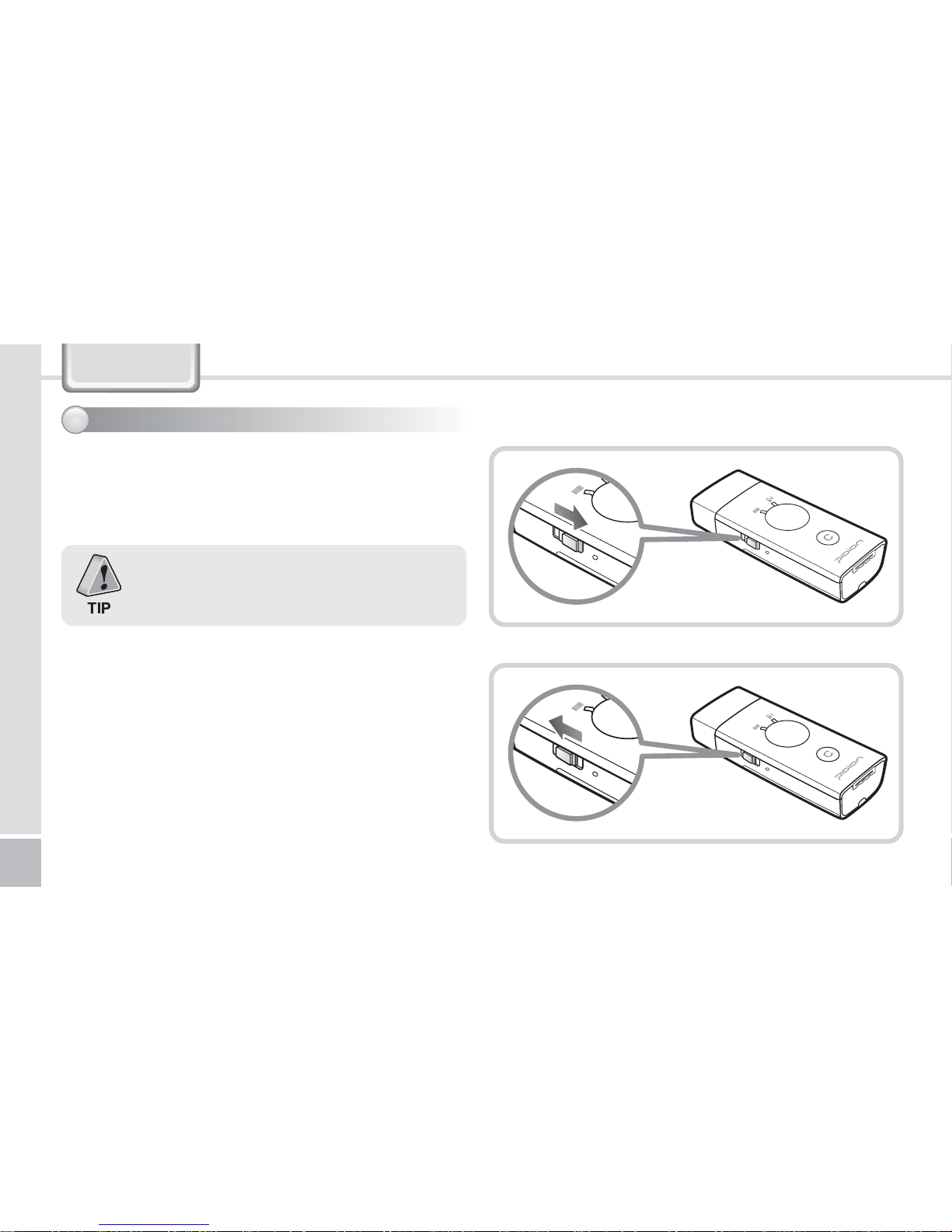
1. Turning Power On
Push the power button on the left side of the BI-300 to the
right as shown.
2. Turning Power Off
Push the power button to the left as shown.
Page 7
7
Cordless Barcode Scanner
Do not place the eyes of a person and/or pet near
the scanner exit window. Doing so can result in
retinal damage and/or reduced vision.
Barcode Scan Function2
1. Scanning
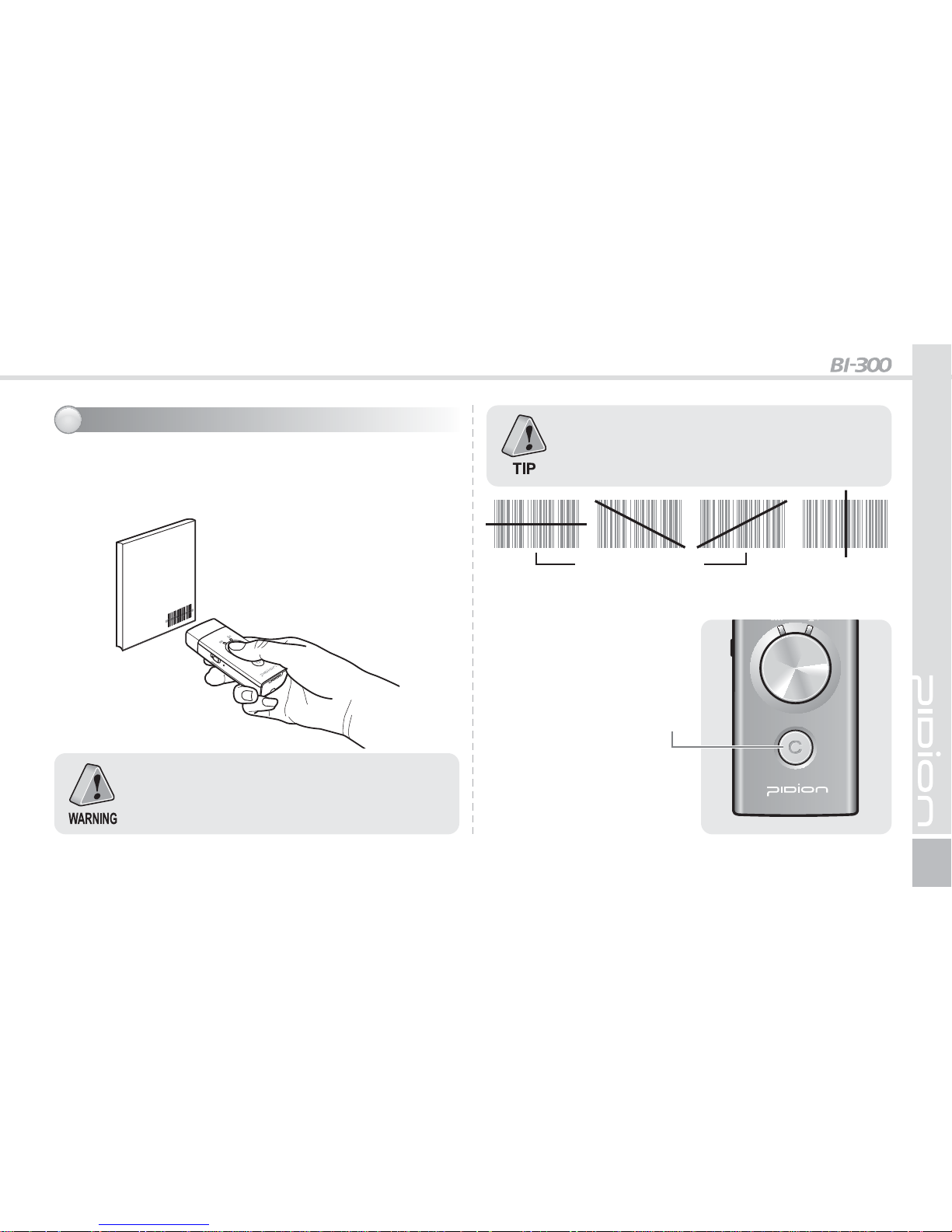
Point the barcode toward the scanner exit window as shown,
and press the Scan button to perform reading.
Barcodes can be read only when oriented in the
appropriate position as illustrated below.
2. Deletion
To delete a scanned barcode,
lightly press the cancel button
once.
3. Delete All
Pressing and holding the cancel
button for longer than six
seconds deletes all stored
barcode data.
Cancel button
Inappropriate
Position
Appropriate Positions
Page 8
8
BI-300 Series Manual
4. Features
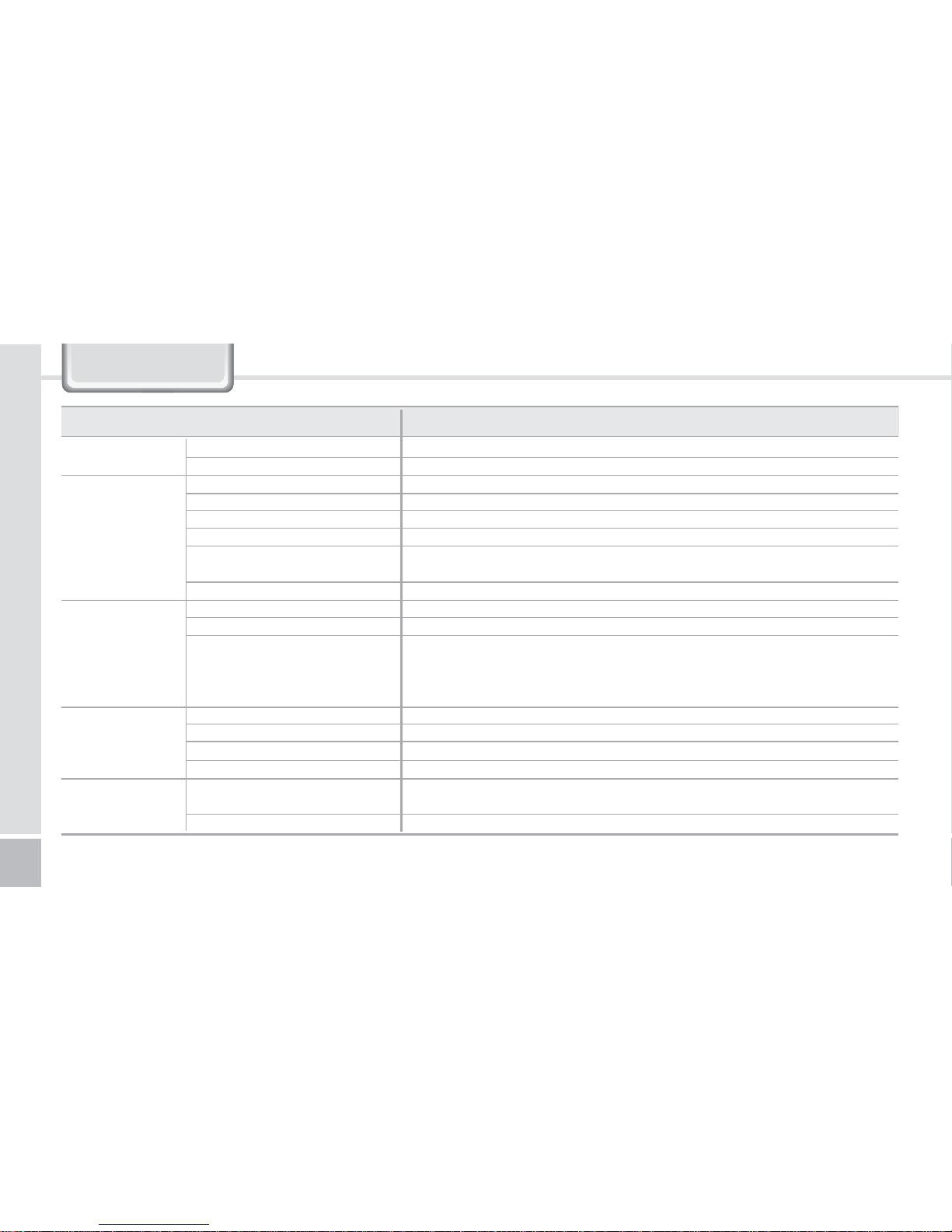
Division Specification
Physical
Functionality
Electrical
Environmental
Optical
Size
Weight
CPU
OS
RAM
ROM
Interface
Wireless
Battery
Charging time
Bluetooth
Temperature in operation
Temperature in storage
Humidity
Protection
Decode Capability
Barcode Alarm & Notifications
36 x 85 x 19 mm
including standard battery: 54g / excluding battery:38g
SAM SUNG
Linux
16MB
32MB
24pin Connector / RS-232C, USB Client, Keyboard Wedge, IBM 468X/9X,
Synapse and Undecoded
Bluetooth Class 1, distance 30~100m
710mAh Li-lon Battery
2~3 hours
Frequency: 2,402MHz ~ 2,480MHz / Power: 20uW / Type of emission: F1D
Modulation Method: GFSK / Communication mode: semi-duplex operation
Number of channels: 79 / Antenna Type: Chip ANT
Antenna Benefit:1.1dBi / No Additional Active circuit
-10 ~ +50°C
-40 ~ +60°C
0 ~ 95% (non-condensing)
IP30
UPC, EAN 13, CODE 39, Codabar, Interleaved 2 of 5, Code 93, Code 128, PDF417,
MSI Plessey, Code 11
Choosing Sound, Vibration or LED
Page 9
Customers Service Center Phone : +82-2-1588-1380
Bluebird constantly strives to bring utmost satisfaction to all our customers.
Hours
Mon.- Fri. : 9 A.M. ~ 6 P.M.
(GMT Time: +9 Hours)
We are not open on Saturday,
Sundays and National Holidays.
Phone : +82-2-1588-1380
Address : Customers Service Center
2nd Floor, 558-8, Sinsa-dong,
Gangnam-gu, Seoul, Korea
Customers Service Center
Page 10
2
BI-300 Series Manual
1. Laser W
arning
Page 11
2
BI-300 Series Manual
1. Laser W
arning
 Loading...