

Page 1
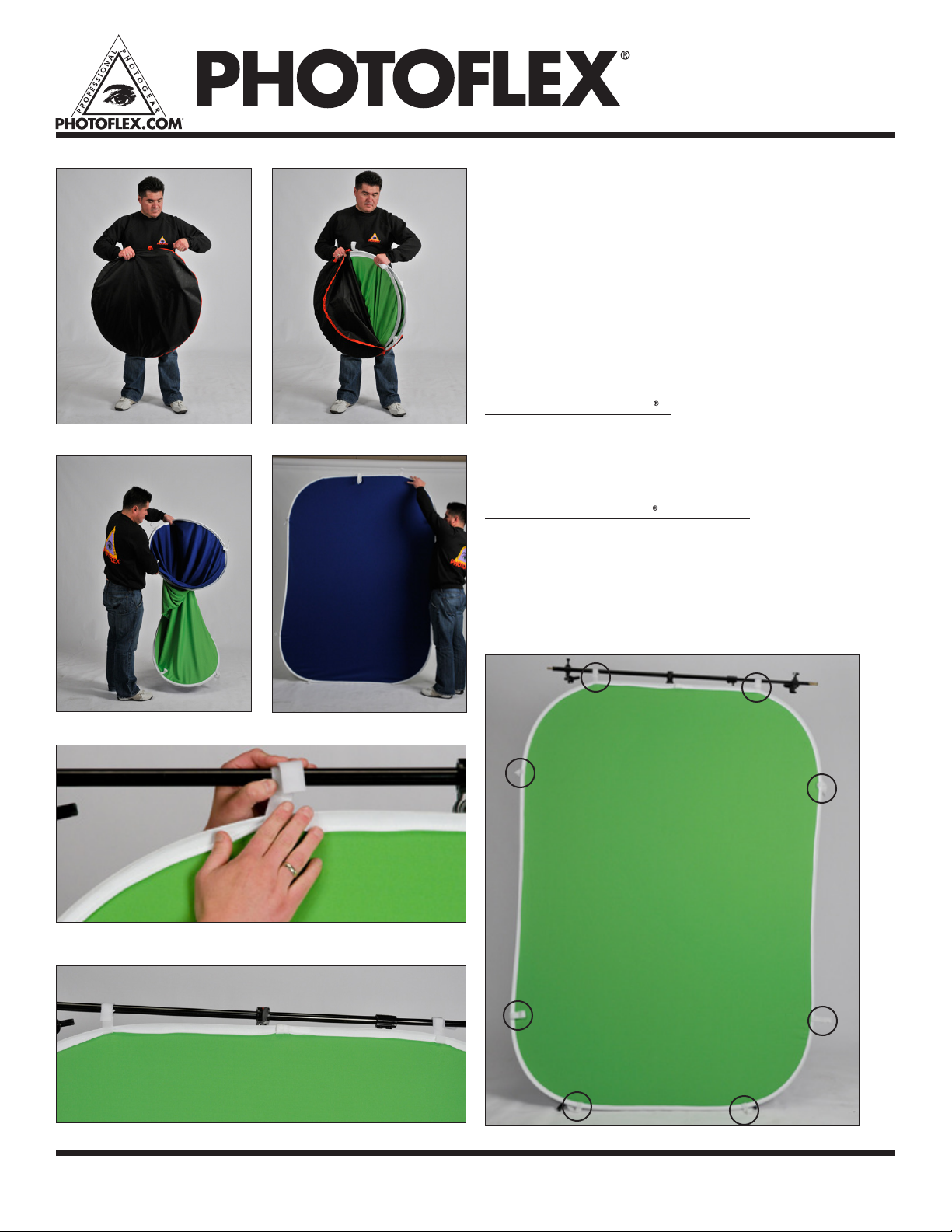
Figure 1
FlexDrop®2 | Instruction Manual • Item# BG-FLEXDROP2
FlexDrop®2 offers efcient ChromaKey ability in an
easy-to-use product. It has two ChromaKey colors
(Green/Blue) in one frame.
These instructions include:
• Unfolding the FlexDrop®2
• Attaching the FlexDrop®2 to the boom
• Folding the FlexDrop®2
• Alternate method for folding the FlexDrop
Unfolding the FlexDrop 2
1. Unzip the nylon carrying bag and remove the FlexDrop2.
2 Pull frame open.
3. FlexDrop2 will automatically snap into its natural shape.
Attaching the FlexDrop 2 to a Boom
4. The FlexDrop2 has two sets of Velcro® strip tabs on each of its four
sides (total of 8 hanging tabs) for use in securing it to booms or light
stands.
5. Use this same method to fasten other Velcro sections to your boom or
light stand.
®
2
Figure 2
Figure 4
Figure 5
For warranty registration and information, please visit www.photoflex.com®
Figure 3
Total of 8 hanging tabs
photoexlightingschool.com®
Page 2
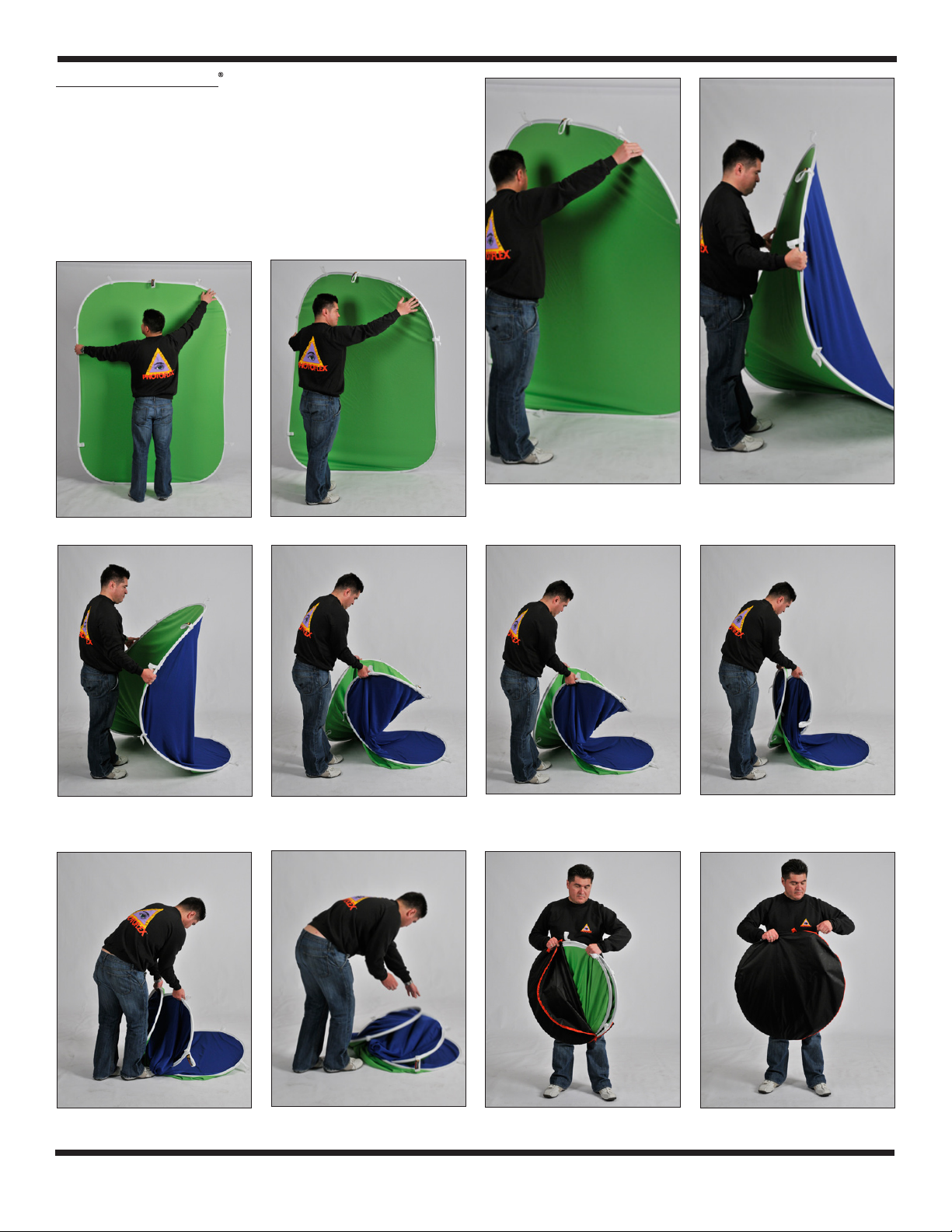
Folding the FlexDrop2
7. Folding the FlexDrop2 can seem tricky at rst, but once you do it a few
times, it's easy to do.
Notice the metal frame sewn into the FlexDrop2 is at and sturdy.
NOTE: The trick to folding is getting the metal frame to bend toward you
when beginning the fold.
8. With the FlexDrop2 standing vertically in front of you, place right hand (if
right-handed) on upper right corner of the disc. Loosely hold the left side of
the frame simultaneously.
Figure 6
Figure 10
Take a step backwards as the corner collapses to approximately waist
height.
Figure 7
Figure 11
Figure 8
Pull down on the corner in the diagonal direction while still holding loosely
onto the left side of the frame.
Figure 12
You should now be holding the frame in two hands and feel it beginning to
collapse.
Figure 9
Figure 13
Figure 14
Arrange the the stacked panel so it ts in the carry bag. Fits easily back into the provided nylon bag.
Figure 15
For warranty registration and information, please visit www.photoflex.com®
Figure 16 Figure 17
photoexlightingschool.com®
 Loading...