

Page 1
Page 2

目录
目录
目录
目录
1 欢迎
2 重要须知
3 您的 数码录音笔
4 开始使用
5 录音
6 语音模式
7 音乐模式
8 调频模式
9 无线模式
10 无线麦克风使用说明
11 系统设置
12 常见问题
13 技术参数
Page 3

3
1
1
1
1 欢迎
欢迎
欢迎
欢迎
欢迎来到飞利浦世界!您能选择和购买飞利浦的产品,我们
非常高兴。您可在我们的官方网站上获得飞利浦公司的全方位技
术支持,如:使用手册、软件下载、保修信息等。
www.philips.com
产品特点
产品特点
产品特点
产品特点
• 一键录音: 仅仅拨上录音开关即可实现录音,拨下保存录音。
• 数字降噪: 能有效地对录音环境周围的噪声给予滤除,从而
可以清晰地记录有效的声音。(此功能只建议在嘈杂的环境中
使用)
• 以常见的 MP3 格式录音。
• 使用高速 USB 2.0 快速存取录音和数据。
• 声控录音功能。
• 可作为大容量的 USB 存储设备,确保最大的兼容性。
Page 4
4
2
2
2
2 重要须知
重要须知
重要须知
重要须知
安全
安全
安全
安全
• 为了避免短路,切勿将产品放置在触水受潮处。
• 不要将产品放在加热设备附近或阳光直射的地方。
• 请注意,切勿挤压电缆,特别是插头处。
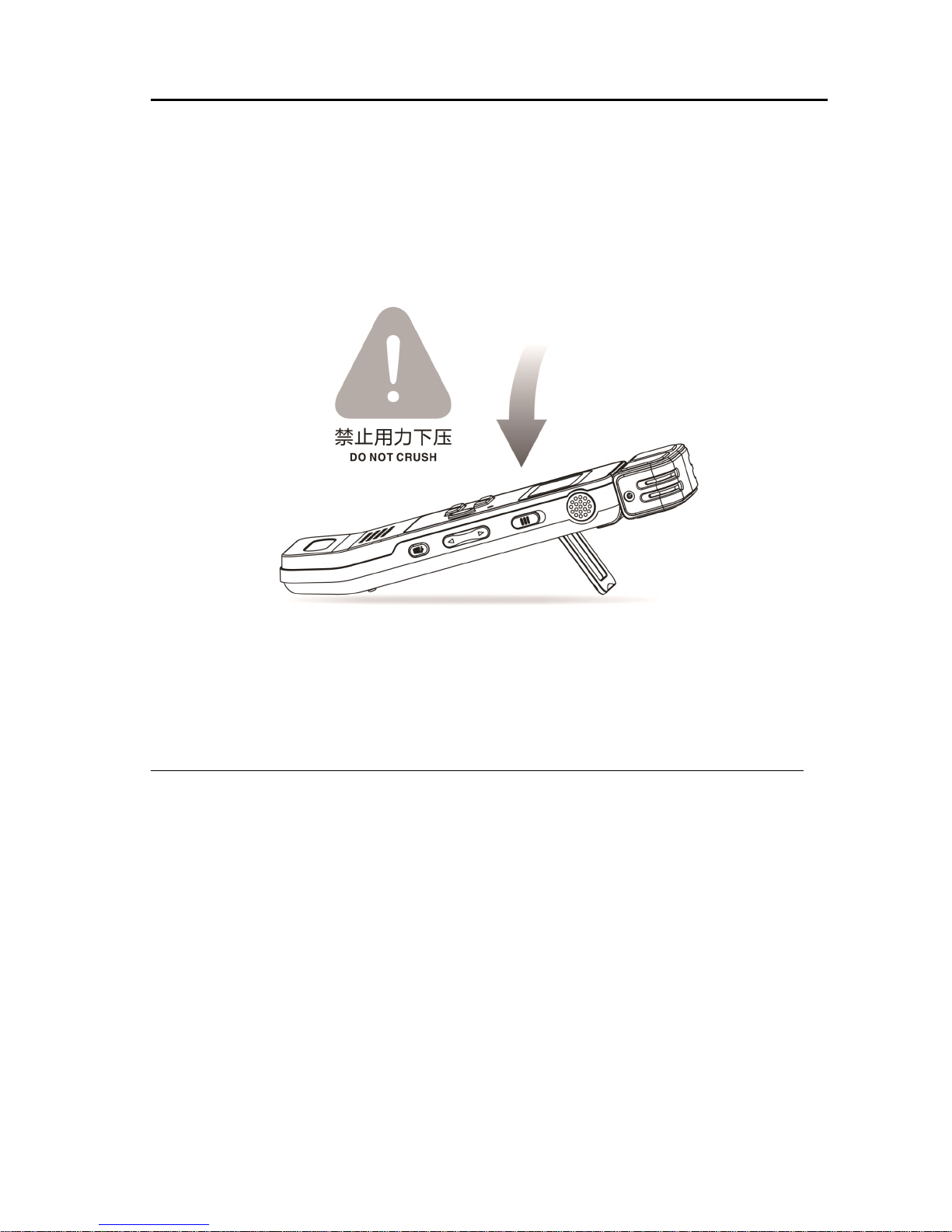
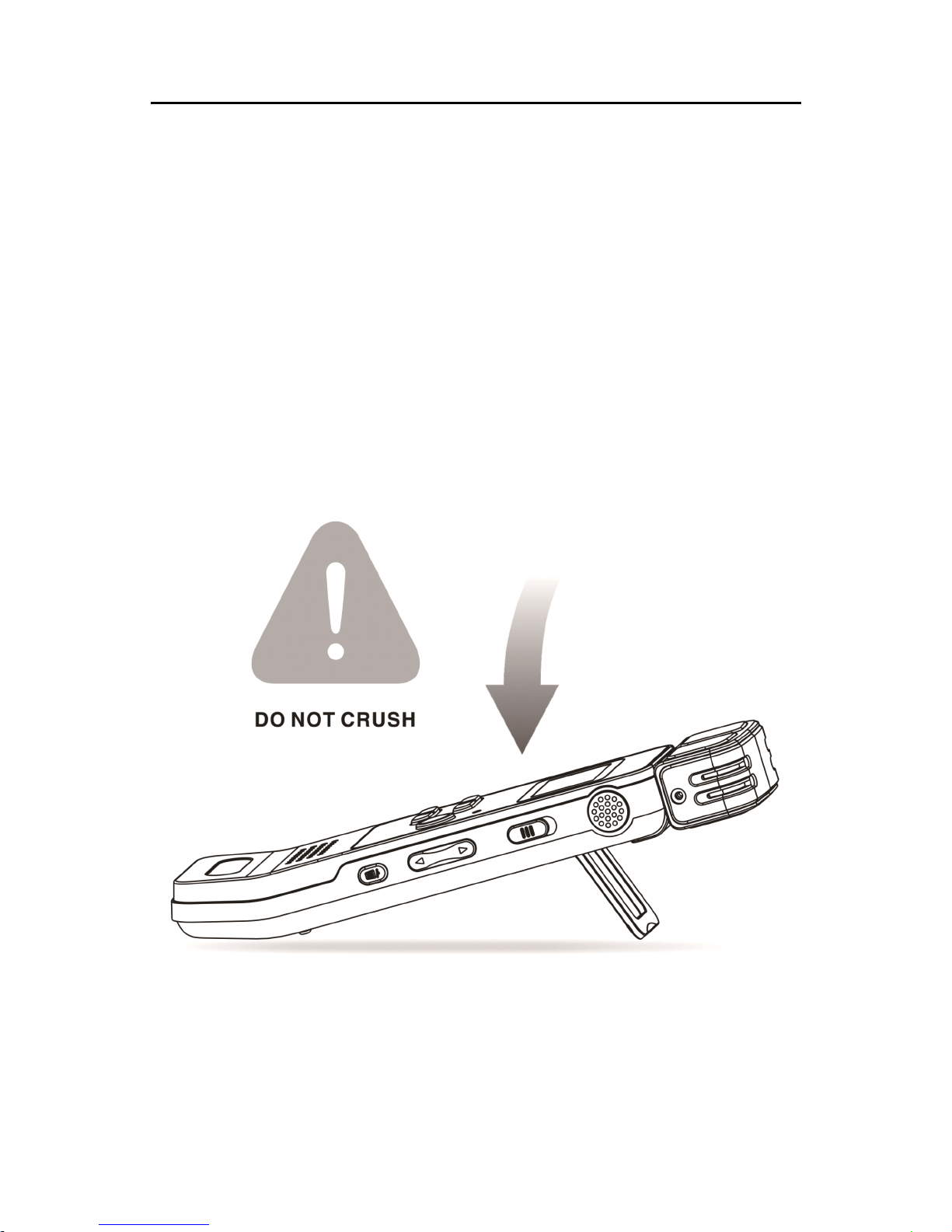
• 请注意,当支架打开时,请不要按压该产品。
特别声明
特别声明
特别声明
特别声明 :
:
:
: 使用本产品前请仔细阅读本说明书
使用本产品前请仔细阅读本说明书
使用本产品前请仔细阅读本说明书
使用本产品前请仔细阅读本说明书 ,
,
,
, 如因人为操作或
如因人为操作或
如因人为操作或
如因人为操作或
不可抗力因素而导致数据丢失
不可抗力因素而导致数据丢失
不可抗力因素而导致数据丢失
不可抗力因素而导致数据丢失 ,
,
,
, 本公司一概不予负责
本公司一概不予负责
本公司一概不予负责
本公司一概不予负责 。
。
。
。 特别提醒
特别提醒
特别提醒
特别提醒
用户小心操作,注意将资料另外备份。
用户小心操作,注意将资料另外备份。
用户小心操作,注意将资料另外备份。
用户小心操作,注意将资料另外备份。
听力保护
听力保护
听力保护
听力保护
使用耳机时请遵守下列原则:
• 调整至合适的音量,切勿长时间使用耳机。
• 特别需要注意,切勿将音量调至耳朵所能承受的范围之外。
• 切勿将音量调至盖过周边环境的声音。
• 在危险情况下请小心或暂停使用耳机。
• 在驾驶汽车、骑自行车、玩滑板时,切勿使用耳机。否则会
导致交通意外,且违反相关法律法规。
Page 5
5
3
3
3
3 您的
您的
您的
您的 数码录音笔
数码录音笔
数码录音笔
数码录音笔
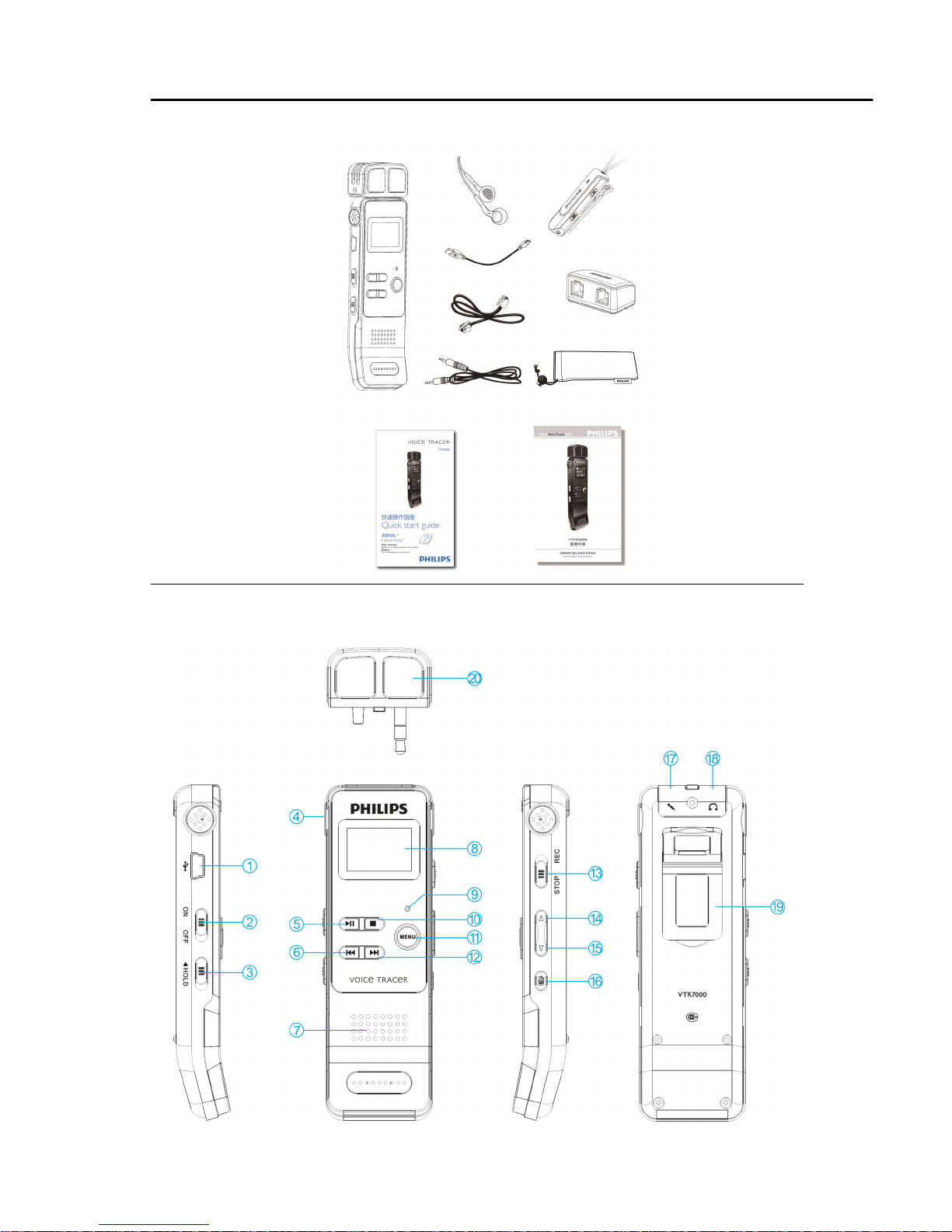
供货范围:
供货范围:
供货范围:
供货范围:
概览:
概览:
概览:
概览:
Page 6

6
1. USB 接口
2. 电源开 / 关
3. 锁定键( HOLD )
4. 内置麦克风
5. 播放 / 暂停
6. 上一曲、快退、菜单项选择键
7. 喇叭
8. 显示屏
9. 录音 / 播放指示灯
10. 停止键、文件夹切换键
11. 菜单键
12. 下一曲、快进、菜单项选择键
13. 录音键
14. 音量加键、菜单项选择键
15. 音量减键、菜单项选择键
16. 删除键
17. Line in 插孔、麦克风插孔
18. 耳机插孔
19. 支架
20. 外置麦克风
Page 7
7
4
4
4
4 开始使用
开始使用
开始使用
开始使用
开
开
开
开 /
/
/
/ 关机
关机
关机
关机
注意:
注意:
注意:
注意: 第一次使用机器时,请对该机器充电三小时以确保机
器有电工作!
(1) 当电源开关处于 “ 关 ” 位置时 , 则本机断开电源 , 不能开机 。
(2) 当电源开关由 “ 关 ” 拨到 “ 开 ” 位置后 , 本机立即自动开机
,
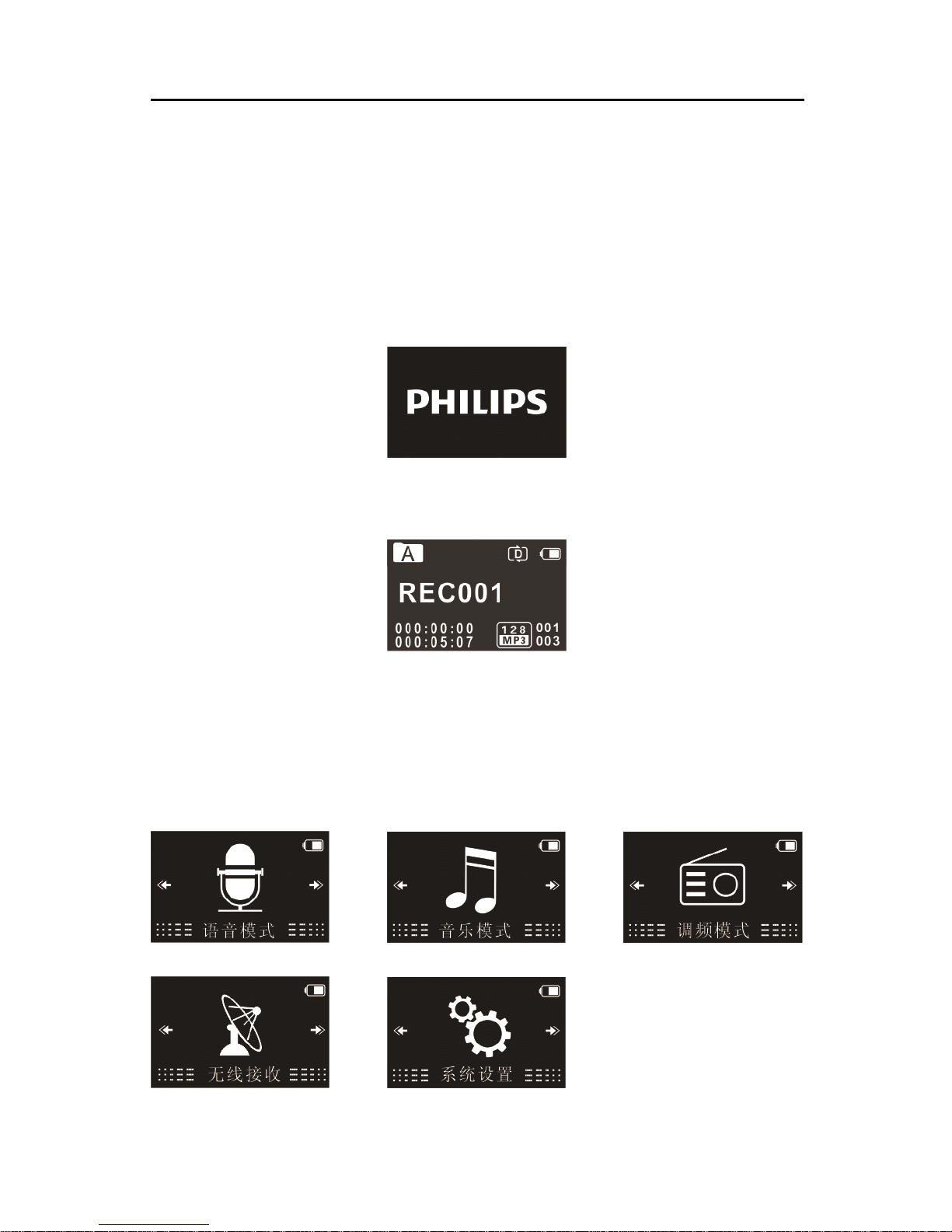
然后显示 “ PHILIPS ” ,如下图所示 。
然后机器进入录音文件停止播放界面 , 如下图所示:
在此界面长按 MENU 键约 2 到 3 秒钟,机器返回主界面。
在主界面中包含有五个模块。下面五张图片分别代表:语音 、 音
乐、调频、无线接收和系统设置模块。
Page 8
8
注意
注意
注意
注意 :
:
:
: 除了录音过程中 , 在其他任何界面下 , 长按 MENU 键约 2
到 3 秒可返回到主界面。
此后,本机的开机 / 关机由播放键控制,具体如下:
关机:在开机状态下,长按播放键直到显示 “ ByeBye ” 关机。
开机 : 在关机状态下 , 长按播放键开机 , 直至屏幕上显示开机画
面 “ PHILIPS ” 。
提示
提示
提示
提示
• 本机使用内置锂电池供电 , 如果长时间不使用录音笔 , 请把
电源开关拨到 “ OFF ” 位置。
• 如果录音笔无法正常工作,请确认机器是否已没电。
• 机器工作过程中 , 请勿直接把电源切断 , 否则会损坏文件或
导致机器导常。
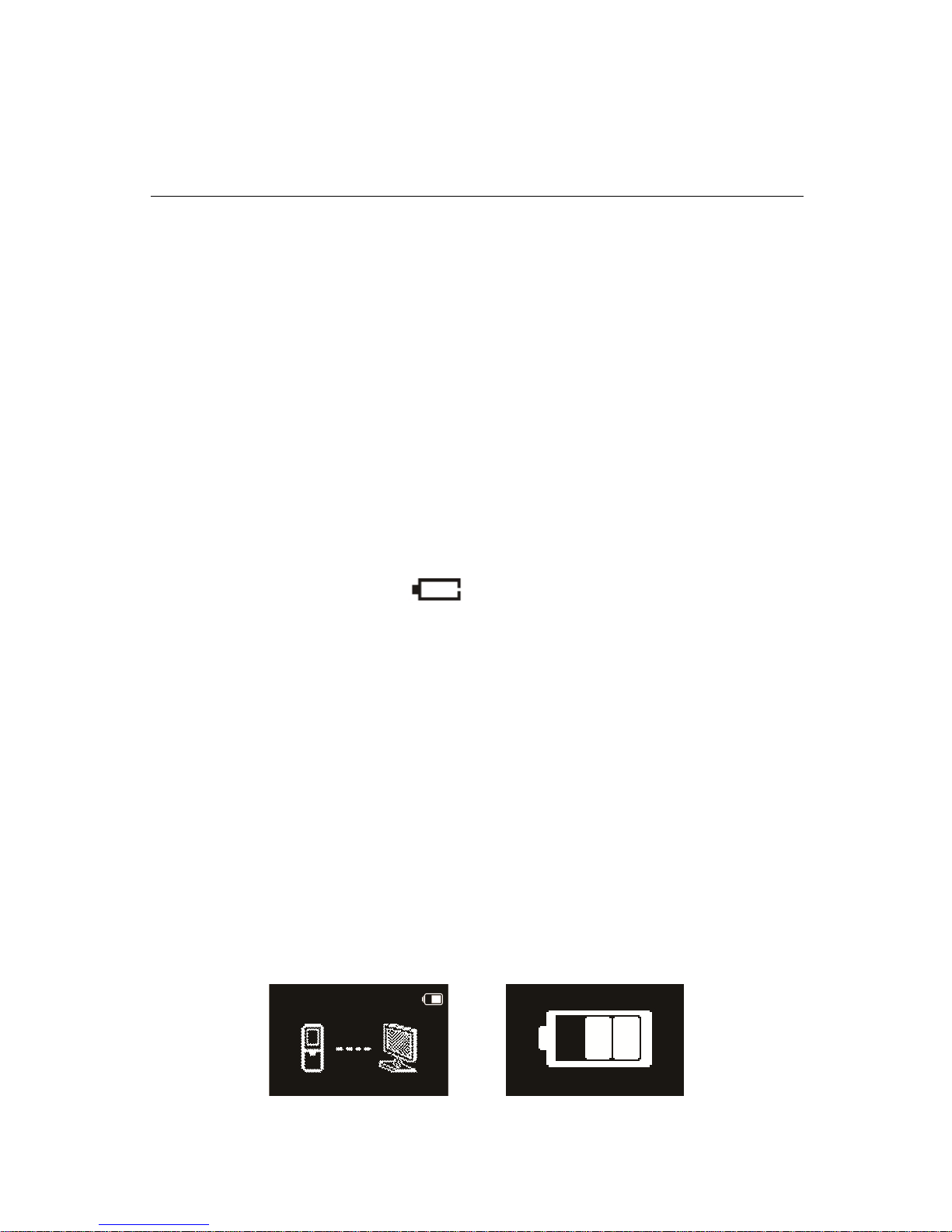
• 当电量指示标志为 “ ” 时,请及时充电。
充电方法
充电方法
充电方法
充电方法
注意:
注意:
注意:
注意: 充电前,请先将电源开关键拨到 “ ON ” 位置。
(1) 使用 USB 数据线将本机与 PC 相连接, 如下左图所示。
(2) 使用专用充电器充电, 如下右图所示 。
当采用以上方法连接后 , 本机进入充电状态 。 电量指示标志
由空到满循环变化 , 表示本机现正处于充电状态 , 充电指示灯橙
色灯常亮。一般情况下,充满电需要 3 小时左右。充满电时 , 电
池符号显示满格,橙色灯灭。
Page 9
9
注意
注意
注意
注意 :
:
:
: 当录音笔与电脑连接时 , 对录音笔的手动操作将无效 。
按键
按键
按键
按键 锁定(
锁定(
锁定(
锁定( HOLD
HOLD
HOLD
HOLD 功能)
功能)
功能)
功能)
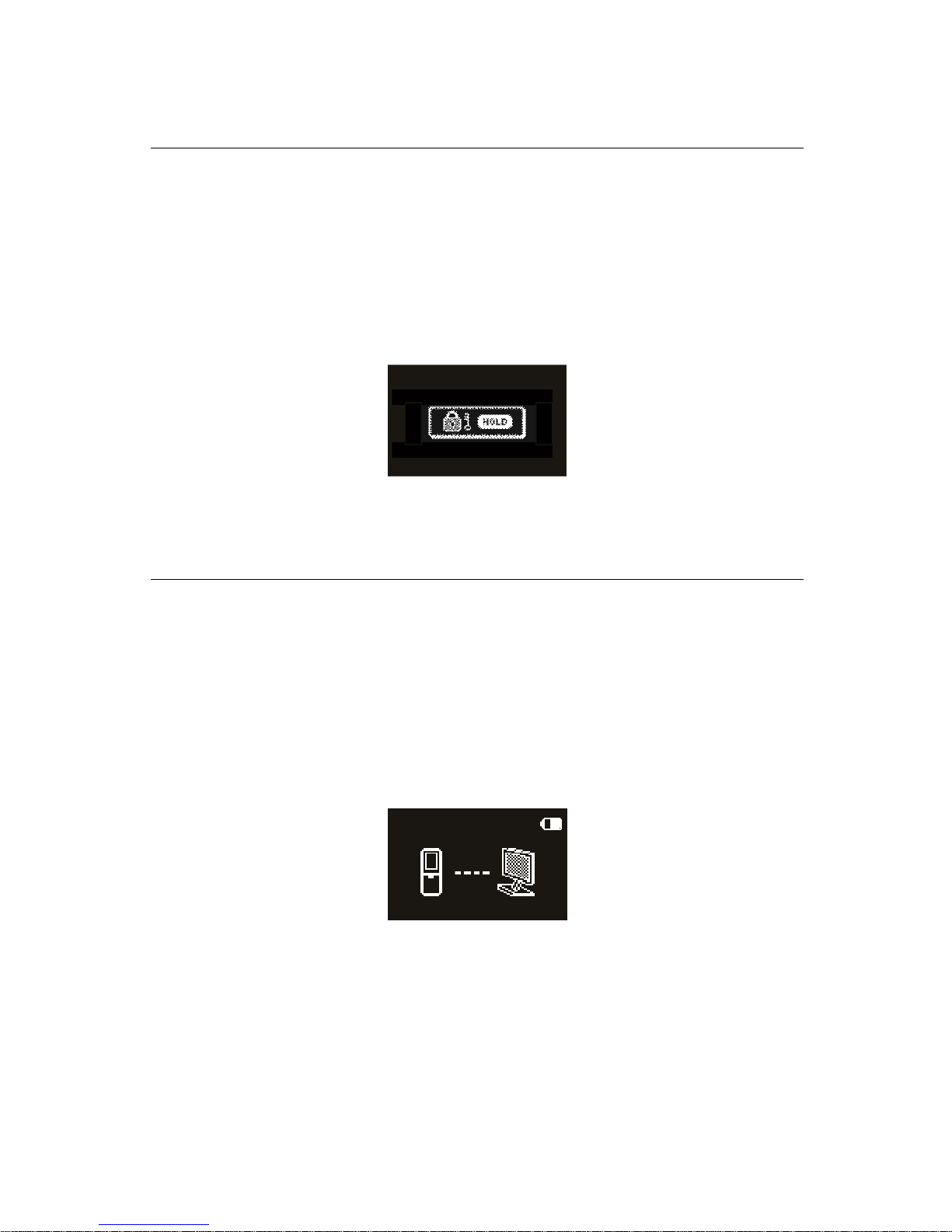
(1) 将 “ 锁定 ” 开关向上推至锁定位置 , 锁定录音笔上除了拨动
录音键的所有按键。然后屏幕上短暂显示 “ Hold ” 后 , 随
即消失,如下图所示。
(2) 要解除按键锁定 , 请将 “ 锁定 ” 开关向下推至 “ OFF ” 位置 。
连接电脑
连接电脑
连接电脑
连接电脑
录音笔可作为大容量的 USB 存储设备,并可方便地对文件
进行存储、备份和移动。可使用 USB 数据线将录音笔与电脑相
连 , 且无须安装软件 , 录音笔会自动显示为可移动设备 , 连接电
脑图标如下图所示。
提示
提示
提示
提示 :
:
:
:
在文件移入或移出录音笔时,请不要断开录音笔与电脑的连
接。
当录音笔与电脑连接时,对录音笔的手动操作将无效。
Page 10
10
5
5
5
5 录音
录音
录音
录音
当您初次使用录音笔录音时,请注意本节中的内容说明!
(1) 在语音模式停止状态下,按 “ 停止 ” 键,选择所需文件夹。
(2) 把录音键拨到录音状态开始录音 ; “ 录音 / 播放 ” 指示灯将亮
红灯; 请将内置麦克风对准音源。
(3) 按 “ 播放 ” 键暂停录音 , 红灯闪烁 , 显示屏显示 “ 录音暂停 ” 。
(4) 再次按下 “ 播放 ” 键,继续录音。
(5) 把录音键拨到停止状态结束录音,并回到当前录音文件的停
止播放界面。
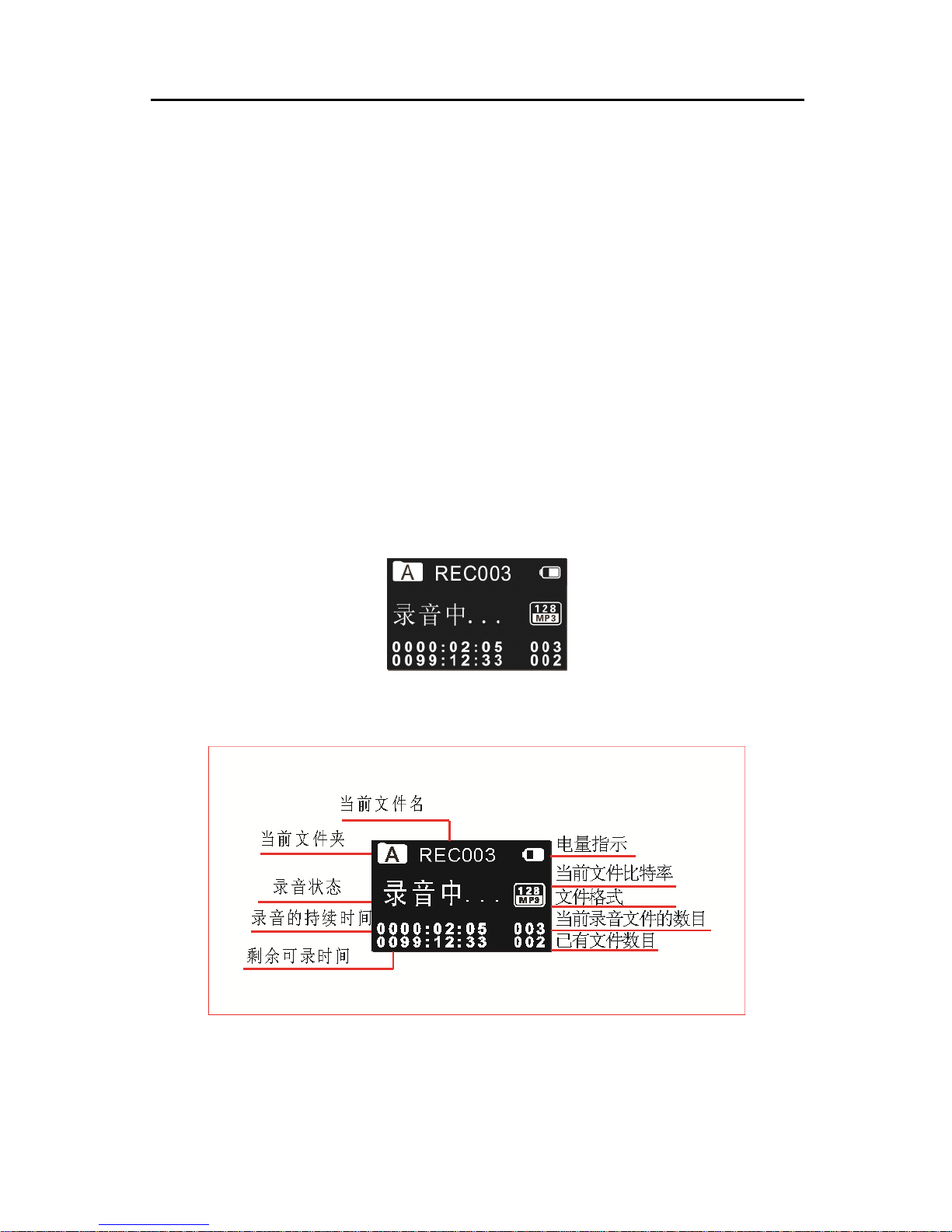
录音参考界面如下如所示:
录音参考界面如下如所示:
录音参考界面如下如所示:
录音参考界面如下如所示:
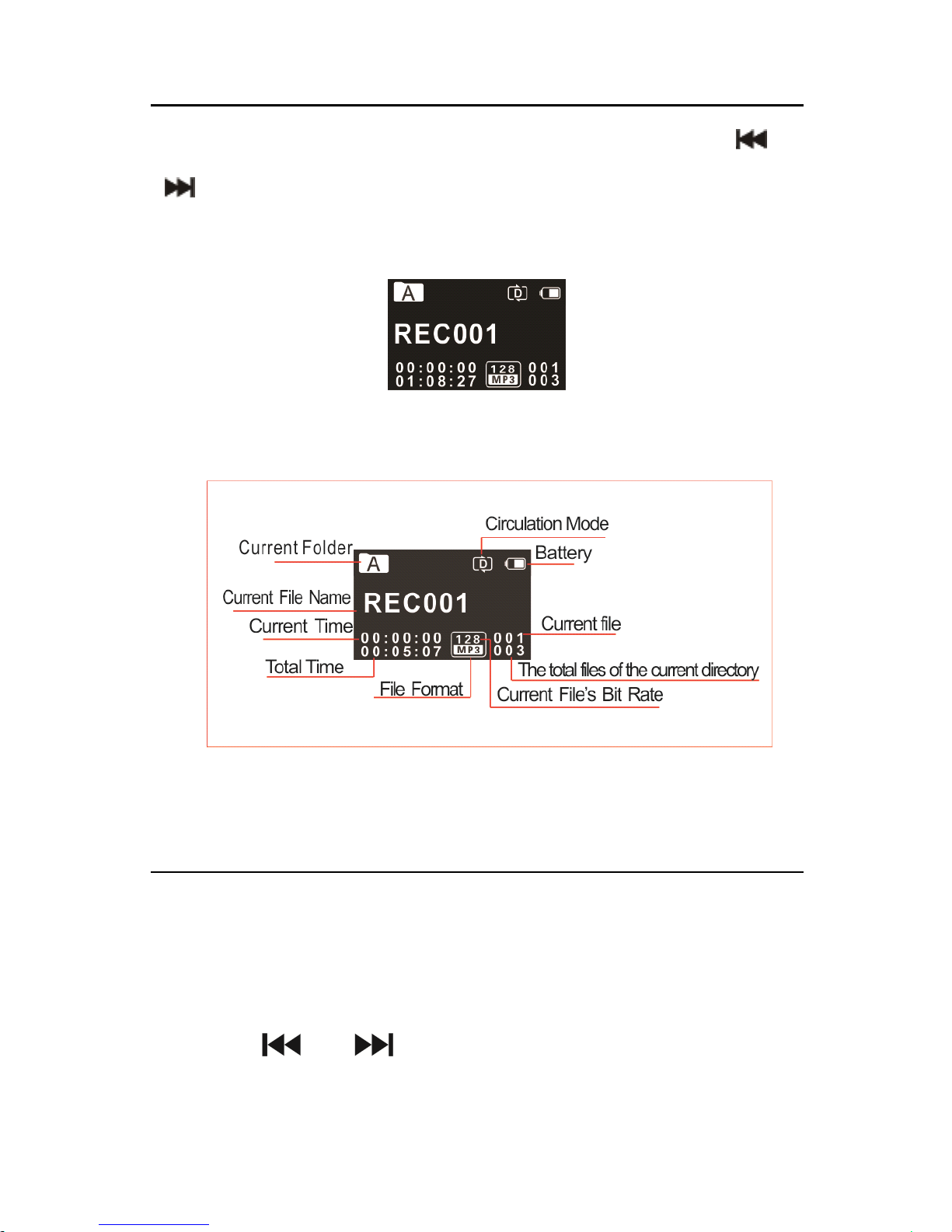
录音界面说明
录音界面说明
录音界面说明
录音界面说明 :
:
:
:
Page 11
11
注意
注意
注意
注意 :
:
:
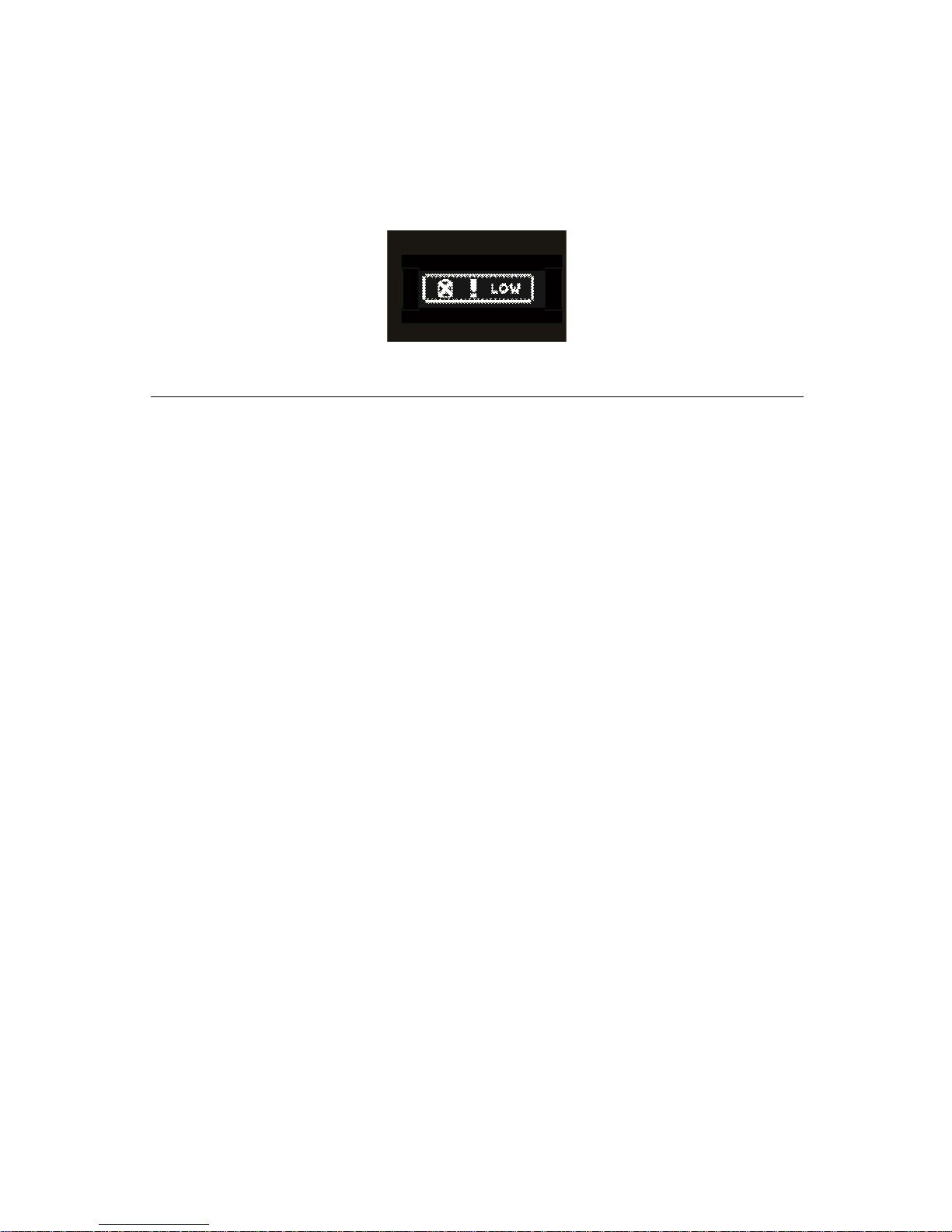
: 电池标记符显示空格时 , 表明低电 。 低电时系统会自
动关机 。 如果正在录音 , 系统自动保存录音文件后再关机 。 电量
不足时,请及时充电。低电时提示的参考图标如下所示 。
提示:
提示:
提示:
提示:
• 录音前,请先设置所需的声控录音功能和录音类型。注意
:
在停止状态下,按停止键,可以在 A , B , C , D 和 MUSI C
五个文件夹之间进行转换 。 录音文件可以在 A , B , C , D 这
四个文件夹中进行存储 , 每个文件夹能存储 99 个录音文件
,
当一个录音文件夹存满 99 个后,系统会把随后录入的文件
自动存储在下一个文件夹中,如果,四个文件夹全部录满
,
要再进行录音,请先删除一些不必要的文件再录。
• 请先测试录音,以确保录音笔设置正确。
• 每个目录最多可存储 99 个文件 , 总共可容纳 396 个文件
( 99 文件 x 4 目录 ) 。
• 当录音时间超过录音笔可用容量或达到最大 396 个文件数
量的上限时,录音停止。请删除部分录音或将其移至电脑 。
• 录音时请勿断电,否则这会导致录音 信息丢失和文件损坏 。
• 如果需要长时间录音,请在录音前充电。
Page 12
12
• 录音笔在充满电后可以录音 25 个小时。
• 使用本机所附带的外置麦克风录音,将会获得更好的录音音
质。
使用外置麦克风录音
使用外置麦克风录音
使用外置麦克风录音
使用外置麦克风录音
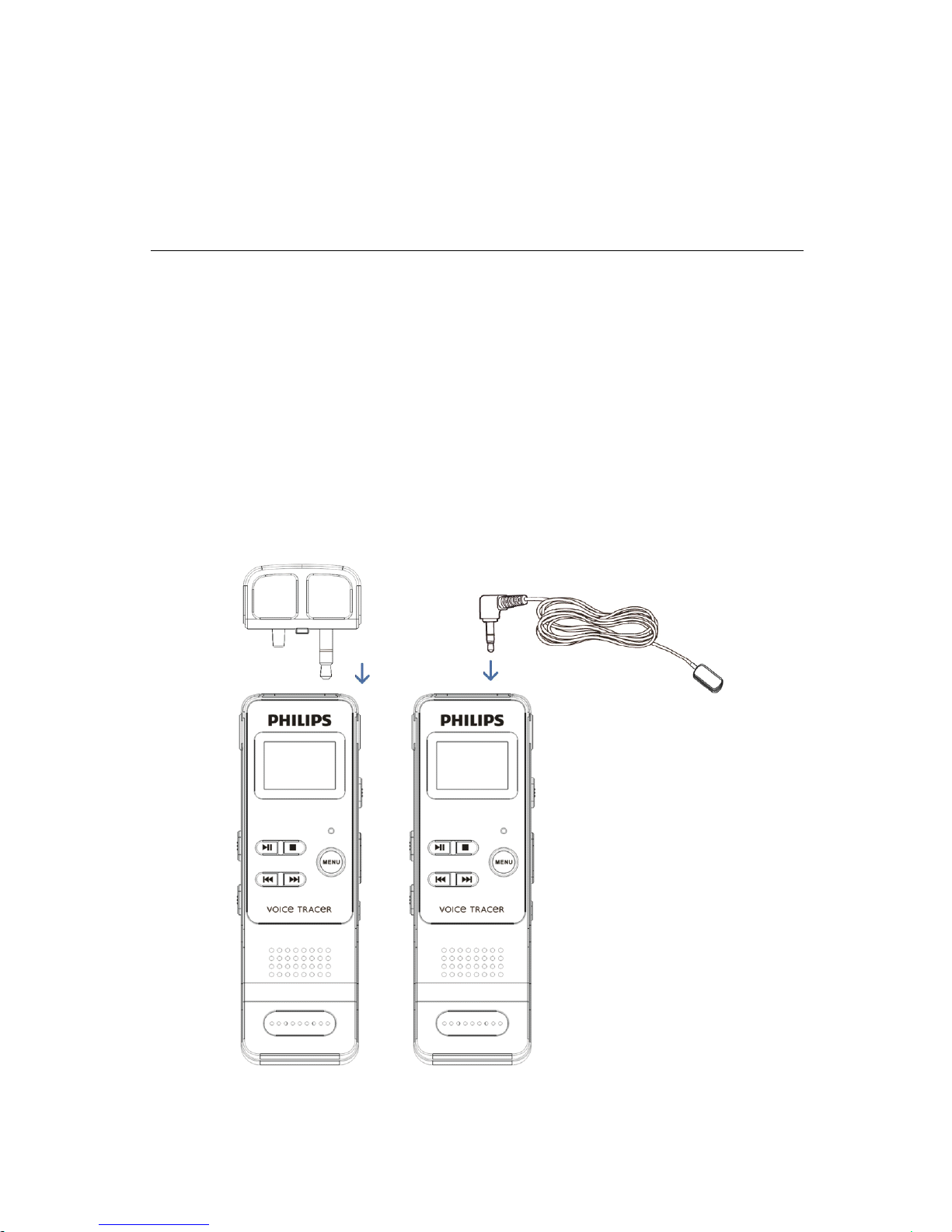
当您使用外置麦克风录音时,请先将麦克风插入 Line in 插
座,并按照内置麦克风的录音程序进行录音。当您连接到外置麦
克风时,内置麦克风将自动关闭。注意外置麦克风的接口一定要
是双声道接口,如下图所示。
Page 13
13
6
6
6
6 语音模式
语音模式
语音模式
语音模式
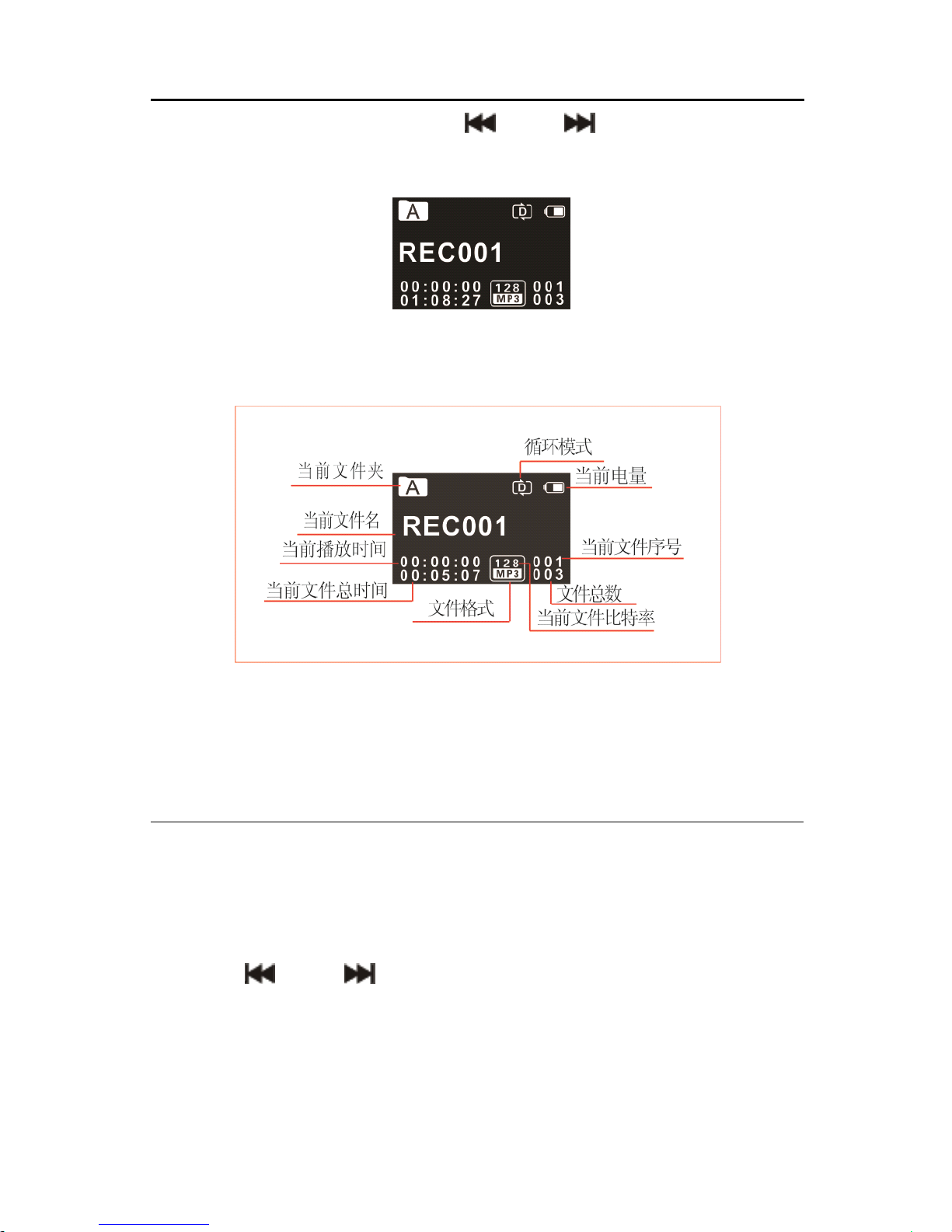
在主界面下,你可以使用 “ ” 和 “ ” 选择语音模式 , 然
后短按菜单键确认进入。语音停止界面参考图片如下图所示:
语音文件播放界面说明:
语音文件播放界面说明:
语音文件播放界面说明:
语音文件播放界面说明:
注意:
注意:
注意:
注意: 在停止状态下,按停止键,可以在 A , B , C , D 和
MUSIC 五个文件夹之间进行转换。
语音播放:
语音播放:
语音播放:
语音播放:
(1) 在录音文件停止播放模式下 , 按 “ 停止 ” 键 , 选择所需文件
夹。
(2) 按 “ ” 或 “ ” 键,选择要播放的文件。
(3) 按 “ 播放 ” 键开始播放 , “ 录音 / 播放 ” 指示灯将亮绿灯。
(4) 使用 “▲” 键或 “▼” 键调节音量。
(5) 按 “ 停止 ” 键结束播放 。 在停止播放状态下 , 长按 “ MENU
”
Page 14
14
键约 2 秒返回到主界面。
(6) 播放过程中 , 按播放键暂停播放 , 再次按下播放键 , 将继续
先前位置的播放。
(7) 播放时长按 “ ” 或 “ ” 键,可快退或快进当前正在播
放的文件。
提示
提示
提示
提示 :
:
:
:
当耳机插入插孔内,录音笔扬声器将停止工作。
选择要播放的录音文件后 , 短按播放键播放 , 在播放过程中
,
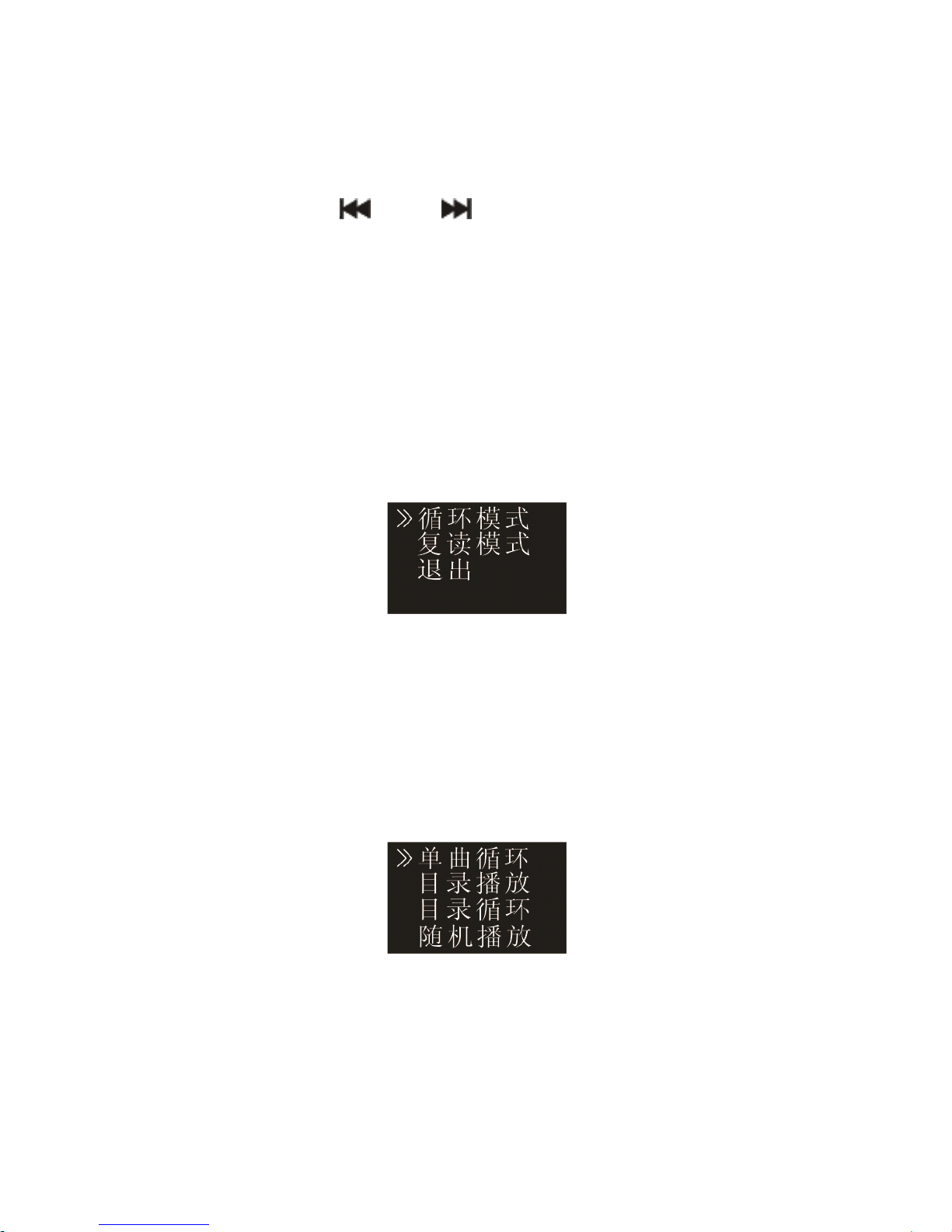
短按菜单键,弹出如下播放菜单列表:循环模式,复读模式 。 参
考界面如下:
(1) 循环模式
如上图选中 “ 循环模式 ” 菜单 , 再按菜单键 , 将会进入到循
环模式选择菜单 , 你可以选择你需要的循环模式 , 参考界面如下
图所示:
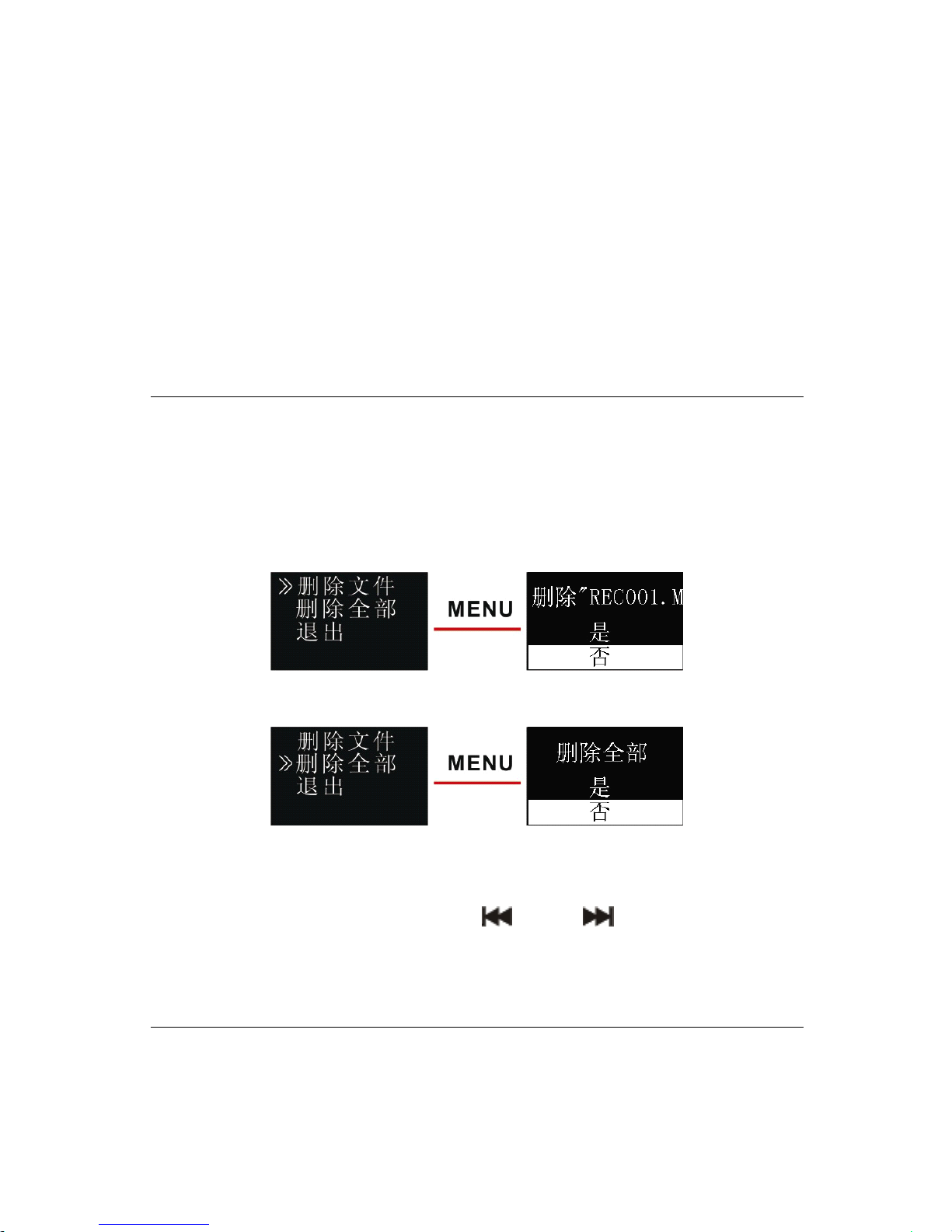
单曲循环:一直循环播放选中的当前曲文件。
目录播放 : 顺序播放选中目录的文件 , 全部播放完一遍当前目录
的文件后自动停止播放。
Page 15
15
目录循环:循环播放选中目录的文件。
随机播放:随机播放当前选中目录的文件。
(2) 复读模式
在播放菜单列表中选择 “ 复读模式 ” 菜单 , 再按菜单键将进
入复读模式。 A-B 复读的具体操作请参考 “ 音乐播放 ” 部分 的
A-B 复读操作部份。
删除文件
删除文件
删除文件
删除文件
在停止播放录音文件界面下 , 按住删除键两秒 , 将会显示如
下第一张图所示界面。下面为执行删除操作的相关参考图片:
在左边界面 , 使用 “ ▲ 键 ” 或 “ ▼ 键 ” 选择删除单个文件或
所用文件;在右边界面,使用 “ ” 和 “ ” 选择 “ 是 ” 确认
删除 , “ 否 ” 保持文件;按菜单键执行命令。
个性化设置
个性化设置
个性化设置
个性化设置
你可根据个人喜好进行以下相应设定。
Page 16
16
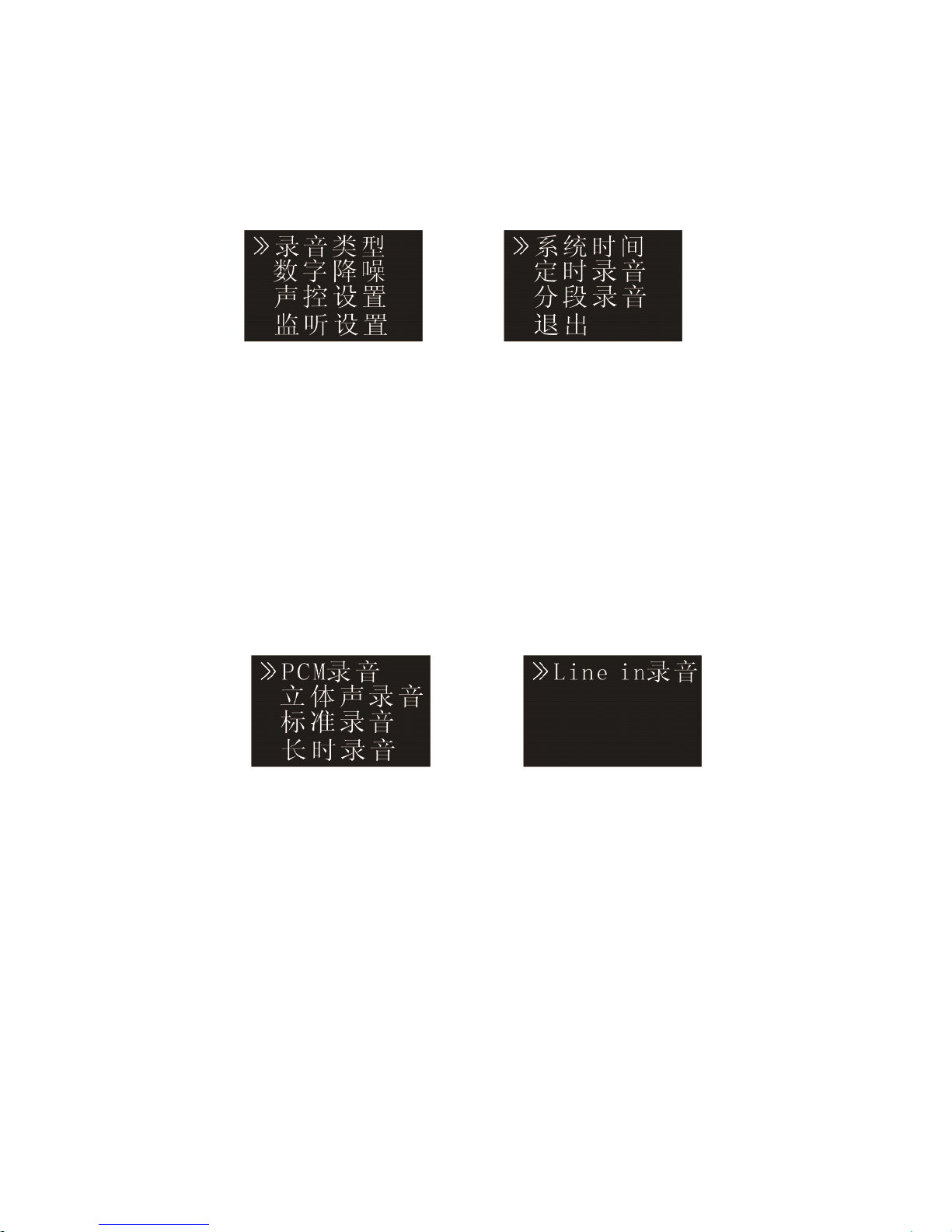
在语音播放停止界面下 , 短按菜单键 , 将会弹出功能菜单列
表,功能包括:录音类型、数字降噪、声控设置、监听设置 、 系
统时间、定时录音、分段录音。相关参考图片如下图所示:
(1) 录音类型
在功能菜单中 , 选择 “ 录音类型 ” 菜单 , 再按菜单键进入录
音类型菜单 。 在录音类型菜单中有五种录音类型可供选择 : “ PC M
录音 , 立体声录音 , 标准录音 , 长时录音 , Line in 录音 ” 。 如果
选择的 是 PC M 录音类型 , 则 在 PC M 录音达 到 1 小时后 , 机器自动
保存录音文件 , 然后重新进行下一个录音 . 相关参考图片如下:
PCM 录音 : WAV 格式,高音质 ,比特率为 768kbps 。
立体声 录音 : MP3 格式,高音质 ,比特率为 128kbps 。
标准录音: MP3 格式 , 音质 好,比特率为 32kbps 。
长时 录 音: MP3 格式, 普通 音质 ,比特率为 8kbps 。
Line-in 录音: MP3 格式,录音文件的比特率由上面三种录音类
型决定。
电话录音
电话录音
电话录音
电话录音 :
:
:
:
Page 17
17
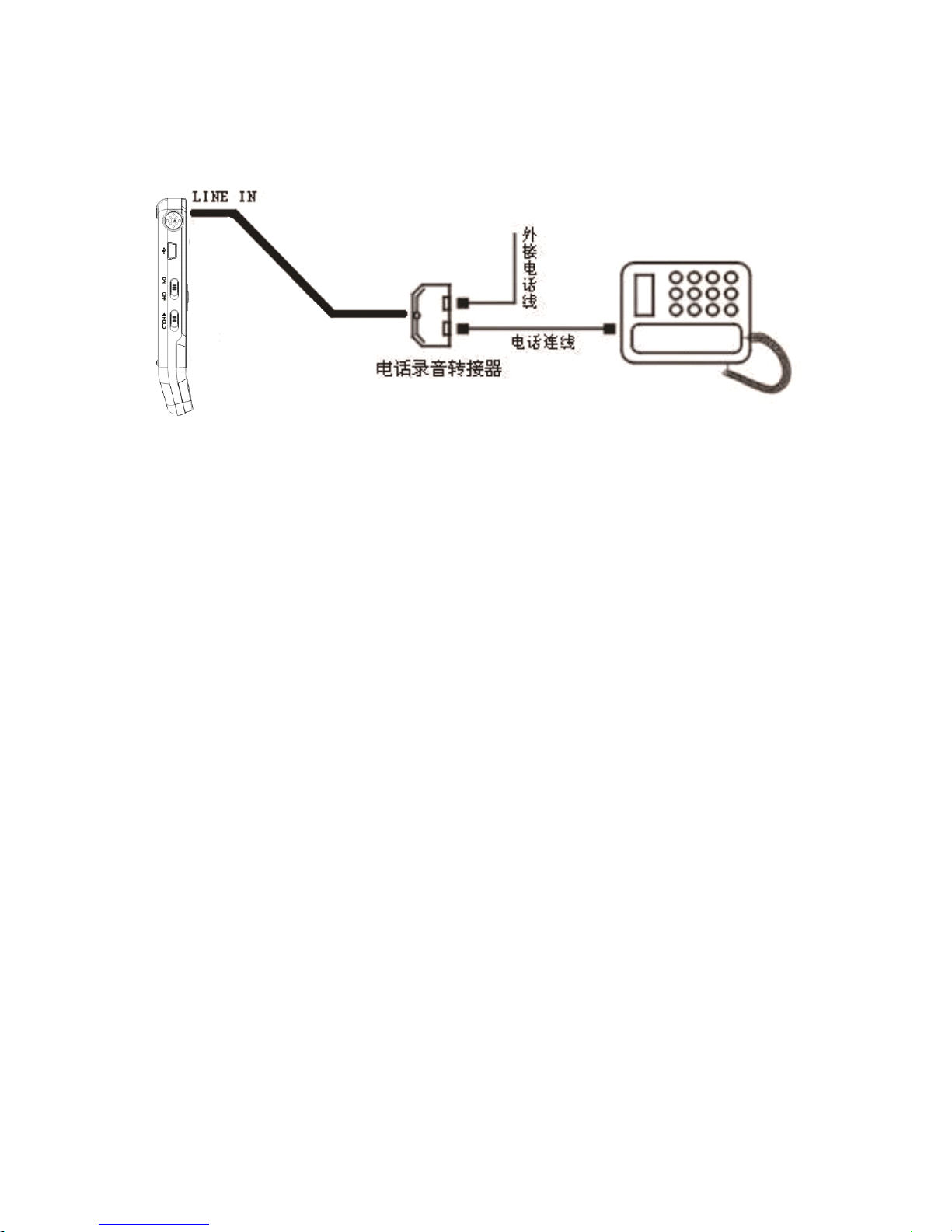
将外接电话线及附送的电话连线分别接入电话录音转接器 ,
操作方式和使用麦克风录音相同。
Line-in
Line-in
Line-in
Line-in 录音:
录音:
录音:
录音:
Line-in 录音是通过双声道音频线,将本机与外部音源设备
的音频输出接口正确连接,即可将外部音源的声音转录至本机
(音源设备如收音机 、 CD 、 VCD 、 DVD 等 ) 。 正确操作方法为使
用附送的双声道音频线 , 一端连接外部音源输出口 , 另一端接本
机的 “ Line in ” 插孔。录音操作方式和使用麦克风录音相同
。
Line in 录音前,请把外部音源调到一个适度值,否则录出来的
文件声音失真。
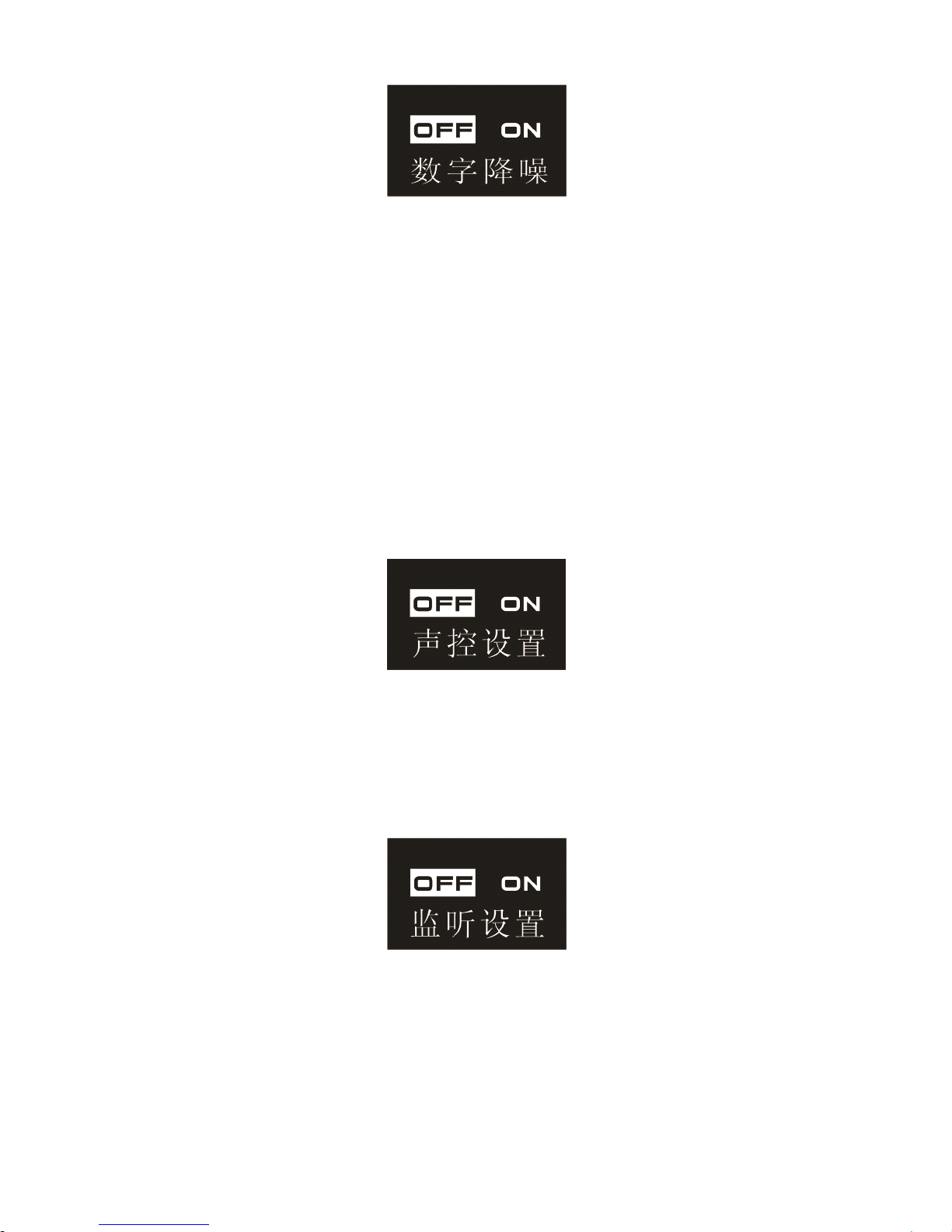
(2) 数字降噪
开启数字降噪时 , 录音过程中系统可以对音源的噪声部分给
予有效滤除 , 然后我们就可以得到清晰的有效声音信息 。 参考界
面图片如下:
Page 18
18
注意:
注意:
注意:
注意: 此功能只建议在嘈杂的环境中使用,且录音格式 为
WAV 比特率为 256kbps 。
(3) 声控设置
声控录音功能一旦被启用 , 录音过程中 , 当机器检测到有声
音时 , 录音笔会自动开始录音 ; 当未检测到声音时 , 录音笔在 3
秒后将自动暂停录音 ; 再次检测到声音时 , 录音笔又会自动开始
录音。声控设置参考界面图片如下:
(4) 监听设置
监听功能打开后,你可以插入耳机检测是否有声音输入 。 监
听设置参考界面图片如下:
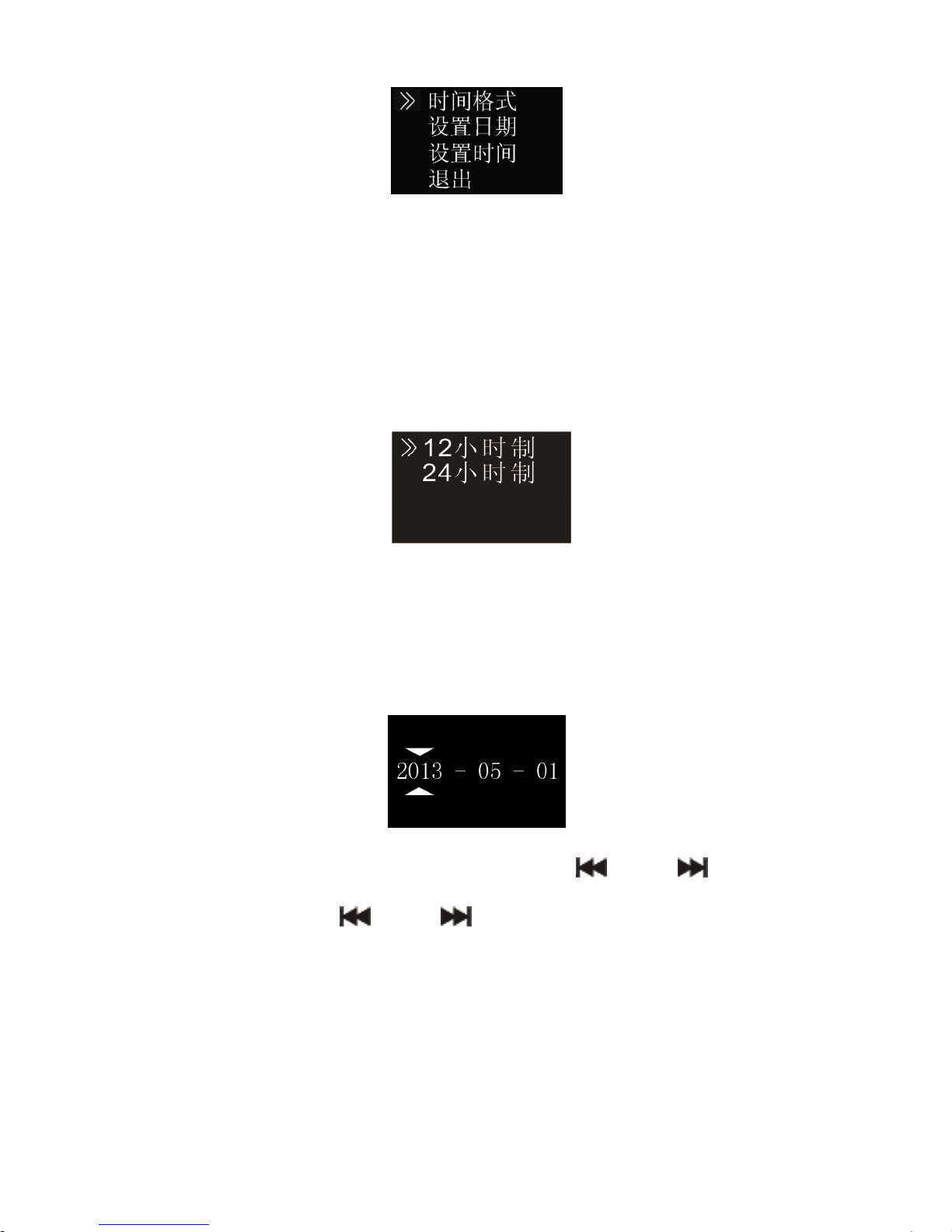
(5) 系统时间设置
系统时间设置界面,参考图片如下:
Page 19
19
在此界面下 , 你可以设置系统的当前时间和系统时间显示格
式。
例如 : 选择时间格式 “ 设置时间格式 ” 菜单 , 将会显示如下
参考界面:
此界面下有两种时间显示格式可供选择 即 1 2 小时制 和 2 4 小
时制。系统默认的是 24 小时制。
例如:选择 “ 设置日期 ” 菜单,将会显示如下参考界面:
在此界面下,按 “▲” 或 “▼” 与 “ ” 和 “ ” 可以设
置实时时间。按 “ ” 和 “ ” 选择年﹑月﹑日;按 “▲” 或
“▼” 改变相应位置数值。
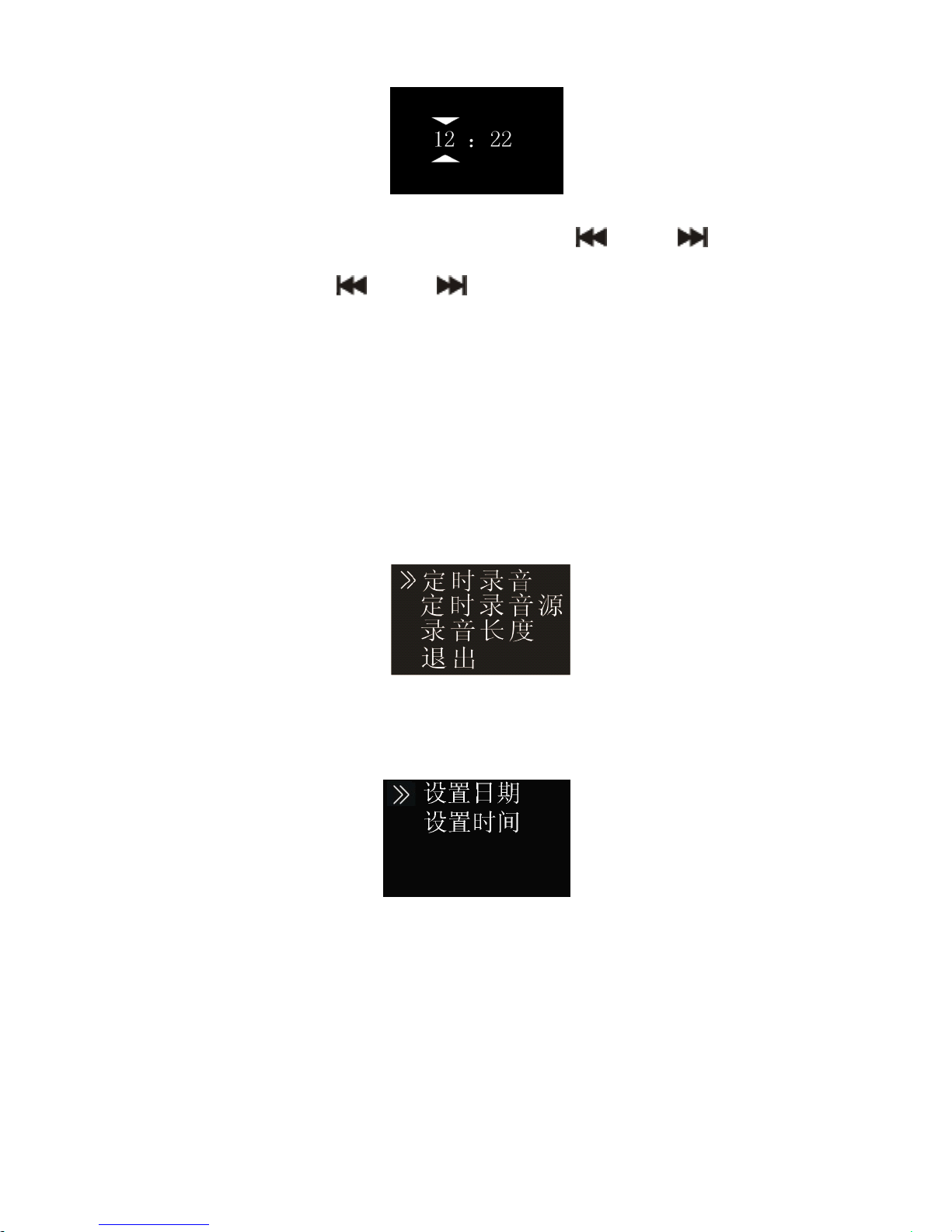
选择 “ 设定时间 ” 菜单 , 将会显示如下参考界面:
Page 20
20
在此界面下,按 “▲” 或 “▼” 与 “ ” 和 “ ” 可以设
置实时时间 。 按 “ ” 和 “ ” 选择时﹑分 ; 按 “ ▲ ” 或 “ ▼
”
改变相应位置数值。
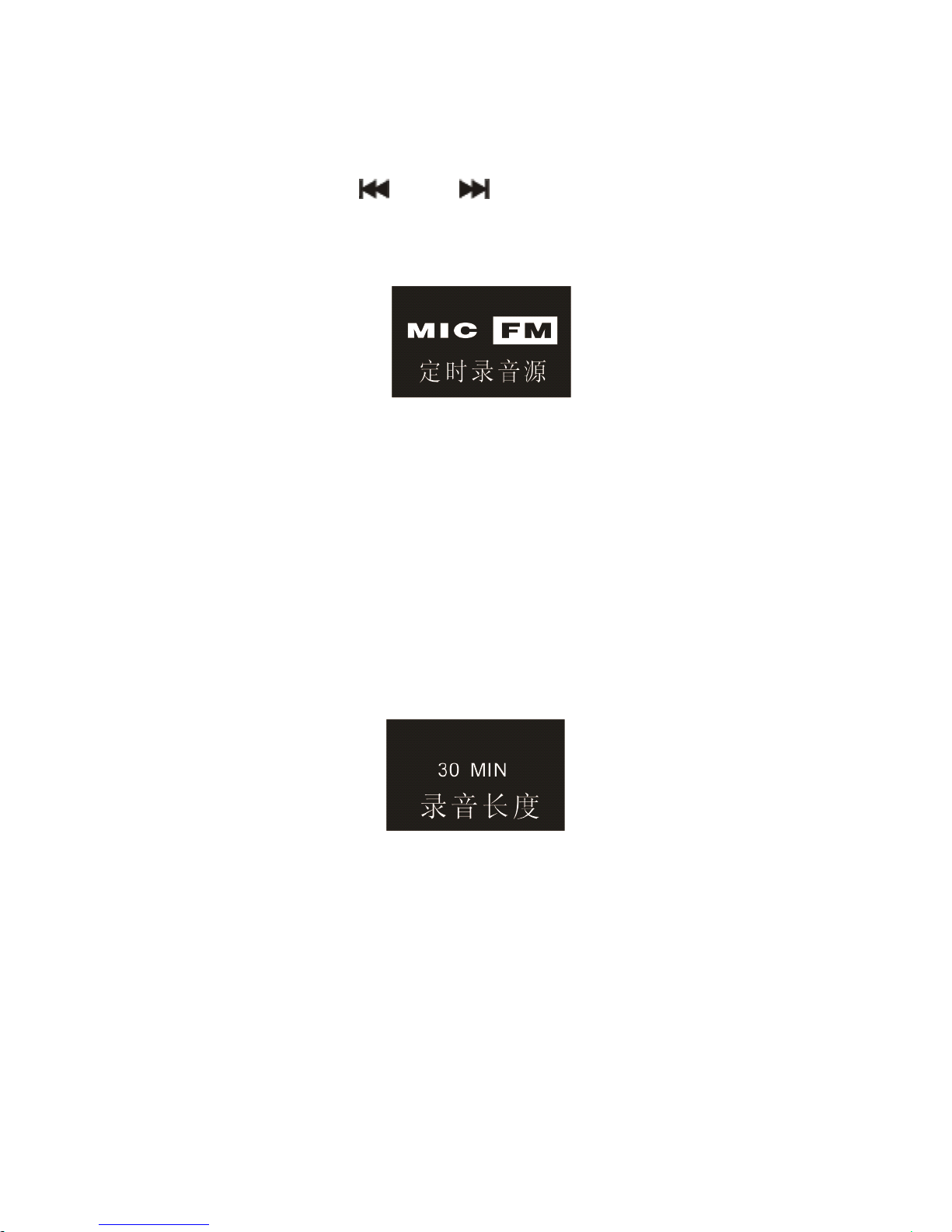
(6) 定时录音设置
定时录音:先预设一个时间,当系统时间到达预设时间时 ,
系统将会自动录音。在功能菜单中,选择 “ 定时录音 ” 菜单 , 再
按菜单键进入定时录音设置菜单。参考界面如下图所示:
第一个功能是定时录音时间设置功能 。 定时录音时间设置参
考界面如下图所示:
在此界面下,你可以选择 “ 设置日期 ” 和 “ 设置时间 ” ,当
系统时间到达设定时间时,系统将自动开始录音。
注意
注意
注意
注意 :
:
:
: 如果正在收听不是预先设置好的定时录音 FM 电台时 ,
则定时录音开始时 , 录音的音源是正在收听的 FM 频道。在录 制
Page 21
21
FM 电台时,请记得插入耳机。
第二个功能是录音源选择功能 。 你可以选择咪头或者收音电
台作为录音源 , 按 “ ” 和 “ ” 切换选择 , 系统默认录音源
是咪头录音。录音源选择参考界面如下图所示:
如果选择收音电台作为录音源,按下菜单键后就会选择频
点,作为定时录音的电台。
录音时请确保耳机已与录音笔连接,调频模式已开启。
时间长度设置功能:
你可以设置 30 分钟 , 60 分钟 , 120 分钟或者没限定录音时
长来设置定时录音时长。时间长度设置参考界面如下:
注意
注意
注意
注意 :
:
:
: 设定定时录音时 , 在关机状态一定要保证机器电源开
关在 ON 状态,否则定时录音时间到时,无法执行定时录音。
(7) 分段录音
在录音过程中,分段录音功能可在每 30 或 60 分钟自动
将录音文件分段保存并自动进入下一个文件录音 。 分段录音功能
参考界面如下图所示:
Page 22

22
Page 23

23
7
7
7
7 音乐模式
音乐模式
音乐模式
音乐模式
在主界面中,可以通过 “ ” 和 “ ” 键选择音乐模块 , 然
后 , 短按菜单进入此模块 ; 或者在语音模式下 , 通过文件夹切换
键切换到音乐文件夹。音乐播放参考界面如下图所示:
注意:
注意:
注意:
注意: 音乐文件只能放在 “ MUSIC ” 文件夹里面进行播放 。
音乐播放界面说明:
音乐播放界面说明:
音乐播放界面说明:
音乐播放界面说明:
播放模式
播放模式
播放模式
播放模式
你可以使用 “ ” 和 “ ” 选择你想听的歌曲,按播放键
播放 。 播放过程中短按菜单键 , 弹出如下播放菜单列表 : 循环模
式 , 音效模式 , 复读模式 , 复读次数 , 复读间隔 。 参考界面如下
图所示:
Page 24
24
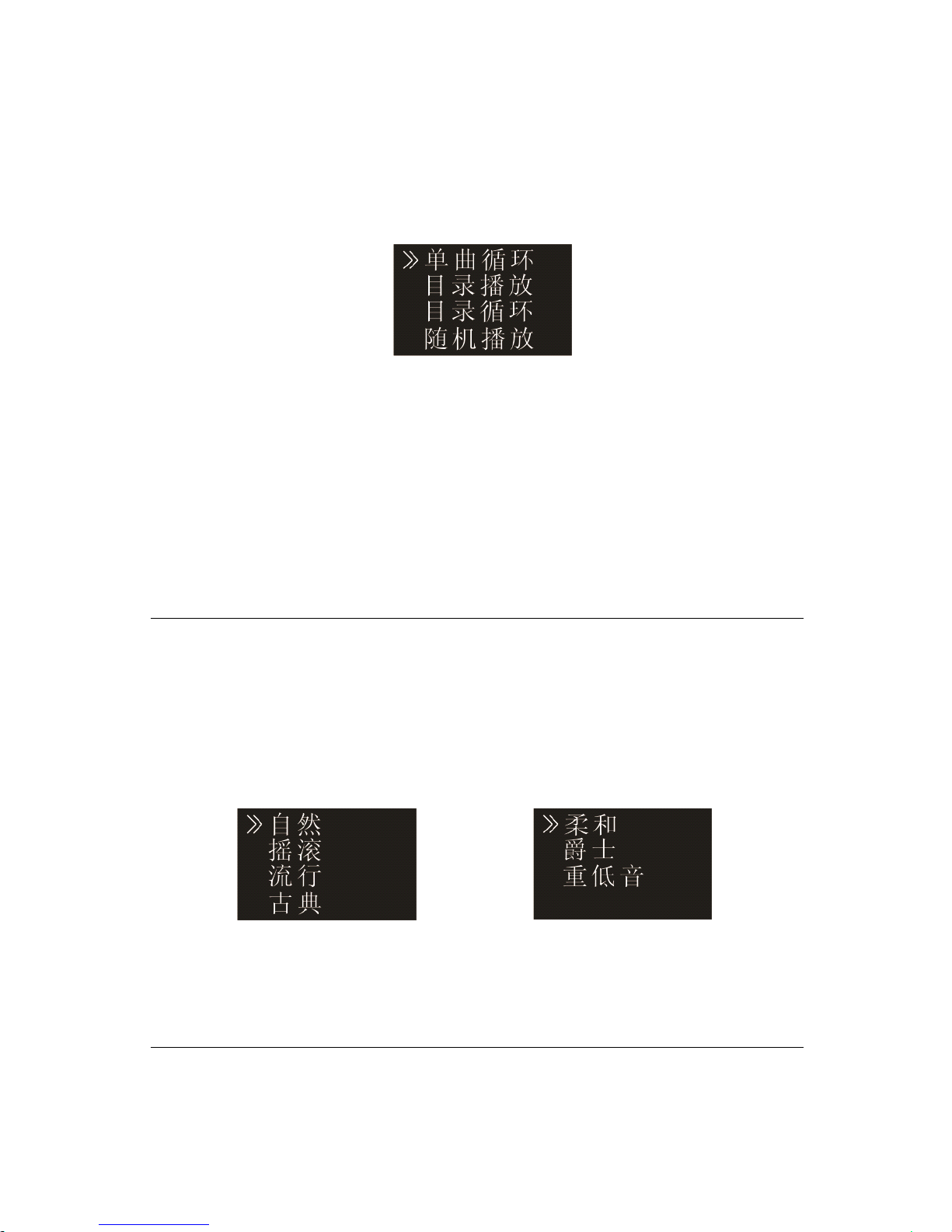
(1) 循环模式
当选中其中一个菜单时 , 相应的区域将会变成白色 。 如上图
选中 “ 循环模式 ” 菜单 , 再按菜单键 , 将会进入到循环模式选择
菜单,你可以选择你需要的循环模式,参考界面如下图所示:
单曲循环:一直循环播放选中的一曲文件。
目录播放 : 顺序播放选中目录的文件 , 全部播放完一遍当前目录
的文件后自动停止播放。
目录循环:循环播放选中目录的文件。
随机播放:随机播放当前选中目录的文件。
(2) 音效模式
在播放菜单列表中选择 “ 音效模式 ” 菜单 , 再按菜单键将进
入音效模式,音效模式包括以下音效 : “ 自然、摇滚、流行、古
典、柔和、爵士、重低音 ” ,参考界面如下图所示:
在音效模式中,你可以使用 “▲” 或 “▼” 选择相应模式 ,
再按菜单键确认。
(3) 复读模式
在播放菜单列表中选择 “ 复读模式 ” 菜单 , 再按菜单键将进
Page 25
25
入复读模式。
设 置 AB 复读
• 设置复读起点 : 在播放状态下 , 短按 “ 菜单 ” 键进入播放菜单
,
然后短按 “ ▲ ” 键或 “ ▼ ” 键选择 “ 复读模式 ” 选项 , 再按
“ 菜单 ” 键返回到播放状态 , 但此时 LCD 屏中 “ A-B ” 的 “
A
”
在闪烁 , 等待确定复读起点 A , 短按 “ ” 确定复读起点 A 。
• 设置复读终点:设置复读起点 A 后,此时 LCD 屏中 “ A-B
”
的 B 在闪烁 , 再短按 “ ” 键 , 设置复读终点 B , 此时 LC D
显示 “ A-B ” 。 当复读图标固定 “ A-B ” , 开始 AB 点间的反复
播放,到达设定的次数后,闪烁图标 “ A-B ” 中的 “
A
” ,等
待确定起点 A , 这时播放返回正常播放 , 如不再需要设定复
读,可通过以下方式退出复读模式。
• 取消复读:短按 “ 播放 ” 键,将之前设置 AB 复读取消,并
暂停播放。短按 “ 停止 ” 键,将之前设置 AB 复读取消,并
停止播放。短按 “ 菜单 ” 键,将之前设置 AB 复读取消,并
返回正常播放状态。
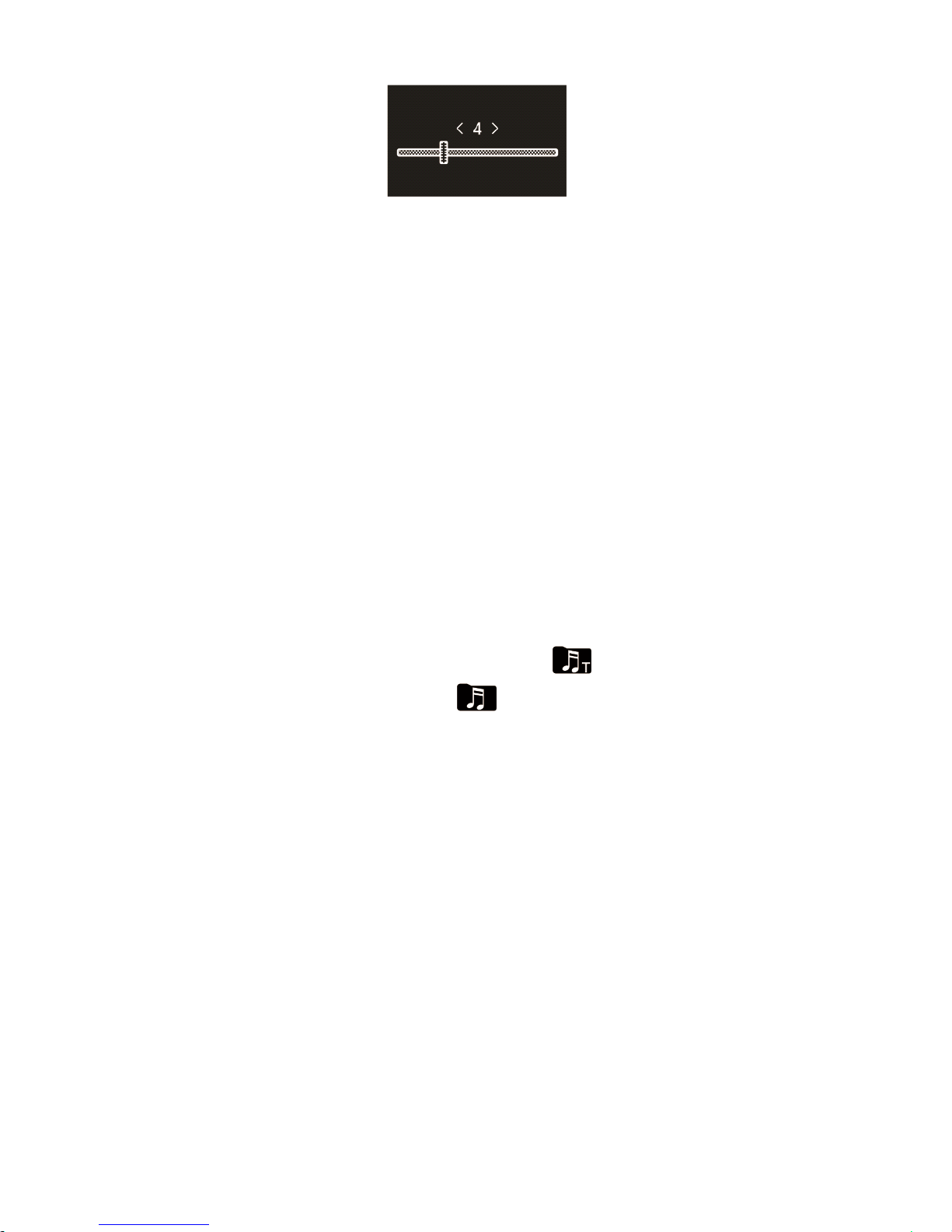
(4) 复读次数
在播放菜单列表中选择 “ 复读次数 ” 菜单 , 再按菜单键将进
入复读次数设置菜单 , 通过 “ ▲ ” , “ ▼ ” 键调整次数 。 参考界面
如下图所示:
Page 26
26
(5) 复读间隔
复读间隔意思是两次复读之间的时间间隔 。 你可以在播放菜
单列表中选择 “ 复读间隔 ” 菜单 , 再按菜单键将进入复读间隔设
置。通过 “▲ ” , “▼” 键调整复读间隔。
删除文件
删除文件
删除文件
删除文件
此操作请参照语音文件的删除文件部分。
歌词同步显示
歌词同步显示
歌词同步显示
歌词同步显示
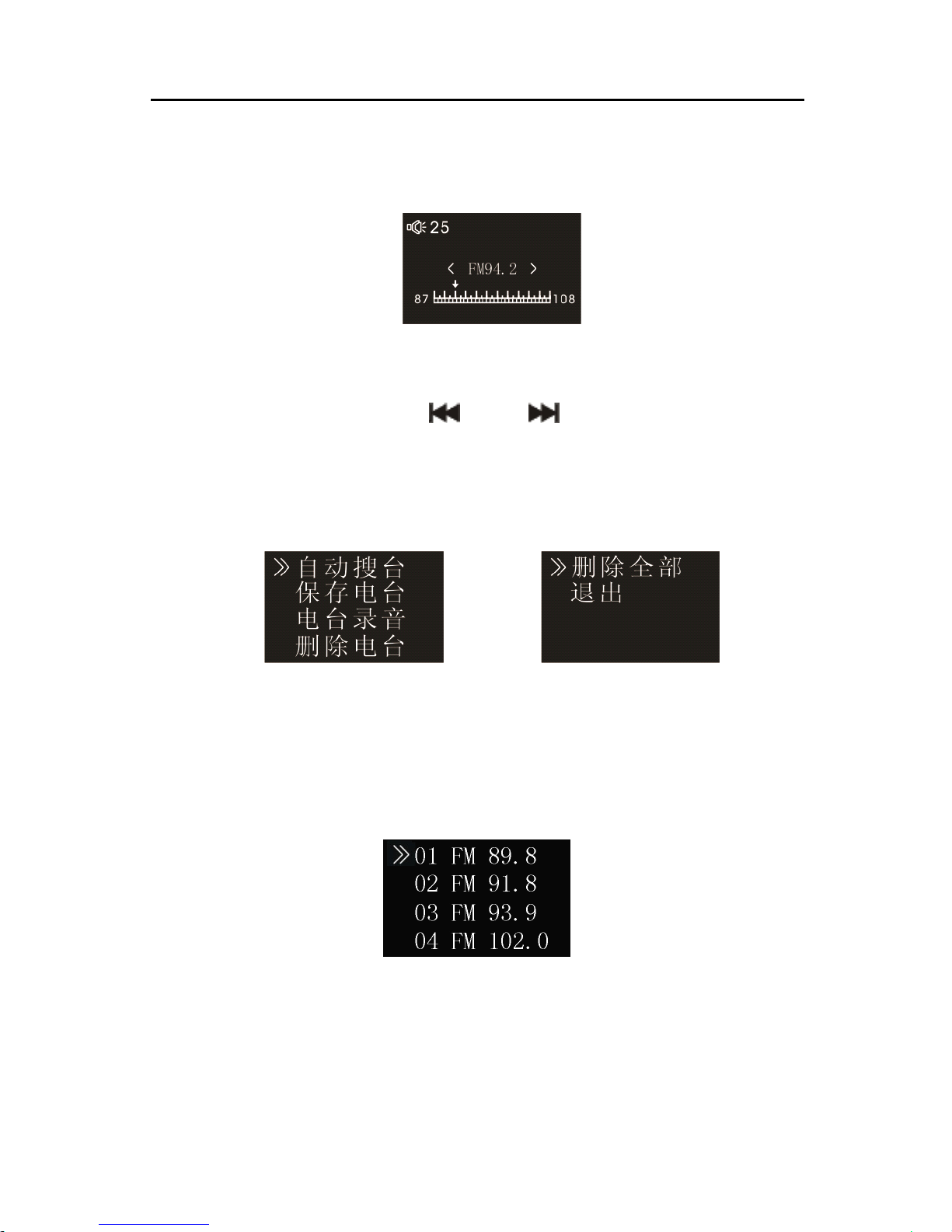
产品支持 “ *.lrc ” 歌词文件,实现歌词与歌曲同步播放。
注意:
注意:
注意:
注意:
(1) 歌词文件的名称与歌曲文件的名称需保持一致。
(2) 如果当前歌曲有歌词文件匹配 , 则在屏幕左上方的音乐模式
图标下将出现歌词标志,如下所示 ,若没有歌词匹配,
则没有该标志,如下所示 。
(3) 若有歌词匹配 , 长按 “ 菜单 ” 键进入歌词界面 , 接着会出现
歌词显示界面。若需退出时短按 “ 菜单 ” 键返回歌曲模式 。
Page 27
27
8
8
8
8 调频模式
调频模式
调频模式
调频模式
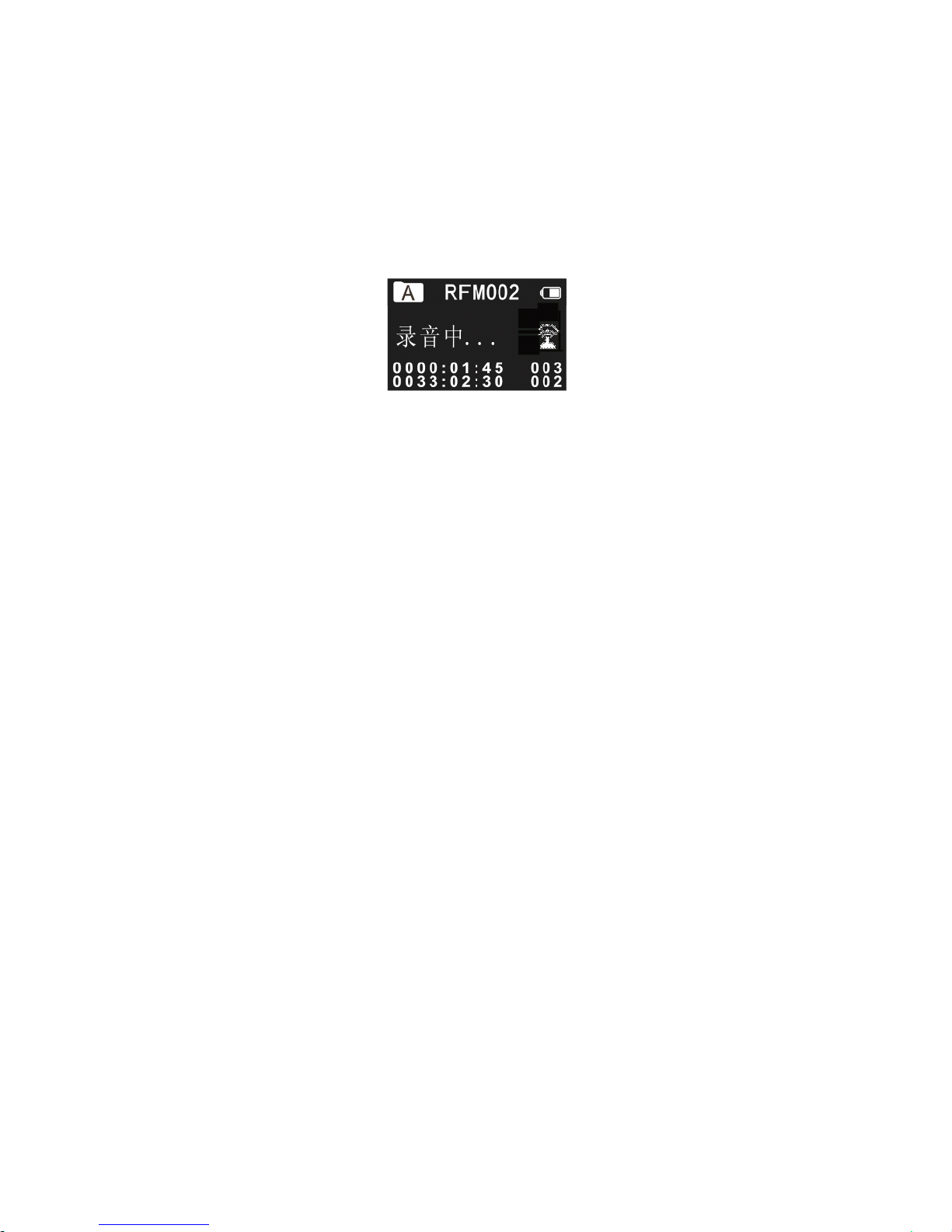
在主界面下,选择调频模式,再按菜单键进入调频模式。调
频模式参考界面如下图所示:
注意
注意
注意
注意 :
:
:
: 请插入耳机接收无线电台 。 声音只能通过耳机接收到 。
在调频模式下 , 短 按 “ ” 或 “ ” 键 选择频点 ; 短 按菜
单键 , 将会弹出如下子菜单 , 包括 : 自动搜台 、 保存电台 、 电台
录音、删除电台、删除全部。
当自动搜台菜单被选择时 , 系统将会自动搜索电台 , 当一个
电台被检测到时 , 这个电台将会被自动保存在列表中 。 自动搜索
完电台后将显示下图 :
你也可以通过选择保存电台菜单手动保存电台 。 选择删除电
台菜单删除当前保存的某一电台或选择删除所有电台菜单删除
所有保存的电台。 机器最多只能保存 40 个电台,当保存的电台
Page 28
28
数量多于 1 个后,短按 “ 播放 / 暂停 ” 键依次以递增的方式切换
所保存的电台 ; 短按 “ 停止 ” 键依次以递减的方式切换所保存的
电台。 如果你选择电台录音菜单,系统将会执行电台录音功能 。
电台录音参考界面如下图所示:
Page 29
29
9
9
9
9 无线接收模式
无线接收模式
无线接收模式
无线接收模式
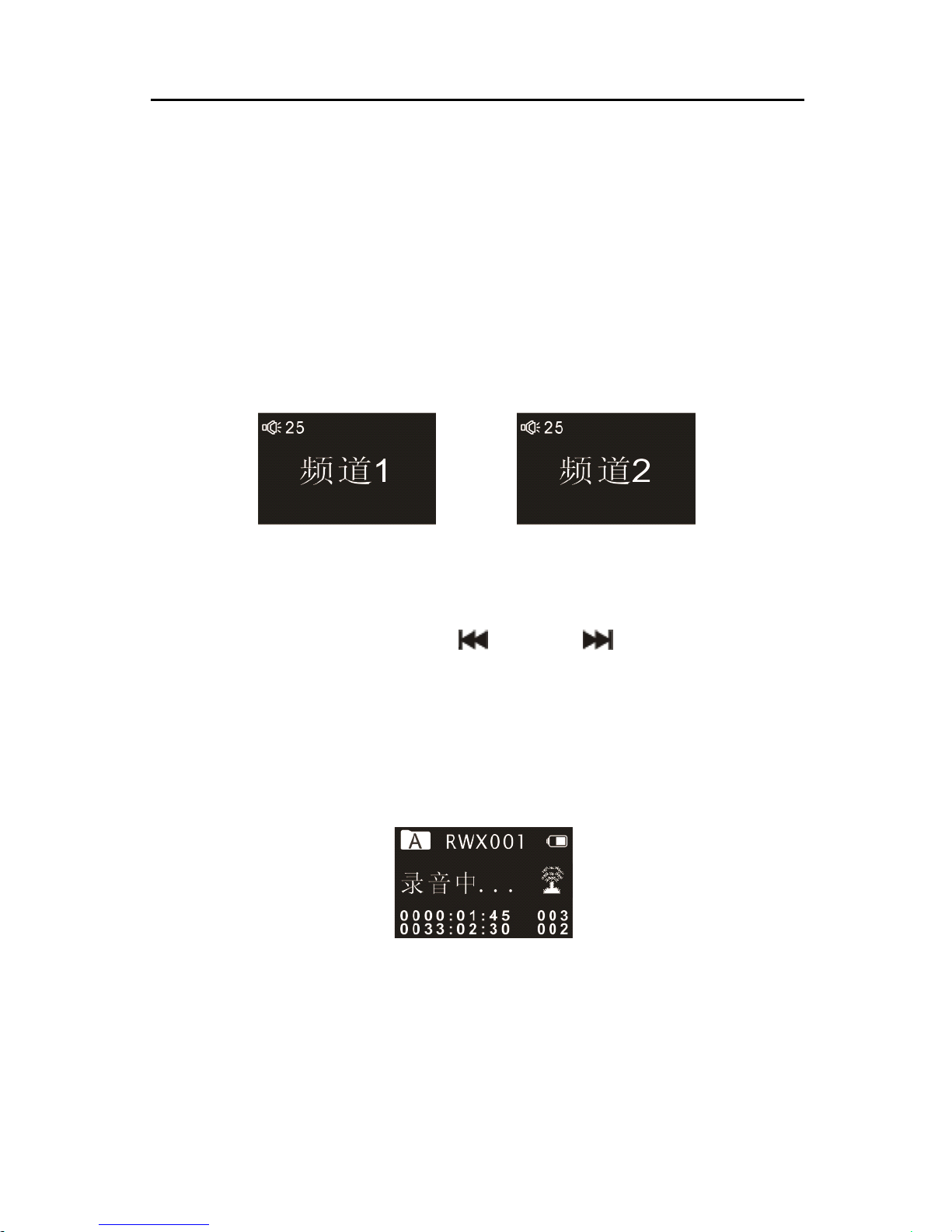
在主界面下 , 选择无线接收模式 , 再按菜单键进入无线接收
。
系统内置两个频道可供选择 。 在使用前请分别将机器和无线麦克
风的 工作 频道设定 为同一频道 , 例如 : 如果设定了机器的 工作 频
道 为 频道 1 ,那么也请将无线麦克风的 工作 频道设定至频道 1 。
如果二者不对应 , 就会出现无法机器无法接收到无线麦克风声音
的问题。无线接收参考界面如下图所示 :
注意
注意
注意
注意 :
:
:
: 启用无线模式时 , 请插入耳机 。 声音只能通过耳机听
到。
在此界面下,请通过按 “ ” 键或 “ ” 切换频道。当频
道设定好后,按 “ 播放 ” 键,系统将会进入无线接收录音模式 。
进行无线录音 , 前提是无线麦克风在工作且在对应的频道 。 无线
接录音模式参考界面如下图所示 :
无线录音的最大范围是 20-30 米,建议在此范围内使用 , 且
尽量不要有障碍物遮挡 ; 如果超出使用范围 , 或者在一些特殊场
景 , 如 : 有射频干扰源 、 大型机械作业 、 变电站等地点 , 有可能导
Page 30

30
致无线接收效果变差。无线录音时可用耳机实时监听录入的声
音。
Page 31
31
10
10
10
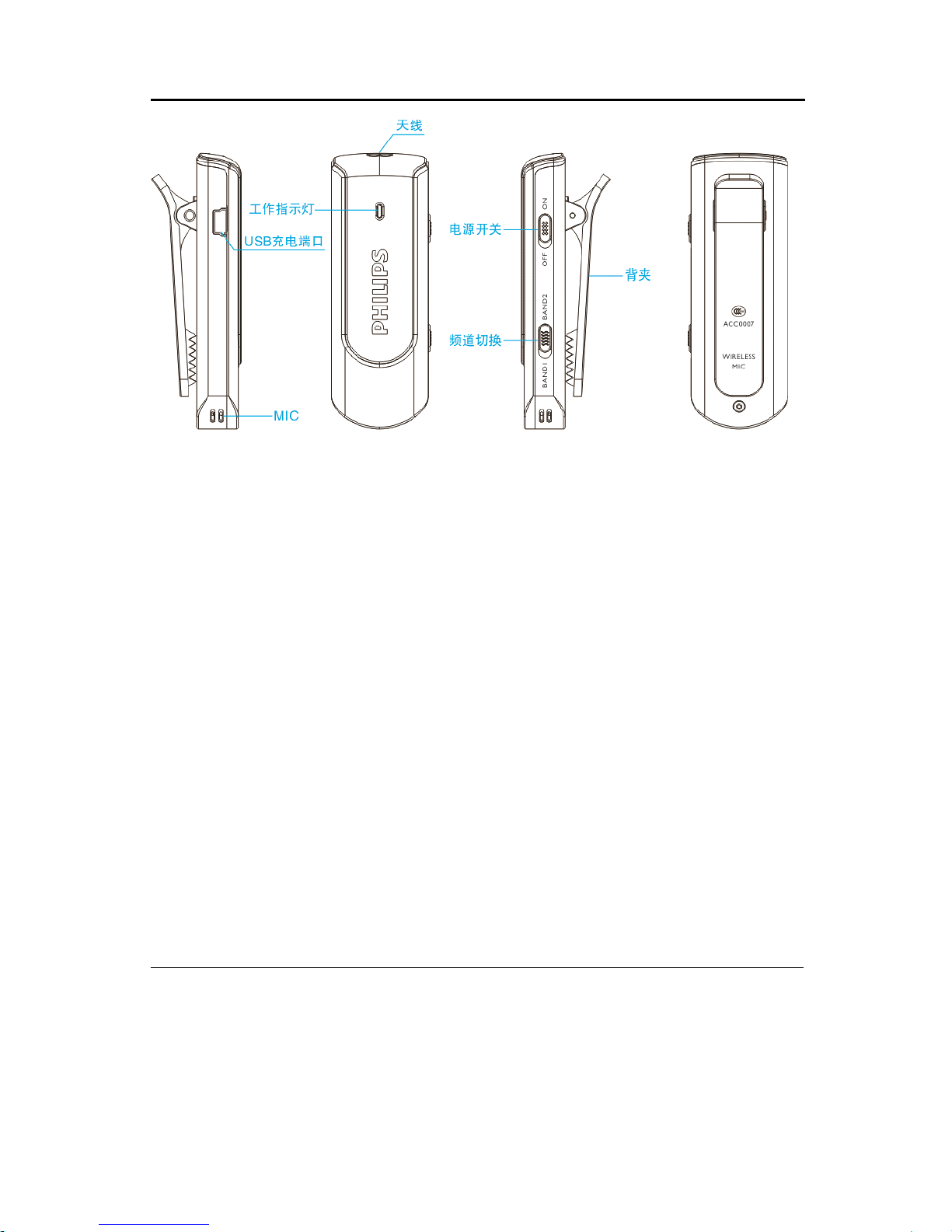
10 无线麦克风使用说明
无线麦克风使用说明
无线麦克风使用说明
无线麦克风使用说明
无线麦克风使用说明:
无线麦克风使用说明:
无线麦克风使用说明:
无线麦克风使用说明:
开 / 关机:将开关拨动到 “ ON ” 处开机,同时工作指示灯显
示蓝色。将开关拨动到 “ OFF ” 处关机,工作指示灯熄灭。
充电:该无线麦克风可用录音笔充电器或电脑进行充电,一
般充电时间约为 2 小时。充电时请将 “ ON/OFF ” 开关拨动到
“ OFF ” 位置,工作指示灯显示为红色,充满电后红灯熄灭。
使用距离:在无阻隔的条件下,无线麦克风有效工作距离约
为 20-30 米。
工作时间 : 充满电后 , 无线麦克风可连续工作约 7 小时左右 。
无线麦克风使用注意事项:
无线麦克风使用注意事项:
无线麦克风使用注意事项:
无线麦克风使用注意事项:
• 第一次使用无线麦克风时,请先将机器充电 2 小时后使用,
以保证机器有电工作。
Page 32

32
• 在不使用无线麦克风时,请将 “ ON/OFF ” 开关拨到 “ OFF
”
位置。
• 为了获得更好的信号 , 使用无线麦克风时请将天线伸展拉直 。
• 在使用过程中发现工作指示灯不亮或无线麦克风不工作,请
使用充电器或使用 USB 连接线连接电脑充电 , 充电后方可使
用。
• 请勿在充电过程中使用无线麦克风。
Page 33
33
11
11
11
11 系统设置
系统设置
系统设置
系统设置
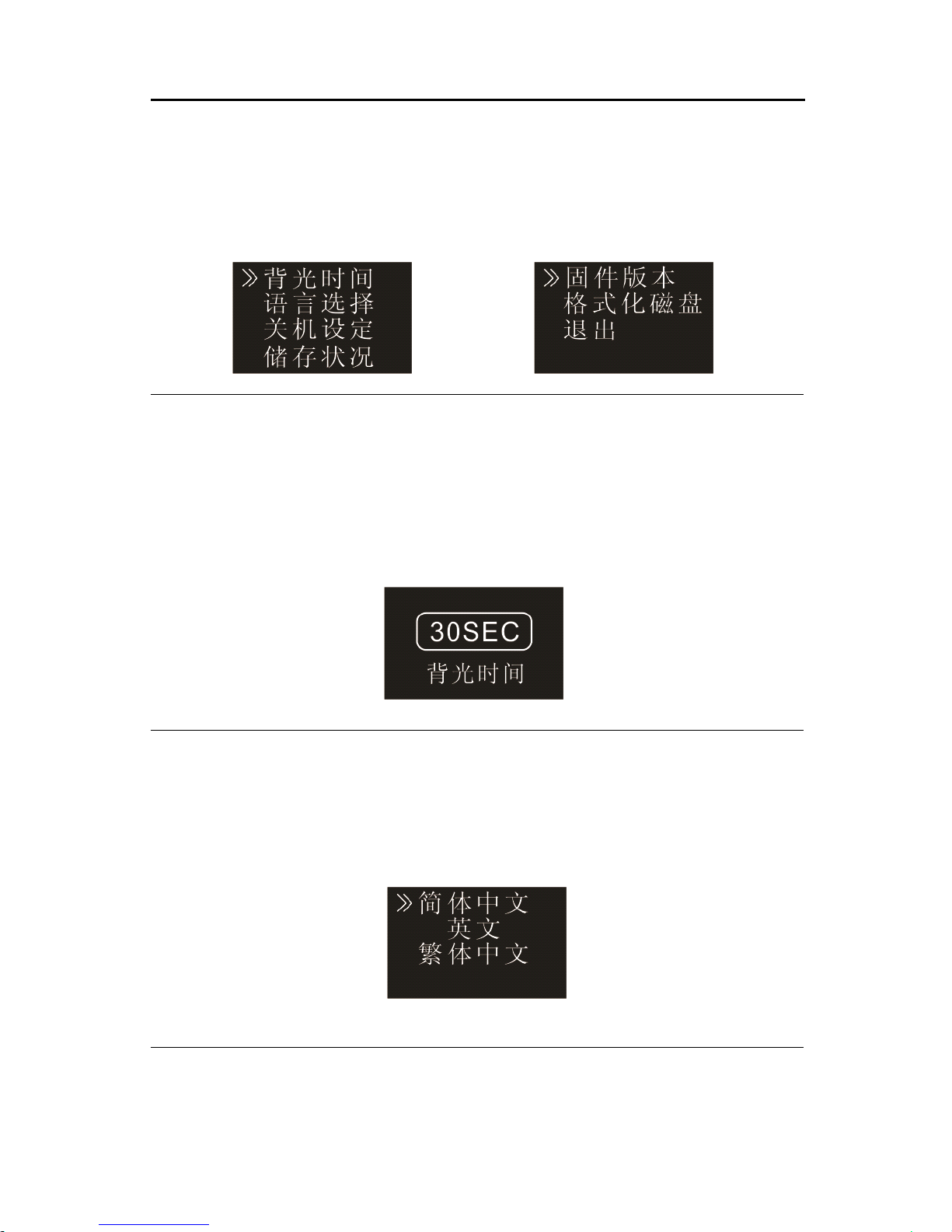
在主菜单下,选择系统设置模块,再按菜单键将会进入系统
设置界面 。 系统设置界面相关参考图片如下图所示 , 包括 : 背光
时间 、 语言选择 、 关机设定 、 储存状况 、 固件版本 、 格式化磁盘 。
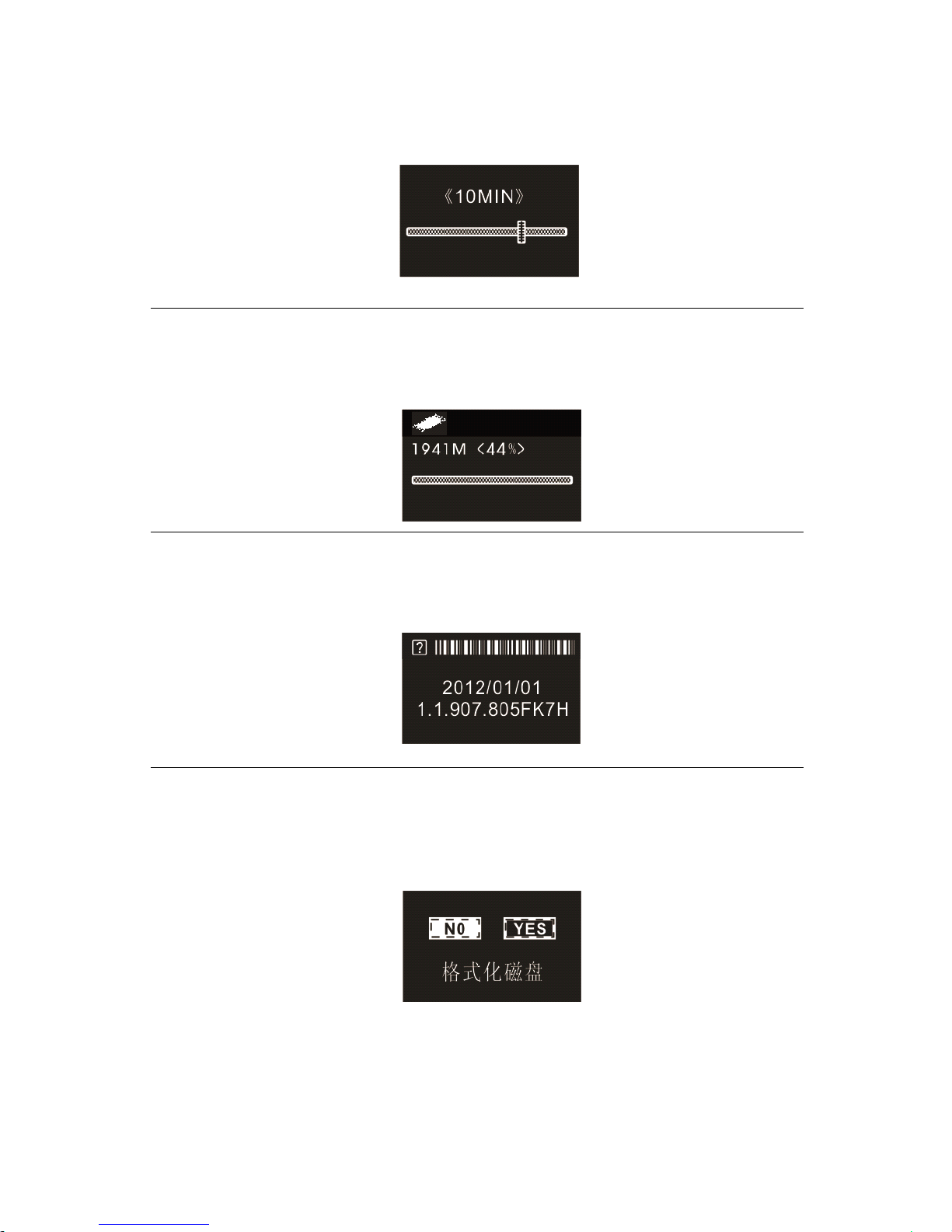
背光时间
背光时间有五种时长可供选择: 15 秒, 30 秒, 45 秒, 6 0
秒和恒亮 。 如果在设定的时间内没对机器做任何操作 , 背光将会
自动灭 。 如果选择恒亮 , 背光将会恒亮 。 背光设置参考图片如下 :
语言选择
在语言选择菜单中,你可以选择一种语言作为系统语言 。 语
言选择参考界面如下:
自动关机
如果在设定的时间内没对机器做任何操作 , 系统将会自动关
Page 34
34
机。如果时长设为 0 ,将不会自动关机。自动关机设置参考界面
如下:
储存状况
使用此功能 , 你可以随时查看存储器的剩余容量 。 参考图片
如下:
固件版本
使用此功能 , 你可以查看此机器的软件版本 。 参考图片如下 :
格式化磁盘
使用此功能,你可以格式化本机器内存。参考图片如下:
Page 35

35
1
1
1
1 2
2
2
2 常见问题
常见问题
常见问题
常见问题
此处列举了常见问题的解答,可帮助解决录音笔出现的简单
问题 。 如果故障仍无法排除 , 请咨询经销商或访问我们的官方网
站: www.philips.com/ support
无法启动录音笔:
无法启动录音笔:
无法启动录音笔:
无法启动录音笔:
电池电量已耗尽请及时充电。
录音笔无法录音:
录音笔无法录音:
录音笔无法录音:
录音笔无法录音:
超出录音笔允许的最大文件数量或录音笔存储空间已满 。 请
删除部分录音或将其移至外部存储设备。
录音笔无法播放录音:
录音笔无法播放录音:
录音笔无法播放录音:
录音笔无法播放录音:
(1) 录音笔可能处于锁定模式 (HOLD) 。 将 “ 锁定 ” 开关推至
“ Off ” 位置。
(2) 电池电量已耗尽,请充电。
Page 36

36
1
1
1
13
3
3
3 技术参数
技术参数
技术参数
技术参数
存储器
存储器
存储器
存储器
内置存储空间
参考录音时间(4GB):长时间录音模式约 1080 小时、标准录音
模式约 280 小时,高音质录音模式约 68 小时。
内置存储器类型:NAND Flash 闪存
移动存储器 (PC):是
录音笔在充满电后,可以录音 25 小时。
尺寸和重量
尺寸和重量
尺寸和重量
尺寸和重量
宽 × 高 × 深:32×101×13(mm)
重量 (含电池):70g
系统要求
系统要求
系统要求
系统要求
操作系统:Windows 7/Vista/XP/2000, Mac OS X, Linux
接口:USB 接口
录音
录音
录音
录音
PCM 录音(PCM):比特率为 768kbps ,格式为 WAV
立体声录音(HQ):比特率为 128kbps,格式为 MP3
标准录音(SP):比特率为 32kbps,格式为 MP3
长时录音(SLP):比特率为 8kbps,格式为 MP3
运行条件
运行条件
运行条件
运行条件
温度:5°–45°C
空气湿度:10% – 90%, 不凝结
Page 37

37
Content
Content
Content
Content
1 Welcome
2 Important
3
Your
Voice Tracer digital recorder
4 Start to u se
5 Recording
6 Voice Mode
7 Music Mode
8 Radio Mode
9 Wireless Mode
10 The wireless microphone user manual
1 1 Setting Mode
12 Frequently Asked Questions
13 Technical Parameters
Page 38

38
1
1
1
1 Welcome
Welcome
Welcome
Welcome
Welcome to the world of Philips! We are honored by your choice
and purchase of Philips’ products.
You
can have Philips’
comprehensive technical supports from our website, e.g. user
’
s
manuals, software, warranty information etc.
www.philips.com
Product
Product
Product
Product Features
Features
Features
Features
• One-touch Recording: Just slide the recording switch upward to
start recording, turn o to save file.
• Digital Noise Reduction: Eectively filter the ambient noise in the
recording environment, to enable crystal clear recording.
(
This
feature should only be used in noisy environment
.
)
• Record in comm on MP3 format.
• USB 2.0 high speed data access.
• Voice-activated recording.
• USB mass storage, ensuring maximum compatibility.
Page 39
39
2
2
2
2 Important
Important
Important
Important
Safety
Safety
Safety
Safety
•
To
avoid a short circuit, do not expose the product to rain or
water.
• Do not expose the device to excessive heat caused by heating
equipment or direct sunlight.
• Protect the cables from being pinched, particularly at plugs.
• Note that when the fold out stand is open, please do not press
the product from the top .
Page 40

40
Attention! Before using the device please read this User’s
Manual carefully. The company shall not be liable for any
data loss due to erroneous operation or causes of a force
majeure. Special attention should be given to correct
operations and files back up.
Hearing
Hearing
Hearing
Hearing safety
safety
safety
safety
Observe the following guidelines when using your headphones:
• Adjust to suitable volume; do not use the earphone for a long
time.
• Please remember that do not turn the volume up beyond your
tolerance.
• Do not turn up the volume so high that you can ’ t hear what’s
around you.
• When in dangerous environment, please carefully use the
earphones or stop using.
• Do not use the earphones when driving, cycling, and
skateboarding to avoid traffic accident and violating laws and
regulations.
Page 41
41
3
3
3
3
Your
Your
Your
Your
Voice
Voice
Voice
Voice Tracer
Tracer
Tracer
Tracer digital
digital
digital
digital recorder
recorder
recorder
recorder
What
What
What
What
’
’
’
’
s
s
s
s in
in
in
in the
the
the
the box
box
box
box ?
?
?
?
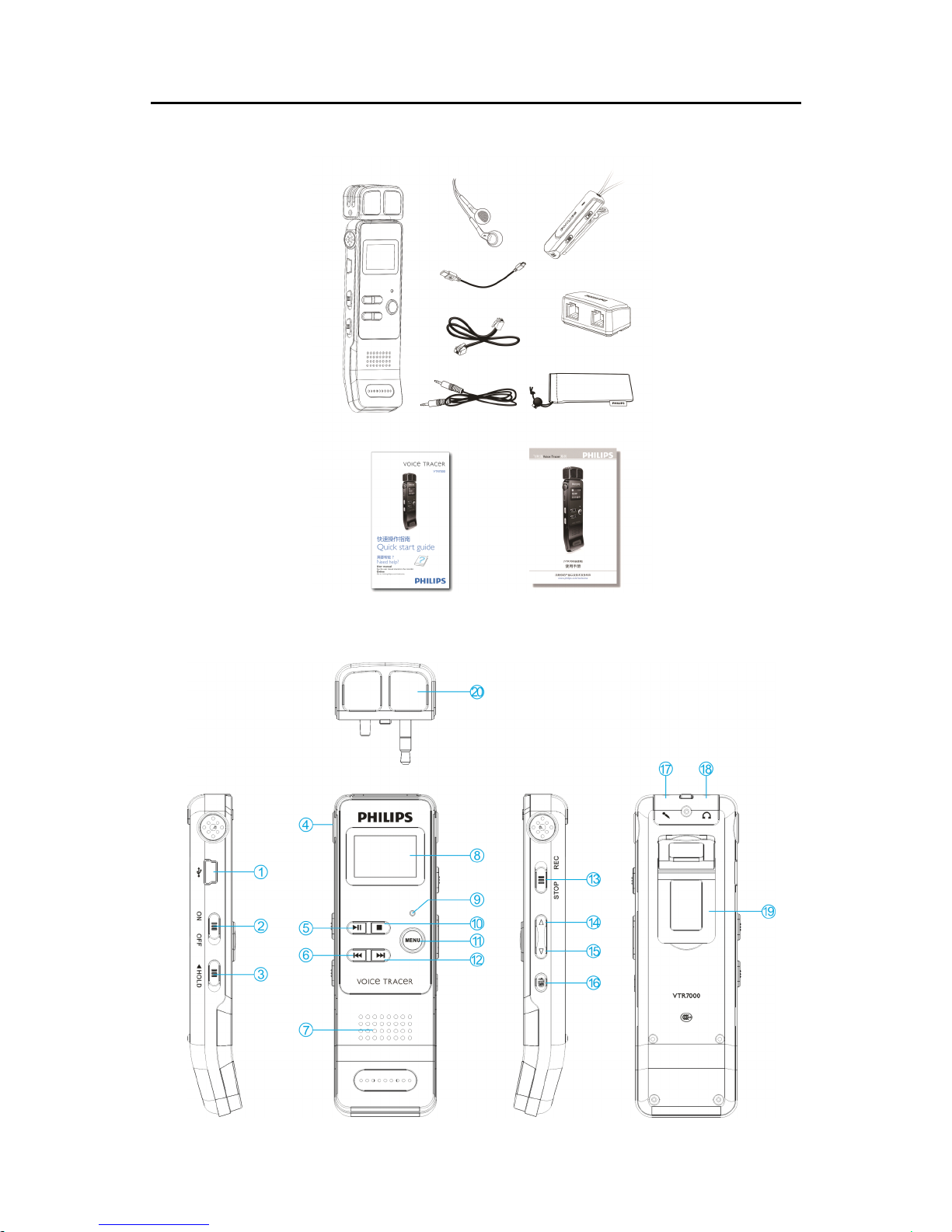
Overview
Overview
Overview
Overview :
Page 42

42
1. USB Port
2. Power On/Off
3. HOLD
4. Built-in Microphone
5. Play/Pause
6. Previous Track, Fast Backward, Menu Selection Buttons
7. Speaker
8. Display
9. Record/Play Indicator
10. Stop Button
,
File Folder Switch Button
11. Menu Button
12. Next Track, Fast Forward, Menu Selection Buttons
13. Record Button
14. Volume Up
15. Volume Down
16. Delete
17. Line in Jack
,
Microphone Jack
18. Earphone Jack
19. T he fold out stand
20. External Microphone
Page 43
43
4
4
4
4 Start
Start
Start
Start to
to
to
to Use
Use
Use
Use
Power
Power
Power
Power On/Off
On/Off
On/Off
On/Off
Note:
Note:
Note:
Note: please recharge the device for three hours before using it for
the first time!
(1) When the power switch is in the “ OFF ” position, the device is
cut off from power.
(2) When the power switch is slid to “ ON ” , the device starts
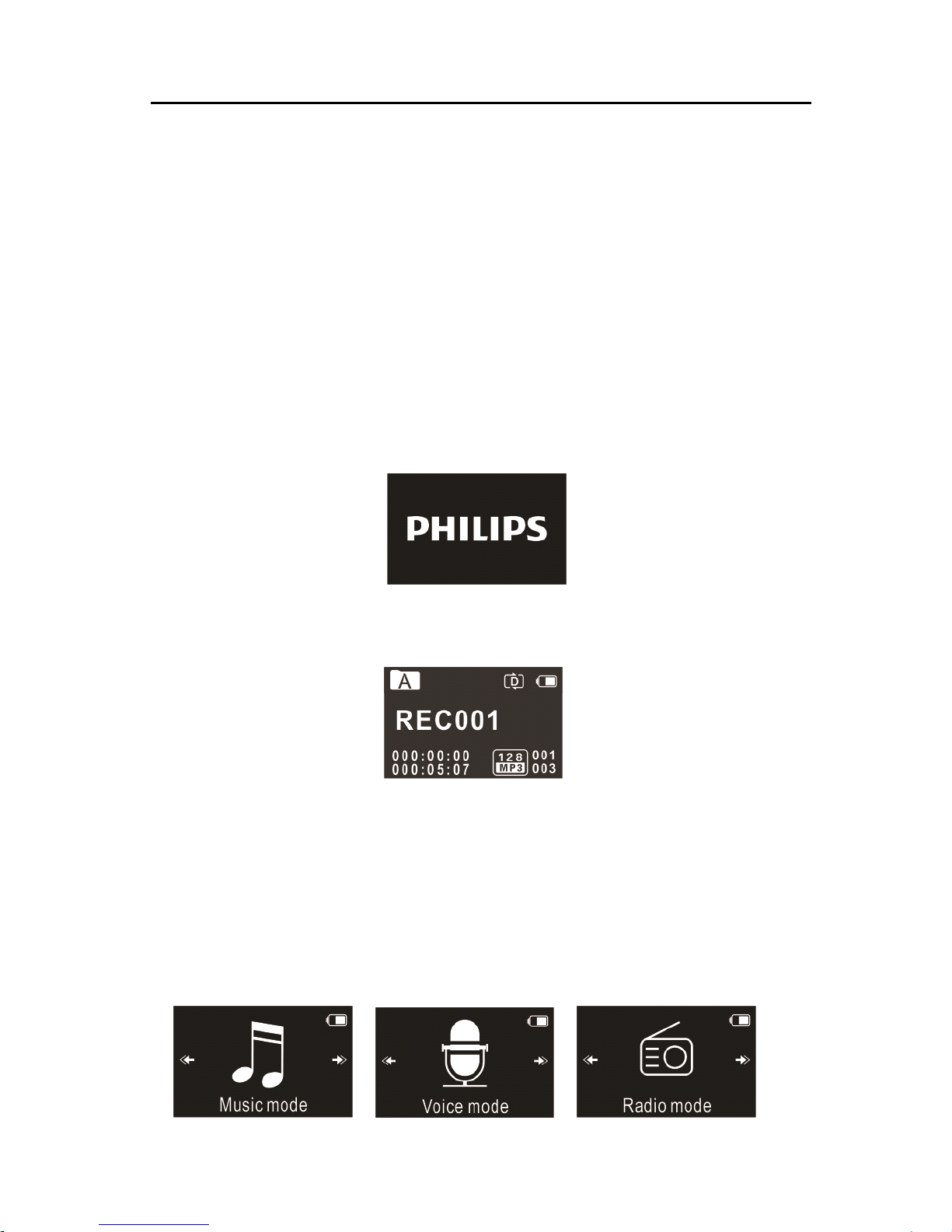
automatically and then displays “ PHILIPS ” , as shown below.
Then the device displays the stopped playing interface :
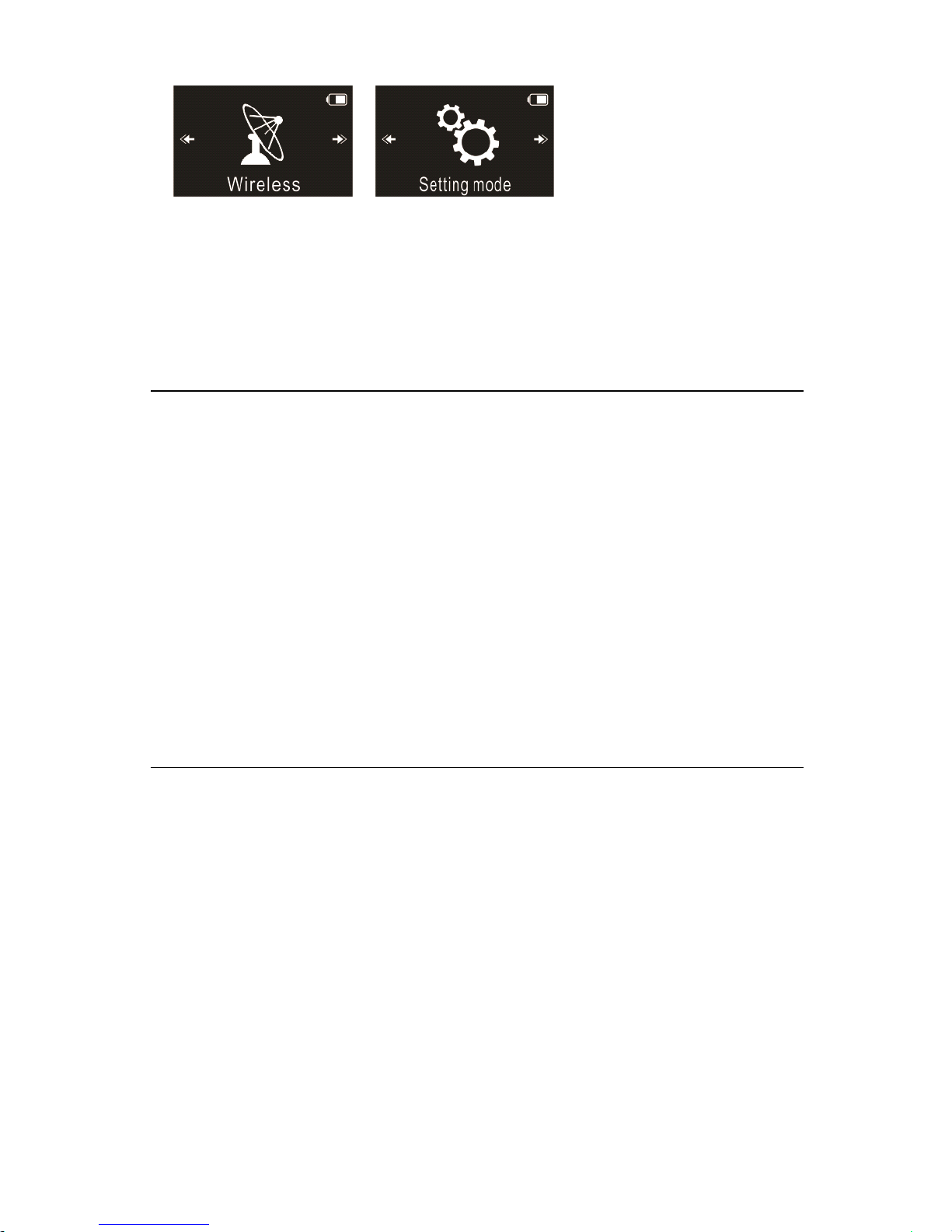
Press MENU button for 2 or 3 seconds to return to the main
interface. The main interface includes five modes. The following five
pictures show the modes respectively: Voice, Music, Radio , Wireless
and Setting Mode.
Page 44
44
Note:
Note:
Note:
Note: When not taking voice recording, on any other interface,
users can press MENU button for 2 or 3 seconds to return to main
interface.
From now on , the device’s On/Off is controlled by the PLAY button
as follows:
Switch off: When in the power-on state, press down the PLAY
button until the “ ByeBye ” is displayed, and then the device is
switched off.
Switch on: When in the power-off state, press down the PLAY
button until the startup logo “ PHILIPS ” is displayed.
Note:
Note:
Note:
Note:
• The device has a built-in lithium battery. If the device will be idle
for a long time, please slide the power switch to the “ OFF ”
position.
• If the device cannot work normally, please make sure the device is
not out of power .
• When the device is working, please do not cut off the power,
Page 45
45
otherwise damaged file or malfunction may occur.
• W hen the battery indicator “ ” is displayed, please charge
the device promptly.
Recharge
Recharge
Recharge
Recharge
Notice: please slide the power switch to the position of "On".
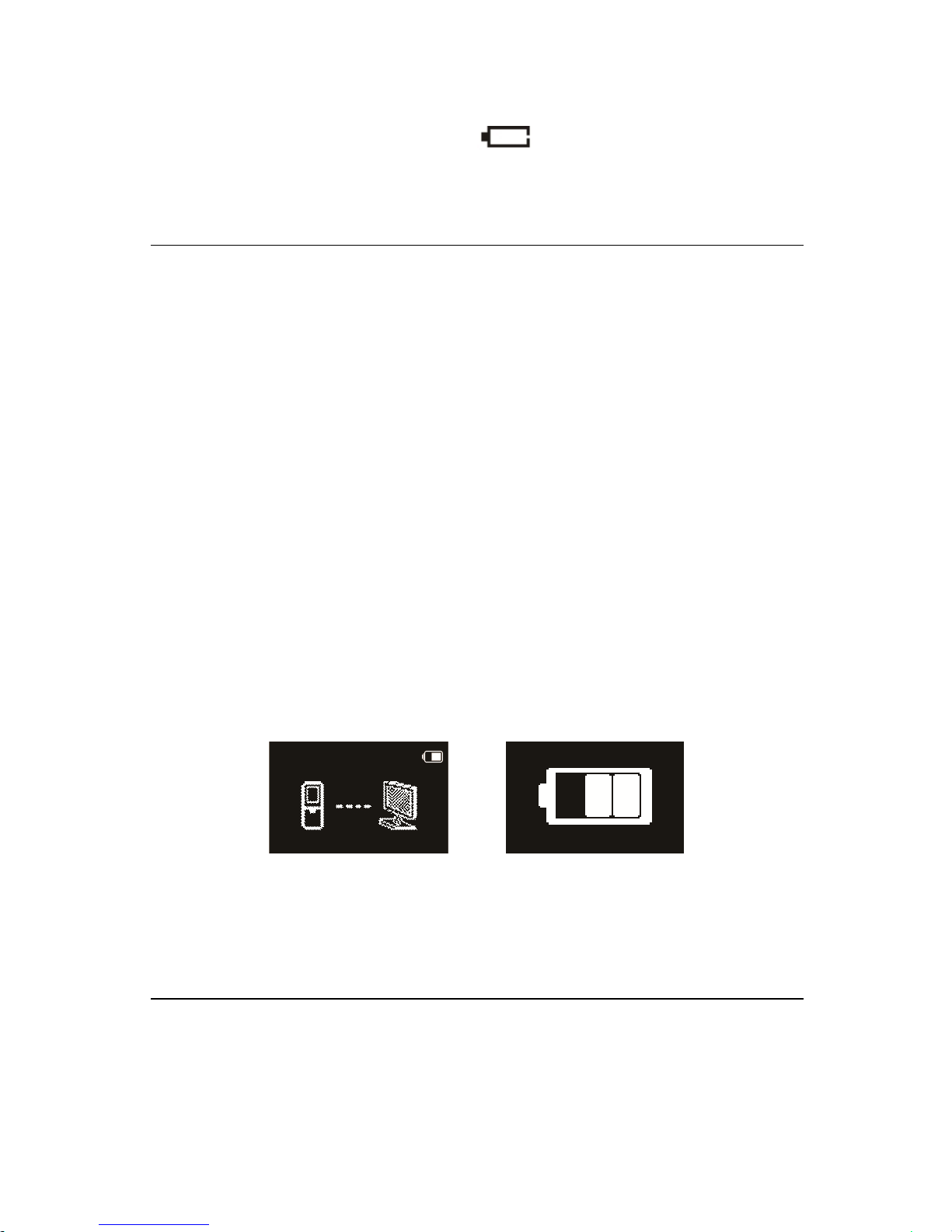
(1) Connect the device with PC through USB cable, as follows.
(2) Use the specified charger to charge the device, as follows.
When using the above methods to recharge, the device will be in the
state of recharging. The battery indicator shows a battery icon
turning from empty to full repeatedly, indicating that the device is
recharging. Under normal circumstance, the device can be fully
recharged in around 3 hours. When the device is fully recharged, the
battery icon is full and the orange indicator light turns off.
Note
Note
Note
Note :
:
:
: while the device is connected to a computer, it cannot be
operated manually.
Key
Key
Key
Key pad
pad
pad
pad Lock
Lock
Lock
Lock (HOLD
(HOLD
(HOLD
(HOLD Function)
Function)
Function)
Function)
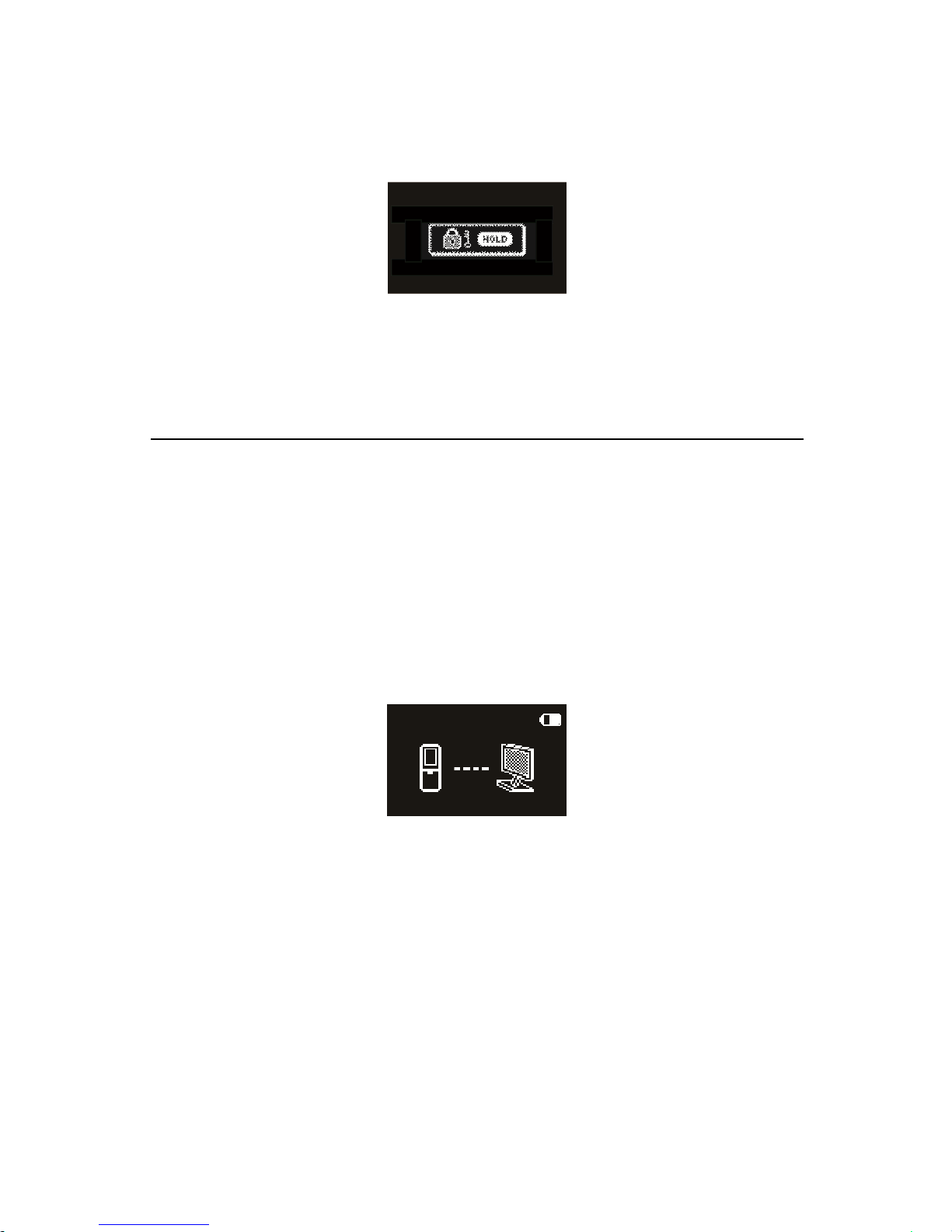
(1) Slide the “ HOLD ” switch up to the Lock position to lock all the
Page 46
46
buttons on the device, except the slide switch of recording.
Then “ Hold ” is displayed for a while and then disappears.
(2)
To
unlock buttons, please slide the “ HOLD ” switch down to
OFF.
PC
PC
PC
PC Connection
Connection
Connection
Connection
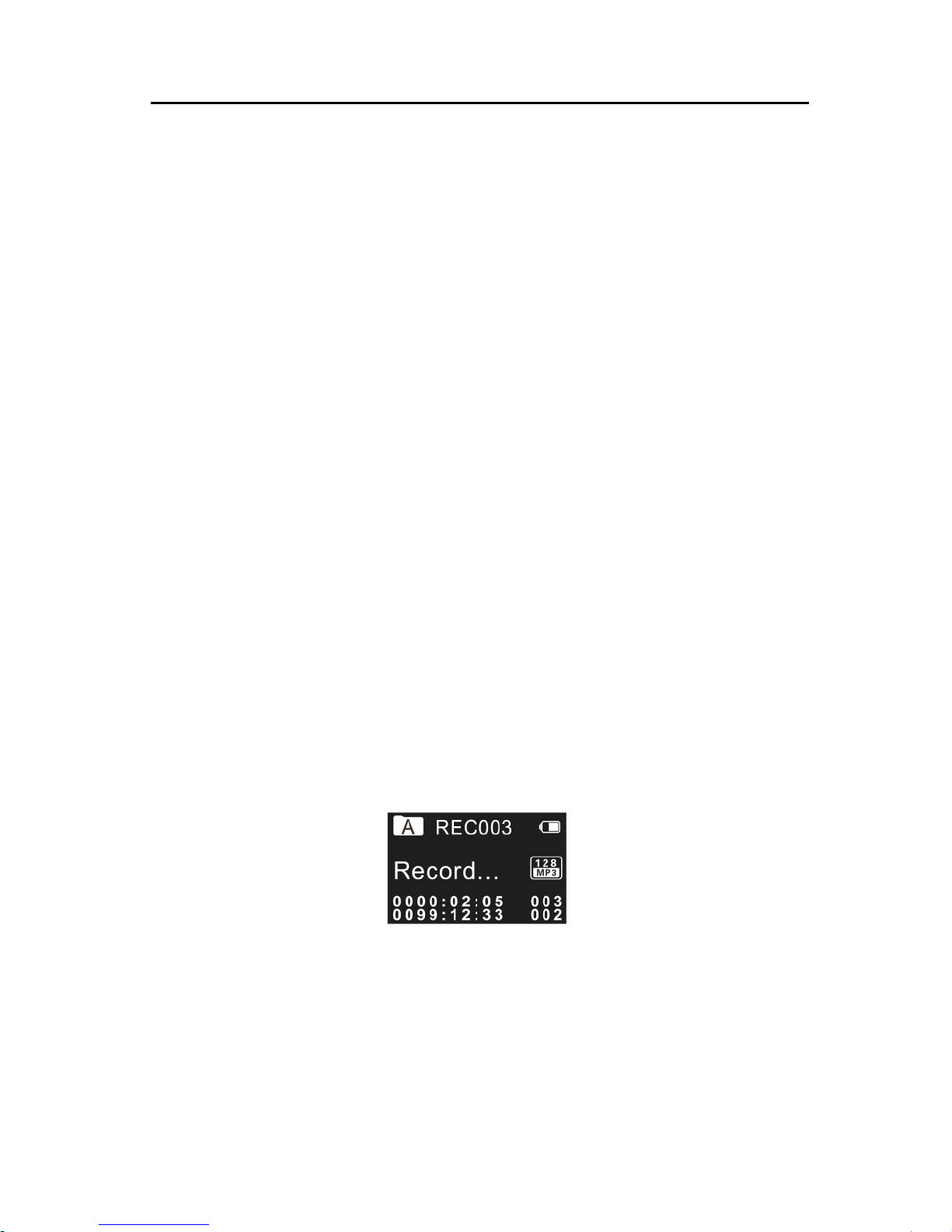
The device can be used as a USB mass storage to conveniently store,
back up and move files. Link the device to a computer with a USB
cable . The voice recorder can automatically be recognized as a mass
storage device without the need to install any software.
Note:
Note:
Note:
Note:
When moving files into or out of the device, please do not
disconnect the device from the computer.
While the device is connected to a computer, it cannot be operated
manually.
Page 47
47
5
5
5
5 Recording
Recording
Recording
Recording
Before using the device, please read carefully the following
instructions .
(1) In the s top state of voice mode , press “ STOP ” button to select
the folder you prefer.
(2) Slide the recording switch to “ REC ” to start recording; the
“ Record/Play ” indicator flickers red; please place the built-in
microphone towards the source of sound.
(3) Press “ PLAY ” button to pause recording, then the red light
flickers, and the display shows “ Pause”.
(4) Press “ PLAY ” button again to resume recording.
(5) Slide the recording switch to “ STOP ” to end recording, the
device returns to the s top ped playing interface of current
recorded file.
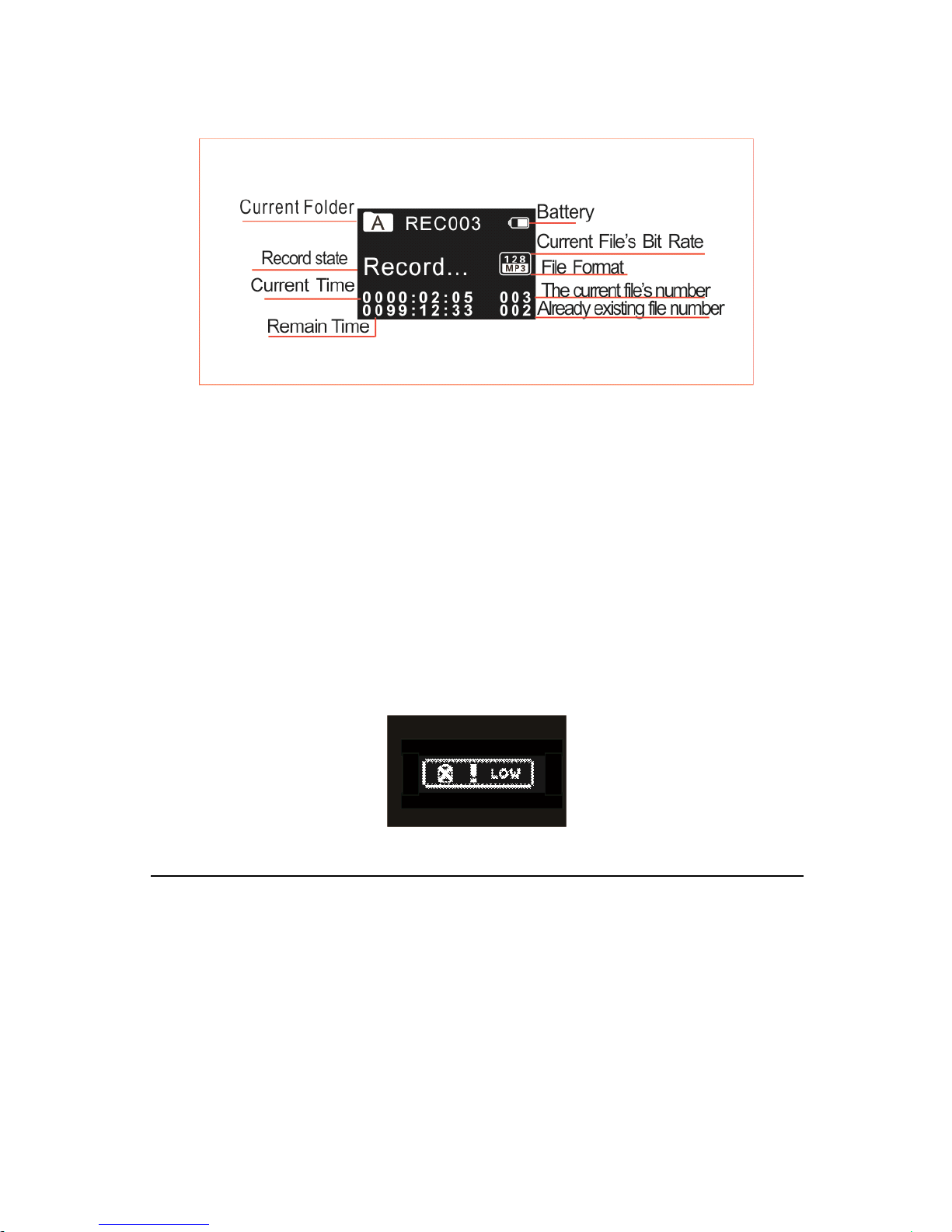
Recording
Recording
Recording
Recording Interface
Interface
Interface
Interface Reference:
Reference:
Reference:
Reference:
Page 48
48
I
I
I
I ll
ll
ll
ll ustration
ustration
ustration
ustration of
of
of
of Recording
Recording
Recording
Recording Interface:
Interface:
Interface:
Interface:
Note:
Note:
Note:
Note: When the low battery icon occurs , it means the battery is
nearly empty and the system will automatically shut down. If the
device is recording, the system will automatically save the recorded
file then shut down. If the device has low battery, please recharge
promptly. When the device is to shut down due to low battery, the
following icon will display.
Note:
Note:
Note:
Note:
• Prior to recording, please preset the record type you need .
When in the Stop state, press STOP button to switch among
folders A, B, C, D and MUSIC. The recorded file can be stored
in any of the A, B, C, D folder; each folder can store up to 99
Page 49

49
audio files. If one folde r is full with 99 files, the system
automatically stores the subsequent files in the next folder. In
the case that all four folders are full, please de lete some
unwanted files to enable recording.
• Make a test recording to make sure that the Voi ce Tracer
settings are correct.
• Each folder can st ore 99 files at most, totally 396 files (99 files x
4 folders)
• If the recording time exceeds the usable storage of the device
or the number of files reaches the limit of 396, the recording
stops. Ple ase delete part of recording or m
ove it to a computer.
• When recording, please do not cut o power, otherwise loss
or damage of recorded file may be resulted.
• If need to record for a l ong time, please charge the device
before recording.
• A fully charged battery will allow you to record for 25 hours.
• The use of the external microphone come with the device
enables better sound qua lity.
Use
Use
Use
Use an
an
an
an External
External
External
External Microphone
Microphone
Microphone
Microphone to
to
to
to Record
Record
Record
Record
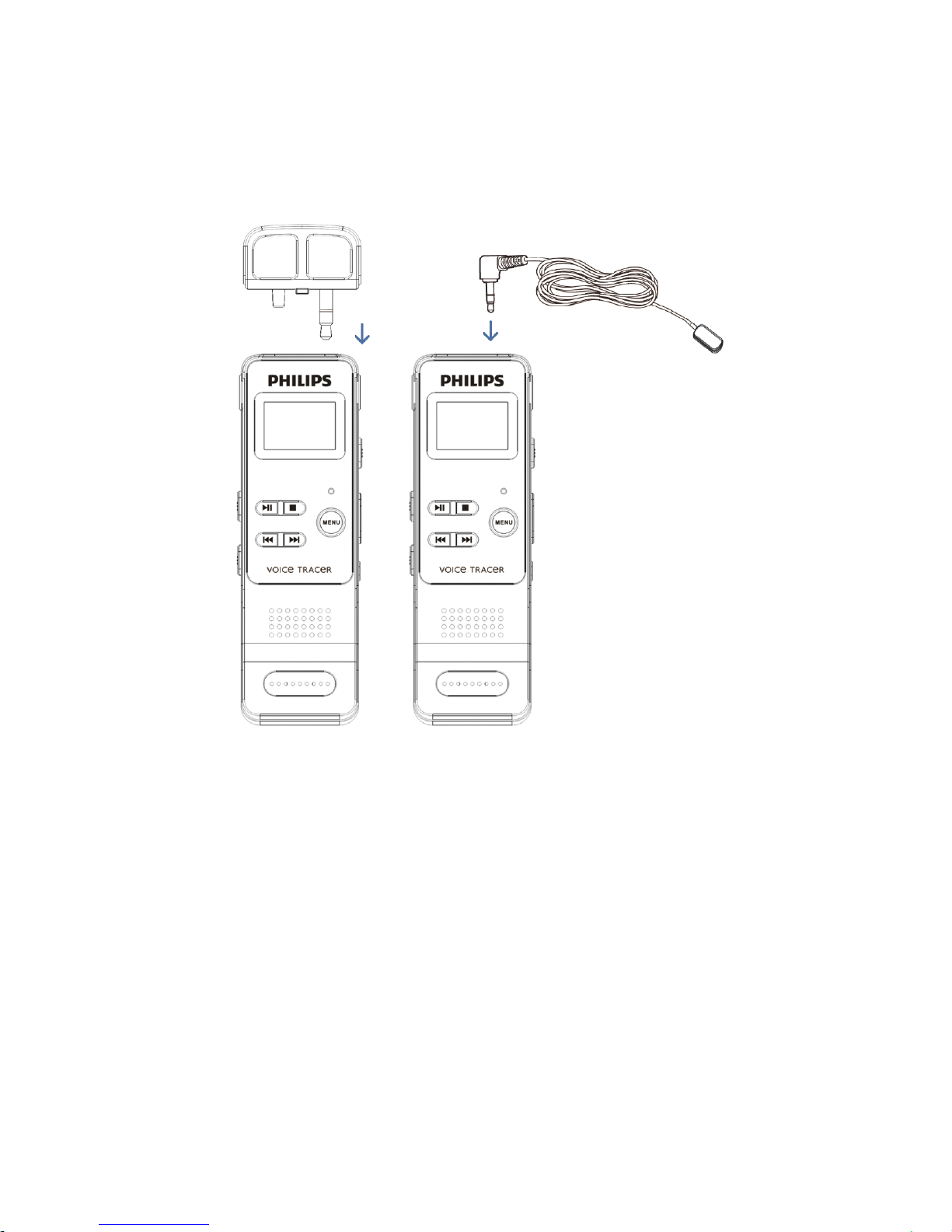
When using an external microphone to record, please first plug it
into the microphone jack, and then record according to the
Page 50
50
procedures of built-in microphone. After you connect the external
microphone, the built-in microphone is disabled. Please note that the
plug of the external microphone must be stereo plug.
Page 51
51
6
6
6
6 Voice
Voice
Voice
Voice Mode
Mode
Mode
Mode
On the main interface you can select the voice mode w ith “ ” or
“ ” buttons, and then shortly press the menu button to enter.
Please refer to the Voice Stop interface below:
Voice
Voice
Voice
Voice Playback
Playback
Playback
Playback Interface
Interface
Interface
Interface Specification
Specification
Specification
Specification :
:
:
:
Note:
Note:
Note:
Note: When in Stop state, press STOP button to switch between
folders A, B, C, D and MUSIC.
Voice
Voice
Voice
Voice Playback
Playback
Playback
Playback
(1) In the Stop Mode of recorded file, press STOP button to select
the folder you prefer.
(2) Press “ ” or “ ” to select a file to
play.
(3) Press Play button to start play ing , “ record / playback ” indicator
Page 52
52
will turn green.
(4) Press “ ” and “ ” to adjust volume .
(5) Press STOP to stop playing. When the playing is stopped, press
the MENU button for about 2 seconds to return to the main
interface.
(6) When playing, press PLAY to pause, press PLAY again to
continue playing.
(7) When playing, press “ ” or “ ” for a few seconds to fast
forward or backward.
Note
Note
Note
Note :
If the earphone is plugged in, the speaker is disabled.
Playing
Playing
Playing
Playing Modes
Modes
Modes
Modes
After the audio file is selected, press the PLAY button shortly to
play.
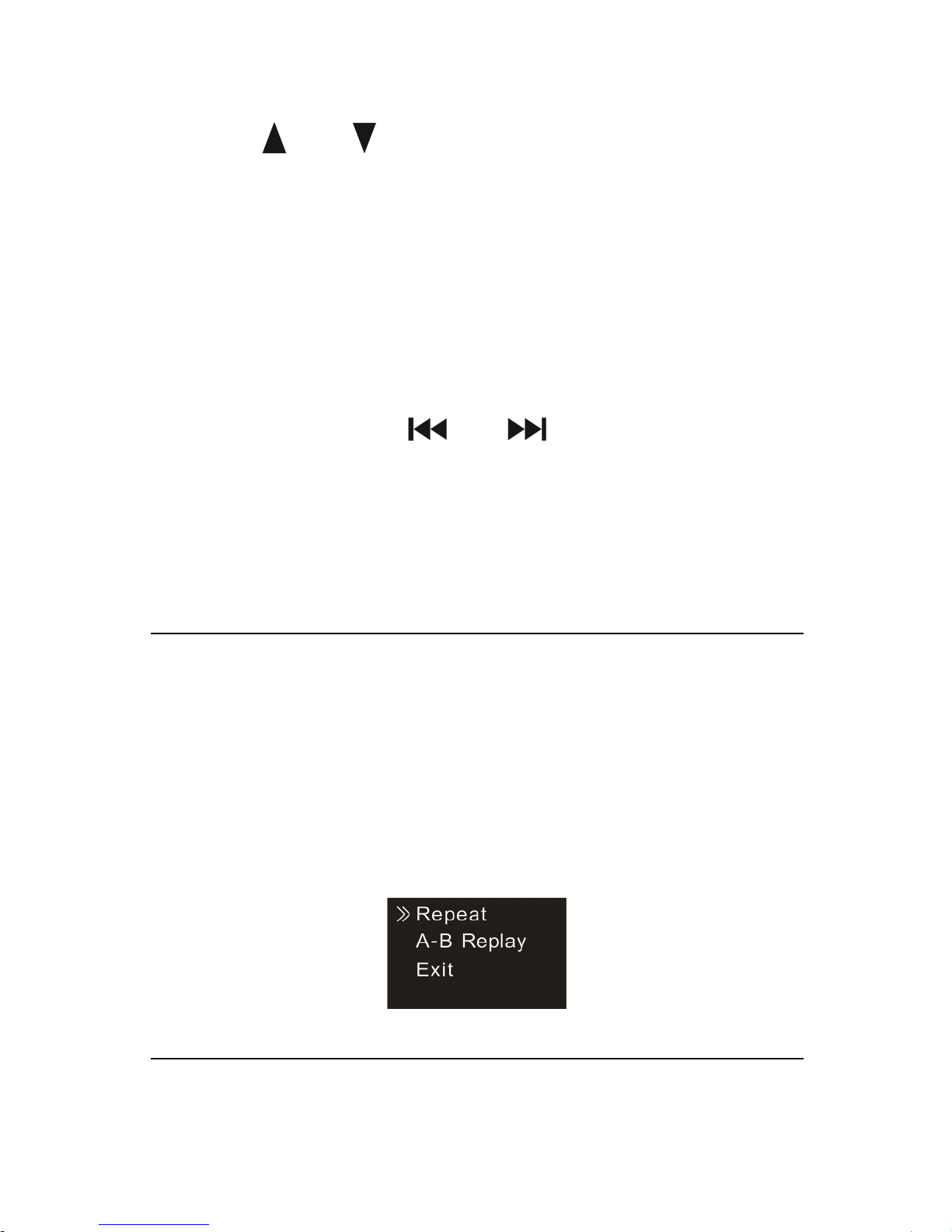
When playing, press shortly the MENU button to pop up the
following playing modes: Repeat and A-B Rep
lay
. See the below
interface reference:
(1) Repeat Modes
Page 53
53
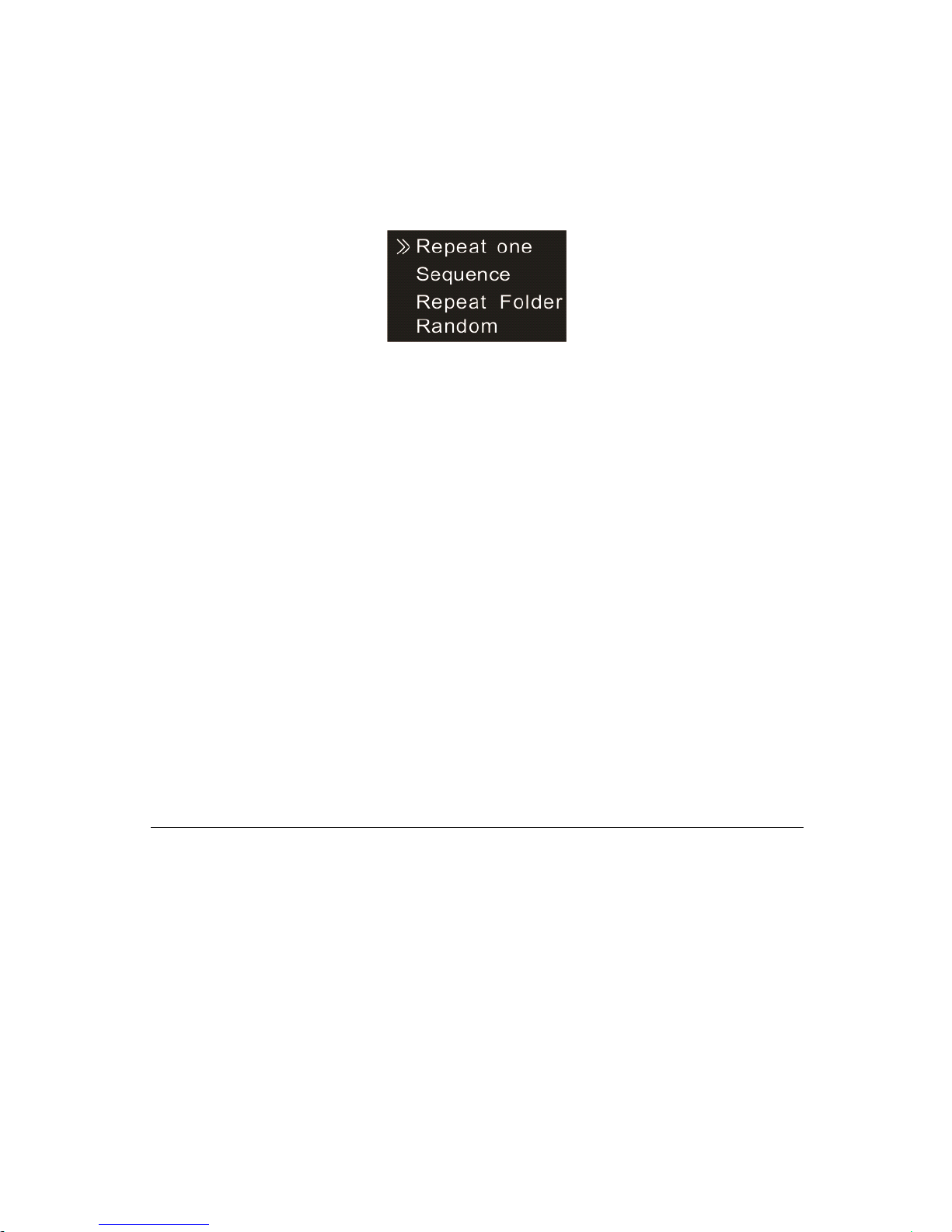
Select Repeat show s in above picture, then press MENU button to
enter repeat modes selection menu.
You
can choose the repeat
mode from the menu as shown in the following picture:
Repeat one: repeat continuously the current track.
Sequence: Play tracks sequentially in selected folder. After playing all
the tracks in the current folder, the playing stops automatically.
Rep eat F older: Repeat tracks on a playlist.
Random: Play randomly tracks in selected folder.
(2) A-B Re play
Choose
“
A-B Rep lay ” from the Playing Modes, then press MENU
button to enter A-B Rep
lay
. For operations of A-B Rep lay please
refer to A-B Rep lay section in “ Music playback”.
Delete
Delete
Delete
Delete Files
Files
Files
Files
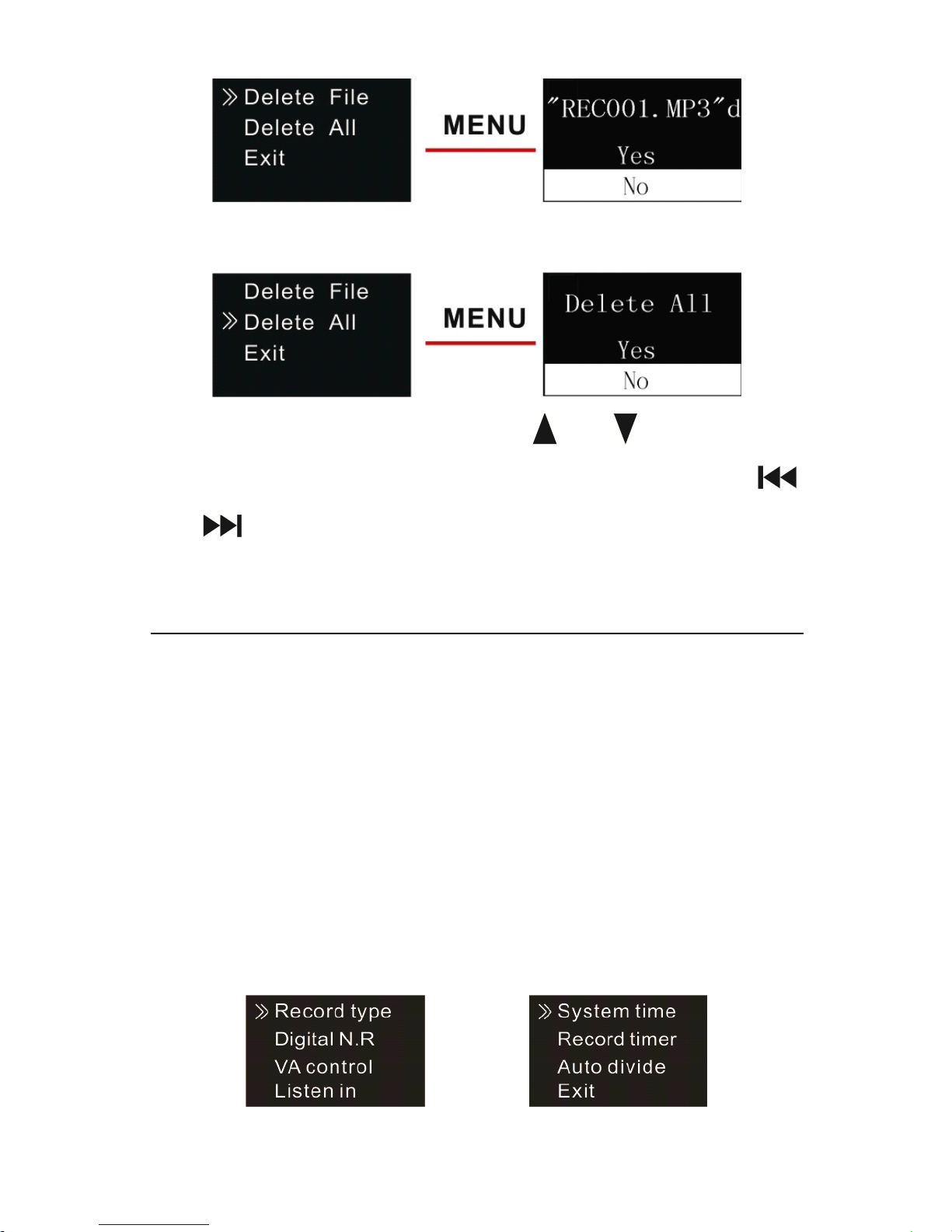
On the stopped playing interface , press the DELETE button for about
2 seconds, the interface of the following picture will appear. Below
are the pictures of the deletion operations:
Page 54
54
On the left side of the interface, press “ ” or “ ” button to select
individual or all files; on the right side of the interface, press “ ”
and “ ” to choose “ YES ” to confirm deletion, “ NO ” to keep file;
press MENU button to execute.
Record
Record
Record
Record Settings
Settings
Settings
Settings
You
can change settings according to your preference.
On the stopped playing interface, shortly press the MENU button to
pop up Functions Menu, the functions include: Record type, Digital
N oise Reduction , VA Control, Listen In, System time, Record timer,
Auto divide feature recording . See the below related reference
pictures:
Page 55
55
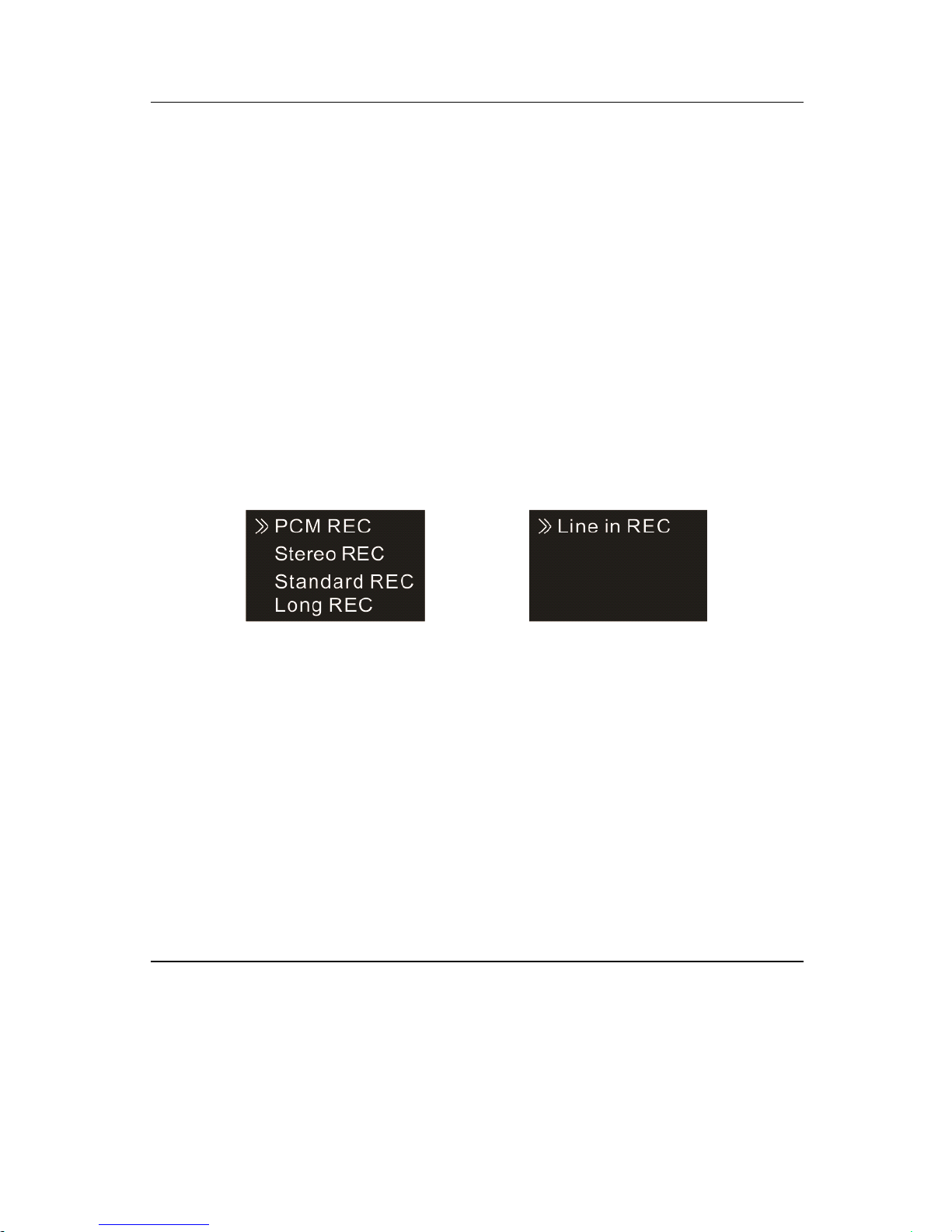
(1) Record type
From the Functions Menu select “ Record type ” , then press MENU
button to enter Record type Menu, in which there are five Record
types to select: PCM REC, Stereo REC , Standard R EC , Long R EC
and Line in REC . If select the PCM recording type, after PCM
recording up to one hour, the device save the record file
automatically, then next recording. See the below related reference
pictures:
PCM REC :
WAV
format , high sound quality, bit rate: 768kbps.
Stereo REC : MP3 format, high sound quality, bit rate: 128kbps.
Standard REC : MP3 format, good sound quality, bit rate: 32kbps.
Long REC : MP3 format, ordinary sound quality, bit rate: 8kbps.
Line in REC : MP3 format, bit rate of the recording file depends on
the above record types.
Telephone
Telephone
Telephone
Telephone Record
Record
Record
Record
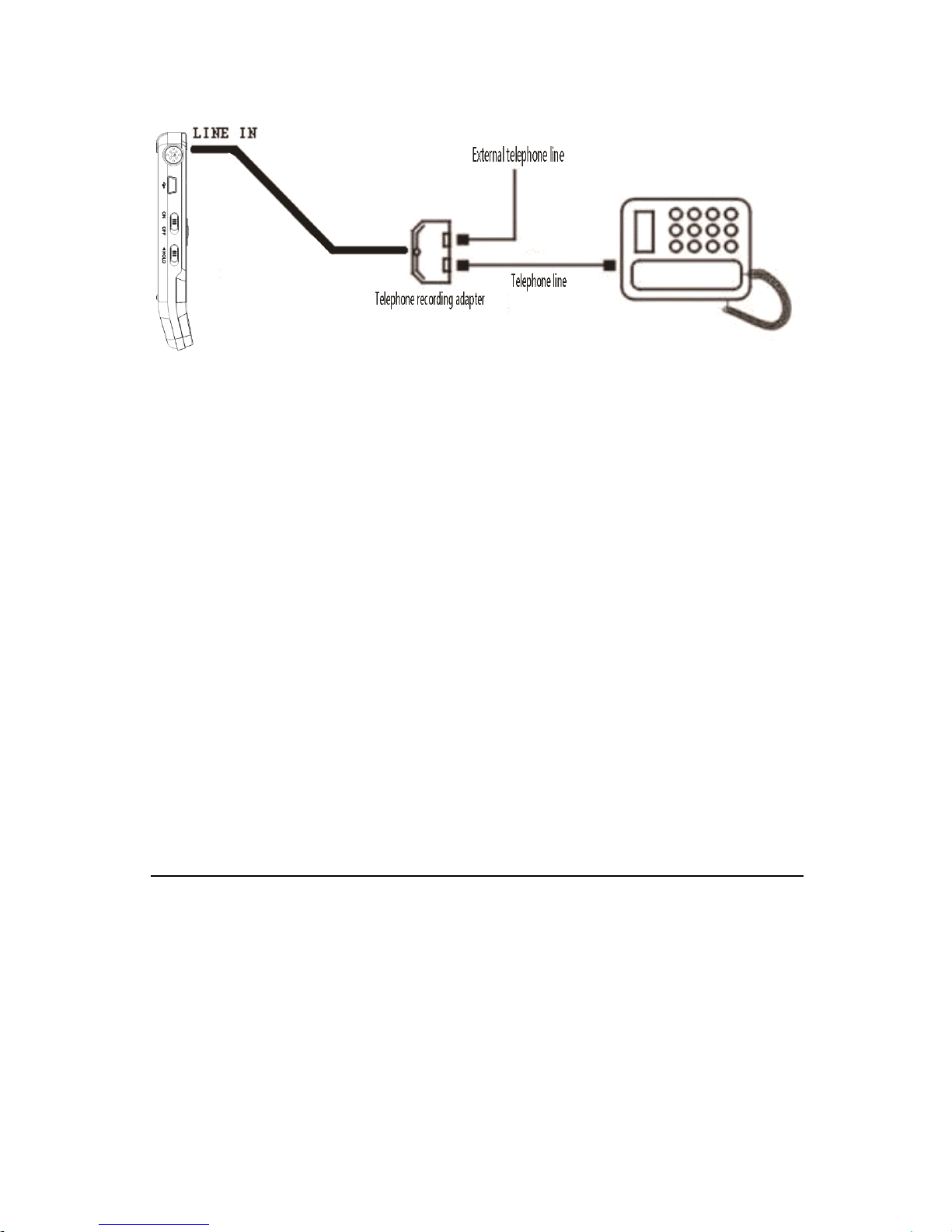
Connect the telephone cable provided with the device and external
telephone cable to the telephone adapter. According to the drawing,
Page 56
56
t he operation is the same as recording with microphone.
Line
Line
Line
Line in
in
in
in Record
Record
Record
Record :
Line in r ecording is a way of recording sound by connecting the
device to an audio equipment
’
s audio output via a stereo audio cable
(audio equipments such as radio, CD, VCD, DVD etc.). Use the
stereo audio cable provided with the device to connect the audio
equipment
’
s audio output with “ Line in ” jack of the device. The
recording operation is the same as recording with microphone.
Before recording with Line in jack, please adjust the volume of the
sound source to a suitable level, otherwise the recorded sound may
lack fidelity.
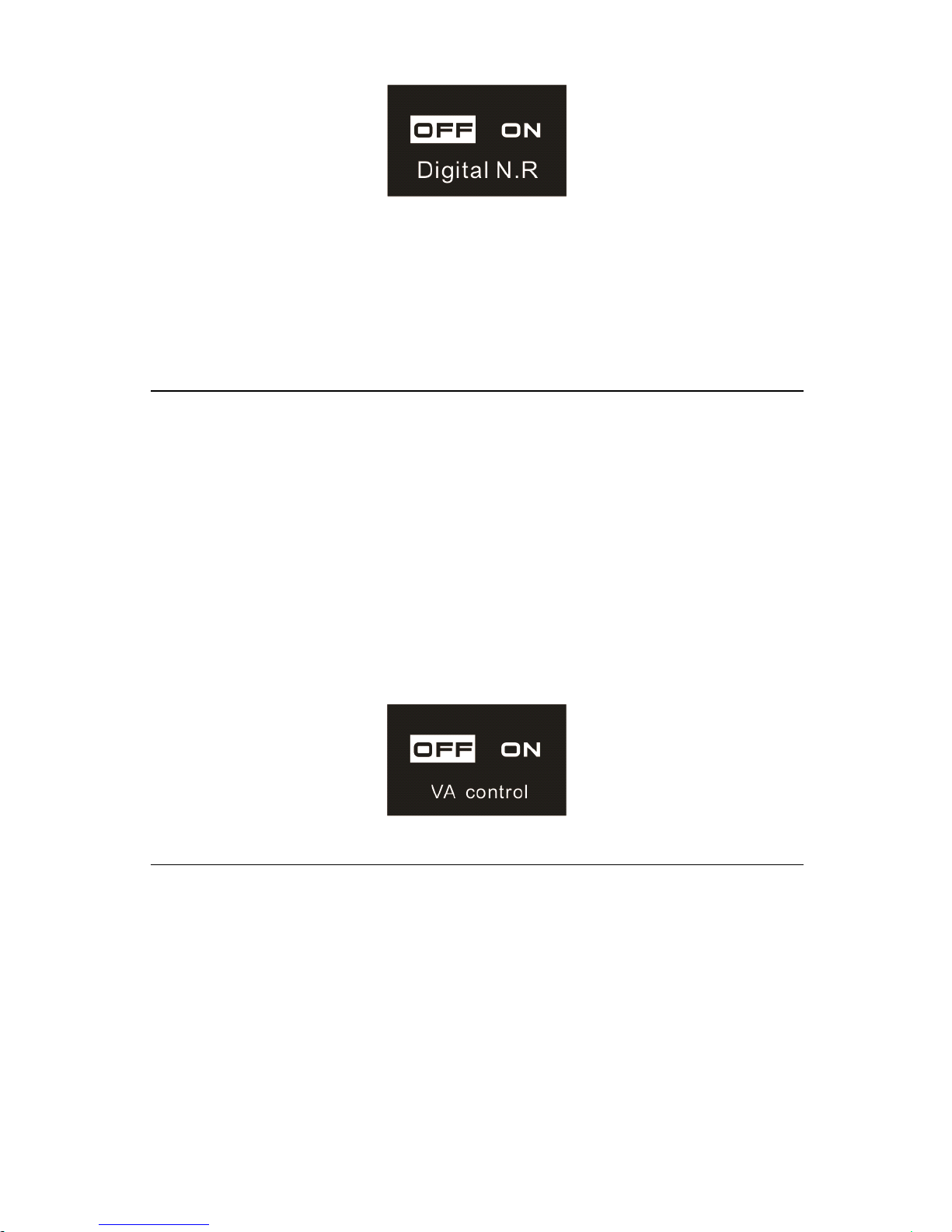
(2) Digital N oise Reduction
When the Digital N oise Reduction function is enabled, the system
can effectively filter the noise from sound source during the course
of recording, and then you can have clear recorded sound. See the
following picture:
Page 57
57
Note:
Note:
Note:
Note:
This function should only be used in noisy environment. And the
recording format is
WAV
with bit rate in 256kbps.
(3) Voice - activated Recording
This is a practical function of recording, no button operation is
needed. When the function is enabled , in the course of recording, if
no voice is detected , the device will automatically pause recording
after 3 seconds ; if voice is detected again, the device resumes
recording. See the below related reference picture:
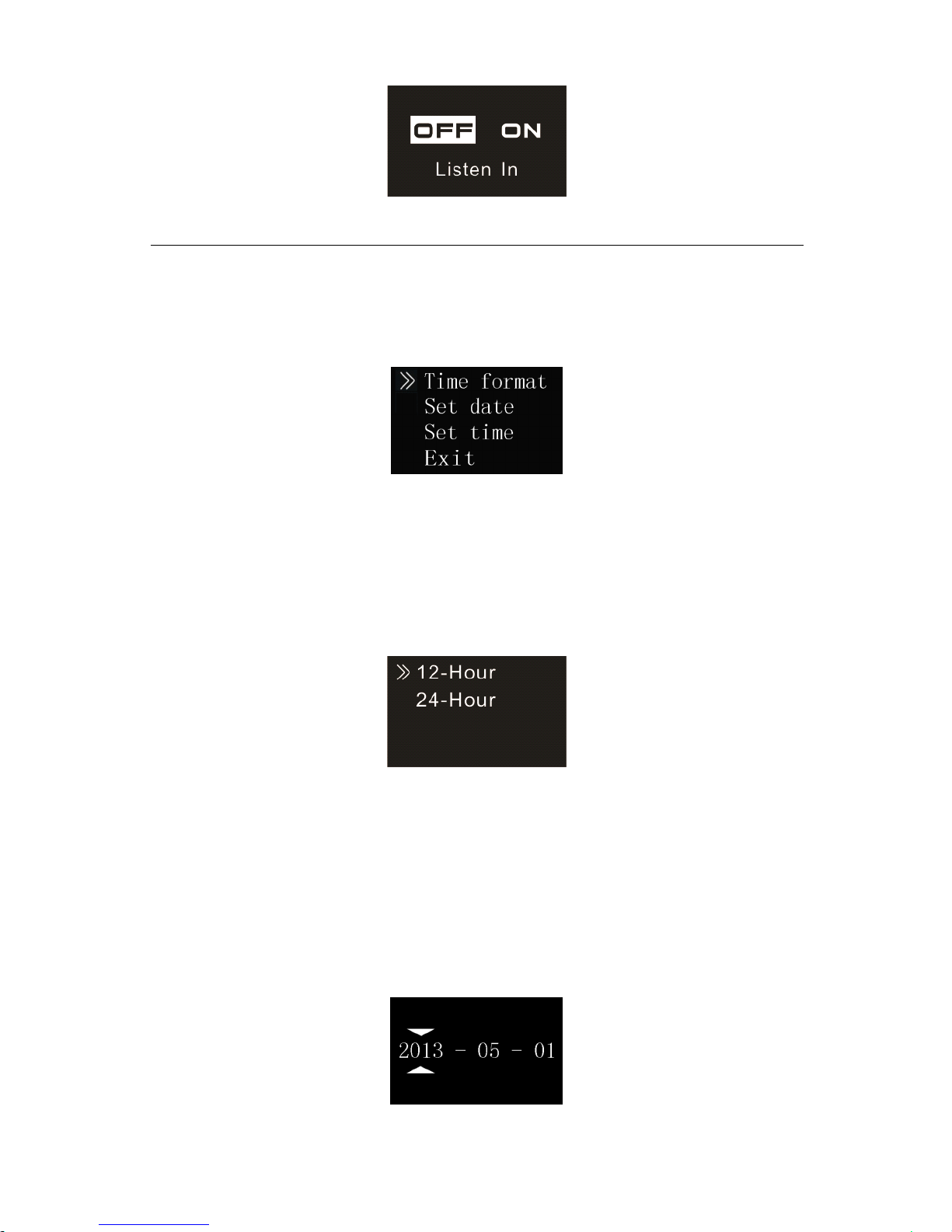
(4) The Li sten I n function
After activating the Listen In function, you can connect an earphone
to listen if there’s any sound output. See the Listen in function setting
interface picture as follows:
Page 58
58
(5) System Time Setting
See the below picture of System time setting:
On this interface, users can set the current time and the time display
format.
When select “Time format”,the device shows the picture as follow:
From the list, users can choose one of two time display format:
12-hour clock or 24-hour clock. The default setting is 24-hour clock.
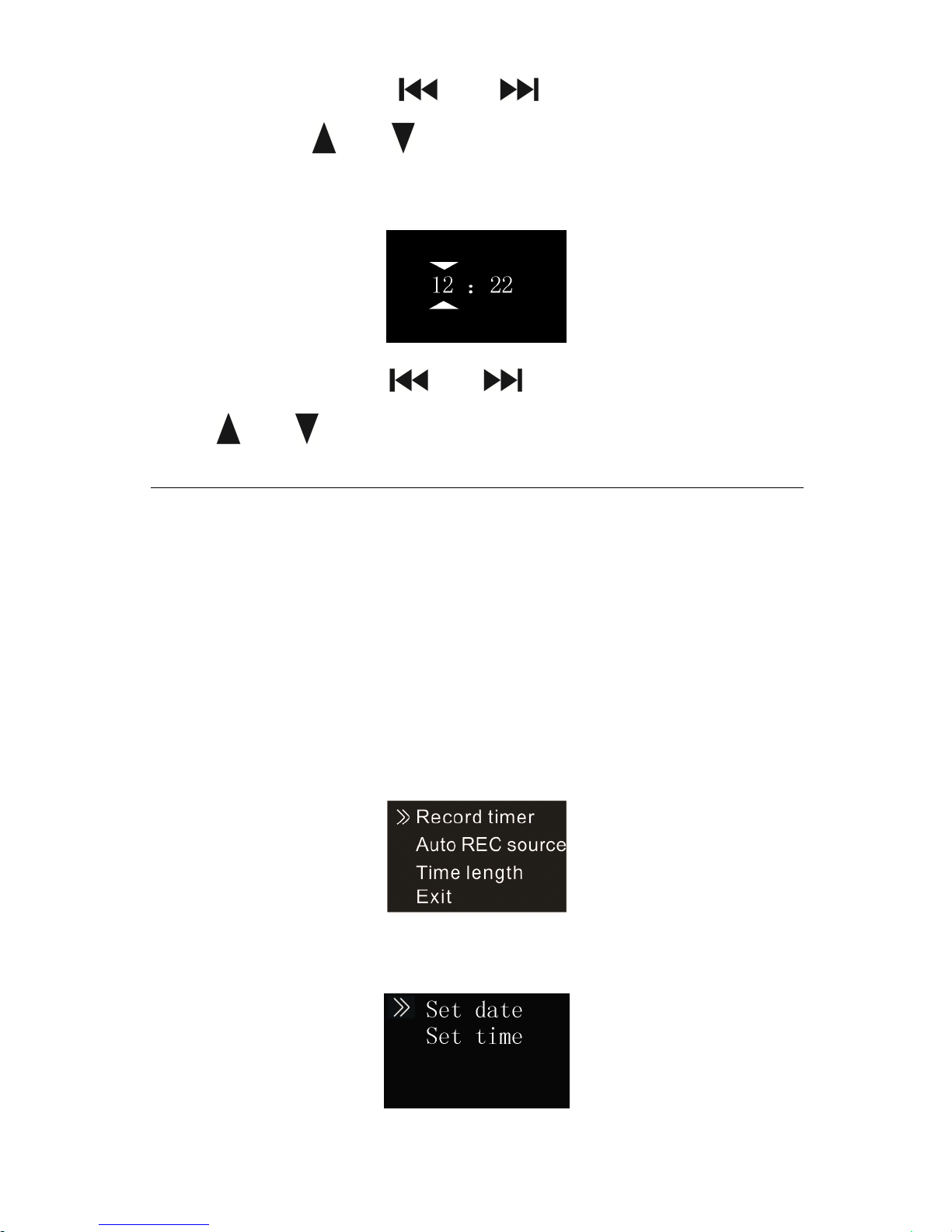
For example, whe n select” Set date”,the device shows the picture as
follow:
Page 59
59
On this interface, press “ ” or “ ” to select year, month and
day
. Then press “ ” or “ ” to change the relevant numbers.
When select “ Set Time ” , the device shows the picture as follow:
On this interface, press “ ” or “ ” to select hour, minute . Then
press “ ” or “ ” to change the relevant numbers.
(6) Record time r setting
Record time r setting: first pre-set a length of time, when system time
reaches the pre-set time, the system automatically starts recording.
On the functions menu, choose the “ Record timer ” , then press the
MENU button to enter “ Record time r ” setting. See the below
reference picture:
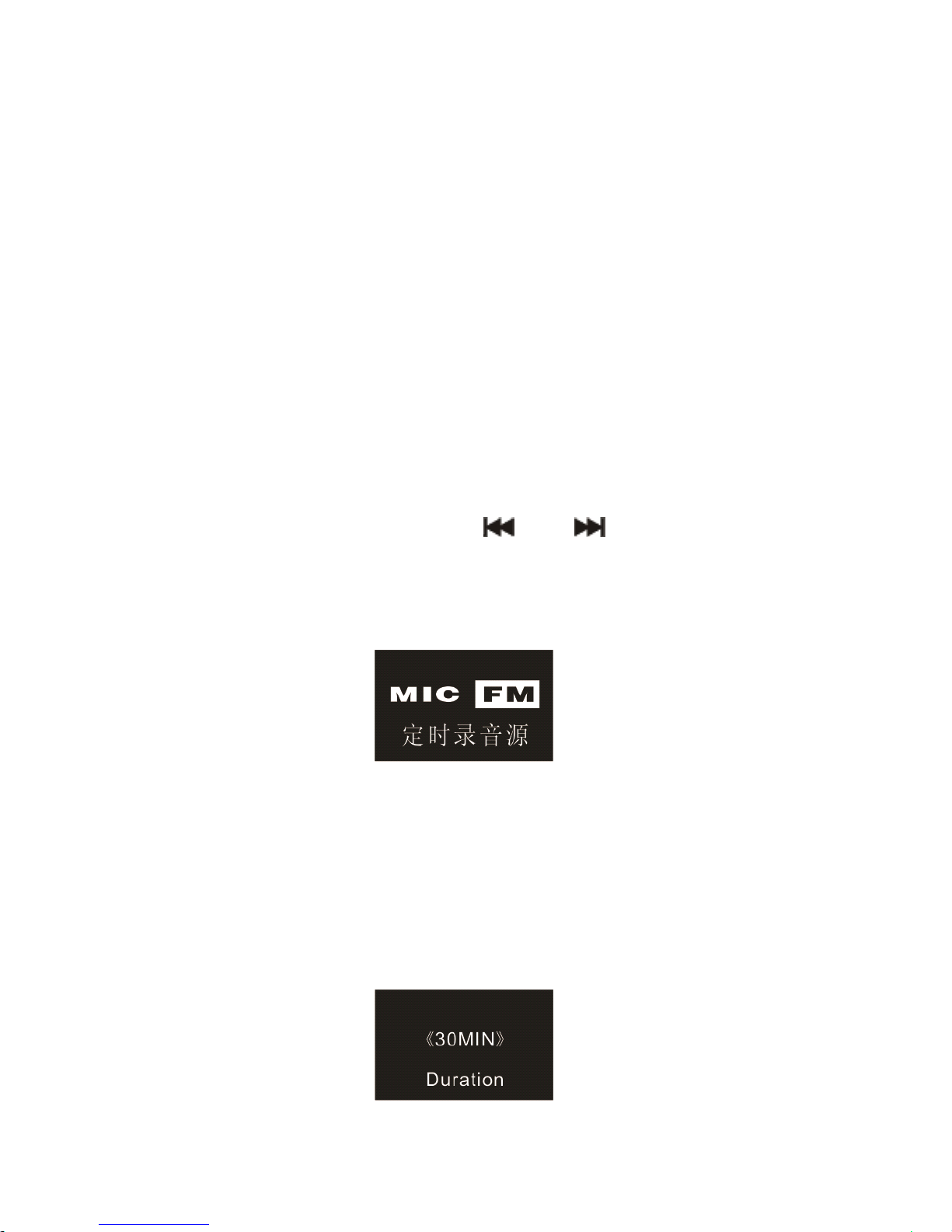
The interface of Record Time is as follow:
Page 60
60
On this interface, users can select “ Set Date ” or “ Set Time ” set the
time when the device starts recording automatically.
Note:
Note:
Note:
Note: If one FM channel is set for timer recording in advance, but
the user is listening to another FM channel when it reaches the
pre-set time point to start recoding , the device will automatically
record the FM channel which the user is listening to rather than the
pre-set one. Please plug in th e earphones before you record the FM
radio.
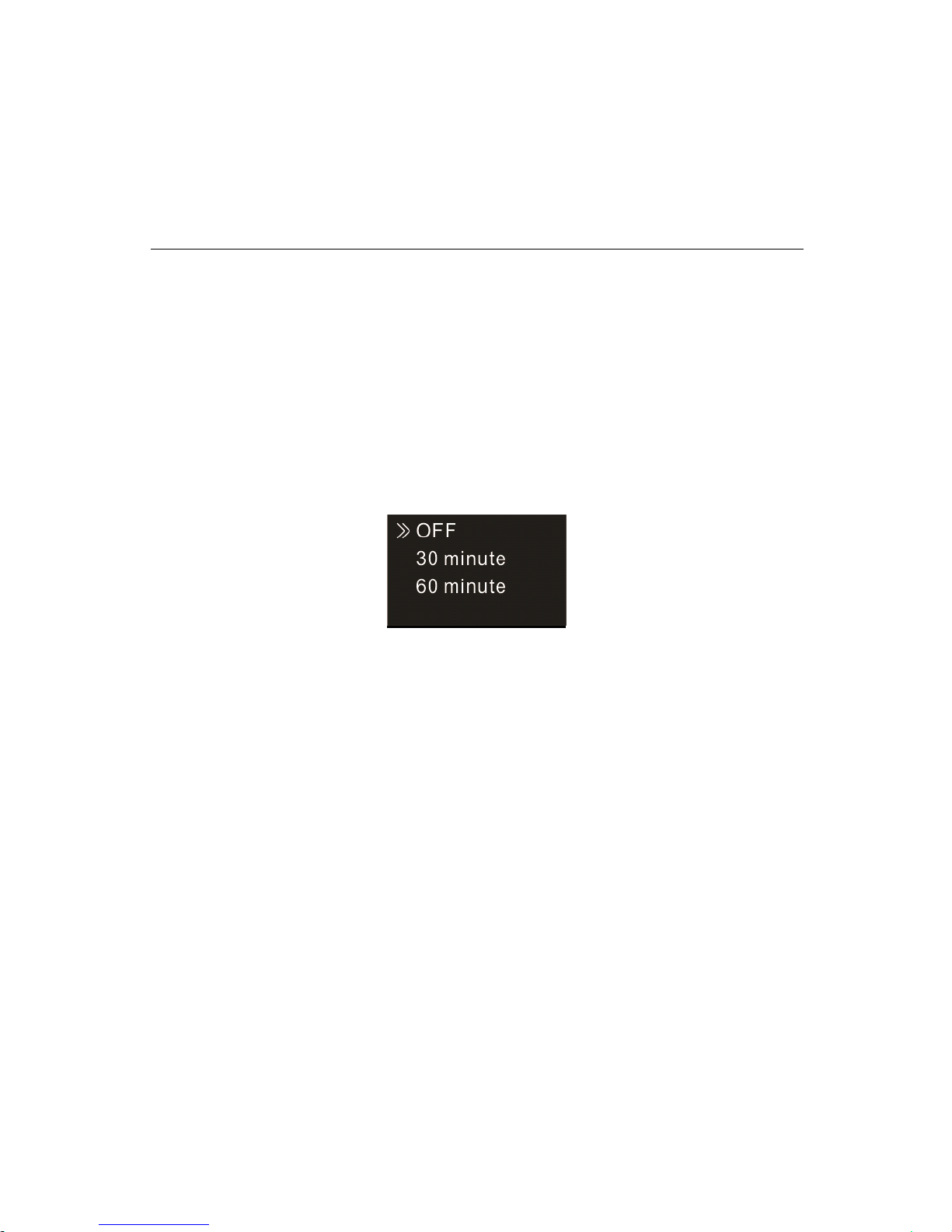
Record source: users can select either voice source from the
microphone or radio by pressing “ ” or “
”
. The default setting
takes the voice picks up by microphone as recording source. See
the below auto off picture:
If the “ FM Source ” is selected, the radio will be the sour ce for voice
recording. Press Menu button to set the frequency point.
The third function is the recording duration .
Y
ou can set the
recording duration to 30, 60, 120 minutes or infinite. The recording
duration setting as follows:
Page 61
61
Note:
Note:
Note:
Note:
W hen using record ing time setting, you must make sure the power
switch is in the ON position when the system is off. Otherwise the
record can ’ t be started at the set time.
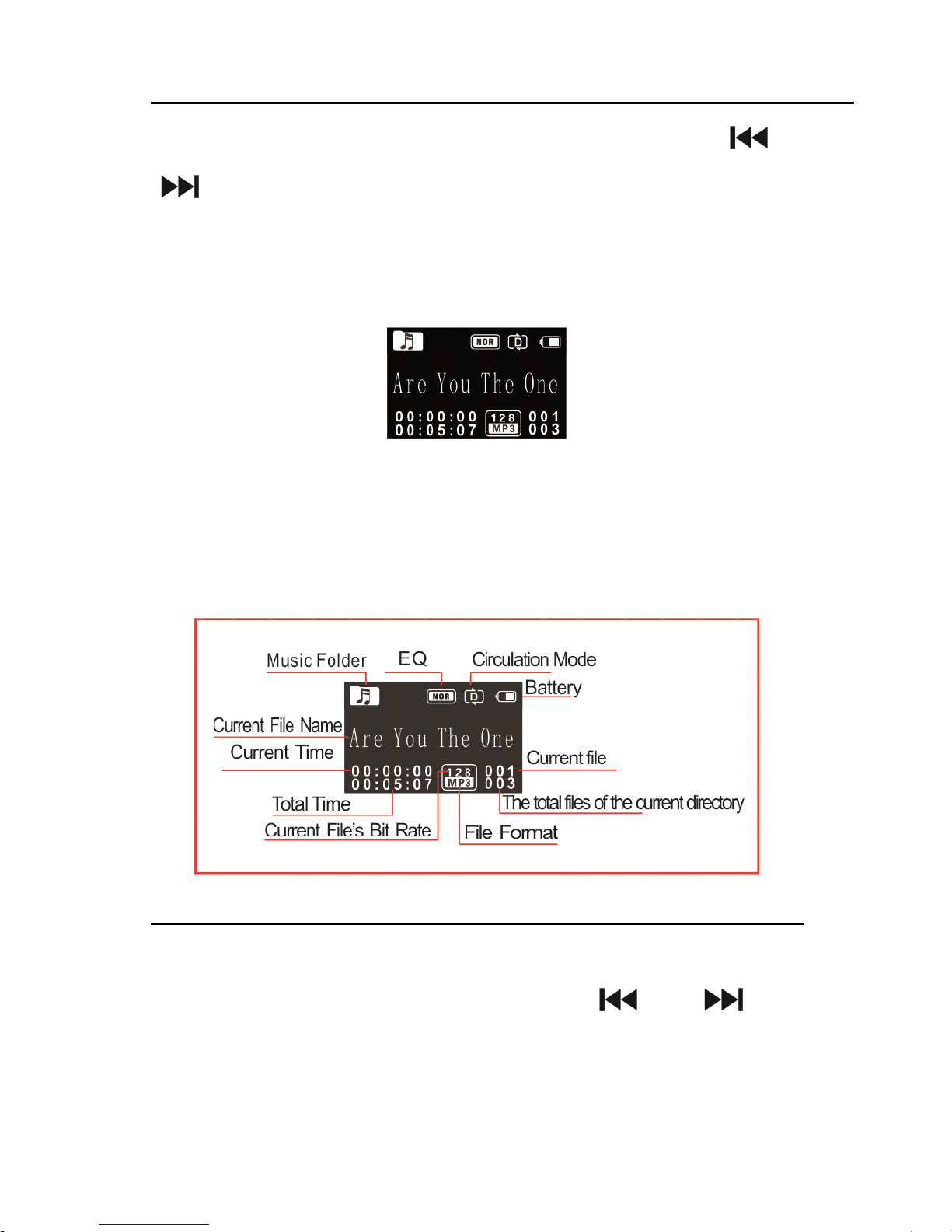
(7) Auto divide feature recording
During the course of recording, the auto divide feature recording
enables recordings to be saved automatically into a new file every 30
or 60 minutes. The auto divide feature recording interface is as
follows:
Page 62
62
7
7
7
7 Music
Music
Music
Music mode
mode
mode
mode
From the main interface, you can choose music mode with “ ” or
“ ” buttons, and then shortly press the MENU button to enter; or
in the voice mode, use the switch buttons to switch to the music
folder. Music playback interface is as follows:
Note:
Note:
Note:
Note: music files can only be played when they are in “ MUSIC ”
folder.
Music playback Interface illustration :
Playing
Playing
Playing
Playing Mode
Mode
Mode
Mode
You
can select the track you want by pressing “ ” and “ ” , then
press PLAY to
play.
When playing, shortly press the MENU button,
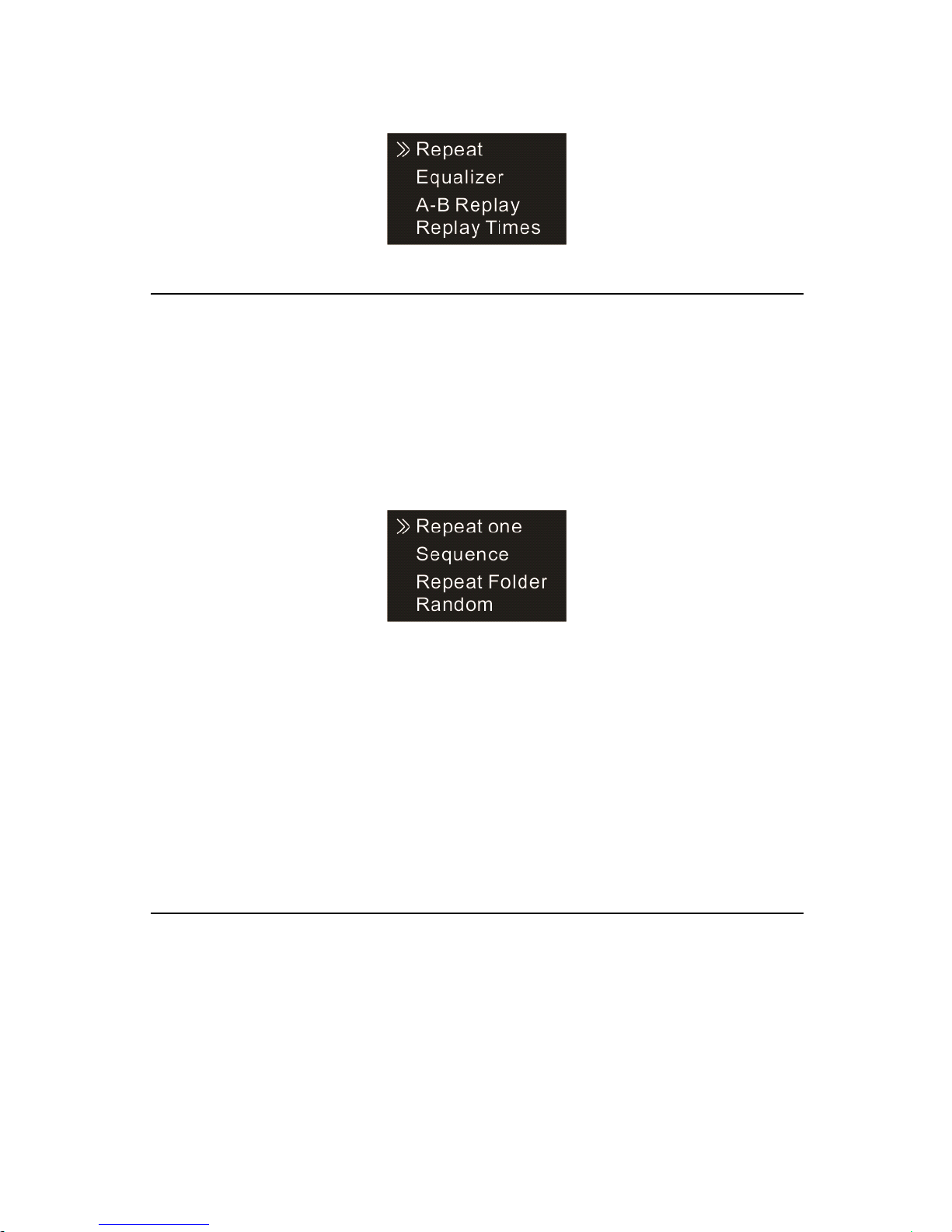
the below menu pops up with modes of: Repeat, Equalizer, A-B
Page 63
63
Replay, Replay times, and Replay gap. See the interface as follows:
(1) Repeat
As illustrated, “ Repeat ” is selected, then press MENU button to
enter the Repeat Selection Menu.
You
can choose the preferred
repeat as follows:
Repeat one: repeat continuously the selected track.
Sequence: Play sequentially tracks in selected folder. After playing all
the tracks in the current folder, the playing stops automatically.
Rep eat folder: Repeat tracks on the selected playlist.
Random: Play randomly tracks in selected folder.
(2) Equalizer
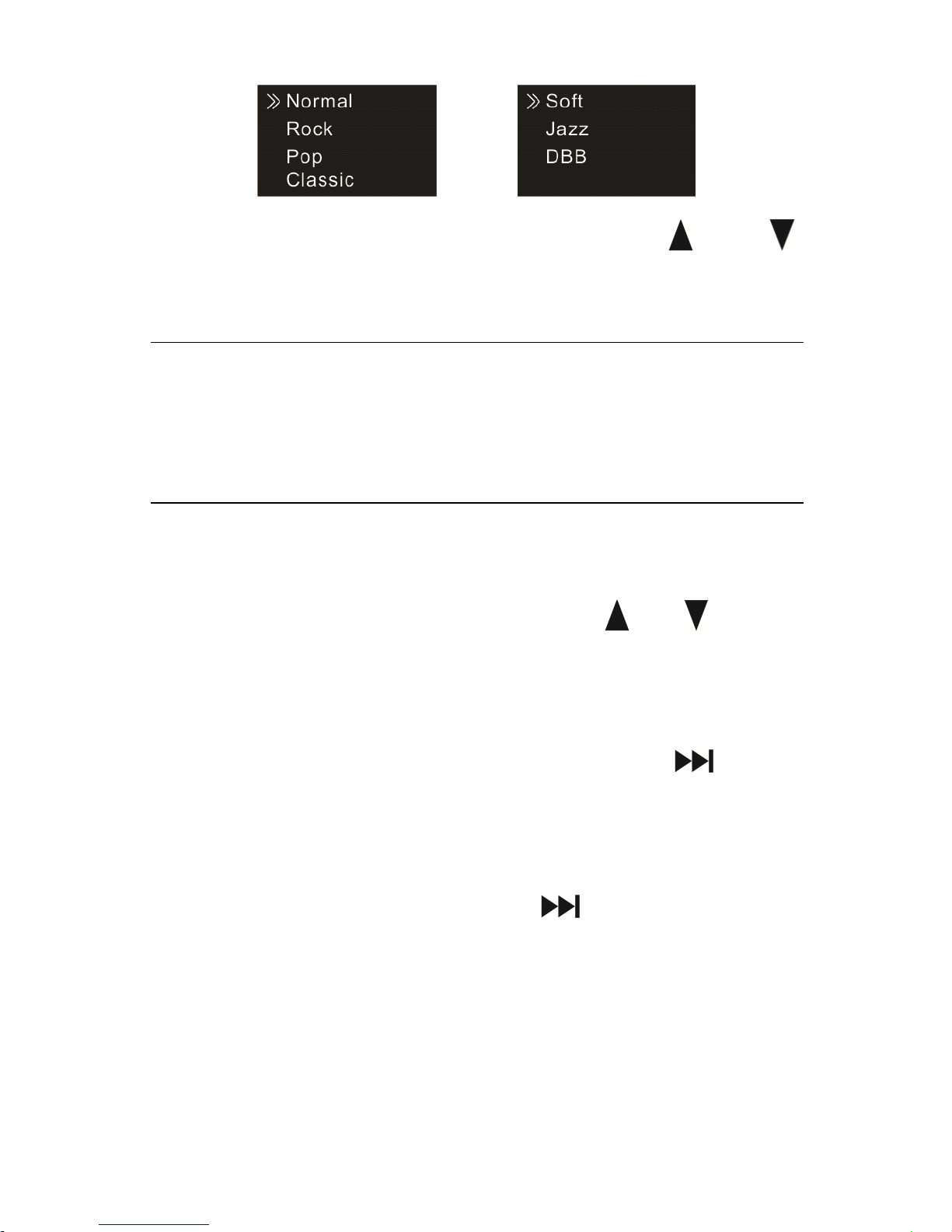
F rom the Playing Menu select “ Equalizer ” , press MENU button to
enter. The Equalizer include s : Normal, Rock, Pop, Classic, Soft, Jazz,
and DBB. Refer the below picture s :
Page 64
64
In the Equalizer Mode, you can choose mode with “ ” and “ ”
buttons, press MENU button to confirm.
(3) A-B Replay
From the Playing Menu select the
“
A-B Rep lay ” , press MENU button
to enter.
Set A-B Repeat
• Set the start mark : When playing, shortly press MENU button
to enter Playing Menu, then shortly press “ ” or “ ” to select
“
A-B Re play ” mode, then press MENU button to return to
Playing Menu. The
“A” in
“
A-B ” on LCD display flickers, if you
need to confirm the start point A , shortly press “ ” to make
confirm ation .
• Set the finish mark : After setting mark A, the “ B ” in
“
A-B ” on
LCD display flickers, shortly press “ ” to set the finish mark.
The
“
A-B ” is displayed on the LCD. As the rep lay marks are
fixed on
“
A-B ” , the section between mark A and B will be
rep lay ed for specified times. After playing specified times, the
“
A
” in
“
A-B ” flickers to wait for setting mark A, and the system
Page 65
65
resumes normal playing. If A-B Rep lay is not needed, use any of
the following method s to cancel the A-B Replay mode.
• Cancellation : Shortly press “ PLAY ” button to cancel the AB
marks and pause playing.
• Shortly press “ STOP ” button to cancel the AB marks and stop
playing.
• Shortly press “ MENU ” button to cancel the AB marks and
continue playing.
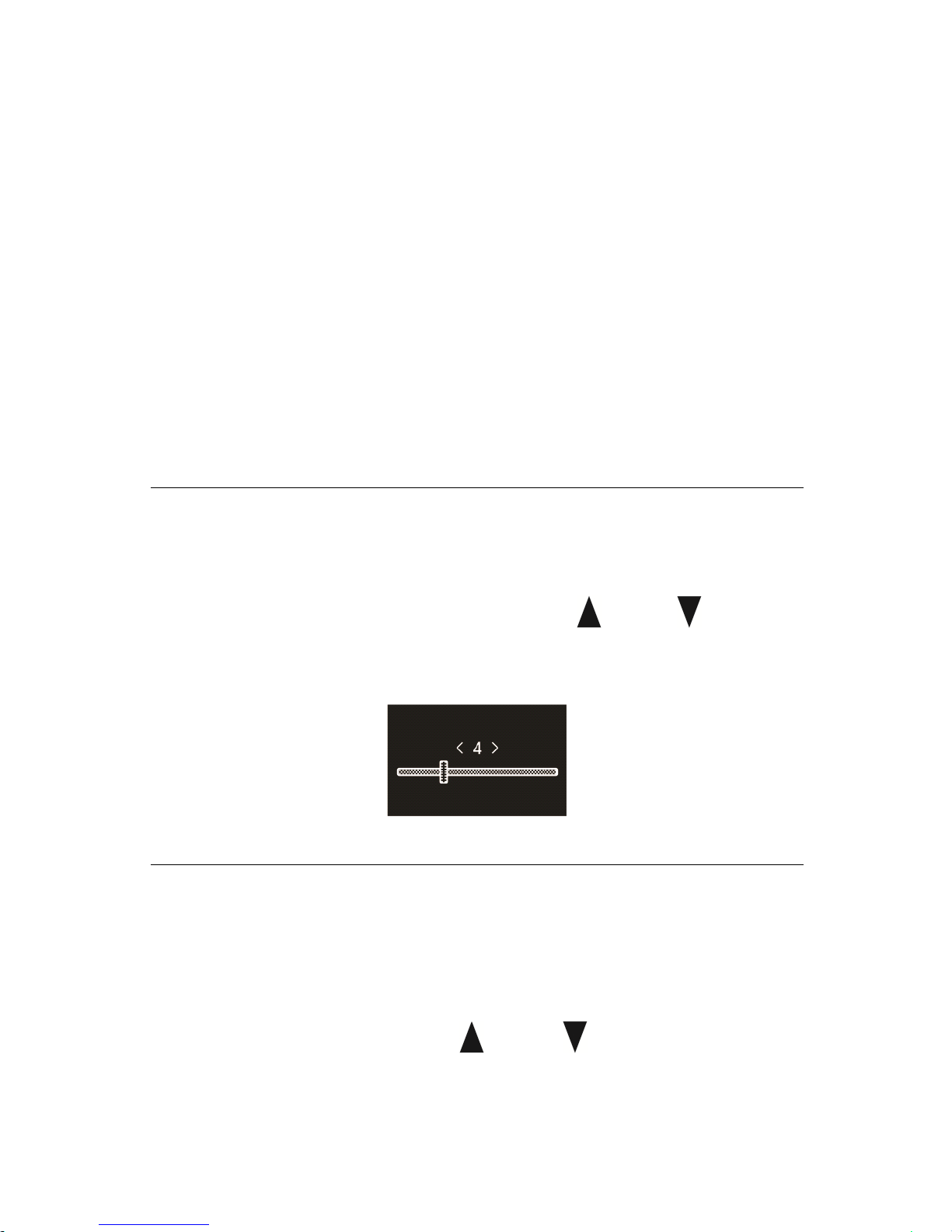
(4) Replay times
From the Playing Menu select the “ Replay times ” , then press MENU
button to enter Replay times setting. Use “ ” and “ ” to adjust
times setting . See the below interface picture:
(5) Replay gap
Replay gap means the time gap between two repeats.
You
can choose
the “ Replay gap ” from the Playing Menu then press MENU button to
enter Replay gap setting. Use “ ” and “ ” to adjust Replay gap
setting .
Page 66

66
Delete
Delete
Delete
Delete Files
Files
Files
Files
Regarding the operation approach, please r efer to the Delete Files in
voice playback section.
The
The
The
The lyrics
lyrics
lyrics
lyrics displayed
displayed
displayed
displayed
This p roduct support s "*.lrc" lyrics files, realiz ing the synchronous
broadcasting of song s and lyrics.
Note:
Note:
Note:
Note:
(1) Lyrics file's name and the name of the song files need to be
consistent.
(2) If the current song file match es with lyrics fil e, the music mode
icon in the top of the screen will appear , as follows ; if no
lyrics match, then no sign will be displayed as shown below
.
(3) If the lyrics match, long press the "menu ” button to enter the
lyrics interface, lyrics display will appear .
To
exit, short press
"menu" button to return to the Music M ode.
Page 67
67
8
8
8
8 Radio
Radio
Radio
Radio Mode
Mode
Mode
Mode
From the main menu select Radio Mode, press MENU button to
enter. See the below picture of Radio Mode:
N
N
N
N ote:
ote:
ote:
ote:
Please plug in the earphones. They allow radio reception. Sound can
only be heard in the earphones.
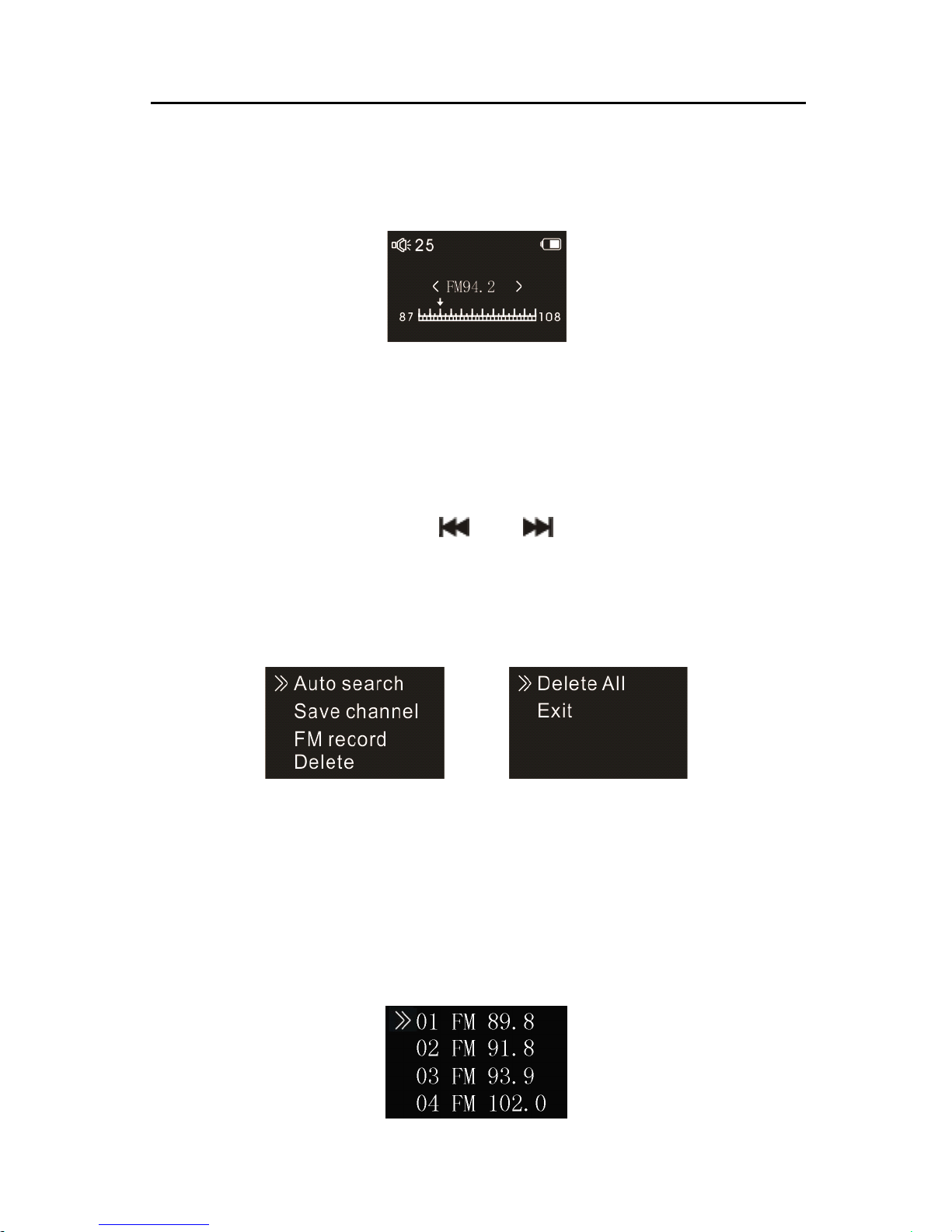
In the Radio Mode, p ress “ ” or “ ” button to choose radio
frequency ; press MENU button to display the following menu,
including: Auto search, Save Channel, FM record, Delete, Delete All.
After Auto Search is selected, the system automatically searches
radio channels. When a radio channel is found, the channel will be
saved automatically into radio channel list. When the automatically
channel search is completed, it shows the interface as below:
Page 68
68
You
can choose Save Channel to save it. Choose Delete to delete a
current saved channel or Delete all saved channels. The device can
store 40 radio channels at most. After more than one radio channel
is stored, short press “ PLAY ” or “ STOP ” to switch among saved
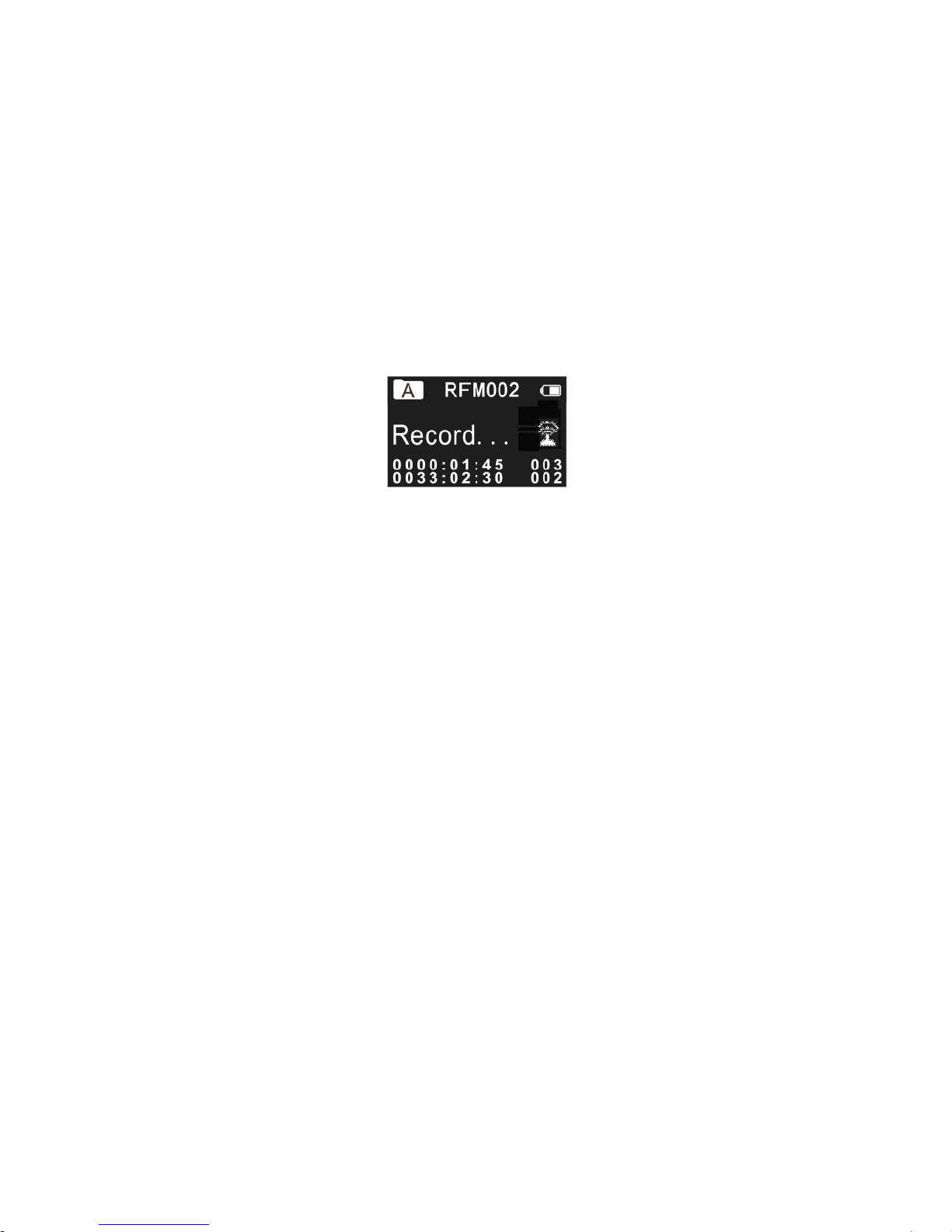
radio channels in sequence. If you choose FM record, the system
starts recording the radio , see the interface picture below:
Page 69
69
9
9
9
9 Wireless
Wireless
Wireless
Wireless Mode
Mode
Mode
Mode
Select Wireless Mode on the main interface, press MENU to enter.
There are two built-in frequency bands available in the system. Please
set the device’s working band and the working band of the wireless
microphone to the same band , for example: if the device’s working
band is set at BAND 1, then the wireless microphone
’
s working band
has to be set at BAND 1 too . If the band s don ’ t match, the device
cannot record sound from the wireless microphone.
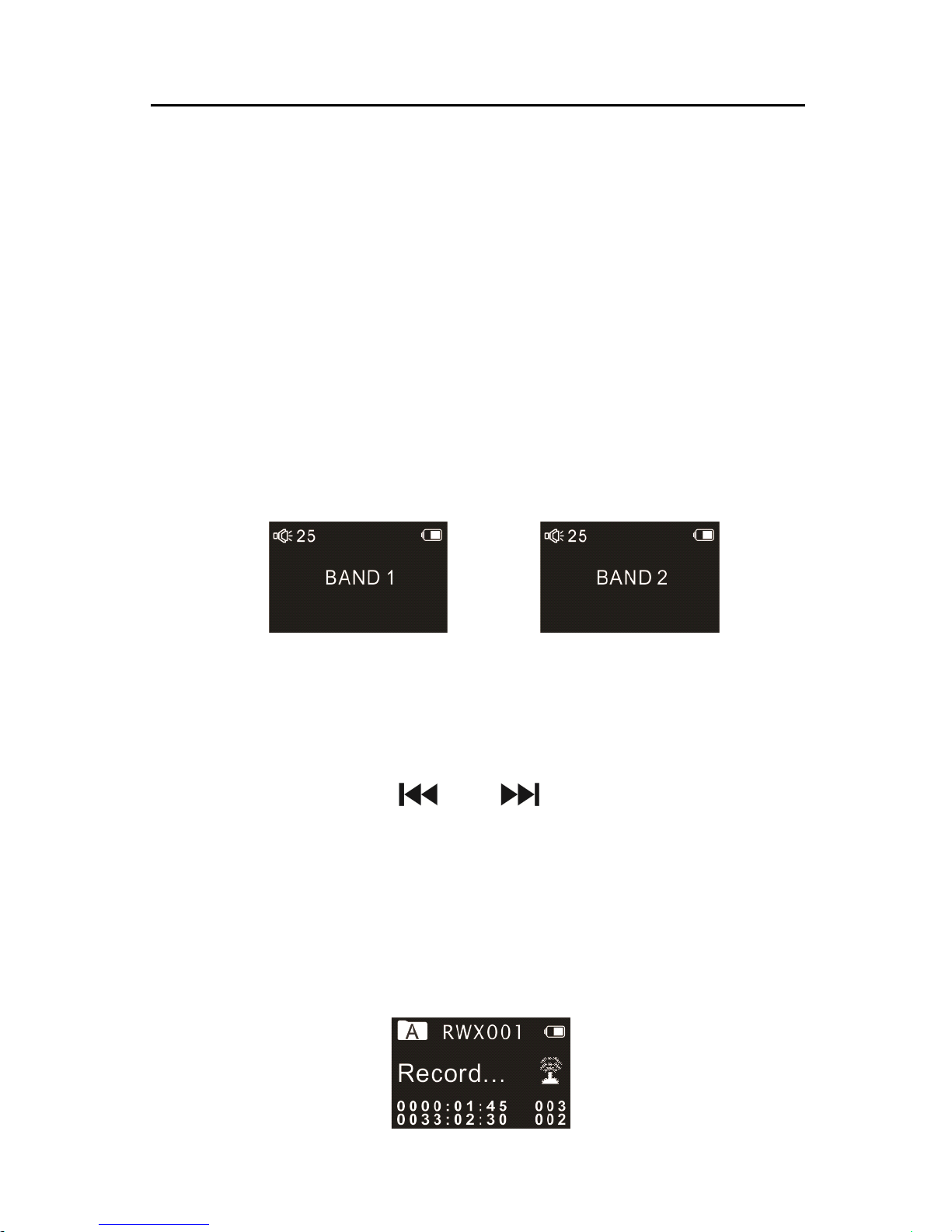
Wireless reception interface picture as follows:
BAND 1 BAND 2
Note:
Note:
Note:
Note: please plug in the earphones. They allow radio reception.
Sound can only be heard in the earphones.
On this interface, press “ ” or “ ” to switch band . After the
band is set, press “ PLAY ” button to enter recording mode through
wireless reception. In order to start wireless record ing , the wireless
microphone must be working on the same band with the device. See
the below interface picture of Wireless Mode:
Page 70

70
The maximum working range of wireless recording is between 20 to
30 meters. Thus, the wireless recording within this range is suggested,
and please try to avoid any barriers that may weaken the signal. If
wireless recording works beyond the reception range, or the wireless
recording happens in special occasions nearby radio frequency
interference, large sized working machines or substations are around,
recordings with low sound quality may be resulted. During the
course of wireless recording, earphone can be plugged in to monitor
the sound being recorded.
Page 71
71
10
10
10
10 The
The
The
The wireless
wireless
wireless
wireless microphone
microphone
microphone
microphone user
user
user
user manual
manual
manual
manual
The
The
The
The wireless
wireless
wireless
wireless microphone
microphone
microphone
microphone i
i
i
i nstructions
nstructions
nstructions
nstructions :
:
:
:
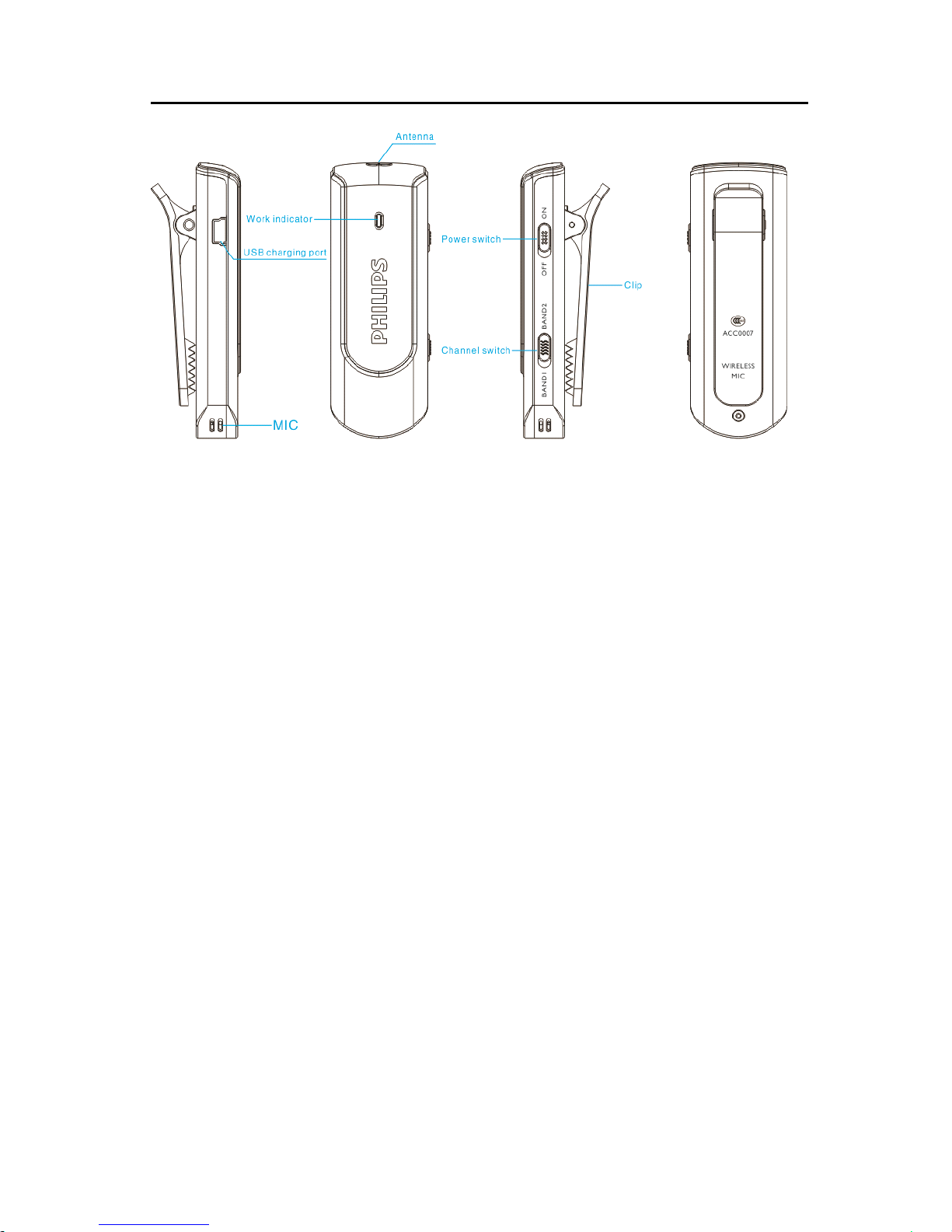
Power ON/OFF: slide the switch to the position of “ ON ” to switch
on the device. When the device powers on, indicator light turns blue.
When slide the switch to the position of “ OFF ” , indicator light turns
off and the device powers off.
Charging: please use the charger for voice recorder or connect the
device with PC via USB cable to charge the device. When the device
is charging power, please slide the switch to the position of “ OFF ” .
The general charging time for the device is about two hours.
Indicator light turns red when the device is charging power and turns
off after the device being fully charged.
Working distance: under the barrier-free environment, the effective
working distance for the device is between 20 and 30 meters.
Page 72

72
Working time: the device can work continuously for around 7 hours
after being fully charged.
Notice
Notice
Notice
Notice for
for
for
for the
the
the
the wireless
wireless
wireless
wireless microphone:
microphone:
microphone:
microphone:
• Please charge the device for two hours before using it for the
first time, in order to ensure the device work properly.
• Please slide the “ ON/OFF ” switch to the position of “ OFF ”
when the device is not in use.
• Please stretch the antenna straight to ensure better signal
transmission.
• If the indicator light or the device is not working when being
used, please recharge the device and try to power it on again.
• Do not use the device when it is charging power.
Page 73
73
11
11
11
11 Setting
Setting
Setting
Setting Mode
Mode
Mode
Mode
From the main menu select Setting mode, press MENU button to
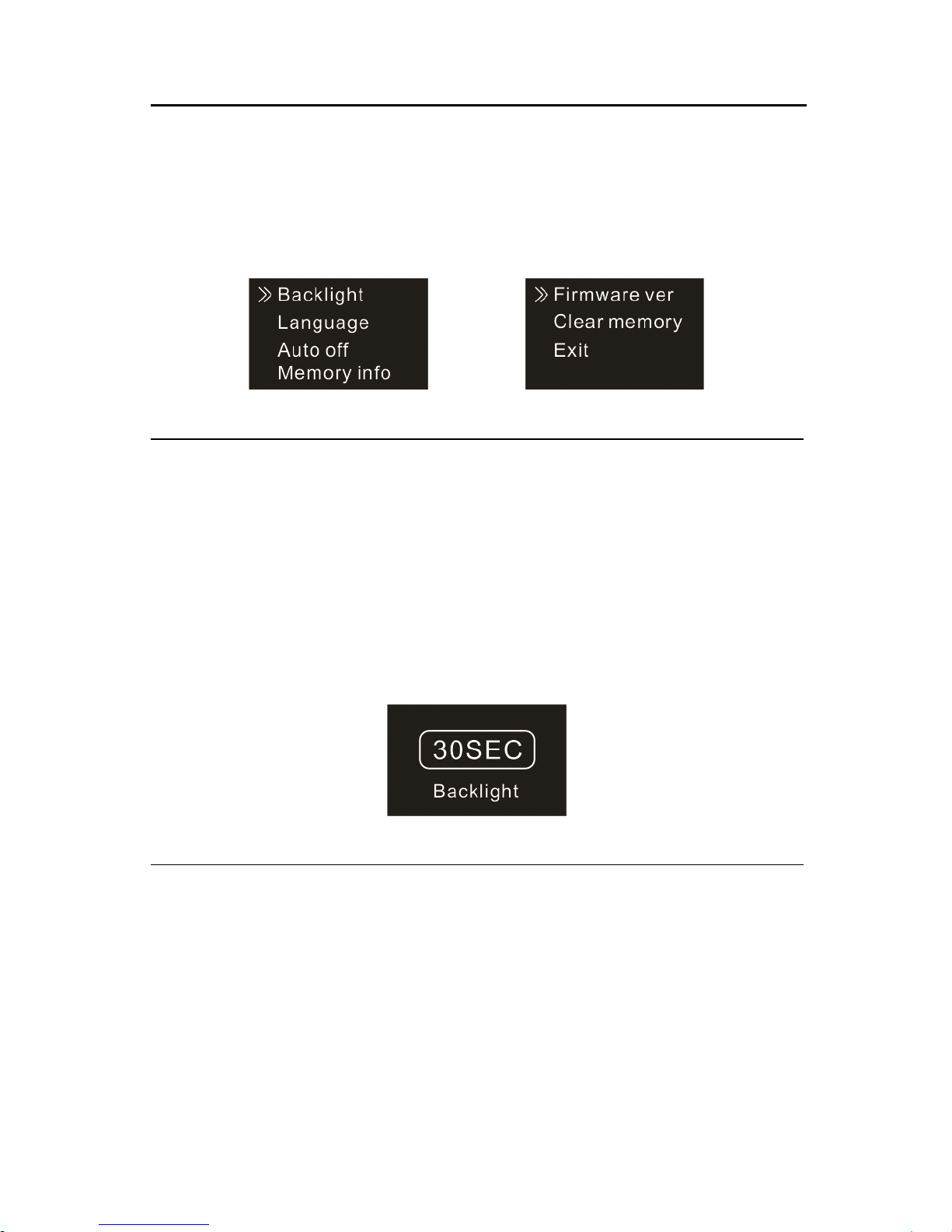
enter. The Setting mode interface includ es Backlight, Language, Auto
off, memory info, Firmware Version and C lear memory.
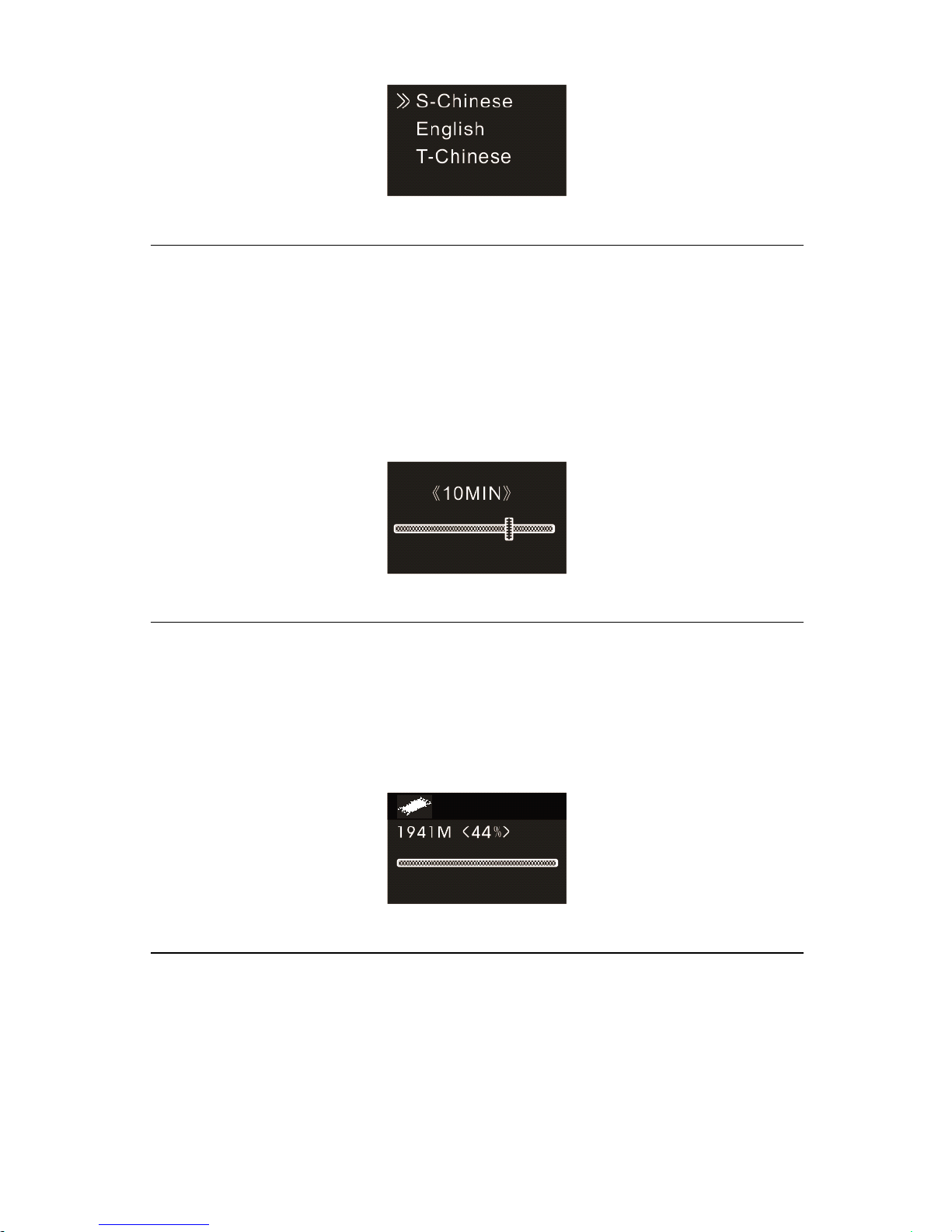
Backlight Time
The backlight time function can be set at: 15, 30, 45, 60 seconds and
Constant. If there’s no operation on the device for the set time, the
backlight turns off automatically. If you select Constant, the backlight
is to be always . See the below picture of Backlight Time setting:
Language
From the Language menu you can choose a language as system
language. See the following interface picture:
Page 74
74
Auto off
If there’s no operation on the device for a set time, the system
automatically shuts down. If the time is set at 0, the system will not
automatically shut down. See the below auto off picture:
Memory info
Use this function to check the remaining capacity anytime. See the
following picture:
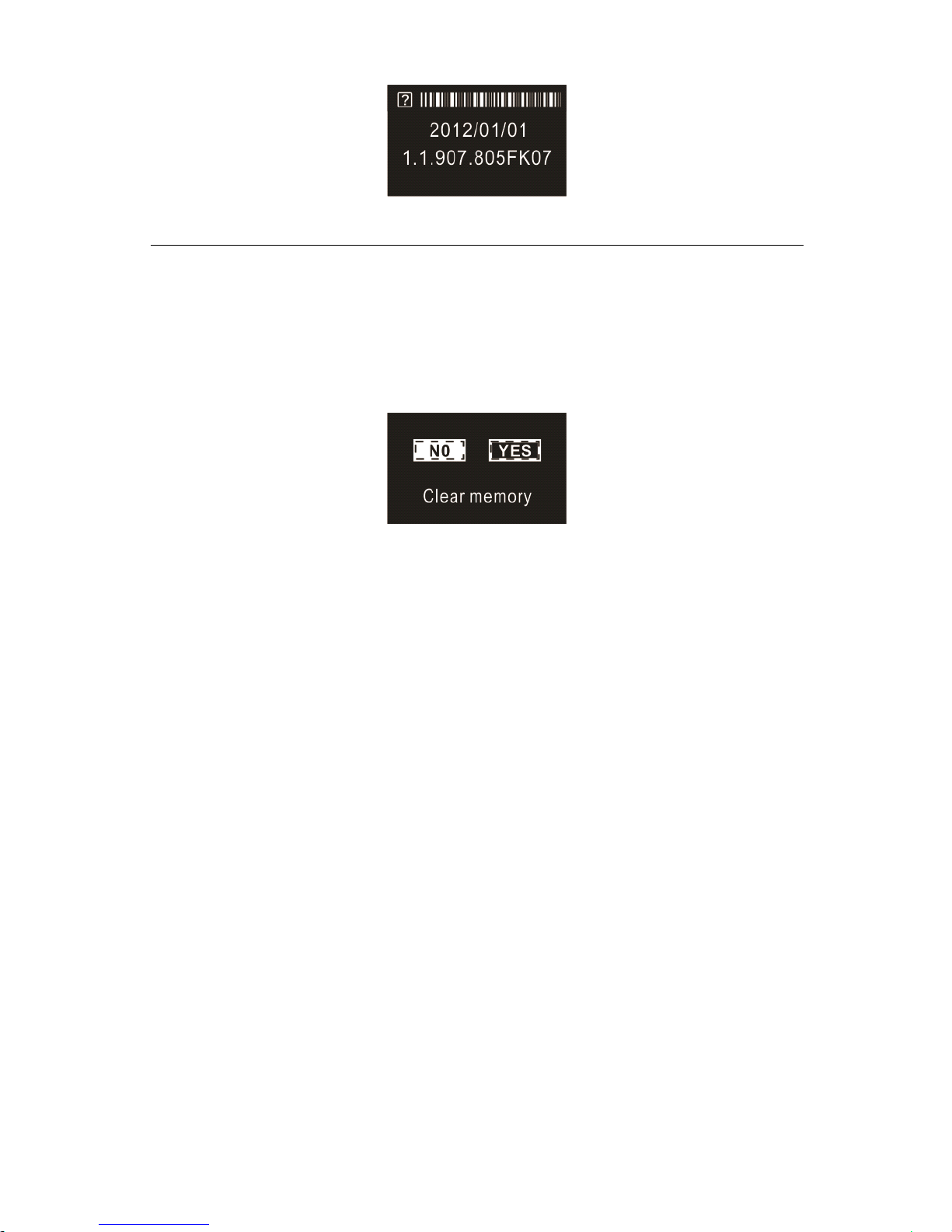
Firmware Version
You
can check the device’s firmware version by using this function.
See the below picture:
Page 75
75
Clear memory
You
can format the device’s internal storage by using this function.
See the below picture:
Page 76

76
12
12
12
12 Frequen
Frequen
Frequen
Frequen tly
tly
tly
tly Asked
Asked
Asked
Asked Questions
Questions
Questions
Questions
Answers to the frequently asked questions are listed here to solve
simple problems that may to the device. If the problem cannot be
solved, please contact the dealer or visit our official website:
www.philips.com/support
Cannot
Cannot
Cannot
Cannot switch
switch
switch
switch on
on
on
on the
the
the
the device
device
device
device :
The battery is empty, please recharge promptly.
Cannot
Cannot
Cannot
Cannot record
record
record
record with
with
with
with the
the
the
the device:
device:
device:
device:
T he maximum file number is exceeded or the device’s memory is full.
Please delete some recordings or move them to other storage
devices .
The
The
The
The device
device
device
device cannot
cannot
cannot
cannot play
play
play
play recorded
recorded
recorded
recorded audio
audio
audio
audio :
(1) The device may be in lock mode (HOLD). Slide the HOLD
switch to OFF position.
(2) The battery is empty, please recharge.
Page 77

77
1
1
1
13
3
3
3 Technical
Technical
Technical
Technical Parameters
Parameters
Parameters
Parameters
Storage
Storage
Storage
Storage
Internal storage
Estimated recording time (4GB): approximately 1080 hours with
Long Recording mode, 280 hours with Standard Recording mode, 68
hours with High Quality Recording mode.
Type of internal storage: NAND Flash
Portable storage (PC):
Yes
Recording time with fully charged battery: approx. 25 hours.
Dimensions
Dimensions
Dimensions
Dimensions and
and
and
and Weight
Weight
Weight
Weight
Wide × Long × High: 32×101×13(mm)
Weight (with battery): 70g
System
System
System
System requirement
requirement
requirement
requirement
Operating System: Windows 7/Vista/ X P/2000, Mac OS X, Linux
Port: U SB
Recording
Recording
Recording
Recording
PCM REC(PCM):bit rate : 768kbps,format :WAV
Stereo REC(HQ) : bit rate: 128kbps,format: MP3
Standard REC(SP) : bi t rate: 32kbps,format: MP3
Long REC(SLP) : bit rate: 8kbps,format: MP3
Operating
Operating
Operating
Operating conditions
conditions
conditions
conditions
Temperature: 5 °–45°C Humidity: 10% – 90%, no condensation
Page 78
Page 79

 Loading...