

Page 1
Philips
Multimedia Remote
Control
SRM7500
Instantly browse your music collection
Select songs from palm of hand
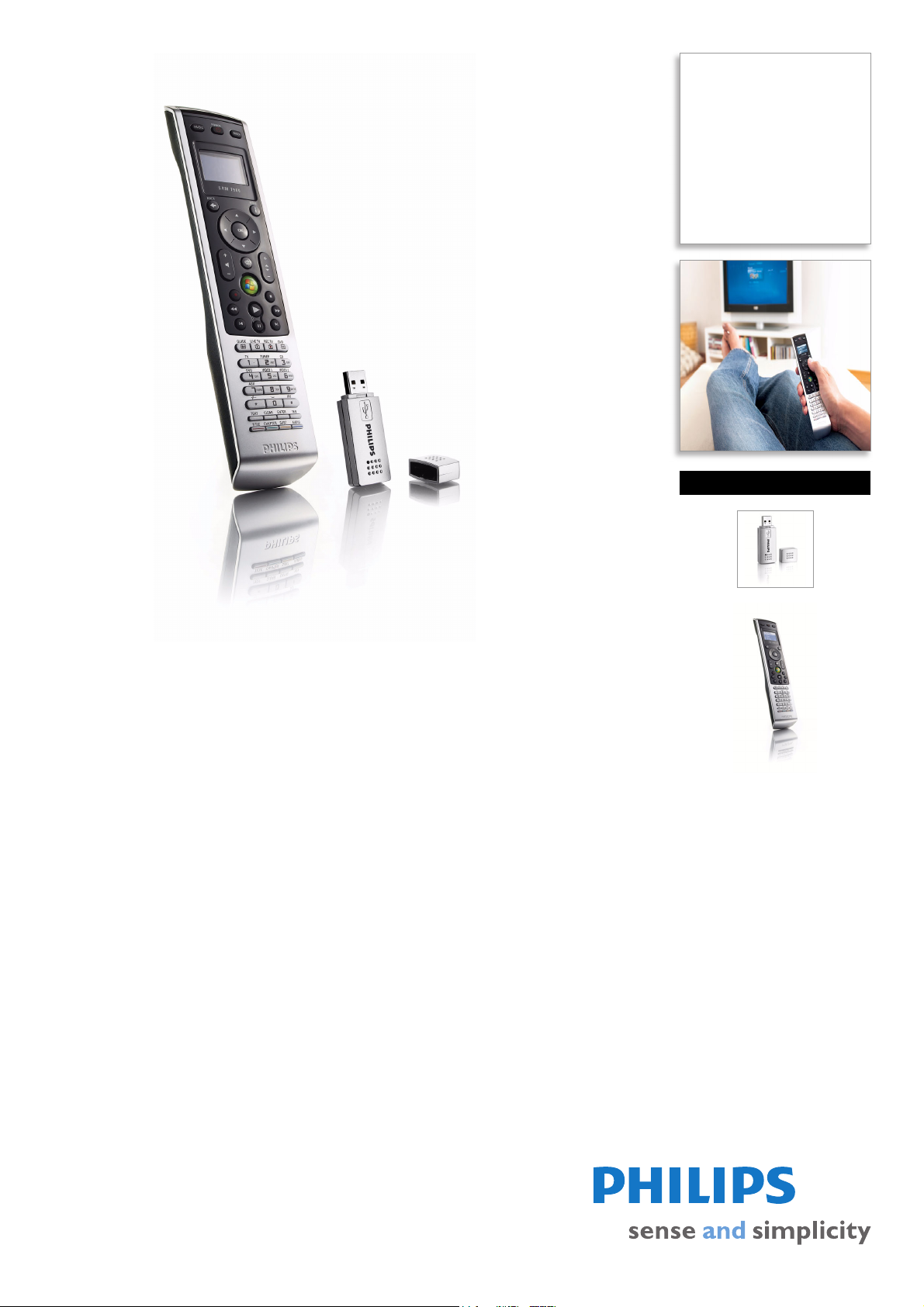
The SRM7500 acts as a second screen for your multimedia PC. It shows your songs in a
convenient layout, sorted by artist, album or genre in the palm of your hand. It gives you
freedom to choose your music from almost anywhere in the home.
Control all media content with a few simple clicks
• Navigate your music files without using your TV/monitor
• Operates through walls via radio frequency-based USB adaptor
• Compatible with Media Center Edition, WMP10-11, iTunes 6-7
• Direct access key to control Microsoft Media Center PC
Single control solution for most devices & brands
• Control up to 7 devices out of a choice of 10
• Activities to control multiple devices with one button press
• Extensive infrared code database for most devices & brands
Quick and easy set-up
• No manual needed for setup
• Convenient IR learning from another remote
Page 2

Multimedia Remote Control
SRM7500/37
Specifications
Convenience
• On-Screen Display languages: English, Dutch,
German, French, Italian, Spanish
•Backlight
• Backlight color: White
• Supported devices: AMP, CABLE, CD/MD, DVB-T,
D, PC, PVR, RECEIVER, SAT, TV, TV-DVD, TV-
DV
VCR, VCR
Power
• Number of batteries: 3
• Battery type: AA / LR6 Alkaline
• Battery saving manager: Auto switc
Infrared Capabilities
• Operating distance: 33 ft (10 m)
• Carrier frequency range: 30k - 100kHz + 455kHz
• Learning IR codes
h on/off
• Transmitting LEDs: 2
• Number of brands in database: Over 800
Outer Carton
•Quantity: 2
• EAN/UPC/GTIN: 1 06 09585 11354 8
• Length: 336 mm
• Width: 80 mm
• Height: 180 mm
Packaging Data
• 12NC: 908210008417
• EAN/UPC/GTIN: 6 09585 11354 1
• Gross weight: 0.36 kg
•Height: 38 mm
• Length: 328 mm
• Width: 162 mm
•
Highlights
On-screen media selection
On-screen media selection is the ability to view and
select a list of songs, pictures and movies from your
PC on the LCD screen of a remote control. The 2way RF communication incorporated in the remote
and the USB dongle provided with it, ensures the
content of the PC is transmitted to the remote. So,
no need to turn on your TV or monitor to view the
menu and select your favorite files.
Microsoft controls included
A dedicated Microsoft Media Center green button is
included on the remote, that gives access to
dedicated Microsoft Media Center PC menu.
Activity based user interface
Instead of operating your components one by one,
activity based control blends the most commonly
used functions into activities such as "Watch a
movie" or "Listen to CD". When a user selects
'watch a movie', rather than having the end user
address each individual piece of equipment - such as
DVD player, TV and multimedia receiver -, one
button holds all necessary commands to be able to
start watching a movie: switch on the TV, switch on
the amplifier and select the right input, switch on the
the DVD player and start playing.
Universal IR code database
A universal IR code database refers to a library of
infrared codes built-in to a particular remote. This
feature allows a remote to control your equipment
without needing to learn individual signals. Select the
correct infrared code sets in the database for the
devices you want to control, to enable control of
virtually every audio/video system element on the
market today – regardless of model or brand.
Issue date 2013-02-01
Version: 1.0.9
12 NC: 9082 100 08417
UPC: 6 09585 11354 1
Guided setup
Unlike other universal remote controls, where a 3digit code needs to be input to identify a brand and
device, this remote incorporates on-device step-bystep instructions to setup your equipment,
regardless of brand.
Learning functionality
Learning functionality refers to the process through
which a remote control captures and stores infrared
signals from other remotes for later use. When
device codes are not included in the on-board
database, they can always be learned from the
original remote, simply by pointing to it.
© 2013 Koninklijke Philips Electronics N.V.
All Rights reserved.
Specifications are subject to change without notice.
Trademarks are the property of Koninklijke Philips
Electronics N.V. or their respective owners.
www.philips.com
 Loading...