

Page 1
1 2
A
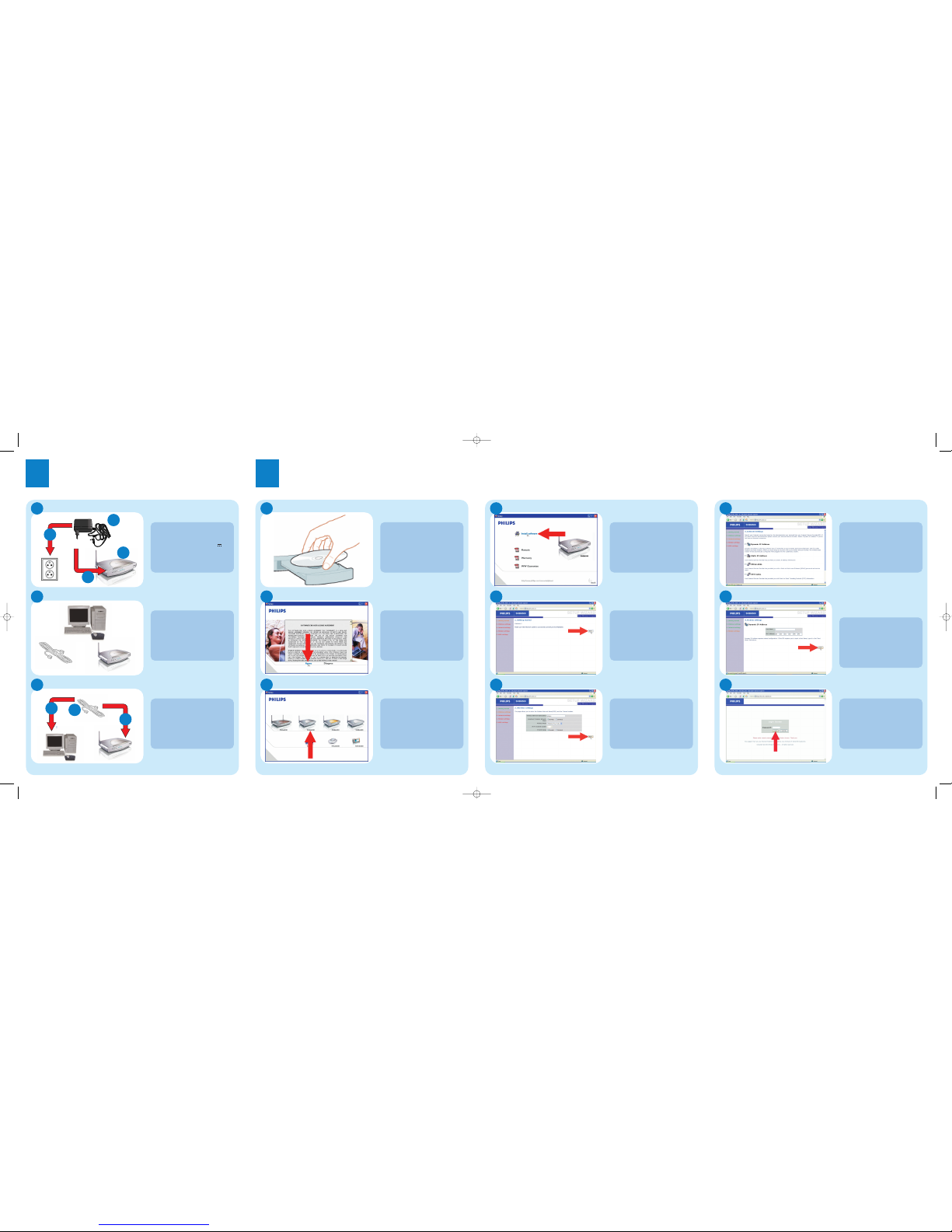
Connect Power Adapter
1. Attach the Antenna on the
SNB6500
2. Take the power adapter
3. Plug the connector into 12V 1A
port on SNB6500
4. Plug the adapter into the power
outlet
B
Connect Internet
1. Remove Broadband Internet cable
from PC
2. Plug the cable into To modem
port on SNB6500
C
Connect PC
1. Take the ethernet cable
2. Plug the connector into Ethernet
Network port on the computer
3. Plug the other connector into
LAN 1 port on SNB6500
A
Insert Installation CD
Place the installation CD in the
CD-drive
B
Agree License Agreement
Click Agree
If this screen does not appear,start
the CD manually
• Open My Computer
• Open CD-Drive
• Open Setup.exe
C
Select Wireless Base Station
Click on the SNB6500 image
D
Start installation software
Click on Install Software
E
Start installation
Click NEXT
F
Input wireless settings
1. Change Wireless Network
Name,
use a name you recognize when
installing wireless devices
2. Click
NEXT
G
Input Internet settings
Select your Internet settings
These details are provided by your
Internet Service Provider (ISP)
H
1. Enter the ISP setting from the ISP
documentation
2. Click
NEXT
I
Installation completed
Optionally:
click LOGIN to change settings:
• password (see user manual)
• wireless security (see user manual)
Connect
Wired
Install
2
1
3
Input Broadband Internet
settings
1
2
4
3
Page 2
Wireless Base Station SNB6500
English
Welcome
Quick Start Guide
1
2
3
Connect
Install
Enjoy
Specifications are subject to change without notice.
Trademarks are the property of Koninklijke Philips Electronics N.V.or their respective owners.
2005 © Koninklijke Philips Electronics N.V.All rights reserved.
www.philips.com
QSG-SNB6500-ENG-V1.0.
Need help?
User manual
See the user manual that came with your Wireless Base Station
Online help: www.philips.com/support
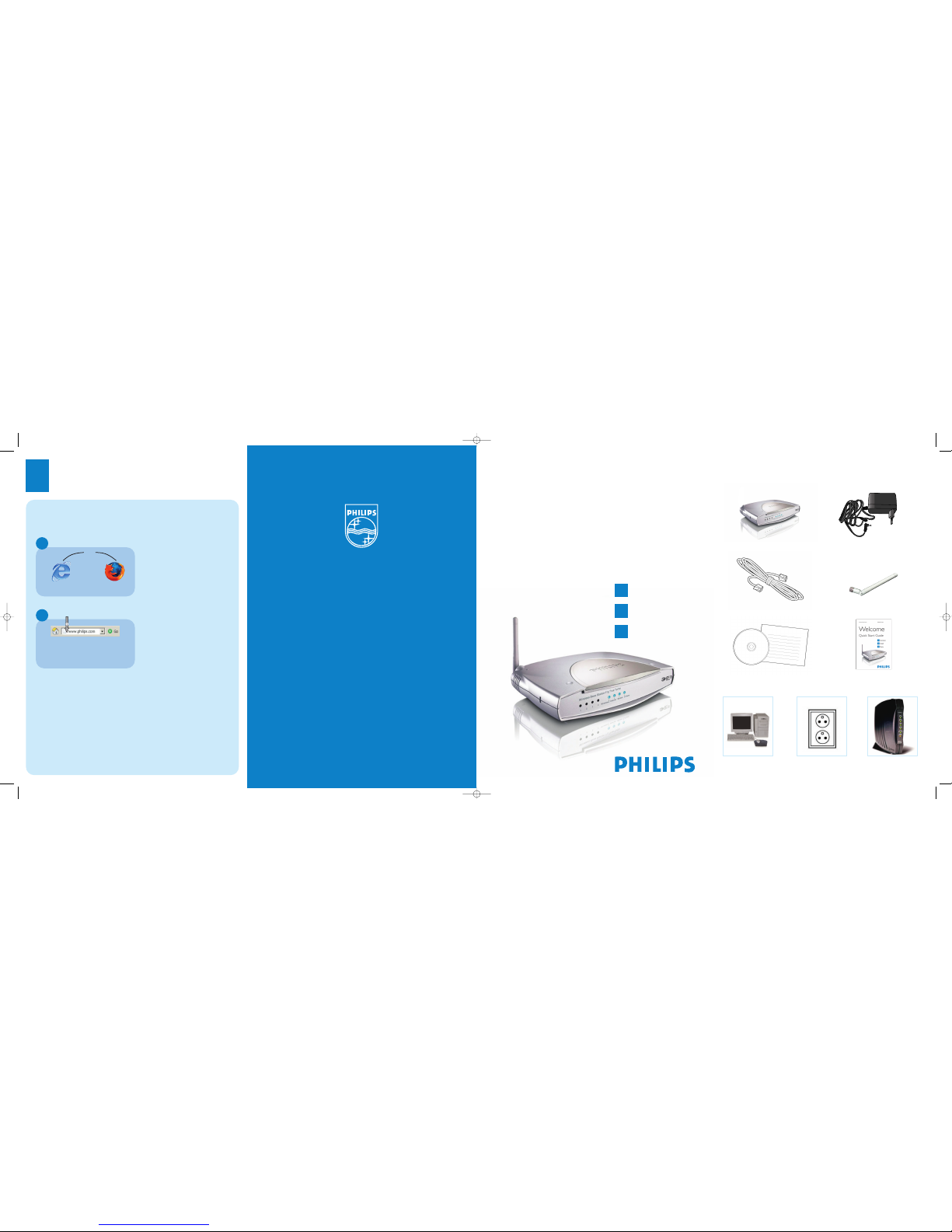
What’s in the box
Helpline
België/Belgique/Belgien 070 253 010 (. 0.17)
Cyprus 800 92256
Danmark 3525 8761
Deutschland
0180 5 007 532 (.0.12)
España
902 888 785 (.0.15)
France
08 9165 0006 (.0.23)
E¢¢da 0 0800 3122 1223
Ireland 01 601 1161
Italia
199 404 042 (.0.25)
Luxemburg/Luxembourg 26 84 30 00
Nederland
0900 0400 063 (.0.20)
Norge 2270 8250
Österreich 01 546 575 603 (low rate)
Portugal 2 1359 1440
Schweiz/Suisse/Svizzera 02 2310 2116
Suomi 09 2290 1908
Sverige 08 632 0016
UK (United Kingdom) 0906 1010 017 (£ 0.15)
Wireless Base Station
Antenna
Power Adapter
Ethernet cable
User manual on CD Quick Start Quide
What else you’ll need
Computer Power outlet Broadband internet
modem (Optional)
Follow these simple steps to connect to the Internet.
Share broadband Internet throughout the home
Wireless freedom
Enjoy the freedom of wireless networking. Your computer is
now ready for use in multiple rooms of your home
For additional help read the manual on the CDROM.
Open Internet browser
Open Internet address
A
B
1. Enter Internet address
For example:www.philips.com
2. Select Go
or
3
Enjoy
 Loading...