

Page 1
www.philips.com/support
User manual
Always there to help you
Register your product and get support at
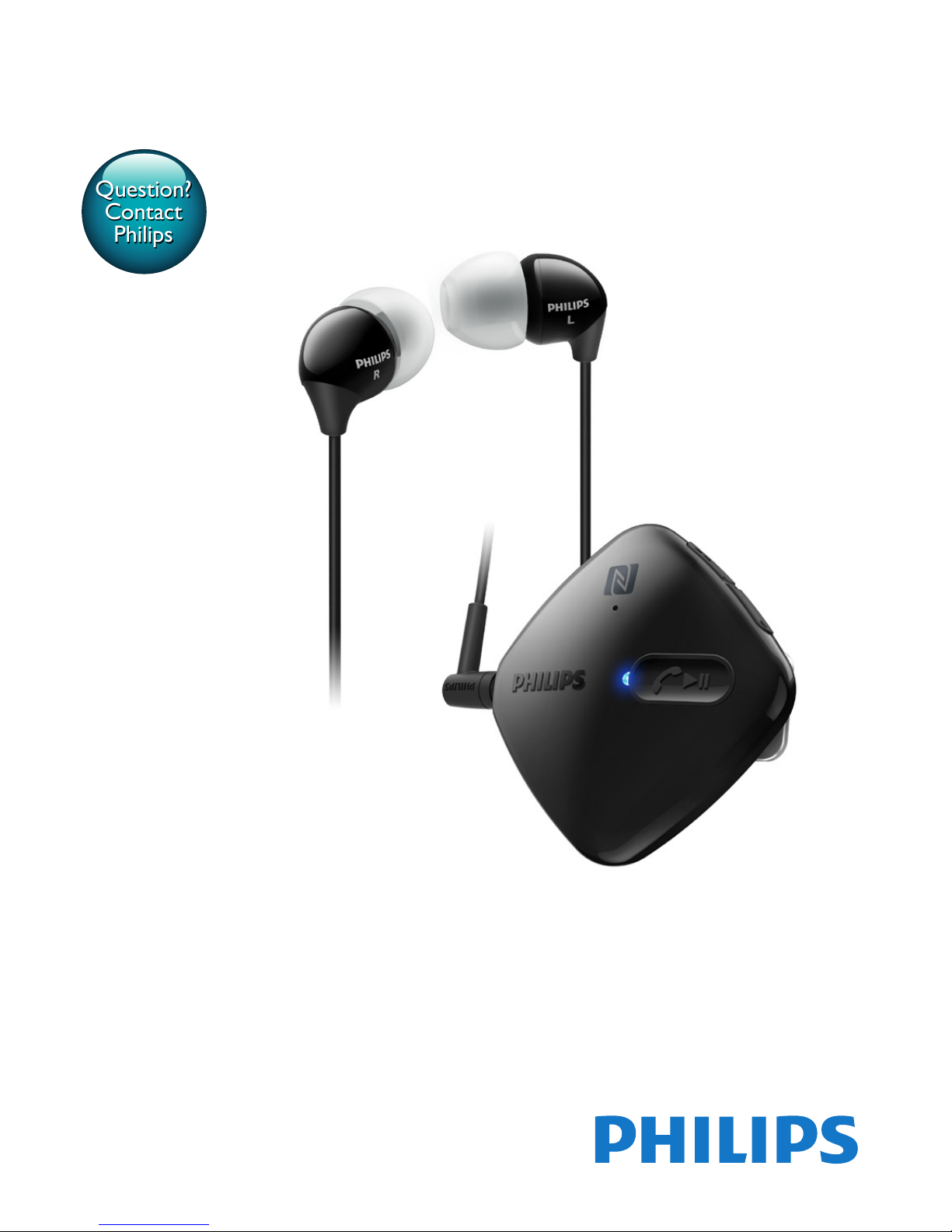
SHB5100
Question?
Contact
Philips
Page 2

Page 3

1EN
Contents
1 Important 2
Hearing Safety 2
General information 2
2 Your Bluetooth wireless headphones 3
What's in the box 3
Other devices 3
Overview of your Bluetooth wireless
headphones 3
3 Get started 4
Charge your headphones 4
Pair the headphones with your mobile
phone 4
4 Use your headphones 6
Connect the headphones to a
Bluetooth device 6
Use your headset 6
Clip the headphones 7
5 Technical data 8
6 Frequently asked questions 9
Page 4

2 EN
1 Important
Hearing Safety
Danger
• To avoid hearing damage, limit the time you use
headphones at high volume and set the volume to a
safe level. The louder the volume, the shorter the safe
listening time is.
Be sure to observe the following guidelines
when using your headset.
• Listen at reasonable volumes for
reasonable periods of time.
• Be careful not to adjust the volume
continuously upwards as your hearing
adapts.
• Do not turn up the volume so high that
you can’t hear what’s around you.
• You should use caution or temporarily
discontinue use in potentially hazardous
situations.
• Excessive sound pressure from earphones
and headphones can cause hearing loss.
• Using headphones with both ears covered
while driving is not recommended and may
be illegal in some areas while driving.
• For your safety, avoid distractions from
music or phone calls while in trafc or
other potentially dangerous environments.
General information
To avoid damage or malfunction:
Caution
• Do not expose headphones to excessive heat.
• Do not drop your headphones.
• Headphones shall not be exposed to dripping or
splashing.
• Do not allow your headphones to be submerged in
water.
• Do not use any cleaning agents containing alcohol,
ammonia, benzene, or abrasives.
• If cleaning is required use a soft cloth, if necessary
dampened with a minimum amount of water or diluted
mild soap, to clean the product.
• The integrated battery shall not be exposed to
excessive heat such as sunshine, re or the like.
• Danger of explosion if battery is incorrectly replaced.
Replace only with the same or equivalent type.
About operating and storage temperatures
and humidity
• Operate or store in a place where
temperature is between -15ºC (5ºF) and
55ºC (131ºF) (up to 90% relative humidity.
• Battery life may be shorter in high or low
temperature conditions.
Page 5

3EN
2 Your Bluetooth
wireless
headphones
Congratulations on your purchase, and
welcome to Philips! To fully benet from the
support that Philips offers, register your product
at www.philips.com/welcome.
With this Philips wireless on-ear headphones,
you can:
• enjoy convenient wireless handsfree calls;
• enjoy and control wireless music;
• switch between calls and music.
What's in the box
Philips Bluetooth wireless headphones
SHB5100
USB charging cable
Quick start guide
Other devices
A mobile phone or device (e.g. notebook, PDA,
Bluetooth adapters, MP3 players etc) which
supports Bluetooth and is compatible to the
headphones (see 'Technical data' on page 8).
Overview of your Bluetooth
wireless headphones
a Microphone
b NFC detection area
c On/off, music/call control button
d LED light
e Micro USB charging slot
f Audio jack
g Volume/track control
b
d
a
c
e
f
g
Page 6

4 EN
3 Get started
Charge your headphones
Note
• Before you use your headphones for the rst time,
charge the battery for 4 hours for optimum battery
capacity and lifetime.
• Use only the original USB charging cable to avoid any
damage.
• Finish your call before charging the headset, as
connecting the headphones for charging will power the
headphones off.
Connect the supplied USB charging cable to:
• the USB connector of the headphones
and;
• USB power source.
» LED turns white during charging and
turns off when the headphones are
fully charged.
Tip
• Normally, a full charge takes 3 hours.
Pair the headphones with
your mobile phone
Before you use the headphones with your
mobile phone for the rst time, pair it with a
mobile phone. A successful pairing establishes a
unique encrypted link between the headphones
and mobile phone. The headphones store the
last 4 devices in the memory. If you try to pair
more than 4 devices, the earliest paired device
is replaced by the new one.
There are two ways to pair your headphones
with your mobile phone:
• Manual pairing
• NFC pairing
Manual pairing
1 Make sure that the headphones are fully
charged and turned off.
2 Press and hold until the blue and
white LED ashes alternately.
» The headphones are in pairing mode
for 5 minutes.
3 Make sure that the mobile phone is turned
on and its Bluetooth feature is activated.
4 Pair the headphones with the mobile
phone. For detailed information, refer to
the user manual of your mobile phone.
NFC pairing
1 Make sure that the headphones are fully
charged and turned off.
2 Press and hold until the blue and
white LED ashes alternately.
» The headphones are in pairing mode
for 5 minutes.
3 Make sure you turn on the NFC function
on your phone and your phone’s screen
remains active.
4 Place your phone over the NFC detection
area.
5 Pair the headphones with the mobile
phone. For detailed information, refer to
the user manual of your mobile phone.
Note
• Make sure your mobile phone has the NFC feature
available and switched on.
• Make sure your mobile phone is not in standby mode.
• Pairing with NFC is only suitable for Android mobile
operating system 4.2 or above.
• Refer to the user manual of your mobile phone to
identify its NFC detection area.
The following example shows you how to pair
the headphones with your mobile phone.
1 Activate the Bluetooth feature of your
mobile phone, select Philips SHB5100.
Page 7

5EN
2 Enter the headphones password "0000"
(4 zeros) if prompted. For those mobile
phones featuring Bluetooth 2.1+EDR or
higher, no need to enter a password.
Settings
Devices Found
Select
10:36
Settings Connectivity
Select
Back
10:37
Enter Password
****
0000
Settings
Bluetooth
Select
Back
10:35
Connectivity
Add
Bluetooth
device
Back
Philips SHB5100
Page 8

6 EN
4 Use your
headphones
Connect the headphones to a
Bluetooth device
1 Turn on your mobile phone/Bluetooth
device.
2 Press and hold to turn the headset
on.
» The blue LED ashes.
» The headphones are reconnected
to the last connected mobile phone/
Bluetooth device automatically. If
the last one is not available, the
headphones try to reconnect to the
second last connected device.
Tip
• If you turn on the mobile phone/Bluetooth device or
activate the Bluetooth feature after turning on the
headphones, you have to reconnect the headphones
and mobile phone/Bluetooth device manually.
Note
• If the headphones fail to connect to any Bluetooth
device within range in 5 minutes, it will switch off
automatically to save the battery life.
Use your headset
Task Operation Sound or
LED Indicator
Turn the
headphones
on.
Press and hold
for 1
second.
• 4 scale
tones from
low to high
• Blue LED
ashes
Turn the
headphones
off.
Press and hold
for 4
seconds.
• 4 scale
tones from
high to low
• White LED
ashes and
goes out
Play or pause
music.
Press .
Pick up or
terminate a
call.
Press .
1 short beep
Reject a call. Press and hold
for 1
second.
1 long beep
Redial the
last number.
Press
twice.
2 short beeps
Switch caller
in a call.
Press and hold .1 long beep
Adjust
volume.
Press ●●/●. Beep at max/
min level
Skip forward. Press and hold
●●.
Skip
backward.
Press and
hold ●.
Other headphones indicator status
Headphones status Indicator
The headphones are
connected to a Bluetooth
device, while the
headphones in standby
mode or while you are
listening to music.
The blue LED
ashes for every
6 seconds.
The headphones are ready
for pairing.
The LED ashes
blue and white
alternately.
The headphones are on
but not connected to a
Bluetooth device.
The blue LED
ashes quickly.
There is an incoming call. The blue LED
ashes twice per
second.
The battery level is low. The white LED
ashes.
Page 9
7EN
The battery is fully charged. The white LED
is off.
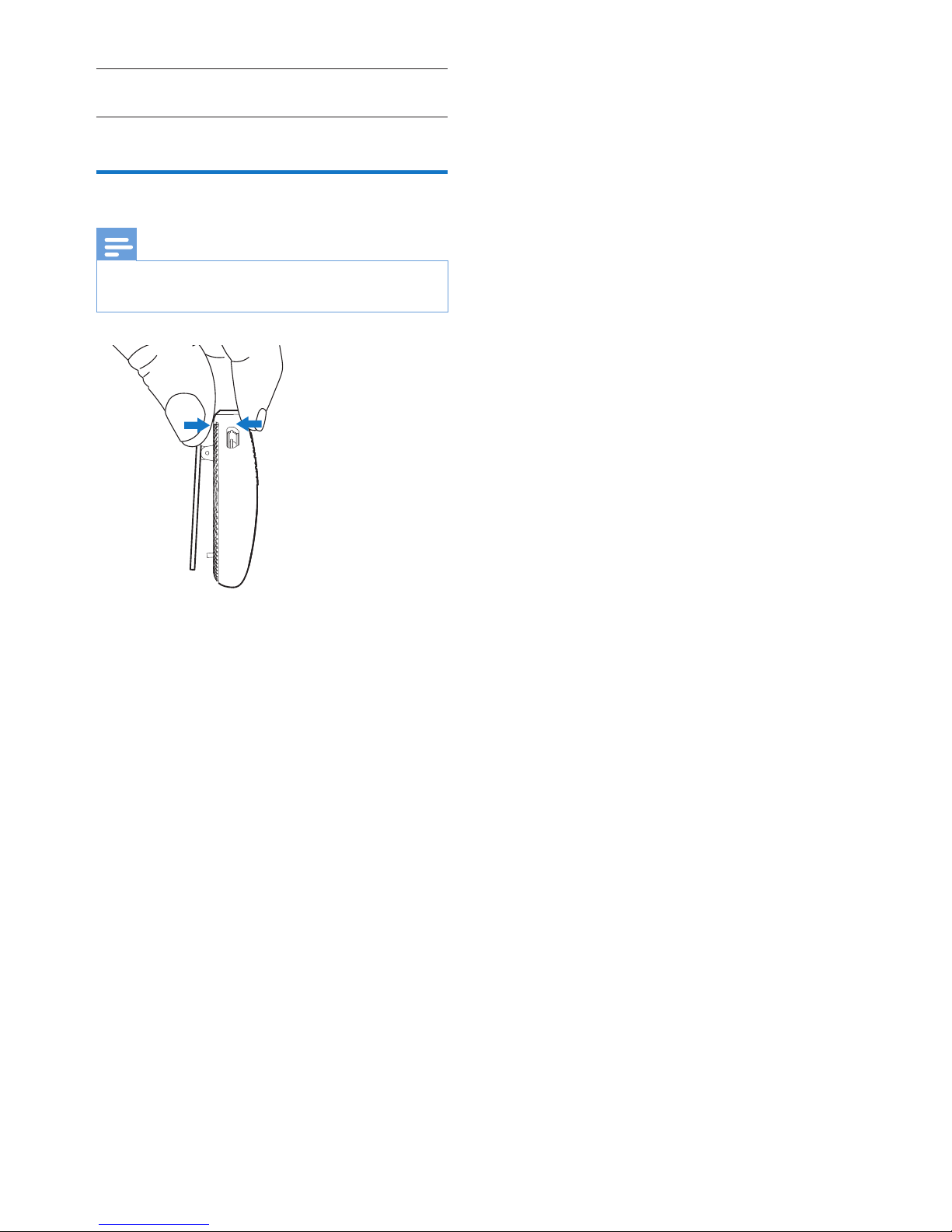
Clip the headphones
Note
• To keep the high sound quality, clip the headphones
within 20cm from your mouth.
Page 10

8 EN
5 Technical data
• Up to 9 hours of play time or talk time
• Up to 200 hours of standby time
• Normal time for a full charge: 3 hours
• Rechargeable Lithium-Polymer battery
(200 mAh)
• Bluetooth 3.0, Bluetooth mono support
(Headset Prole - HSP, Hands-Free
Prole - HFP), Bluetooth stereo supported
(Advanced Audio Distribution Prole
- A2DP; Audio Video Remote Control
Prole - AVRCP)
• Operating range: Up to 15 meters (50
feet)
• Digital echo & noise reduction
Note
• Specications are subject to change without notice.
Page 11

9EN
6 Frequently
asked questions
My Bluetooth headphones do not switch on.
The battery level is low. Charge the
headphones.
I cannot pair my Bluetooth headphones with a
mobile phone.
The Bluetooth is disabled. Enable the Bluetooth
feature on your mobile phone and turn on
the mobile phone before you turn on the
headphones.
Pairing does not work.
Make sure the headphones are in pairing mode.
• Follow the steps described in this user
manual (see 'Pair the headphones with
your mobile phone' on page 4).
• Make sure that the LED light ashes blue
and white alternately before you release
. Do not stop holding the button if you see
the blue LED only.
The mobile phone cannot nd the
headphones.
• The headphones may be connected to
a previously paired device. Turn off the
connected device or move it out of range.
• Pairing may have been reset or the
headphones have been previously paired
with another device. Pair the headphones
with the mobile phone again as described
in the user manual (see 'Pair the
headphones with your mobile phone' on
page 4).
Voice dialing or redialing does not work on
my mobile phone.
Your mobile phone may not support this
feature.
My Bluetooth headphones are connected to a
Bluetooth stereo enabled mobile phone, but
music only plays on the mobile phone speaker.
Refer to the user manual of your mobile
phone. Select to listen to music through the
headphones.
The audio quality is poor and crackling noise
can be heard.
The Bluetooth device is out of range. Reduce
the distance between your headphones and
Bluetooth device, or remove obstacles between
them.
The audio quality is poor when streaming
from the mobile phone is very slow, or audio
streaming does not work at all.
Make sure your mobile phone not only
supports (mono) HSP/HFP but also supports
A2DP (see 'Technical data' on page 8).
I hear but cannot control music on my
Bluetooth device (e.g. play/pause/skip forward/
backward).
Make sure the Bluetooth audio source supports
AVRCP (see 'Technical data' on page 8).
For further support, visit www.philips.com/
support.
Page 12

0168
2015 © WOOX Innovations Limited. All rights reserved.
Philips and the Philips’ Shield Emblem are registered
trademarks of Koninklijke Philips N.V. and are used
by WOOX Innovations Limited under license from
Koninklijke Philips N.V.
UM_SHB5100_00_EN_V1.0
wk1507
 Loading...