

Page 1
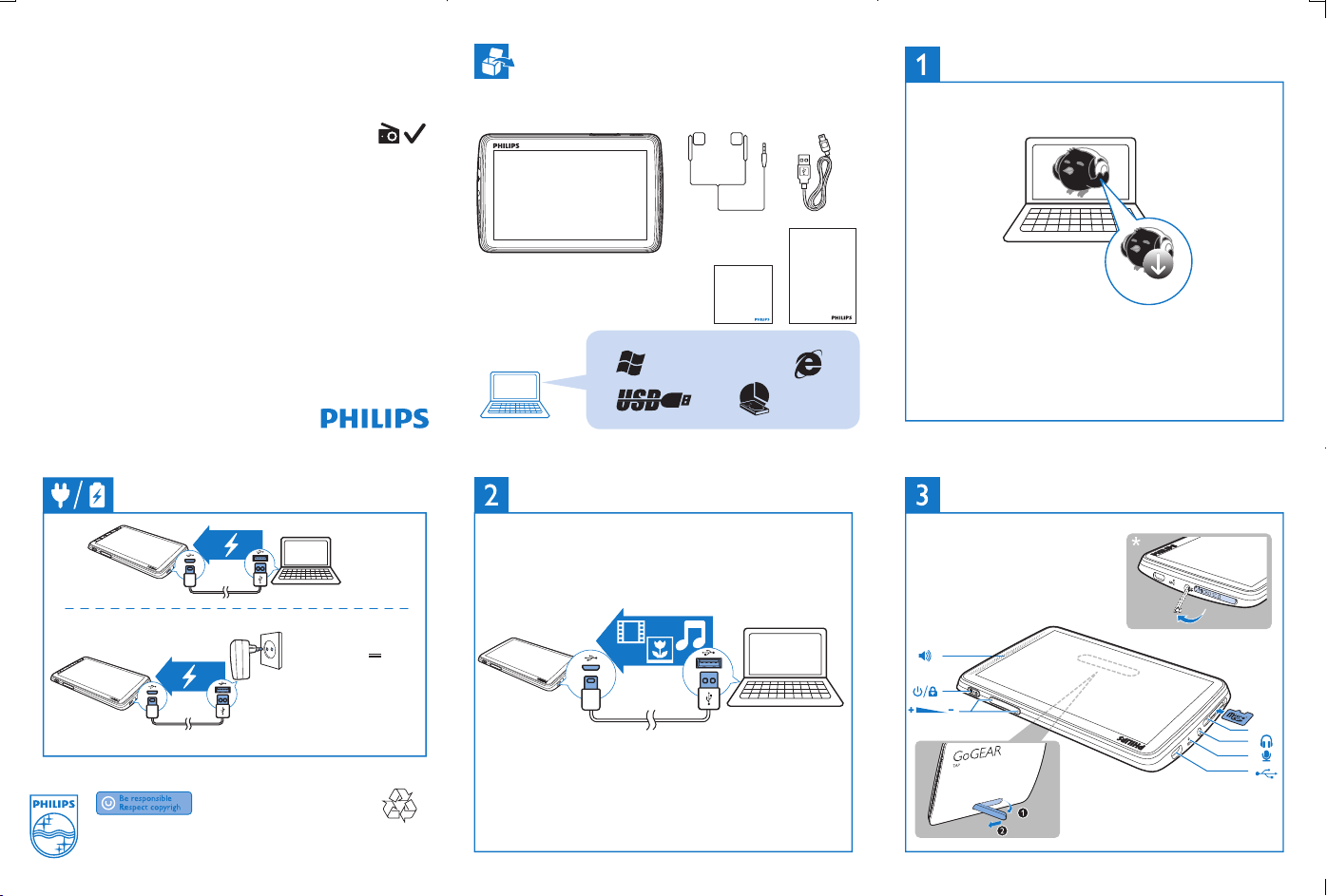
Philips GoGEAR MP4 Player
GoGEAR
SA4TP404
SA4TP408
Unpack
Install Philips Songbird
Quick start guide
Register your product and get support at
www.philips.com/welcome
Charge
MODEL: Philips AY5800
OUTPUT: 5.0V 0.5A
Philips GoGEAR MP4 Player
Quick start guide
Register your product and get support at
www.philips.com/welcome
XP (SP3) / Vista / 7
Transfer from a PC
GoGEAR
SA4TP404
500Mb
Safety and Warranty
Before using your set:
Check out details inside this booklet
Setup.exe
To get the latest Philips Songbird and user manuals, download from
www.philips.com/Songbird and www.philips.com/support.
Use
RESET
Specifications are subject to change without notice .
© 2012 Koninklijke Philips Electronics N.V.
All rights reserved.
Printed in China
SA4TP4_QSG_94_V1.0
wk1244.3
Page 2
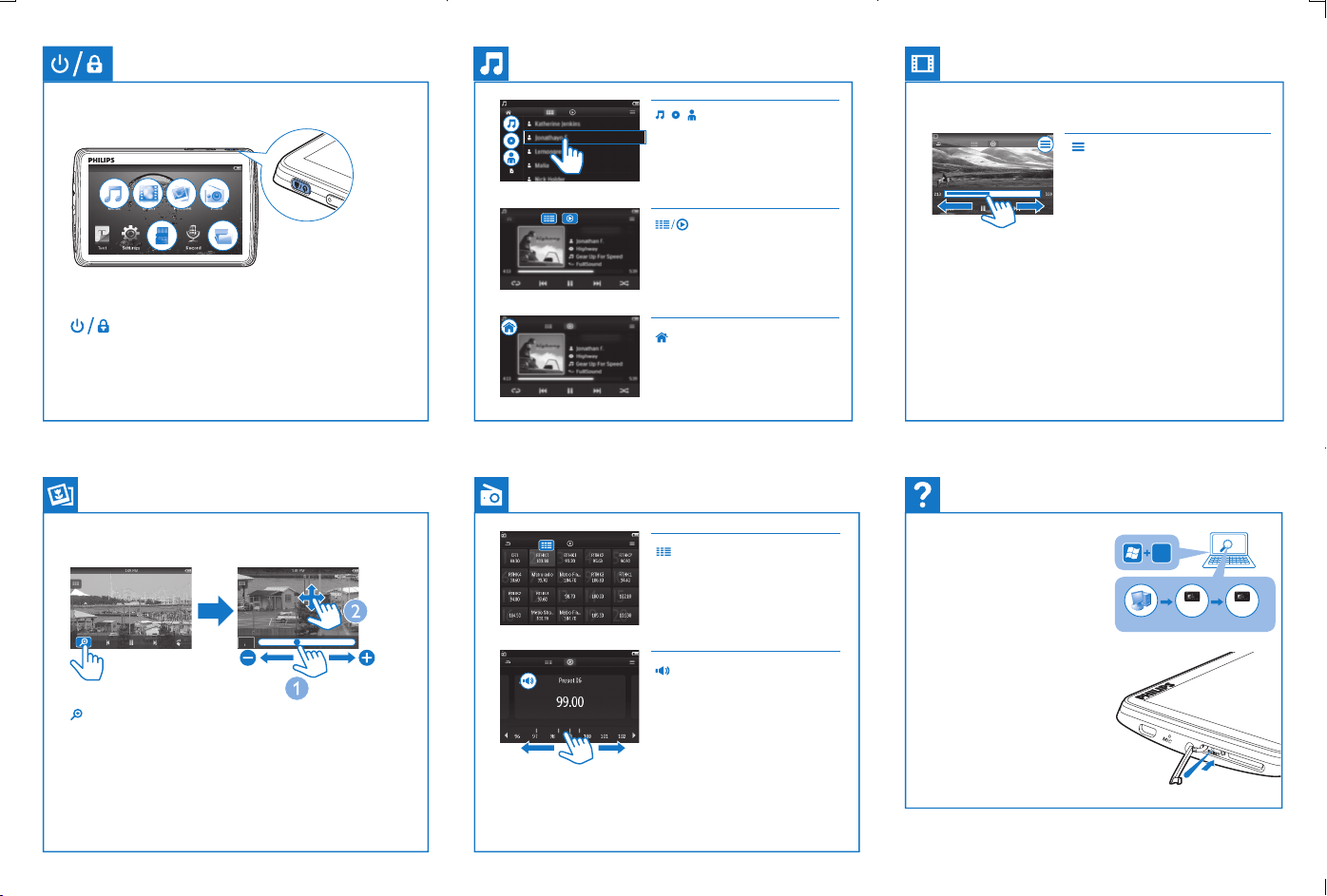
Tap to sort the media library by
song title, album,or artist. Tap a
song to start play.
Tap to switch to the library or play
screen
Tap to display play options such as
Surround for movies (Surround
sound for movie play)
Press and hold to switch on/off; press to lock/ unlock
Tap to display zoom control bars; drag the track ball to zoom
in/ out; swipe to pan through the picture
Tap to return to the Home screen
Tap to select a preset station.
Tap to mute/ unmute the radio play.
To search for a frequency, swipe left/ right on the frequency bar.
On the play screen, tap or drag on the progress bar to
select a playposition.
Help
How to install Philips Device
Manager to update the firmware or
recover the player
Device does not respond to
the pressing of keys
Go to www.philips.com/support for support information.
E
Philips GoGear
Video 4.3
RESET
installer.exe
installer.exe
 Loading...