

Page 1
Philips GoGEAR MP4 Player
Quick start guide
快速入门指南
快速入門指南
GoGEAR
SA4TP304
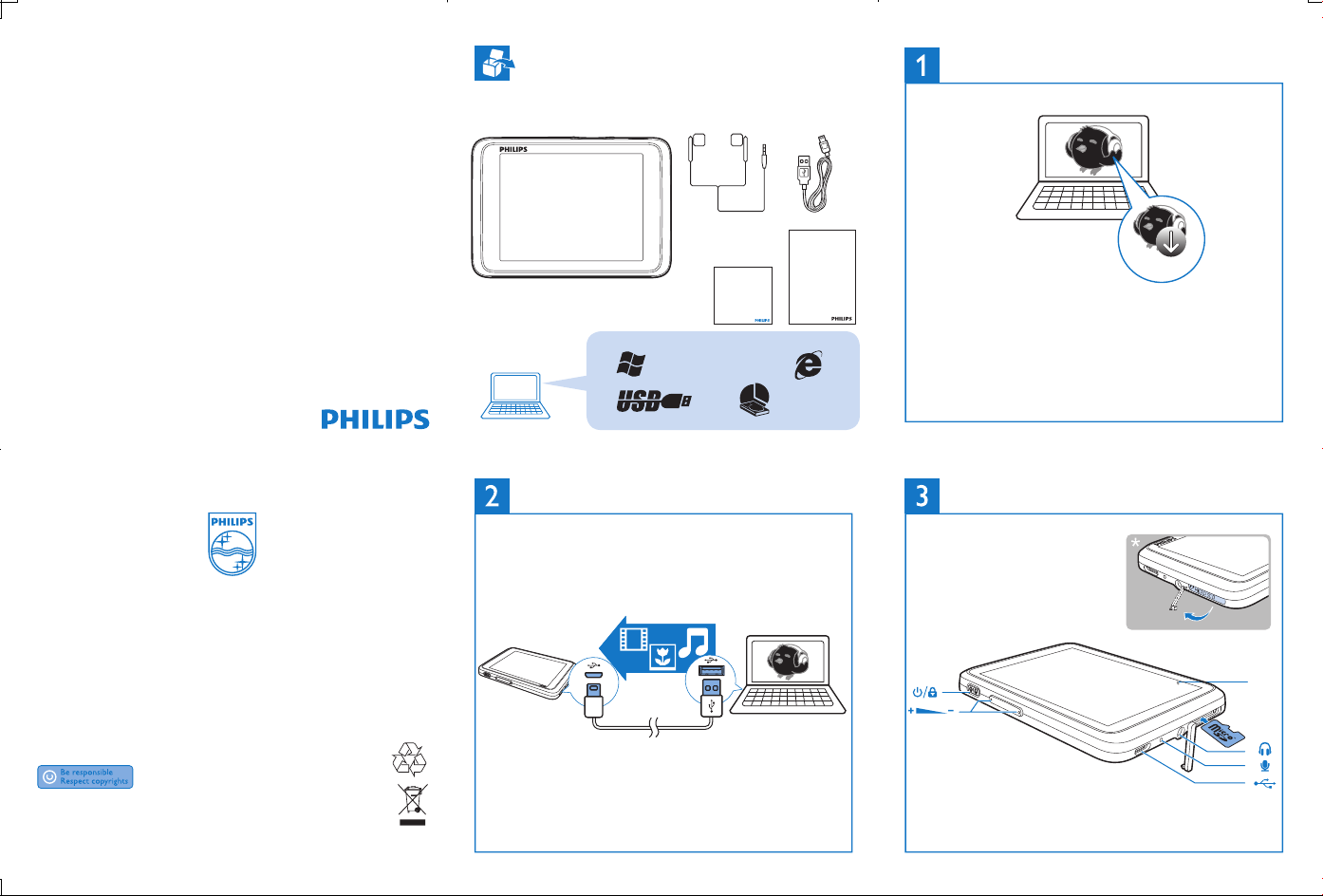
Unpack
打开包装
打開包裝
Install Philips Songbird
安装
安裝
Quick start guide
Register your product and get support at
www.philips.com/welcome
All rights reserved.
www.philips.com
Specifications are subject to change without notice .
Trademarks are the property of Koninklijke Philips Electronics N.V. or
their respective owners
© 2012 Koninklijke Philips Electronics N.V.
SA4TP3_QSG_V1.0
Printed in China
wk1224.3
Philips GoGEAR MP4 Player
Quick start guide
Register your product and get support at
www.philips.com/welcome
XP (SP3) / Vista / 7
Transfer from a PC
Safety and Warranty
GoGEAR
Before using your set:
SA4TP404
Check out details inside this booklet
500Mb
从电脑上传输
從電腦上傳輸
Setup.exe
To get the latest Philips Songbird, Philips Device Manager, and user
manuals, download from www.philips.com/Songbird and
www.philips.com/support.
要获取最新的Philips Songbird、Philips Device Manager和用户手册
,可从 www.philips.com/Songbird 和 www.philips.com/support 网站
下载
要取得最新Philips Songbird,Philips Device Manager及用戶手冊,
請於 www.philips.com/Songbird 及 www.philips.com/support 下載。
Use
使用
使用
RESET
Page 2
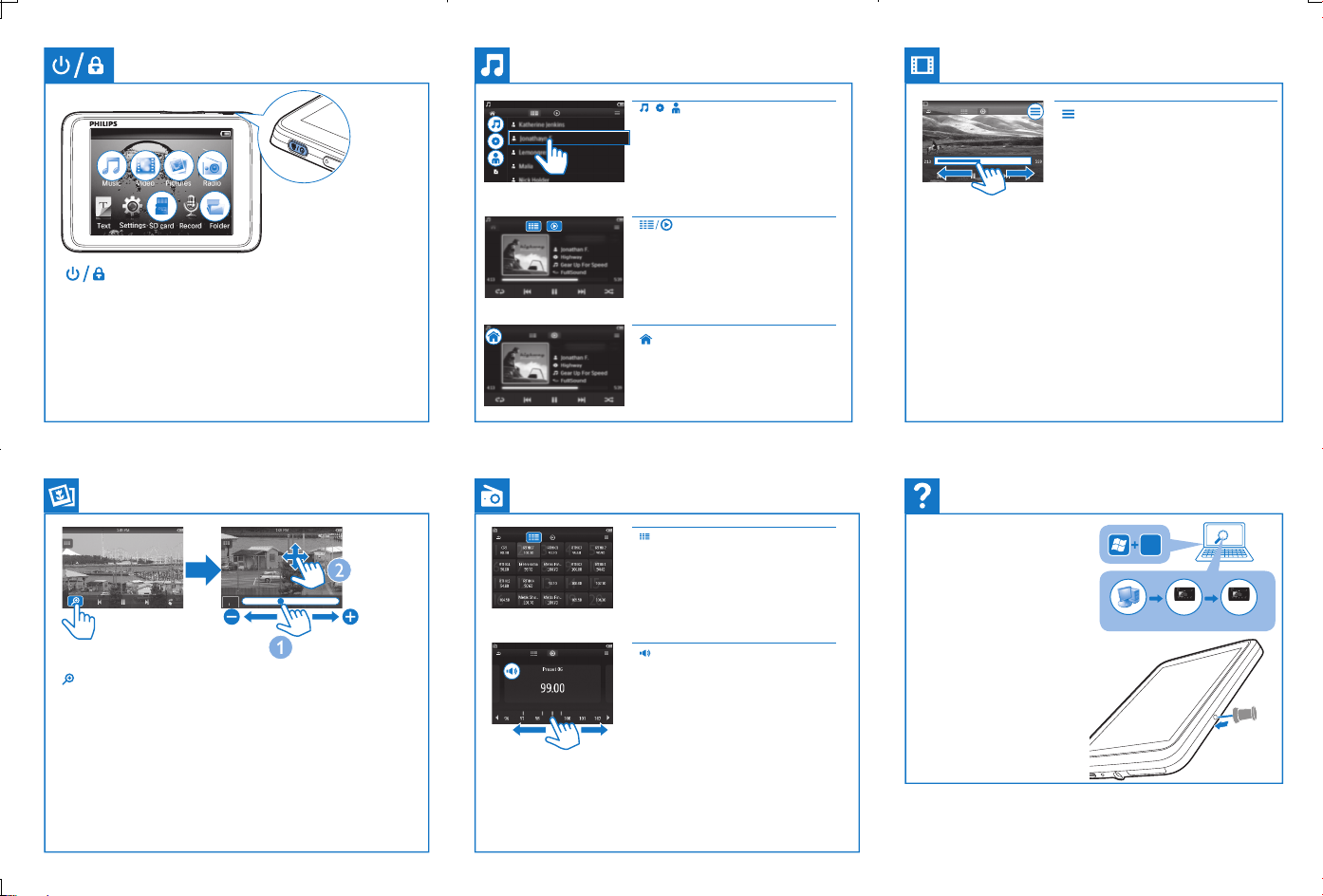
Press and hold to switch on/off; press to lock/ unlock
按住以打开/关闭;按下以锁定/解除锁定
按住以開啟/關閉;按住以鎖定/解除鎖定
Tap to sort the media library by song
title, album,or artist. Tap a song to start
play.
点击按歌曲标题、专辑或演唱者查看
媒体库。点击歌曲开始播放。
點選按歌曲標題、專輯或歌手查看媒
體庫。點選歌曲開始播放。
Tap to switch to the library or play
screen
点击选择媒体库或播放屏幕
點選媒體庫或播放屏幕
Tap to return to the Home screen
点击返回主屏幕
點選以返回主屏幕
On the play screen, tap to display play
options such as Surround for movies
(Surround sound for movie play)
在播放屏幕,点击显示播放选项, 例如
Surround formovies(用于电影播放的
环绕音效)
在播放屏幕,點選顯示播放選項,例如
Surround for movies(電影播放的環迴
音效)
On the play screen, tap on the progress bar to select a
playposition.
在播放屏幕,在进度条上点击选择播放位置。
在播放屏幕,在進度欄上點選播放位置
Tap to display zoom control bars; drag the track ball to zoom in/ out;
swipe to pan through the picture. Tap on the screen to exit the zoom
mode.
点击显示缩放控制栏;拖动跟踪球放大、缩小;滑动屏幕以移动图
片。点击屏幕退出缩放模式。
點選顯示縮放控制欄;拖拉追踪球以放大、縮小;滑動屏幕以移動
圖片。點擊屏幕退出縮放模式。
Tap to select a preset station.
点击以选择预设电台
點選以選擇預設電台
Tap to mute/ unmute the radio play.
点击以开启或关闭收音机播放
點選以開啟或關閉收音機播放
To search for a frequency, swipe left/ right on the frequency bar.
如需选择频率,在频率条上左、右滑动
如需選擇頻率,在頻率列上左、右滑動
Help
How to install Philips Device
Manager to update the firmware
or recover the player
Philips装置管理员以便更新固
件或修复本机
Philips Device Manager以更新
韌體或修復本機
|
如何安裝
|
如何安装
帮助
說明
E
Philips GoGear
Tap3
Device does not respond to the
pressing of keys
作无反应
有響應
|
本机对按键操
|
裝置對按鍵操作沒
Go to www.philips.com/support for support information.
|
息请转到 www.philips.com/support。
獲取有關支持信息。
請到www.philips.com/support
installer.exe
installer.exe
RESET
|
有关支持信
 Loading...