

Page 1
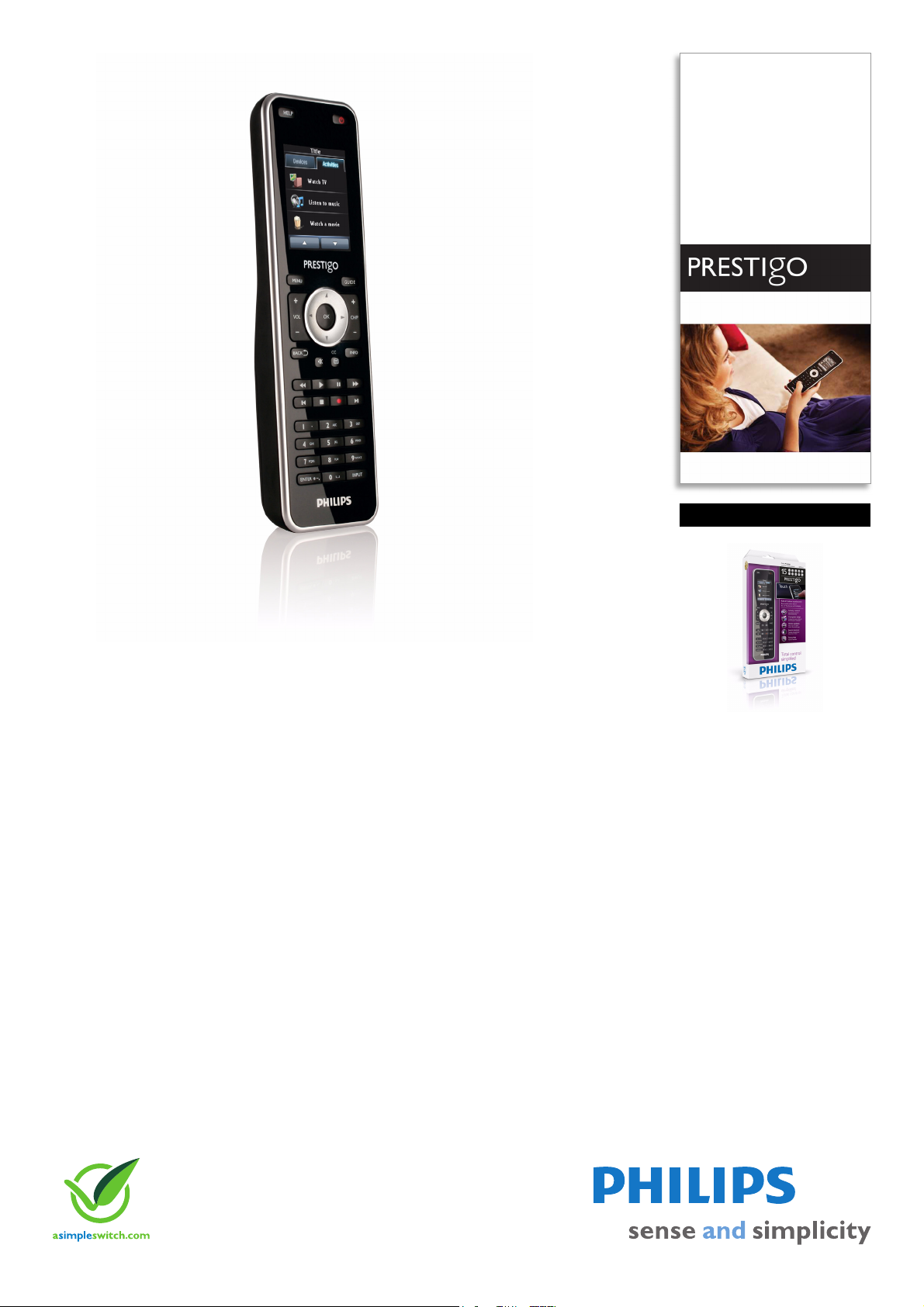
Philips Prestigo
Universal remote control
Touch 15-in-1
SRT8215
Total control simplified
Full functionality with only the keys you need
It's time to put away all those remote controls! The Prestigo SRT8215 controls up to 15
devices in one and presents the keys you need, easily accessible via the LCD touch screen.
Set up your Prestigo via computer and enjoy your home entertainment.
Intuitive navigation
• Easy access to specific functions via the 5.6-cm LCD screen
• Full-colour touch screen for easy navigation
• Backlit buttons to control your devices in the dark
Fast, easy access to your entertainment
• Activities to control multiple devices
• Direct access to your favourite channels
Simple and easy setup
• Easy computer setup in a few simple steps, on Windows or Mac
• Software updates via Internet
• Control any device of almost any brand
Page 2
Universal remote control
Touch 15-in-1
Highlights
SRT8215/10
Control virtually any device
The Prestigo infrared code database with over
300,000 devices allows you to control virtually
every device on the market today, regardless
of model or brand. Via the computer setup, the
correct infrared code will be selected for your
devices in the database.
Easy access via LCD screen
press the activity button like 'Watch a movie'
and the Prestigo will automatically switch on
the different devices, such as the TV, DVD
player and Home theatre system, to watch a
movie.
Future Proof
The Philips Configo software automatically
informs you about online updates for your
Prestigo. The Configo software will download
the updates and take care of the installation.
Easy computer setup
Backlit keys
The illuminated keypad makes it easy to
control all your devices, even in the dark.
Direct favourite channel access
A 5.6-cm (176 x 220 pixels) full-colour LCD
display provides high resolution quality and
easy readability. The touch-sensitive screen
shows only the keys you need and allows you
to navigate quickly through the remote screen.
Activity-based control
Start your home entertainment activities with
o
ne touch of a button instead of controlling
each individual device in separate steps. Simply
Channel icons for most countries' main TV and
radio stations can be installed into your
remote control. Once set, you can flick easily
to your favourite channels using the icons of
the stations instead of pressing the digit
buttons on your remote. A library with
10,000+ channel icons is available via the
Philips Configo software.
Connect your Prestigo remote to your PC or
Mac via USB for an easy computer setup in
your language. Customise any functionality in a
few simple steps.
Page 3

Universal remote control
Touch 15-in-1
Specifications
SRT8215/10
Accessories
•USB cable: 1.2 m
Convenience
• Backlight buttons
• Battery low indication
• Display Type: LCD
• Number of activities: 15
• Number of devices: 15
• Online updates: available
• On-Screen Display languages: Danish, Dutch,
glish, Finnish, French, German, Greek, Italian,
En
Norwegian, Portuguese, Russian, Spanish, Swedish
• Programmable channel icons: 100
• Supported devices: AMP, Audio system, Blu-ray
player, CABL
recorder, DVD-VCR combo, DVDR-HDD combo,
Digital Media Receiver, Game console, HD-DVD
E, CD/MD, DVB-T/S, DVD, DVD
player, HTS, Hard Disk recorder, Home Theatre,
MP3 Player Dock, Minidisc, PC, Projector (IR),
RECEIVER, SAT, TAPE, TV, TV-DVD combo, TVVCR combo, TV-VCR-DVD combo, Tuner, VCD,
Laser Disk, VCR
Display
• Touch panel
Infrared Capabilities
• Learning IR codes
• Operating distance: 33 ft (10 m)
Power
•Batteries included
Setup
• Setup Method: PC Setup
•
Issue date 2012-02-27
Version: 1.0.13
12 NC: 8670 000 58083
EAN: 87 12581 51497 6
© 2012 Koninklijke Philips Electronics N.V.
All Rights reserved.
Specifications are subject to change without notice.
Trademarks are the property of Koninklijke Philips
Electronics N.V. or their respective owners.
www.philips.com
 Loading...