

Page 1
Quick Start Guide
1
Quick Start Guide
2
User Manual
POWER
MCM148
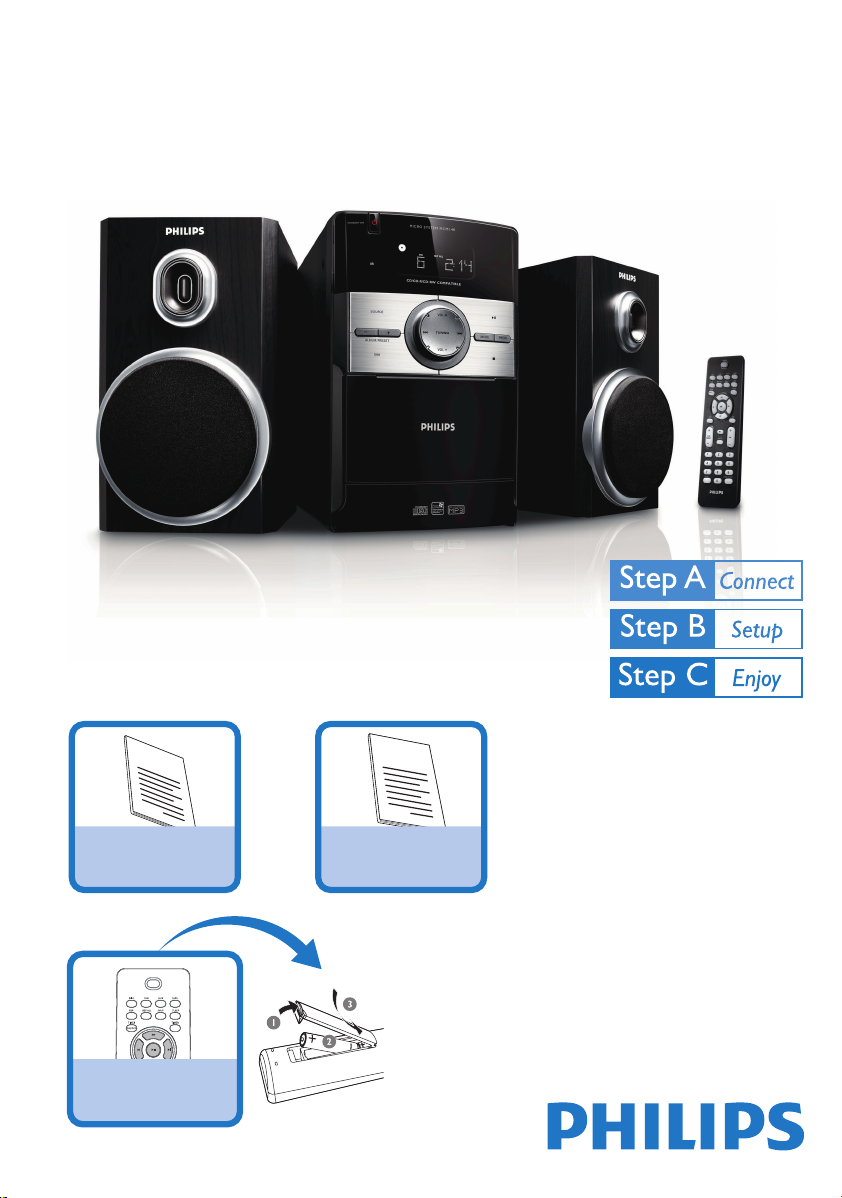
What’s in the Box?
You should nd these items upon opening the box.
Quick Start Guide
Remote Control
User manual
Page 2
Connection
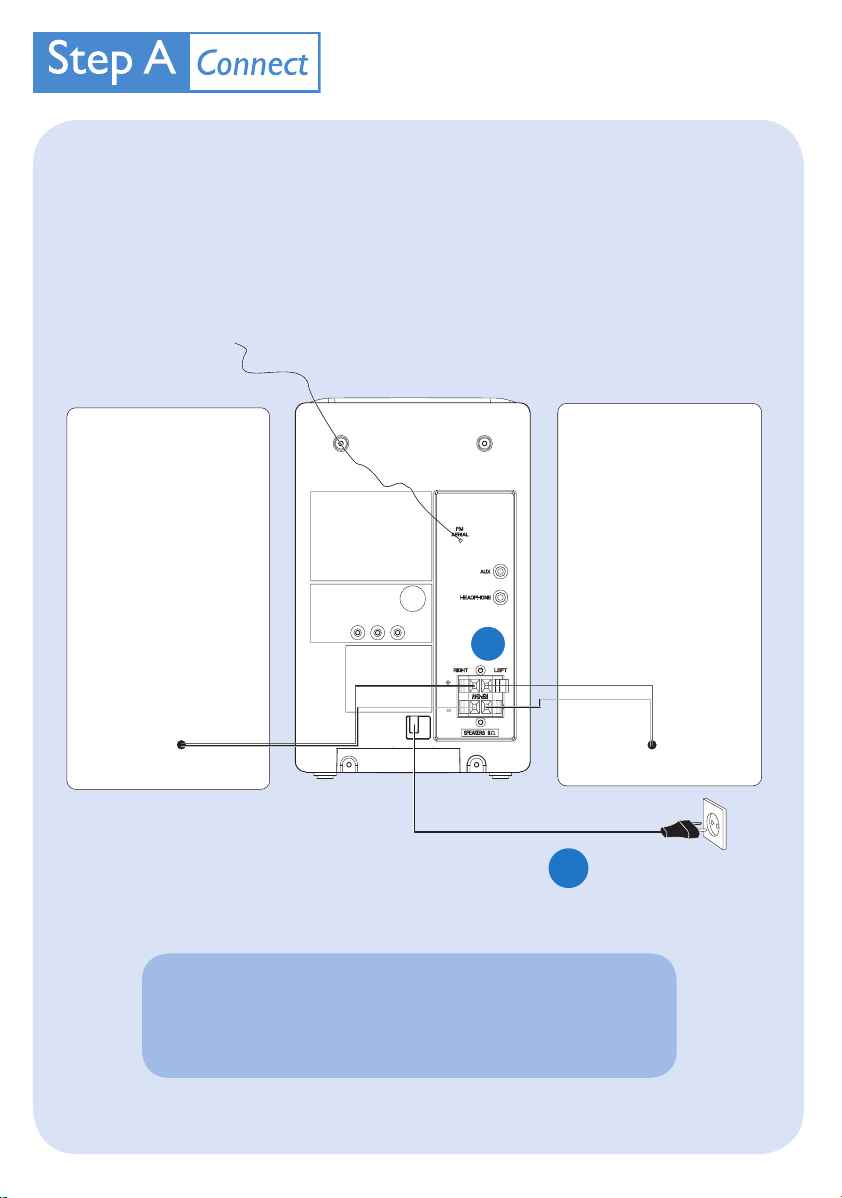
Connect the speaker wires to the
1
Connect the power cord of the system to the AC power outlet.
2
SPEAKERS
terminals.
1
2
Tip:
It is unnecessary to connect the FM pigtail antenna since it
is xed to the main unit.
Page 3
Setting the clock
POWER
Enjoy
C
POWER
1
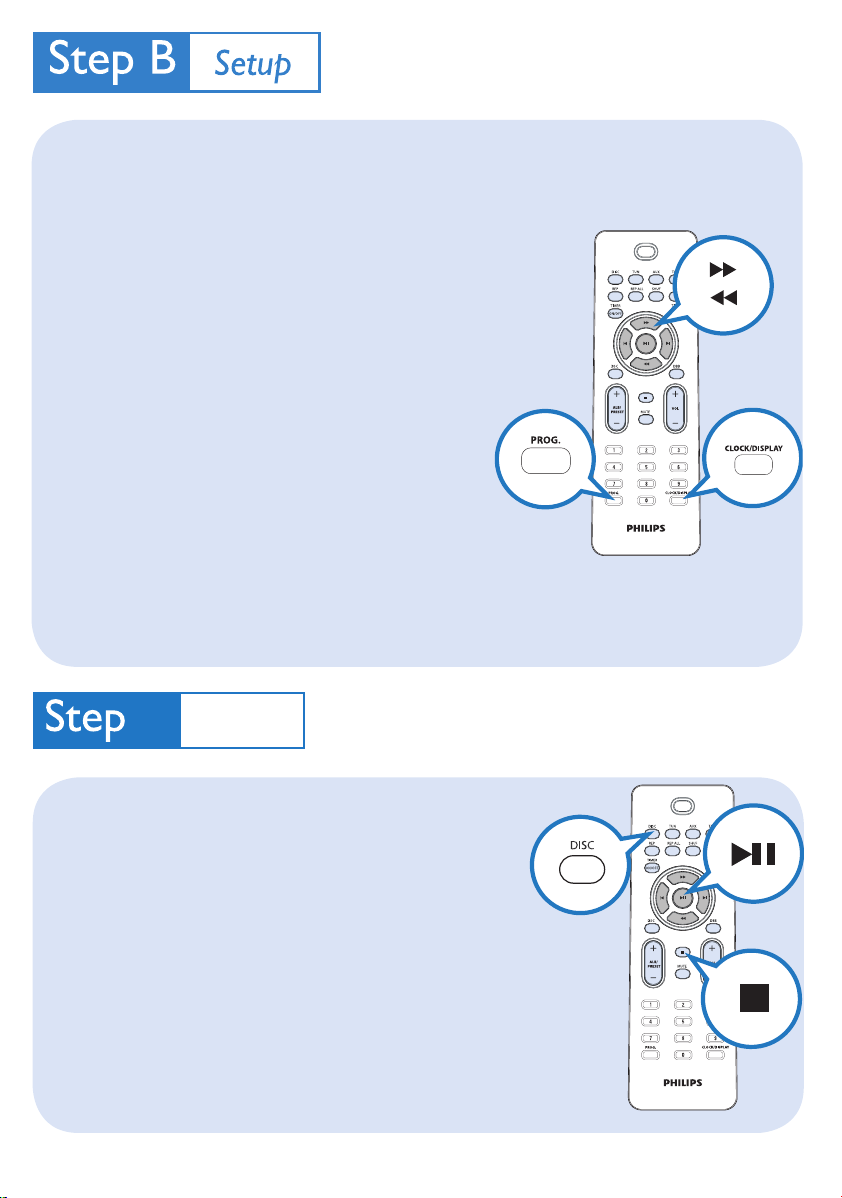
In standby mode, press and hold CLOCK/DISPLAY on the
remote control set for 2 seconds.
Press PROG to select 12-hour or 24-hour display.
2
3
Press CLOCK/DISPLAY to conrm.
➜
The clock digits for the hours ash.
4
Press TUNING
to set the hours.
5
Press CLOCK/DISPLAY again.
➜
The clock digits for the minutes ash.
6
Press TUNING
to set the minutes.
7
Press CLOCK/DISPLAY to conrm the time.
4 ¢
4 ¢
(à / á on the remote control)
(à / á on the remote control)
Playing a disc
1
Select CD source.
Lift the CD door on the top of the system to open the CD compartment.
2
Insert a disc with the printed side facing up and press down
3
on
4
Press
Press
5
PULL TO OPEN
to start playback.
ÉÅ
to stop playback.
9
to close the CD door.
Page 4
Programming and tuning to radio stations
Enjoy
C
Select
1
2
3
Tip:
Detailed playback features and
additional functions are described in
the accompanied owner's manual.
TUNER
Press
PROG
in order of waveband.
Press
ALBUM/PRESET +/-
source.
on the remote control for more than two seconds to program all available stations
until the desired preset station is displayed
Notes for the remote control:
– First, select the source you wish to
control by pressing one of the source
select keys on the remote control (DISC
or AUX, for example).
– Then select the desired function ( 2;,
í, ë
for example).
2010 Koninklijke Philips Electronics N.V.
C
All rights reserved.
http://www.philips.com
MCM148_96_QSG_V2.0
 Loading...