

Page 1
SCC_71956: Intermittent flickering picture.
Needed components:
996510032437: 560uF_20%_200V LS561M2DBK-3025A (from Lelon).
319802134710: 470R_ 5%_0603.
319801790040: 47nF_X7R_16V_0603.
319802051390: 13V zener BZX384-C13 (if damaged by displacing it).
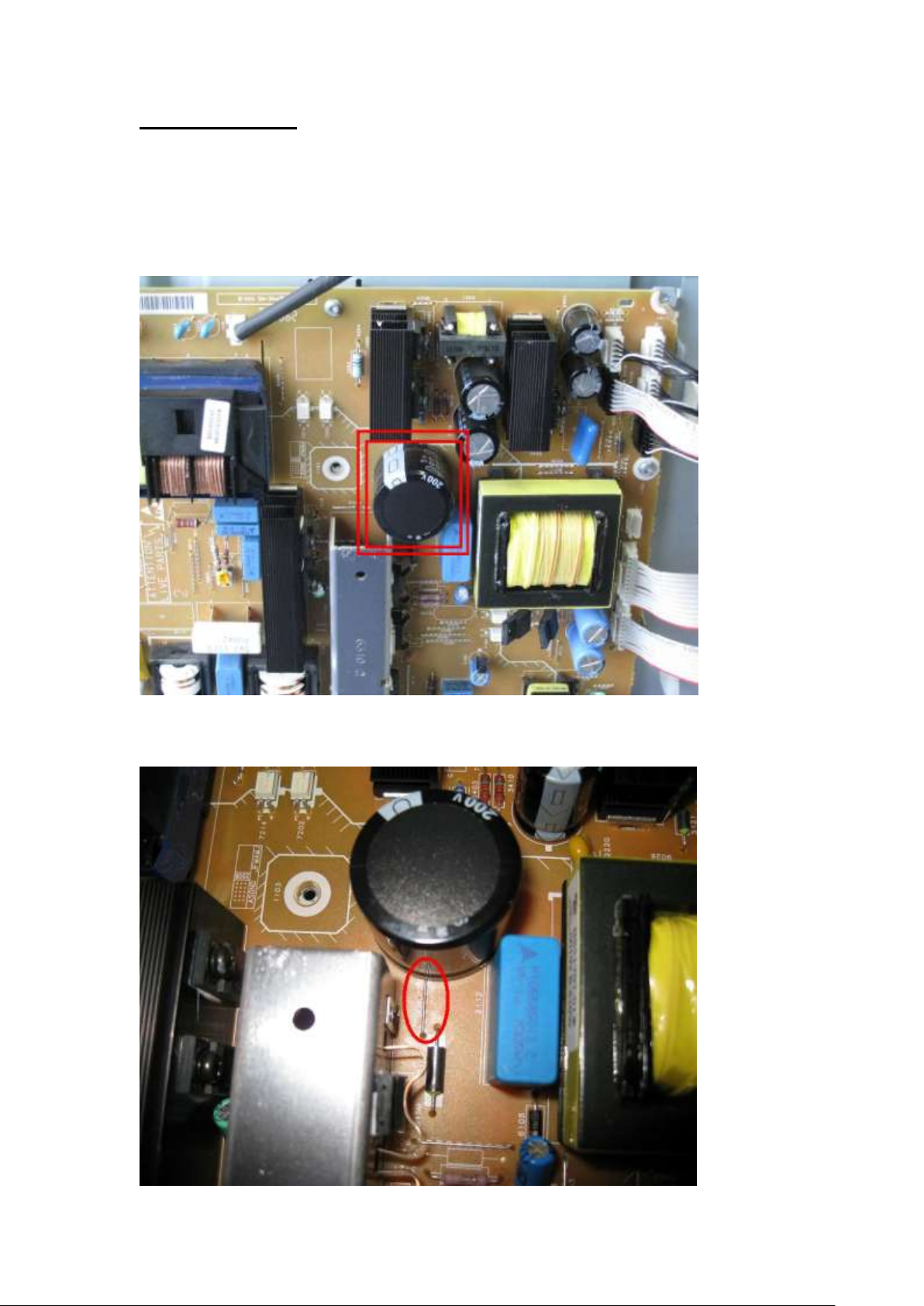
Step 1: Replace the mains elcap 2111 by: Lelon LS561M2DBK-3025A.
Caution: use only this type, as the height is important w.r.t. safety!.
Careful for the polarity of the capacitor and the wire 9047 under the elcap 2111.
Doc. Version: 2.0 Page 1 Date: 16-FEB-‘10
Page 2
SCC_71956: Intermittent flickering picture.
Displace
6155 (keep
same
polarity)
Former
rework
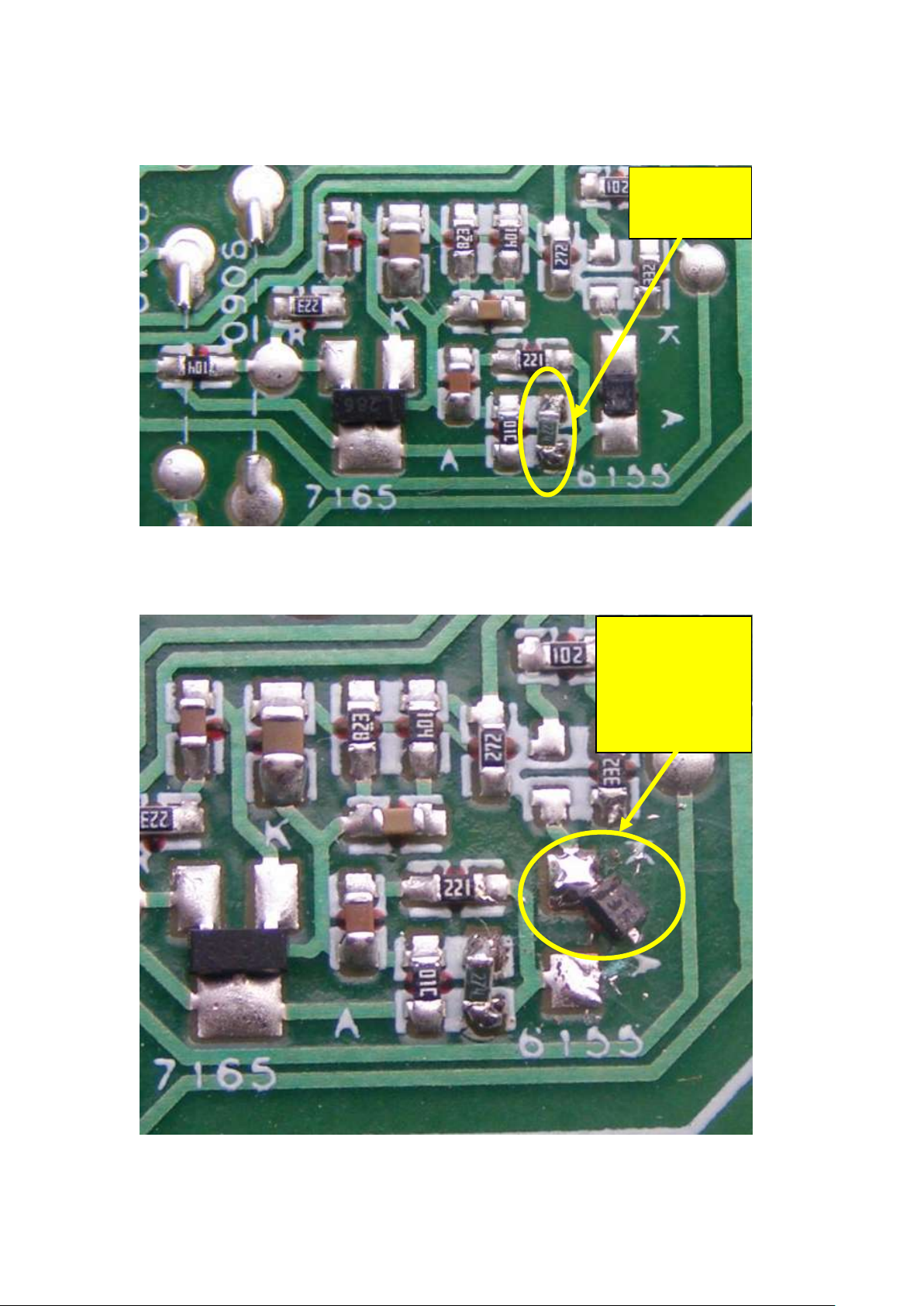
Step 2: Check for former rework instruction of adding 270k on position 3115.
Add 270k if not already done.
Step 3: Displace 6155 as depicted (do not change its polarity!!), to be able to add a 0603
resistor in series.
Doc. Version: 2.0 Page 2 Date: 16-FEB-‘10
Page 3
SCC_71956: Intermittent flickering picture.
Add 470R in
series with
6155
Add 47nF
parallel to
470R
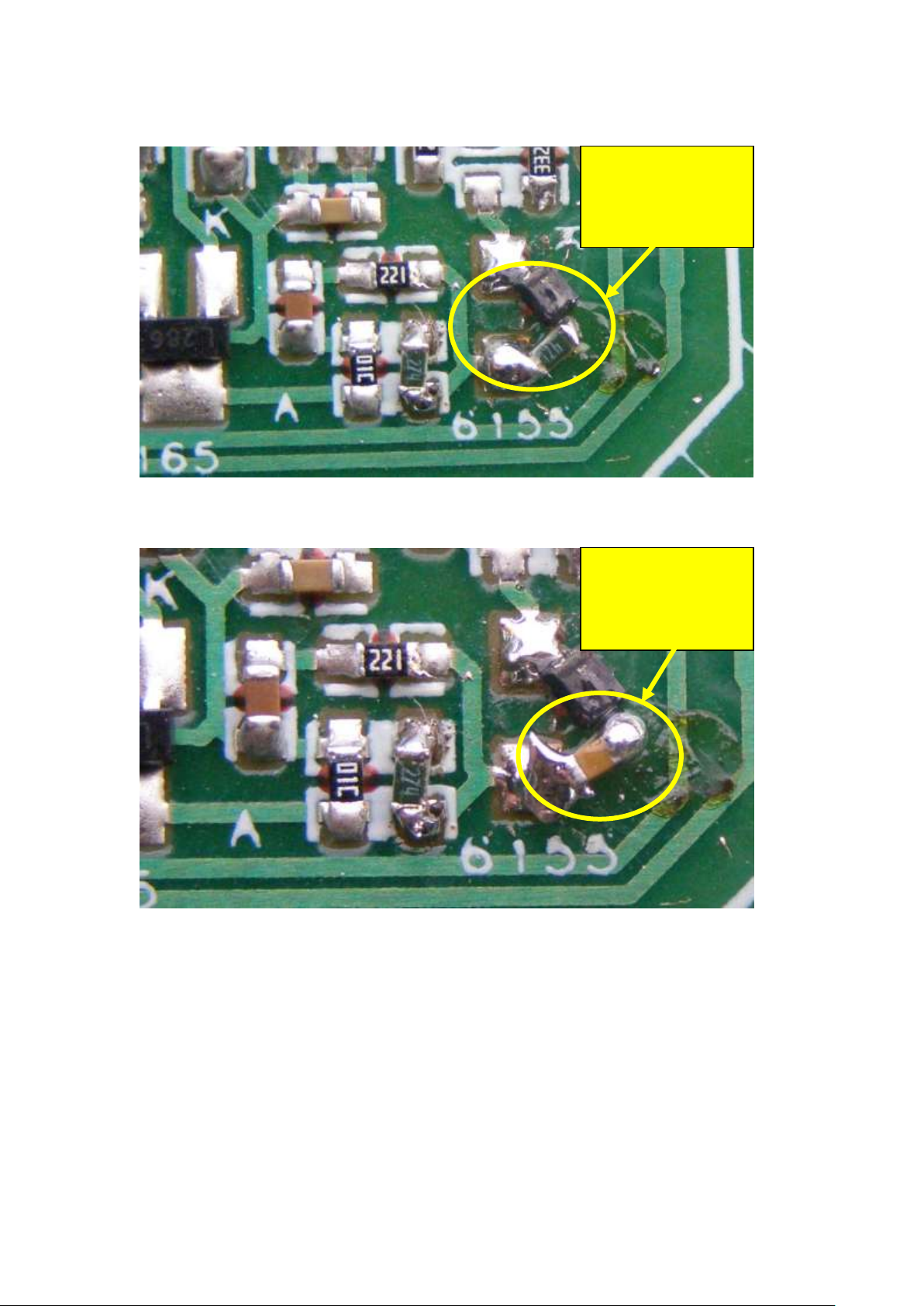
Step 4 Add a 470 ohm resistor in series with 6155 as depicted.
Step 5 : Add on top of the 470 ohm (in parallel) a 47 nF capacitor.
Doc. Version: 2.0 Page 3 Date: 16-FEB-‘10
Page 4
SCC_71956: Intermittent flickering picture.
Remove
2110 or 3116
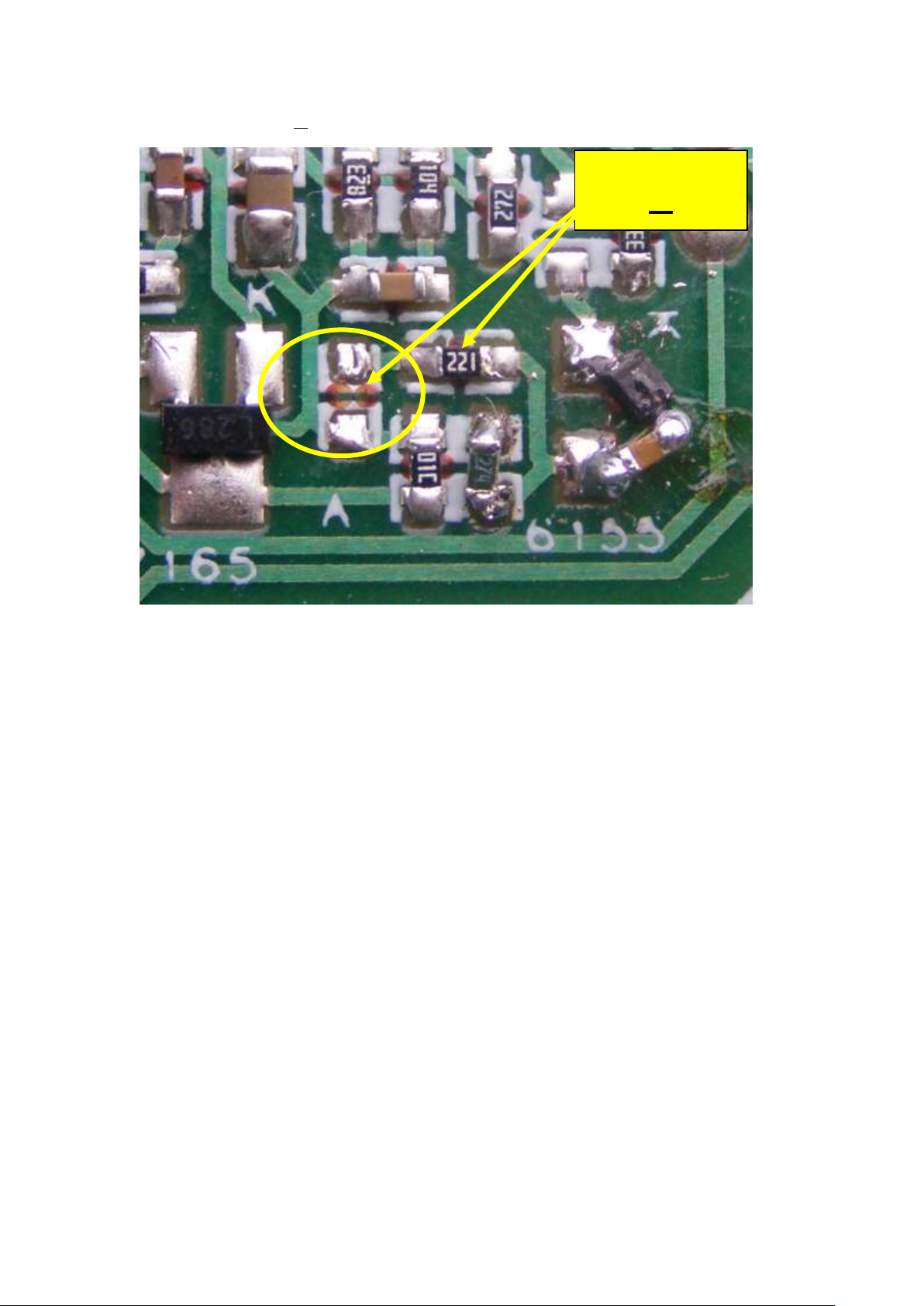
Step 6: Remove 2110 or 3116 (one is sufficient, as they are connected in series).
Step 7: Check carefully if al solder joints of the rework are OK .
Caution: Put the components on the place as depicted and do not
use other components than SMD (leaded components could come
in the 6 mm safety zone!).
Doc. Version: 2.0 Page 4 Date: 16-FEB-‘10
 Loading...