

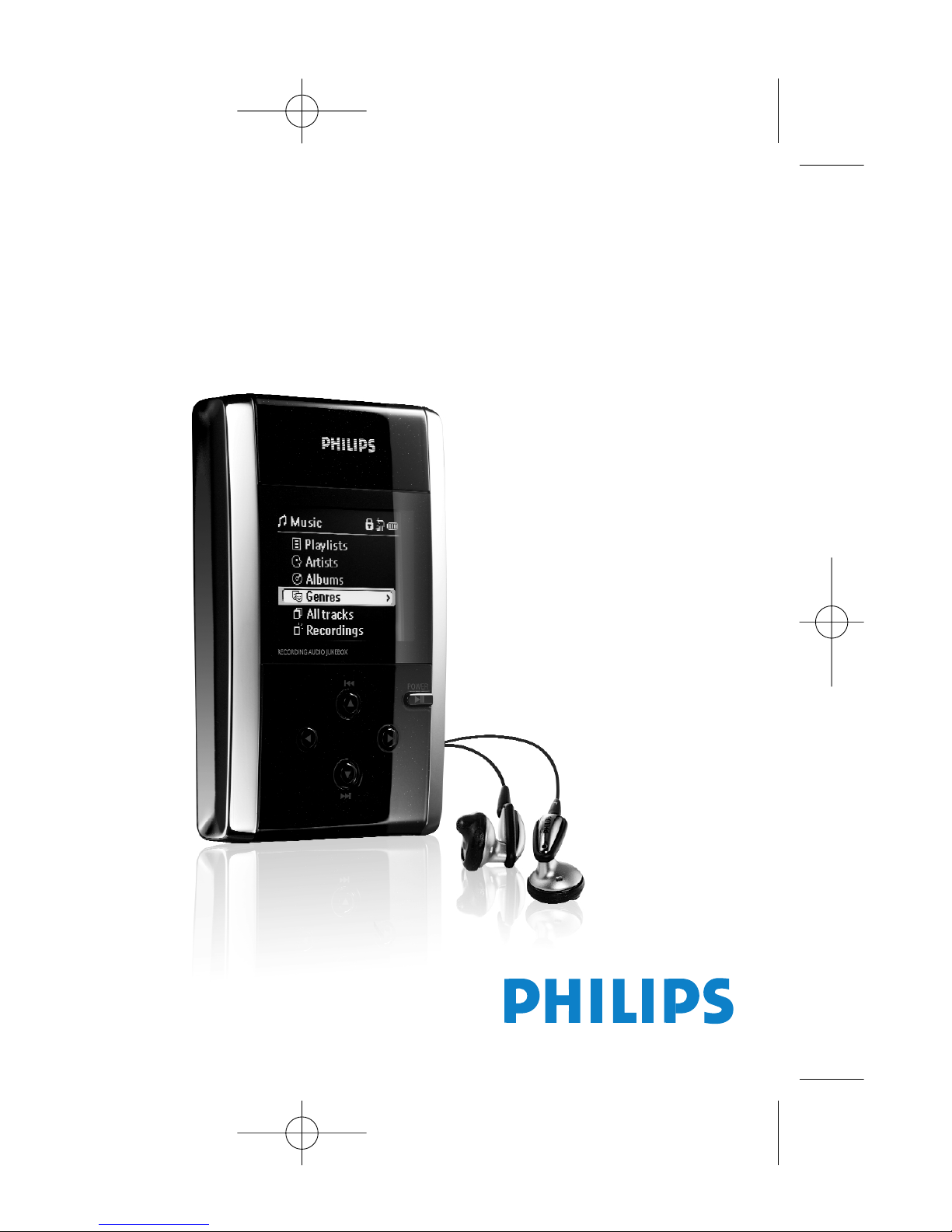
Philips HDD17B, 20GB-JUKEBOX HDD120, 20GB-JUKEBOX HDD120-17B, HDD120/00, HDD120/05 User Manual
...Page 1
Page 2
1
(hdd)
to view:
ENGLISH 1
FRANÇAIS 27
ESPAÑOL 55
CONTENTS
NEDERLANDS 83
DEUTSCH 111
PORTUGUÊS 139
Page 3
Page 4
3
ENGLISH
.)
Page 5
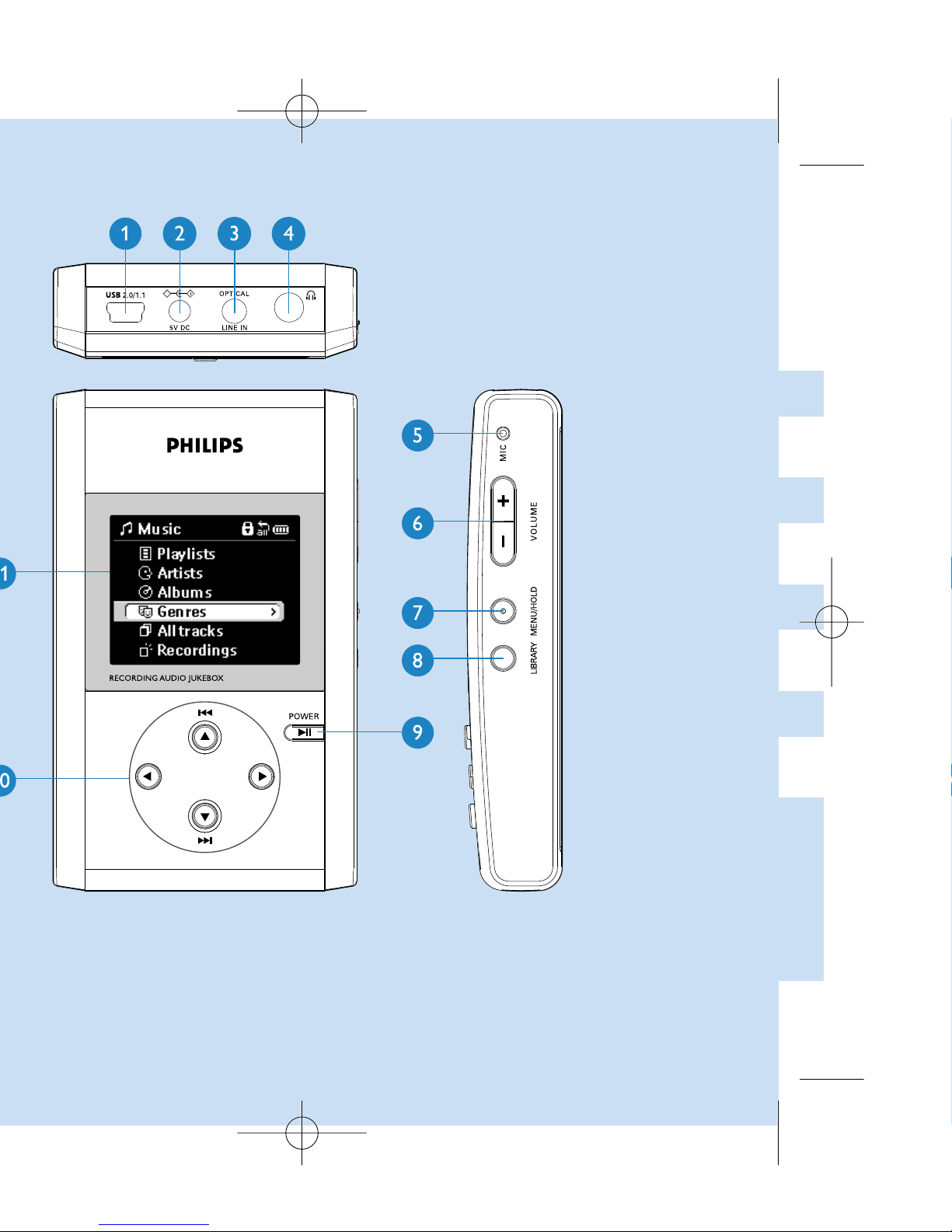
Page 6
5
ENGLISH
¡1
Previous / Rewind / SuperScroll™
Right
2™
Next / Fast forward / SuperScroll™
Left
Page 7
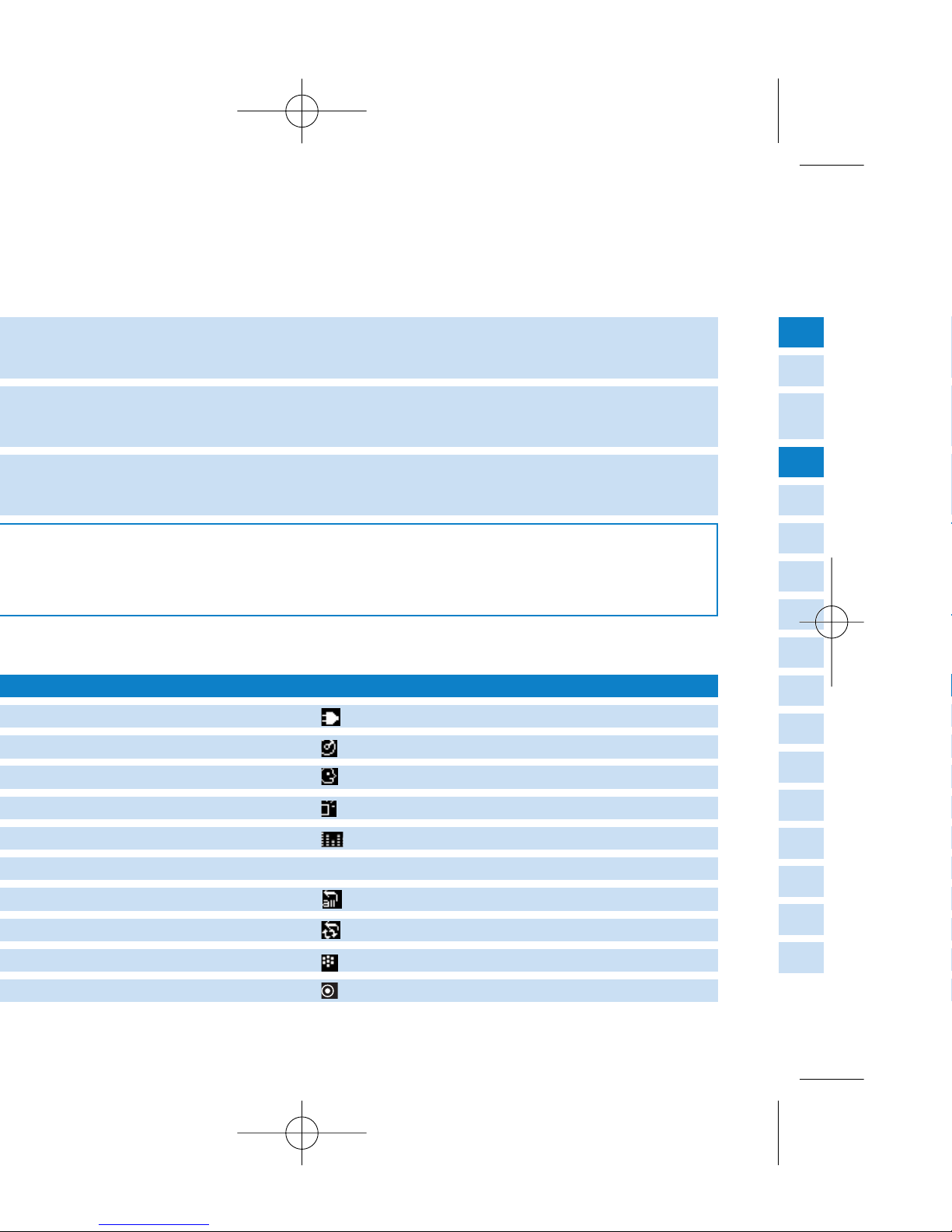
to scroll up or 4to scroll down for your option.
3
and 4, keys are multi-functional.They work according to how
DC power connected
Album
Artists
Recordings
Equalizer (EQ)
> Next menu / library level available
Repeat all
Shuffle / Repeat
Recording mode
Option selected
Page 8
7
ENGLISH
3
+ [VOLUME +]
Press MENU/HOLD; scroll to Factory Settings➔Restore.
Press 2 to confirm
3,4
, 1, 2 for up, down, left, right
4
3
4
for next and 3for previous
3
or 4halfway and hold
Page 9
3
to scroll up or 4to scroll down
Select recording source
Page 10

9
ENGLISH
3
to scroll up or 4to scroll down for
)
3
to scroll up or 4to scroll down
Page 11

Page 12

11
ENGLISH
Page 13
Page 14
13
ENGLISH
option and for upgrading firmware
to your music genres
Page 15
exist in the destination library
Page 16
15
ENGLISH
0 Never (do not transfer the track(s))
0 Always (always overwrite already existing track(s))
Page 17
.philips.com/suppor
t
.philips.com/support.You may need to enter the model number,
Page 18

17
ENGLISH
.philips.com/suppor
t
Page 19
.philips.com/support.
Page 20
19
ENGLISH
3
+ [VOLUME +] to reset. File contents e.g. your songs, recordings or
Page 21
.philips.com/support.
Page 22

21
ENGLISH
Page 23

Page 24

23
ENGLISH
Page 25
Page 26

25
ENGLISH
* Actual formatted capacity of hdd will be less
Analog (64/128/192 Kbps)
Digital optical (64/128/192 Kbps)
Page 27

or Windows Explorer of data in general (music playback
disabled)
4.2 x 2.5 x 0.8 inch
5.9oz
Page 28

RENEWED
90 DAY
LIMITED WARRANTY
Page 29

 Loading...