

Page 1
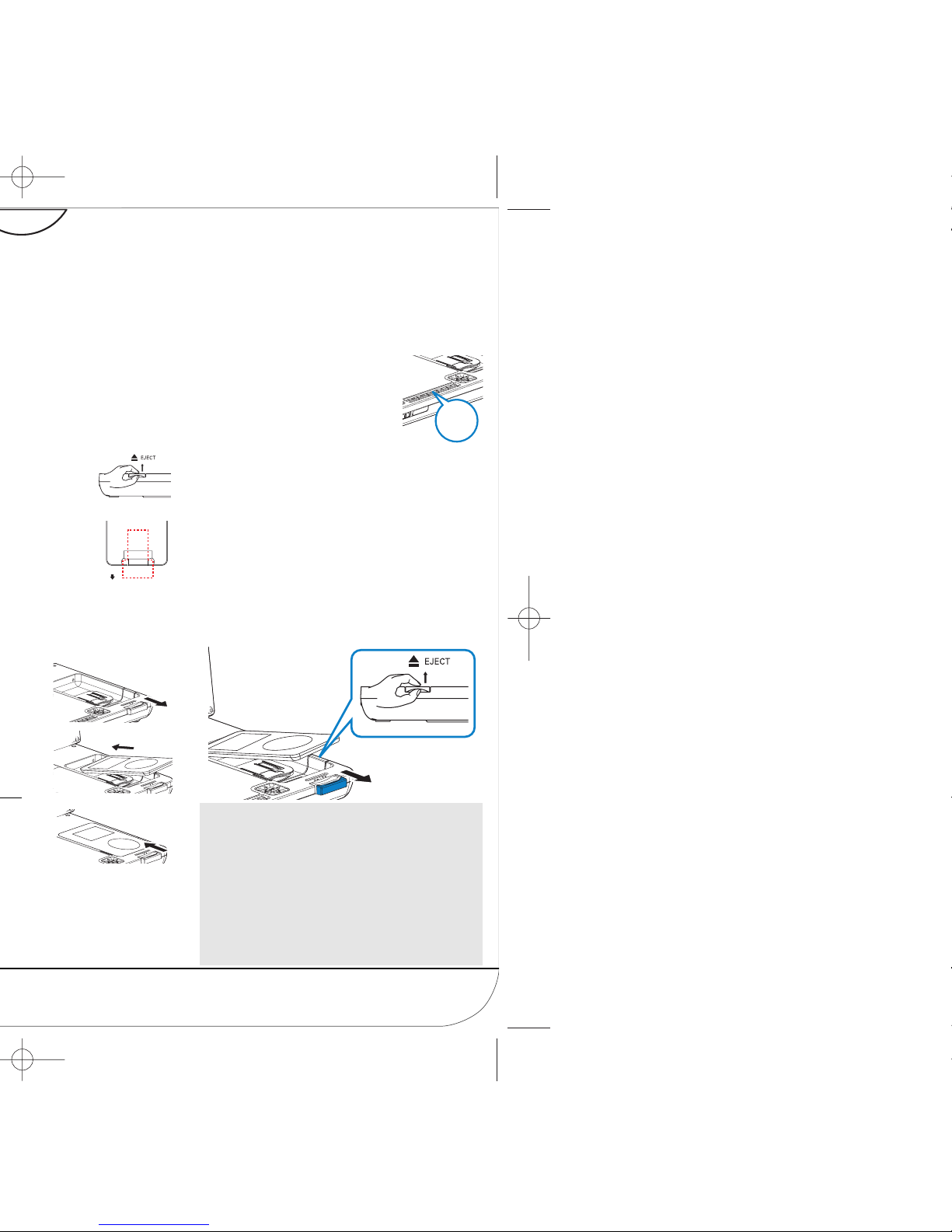
DCP750/850
1
SO
URC
E
Notes:
– This DVD player only supports 30G, 60G and
80G iPod player with video.
– Please take out the tab marked “for 30G iPod” in
the dock if you want to dock a 60G or 80G iPod
player.
– You need to press 2; on your iPod player in
order to start photo playback through this DVD
player.
REMOVE
VIDEO
2
3
5 Press the SOURCE key
repeatedly (or iPod on the
remote) for dock input.
6 Play files in your iPod player.
● To r echarge your iPod player, you
must connect your DVD player to AC mains (or
the car cigarette lighter outlet) and ensure:
Your DVD player is in the power-off mode.
OR
The DVD player is in the power-on mode and
the current source is “iPod”.
To r emove the iPod player
1 Pull out the iPod connector.
2 Lift up the handle marked 2 / EJECT to
release.
5
SOURCE
2
1
Page 2
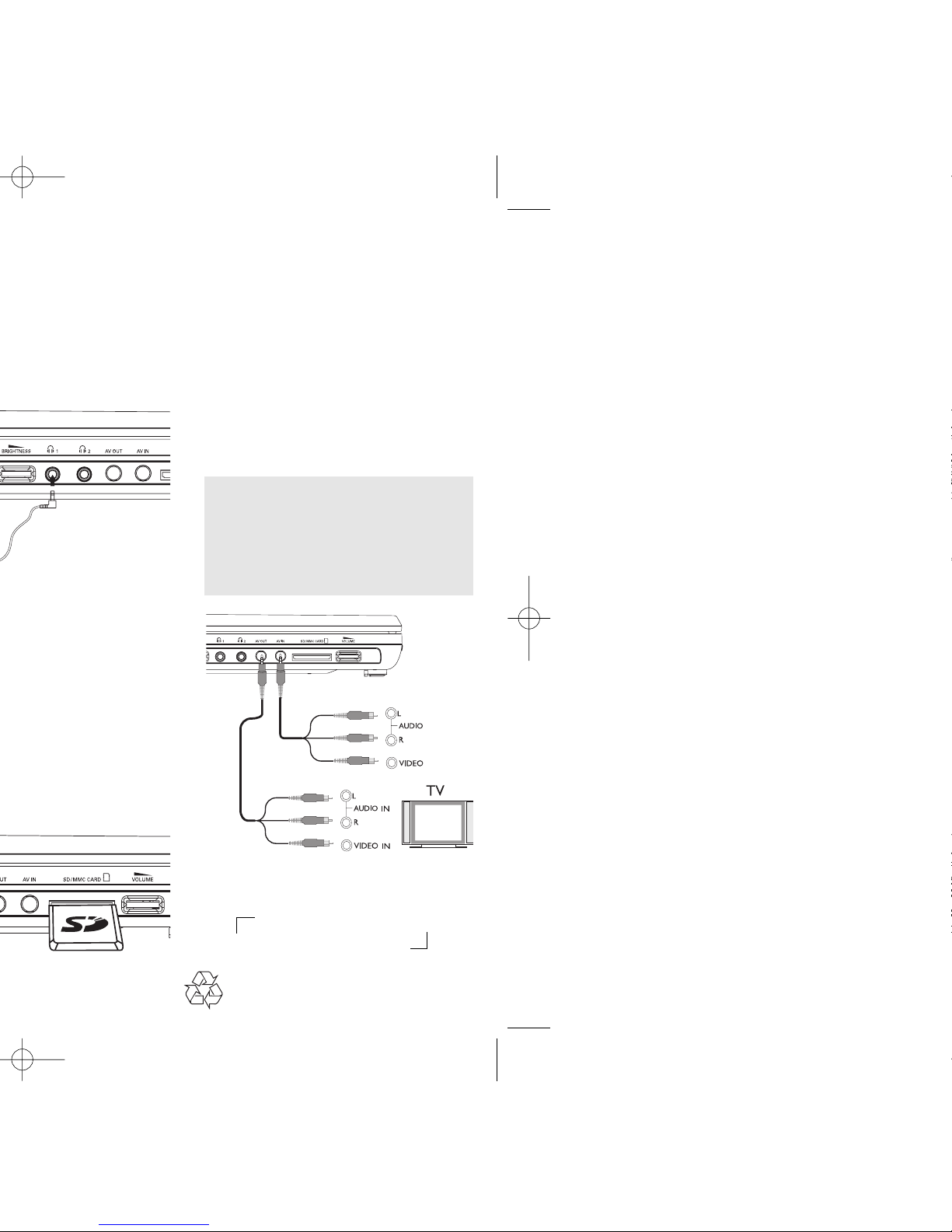
Connecting additional equipment
(TV for example)
1 Connect the AV OUT socket on the set to
the video and audio sockets on a TV as
shown directly.
2 Switch on the TV and set to the correct
video-in channel.
➜ You can consult the owner's manual of
your TV. (If your TV does not have Audio
and Video inputs, you will need to
purchase a RF modulator. Please consult
your dealer.)
Note:
– When connecting a device to the AV IN socket
on the DVD player, you need to press the source
key repeatedly on the front panel (or AV on the
remote) to select AV IN (AUX).
White
Red
Yellow
White
Red
Yellow
OUT
OUT
AV OUT
AV I N
Headphone
OR
Printed in China WK701
 Loading...