

Page 1
Training BDP 7100
Repair
Euroservice
Service Training
<< BDP7100 Repair >>SERVICE TRAINING
<< BDP7100 Repair >>
Theo Heijnen
December 2007
PERSONAL NOTES:
PERSONAL NOTES:
Repair Instructions. page: 1
Page 2
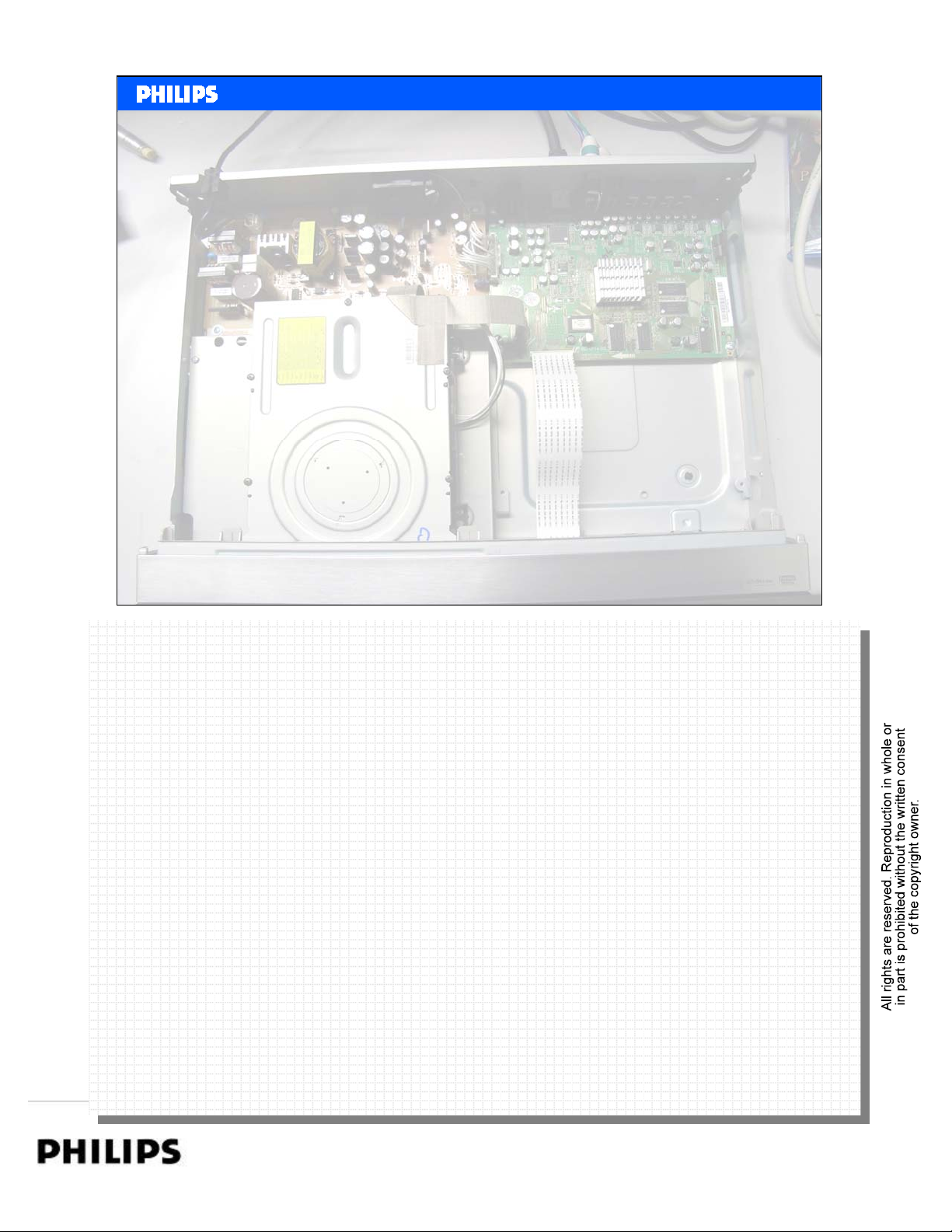
Service policy
• Repair on Module level.
– Module swap and scrap.
<< BDP7100 Repair >>SERVICE TRAINING
<< BDP7100 Repair >>
Philips CE Europe, Euroservice, November 2007
BDP7100 Repair Instructions Slide 2
PERSONAL NOTES:
PERSONAL NOTES:
Repair Instructions. page: 2
Page 3
<< BDP7100 Repair >>SERVICE TRAINING
<< BDP7100 Repair >>
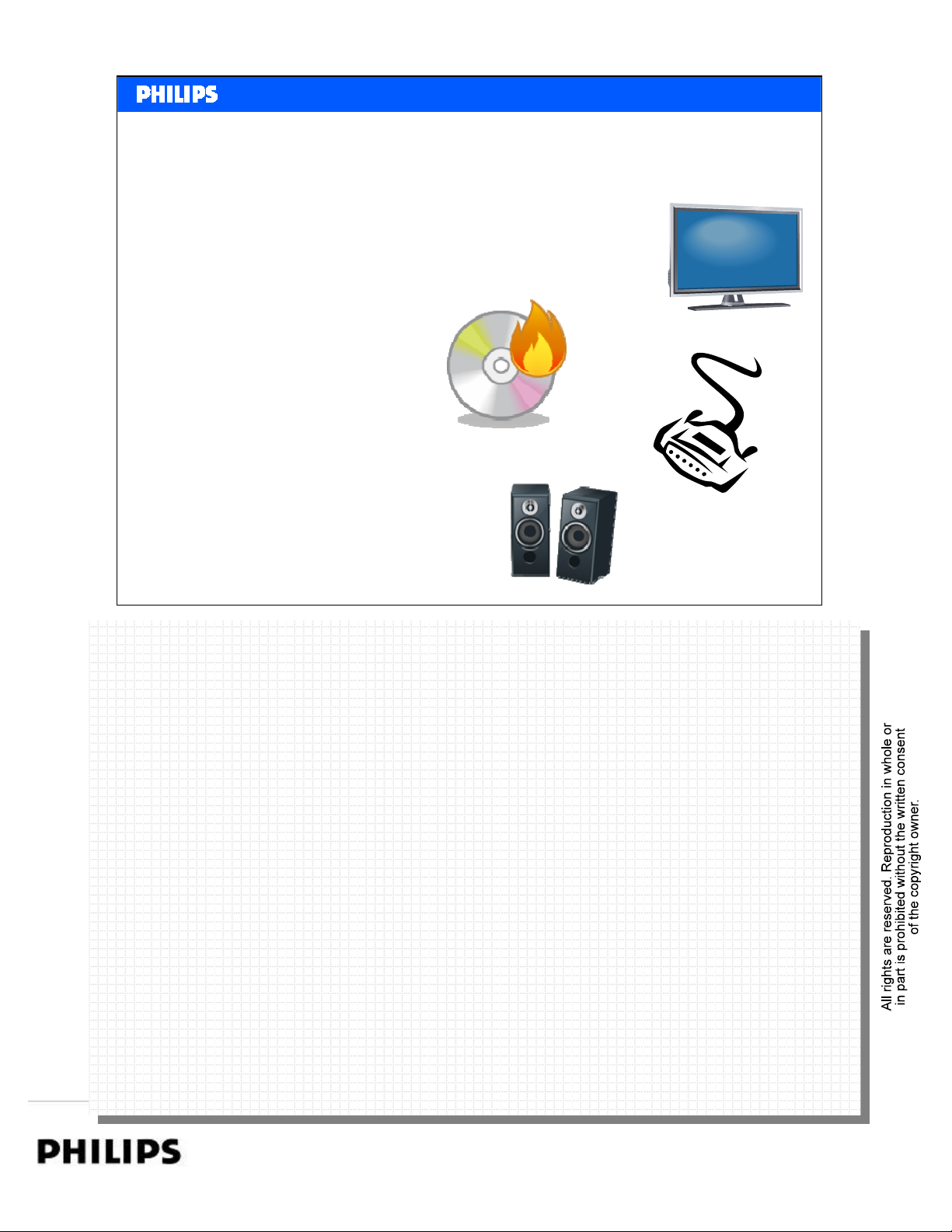
Required test equipment for BDP7100.
• TV set with HDMI input 1080P
• Home cinema set with more audio inputs
• HDMI cat2 cable
• Component cable
•CVBS cable
• Audio CINCH cables
• Oscilloscope + Multimeter
• BD disc’s to test the codec’s
•SW upgrade disc
Philips CE Europe, Euroservice, November 2007
BDP7100 Repair Instructions Slide 3
PERSONAL NOTES:
PERSONAL NOTES:
Repair Instructions. page: 3
Page 4

<< BDP7100 Repair >>SERVICE TRAINING
<< BDP7100 Repair >>
Discs to test the player:
BD movies codec test:
1) Video codec: VC 1
Superman returns Warner Bros BDMV BD-50 HD 1080P Presentation (16X9) 2.4:1 1080P VC1
2) MPEG 2
Resident evil: Aplcalypse Sony Pictures Hom
3) MPEG 4: AVC
The League of Extraordinary
Gentleman
4) BD+ & BD-J checking
The Descent LionsGate BD-J BD-50 1080P High Definition 16X9 Widescreen version
The Day after Tomorrow 20th Century Fox BD+ BD-50 MPEG-4 AVC
Fantastic Four: Rise of the
Silver Surfer
Cars Disney / Buena Vista BD-J 50GB Blu-ray
Pirates of the Caribbean:
Dead Man's Chest
Entertainment
20th Century Fox BD-J BD-25 AVC 16 MBPS 2003/color 110mins Widescreen
20th Century Fox BD+ BD-50 MPEG-4 AVC
Disney / Buena Vista BD-J 50GB Blu-ray
BDMV HD widescreen Presentation (2.40:1) 1920 X
Disc
Two-disc set
Disc
Two-disc set
1080P
2:35:1 25GB single layer
2005/color 99mins
Video resolution: 1080p
Aspect ratio: 2.35:1
Video resolution: 1080p
Aspect ratio: 2.35:1
MPEG-4 AVC
Video resolution: 1080p
Aspect ratio: 2.35:1
Video codec: MPEG-4 AVC
Video resolution: 1080p
Aspect ratio: 2.35:1
1080P MPEG-2
1080P AVC English DTS-HD 5.1
1080P, 1080I,
480P, 480I
1080P MPEG-4
1080P MPEG-4
1080P MPEG-4
1080P MPEG-4
AVC,
MPEG-2
AVC
AVC
AVC
AVC
Master lossless audio
Spanish (5.1 dolby digital)
French dolby digital)
English: PCM 6.1
English: Dolby Digital 5.1 EX
English: DTS-HD Master
Audio 5.1
French: Dolby Digital 5.1
Spanish: Dolby Digital 5.1
English: DTS-HD Master
Audio 5.1
English: Dolby Digital 5.1
French: Dolby Digital 5.1
Spanish: Dolby Digital 5.1
English: PCM 5.1 (48kHz,
24-bit)
English: Dolby Digital 5.1
French: Dolby Digital 5.1
Spanish: Dolby Digital 5.1
English: PCM 5.1 (48kHz,
24-bit)
English: Dolby Digital 5.1
French: Dolby Digital 5.1
Spanish: Dolby Digital 5.1
Philips CE Europe, Euroservice, November 2007
BDP7100 Repair Instructions Slide 4
PERSONAL NOTES:
PERSONAL NOTES:
Repair Instructions. page: 4
Page 5
<< BDP7100 Repair >>SERVICE TRAINING
<< BDP7100 Repair >>
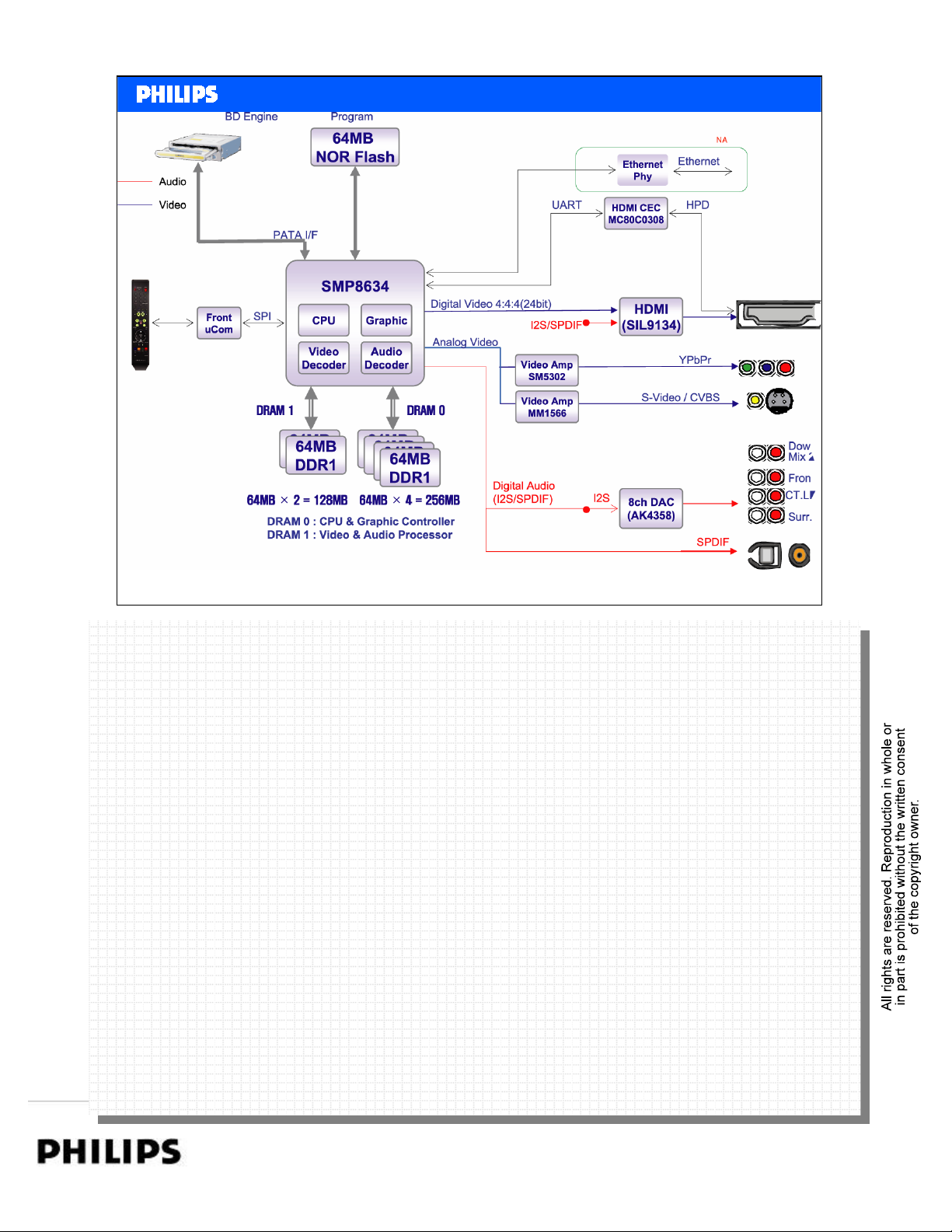
Block Diagram
Philips CE Europe, Euroservice, November 2007
BDP7100 Repair Instructions Slide 5
PERSONAL NOTES:
PERSONAL NOTES:
Repair Instructions. page: 5
Page 6
<< BDP7100 Repair >>SERVICE TRAINING
<< BDP7100 Repair >>
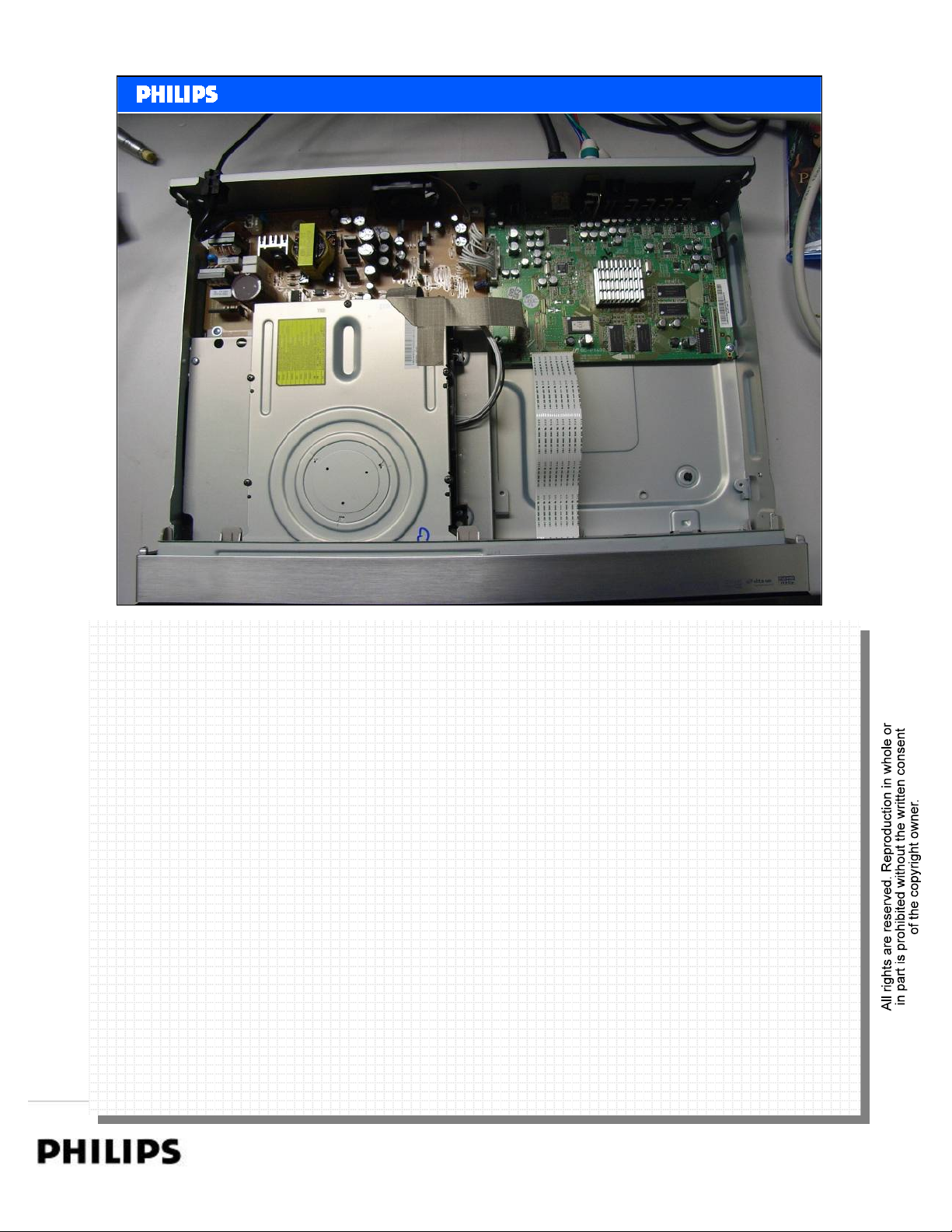
Inside the set
Philips CE Europe, Euroservice, November 2007
BDP7100 Repair Instructions Slide 6
PERSONAL NOTES:
PERSONAL NOTES:
Repair Instructions. page: 6
Page 7
<< BDP7100 Repair >>SERVICE TRAINING
<< BDP7100 Repair >>
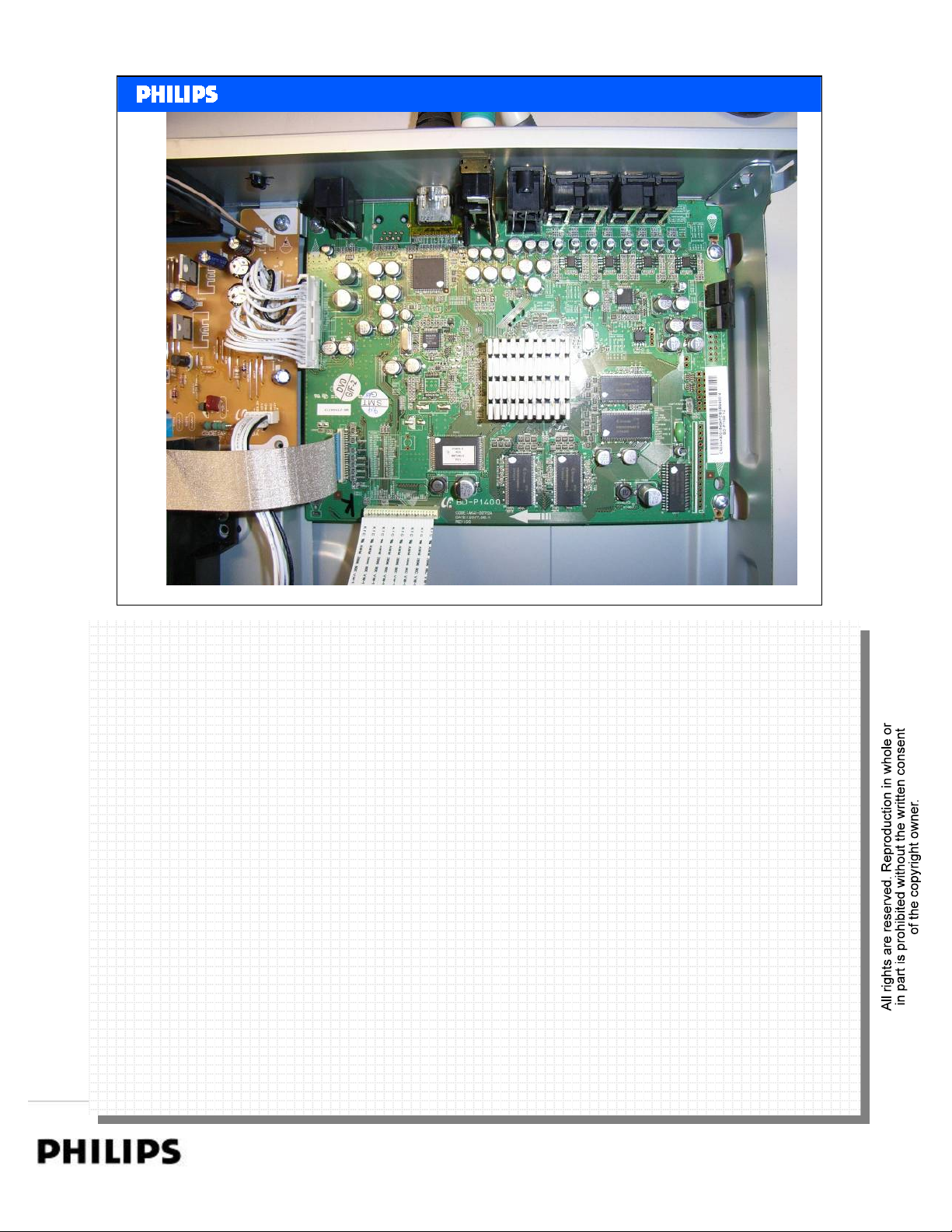
Main Board
Philips CE Europe, Euroservice, November 2007
BDP7100 Repair Instructions Slide 7
PERSONAL NOTES:
PERSONAL NOTES:
Repair Instructions. page: 7
Page 8
<< BDP7100 Repair >>SERVICE TRAINING
<< BDP7100 Repair >>
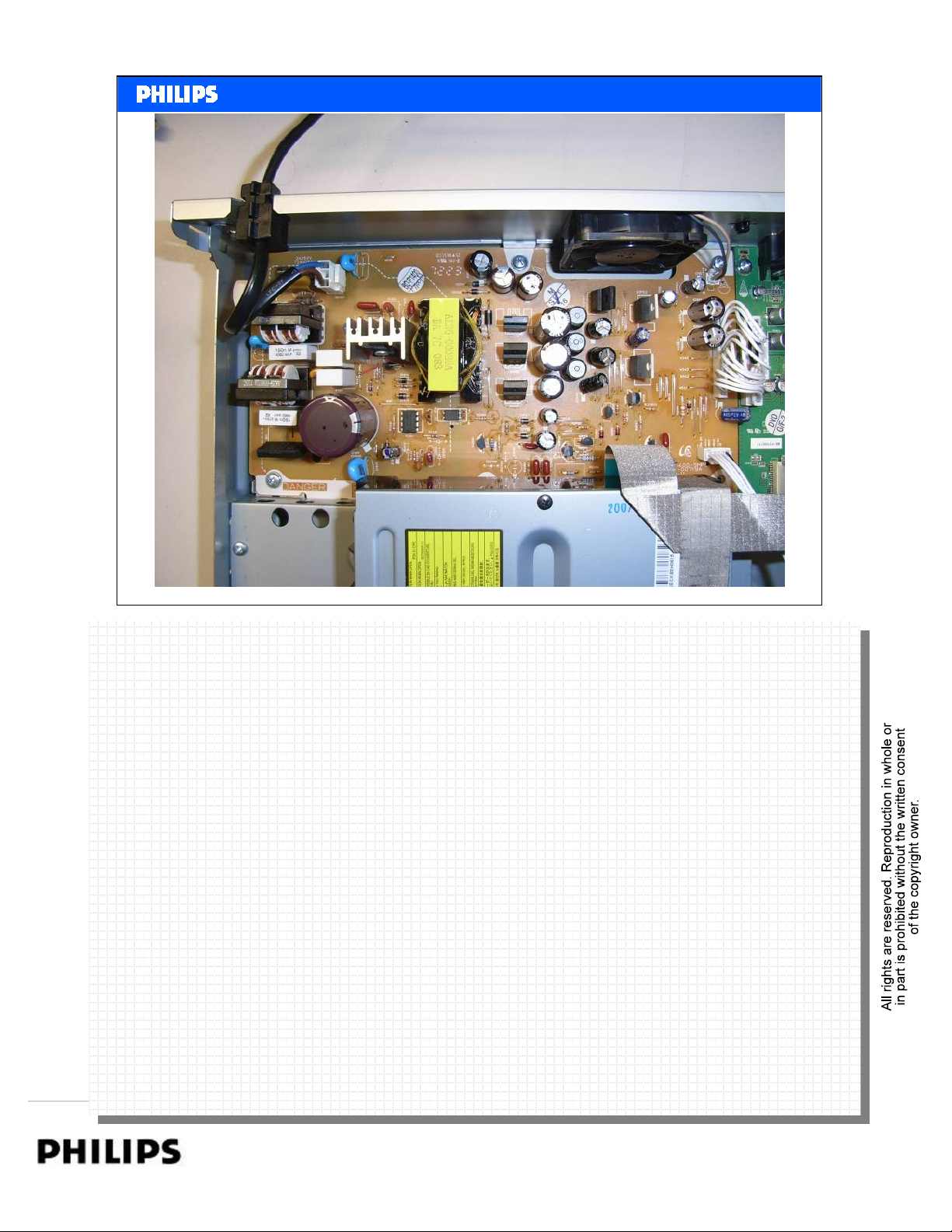
Power Supply
Philips CE Europe, Euroservice, November 2007
BDP7100 Repair Instructions Slide 8
PERSONAL NOTES:
PERSONAL NOTES:
Repair Instructions. page: 8
Page 9
<< BDP7100 Repair >>SERVICE TRAINING
<< BDP7100 Repair >>
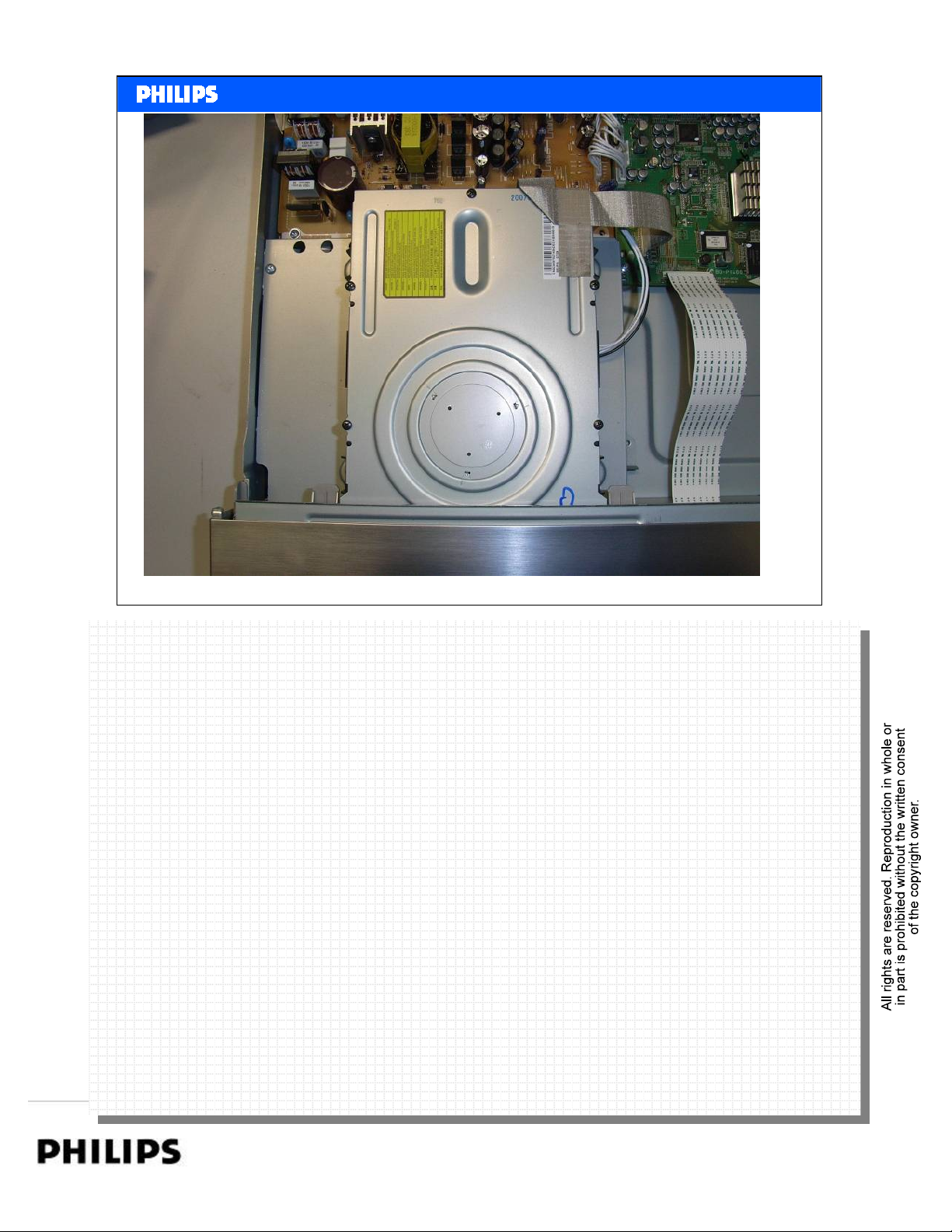
Loader
Philips CE Europe, Euroservice, November 2007
BDP7100 Repair Instructions Slide 9
PERSONAL NOTES:
PERSONAL NOTES:
Repair Instructions. page: 9
Page 10
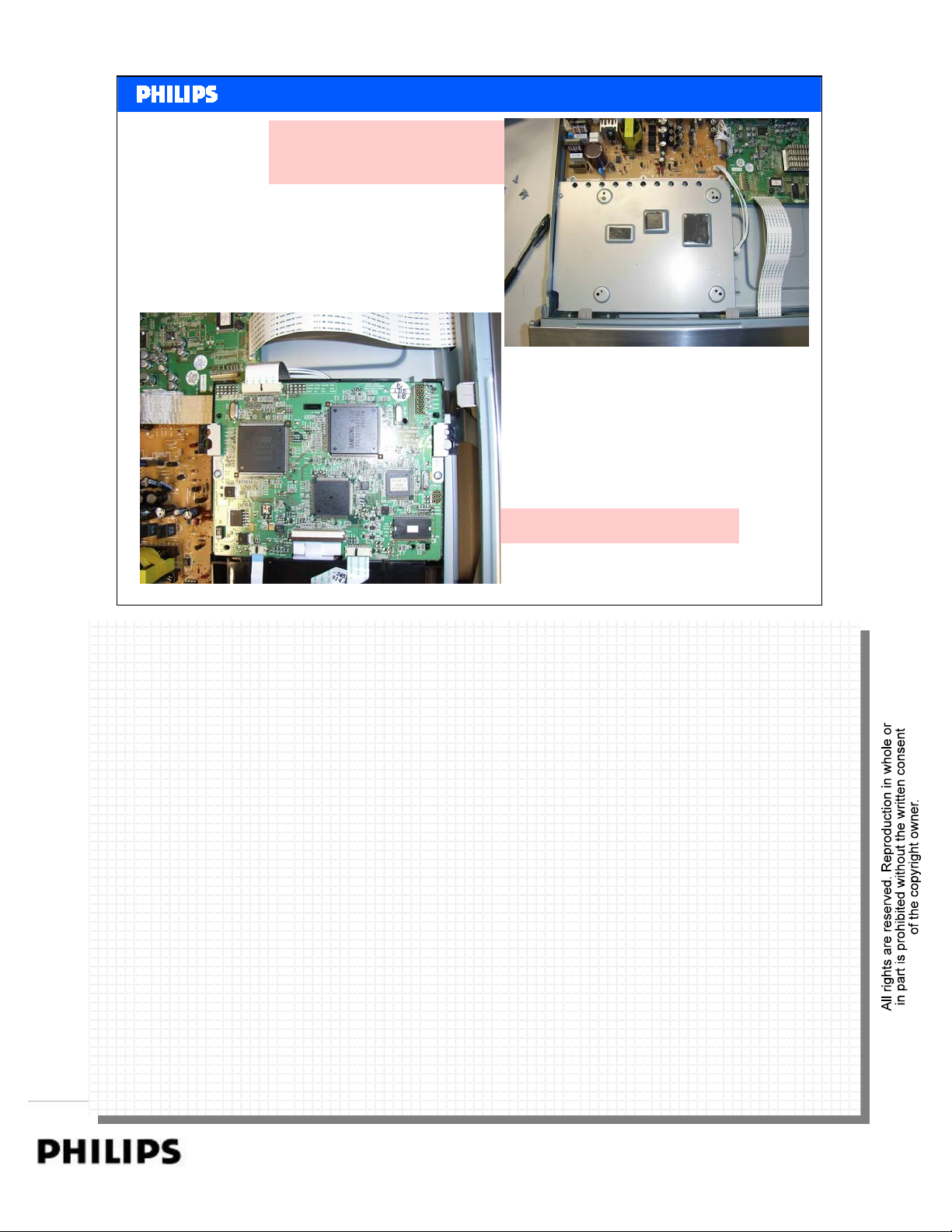
Cooling Pads on frame.
Don’t remove!
<< BDP7100 Repair >>SERVICE TRAINING
<< BDP7100 Repair >>
Remove Loader
Philips CE Europe, Euroservice, November 2007
Rear side of the Loader
BDP7100 Repair Instructions Slide 10
PERSONAL NOTES:
PERSONAL NOTES:
Repair Instructions. page: 10
Page 11
<< BDP7100 Repair >>SERVICE TRAINING
<< BDP7100 Repair >>
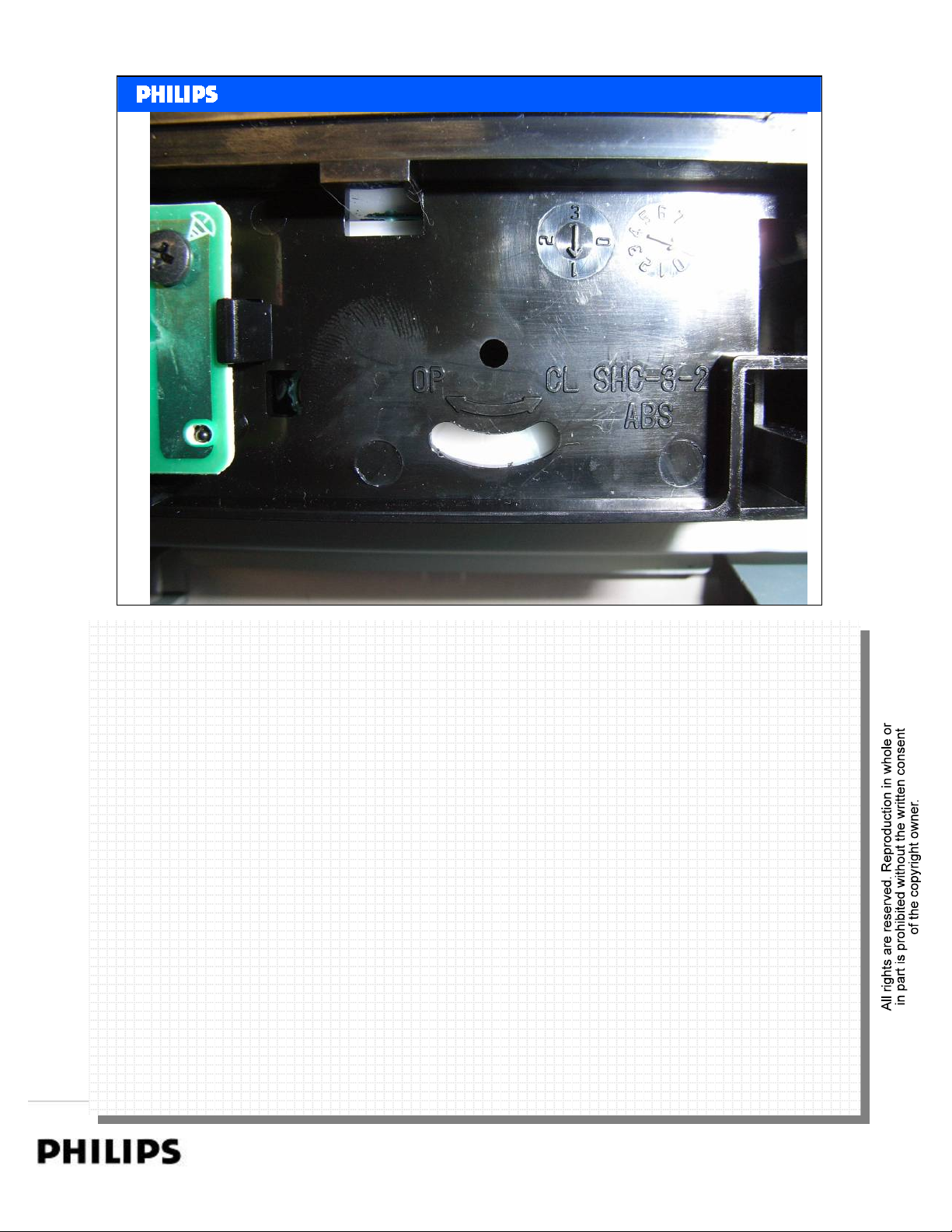
Remove Loader and disc
Philips CE Europe, Euroservice, November 2007
To remove the disc in case of a complete mall function of the loader:
To remove the disc in case of a complete mall function of the loader:
Remove the 4 screws of the loader.
Remove the 4 screws of the loader.
Release clips from the front panel and move the front panel a bit to front.
Release clips from the front panel and move the front panel a bit to front.
Loader can be removed completely.
Loader can be removed completely.
With a screw driver the loader can be opened now. (Turn white wheel anti clockwise).
With a screw driver the loader can be opened now. (Turn white wheel anti clockwise).
BDP7100 Repair Instructions Slide 11
PERSONAL NOTES:
PERSONAL NOTES:
Repair Instructions. page: 11
Page 12
<< BDP7100 Repair >>SERVICE TRAINING
<< BDP7100 Repair >>
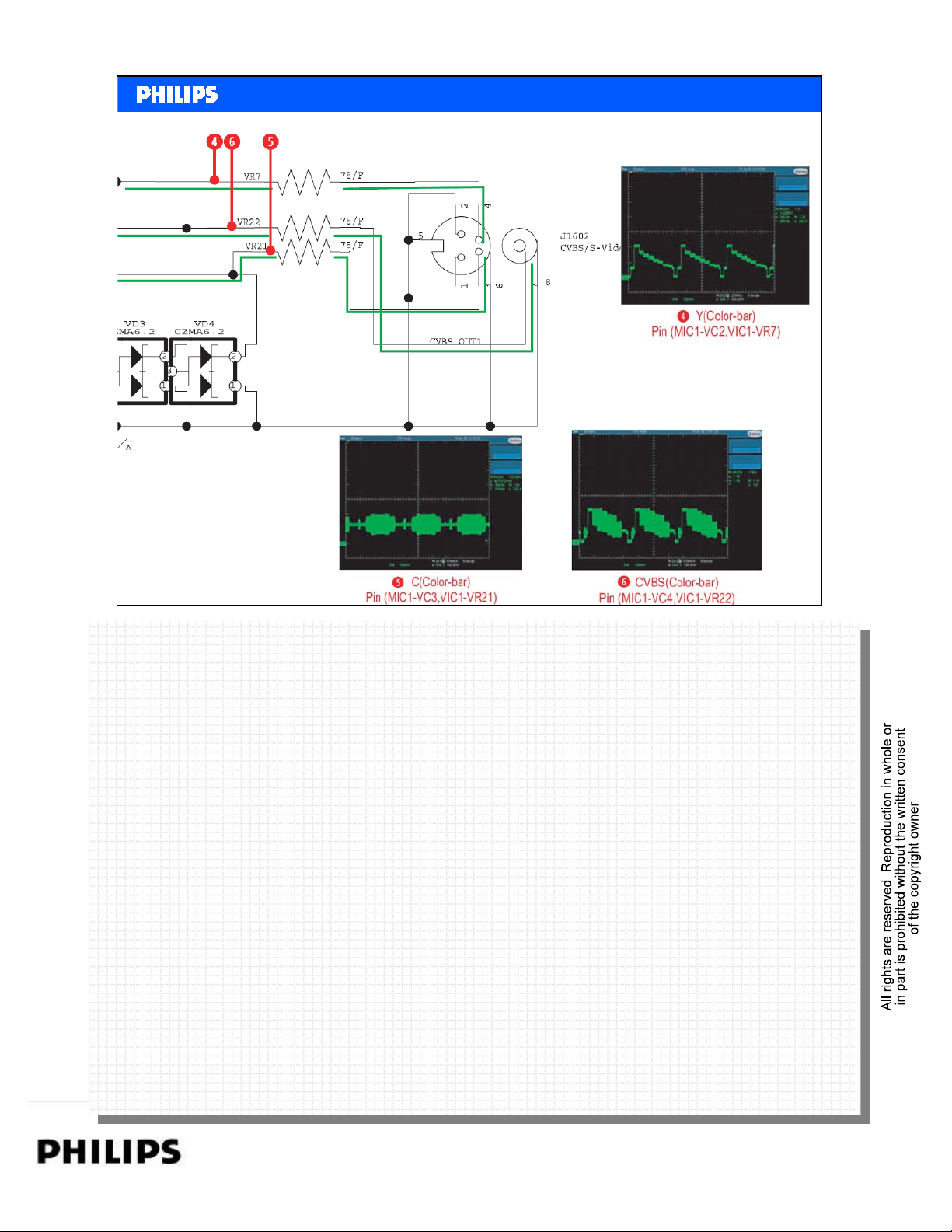
Check Video Outputs
Philips CE Europe, Euroservice, November 2007
BDP7100 Repair Instructions Slide 12
PERSONAL NOTES:
PERSONAL NOTES:
Repair Instructions. page: 12
Page 13
<< BDP7100 Repair >>SERVICE TRAINING
<< BDP7100 Repair >>
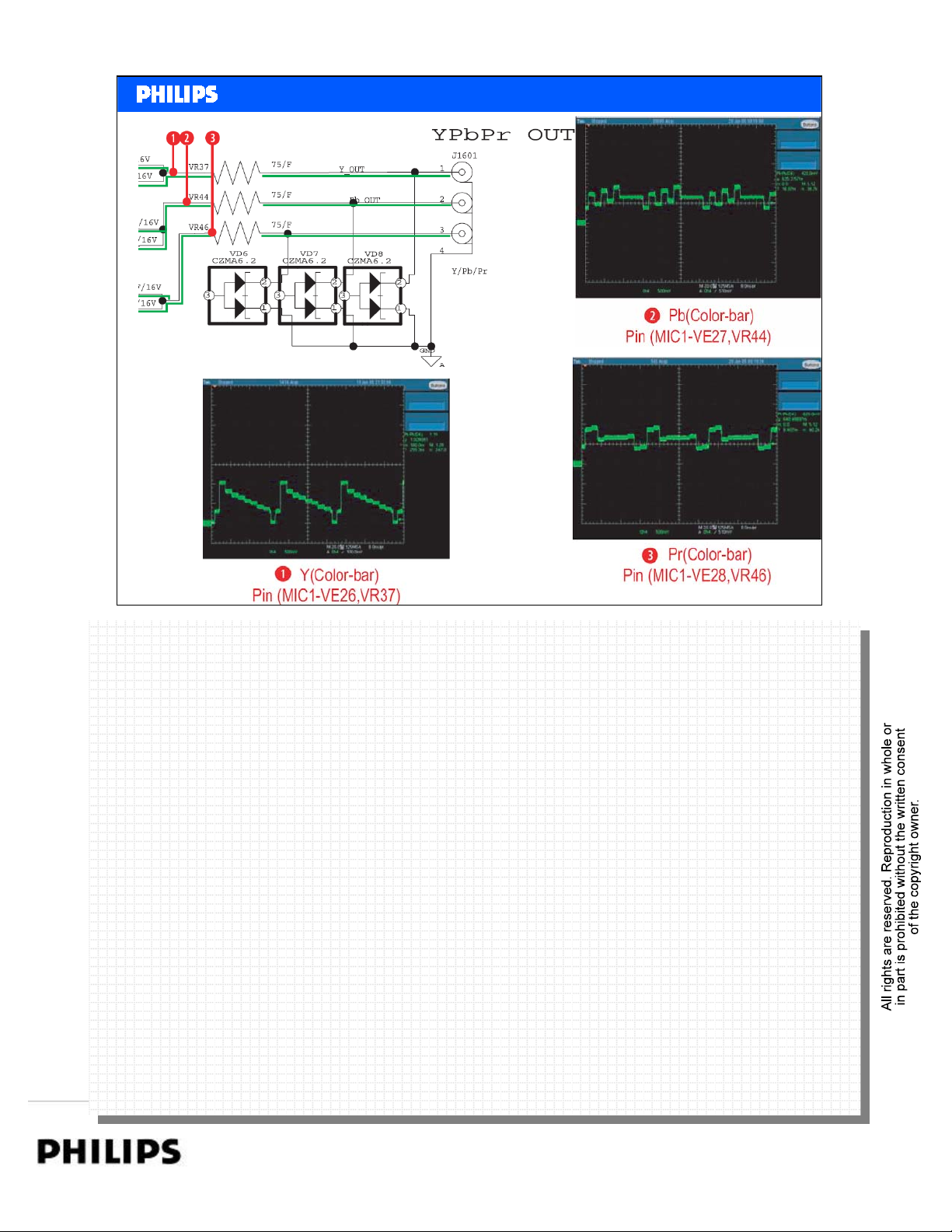
Check Video Outputs
Check Video Outputs
Philips CE Europe, Euroservice, November 2007
BDP7100 Repair Instructions Slide 13
PERSONAL NOTES:
PERSONAL NOTES:
Repair Instructions. page: 13
Page 14
<< BDP7100 Repair >>SERVICE TRAINING
<< BDP7100 Repair >>
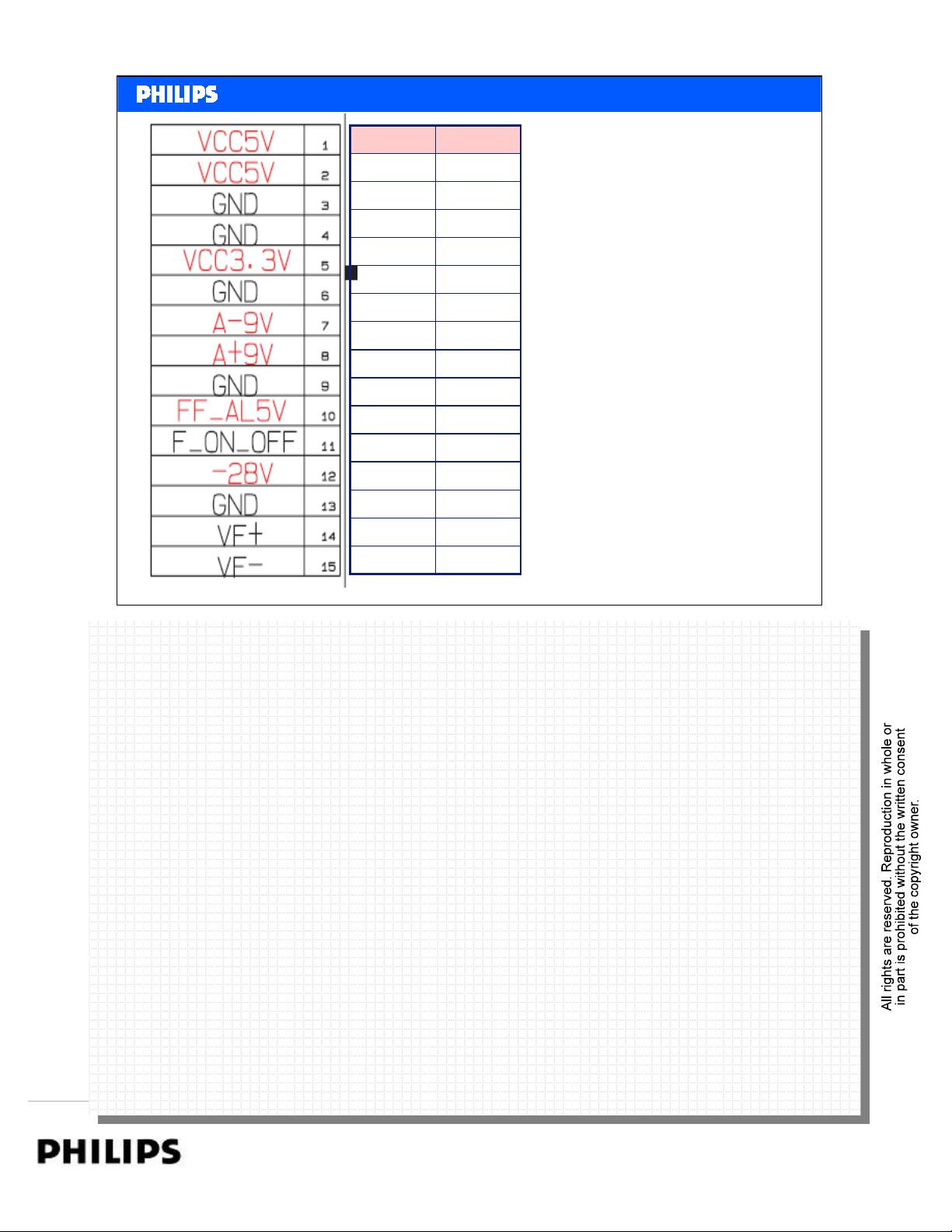
Power Supply
StByON
05V
05V
0gnd
0gnd
03v3
0gnd
0-15V
0+12V
0gnd
+5V+5V
0+4V
-26V-26V
0gnd
Philips CE Europe, Euroservice, November 2007
-22V-18V
BDP7100 Repair Instructions Slide 14
PERSONAL NOTES:
PERSONAL NOTES:
Repair Instructions. page: 14
Page 15
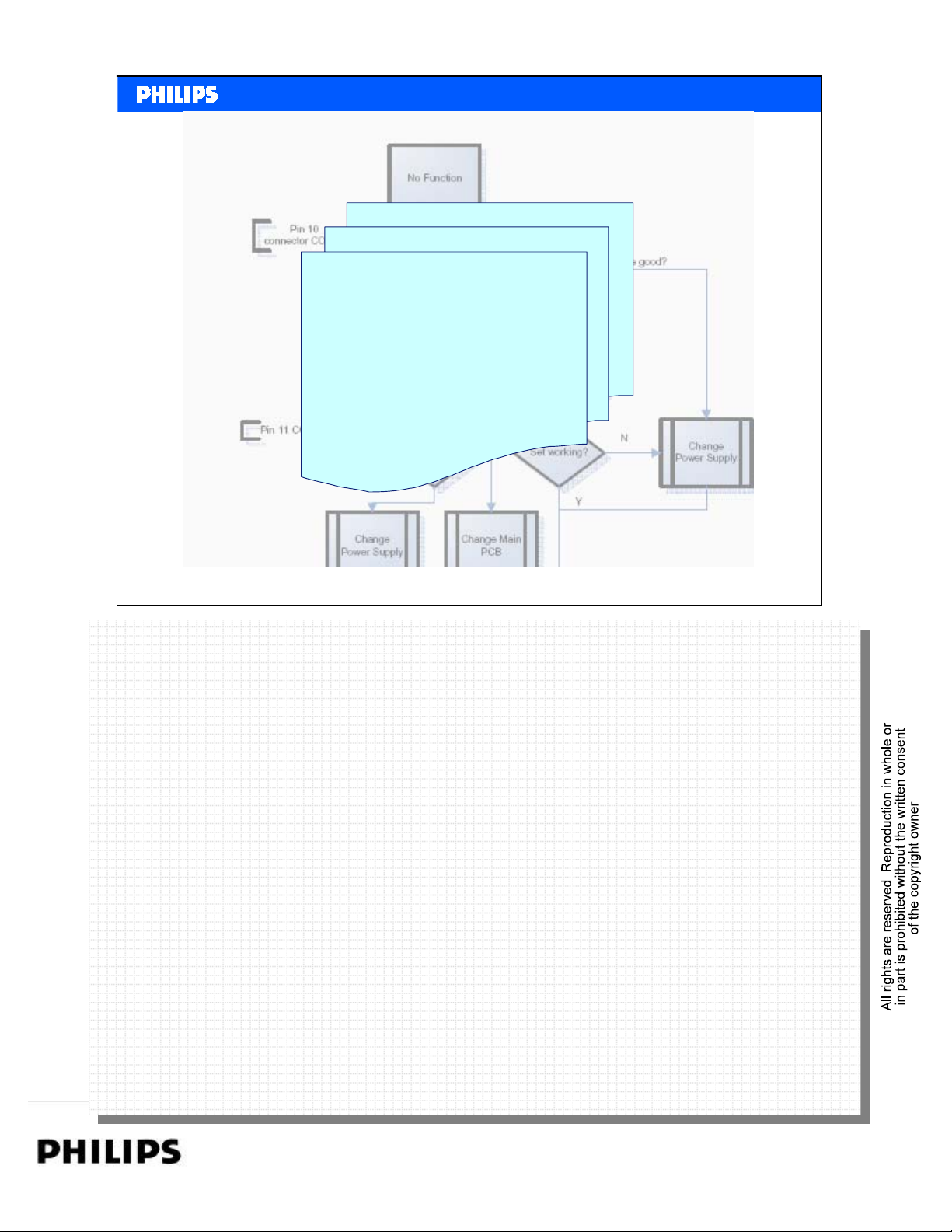
Flow Charts
<< BDP7100 Repair >>SERVICE TRAINING
<< BDP7100 Repair >>
No Function
Disc Loading Problems
No Video out
Philips CE Europe, Euroservice, November 2007
Open the Flow Chart PDF.
Open the Flow Chart PDF.
BDP7100 Repair Instructions Slide 15
PERSONAL NOTES:
PERSONAL NOTES:
Repair Instructions. page: 15
Page 16
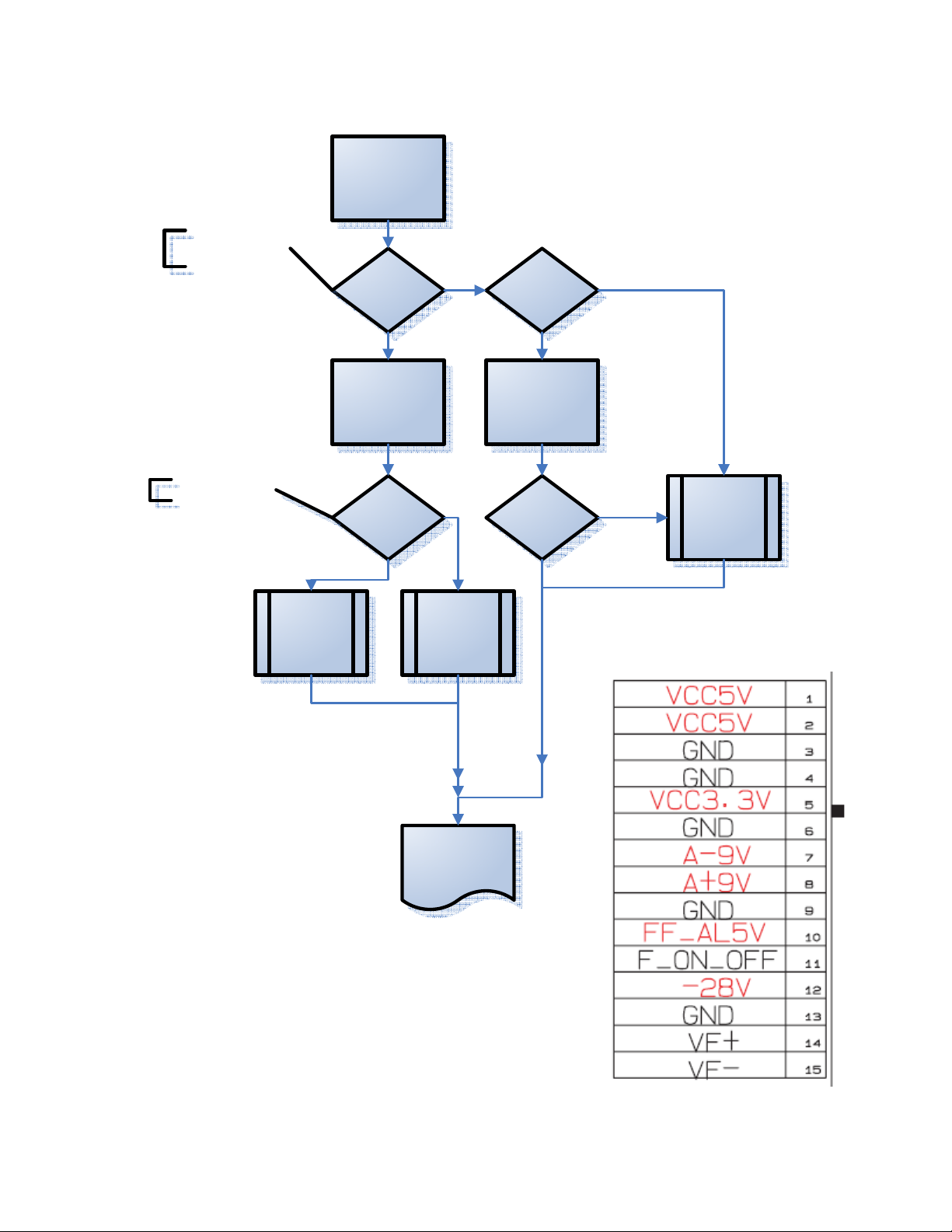
Pin 10
connector CON15
No Function
Check
+FF_AL5V
N
Check Fuse
F1S01
Fuse good?
Pin 11 CON15
Change
Power Supply
Y
Switch the set ON
F_ON_OFF
High?
Change Main
PCB
Fuse defect
Change Fuse
Set working?
Y
N
Change
Power Supply
Check fuctions set
CONN 15 Power Supply
Training BDP7100. 1 Author: Theo Heijnen
Page 17
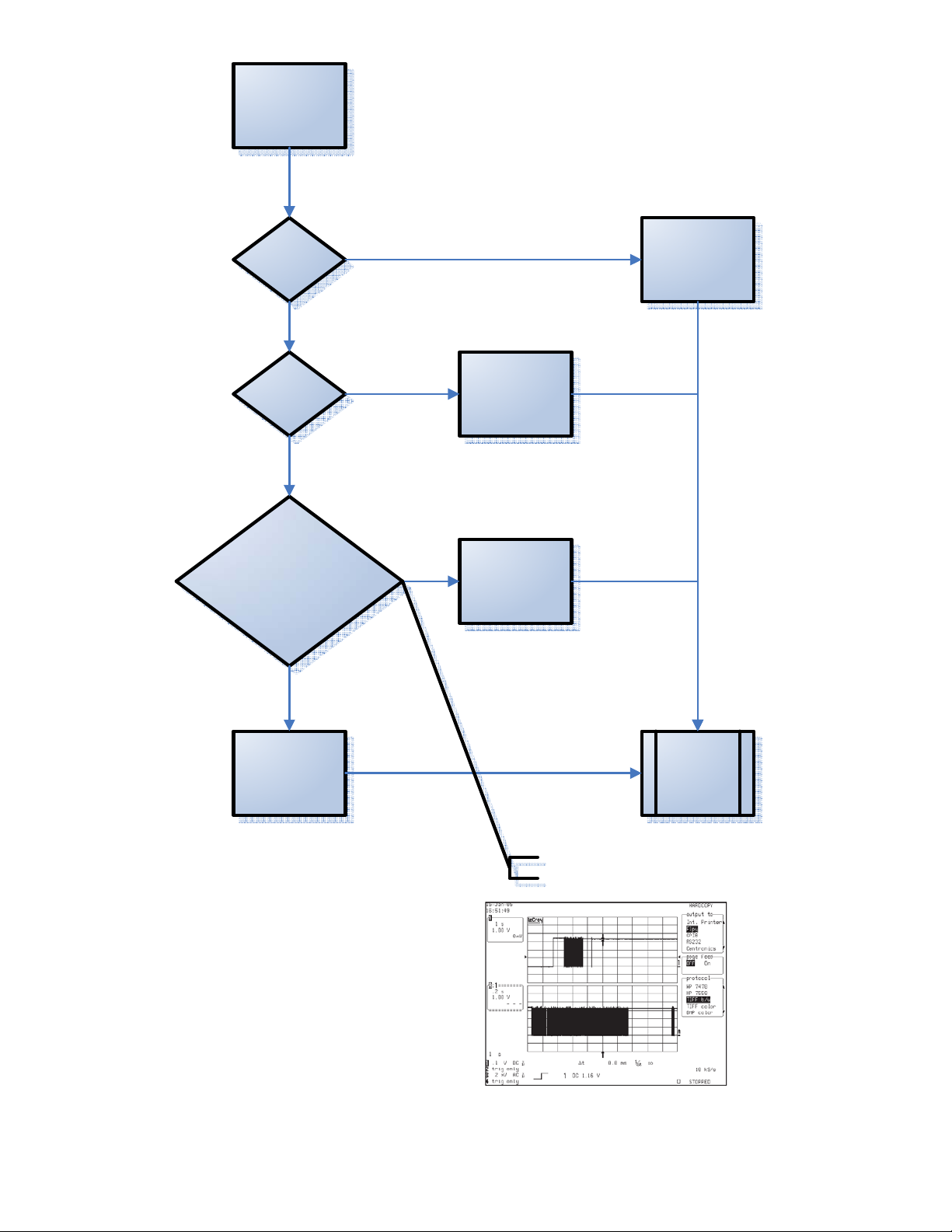
Disc Loading
problems
Check +5V and
+12V
40 pin FCC OK Re insert FCC
NOK
NOK
Check waveformfrom
of FCON1 PIN 25
NOK
Exchange Main
normal? (MAIN PCB)
Exchange Power
Supply
Board
Exchange Loader
Check Waveform
End Check
Training BDP7100. 2 Author: Theo Heijnen
Page 18
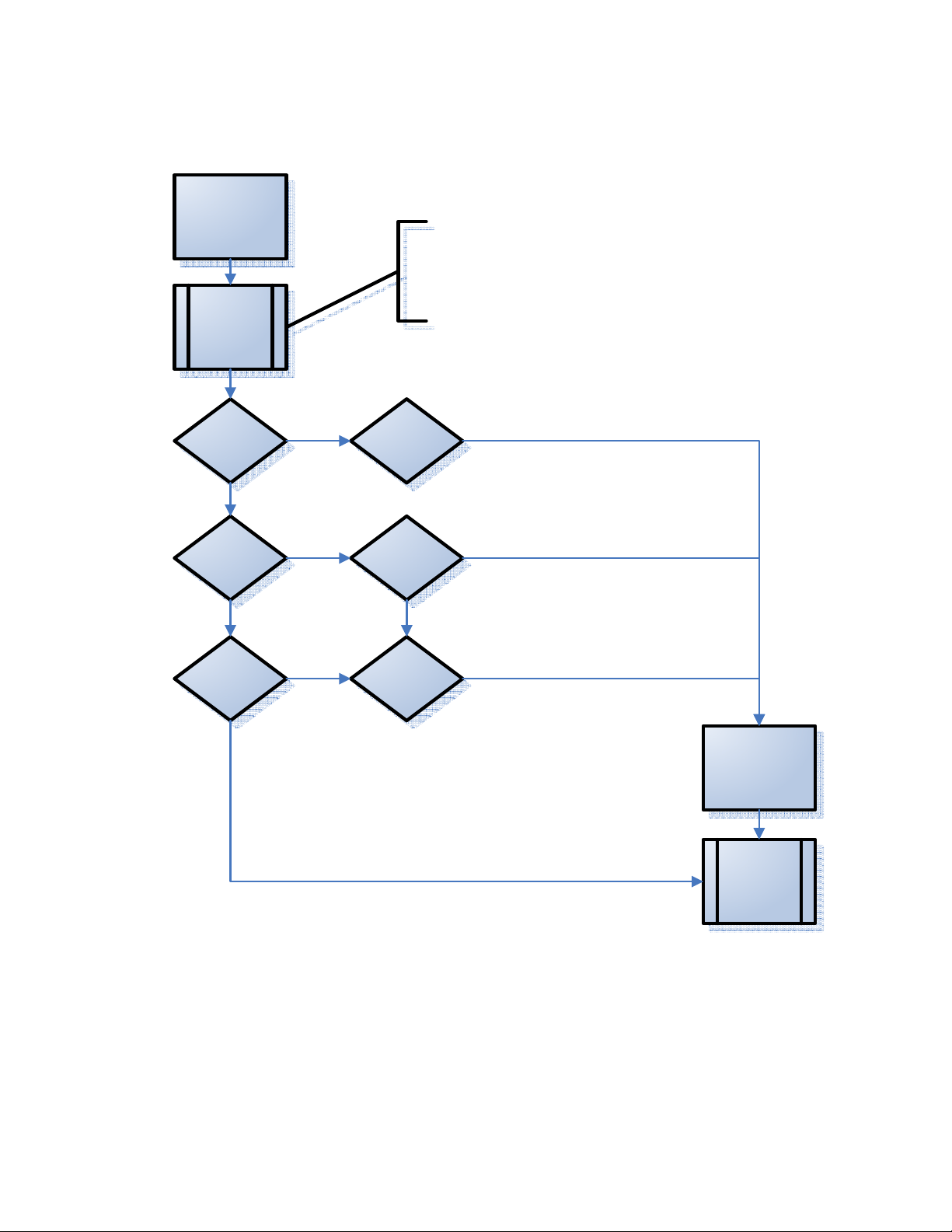
No Video Output
Reset
settings
1. Power up the set without
any disc inserted.
2. When the set displays:
“HOME MENU”, press and
hold the skip forward key on
the Front Panel of the set.
HDMI out OK
Component out
OK
CVBS out OK Check Cable
Check HDMI
Cable
Check Cables
Exchange Main
Board
End check
Training BDP7100. 3 Author: Theo Heijnen
Page 19

<< BDP7100 Repair >>SERVICE TRAINING
<< BDP7100 Repair >>
PERSONAL NOTES:
PERSONAL NOTES:
Repair Instructions. page: 16
 Loading...