

Page 1

Page 2
Français
Español
English
3
English
Safety instructions .........................2 & 5
Controls .............................................6–7
Quick start .............................................8
Power supply...................................9–10
Battery pack/Headphones...................11
CD play..........................................12–13
Features.........................................14–17
In-car connection.................................18
General information ............................19
Troubleshooting.............................20–21
Limited warranty...........................22–23
Français
Conseils de sécurité......................24–25
Commandes...................................26–27
Mise en service rapide........................28
Alimentation électrique ................29–30
Bloc accumulateur/Ecouteurs .............31
Lecture CD.....................................32–33
Fonctions spéciales.......................34–37
Raccordement en voiture ....................38
Informations générales .......................39
Pannes et remèdes .......................40–41
Garantie limitée ............................42–43
Español
Instrucciones sobre seguridad......44–45
Controles .......................................46–47
Descripción rápida...............................48
Suministro eléctrico......................49–50
Unidad de baterías/Auriculares..........51
Reproducción de CD......................52–53
Características ..............................54–57
Conexión para el automóvil ................58
Información general ............................59
Localización de averías.................60–61
Garantia limitada ..........................62–63
English: This digital apparatus does not exceed the Class B limits
for radio noise emissions from digital apparatus as set out in the
Radio Interference Regulations of the Canadian Department of
Communications.
Français: Cet appareil numérique n'émet pas de bruits
radioélectriques dépassant les limites applicables aux appareils
numériques de Classe B prescrites dans le Règlement sur le
Brouillage Radioélectrique édicté par le Ministère des
Communications du Canada.
Canada
Page 3
English
5
SAFETY INSTRUCTIONS – Read before operating equipment
This product was designed and manufactured to meet
strict quality and safety standards. There are, however,
some installation and operation precautions which you
should be particularly aware of.
1. Read Instructions – All the safety and operating
instructions should be read before the appliance is
operated.
2. Retain Instructions – The safety and operating
instructions should be retained for future reference.
3.
Heed Warnings – All warnings on the appliance and
in the operating instructions should be adhered to.
4. Follow Instructions – All operating and use
instructions should be followed.
5. Water and Moisture – The appliance should not
be used near water – for example, near a bathtub,
washbowl, kitchen sink, laundry tub, in a wet
basement or near a swimming pool, etc.
6. Carts and Stands – The appliance should be used
only with a cart or stand that is recommended by
the manufacturer.
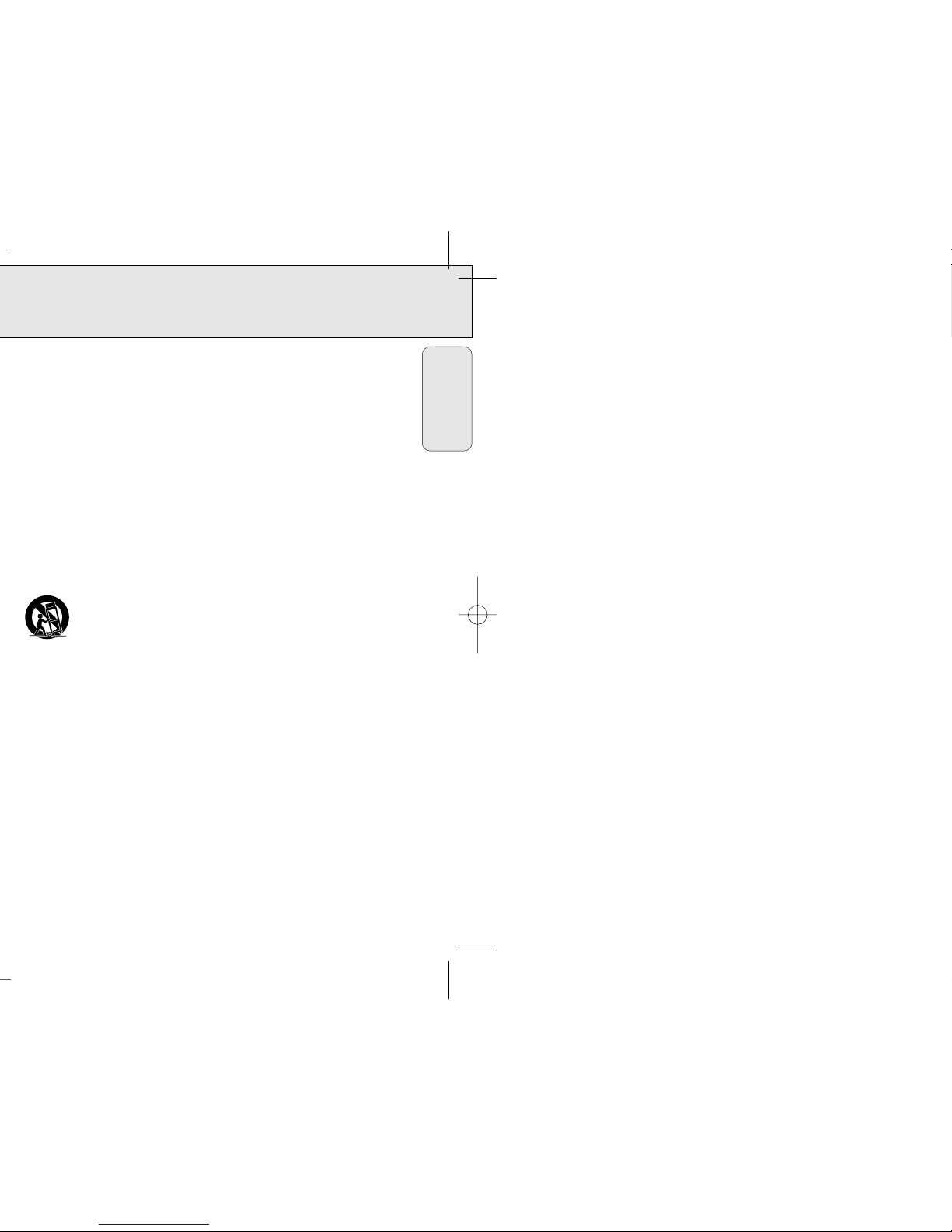
6A. An appliance and cart combination
should be moved with care. Quick
stops, excessive force, and uneven
surfaces may cause the appliance
and cart combination to overturn.
7. Wall or Ceiling Mounting – The appliance
should be mounted to a wall or ceiling only as
recommended by the manufacturer.
8. Ventilation – The appliance should be situated so
that its location or position does not interfere with
its proper ventilation. For example, the appliance
should not be situated on a bed, sofa, rug, or
similar surface that may block the ventilation
openings; or, placed in a built-in installation, such
as a bookcase or cabinet that may impede the flow
of air through the ventilation openings.
9. Heat – The appliance should be situated away
from heat sources such as radiators, heat registers,
stoves, or other appliances (including amplifiers)
that produce heat.
10. Power Sources – The appliance should be
connected to a power supply only of the type
described in the operating instructions or as
marked on the appliance.
11. Power-Cord Protection – Power supply cords
should be routed so that they are not likely to be
walked on or pinched by items placed upon or
against them, paying particular attention to cords
and plugs, convenience receptacles, and the point
where they exit from the appliance.
12. Cleaning – The appliance should be cleaned only
as recommended by the manufacturer.
13. Power Lines – An outdoor antenna should be
located away from power lines.
14. Nonuse Periods – The power cord of the appliance should be unplugged from the outlet when left
unused for a long period of time.
15. Object and Liquid Entry – Care should be taken
so that objects do not fall and liquids are not
spilled into the enclosure through openings.
16. Damage Requiring Service – The appliance should
be serviced by qualified service personnel when:
A. The power-supply cord or the plug has been
damaged; or
B. Objects have fallen, or liquid has spilled into the
appliance; or
C. The appliance has been exposed to rain; or
D. The appliance does not appear to operate
normally or exhibits a marked change in
performance; or
E. The appliance has been dropped, or the
enclosure damaged.
17. Servicing – The user should not attempt to service
the appliance beyond that described in the
operating instructions. All other servicing should be
referred to qualified service personnel.
EL 4562-1: 91/8
Page 4
CONTROLS
7
1 2; .................switches the player on, starts and interrupts CD play
2 9....................stops CD play, erases a program, activates charging and switches off
the player
3 § ..................skips and searches forward
4 .......................display
5 ∞ ..................skips and searches backward
6 DBB................DYNAMIC BASS BOOST switches the bass enhancement on/off
7 MODE............selects the different playing possibilities: SHUFFLE,
SHUFFLE REPEAT ALL, REPEAT, REPEAT ALL and SCAN
8 RESUME........stores the last position played
HOLD ............locks all buttons
OFF.................switches off RESUME and HOLD
9 PROG .............programs tracks and reviews the program
0 p....................3.5 mm headphone socket
! VOL E .......adjusts the volume
@ 4.5V DC..........socket for external power supply
# .......................typeplate
$ OPEN 2 .........opens the CD lid
English
CAUTION
Use of controls or adjustments or performance of procedures
other than herein may result in hazardous radiation exposure.
Page 5

POWER SUPPLY
9
With this player you can use either:
• alkaline batteries (type LR6, UM3 or AA), or
• the rechargeable Ni-Cd battery pack AY 3361. Make sure you purchase this special
battery pack, as any other pack cannot be recharged.
Inserting batteries
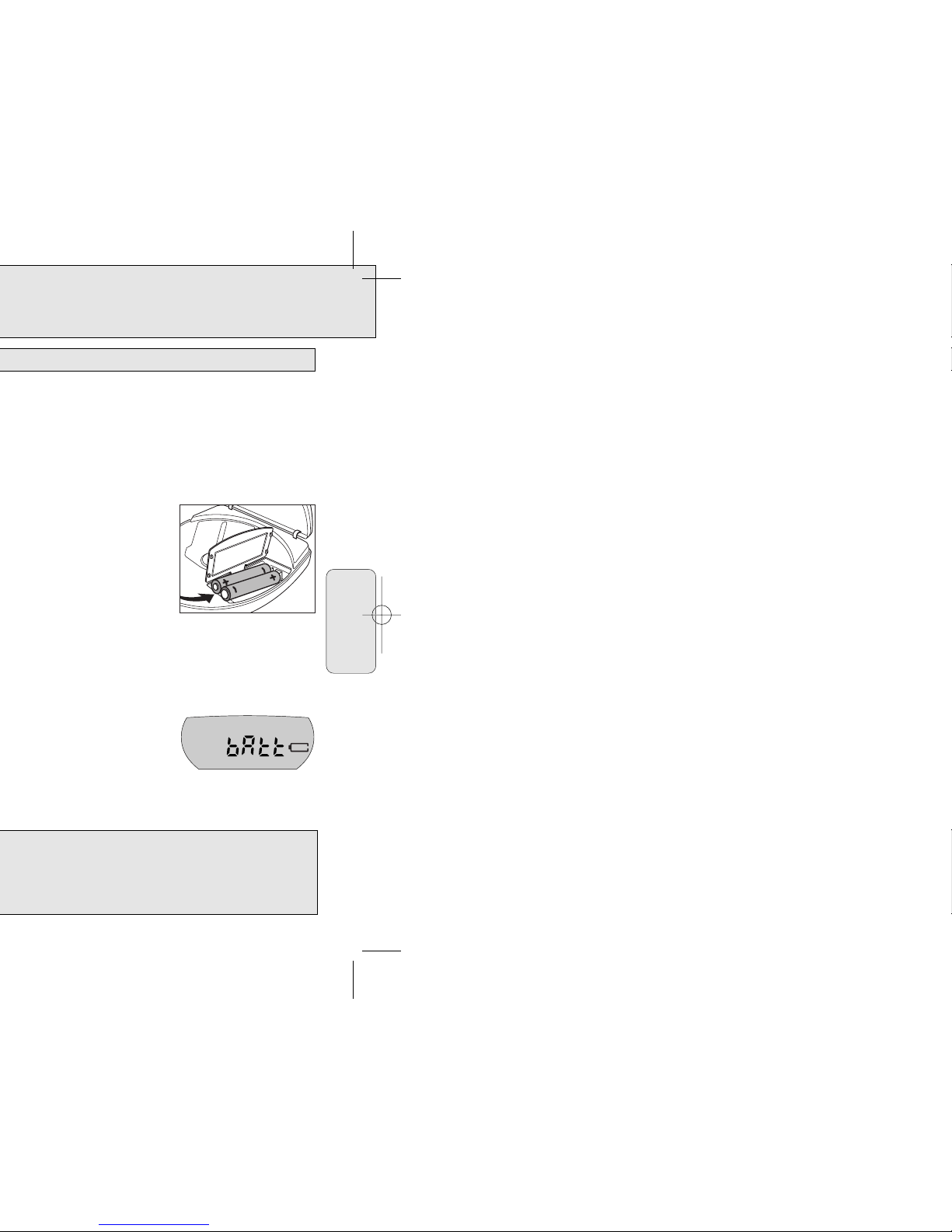
1 Push OPEN 2 to open the CD lid.
2 Open the battery compartment and insert either
2 alkaline batteries or the rechargeable battery pack.
Notes: – Old and new or different types of batteries
should not be used in combination.
– Remove batteries if they are empty or if the
player will not be used for a long time.
Batteries contain chemical substances, so they should be disposed of properly.
Indication of empty batteries
• Replace the batteries or connect the power adapter
as soon as A is shown and bAtt is displayed.
Note: The average playing time under normal conditions is 14 hours for alkaline
batteries and 4 hours for the rechargeable battery pack.
Batteries (supplied or optionally available)
English
The player complies with the FCC-Rules, Part 15 and with 21 CFR 1040.10.
Operation is subject to the following two conditions:
1. This device may not cause harmful interference, and
2. This device must accept any interference received, including interference that
may cause undesired operation.
Page 6
BATTERY PACK/HEADPHONES
11
• Recharging already charged or half-charged batteries will shorten their lifetime.
Therefore, after using the battery pack a few times, discharge it completely before
recharging.
• To avoid a short circuit, the battery pack should not touch any metal objects.
• When the battery pack quickly becomes empty after recharging, the end of its
lifetime has been reached.
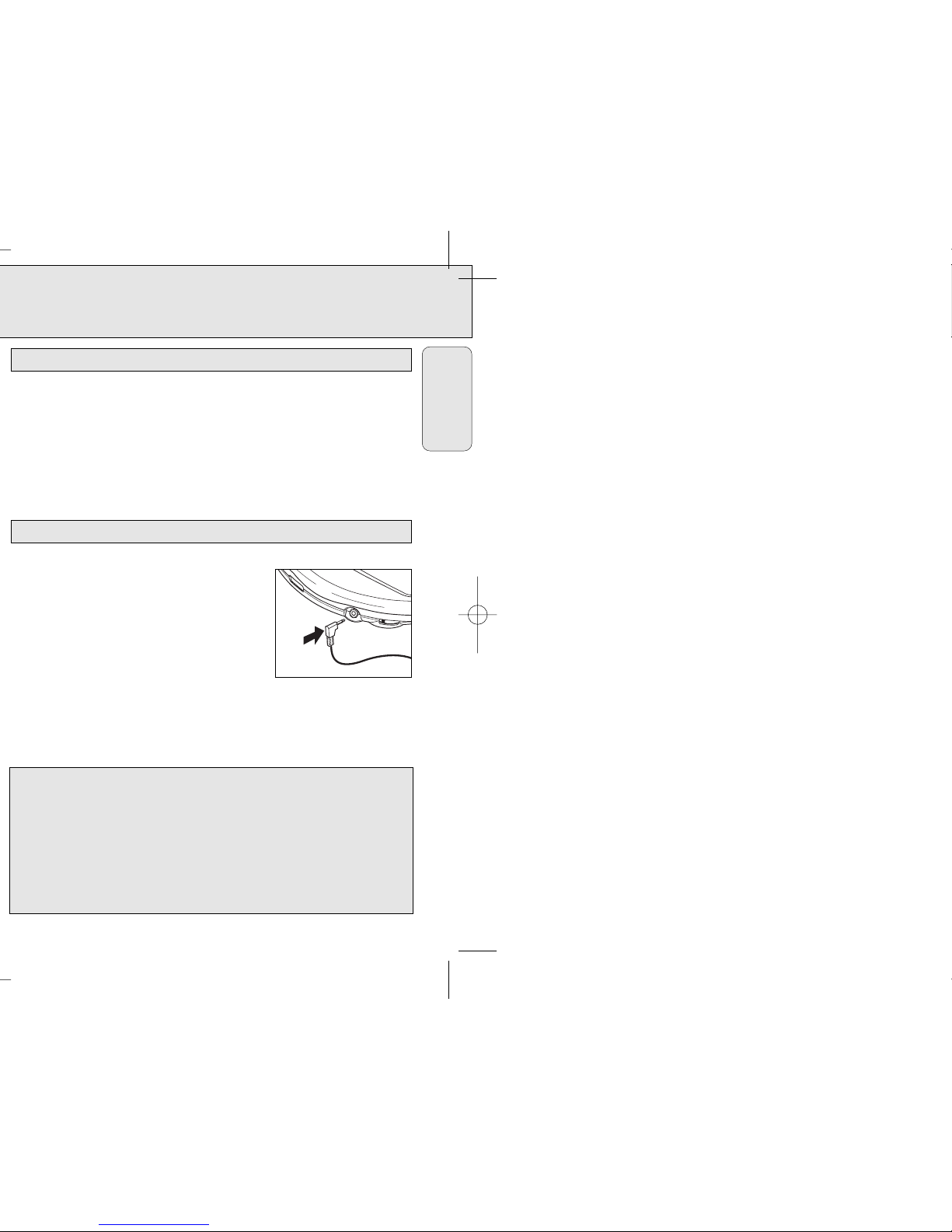
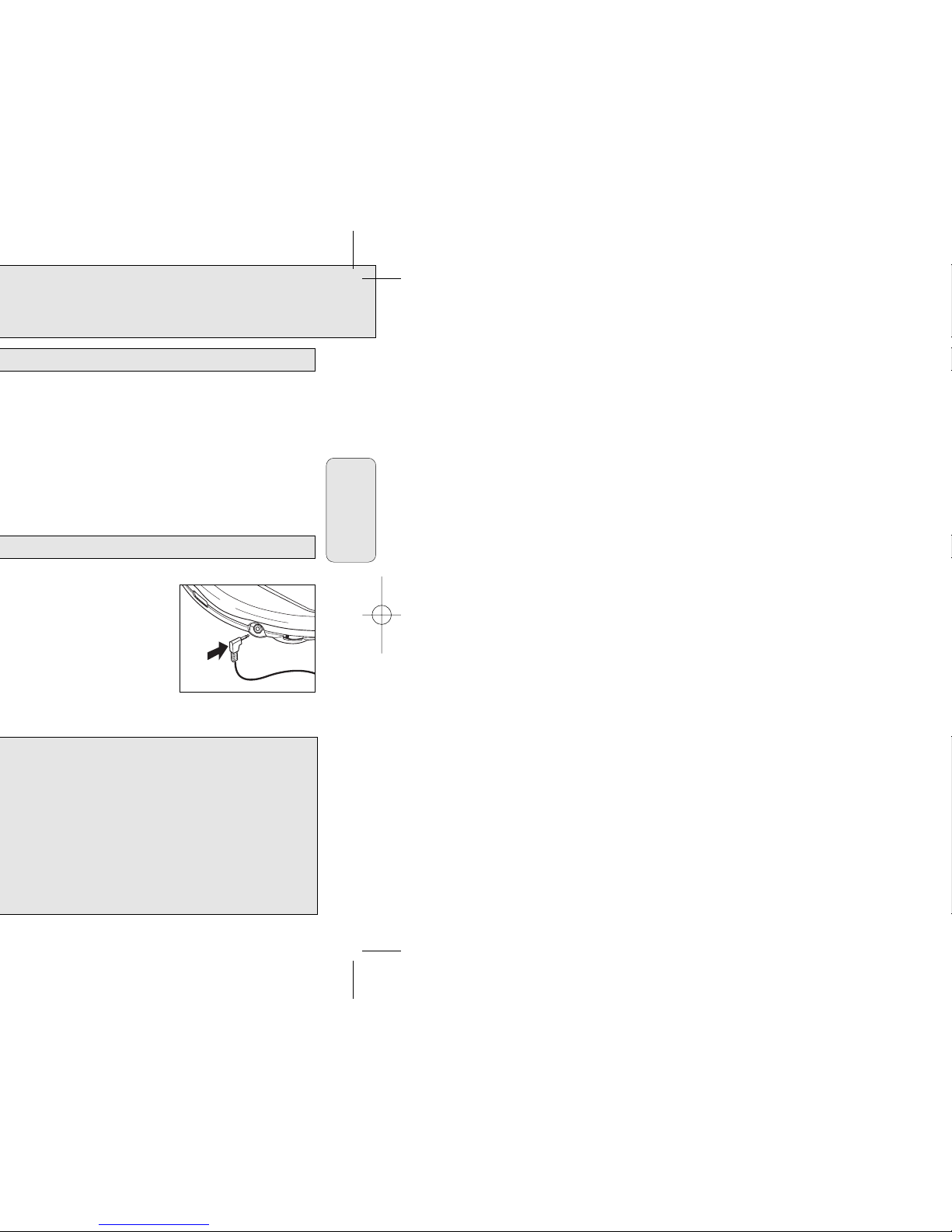
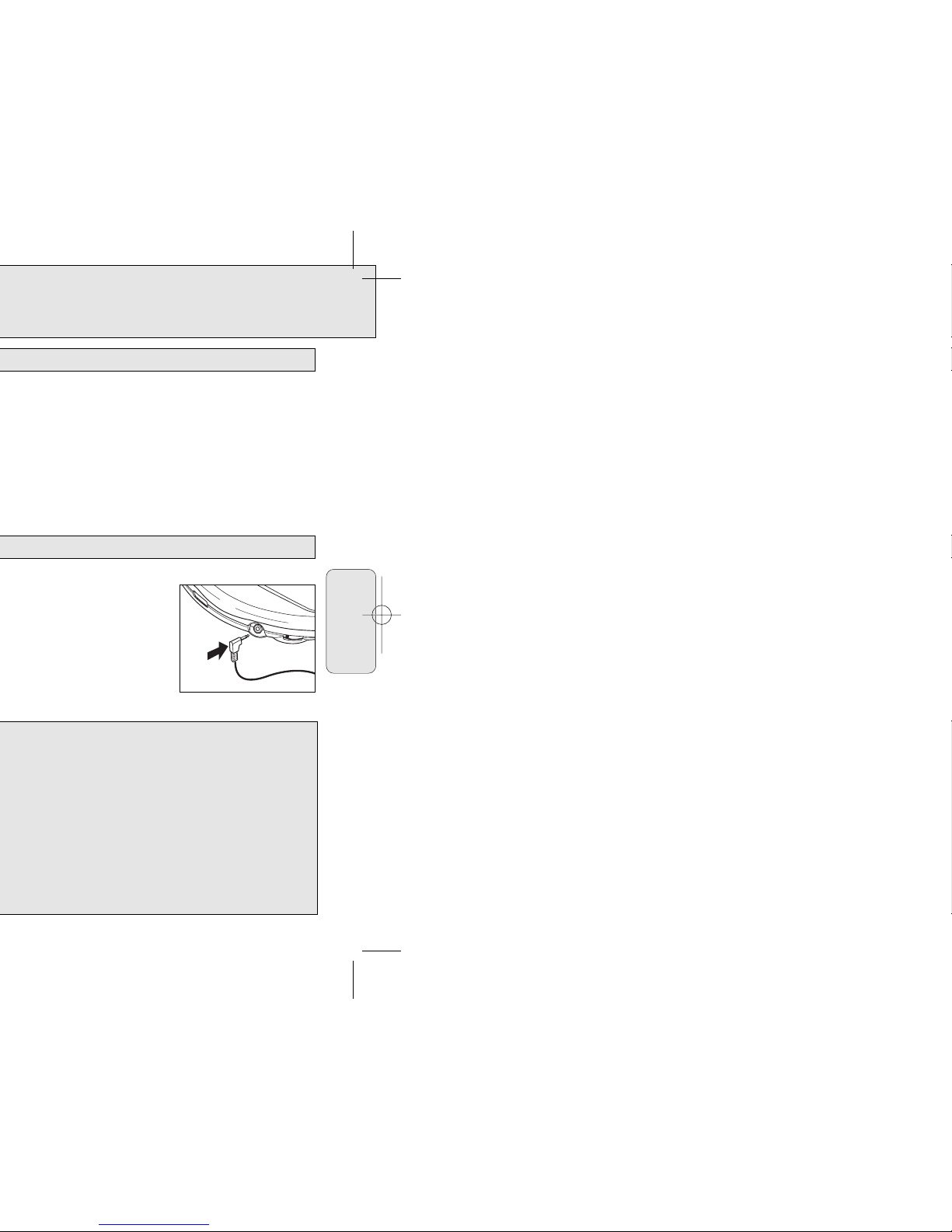
Connecting the headphones
• Connect the supplied headphones to p.
Note: pcan also be used for connecting your HiFi
system (signal lead) or your car radio (adapter
cassette or signal lead). In both cases, the volume
of the CD player has to be set to position 8.
0
Headphones
Battery pack handling
English
Use your head when using headphones
• Hearing safety: Do not play your headset at a high volume. Hearing experts advise
against continuous extended play. If you experience a ringing in your ears, reduce
the volume or discontinue use.
• Traffic safety: Do not use while operating a motorized vehicle. It may create a traffic
hazard and it’s illegal in many areas. You should use extreme caution or temporarily
discontinue use in potentially hazardous situations. Even if your headset is an
open-air type designed to let you hear outside sounds, don’t turn up the volume so
high that you can’t hear what’s around you.
Page 7
CD PLAY
13
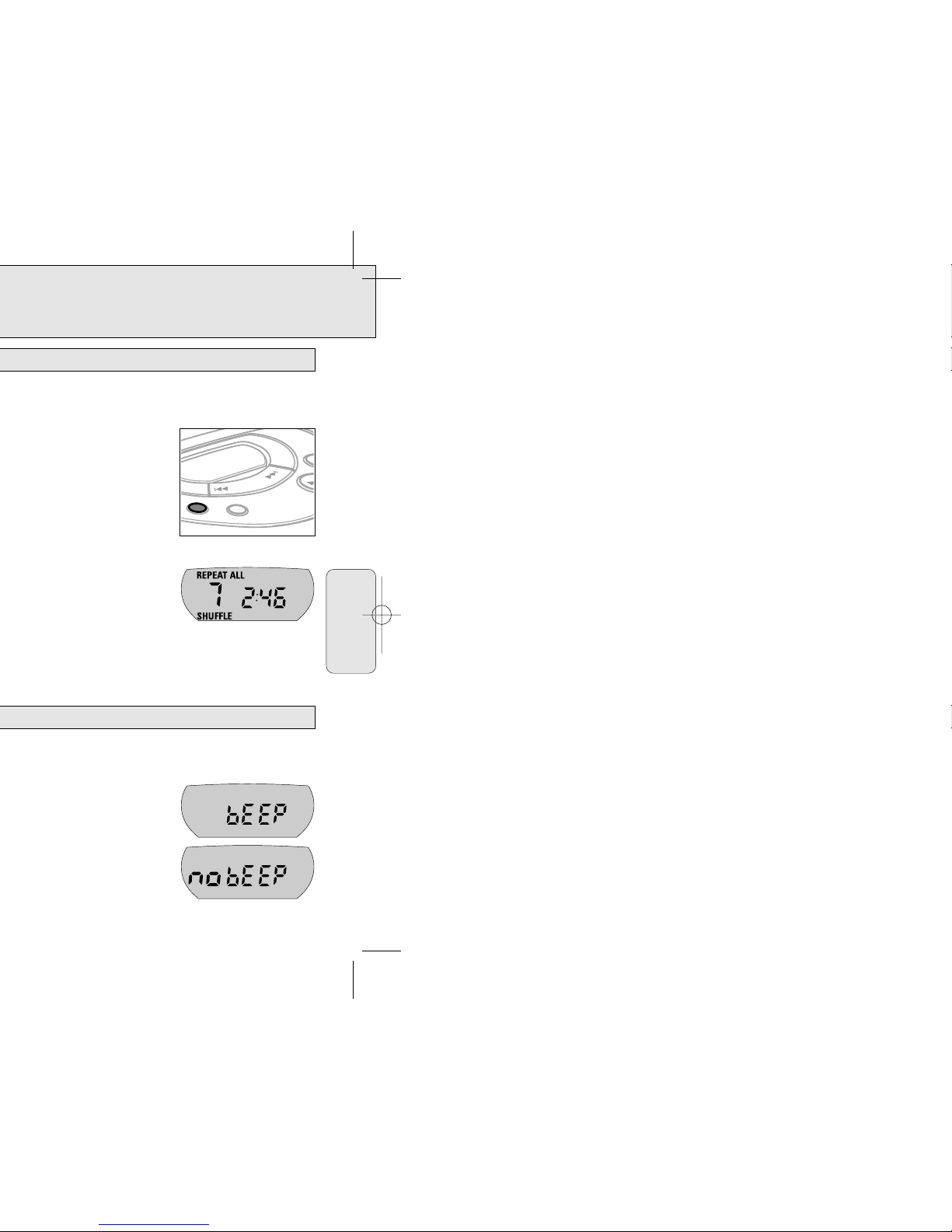
• If a CD Rewritable (CD Recordable) is not recorded properly, nF dISC is
displayed. In that case, use FINALIZE on your CD recorder to complete the
recording.
• If you play a CD Rewritable, it takes 5–25 seconds after pressing 2; until
sound reproduction starts.
• Playback will stop if you open the CD lid.
• While the CD is read, dISC is flashing.
• If there is no activity for 90 seconds, the player will switch off automatically to
save energy. In that case, settings such as DBB and Program will be lost.
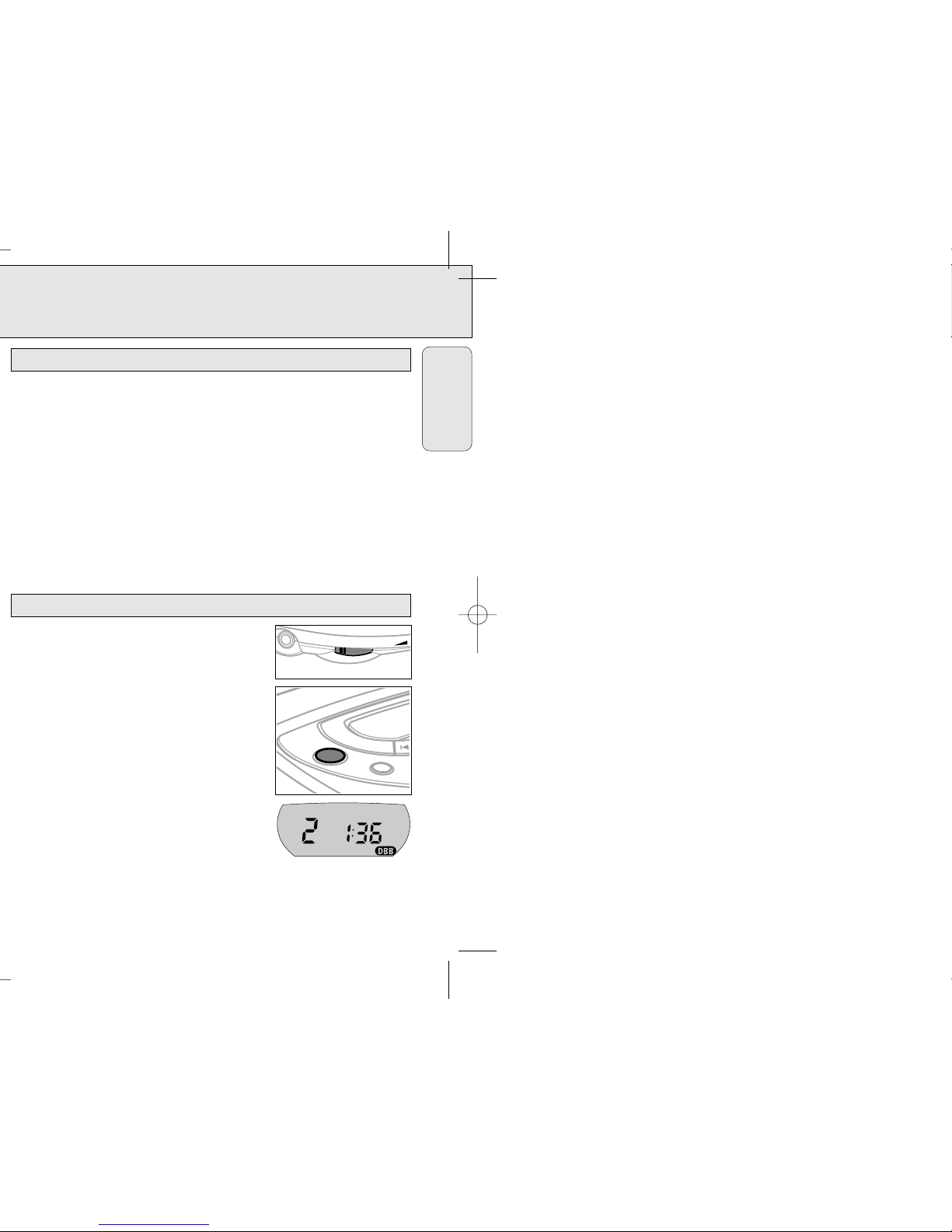
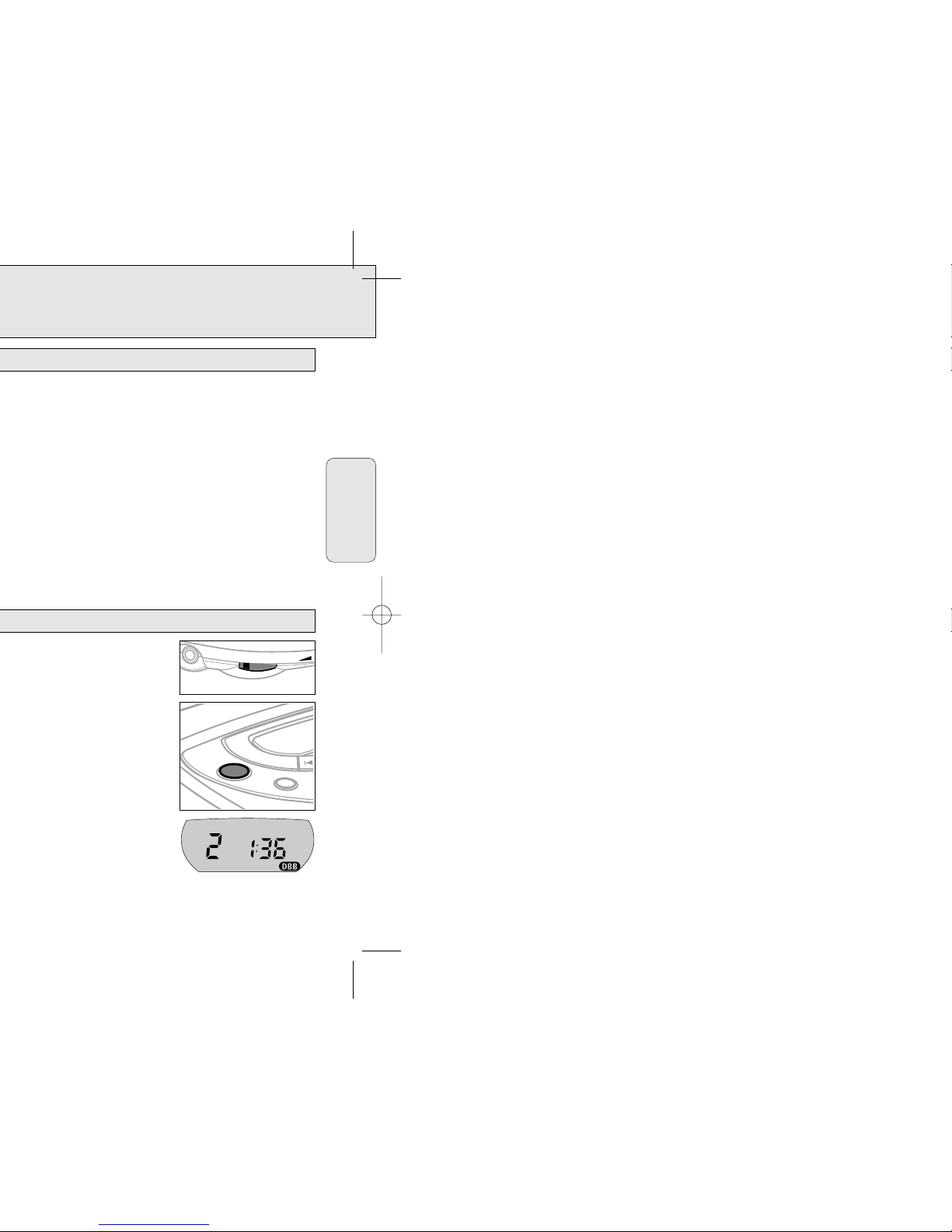
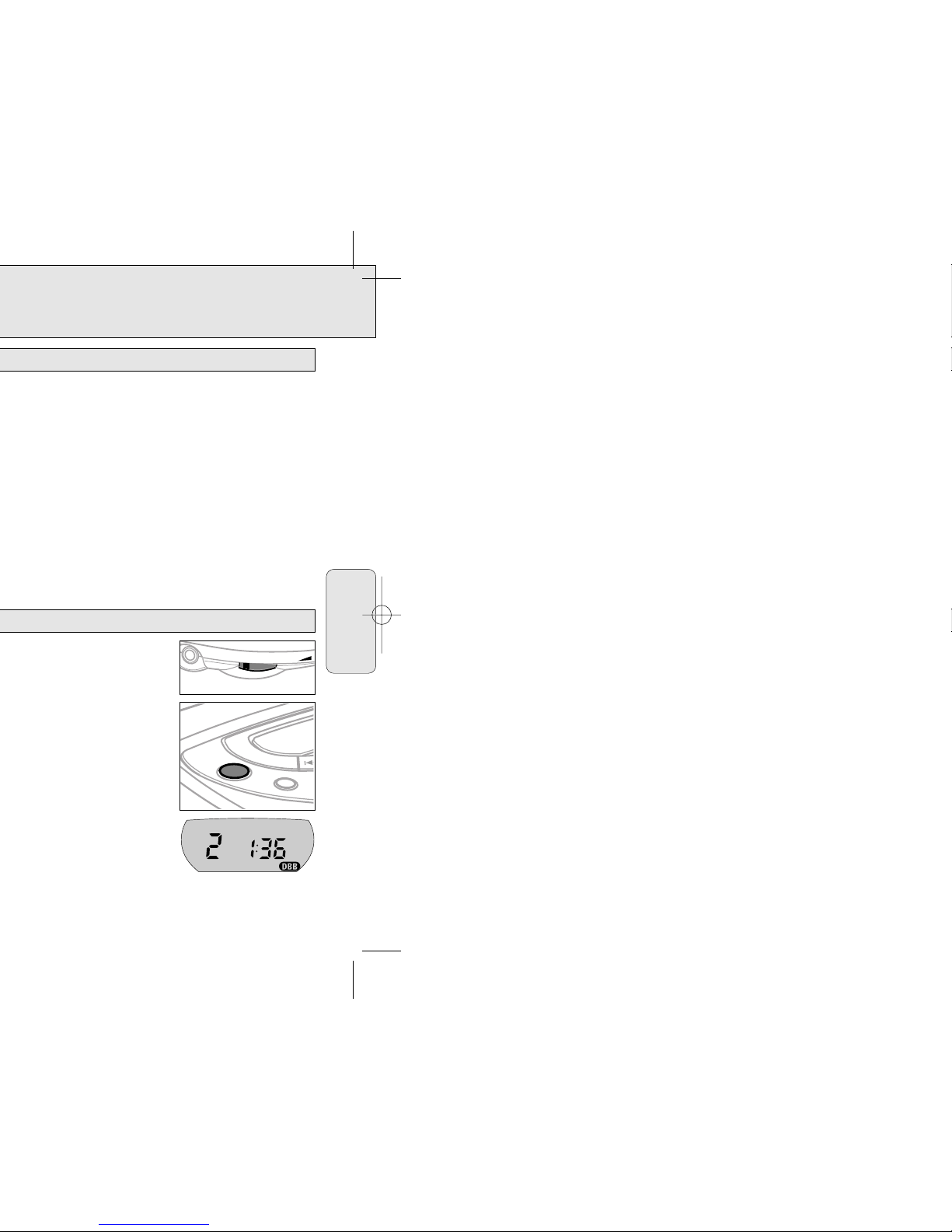
• Adjust the volume by using VOL E .
• Press DBB to switch the bass enhancement on or off.
y ∂ is shown if the bass enhancement is
activated.
DBB
MODE
0
VOL
Volume and sound adjustment
Playback information
English
Page 8
FEATURES
15
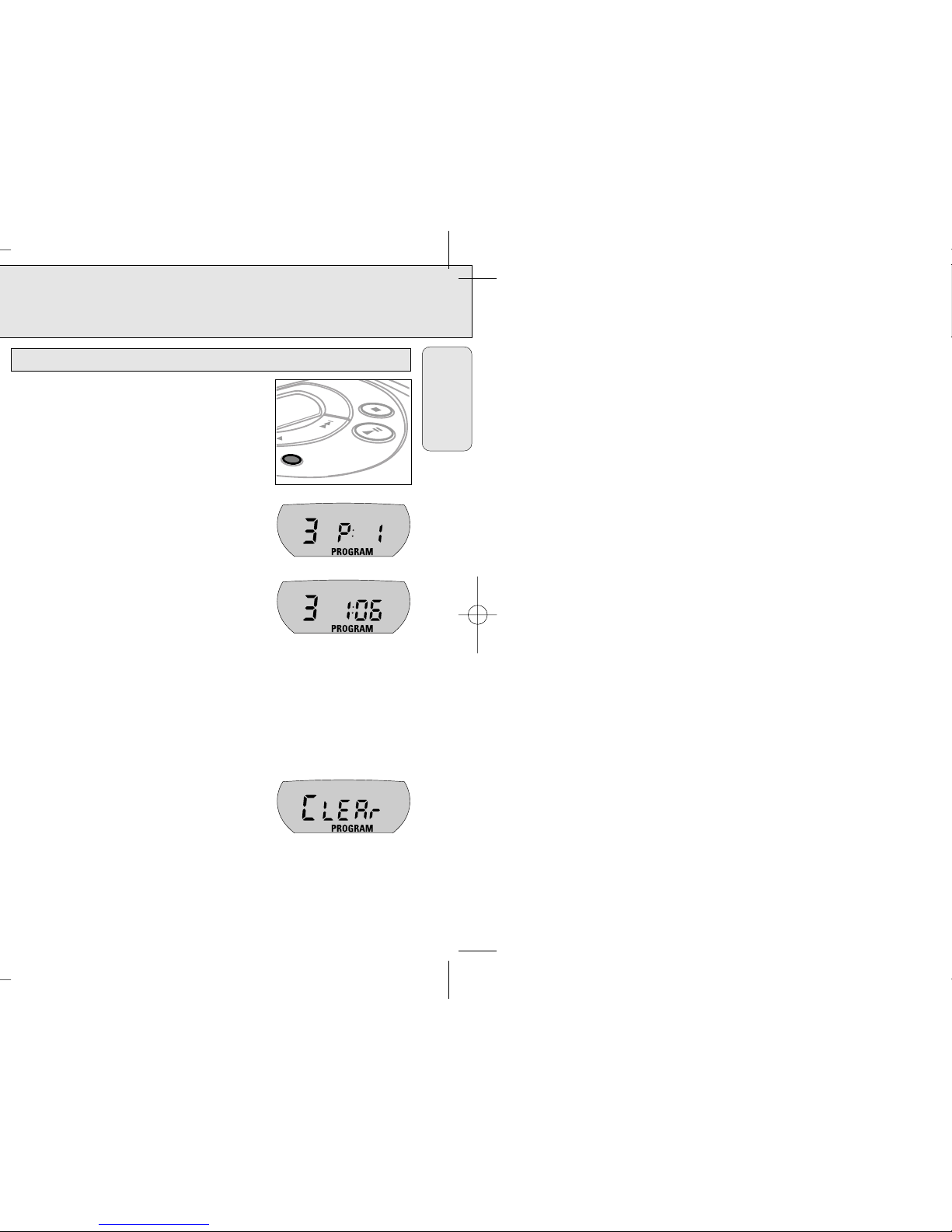
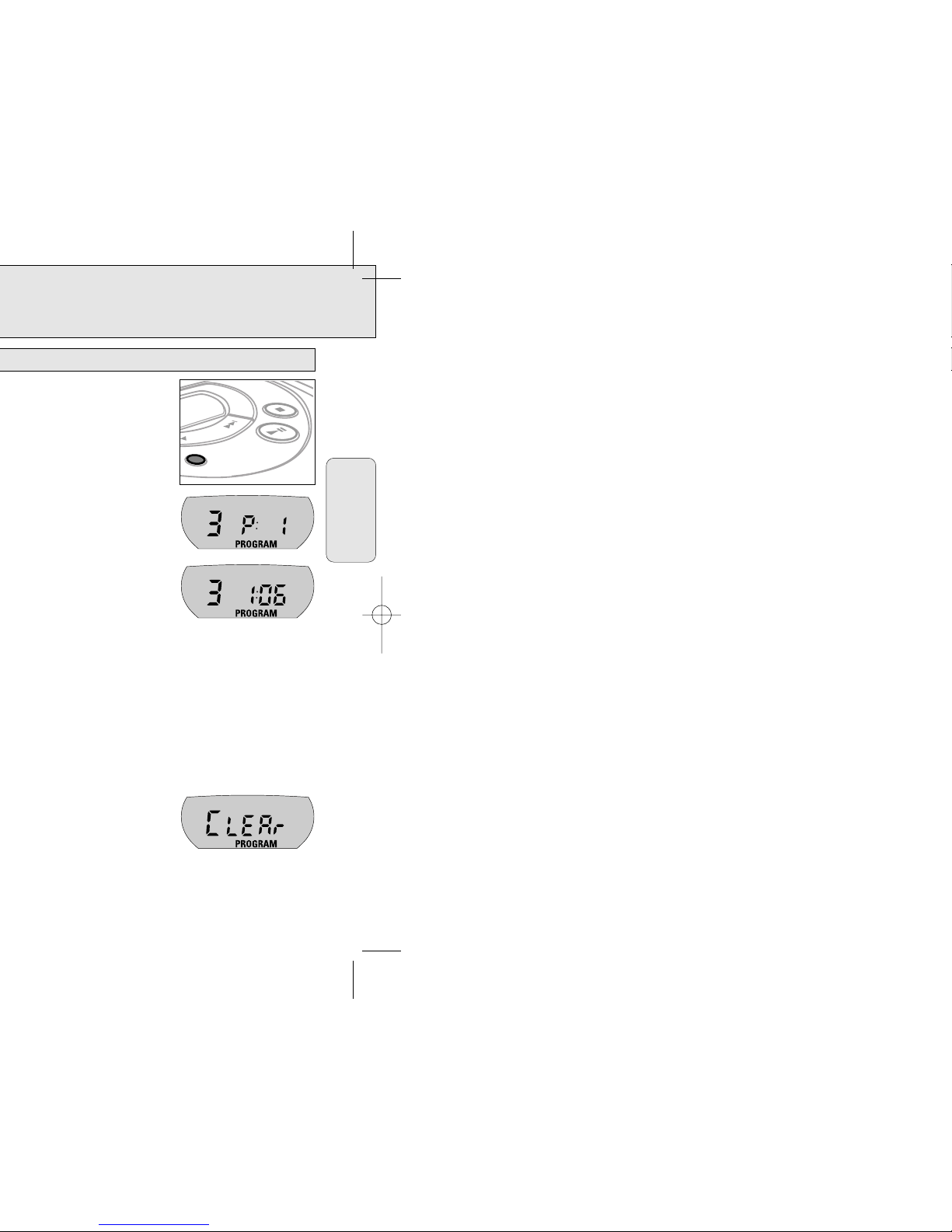
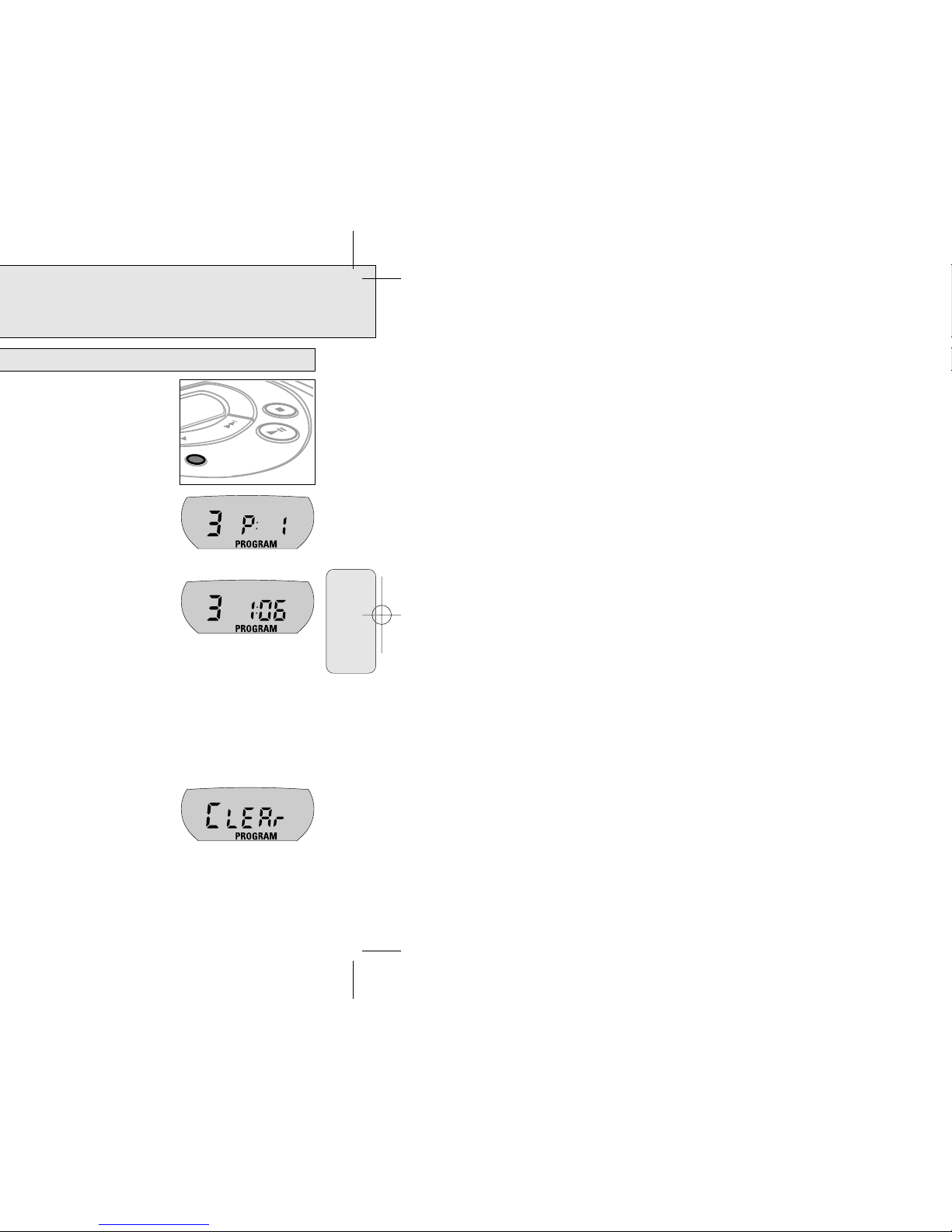
You can select up to 15 tracks and store them in the
memory in a desired sequence. You can store any track
more than once.
1 While playback is stopped, select a track with
∞ or §.
2 Press PROG to store the track.
y PROGRAM lights up, the track number
programmed and P with the total number of
stored tracks are displayed.
3 Select and store all desired tracks in this way.
4 Press 2; to start playback of your selected tracks.
y PROGRAM is shown and playback starts.
• You can review the program by depressing PROG for more than 2 seconds.
y The display shows all stored tracks in sequence.
Notes: – If you press PROG and there is no track selected,
SELECt
is displayed.
– If you try to store more than 15 tracks,
FULL
is displayed.
Erasing the program
1 If necessary, press 9 to stop playback.
2 Press 9 to erase the program.
y CLEAr is displayed once, PROGRAM disappears
and the program is erased.
Notes: The program will also be erased if you
– interrupt the power supply,
– open the CD lid, or
– the player is switched off automatically.
PROG
Programming track numbers
English
Page 9
FEATURES
17
It is possible to play tracks in random order, to repeat a track or the CD, and to play
the first few seconds of each track.
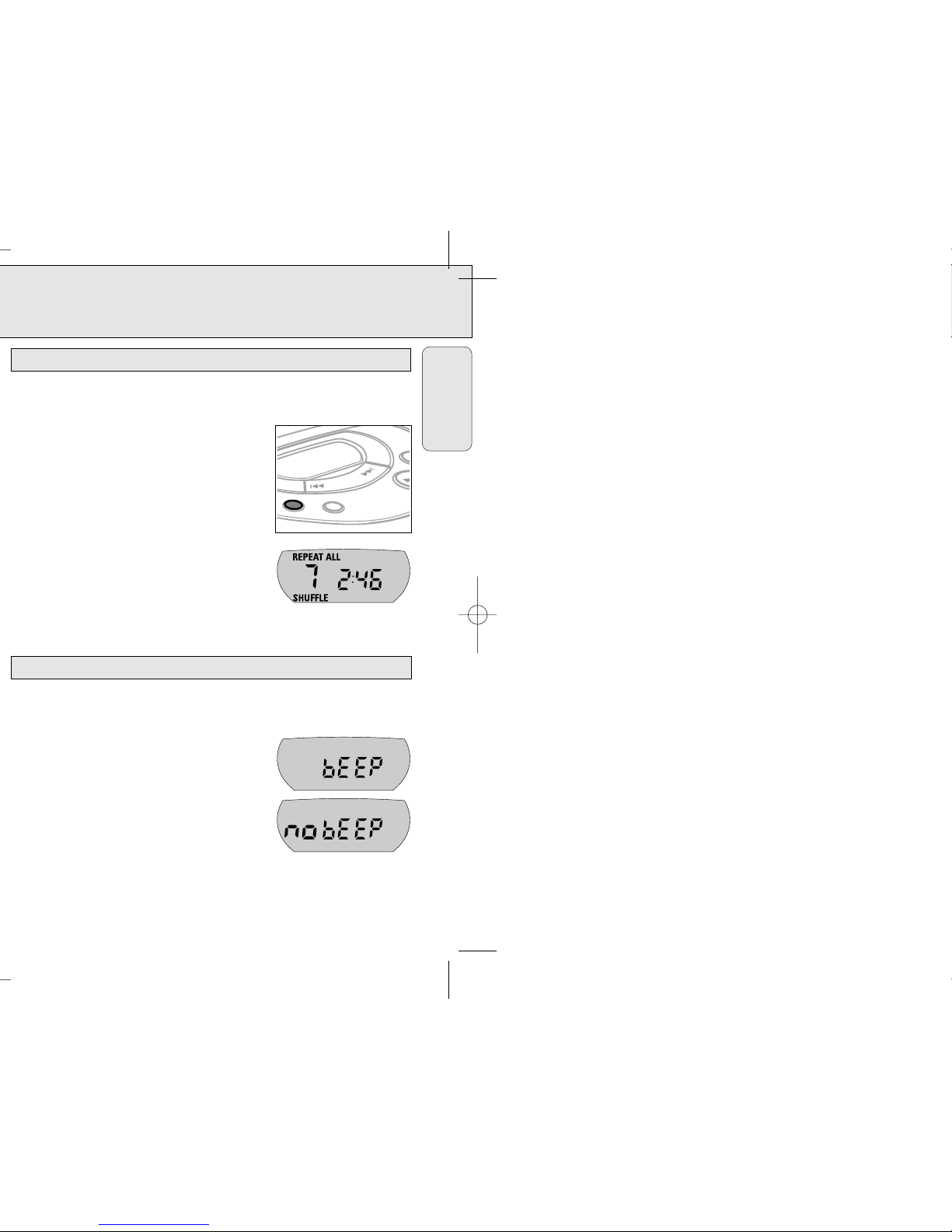
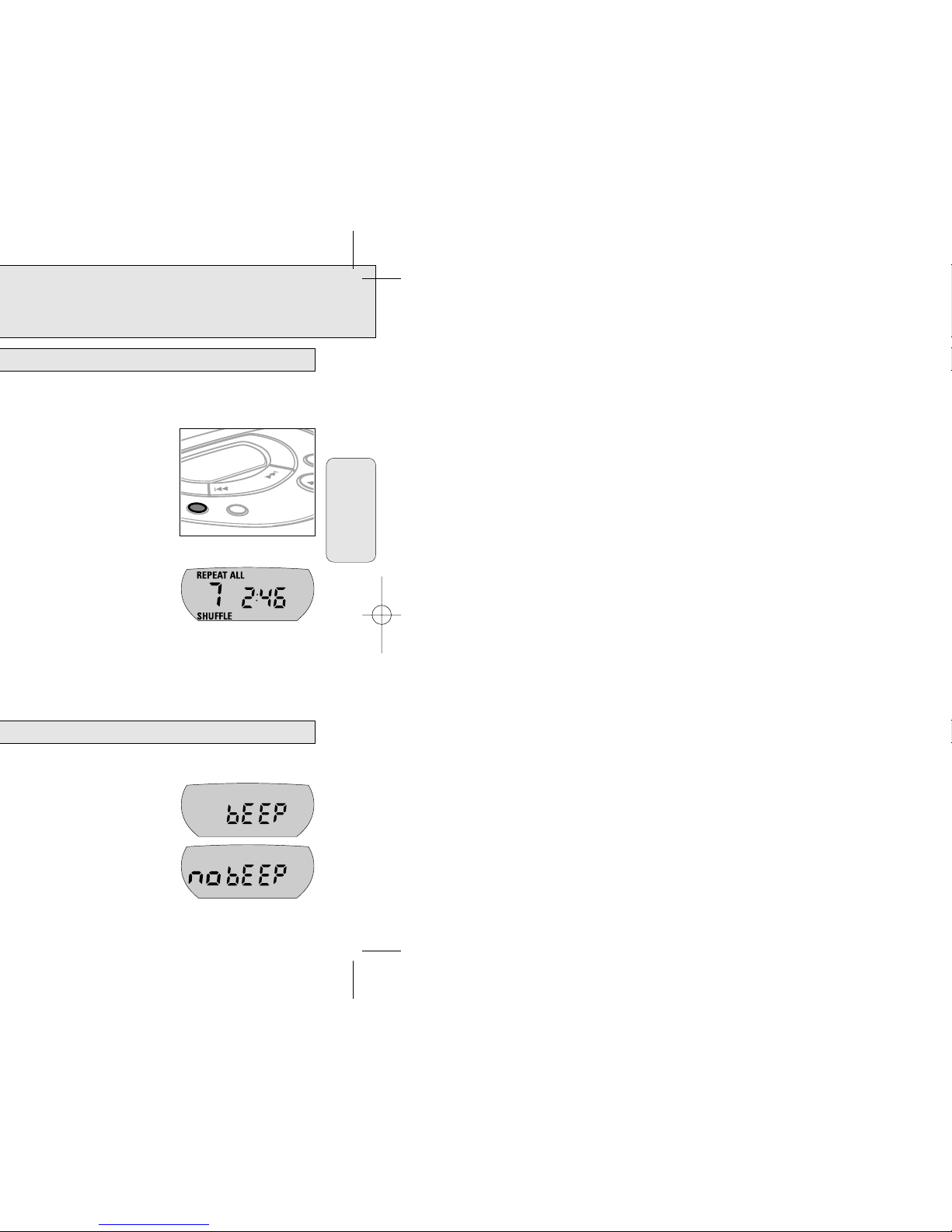
1 Press MODE during playback as often as necessary
until the display shows either:
y SHUFFLE: All tracks of the CD are played in random
order until all of them have been played once.
y SHUFFLE REPEAT ALL: All tracks of the CD are
played repeatedly in random order.
y REPEAT: The current track is played repeatedly.
y REPEAT ALL: The entire CD is played repeatedly.
y SCAN: The first 10 seconds of each of the
remaining tracks are played in sequence.
2 Playback starts in the chosen mode after 2 seconds.
3 To return to normal playback, press MODE until the display indication disappears.
The player is equipped with a feature that accompanies various key operations with
an acoustic signal.
• Keep DBB depressed for more than 3 seconds.
If the acoustic signal was deactivated:
y bEEP is displayed and the acoustic signal is
activated.
If the acoustic signal was activated:
y no bEEP is displayed and the acoustic signal
is deactivated.
Acoustic feedback
MODE
PROG
Selecting different playing possibilities – MODE
English
Page 10
GENERAL INFORMATION
19
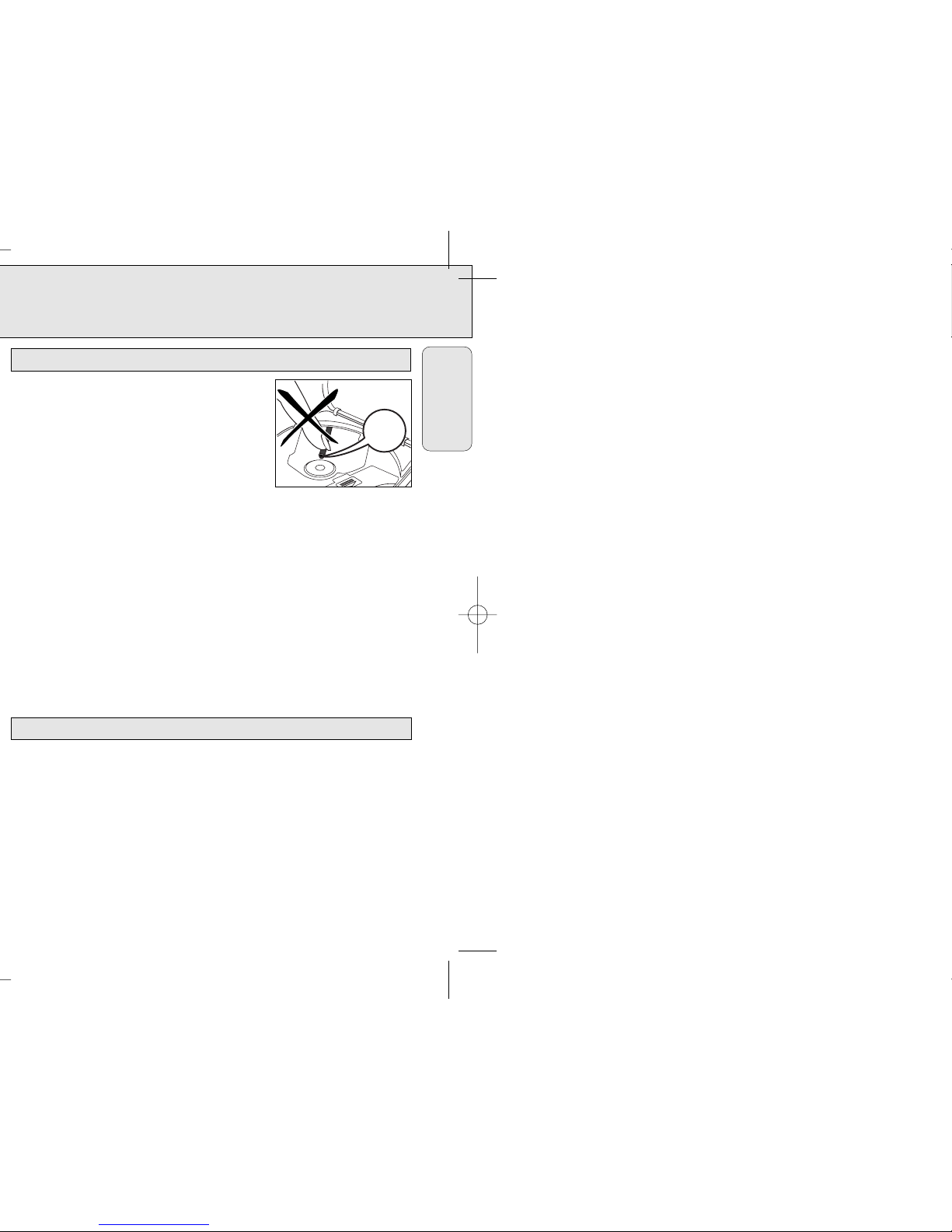
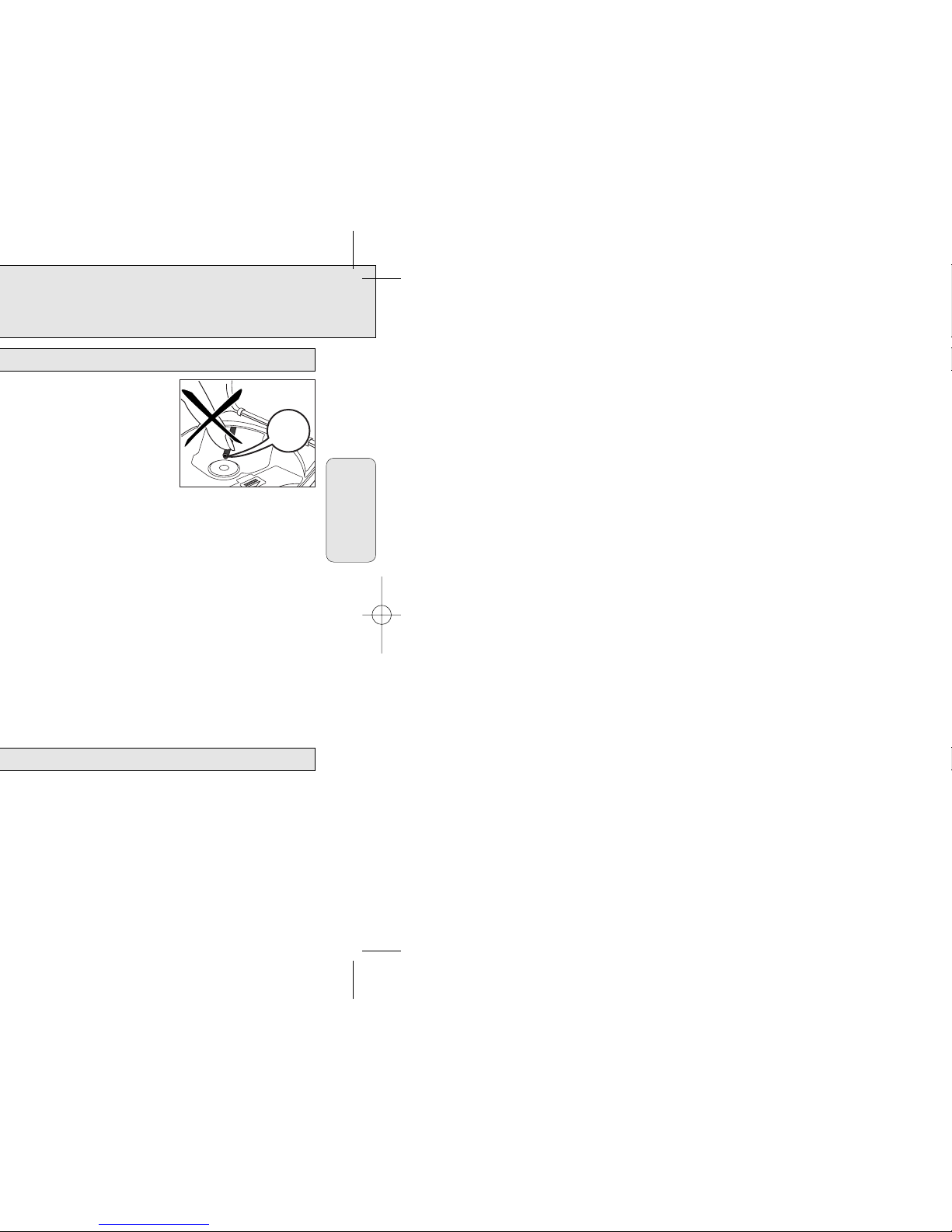
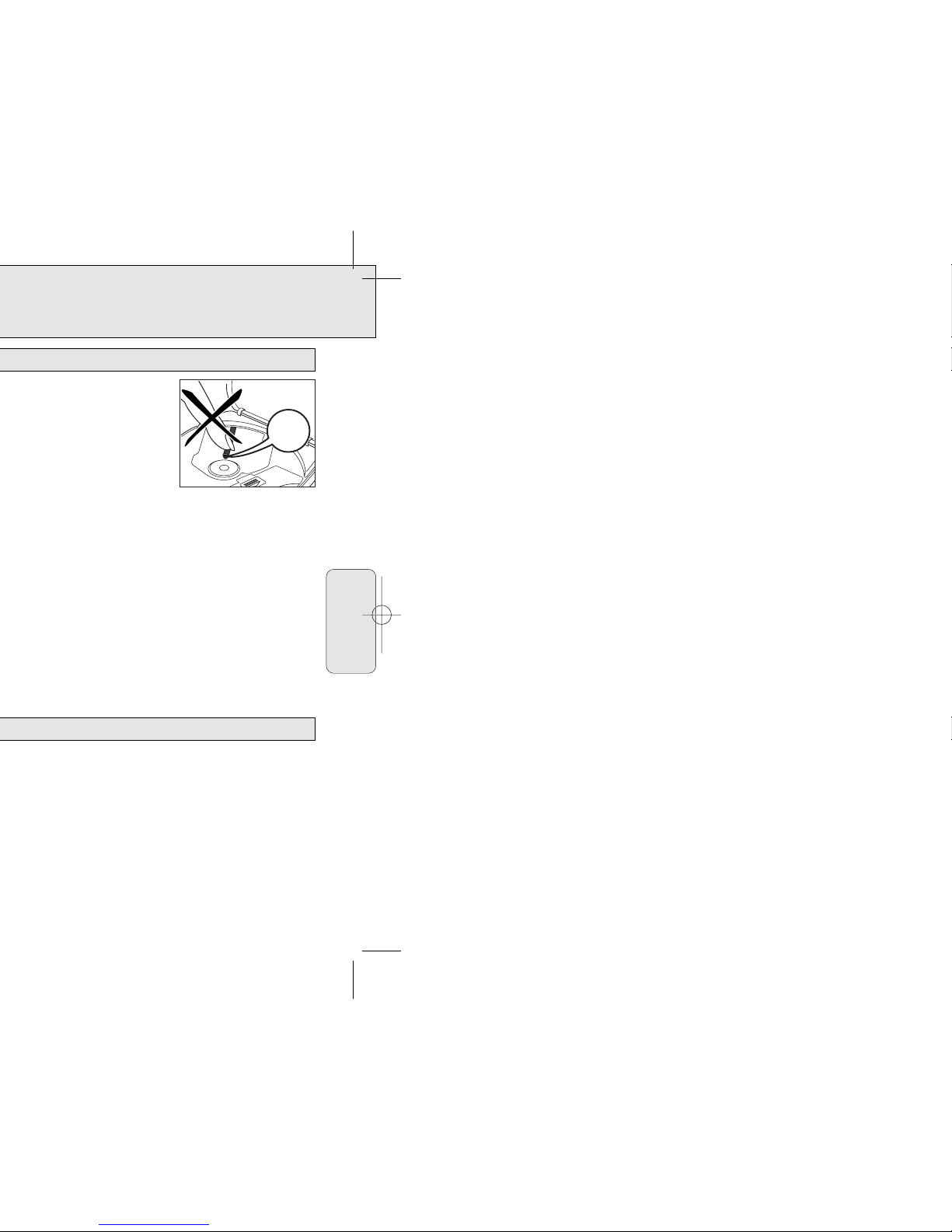
• Do not touch the lens A of the CD player.
• Do not expose the player, batteries or CDs to
humidity, rain, sand or excessive heat (caused by
heating equipment or direct sunlight).
• You can clean the CD player with a soft, slightly
dampened lint-free cloth. Do not use any cleaning
agents as they may have a corrosive effect.
• To clean the CD, wipe it in a straight line from the center toward the edge using a
soft, lint-free cloth. A cleaning agent may damage the disc! Never write on a CD or
attach a sticker to it.
• The lens may cloud over when the player is moved suddenly from cold to warm
surroundings. Playing a CD is not possible then. Leave the CD player in a warm
environment until the moisture evaporates.
• Active mobile phones in the vicinity of the CD player may cause malfunctions.
• Avoid dropping the player as this may cause damage .
• All redundant packing material has been omitted. We have done our utmost to
make the packaging easily separable into three mono materials: cardboard (box),
polystyrene foam (buffer) and polyethylene (bags, protective foam sheet).
• Your player consists of materials which can be recycled if disassembled by a
specialized company. Please observe the local regulations regarding the disposal of
packing materials, exhausted batteries and old equipment.
Environmental information
A
CD player and CD handling
English
Page 11
TROUBLESHOOTING
21
Problem Possible cause Solution
The CD skips tracks The CD is damaged or dirty Replace or clean the CD
RESUME, SHUFFLE or PROGRAM is Switch off RESUME, SHUFFLE
active or PROGRAM
No sound or PAUSE is activated Press 2;
bad sound quality
Loose, wrong or dirty Check and clean
connections connections
Volume is not adjusted Adjust the volume
Headphones worn the Pay attention to the L (left)
wrong way and R (right) indications
Strong magnetic fields near Change the player’s position
the CD player or connections
In-car use
Adapter cassette is Insert the adapter cassette
inserted incorrectly correctly
Temperature inside the car Let the CD player adjust to
is too high/low the temperature
Cigarette lighter socket Clean the cigarette
is dirty lighter socket
Wrong playback direction of the Change the autoreverse
car cassette player’s direction
autoreverse feature
Battery recharching Use of wrong batteries Only use the Ni-Cd battery
on board does pack AY 3361
not work
Contacts are dirty Clean them with a cloth
English
If a fault occurs, first check the points listed, before taking the player for repair.
If you are unable to solve a problem by following these hints, consult your dealer or
service center.
Page 12

EL4967E004 / MAC 4110 / 1-97
EXCHANGING A PRODUCT IN U.S.A.,
PUERTO RICO OR U.S.VIRGIN ISLANDS...
Contact your dealer to arrange an exchange. Or, ship the product, insured and freight
prepaid, and with proof of purchase enclosed, to the address listed below.
Small Product Service Center
Philips Service Company
907 Snapps Ferry Road, Plant 2, Building 6
Greeneville,TN 37743
(In U.S.A., Puerto Rico and U.S.Virgin Islands, all implied warranties, including implied
warranties of merchantability and fitness for a particular purpose, are limited in duration
to the duration of this express warranty. But, because some states do not allow limitations
on how long an implied warranty may last, this limitation may not apply to you.)
EXCHANGING A PRODUCT IN CANADA...
Please contact Philips at:
1-800-661-6162 (French Speaking)
1-800-363-7278 (English Speaking)
(In Canada, this warranty is given in lieu of all other warranties. No other warranties are
expressed or implied, including any implied warranties of merchantability or fitness for a
particular purpose. Philips is not liable under any circumstances for any direct, indirect,
special, incidental or consequential damages, howsoever incurred, even if notified of the
possibility of such damages.)
TO GET OUT-OF-WARRANTY EXCHANGE...
In U.S.A., Puerto Rico or U.S.Virgin Islands, contact Philips Service Company at (800)
851-8885 to obtain the cost of out-of-warranty exchange.Then carefully pack the
product and ship it to the Small Product Service Center (address listed above). In
Canada, call the phone number listed above under “Exchanging a Product in Canada” to
obtain the cost of out-of-warranty exchange.
REMEMBER...
Please record the model and serial numbers found on the product below. Also, please fill
out and mail your warranty registration card promptly. It will be easier for us to notify
you if necessary.
MODEL # ____________________________________
SERIAL # ____________________________________
This warranty gives you specific legal rights.You may have other rights
which vary from state/province to state/province.
Page 13
Français
25
9. Chaleur – Il faut situer l’appareil à l’écart des
sources de chaleur telles que les radiateurs, les
bouches de chaleur, les fours ou d’autres appareils
(y compris les amplificateurs) qui produisent de la
chaleur.
10. Sources d’électricité – Il faut relier l’appareil
uniquement à une source d’électricité du type
décrit dans les instructions d’opération ou indiqué à
même l’appareil.
11. Protection du cordon d’alimentation – Il faut
faire passer les cordons d’alimentation de façon à
éviter qu’on marche dessus ou que les objets
placés sur eux ou contre eux les coincent. Faire
attention en particulier au cordons et fiches et à
l’endroit où ils sortent de l’appareil.
12. Nettoyage – Il faut nettoyer l’appareil uniquement
de la façon recommandée par le fabricant.
13. Lignes de transmission – Il faut situer une
antenne extérieure à l’écart des lignes de
transmission d’électricité.
14. Périodes d’inactivité – Débranchez l’appareil
lorsqu’il ne sera pas utilisé pendant une longue
période de temps.
15. Entrée des objets et des liquides – Évitez de
laisser tomber des objets ou des liquides par les
ouvertures de l’enclos.
16. Dommages qu’il faut faire réparer – Il faut faire
réparer l’appareil par un technicien qualifié lorsque :
A. Le cordon d’alimentation en électricité ou la
fiche a été endommagé ou
B. On a laissé tomber des objets ou du liquide dans
l’appareil ou
C. On a exposé l’appareil à la pluie ou
D. L’appareil ne paraît pas marcher normalement ou
présente de grands changements d’opération ou
E. On a laisseé tomber l’appareil ou endommager le
coffret.
17. Service après-vente – L’utilisateur ne doit pas
tenter de réparer l’appareil sauf les réparations
décrites dans les instructions d’opération. Toutes
les autres réparations doivent être effectuées par
un technicien qualifié.
EL 4562-2 : 91/8
Page 14
Français
Page 15
Français
Page 16
0
Français
Page 17
DBB
MODE
0
VOL
Français
Page 18
s’affiche.
FULL
s’affiche.
PROG
Français
Page 19
MODE
PROG
Français
Page 20
A
Français
Page 21
Remplacez ou nettoyez le CD.
RESUME, SHUFFLE ou PROGRAM Désactivez RESUME, SHUFFLE
est actif. or PROGRAM.
Raccordements défaits, Vérifiez et nettoyez les
erronés ou sales. raccordements.
Le volume est mal réglé. Réglez le volume.
Ecouteur mis à l’envers. Tenez compte des indications
L (gauche) et R (droite).
Champs magnétiques puissants Déplacez le lecteur de CD
à proximité. ou modifiez les
raccordements.
Utilisation en voiture
La cassette adaptatrice est Insérez correctement la
mal insérée. cassette adaptatrice.
La température dans la voiture Laissez le lecteur de CD
est trop élevée ou trop basse. s’adapter à la température.
Le connecteur de Nettoyez le connecteur de
l’allume-cigares est sale. l’allume-cigares.
Mauvaise direction de lecture Modifiez la direction
de la fonction Autoreverse du Autoreverse.
lecteur de cassettes.
Utilisez uniquement le bloc
accumulateur Ni-Cd AY 3361.
Les contacts sont sales. Nettoyez-les avec un chiffon.
Français
Page 22

EL4967F003/ MAC 4108 / 1-97
Small Product Service Center
Philips Service Company
907 Snapps Ferry Road, Plant 2, Building 6
Greeneville,TN 37743 É.-U.
1-800-661-6162 (Francophone)
1-800-363-7278 (Anglophone)
Page 23
Español
45
9. Calor – El aparato debe situarse lejos de fuentes
de calor, tales como radiadores, rejillas para
calefacción, hornos u otros aparatos (inclusive
amplificadores) que puedan producir calor.
10. Fuentes de potencia – El aparato debe
conectarse a una fuente de energía únicamente del
tipo descrito en las instrucciones de funcionamiento o según lo indicado en el aparato.
11. Protección del cable de potencia – Los cables
de alimentación de energía deben encaminarse de
tal modo que nadie pise encima de ellos; también
es importante que no estén apretados por artículos
colocados contra o encima de ellos. Hay que prestar atención especial a los cables y enchufes,
receptáculos convenientes y al lugar donde éstos
salen del aparato.
12. Limpieza – El aparato sólo debe limpiarse de
acuerdo con las recomendaciones del fabricante.
13. Líneas de energía – Una antena exterior debe
situarse lejos de las líneas de energía.
14. Períodos sin uso – Se debe desenchufar el
aparato cuando no se lo usa por un período
considerable de tiempo.
15. Entrada de objetos extraños o de líquidos –
Hay que tener cuidado para que ningún objeto
caiga dentro y también para que no se derrame
ningún líquido dentro de las aberturas de la caja
del aparato.
16. Daño que requiere servicio – El aparato sólo
debe ser reparado por un técnico calificado cuando:
A. Se ha dañado el cable de suministro de energía
o el enchufe; o
B. Algún objeto hay caído dentro del aparato o se
ha derramado algún líquido dentro de mismo; o
C. El aparato ha sido expuesto a lluvia; o
D. El aparato no parece funcionar normalmente o
exhibe un cambio marcado en su funcionamiento; o
E. El aparato se ha caído o ha habido daño a su
caja.
17. Servicio – El usuario no debe tratar de reparar el
aparato más allá de lo descrito en las instrucciones
de funcionamiento. Toda otra reparación o
mantenimiento debe dejarse a cargo del personal
técnico calificado para tal finalidad.
EL 4562-3: 91/8
Page 24
CONTROLES
47
Español
Page 25
Español
Page 26
p
también puede utilizarse para
0
Español
Page 27
DBB
MODE
0
VOL
Español
Page 28
.
FULL
.
PROG
Español
Page 29
MODE
PROG
Español
Page 30
A
Español
Page 31
RESUME, SHUFFLE o PROGRAM Desconectar RESUME,
están activos SHUFFLE o PROGRAM
Conexiones sueltas, Comprobar y limpiar las
erróneas o sucias conexiones
El volumen no se ha ajustado Ajustar el volumen
Se han colocado los auriculares Prestar atención a las
intercambiados entre sí indicaciones L (izquierdo) y
R (derecho)
Fuertes campos magnéticos en Cambiar la posición o
las proximidades del reproductor conexiones del reproductor
de CD
Utilización en el vehículo
El adaptador de cinta está Introducir el adaptador de
introducido incorrectamente cinta correctamente
La temperatura en el interior del Permitir que el reproductor
vehículo es demasiado alta/baja de CD se ajuste a la
temperatura
El encendedor de Limpiar el encendedor de
cigarrillos/clavija están sucios cigarrillos/clavija
Dirección de reproducción Cambiar la dirección
incorrecta de la característica autoreverse
autoreverse en el reproductor
de cinta del vehículo
Contactos sucios Limpiarlos con un paño
Español
Page 32

EL4967S003 / MAC 4108 / 1-97
Small Product Service Center
Philips Service Company
907 Snapps Ferry Road, Plant 2, Building 6
Greeneville,TN 37743 USA
1-800-661-6162 (francófono)
1-800-363-7278 (anglófono)
Page 33

 Loading...