

Page 1
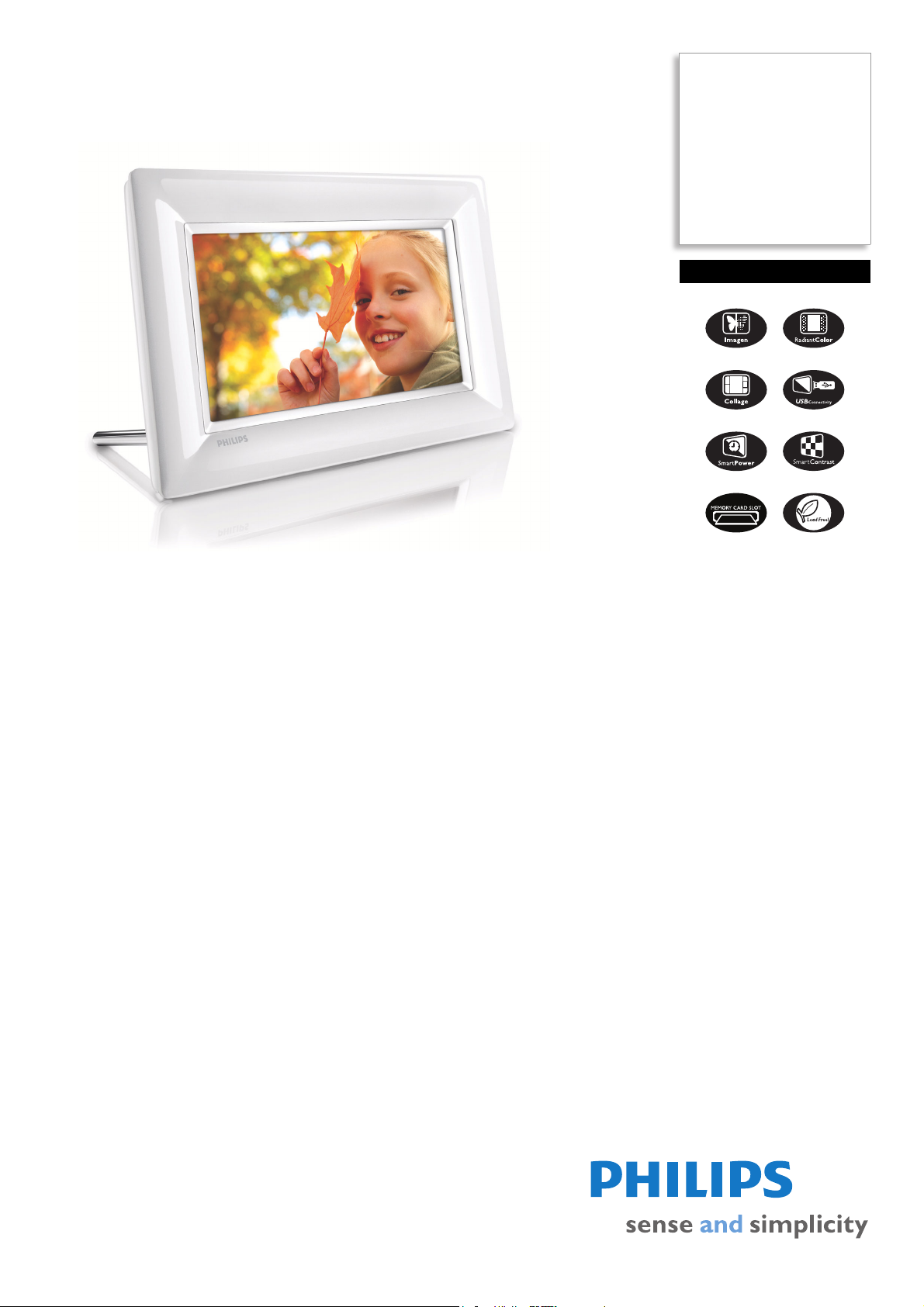
Philips
PhotoFrame
7" LCD
16:9 frame ratio
7FF3FPW
Share your memories
How many digital pictures are hidden on your PC? See, share, organize and relive your
memories with Philips PhotoFrame™, the easiest way to share your memories by
displaying your digital photos in stunning quality - without a PC.
Top quality display for print-like pictures
• imagen for sharp and vibrant color
• Add new glow to old memories with RadiantColor
• SmartContrast: Dynamic,optimized contrast for visual clarity
Easily display and manage your digital photos
• Have fun with collages: display mutiple photos in one view
• View USB flash drive photos without a PC
Simple intuitive operation and great convenience
• Intuitive UI, 5-way-keypad for easy navigation and operation
• Auto photo orientation to fit portrait or landscape modes
Green design
• Auto turning display on/off at preset times for power saving
Stylish and curve design complements your photos
• Glossy finishing and great touch feeling fit your taste
Page 2

PhotoFrame
7FF3FPW/93
7" LCD 16:9 frame ratio
Specifications Product highlights
Picture/Display
• Viewing angle: @ C/R > 10, 120º (H) / 100º (V)
• Lifetime, to 50% brightness: 20000 hr
• Brightness: 200 cd/m²
• Aspect ratio: 16:9
• Panel resolution: 480 x 234
• Contrast ratio (typical): 300:1
Connectivity
• USB: USB 2.0 Host, USB 2.0 Slave
Storage Media
• USB: USB flash drive
• Memory Card Types: Compact Flash type I,
Secure Digital (SD), Secure Digital (SDHC),
Multimedia Card, xD card, Memory Stick,
Memory Stick Pro
Convenience
• Card Reader: Built-in (2x)
• Photo format supported: JPEG photo, Up to
10MB JPEG files, Up to 20 Megapixels
• Placement supported: Photo auto orientation,
Landscape, Portrait
• Buttons and controls: 3 buttons, 4-way navigation
key and enter
• Playback mode: Full screen browse, Slideshow,
Thumbnail browse
• Photo edit: Copy, Delete, Rotate, Zoom & crop
• Photo effects: Black and White, Frames, Sepia,
Radiant color
• Slideshow setting: Random, Sequential, Transition
effect
• Screen background: Black, White, Gray, Auto-fit
• Setup function: Brightness adjustment, Language,
Status, Auto on/off, Beep on/off, Set time and
date, Clock display enable/disable, Alarm
• System status: Firmware version, Remaining
memory
• Connected media status: Connected media,
Remaining memory
• Plug & Play Compatibility: Windows Vista,
Windows 2000/XP or later, Mac OS X
• Regulatory Approvals: BSMI, C-Tick, CCC, CE,
FCC, GOST, PSB, Switzerland, UL/cUL
• On-Screen Display languages: English, Spanish,
German, French, Italian, Dutch, Danish, Russian,
Simplified Chinese, Japanese
Accessories
• Included Accessories: AC-DC Adapter, USB
cable, Stand, Quick start guide, User Manual
Dimensions
• Set dimensions with stand (W x H x D):
206.4
x 139.3 x 103 mm
• Weight: 0.345 kg
• Temperature range (operation): 0°C to 40°C
• Temperature range (storage): -20°C to 70°C
Power
• Power consumption: 5 W
• Power mode supported: AC powered
Packaging dimensions
• Packaging dimensions (W x H x D):
22.5
x 26.5 x 7.9 cm
• Nett weight: 0.591 kg
• Gross weight: 0.78 kg
• Tare weight: 0.189 kg
• EAN: 87 12581 41215 9
• Number of products included: 1
• Packaging type: Carton
Outer Carton
• Outer carton (L x W x H): 49.9 x 27.9 x 25.5 cm
• Nett weight: 3.546 kg
• Gross weight: 5.45 kg
• Tare weight: 1.904 kg
• GTIN: 1 87 12581 41215 6
• Number of consumer packagings: 6
•
imagen technology
imagen is exclusive Philips photo enhancement
technology that automatically analyzes your photos to
correct color and adjust for optimal contrast: imagen
separates colors to avoid "crosstalk" adjusts brightness
distribution for great visual contrast and corrects Gamma
for color accuracy.
RadiantColor
RadiantColor is an exclusive Philips technology for
displaying smaller photos in the optimal 4:3 ratio by
extending the color on the edges of a less-than-full-screen
photo to the sides of the screen, eliminating black bars
and aspect ratio distortion.
SmartContrast
SmartContrast is Philips technology that analyzes the
contents you are displaying, automatically adjusting colors
and controlling backlight intensity to dynamically enhance
contrast for the best digital images and optimum contrast
for more entertainment fun when viewing videos or
playing games where dark hues are displayed; when you
select the Economy mode, contrast is adjusted and
backlighting fine-tuned for just-right display of everyday
office applications and lower power consumption.
Multiple-photo collage effect
It's a slides how effect to s how ph ot os in c ollag e form that
automatically and randomly compiles different photos
together to avoid unattractive borders that may result
from photos which are smaller than screen size.
Viewing photos in USB flash
A USB connector for easy viewing and sharing of photos
stored on USB flash drive.
SmartPower
A timer turns PhotoFrame on and off at the hours you
select, reducing energy consumption for the sake of our
environment saving up to one third of your PhotoFrame
energy costs.
Auto orientation
Automatic landscape/portrait recognition employs a
sensor that recognizes PhotoFrame orientation and
displays each photo in its proper mode.
Issue date 2008-05-17
Version: 4.0.9
12 NC: 8670 000 38989
EAN: 87 12581 41215 9
© 2008 Koninklijke Philips Electronics N.V.
All Rights reserved.
Specifications are subject to change without notice.
Trademarks are the property of Koninklijke Philips
Electronics N.V. or their respective owners.
www.philips.com
 Loading...