

Page 1
A
Lightstrip Plus
71901/**/PH
71903/**/PH
Gebruiksaanwijzing
Notice d’emploi
Benutzerhandbuch
User manual
Manual de usuario
Page 2
A
A
B
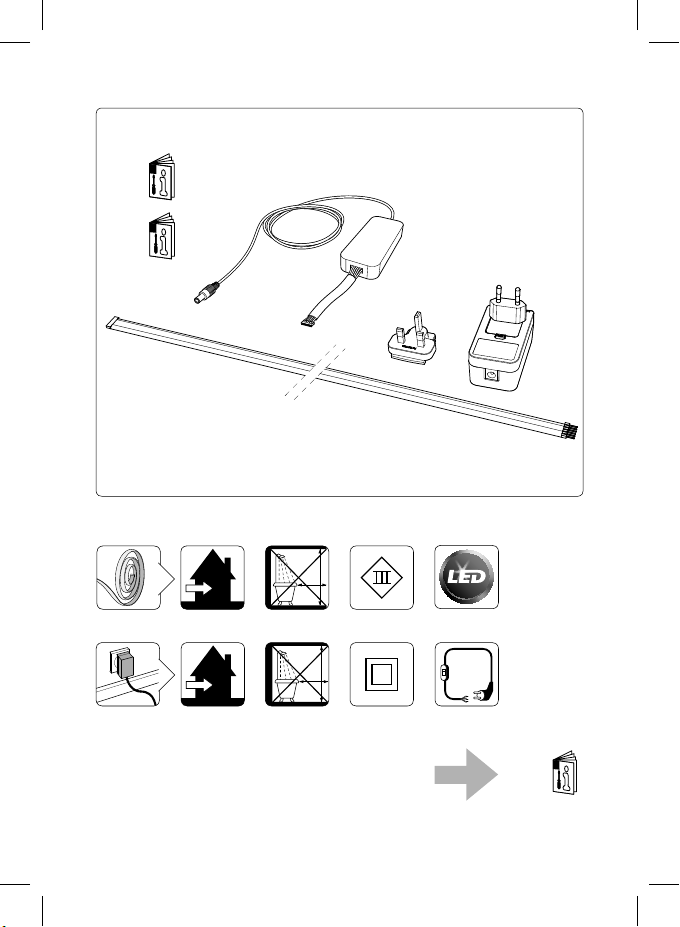
Incl.
B
IP20
3m
2,25m
IP20
3m
2,25m
TYPE
…
A
A
B
Z
B
2
Page 3
!
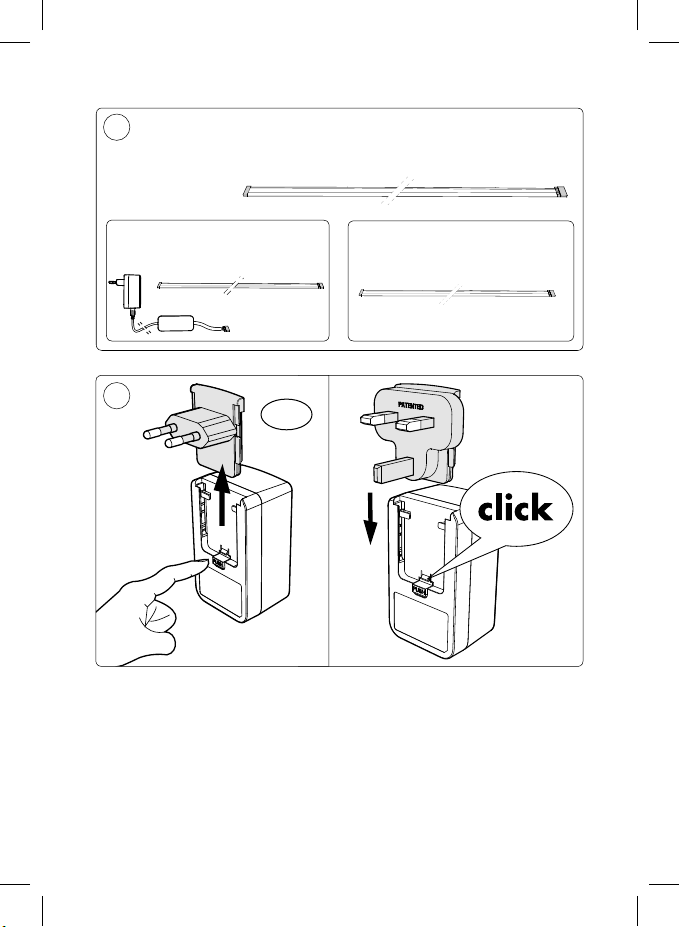
Max. 10m
71901/**/PH
71903/**/PH
!
71902/**/PH
71904/**/PH
UK
3
Page 4
LED!
X
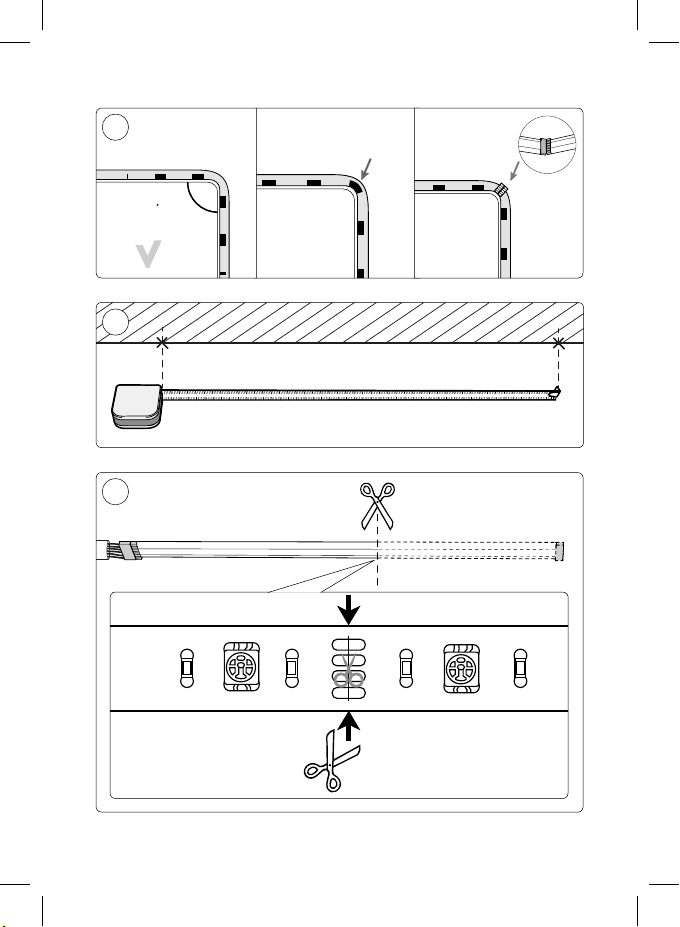
Max. 90°
Max. 90°
!
X
LED!
X
1
2
X
4
Page 5
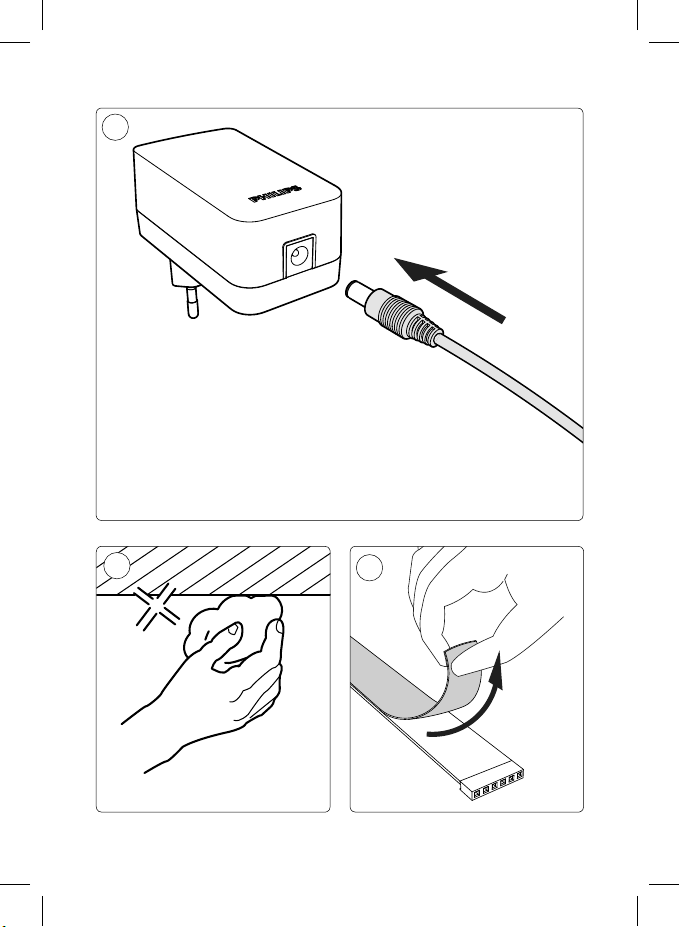
3
4
5
5
Page 6
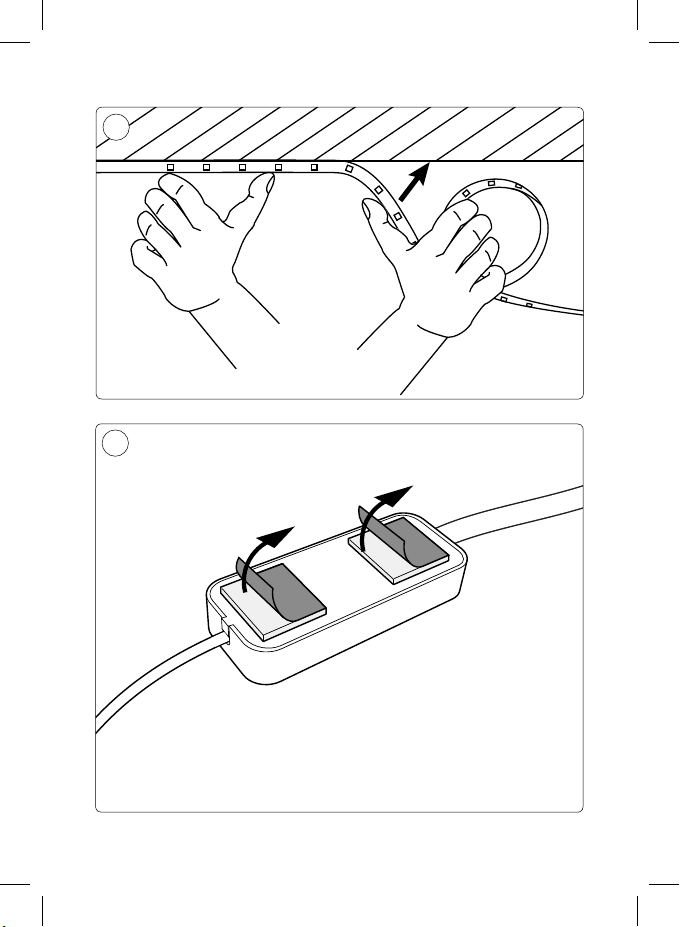
6
7
6
Page 7
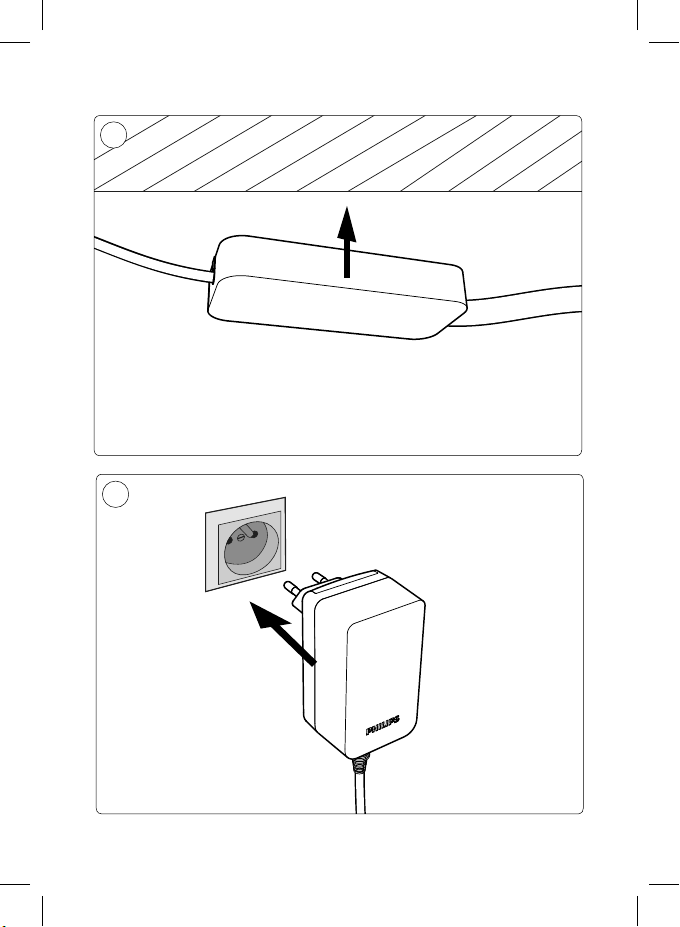
8
9
7
Page 8
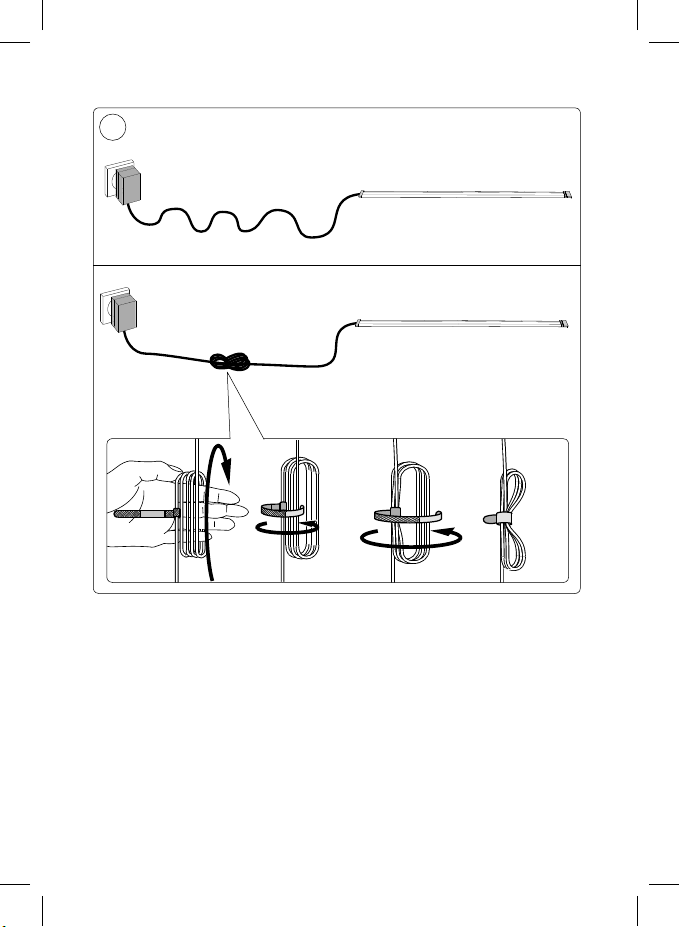
!
X
8
Page 9

EN Connect to hue bridge:
Control with smart devices
• Switch on Hue Lightstrip Plus
• Plug in the Hue bridge and connect it
to your wi- router
• Download and start the latest Philips
Hue app, and follow the instructions
on your smart device.
• Visit meethue.com to discover more
hue products and popular apps.
DE Anschluss an die hue-Bridge:
Steuerung über Smart-Geräte
• Hue Lightstrip Plus einschalten
• Stecken Sie die hue-Bridge ein, und
stellen Sie eine Verbindung mit dem
WiFi-Router her.
• Laden Sie die neuste Philips Hue-App
herunter, starten Sie sie, und folgen
Sie den Anweisungen auf Ihrem
Smart-Gerät.
• Besuchen Sie meethue.com, um mehr
hue- Produkte und beliebte Apps zu
entdecken.
FR Connexion au pont hue:
Commande depuis un smartphone/
une tablette
• Branchement de Hue Lightstrip Plus
• Branchez le pont hue et connectez-le
à votre routeur Wi-Fi
• Téléchargez et lancez la dernière
application Philips hue, puis suivez les
instructions sur votre smartphone/
tablette.
• Rendez-vous sur meethue.com
pour découvrir plus de produits et
d'applications populaires pour hue.
NL Aansluiten op hue bridge:
Bediening met smart devices
• Schakel Hue Lightstrip Plus in
• Sluit de hue bridge aan op een
stopcontact en uw Wi-Firouter
• Download en start de nieuwste
Philips Hue-app en volg de instructies
op uw smart device.
• Ga naar meethue.com voor meer
Hue producten en populaire apps.
ES Conexión al puente hue bridge:
Control con dispositivos inteligentes
• Activa Hue Lightstrip Plus
• Enchufa el puente hue bridge y
conéctalo a tu router Wi-Fi
• Descarga e inicia la versión más
reciente de la aplicación Philips
hue y sigue las instrucciones en el
dispositivo inteligente.
• Visita meethue.com para descubrir
más aplicaciones y productos hue.
IT Collegamento al bridge hue:
Comando con i dispositivi smart
• Accensione di Hue Lightstrip Plus
• Collega il ponte hue e connettiti al
router Wi-Fi
• Scarica e avvia la app Philips hue,
quindi segui le istruzioni sul tuo
dispositivo smart.
• Visita meethue.com per scoprire
altri prodotti hue e tutte le app più
richieste.
NO Koble til hue-bro: Kontroll med
smartenheter
• Slå på Hue Lightstrip Plus
• Koble til hue-broen, og koble den til
WiFiruteren
• Last ned og start den nyeste Philips
hue-appen, og følg instruksjonene på
smartenheten din.
• Gå til meethue.com for å nne ere
hueprodukter og populære apper.
FI Yhdistäminen hue bridge -sillalla:
Ohjaus älylaitteilla
• Käynnistä Hue Lightstrip Plus
• Kytke hue bridge -silta ja liitä se Wi-
9
Page 10

Fireitittimeen
• Lataa ja käynnistä uusin Philips hue
-sovellus ja noudata älylaitteen ohjeita.
• Saat lisätietoja hue-tuotteista ja
suosituista sovelluksista osoitteesta
meethue.com.
DA Tilslut til hue-bro:
Styring via smart-enheder
• Tænd for Hue Lightstrip Plus
• Slut hue-broen til lysnettet, og slut
den til din wi--router
• Download og start den nyeste Philips
hueapp, og følg instruktionerne på din
smartenhed.
• Gå til meethue.com for at nde ere
hueprodukter og populære apps.
TR hue köprüsü:
Akıllı cihazlarla kontrol
• Hue Lightstrip Plus'yu açın
• hue köprüsünü takın ve wi-
yönlendiricinize bağlayın
• En güncel Philips hue uygulamasını
indirin ve başlatın. Ardından akıllı
cihazınızda talimatları izleyin.
• Daha fazla hue ürünü ve popüler
uygulamalar için meethue.com
adresini ziyaret edin.
PL Podłączanie do mostka hue:
Sterowanie za pomocą urządzeń
przenośnych
• Włącz lampę Hue Lightstrip Plus
• Podłącz mostek hue do gniazdka i
routera Wi-Fi
• Pobierz i uruchom najnowszą
aplikację Philips hue, a następnie
postępuj zgodnie z instrukcjami
wyświetlanymi w urządzeniu
przenośnym.
• Odwiedź stronę meethue.com, aby
odkryć więcej produktów hue i
popularnych aplikacji.
SV Ansluta till hue Bridge:
Styr via smartenheter
• Slå på Hue Lightstrip Plus
• Koppla in hue Bridge och anslut till
en Wi-Fi-router
• Ladda ned och starta Philips senaste
hueapp. Följ därefter instruktionerna
som anges på smartenheten.
• Gå till meethue.com så kan du läsa
mer om de olika hue-produkterna
och populära appar.
CS Připojení můstku hue:
Ovládání prostřednictvím chytrých
zařízení
• Zapněte systém Hue Lightstrip Plus.
• Zapojte můstek hue a připojte jej k
routeru Wi-Fi.
• Stáhněte a spusťte nejnovější aplikaci
Philips hue a postupujte podle
pokynů na vašem chytrém zařízení.
• Navštivte stránku meethue.com
a zjistěte více o výrobcích hue a
oblíbených aplikacích.
HU Csatlakozás a hue bridge-hez:
Vezérlés intelligens eszközzel
• A Hue Lightstrip Plus bekapcsolása
• Dugja be a hue bridge-et a fali
aljzatba és csatlakoztassa a Wi-Fi
útválasztóhoz
• Töltse le és indítsa el a legújabb
Philips hue alkalmazást, majd kövesse
intelligens eszközén az utasításokat.
• Látogasson el a meethue.com
oldalra, és fedezzen fel még több hue
terméket és népszerű alkalmazást.
www.meethue.com/support
10
Page 11

11
Page 12

Philips Lighting Contact Centre
Int. Business Reply Service
I.B.R.S. / C.C.R.I. Numéro 10461
5600 VB Eindhoven
Pays-Bas / The Netherlands
www.philips.com/homelighting
(+800 7445 4775
4404.017.01401
Last update: 28/05/2015
 Loading...