

Page 1
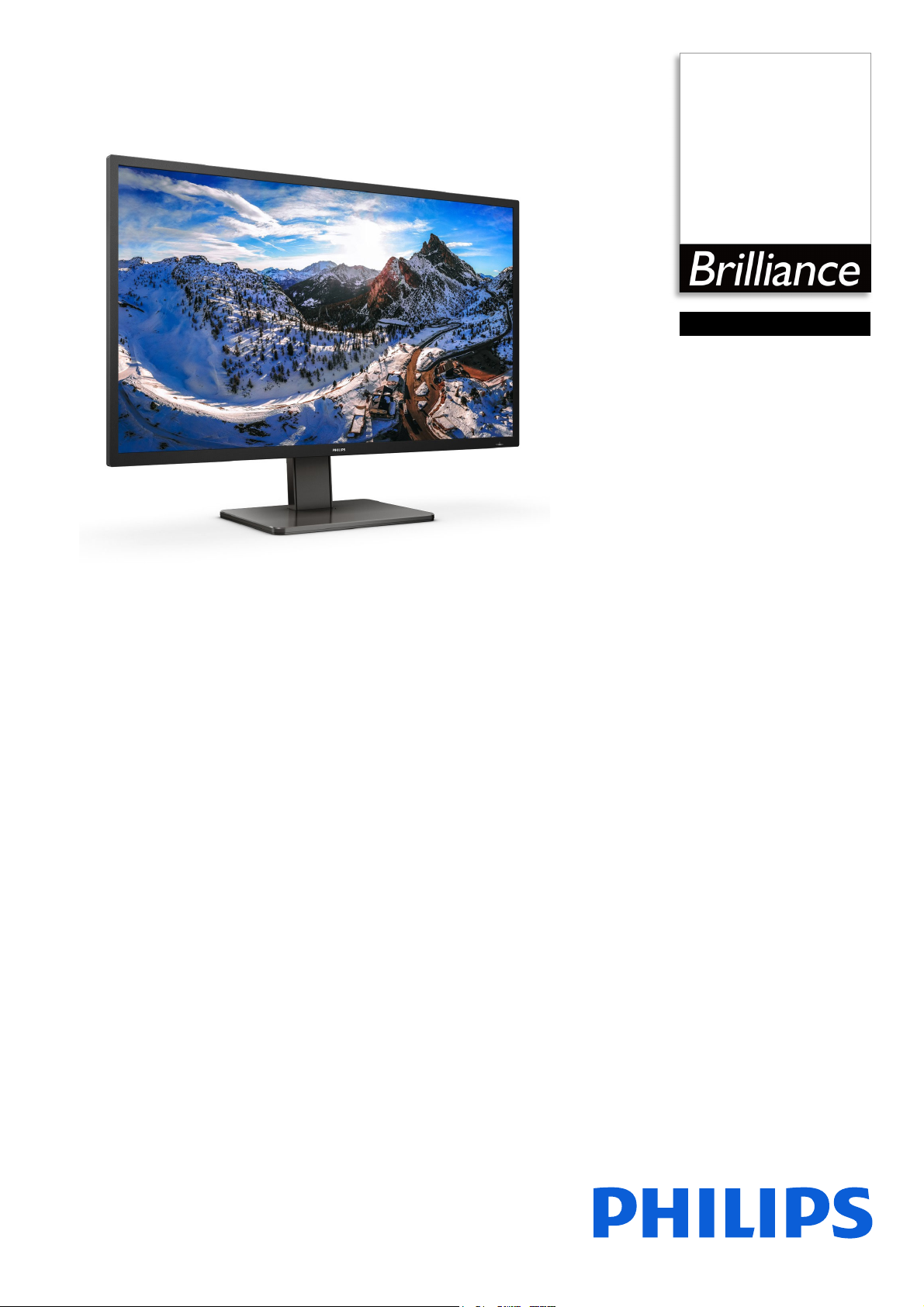
Philips Brilliance
4K Ultra HD LCD display
with MultiView
P Line
43 (42.51" / 108 cm diag.)
3840 x 2160 (4K UHD)
439P1
Master every task
in a crisp view
The Philips USB-C docking display for comprehensive solution. View UltraClear 4K UHD
and re-charge a laptop, all at the same time with a single USB-C cable. Integrated KVM
switch and multiple connection for performance and convenience.
Single cable USB-C connection
• USB-C enables laptop power charging directly from monitor
• Built in RJ-45 ethernet gives data security
Expand your viewing experience
• UltraClear 4K UHD (3840x2160) resolution for precision
• VA display delivers awesome images with wide viewing angles
• DisplayHDR 400 for more lifelike colorful visuals
• Ultra Wide-Color wider range of colors for a vivid picture
Designed for the way you work
• MultiView 4K for 4 systems on one screen
• Built-in KVM switch to easily switch between sources
• Less eye fatigue with Flicker-free technology
• LowBlue Mode for easy on-the-eyes productivity
• EasyRead mode for a paper-like reading experience
• Tilt, swivel and height-adjust for an ideal viewing position
Page 2
439P1/75
4K Ultra HD LCD display with MultiView
P Line 43 (42.51" / 108 cm diag.), 3840 x 2160 (4K UHD)
Highlights
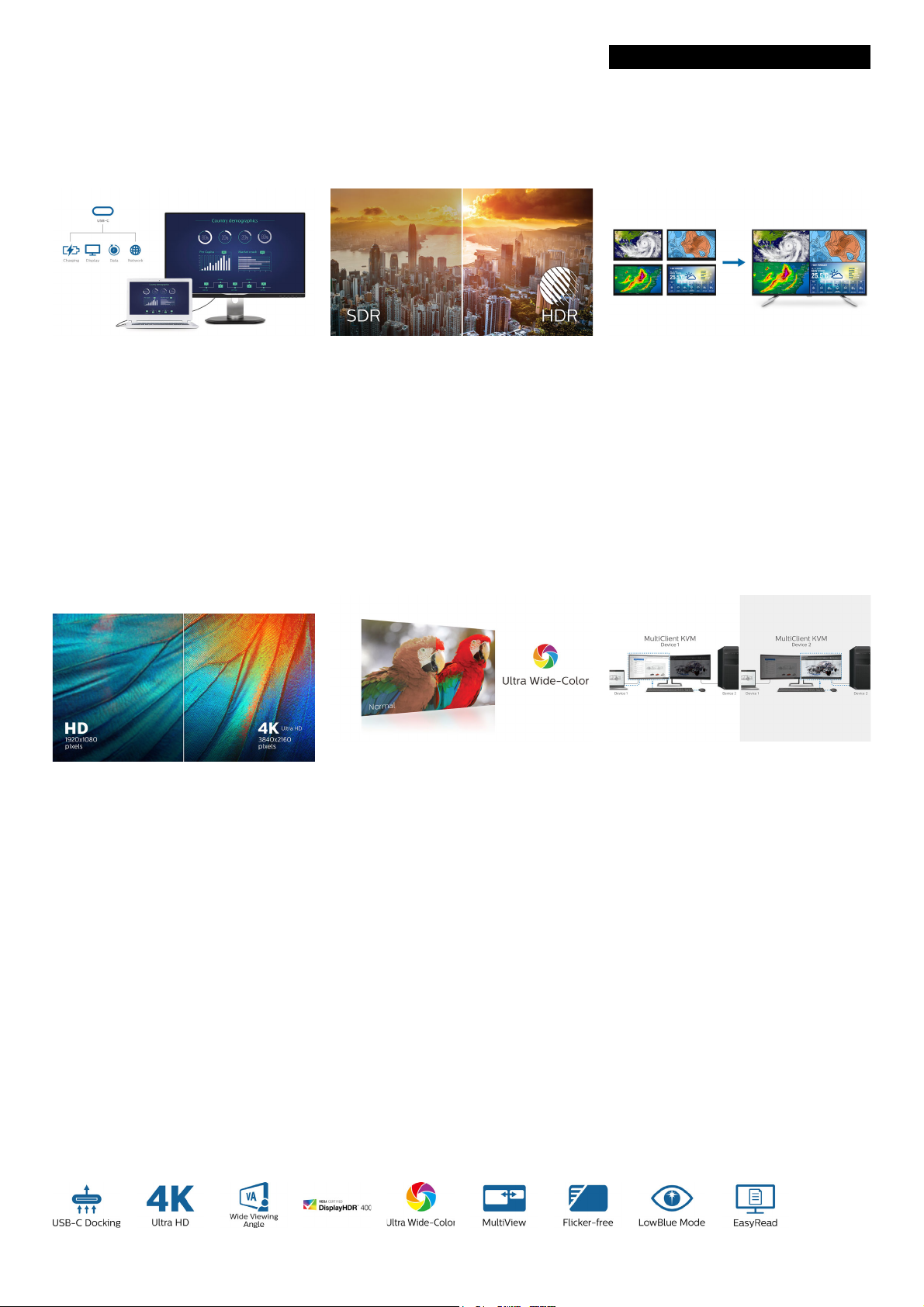
USB Type-C connection
This Philips display features a built-in USB typeC docking station with power delivery. With
intelligent and flexible power management, you
can power charge your compatible* laptop
directly. Its slim, reversible USB-C connector
allows for easy, one-cable docking. Simplify by
connecting all your peripherals like keyboard,
mouse and your RJ-45 Ethernet cable to the
monitor's docking station. You can watch high
resolution video and transfer data at a superspeed, while powering up and re-charging your
notebook at the same time.
UltraClear 4K UHD Resolution
DisplayHDR 400
VESA-certified DisplayHDR 400 delivers a
significant step-up from normal SDR displays.
Unlike, other 'HDR compatible' screens, true
DisplayHDR 400 produces astonishing
brightness, contrast and colors. With global
dimming and peak brightness up-to 400 nits,
images come to life with notable highlights
while featuring deeper, more nuanced blacks. It
renders a fuller palette of rich new colors,
delivering a visual experience that engages
your senses.
Ultra Wide-Color Technology
MultiView technology for 4K
Philips MultiView feature on this expansive 4K
UHD display enables you to have up to four
systems each shown in Full HD on one screen.
You can use the Picture-by-Picture (PbP) for
monitoring four systems on one screen for
control rooms or security. Or for multiple
devices like two notebooks side-by-side
simultaneously, making collaboration more
productive. Or Picture-in-Picture mode (PiP)
watching a live football feed from your set-top
box, while working on your PC.
MultiClient Integrated KVM
These Philips displays utilize high performance
panels to deliver UltraClear, 4K UHD (3840 x
2160) resolution images. Whether you are
demanding professional requiring extremely
detailed images for CAD solutions, using 3D
graphics applications or a financial wizard
working on huge spreadsheets, Philips displays
will make your images and graphics come alive.
Ultra Wide-Color Technology delivers a wider
spectrum of colors for a more brilliant picture.
Ultra Wide-Color wider "color gamut"
produces more natural-looking greens, vivid
reds and deeper blues. Bring, media
entertainment, images, and even productivity
more alive and vivid colors from Ultra WideColor Technology.
With MultiClient Integrated KVM switch, you
can control two separate PCs with one
monitor-keyboard-mouse set up. A convenient
button allows you to quickly switch between
sources. Handy with set-ups that require dual
PC computing power or sharing one large
monitor to show two different PCs.
Page 3

439P1/75
4K Ultra HD LCD display with MultiView
P Line 43 (42.51" / 108 cm diag.), 3840 x 2160 (4K UHD)
Specifications
Picture/Display
• LCD panel type: VA LCD
• Backlight type: W-LED system
• Panel Size: 42.51 inch / 108 cm
• Display Screen Coating: Anti-Glare, 3H, Haze 25%
• Effective viewing area: 941.184 (H) x 529.416 (V)
mm
• Aspect ratio: 16:9
• Maximum resolution: HDMI 1.4: 3840 x
60 @ 30 Hz; HDMI 2.0 / DP / USB-C: 3840 x
21
60 @ 60 Hz
21
• Pixel Density: 103.64 PPI
• Response time (typical): 4 ms (Gray to Gray)*
• Brightness: 400 cd/m²
• Contrast ratio (typical): 4000:1
• SmartContrast:
50,000,000:1
• Pixel pitch: 0.2451 x 0.2451 mm
• Viewing angle: 178º (H) / 178º (V), @ C/R > 10
• Picture enhancement: SmartImage
• Display colors: Color support 1.07 billion colors
• Color gamut (typical): NTSC 105%*, sRGB 126%*,
e RGB 90%*
Adob
• HDR: DisplayHDR 400 certified
• Scanning Frequency: 30 - 140 kHz (H) / 48 - 60 Hz
(V)
• SmartUniformity: 93 ~ 105%
• Delta E: < 2 (sRGB)
•sRGB
• Flicker-free
•LowBlue Mode
•EasyRead
• Adaptive sync
Connectivity
• Signal Input: DisplayPort 1.4 x 1, HDMI 2.0 x 2,
HDMI 1.4 x 1, USB-C 3.2 Gen 2 x 1 (upstream,
data, power delivery)
• HDCP: HDCP 1.4 (HDMI 1.4 / HDMI 2.0 / DP
1.4
/ USB-C), HDCP 2.2 (HDMI 2.0 / DP 1.4 / USB-C)
• HBR3: USB-C
• USB:: Upstream: USB-C x 1, USB-B x 1;
wnstream: USB 3.2 x 3 (with 1 fast charge B.C
Do
1.2), USB-C x 1 (for PD 15W only)
• Audio (In/Out): Headphone out
• Sync Input: Separate Sync
• RJ45: Ethernet LAN up to 1G*, Wake on LAN
•RS232
USB
• USB-C: Reversible plug connector
• Super speed: Data and Video transfer
• DP: Built-in Display Port Alt mode
• Power delivery: USB PD version 3.0
• USB-C max. power delivery: USB-C1: up to 90 W
/3A, 7V/3A, 9V/3A, 10V/3A, 12V/3A, 15V/3A,
(5V
20V/4.5A), USB-C2: up to 15W (5V/3A)
• Control software: SmartControl
• OSD Languages: Brazil Portuguese, Czech, Dutch,
glish, Finnish, French, German, Greek,
En
Hungarian, Italian, Japanese, Korean, Polish,
Portuguese, Russian, Simplified Chinese, Spanish,
Swedish, Traditional Chinese, Turkish, Ukranian
• Other convenience: Kensington lock, VESA mount
0x200mm)
(20
• Plug & Play Compatibility: DDC/CI, Mac OS X,
RGB, Windows 10 / 8.1 / 8 / 7
s
Stand
• Height adjustment: 100 mm
•Swivel: -/+ 45 degree
• Tilt: -5 ~ 23 degree
Power
• ECO mode: 43.9 W (typ.)
• On mode: 46 W (typ.) (EnergyStar test method)
• Standby mode: 0.3 W (typ.)
• Off mode: Zero watts with Zero switch
• Power LED indicator: Operation - White, Standby
mode- White (blinking)
• Power supply: Built-in, 100-240VAC, 50-60Hz
Dimensions
• Product with stand(max height): 978 x 713 x
281 mm
• Product without stand (mm): 978 x 573 x 78 mm
• Packaging in mm (WxHxD): 1150 x 704 x 284 mm
Weight
• Product with stand (kg): 18.00 kg
• Product without stand (kg): 12.40 kg
• Product with packaging (kg): 23.30 kg
Operating conditions
• Temperature range (operation): 0°C to 40 °C
• Temperature range (storage): -20°C to 60 °C
• Relative humidity: 20%-80 %
• Altitude: Operation: +12,000ft (3,658m), Noneration: +40,000ft (12,192m)
op
• MTBF (demonstrated): 70,000 hrs (excluded
klight)
bac
Sustainability
• Environmental and energy: EnergyStar 8.0, RoHS
• Recyclable packaging material: 100 %
• Specific Substances: PVC / BFR free housing,
ry free
Mercu
• Post consumer recycled plastic: 85%
Compliance and standards
• Regulatory Approvals: CB, TUV/GS, TUV Ergo,
SEMKO, CU-EAC, EAEU RoHS, CE Mark, FCC
Class B, ICES-003, MEPS, RCM
Convenience
• Built-in Speakers: 5 W x 2
• MultiView: PIP/PBP mode, 4x devices
• KVM: USB-C, USB-B
• User convenience: SmartImage, Input, User, Menu,
r On/Off
Powe
Issue date 2022-04-20
Version: 4.0.1
12 NC: 8670 001 81359
EAN: 87 12581 78527 7
Cabinet
• Front bezel: Black
• Rear cover: Black
•Foot: Black
• Finish: Texture
•
© 2022 Koninklijke Philips N.V.
All Rights reserved.
Specifications are subject to change without notice.
Trademarks are the property of Koninklijke Philips N.V.
or their respective owners.
www.philips.com
* Response time value equal to SmartResponse
* NTSC Area based on CIE1976
* sRGB Area based on CIE1931
* Adobe RGB Coverage based on CIE1976
* If your Ethernet connection seems slow, pleas
and select USB 3.0 or higher version which can support the LAN
speed to 1G.
* For USB-C power and charging function, your Notebook/device
must support USB-C standard Power Delivery specifications. Please
check with your Notebook user manual or manufacturer for more
details.
* For Video transmission via USB-C, your Notebook/device must
support USB-C DP Alt mode
* EPEAT rating is valid only where Philips registers the product. Please
visit https://www.epeat.net/ for registration status in your country.
* The monitor may look different from feature images.
e enter OSD menu
 Loading...