

Page 1
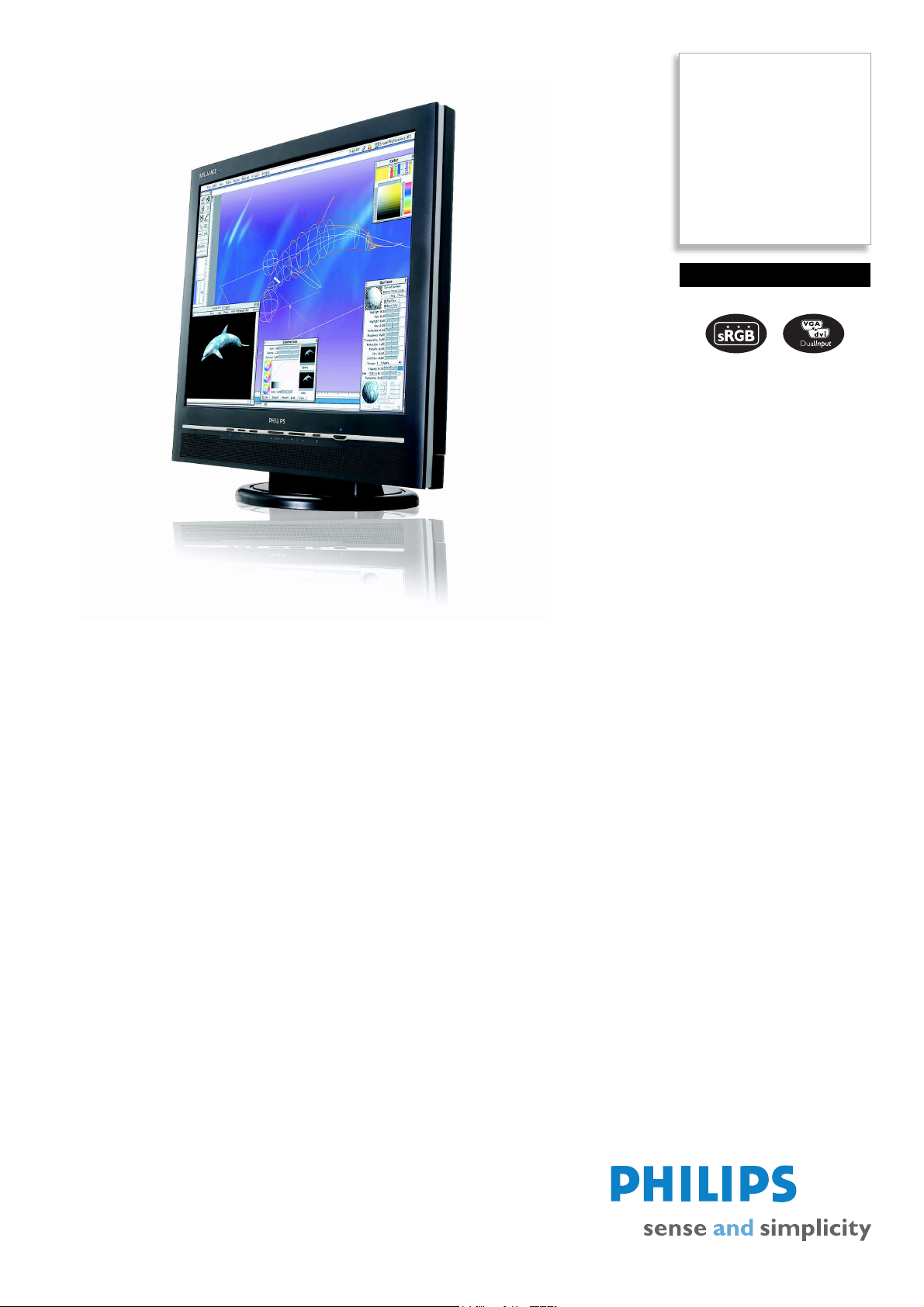
Philips
LCD monitor
20.1"
UXGA
200P4VB
the smart way to boost
productivity
High productivity pays big dividends. That's why smart organizations rely on the Philips
200P4 for tasks that demand a big screen and two-way swappable PIP to get work
done efficiently at the best total cost of ownership.
Outstanding front of screen performance
• UXGA, 1600x1200 resolution for sharper display
• Fast response time for great display of moving images
• sRGB ensures color matching between display and printouts
• Dual input accepts both analog VGA and digital DVI signals
• Auto adjustment for perfect picture display with one touch
Maximum comfort for maximum productivity
• Display more images and content without scrolling
• Screen tilt and swivel adjustment for an ideal viewing angle
Multi-function for ultimate convenience
• Display from multiple video sources:YPbPr, S-Video, and CVBS
• 2-way PIP displays in both PC-in-Video and Video-in-PC modes
• Built-in speakers for audio without desktop clutter
• Easy plug-and-play DVI for a true digital experience
Page 2

LCD monitor
20.1" UXGA
200P4VB/75
Specifications Product highlights
Picture/Display
• LCD panel type: 1600 x 1200 pixels, Anti-glare
polarizer, RGB vertical stripe
• Panel Size: 20.1"/ 51 cm
• Effective viewing area: 408 x 306 mm
• Pixel pitch: 0.255 x 0.255 mm
• Brightness: 250 cd/m²
• Contrast ratio (typical): 400:1
• Display colors: 16 M
• Viewing angle: @ C/R > 10
• Viewing angle (H / V): 176 / 176 degree
• Response time (typical): 16 ms
• White Chromaticity, 6500K: x = 0.313 /
y
= 0.329
• White Chromaticity, 9300K: x = 0.283 /
y
= 0.297
• Maximum Resolution: 1600 x 1200 @ 60Hz
• Recommended Resolution: 1600 x
1200
@ 60Hz
• Factory Preset Modes: 15 modes
• User definable modes: 37 modes
• Horizontal Scanning Frequency: 30 - 94 kHz
• Refresh Rate (V): 56Hz - 85 Hz
•sRGB
Connectivity
• Signal Input: Analog (VGA), DVI-D, PC Audio in
• Audio output: Stereo Audio (3.5 mm jack) 1x
• Audio input for video: Audio Left/Right (RCA x
2)
• Other video input: Composite Video, S-Video
Convenience
• Built-in Audio: 2W RMS x 2 stereo speakers
• Convenience Enhancements: On-screen Display
• Monitor Controls: Auto, Brightness Control,
Left/Right, Menu (OK), Power On/Off, Up/
Down, Volume control, Input, Picture in Picture
• OSD Languages: English, French, German, Italian,
Simplified Chinese, Spanish
• Other convenience: Kensington lock
• Plug & Play Compatibility: DDC CI, Windows
98/ME/2000/XP
• Regulatory Approvals: CE Mark, FCC-B, UL,
CSA, MPRII, NUTEK, Energy Star, SEMKO,
TCO '99, TÜV/GS, TÜV Ergo
• Swivel: +/- 175°
• Tilt: -5° to 25°
• VESA Mount: 100 x 100 mm
Accessories
• Included Accessories: AC Power Cord, PC
audio cable, VGA cable, DVI-D cable
Dimensions
• Dimensions (with base) (W x H x D):
488
x 459 x 220 mm
• MTBF: 50,000 hrs
• Relative Humidity: 20% - 80%
• Temperature range (operation): 5°C to 35°C
• Temperature range (storage): -20°C to 60°C
• Weight: 7.5 kg
Power
• Complies with: Energy Star, NUTEK
• Consumption: 50 W (Typical)
• Off Mode: 1.5 W
• Power LED indicator: Operation - Blue, Stand
by/sleep - Amber
• Power supply: Built-in
•
UXGA, 1600 x 1200 resolution
Fo r grap hics m onito rs, th e scre en res oluti on sig nifies the
number of dots (pixels) on the entire screen. For
example, a 1600-by-1200 pixel screen is capable of
displaying 1600 distinct dots on each of 1200 lines, or
about 2 million pixels. This ensures a better display
performance and accurate color display effect.
Fast response time
Response time measures signal reaction speed in
milliseconds. On/off response time measures the time
required for the screen to turn from completely white to
completely black and vice versa. Fast on/off response
time improves display of text. Gray-to-grey response
time measures the average time of transition between
several sets of random gray levels - Lower numbers
mean faster transitions. Faster is better because a fast
response time eliminates visible image artifacts that
could dampen your experience when viewing fast
moving images or objects.
sRGB ready
sRGB is an industry standard that ensures the best
possible match between the colors displayed on your
screen and those in your printouts.
Dual input
Dual input provides connectors to accommodate input
of both analog VGA and digital DVI signals.
One-touch auto adjustment
The auto adjustment key restores optimal screen
position, phase and clock settings with the press of a
single button - without navigation through OSD menus
and control keys.
Large viewing area
Viewing area is the visible portion of a monitor screen
available for displaying data.
Screen tilt and swivel
Screen tilt and swivel is a mechanism built into the base
permits the monitor to swivel and tilt backward or
forward.
Video connection
Plugs to accomodate signal input from a variety of
sources
Date of issue 2007-02-20
Version: 2.0
12 NC: 8639 000 15922
EAN: 87 10895 87721 3
© 2007 Koninklijke Philips Electronics N.V.
All Rights reserved.
Specifications are subject to change without notice.
Trademarks are the property of Koninklijke Philips
Electronics N.V. or their respective owners.
www.philips.com
Two way swappable PIP
A PIP feature built into the video module that makes it
possible to work on the PC and simultaneously view a
live vidoe widow, or view a video while monitoring PC
input.
Built-in speakers
Audio speakers built into a display device.
In-box DVI cable
A DVI cable is shipped with the product to provide high
quality digital display.
Cable management
Cable management is a system that maintains tidy
workspace by organizing cables and wires required for
the operation of a display device.
Lower power consumption
Reduction of the electrical power required to operate a
device.
Kensington lock compatible
Small apertures built into a display's frame for use with
a locking device that secures a display to a fixed object
for added protection against theft.
 Loading...