

Page 1
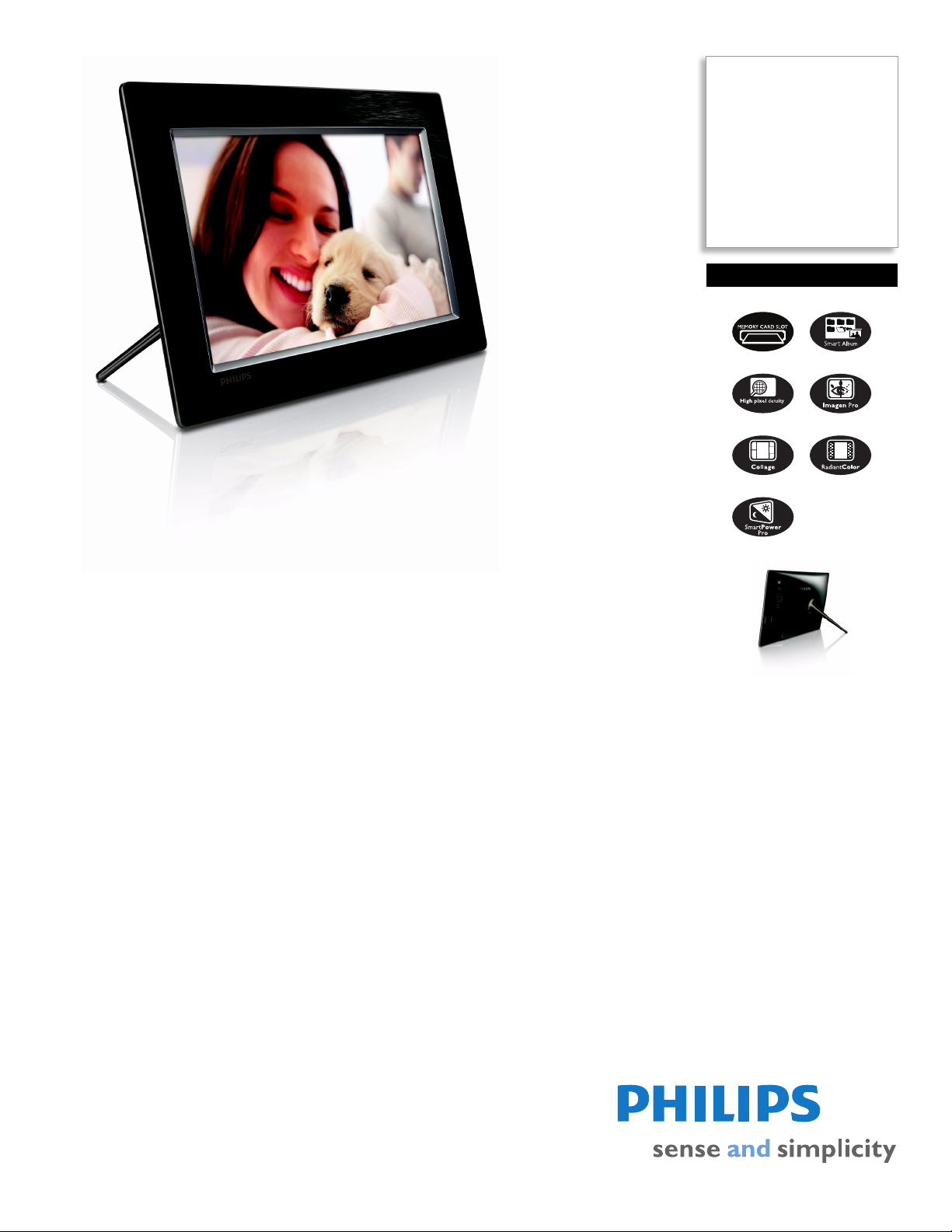
Philips
PhotoFrame
10.2" LCD
16:9 frame ratio
10FF3CDW
Share your memories
Larger screen for more viewing comfort! Display your digital photos in high pixel density
quality, perfect digital color and all the richness of professional prints on the PhotoFrame
large screen.
Top quality display for print-like pictures
• High pixel density for sharp and detailed photo display
• imagen Pro for sharper and vibrant colors
• Add new glow to old memories with RadiantColor
Easily display and manage your digital photos
• Create albums, slideshows and manage your photos
• An additional SD card slot for unlimited memories
• Have fun with Collage Pro: automatically or edit by yourself
• An easy drag and drop PC software to transfer your photos
Simple intuitive operation and great convenience
• Auto photo orientation to fit portrait or landscape modes
• Power saving via auto dimming by detecting ambient lighting
Classic design: real materials and fine texture
• Real wood front with fine grain - designed for your home
Page 2

PhotoFrame
10FF3CDW/27
10.2" LCD 16:9 frame ratio
Specifications Product highlights
Picture/Display
• Viewing angle: @ C/R > 10, 120º (H) / 110º (V)
• Lifetime, to 50% brightness: 20000 hr
• Aspect ratio: 16:9
• Panel resolution: 800x480
• Brightness: 250 cd/m²
• Contrast ratio (typical): 300:1
Connectivity
• USB: USB 2.0 Host, USB 2.0 Slave
Storage Media
• Memory Card Types: Compact Flash type I, Secure
Digital (SD), Secure Digital (SDHC), Multimedia
Card, xD card, Memory Stick, Memory Stick Pro,
Memory Stick Duo, Memory Stick Pro Duo
• Built-in memory capacity: 128MB (for 510-1020
photos, around 26MB used by system)
• USB: USB flash drive
Convenience
• Card Reader: Built-in (3x)
• Photo format supported: JPEG photo, Up to 10MB
JPEG files, Up to 20 Megapixels
• Placement supported: Landscape, Photo auto
orientation, Portrait
• Buttons and controls: 3 buttons, 4-way navigation
key and enter
• Playback mode: Full screen browse, Slideshow,
Thumbnail browse
• Album management: Create, Delete, Edit, Rename
• Photo edit: Copy, Delete, Zoom & crop, Rotate
• Photo effects: Black and White, Frames, Sepia,
Radiant color
• Slideshow management: Create slideshow, Delete
slideshow, Rename slideshow
• Slideshow setting: Collage (multiple pictures),
Random, Sequential, Transition effect
• Screen background: Black, Gray, White, Auto-fit
• Setup function: Beep on/off, Brightness adjustment,
Clock display enable/disable, Event reminder with
snooze, Language, Photo source, Set time and date,
Status, Auto on/off, Slideshow
• System status: Firmware version, Remaining
memory
• Connected media status: Connected media,
Remaining memory
• Plug & Play Compatibility: Mac OS X, Windows
2000/XP or later, Windows Vista
• Regulatory Approvals: BSMI, CCC, CE, C-Tick,
FCC, GOST, PSB, Switzerland, UL/cUL
• Other convenience: Kensington lock compatible
• On-Screen Display languages: Danish, Dutch,
English, French, German, Italian, Russian, Simplified
Chinese, Spanish
Accessories
• Included Accessories: AC-DC Adapter, Quick start
guide, USB cable, CD-ROM with software +
manual, Stand
Dimensions
• Temperature range (operation): 0°C to 40°C
• Temperature range (storage): -10°C to 60°C
• Set dimensions with stand (W x H x D):
284.6
x 195.1 x 35.4 mm
• Set dimensions with stand in inch (W x H x D):
11.20
x 7.68 x 1.39 inch
• Set weight (lb): 1.58 lb
• Weight: 0.718 kg
Power
• Power consumption: (System on 5.43 W
• Power mode supported: AC powered
Outer Carton
• Gross weight: 4.2366 kg
• Outer carton (L x W x H): 36.1 x 26.3 x 25.4 cm
• Nett weight: 2.1376 kg
• Tare weight: 2.099 kg
• Gross weight: 9.34 lb
• Outer carton (L x W x H): 14.2 x 10.4 x 10 inch
• Nett weight: 4.713 lb
• Tare weight: 4.627 lb
Packaging dimensions
• Packaging dimensions (W x H x D):
34
x 24.2 x 10.9 cm
• Gross weight: 1.806 kg
• Nett weight: 1.0688 kg
• Tare weight: .7372 kg
• Packaging dimensions (W x H x D):
13.4
x 9.5 x 4.3 inch
• Gross weight: 3.982 lb
• Nett weight: 2.356 lb
• Tare weight: 1.626 lb
•
Smart Album
Smart Album allows you to create and manage albums, as
well as to set up and adjust transition effects to your photo
slideshows.
Unlimited memories
Your Philips PhotoFrame comes with an additional SD card
slot enabling you to expand the storage space on your
PhotoFrame offering plenty of space for all your memories
- it's like having virtually unlimited space for your memories
and photos! Also thanks to the Philips Memory card
manager, you can easily copy and paste images between
all your various types of memory cards.
Auto orientation
Automatic landscape/portrait reco gni tion employs a se nso r
that recognizes PhotoFrame orientation and displays each
photo in its proper mode.
Collage Pro
Rem em ber t he fun y ou had w or ki ng wi th your ph otos in the
past - such as cutting them and creating nice collections!
Collage Pro is a unique and advanced feature provided by
Philips digital PhotoFrame. Just like on other Philips digital
PhotoFrames with Collage function, you can run collage
slideshows automatically (random view). With Collage Pro,
you can also edit and create collages by yourself. You can
also easily create a collage even from multiples sources
such as an SD card or USB pen drive.
High Pixel Density Display
The very best high density screen shows off your treasured
photos with the same 'real life' rich detail and vibrant colors
as high quality prints.
imagen Pro
The unique Philips imagen enhancement technology
automatically analyzes your photos to correct color and
ad jus t fo r opti mal con tra st. im age n Pr o is a mo re adv anc ed
image enhancement which includes the 3 essential
elements from imagen to have more color accuracy, color
depth and smart contrast. On top of these, imagen Pro
offers enhanced skin color, sharper images and flicker-free
photo viewing which is very important for still pictures.
PhotoFrame Manager
You can easily connect your Philips PhotoFrame to your
computer via a USB cable. The PhotoFrame Manager is a
simple to use drag and drop software tool that allows you
to simply drag your photos from your computer to your
PhotoFrame - it's really that simple! On top of this, the
software enables simple editing like zoom and crop. You
can even preview what you have edited before transferring
to your PhotoFrame.
RadiantColor
RadiantColor is an exclusive Philips technology for
displaying smaller photos in the optimal 4:3 ratio by
extending the color on the edges of a less-than-full-screen
photo to the sides of the screen, eliminating black bars and
aspect ratio distortion.
Real wood with fine grain
There are plenty of digital photo frames in the market with
ugly, gadget typ designs. They won't fit my home interior at
all. Now, Philips comes with a Ph otoF ram e wit h a re al wo od
front with a dark espresso color and fine grain which
Issue date 2008-08-19
Version: 2.1.5
12 NC: 8670 000 39048
UPC: 6 09585 15362 2
© 2008 Koninklijke Philips Electronics N.V.
All Rights reserved.
Specifications are subject to change without notice.
Trademarks are the property of Koninklijke Philips
Electronics N.V. or their respective owners.
www.philips.com
perfectly fits the simple and clean rear cover design. It not
also suits your home decor but brightens up any room!
 Loading...