

Page 1
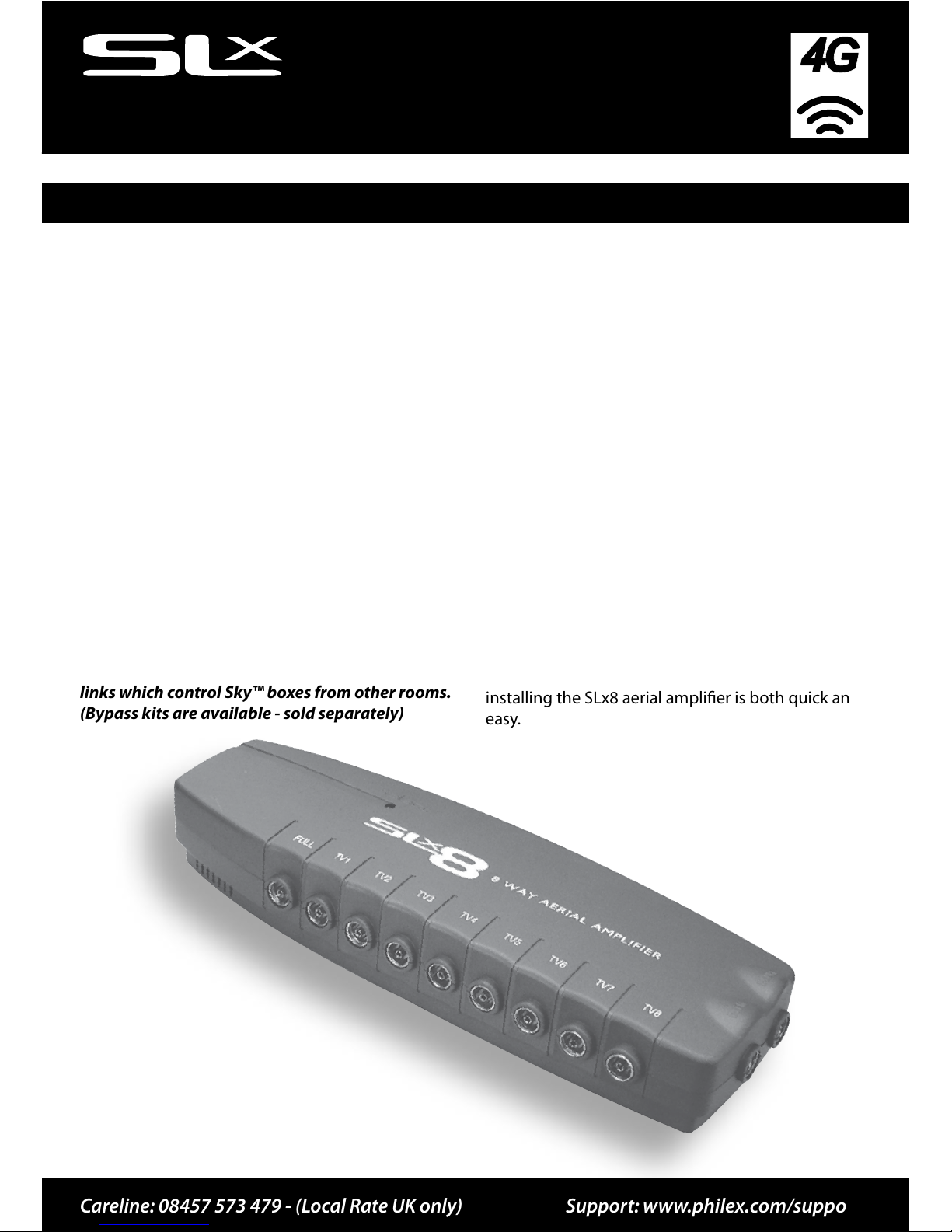
8 Way Aerial Amplier
USER GUIDE
27824RG
Ready
Introduction
Special features include:
•
4G Ready - built-in lter removes interference and
channel loss caused by 4G mobile phone signals
•
Dedicated inputs for UHF and FM/DAB
•
Side mounted terminals provide easy cable management
•
Full output socket and line powering
Careline: 08457 573 479 - (Local Rate UK only) Support:
www.philex.com/support
The SLx range of aerial amplifiers from Philex is
designed to improve picture and sound quality by
amplifying weak UHF, VHF and FM/DAB radio signals
and distributing the signal to multiple locations
around the home. The SLx8 can also be used to
distribute Digital Television and Sky™/ Sky+™
signals around the home.
Please Note: To view output from the satellite RF2
output you will need a TV with an analogue tuner.
The SLx8 is not equipped with a digital bypass
and is not compatible with infra red extenders/
links which control Sky™ boxes from other rooms.
(Bypass kits are available - sold separately)
The SLx8 also features a full output socket which
carries a signal of the same strength as your aerial
downlead. This allows the FULL output of the SLx8
to the input of another amplifier.
Designed with style, sophistication and value in
mind, the SLx range is the preferred choice for both
the professional aerial installer and the home user
wanting to get the very best performance from their
AV equipment.
With full instructions and wall mounting template,
installing the SLx8 aerial amplifier is both quick and
easy.
Page 2
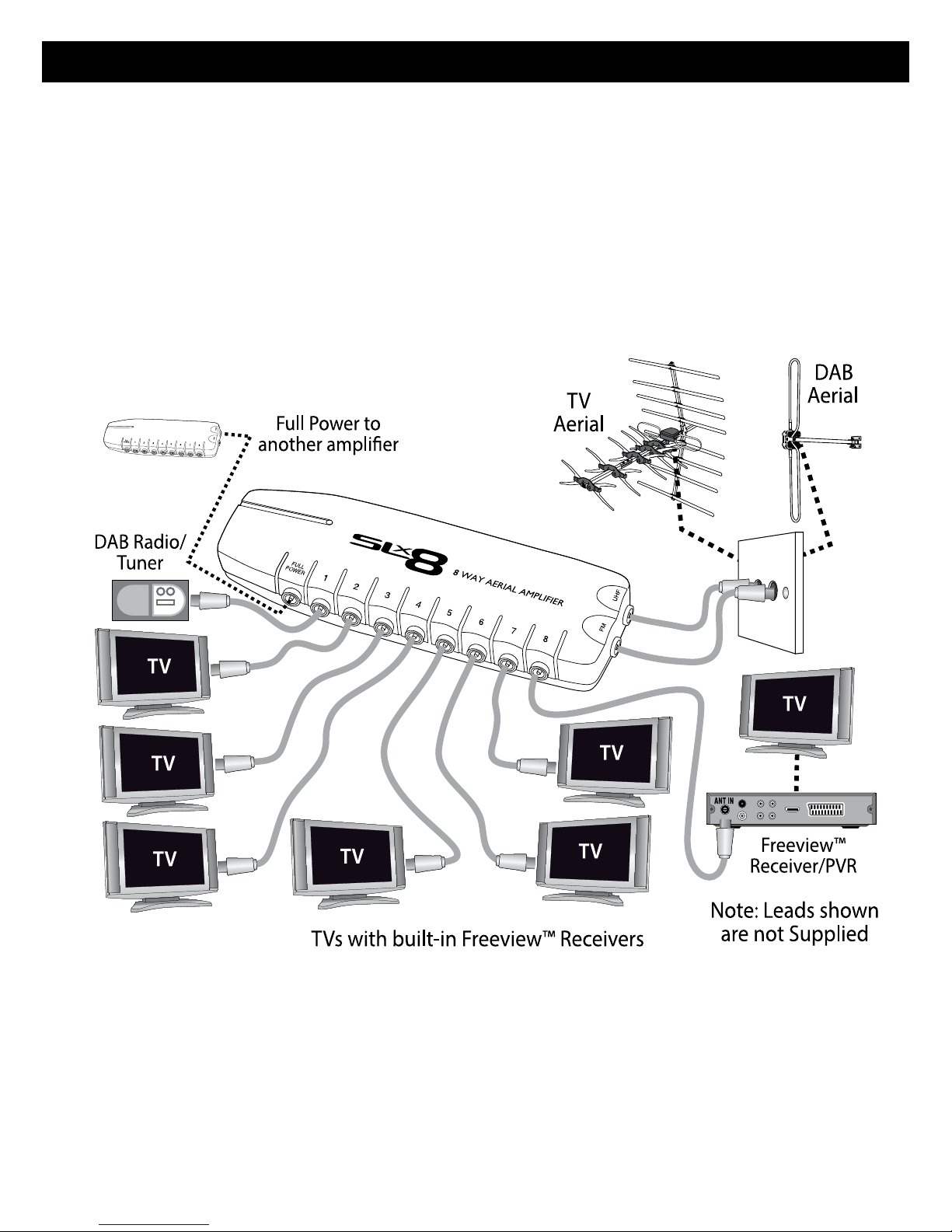
Installing your amplier
Aerial signal distribution
1. Connect your UHF aerial downlead to the IN
UHF socket and connect your FM/DAB aerial
downlead (if applicable) to the IN FM socket on
the amplifier.
2. Connect your TVs and FM tuners to any of the
SLx8 TV sockets in any combination.
If your TV does not have a built-in Freeview™
receiver you will need to connect your TV to the
amplifier via a Freeview™ set top box.
Page 3

Installing your amplier
Line Powering
The SLx8 has built-in full line powering which can
be used to provide power to masthead amplifiers.
When connected to a masthead amplifier, the SLx8
will send the required power out of the IN UHF
socket up to the masthead amplifier (up to 25mA).
Please see your masthead amplifier operating
instructions for more details.
It is important to ensure that there is no equipment
between the IN UHF socket and the masthead
amplifier output socket in order to provide a noninterrupted 12V power supply to the masthead
amplifier. When connected after any equipment, the
amplifier will automatically detect that no masthead
amplifier is present and so will not output 12V.
Full output socket
The SLx8 is equipped with a FULL output socket,
which carries a signal of the same strength as your
aerial downlead. If you wish to connect further
televisions in your home you can connect another
aerial amplifier by connecting an aerial fly-lead from
the FULL output of the SLx8 to the input of another
amplifier.
If you are not using the FULL output socket it is
important that this output is terminated using the
supplied terminator. Failure to do this can result in
poor system performance.
Short circuit protection
For added safety the SLx8 has built-in short circuit
protection. Should a short circuit be detected, the
amplifier will only shut down the amplifier in order
to prevent any possible damage. Should this occur,
all outputs will be switched off but the power LED
will remain lit.
To reset the system following a short circuit,
simply remove all outputs and inputs, switch off
the amplifier and remove the power cable from
its socket for approx 30 seconds. You should then
reconnect the amplifier outputs one by one until
you can find which output is causing the short
circuit.
Page 4
If you experience problems setting up your
amplier, please call the Philex Customer Care Line:
08457 573 479 - (Local Rate UK only).
Alternatively, please visit our technical website at
www.philex.com/support
Waste electrical and electronic
products should not be disposed of
with household waste. Please recycle
where facilities exist. Check with your
Local Authority for recycling advice.
If you are experience reception problems after
installing the SLx8, please see below:
No picture or sound
No signal is reaching your television due to a
possible break in the aerial signal path. Ensure that
all equipment has been switched on (including the
SLx8 amplier) and that all coaxial connectors have
been tted correctly.
Problems with Digital TV Reception
Unlike analogue terrestrial television, it is not
possible to view DTT channel under weak signal
strength conditions. Therefore, typically you will
either receive DTT channels with a clear picture and
sound or you will not receive any channels at all.
A weak digital signal can cause occasional blocking,
freezing or complete loss of picture. Ensure that your
aerial is a wideband, high gain aerial suitable for
DTT reception. Blocking, freezing or complete loss of
picture can also occur when the signal is too strong.
If the signal is still too strong, t a signal attenuator
between the aerial downlead and DTT receiver to
reduce the signal strength.
For specic help with digital TV reception problems,
visit www.dtg.org.uk
Problems with satellite television
If you are experiencing any problems with your
satellite television picture, check that all cables
and connectors have been tted correctly. If the
problem persists it is probably due to the dish
alignment or a temporary problem with the channel
transmissions. Please contact your local satellite
dealer if the problem persists.
Technical Support
Troubleshooting
Inputs Outputs UHF Freq. VHF Freq. Max output Gain per port
(VHF) UHF
Full
Gain
Noise Isolation
Loss
Weight Dim. mm
2 8+1 470-790MHz 30-300MHz 83dBµV (10dB) 12dB 18dB ≤4dB 23dB 726g 260 x 90 x 46
Specications
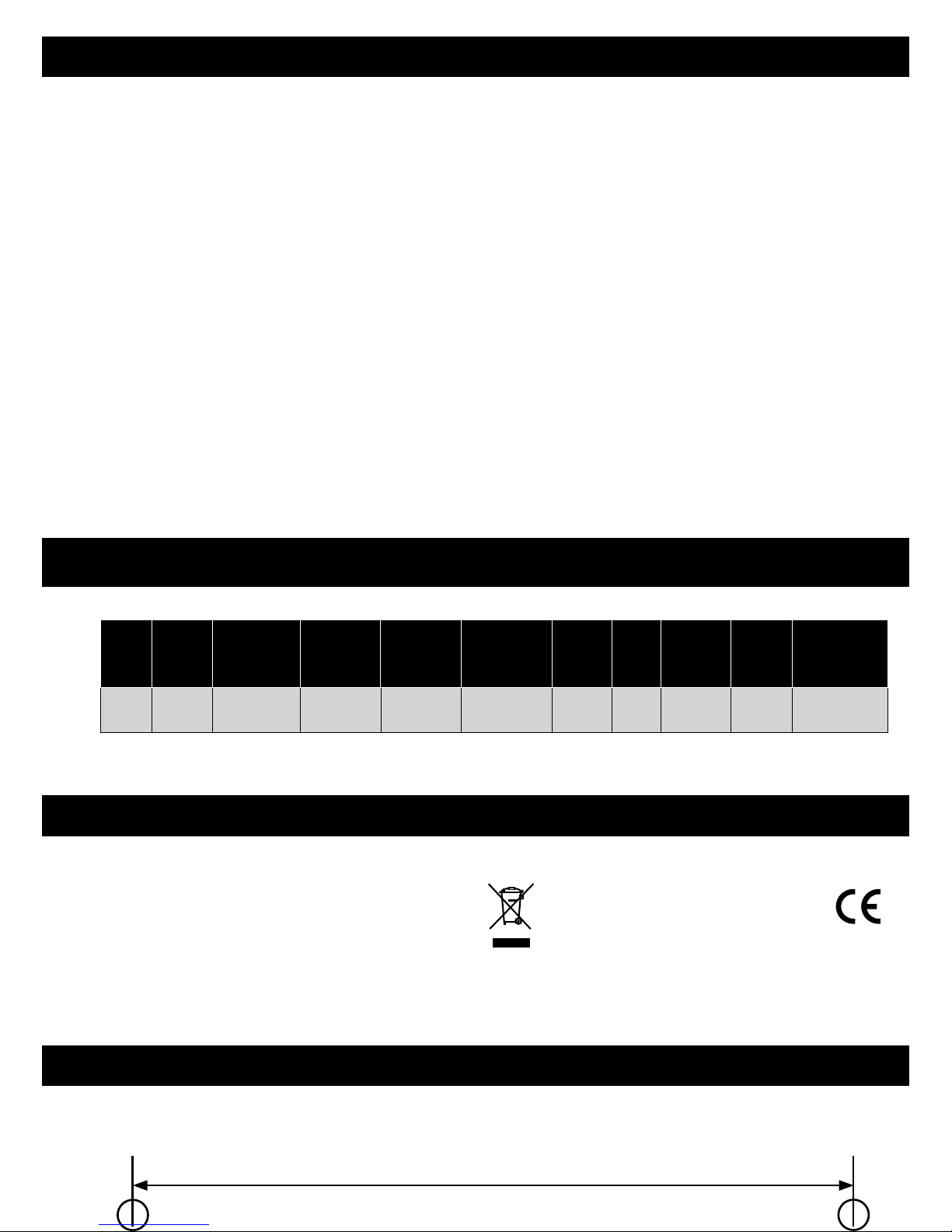
Wall Mounting Drilling Template
© Philex Electronic Ltd 2013. v1 www.philex.com
Prepare holes 123 mm apart for wall mounting
 Loading...