

Page 1
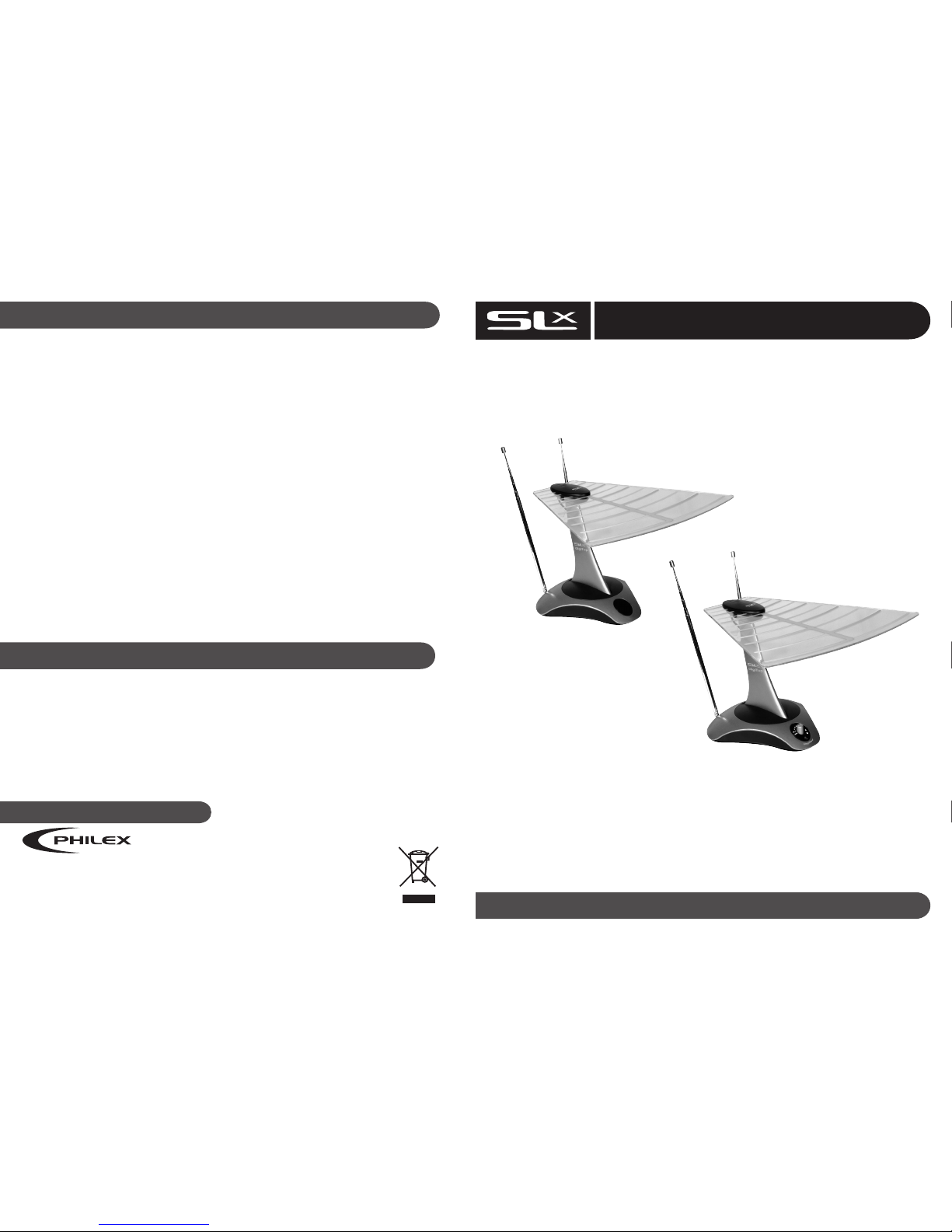
DigiTop Indoor Aerial
USER GUIDE
Introduction
Philex Customer Careline:
0901 293 0038
Web Site: http://technical.philex.com Email: [email protected]
27768R - Unamplified
27769R - Amplified
27770R - Amplified
Troubleshooting
For further information or any queries please contact
Customer Careline: 0901 293 0038
Calls are charged at £1 per minute from a BT landline.
Call charges from other networks may vary
Technical Support: http://technical.philex.com
Customer Care Line
Waste electrical products should not
be disposed of with household waste.
Please recycle where facilities exist.
Check with your Local Authority for
recycling advice.
•
High quality free standing aerial
•
Ideal for receiving strong digital and analogue TV signals
•
Rotating UHF elements for easy alignment
•
Adjustable VHF antenna rods
•
Ideal for FM/DAB reception on Hi-Fi systems
DIGITAL T V
Problems with DTT (Digital Terrestrial TV)
Unlike analogue terrestrial television, it is not
possible to view DTT channel under weak
signal strength conditions. Therefore, typically
you will either receive DTT channels with a
clear picture and sound or you will not receive
any channels at all. Sometimes, an insufficient
digital signal can cause occasional blocking,
freezing or complete loss of picture.
Try the following to improve the picture:
1. Tilt and rotate aerial.
2. Adjust Gain control.
3. Position aerial at greater or lesser distance
from TV until optimum signal is received.
4. Check the mains adaptor connection.
Blocking, freezing or complete loss of picture
can also occur when a digital signal is too
strong. Adjust Gain control to obtain best
picture result.
ANALOGUE TV
Poor Signal Strength (analogue)
If the picture suffers from snowy, grainy signal
try the following to improve the picture:
1. Tilt and rotate aerial UHF blade to obtain
best picture result
2. Adjust Gain control to obtain best
picture result.
3. Position aerial at greater or lesser distance
from TV until optimum signal is received.
4. Check the mains adaptor connection.
Safety precautions
• To prevent fire or shock hazard, do not
expose this device to rain or moisture.
• This product is for indoor use only.
• Do not expose the product to extreme heat
• Do not use the product close to water.
• Do not open aerial or power adaptor, there
are no user serviceable parts.
• This device should be operated using only
the power supply included with it.
• Do not overload wall outlets and extension
sockets as this can cause fires or
electrical shocks.
Care
To clean wipe gently with a soft non- abrasive
cloth. The cloth can be slightly moistened with
a diluted mild detergent solution providing the
aerial is rst switched o and disconnected from
the power supply.
© Philex Electronic Ltd. 2010. V1.2
Page 2
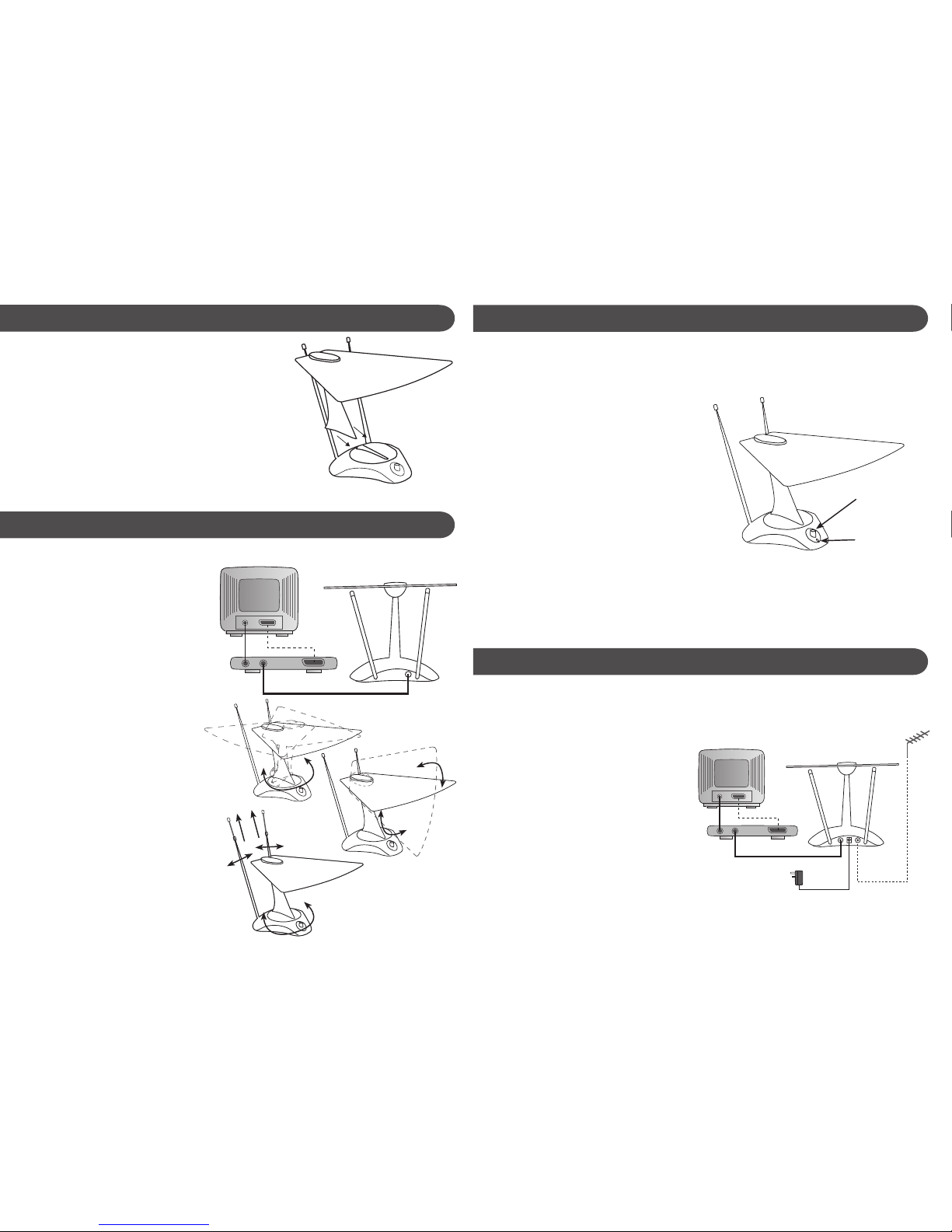
NOTE: For Digital Signals, this aerial should be
used in strong signal areas only.
1. For analogue reception or if your TV has
a built-in digital tuner, connect your
aerial to the RF input on your TV using
the coax cable supplied.
2. If you have a separate digital set top box
connect your aerial to the RF input on
your set-top box. Connect a 2nd coax
cable (not supplied) from the RF output
on your set-top box to the aerial input on
your television. Alternatively, connect a
SCART cable (not supplied) from the
SCART output on your set-top box to
your television (see Fig. 1).
3. To tune analogue and digital TV signals
reception rotate and tilt the UHF blade
antenna to obtain best reception
(see Fig. 2 and Fig. 3).
4. For VHF signals fully extend telescopic VHF
antenna rods. Then adjust antenna angle and
rotate the whole aerial to obtain the best
VHF/FM/DAB signal (see Fig.4).
Assembly
1. To assemble your SLx digiTop aerial simply slide the
column supporting the UHF antenna blade into the
slots in the base until it clicks into position -
as shown opposite
Installation for unamplified aerial - 27768R
1. For analogue reception or if your TV has
a built-in digital tuner, connect your
aerial to the RF input on your TV using
the coax cable supplied.
2. If you have a separate digital set top box
connect your aerial to the RF input on
your set-top box. Connect a 2nd coax
cable (not supplied) from the RF output
on your set-top box to the aerial input on
your television. Alternatively, connect a
SCART cable (not supplied) from the
SCART output on your set-top box to
your television (see Fig. 6).
3. Connect the jack plug from the power
adaptor supplied to the power socket on
the aerial, plug the power adaptor into the
mains and set the gain control at halfway.
4. Follow steps 3-4 opposite to obtain the
best picture. If you are unable to obtain a
good picture adjust the gain to a higher
or lower setting and try tuning again
The RF IN coaxial socket on the back of
the aerial (See Fig. 6) allows an alternative
video source, such as an outdoor aerial,
cable TV, a video game, or satellite receiver
to be connected to your TV via the aerial.
This saves you having to keep connecting an
disconnecting the coaxial cable running to
your TV and also saves wear and tear on the
TV coaxial socket.
To select the signal from the aerial, switch
on the gain control. The green power LED
on the front of the aerial will light up,
while this LED is lit the signal sent to your
TV will be from the indoor aerial (see Fig. 5).
To switch to an alternative RF source
connected via the RF IN coaxial socket
simply switch off the gain control
(power LED is not lit).
Fig. 1
Fig. 2
Fig. 3
Fig. 4
ANT IN
COAX CABLE
TV
OUT RF IN
SCART
- OR -
SET-TOP BOX
COAX CABLE
(not supplied)
SCART CABLE
(not supplied)
Installation for amplified aerial - 27769R/27770R
Connecting an alternative RF source - 27769R/27770R
Adjustable
gain control
Green LED
Fig. 5
ANT IN
COAX CABLE
TV
OUTDOOR
ANTENNA
DOWNLEAD
OUT RF IN
SCART
- OR -
SET-TOP BOX
COAX CABLE
(not supplied)
SCART CABLE
(not supplied)
TV-OUT RF-IN
MAINS
ADAPTOR
OPTIONAL
CONNECTION
AMPLIFIED
AERIAL ONLY
AMPLIFIED
AERIAL ONLY
Fig. 6
 Loading...