

Page 1
Energy Comfort Kit Solar
Side: Small Solar Home System and Portable Power supply
User Manual
Solar Side is a highly integrated 12V DC Solar Power storage device
with plug and play functionality, advanced user interface and built
in charger, containing all battery protection features for
maintaining longest life time of the high quality LiFePO4 Battery.
Easy to use Plug and Play connections.
Please read all the instructions completely and carefully before
installation!
About this manual, liability exclusion:
This manual is content of the product and describes in detail the use of the product. The supplier will not take over any liability
for damage caused by use other than the intended use or as mentioned in this manual. The supplier shall not be liable for any
damage or accident caused by improper installation or any service/ repair carried out by non-authorized or non-trained persons.
Safety: Be aware of the high amount of Energy of the battery! Any short circuit and mechanical damage of
the battery or the product may cause overheating or sparks. Do not use the product or the
integrated battery if there is any mechanical damage. Disconnect the battery from Electronic and
keep the battery away from any fire and sparks. Never open the battery or short-circuit the battery
terminals as there is risk of overheating, sparks and fire!
The product and its accessories may only be used according to their specification. Solar Panel and load accessories may only be
applied according to the systems specification with the voltage limit as defined. Follow the national regulations for safety and
accident prevention. Do not use the product and its accessories in presence of solvents or inflammable gases and vapors. Do
not operate the produce if any functional disorder occurs or any wire or component or its electrical insulation is visibly
damaged. If this occurs remove the product immediately from its electrical power source. If any mechanical structure is
damaged make sure the product is repaired immediately or removed to avoid any accident.
Function:
Solar Side has integrated Lithium Battery (LiFePO4 technology). The integrated Charge controller takes care for optimized
charging of the battery and all the required protection features for long life time of battery. All connections are designed for
Plug and Play operation. Several Solar Side products can be charged by connecting to one Solar Panel. Do not connect Load
outputs of several Solar Side Systems to each other. This can damage the product.
ATTENTION: The controller is turned off for best possible energy saving during shipment and storage. For
activation of the product please connect to its solar panel, if there is charging current the System will start
automatically. Please notice, also if the Battery is empty and not recharged in time, the Controller will turn off
for energy saving propose. In this case the Display will show no symbols. Please restart the system by
connecting Solar Panel for recharging the battery.
Connection:
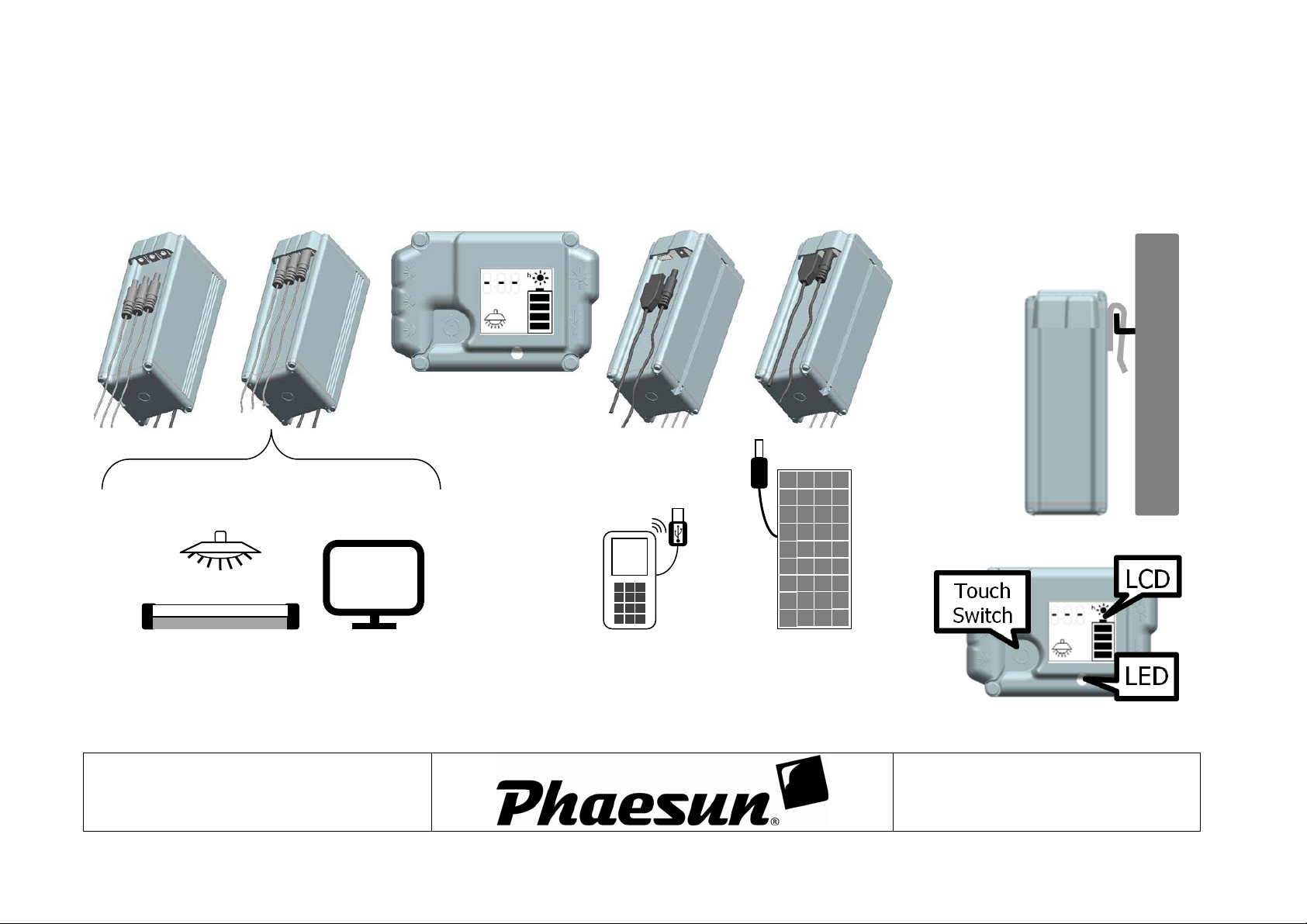
Do the connection according the assembly instruction. Connect loads, solar panels and USB devices according the specification
and the manual.
Solar Side 4 Solar Side 7
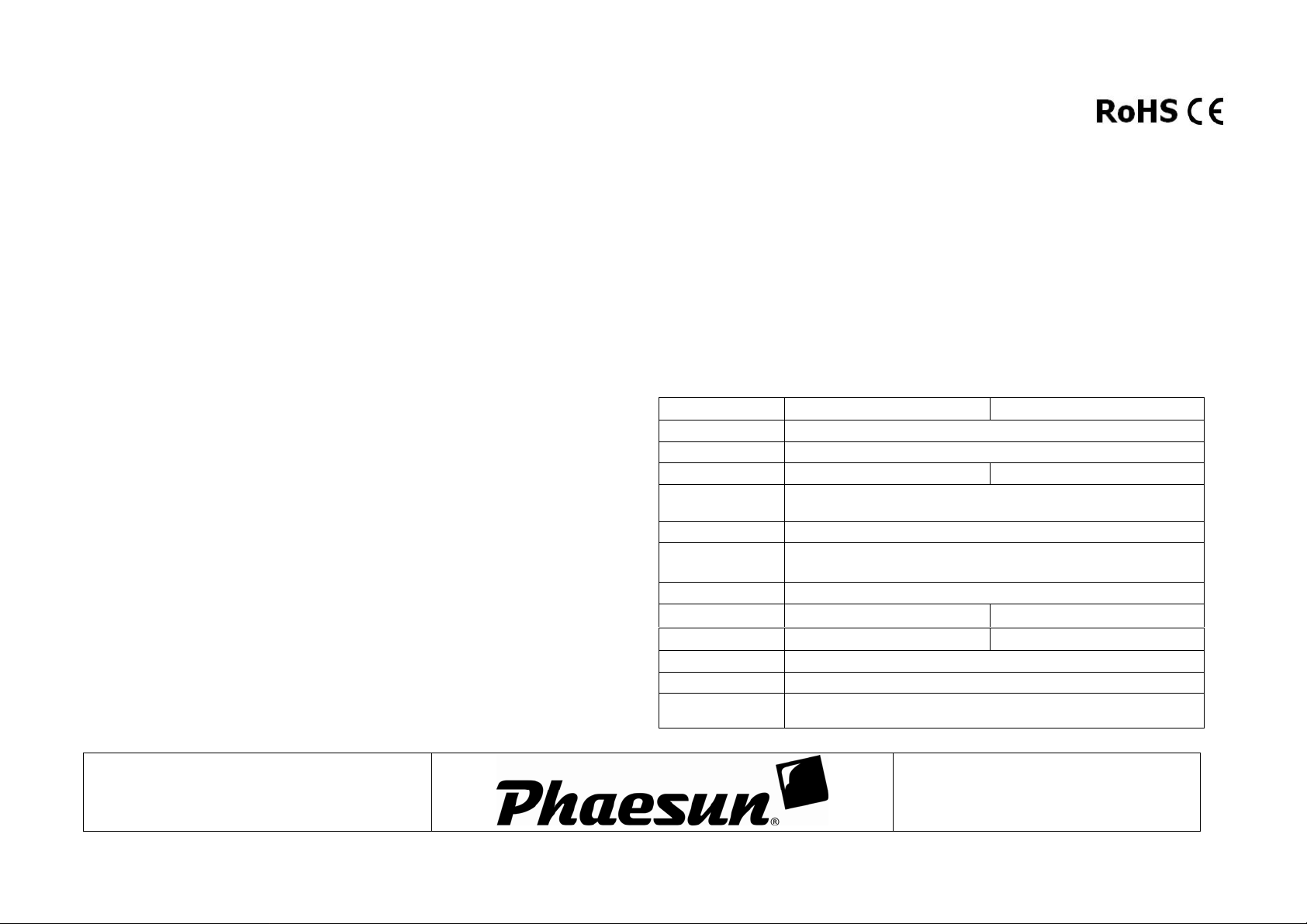
Nominal Voltage: 12.8V
Battery type: LiFePO4
Battery capacity: 4000mAh/51Wh 7000mAh/89Wh
Charging current: 1.5A (max. 20W) - Solar Panel: Max 25Voc, no power limit,
several LS can be connected to one panel for charging
Load current: 5A
Working
temperature:
-20 … +50°C
USB outlet: 5V/1.5A
Size: 158x85x65mm
Weight: 680g
224x85x65mm
1030g
Protection: IP63: Battery + Electronic / IP22: Connectors
Display: LCD + LED
Connector types: Panel: 1 Barrel (5.5/2.5mm) - Load: 3 Barrel (4.75/1.7mm) -
USB: USB-A
Solar Side user manual and assembly instruction
Version: User Manual-Solar-Side-2014-06-13.Docx
1/3
Subject to change without notice
Page 2
pp
Connecting Solar Side:
Connect 12V Loads (Lamps, TV …)
USB charging Terminal
Load (Mobile Phone …)
Solar Panel
Voc max 25V
Vm
min 16V
Wall Assembly:
T V
Solar Side user manual and assembly instruction
256323
User Interface:
Version: User Manual-Solar-Side-2014-06-13.Docx
2/3
Subject to change without notice
Page 3
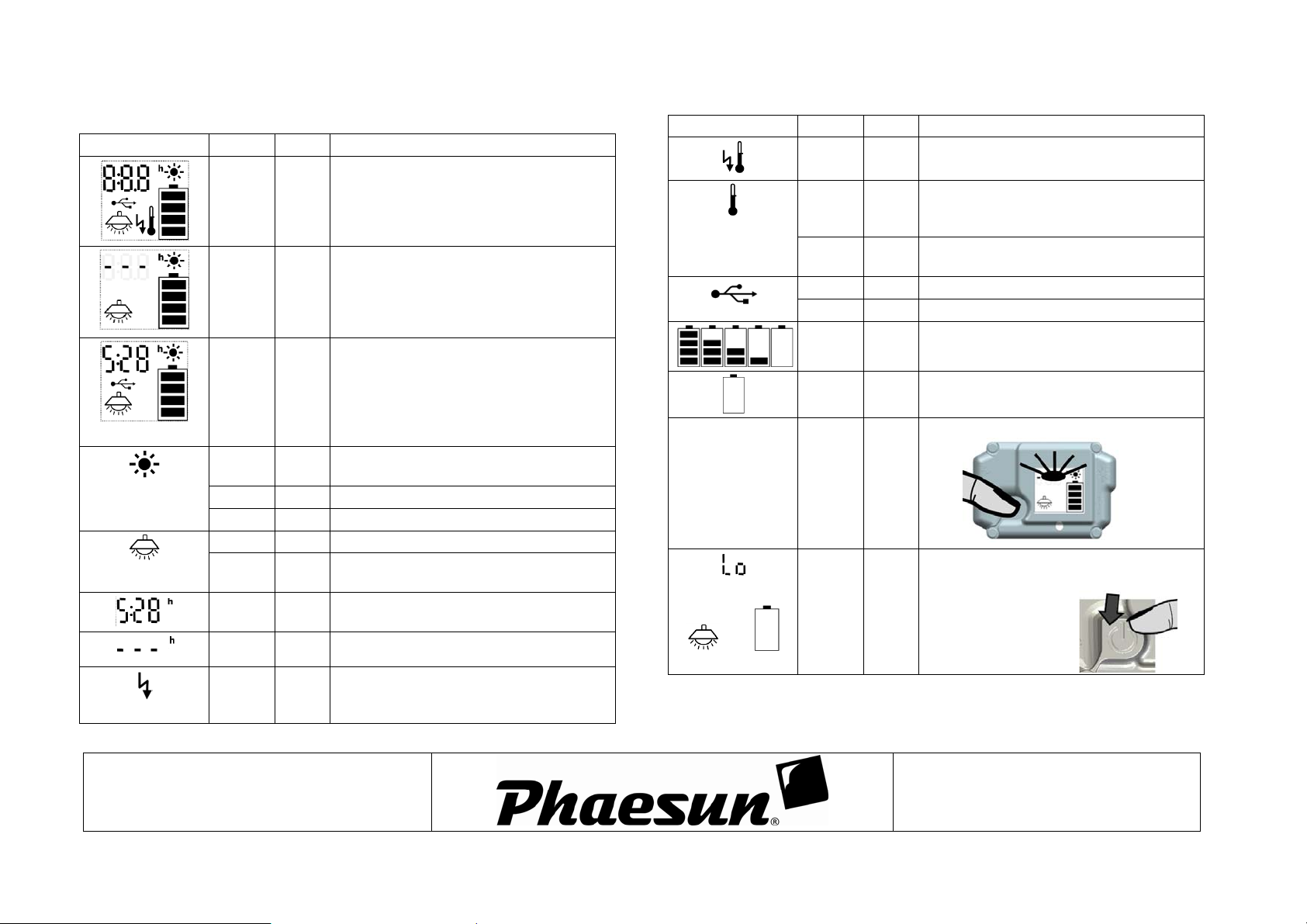
User Interface:
LCD: Status: LED: Description:
All Symbols
Normal operation:
• Sun symbol flashing Æ Solar Panel is
charging the battery
• --- h Æ no load connected
Normal operation with load connected:
Flash Solar Panel charging
ON Solar Panel c harging, Battery fully charged
OFF No panel, no cha r ging
ON Load output ON
OFF Load output turn OFF
Load connected, remaining load operation time
No load connected
ON
• No USB load connected
• Sun symbol flashing Æ Solar Panel is
charging the battery
• 5:28 h Æ the load can be operated for
approximately additional 5:28 hours
• USB load connected
Battery empty
5hours 28min
Load overcurrent Æ Load output turn off
Auto-Reconnect after one minute
Battery voltage too high Æ System failure
Backlight
LCD: Status: LED: Description:
Over temperature Æ Load output turn off
range (>65 or <-20)
• Electronic over temperature protection
range (reduced charging current)
>75%; >50%; >25%; >0%; 0%
button
Load output turn off, battery low state of
charge, can operate small loads for some time
after push ON button
+
ON
ON • No charging, battery temperature out of
Flash Battery temperature in low charging current
ON USB load connected
OFF No USB load connected, output turn off
Battery State of Charge:
Flash Flash Battery low State of charge
Turn on Backlight by pushing “ON”
ON
Flash
Solar Side user manual and assembly instruction
Version: User Manual-Solar-Side-2014-06-13.Docx
3/3
Subject to change without notice
 Loading...