

Page 1
USER MANUAL
Page 2

TABLE OF CONTENTS
GETTING STARTED ...................................................... 4
KNOB AND SWITCH IDENTIFICATION ......................6
JACK IDENTIFICATION ................................................ 8
TONE SHAPING .........................................................10
PRESET MODE 1: PREAMP AND CLEAN BOOST ..... 12
PRESET MODE 2: CLEAN PREAMP
OR BOOST WITH SMOOTH SATURATION ..............14
PRESET MODE 3: TOUCH
SENSITIVE OVERDRIVE .............................................16
PRESET MODE 4: HARMONIC DRIVE
PREAMP AND BOOST ...............................................18
There are no user serviceable parts inside the PreDrive. Opening the
pedal could cause accident damage that Pettyjohn Electronics is not
liable for.
Disclaimer: Your PreDrive is hand painted in an authentic Patina
nish. The exposed metal is lightly ash oxidized before clear
coating. We have taken every possible step to ensure a long lasting
nish but over time this active rust could continue to grow, which will
add even more authentic vibe to your pedal.
In the interest of always bettering our products and service Pettyjohn
Electronics reserves the right to alter any features or written material
without notice.
Page 3
4 | PREDRIVE USER MANUAL
PETTYJOHNELECTRONICS.COM
GETTING STARTED
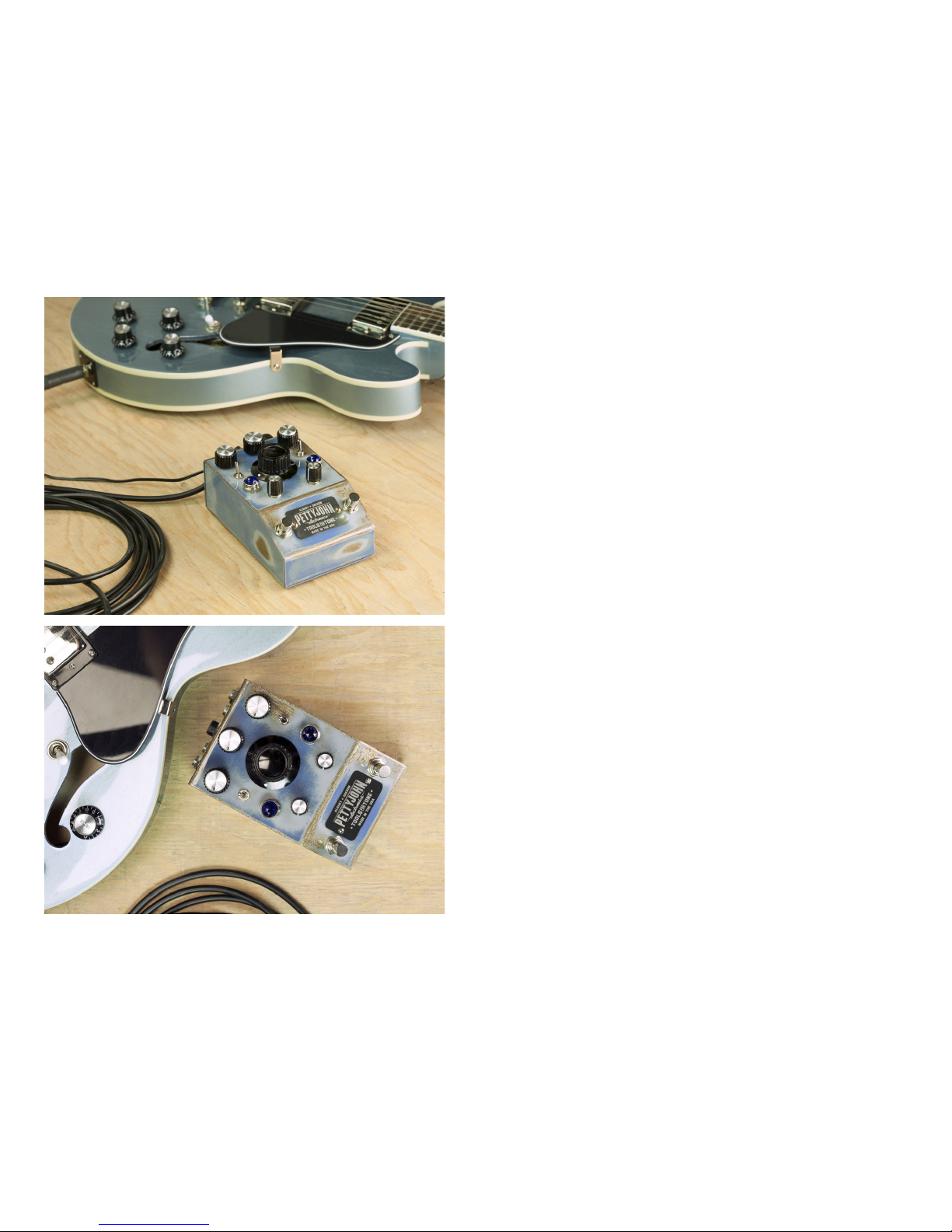
Congratulations on becoming the owner of an
Pettyjohn PreDrive! We sincerely hope this pedal
inspires you to play your guitar more and gives
you years of solid performance. The PreDrive is
the FIRST pedal to utilize ultra high-quality discrete
opamps and is built with the highest quality studio-grade components throughout making it a truly
professional tool for tone shaping. The PreDrive has
many features and we highly recommend taking the
time to go through this manual thoroughly when
you rst plug it in.
The PreDrive is designed to be the rst pedal in
your chain. We recommend starting with the PreDrive set up in this location to get most value out of
the high quality circuitry and features designed spe-
cically for this usage. The PreDrive is our agship
preamp pedal and serves as an un-paralleled studio
grade input buer, preamp, clean boost, unique
tone lters, signal splitter, direct/re-amp box, and
even an incredibly open and responsive low gain
overdrive! The tonal qualities of the PreDrive range
from pristinely clean to full-on mojo as you push
the premium analog circuitry to its limits. We have
compelled 4 basic presets that will greatly assist you
in understanding what this pedal can do and serve
as a starting place for getting inspiring tone!
Page 4
6 | PREDRIVE USER MANUAL
PETTYJOHNELECTRONICS.COM
KNOB & SWITCH IDENTIFICATION
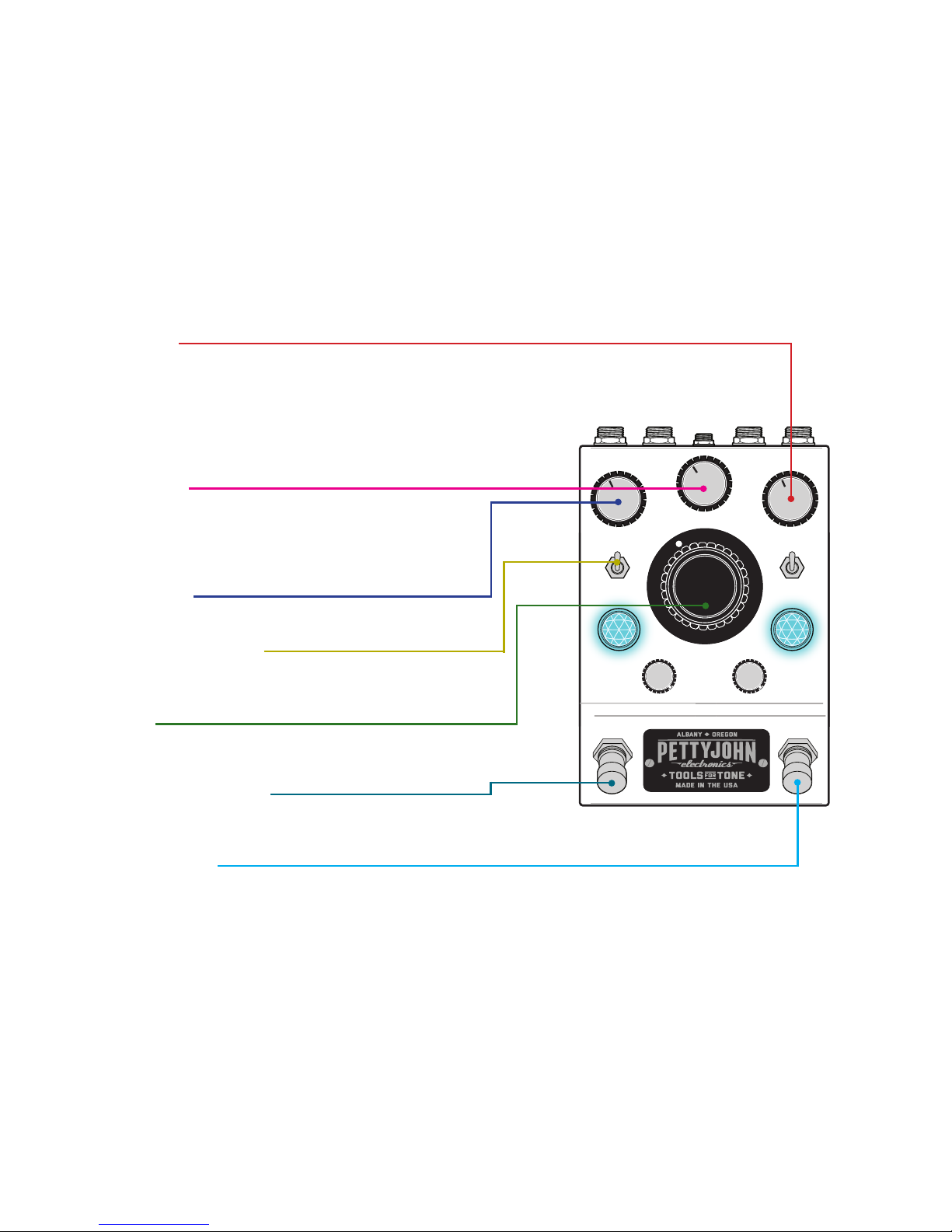
INPUT VOLUME:
This knob adjusts the preamp gain structure. At
minimum this stage is a buer as you increase the
gain the tonal characteristics will change as well. Most
people hear greater articulation, note separation,
harmonic detail and at higher settings even a smooth,
natural compression eect.
DRIVE MIX KNOB:
Active in drive mode, this knob mixes in clean signal with
the overdriven tone. With this knob at max the PreDrive is
a full on low gain overdrive pedal. Mix cleans back in a a
dynamic,harmonically rich tone.
OUTPUT VOLUME:
This knob backs o the output volume as needed.
HARMONIC DRIVE ON/OFF:
The up position is clean mode, switching down
engages drive mode.
BOOST GAIN:
This stage has a gain of 1 to 11dB and also exhibits some
sweet mojo at high settings.
BOOST ON/BYPASS SWITCH:
Engages or bypasses the boost mode, controlled by the
big boost knob.
PREAMP ON/BYPASS:
Engage the preamp stage or utilize the true
hard-wired bypass.
Page 5
8 | PREDRIVE USER MANUAL
PETTYJOHNELECTRONICS.COM
OUTPUT
INPUT
JACK IDENTIFICATION
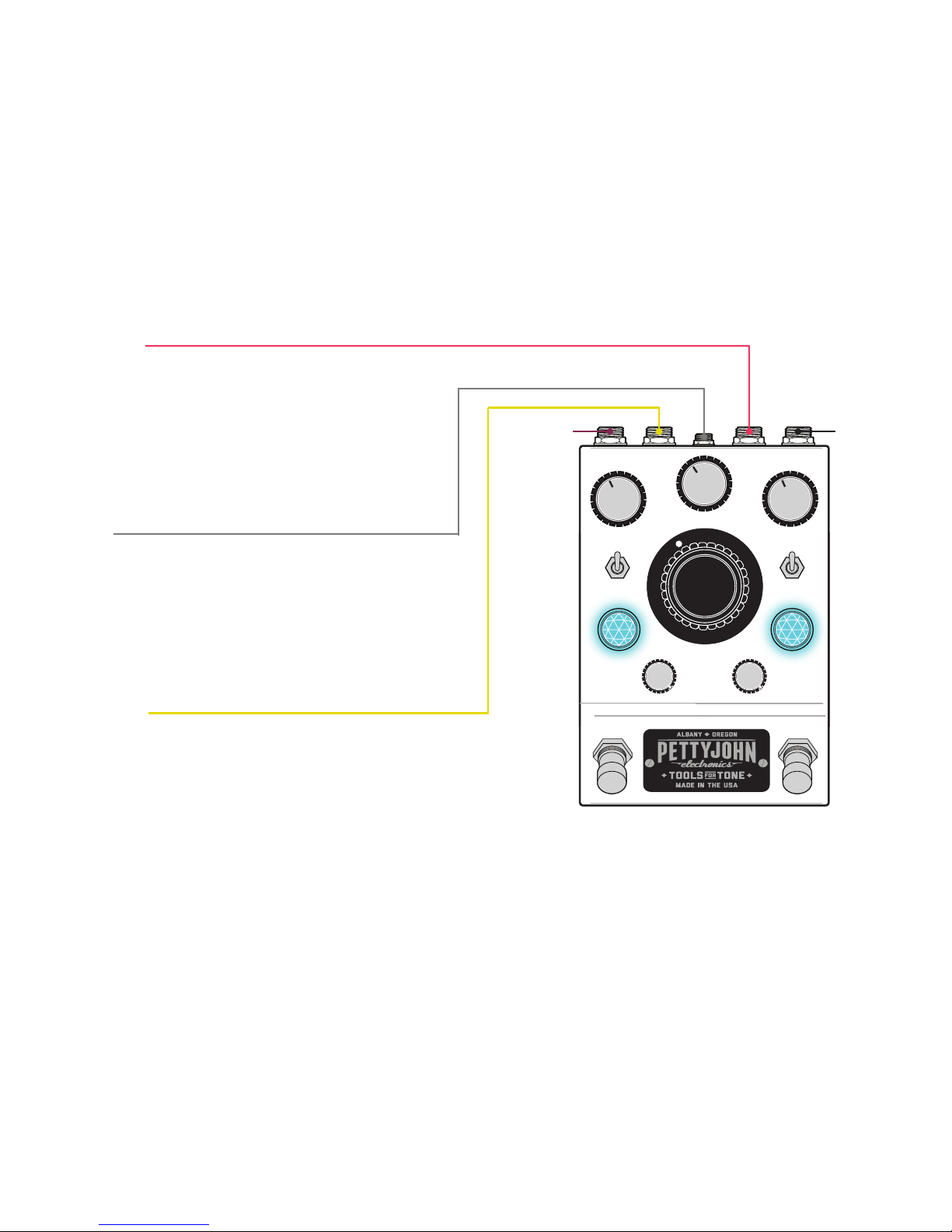
TUNER OUT:
This is a buered output taken after the preamp
stage perfect for connecting a parallel tuner. It also
serves as a way to access just the preamp stage of
the pedal and provides a proper buered signal
split for numerous creative routing options when
interfacing with other gear.
Note: The tuner output is taken after the preamp stage and preamp
must to be engaged to send signal.
POWER:
The PreDrive’s discrete opamps require a minimum
of 18V DC standard pedal power to operate, however, the PreDrive can run on any DC pedal power
supply between 18 and 32 volts with a CENTER TIP
NEGATIVE. The PreDrive is protected internally from
reverse wired power supplies and simply will not
turn on if one is used while remaining un-harmed.
DIRECT OUT:
This is a balanced output on a TRS 1/4 connection
via a transparent Edcor Transformer. The signal is
taken after the Preamp section and sends a very
pure signal ideal for recording, reamping in the
studio or as a simple but very clean direct box. The
direct signal is eected only by the Input gain knob,
the Low Cut knob and the Vari-Z switch.
Note: that the Preamp section must be on for this transformer
to send signal.
Page 6
10 | PREDRIVE USER MANUAL
PETTYJOHNELECTRONICS.COM
TONE SHAPING: EQ SECTION
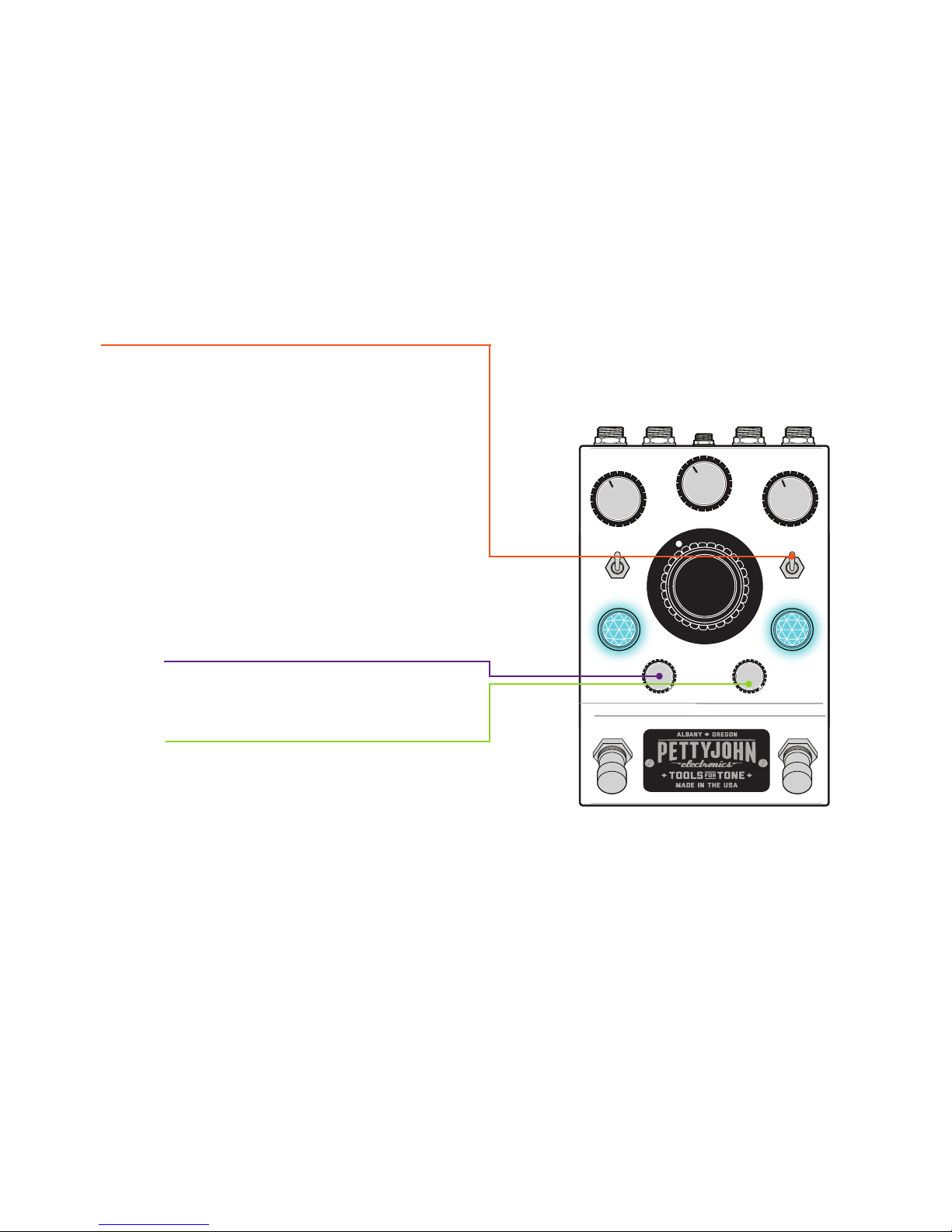
Vari-Z:
Possibly the most subtle tone shaping function on
the PreDrive, the Vari-Z switch adjusts the input
impedance of the preamp. In the up position,
the pedal is set to 1M ohm, which is the standard
input impedance of an amplier. In the downward
position, the input is dropped by half and replicates
many classic stomp box overdrive pedals. In
general, this will mostly eect the extreme highs
of the tone. Each pickup will respond dierently to
changing this switch but in general, humbuckers like
the higher impedance and single coils like the lower
impedance setting, which can help tame some of
the “zip” and “harshness” that some single coils
have when played hard.
Low Cut Knob:
Turn the Low Cut knob counter-clockwise to tighten
the bass response of the signal.
High Cut Knob:
Turn counterclockwise to reduce the highs in the
tone and reduce harsh tones.
Page 7
12 | PREDRIVE USER MANUAL
PETTYJOHNELECTRONICS.COM
PRESET MODE 1:
PREAMP AND CLEAN BOOST
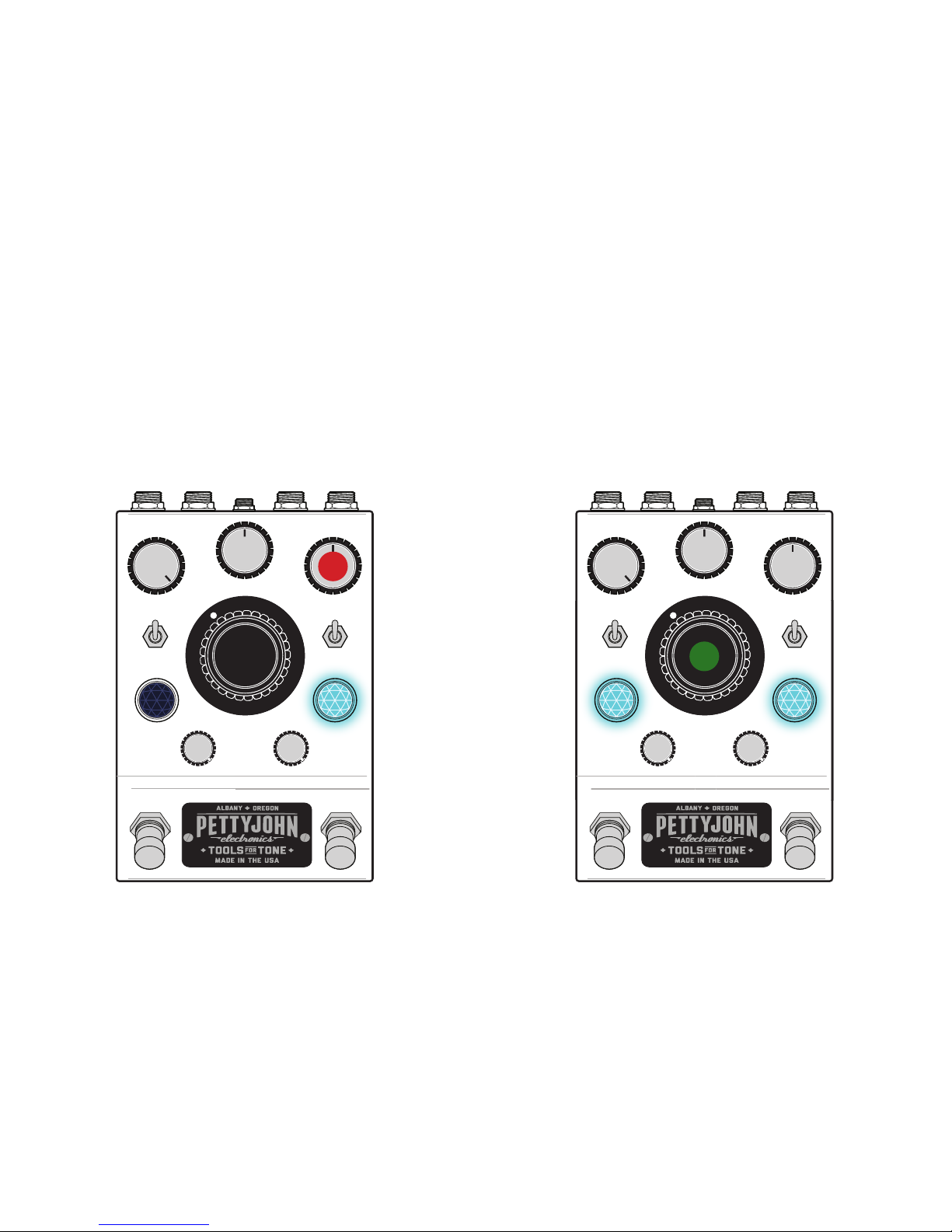
Mode: Clean, Harmonic Drive Switch Up
Function: Dual Pedal (Single Pedal: Leave boost
switch engaged and use bypass switch if desired)
1. Preamp Mode: INPUT VOLUME at 50%
1
2. Clean Boost: Range of Boost determined by the
BOOST GAIN top hat knob
2
Page 8
14 | PREDRIVE USER MANUAL
PETTYJOHNELECTRONICS.COM
PRESET MODE 2:
CLEAN PREAMP OR BOOST WITH
SMOOTH SATURATION
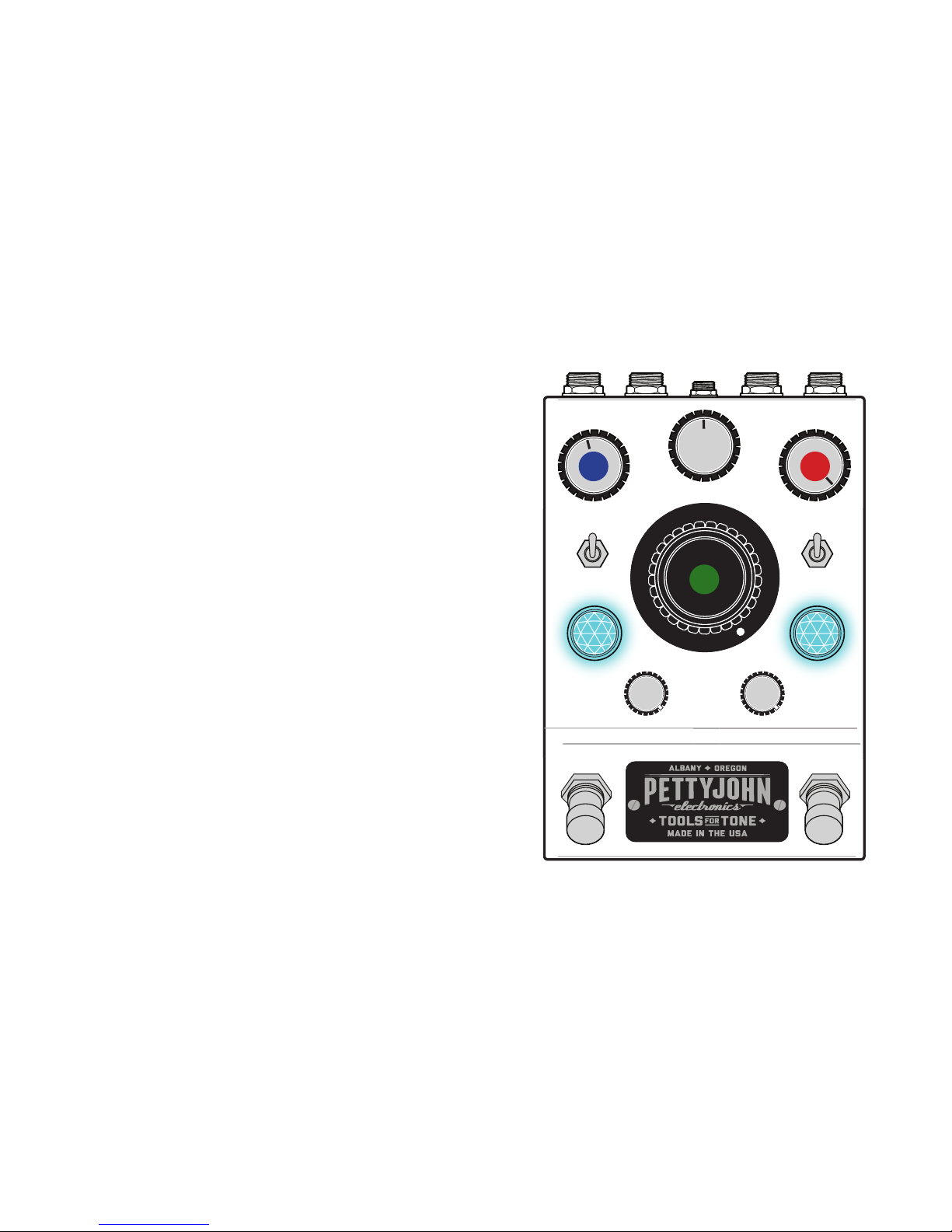
Mode: Clean, Harmonic Drive Switch Up
Function: Single Pedal (Dual Pedal: leave preamp/
bypass switch engaged and use the boost switch)
Great for a single preamp using both gain stages for
extra boost gain always on for a smoothly saturated, always on sound.
1. Max INPUT VOLUME
2. Max BOOST GAIN
3. Back down the OUTPUT VOLUME to taste
This gives a warmer, smoother clean tone with a
cranked tube amp-like saturation.
1
2
3
Page 9
16 | PREDRIVE USER MANUAL
PETTYJOHNELECTRONICS.COM
PRESET MODE 3:
TOUCH SENSITIVE OVERDRIVE
Gives a touch responsive, huge amp-like overdrive
that stays true to your guitars tone and cleans up
nicely with playing dynamics.
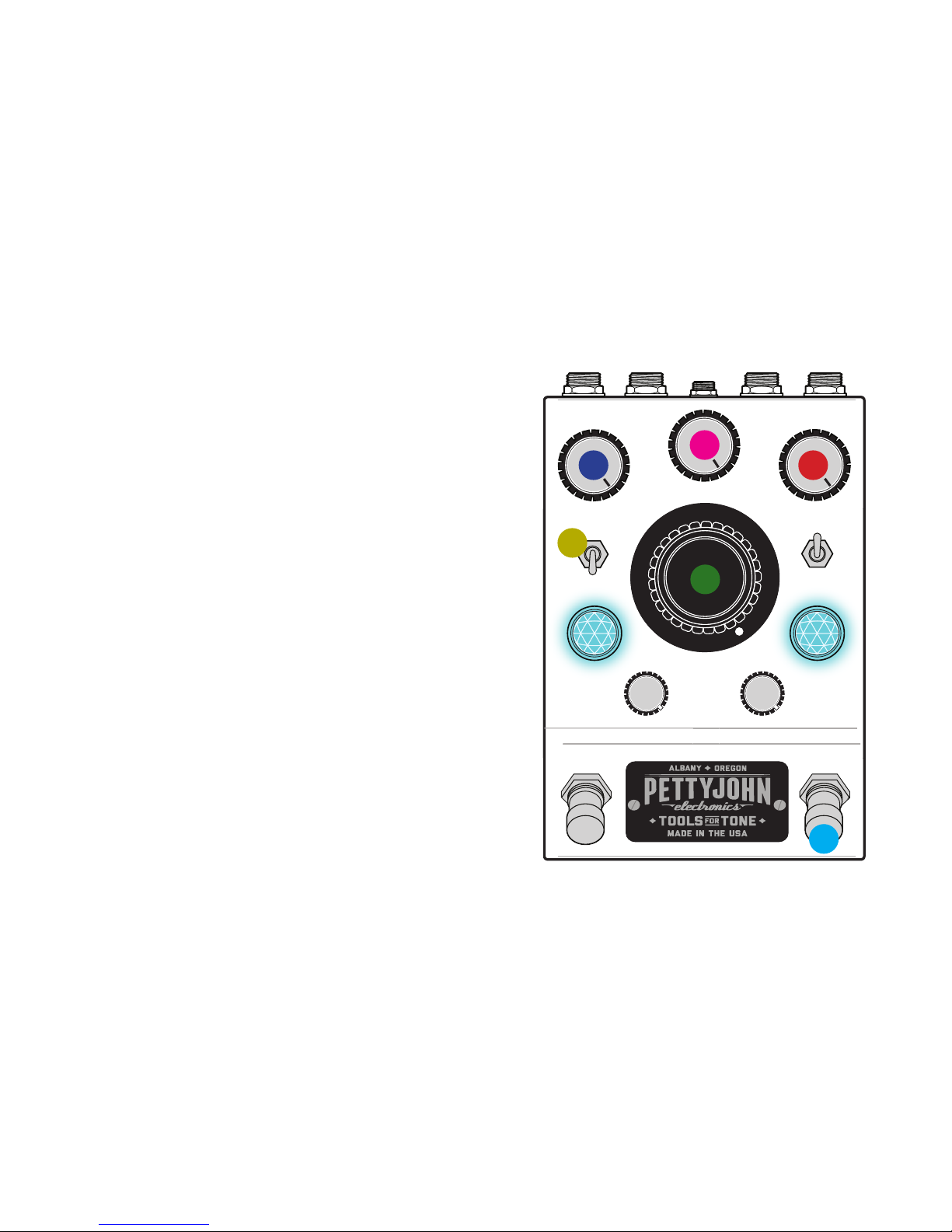
Mode: Drive, Harmonic Drive Switch Down
Function: Single Pedal: Boost Switch stays on, use
the bypass switch to engage and bypass the
overdrive pedal.
1. Put the pedal into drive mode via the
HARMONIC DRIVE ON/OFF mini toggle
2. Max out the INPUT VOLUME
3. Max out the BOOST GAIN
4. Max out the DRIVE MIX KNOB
5. Dial back OUTPUT VOLUME as needed
6. Use the BYPASS SWITCH to bypass or activate
the overdrive pedal while leaving the Boost on
1
5
4
2
3
6
Page 10
18 | PREDRIVE USER MANUAL
PETTYJOHNELECTRONICS.COM
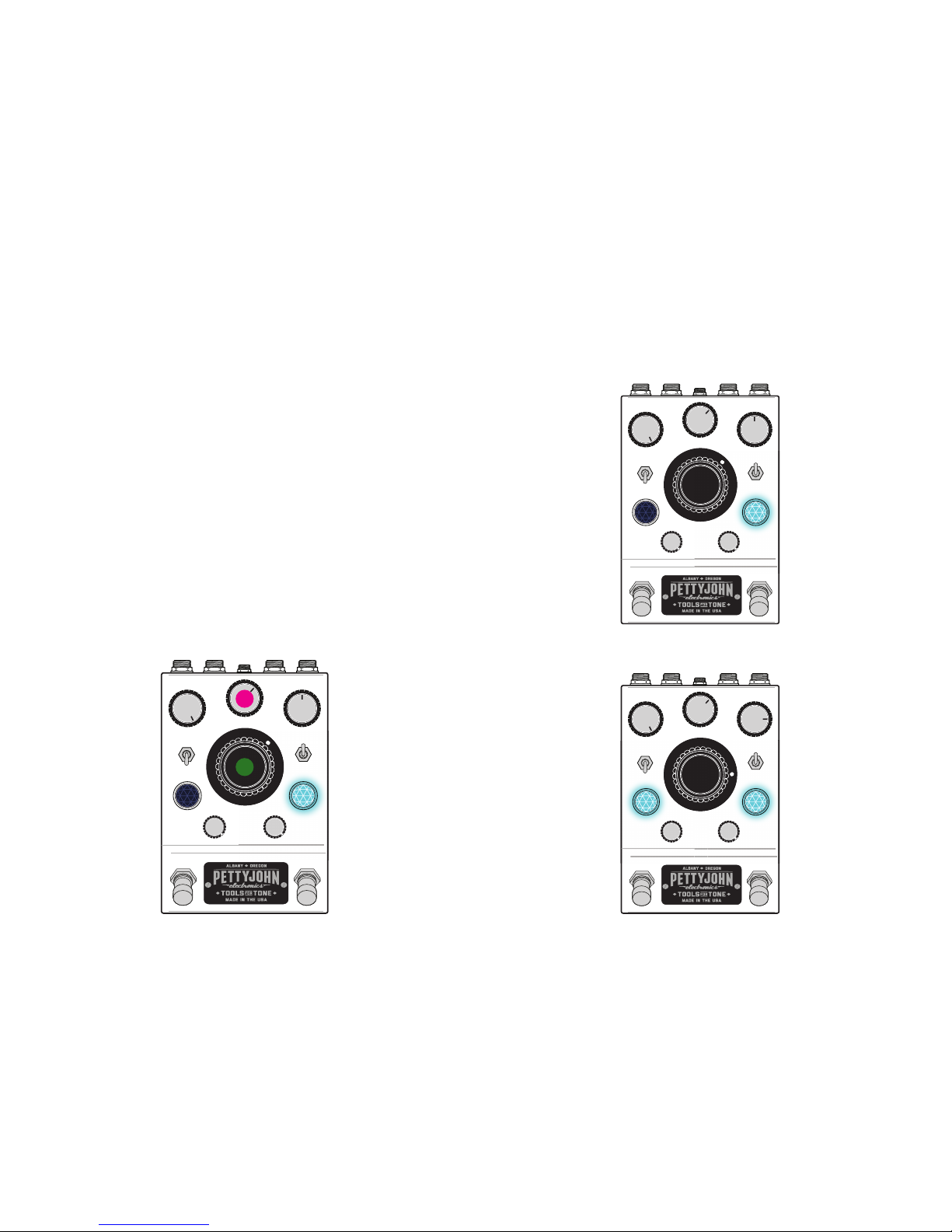
PRESET MODE 4:
HARMONIC DRIVE PREAMP
AND BOOST
This mode uses the Drive Mix knob to mix in the
clean tone with the overdrive circuit creating a
warm, harmonically rich preamp with the boost
adding overdrive and volume boost while retaining
all of the dynamics and nuances of your tone.
Mode: Drive
Function: Dual pedal
1. Use the DRIVE MIX KNOB to dial back in
some clean tone
2. Back o the BOOST GAIN 25%
1
2
Harmonically Rich Boost
Warm Preamp
3. Then toggle between warm preamp and
harmonically rich boost
Page 11

 Loading...