

Page 1
PETCUBE CAMERA
QUICK START
Follow these simple steps to set up your
Petcube Bites 2 treat cam and start playing:
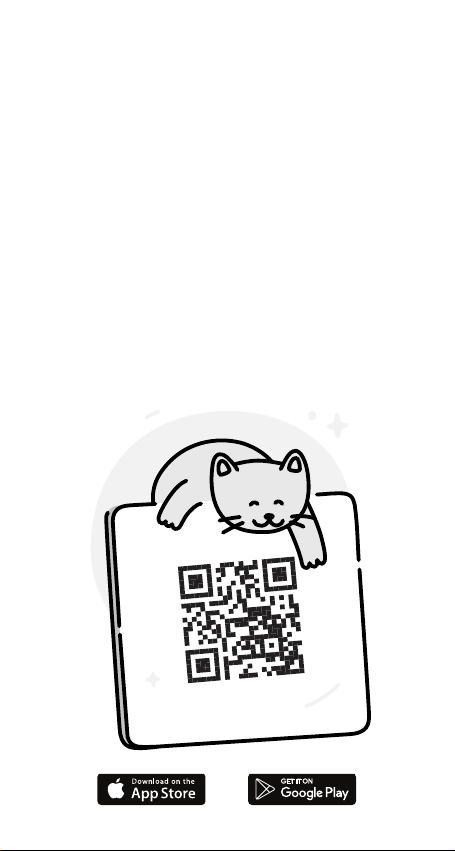
Search “Petcube” or use the QR-code
1.
Download the Petcube App to your smartphone
2.
and register your account.
3.
Plug in Petcube Bites 2 and connect to your home
Wi-Fi.
4.
Connect your Petcube Bites 2 in the app and start
flinging treats.
Page 2

PRODUCT INFO
Petcube user guide
The explanations provided in this guide are for informational
purposes only and may be modified. The latest version of this guide
can be found at petcube.com/user-guide/bites_2.
Software
Your Petcube Bites connects to Petcube, Inc. copyrighted software
to control its operation.
Integration with Amazon Alexa
Go hands-free with voice commands to control your Petcube device.
More information at petcube.com/blog/alexa.
One-year limited warranty
Petcube Bites is supplied by Petcube, Inc. and, delivered new,
is warranted against defects in materials and workmanship under
normal use for a period of 1 year from the date of the retail
purchase. Full terms can be found at petcube.com/docs/warranty.
Safety and handling
For more information about safety and handling, please see
petcube.com/user-guide/bites_2. To avoid injury or harm, read all
safety information and operating instructions prior to using
Petcube Bites.
Treats
This product packaging contains free sample pack of treats.
Nutrition facts are stated on the actual packaging of the treats.
Treats are intended for intermittent or supplemental feeding only.
For questions regarding Wellness® treats, please call 1-800-2250904 (toll free).
Regulations
This device complies with RCM, RoHS, FCC. Please visit
petcube.com/terms-of-use for more information.
Page 3

DO’S & DONT’S
Watch your pet,
talk to them
remotely, record
videos and get
notifications about
your pet’s activity.
Don’t drop, hit, or shake
your Petcube Bites.
Don’t stain, scratch,
or otherwise damage
the front glass.
Treats dispensed
by Petcube Bites should not
replace your pet’s normal
meals. Petcube Bites should
not be used to dispense
medication to your pet.
Please keep in mind treat
expiration dates and ensure
you are only providing your
pets with fresh treats.
To prevent mechanical
problems, use only
compatible treats.
Don’t expose to liquid,
moisture, dust, excessive
heat, or open flames.
To avoid overheating, don’t
leave Petcube Bites in direct
sunlight.
Share access to
your Petcube Bites
with friends, family
or anyone within
the Petcube
community.
Be aware that using treats
with your pet exposes them
to choking hazards. Ensure
your pet is familiar with
the treats you are using
and that you monitor their
consumption. You are not
required to use any specific
treats with Petcube Bites.
Petcube Bites should not
be used by minors without
supervision from an adult.
Protect the power cord from
being walked on, pinched,
or chewed on by pets.
If a treat gets jammed
in a container or flingeng
mechanism, first empty
and remove the container,
then cautiously remove it
by finger or pen. Do not use
sharp instruments or apply
too much pressure, this can
damage the device.
Fling treats to your
pet on demand
or on a schedule.
Use it as a training
aid and to reinforce
good behavior.
Page 4

FCC STATEMENT
This equipment has been tested and found to comply with the limits
for a Class B digital device, pursuant to Part 15 of the FCC Rules.
These limits are designed to provide reasonable protection against
harmful interference in a residential installation. This equipment
generates uses and can radiate radio frequency energy and, if not
installed and used in accordance with the instructions, may cause
harmful interference to radio communications. However, there is no
guarantee that interference will not occur in a particular installation.
If this equipment does cause harmful interference to radio or
television reception, which can be determined by turning the
equipment off and on, the user is encouraged to try to correct
the interference by one or more of the following measures:
— Reorient or relocate the receiving antenna.
— Increase the separation between the equipment and receiver.
— Connect the equipment into an outlet on a circuit different from
that to which the receiver is connected.
— Consult the dealer or an experienced radio/TV technician for help.
§ 15.21 Information to user
Any Changes or modifications not expressly approved by the party
responsible for compliance could void the user’s authority to operate
the equipment.
§ 15.19 Labelling requirements
This device complies with part 15 of the FCC Rules. Operation is
subject to the following two conditions: (1) This device may not cause
harmful interference, and (2) this device must accept any interference
received, including interference that may cause undesired operation.
Product Use:
The minimum separation between user and the device is generally
at least 20 cm.
 Loading...