

Page 1
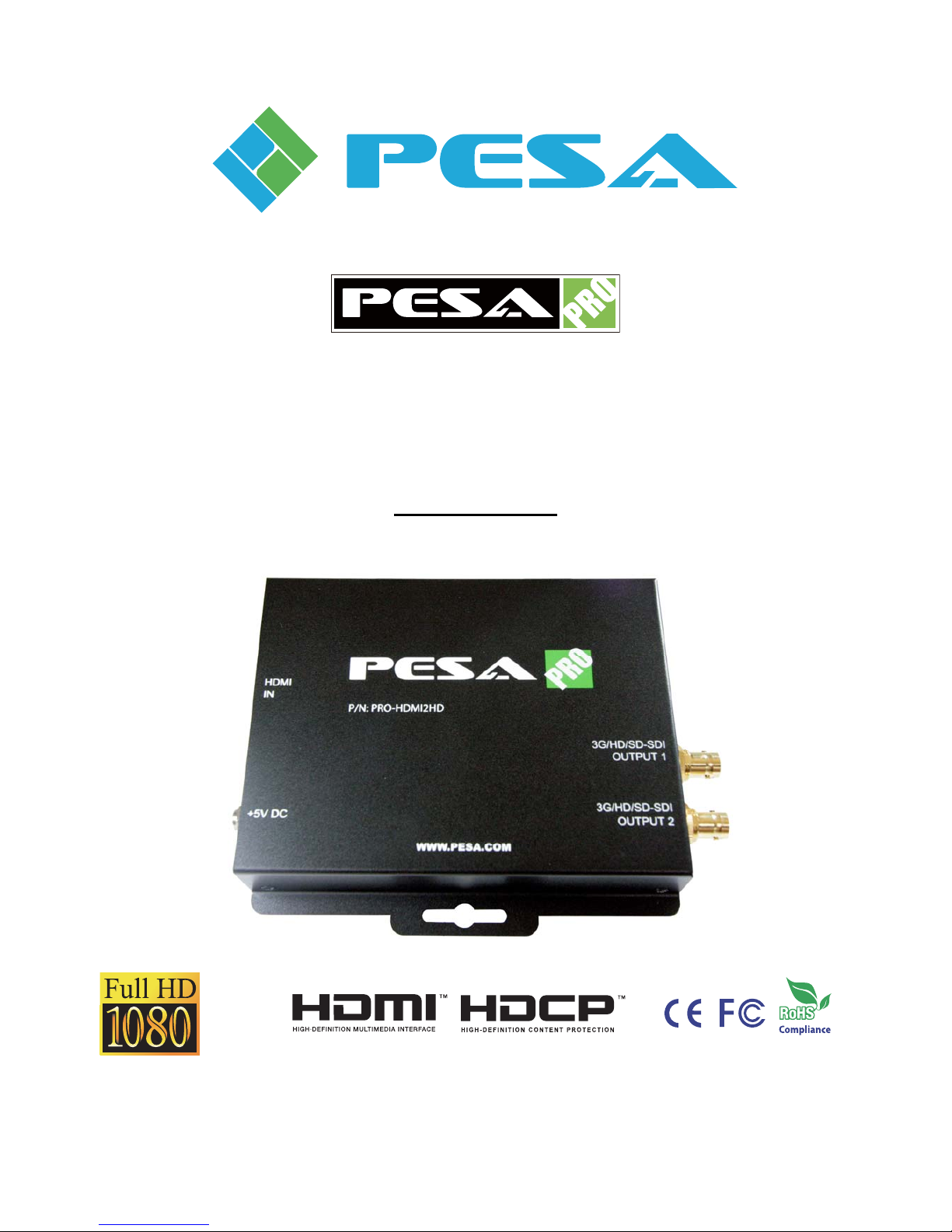
PRO-HDMI2HD
HDMI to SDI/3G-HD-SD Converter
User Manual
Made in Taiwan rev.1008
103 Quality Circle, Suite 210 | Huntsville, Alabama 35806 | Tel: (256) 726-9222 | Fax: (256) 726-9268 | Email: [email protected]
Page 2
Safety and Notice
The PRO-HDMI2HD HDMI to SDI/3G-HD-SD Converter has been tested for conformance to safety
regulations and requirements, and has been certified for international use. However, like all electronic
equipments, the PRO-HDMI2HD should be used with care. Please read and follow the safety instructions to
protect yourself from possible injury and to minimize the risk of damage to the unit.
z Follow all instructions and warnings marked on this unit.
z Do not attempt to service this unit yourself, except where explained in this manual.
z Provide proper ventilation and air circulation and do not use near water.
z Keep objects that might damage the device and assure that the placement of this unit is on a stable
surface.
z Use only the power adapter and power cords and connection cables designed for this unit.
z Do not use liquid or aerosol cleaners to clean this unit. Always unplug the power to the device before
cleaning.
Warranty Information
PESA Switching Systems, Inc., (PESA) warrants this equipment against defective workmanship or materials
for a period of one (1) year from date of shipment. The sole warranty responsibility of PESA, shall be to
replace or repair product proved to be defective. During the warranty period, defective parts will be replaced
at no charge. Labor to repair or replace defective parts covered under the warranty will be performed at no
charge at PESA. This warranty covers only products manufactured by PESA, and the components used in
their manufacture. The warranty on assembled products sold by PESA., but manufactured by others shall be
that of the original manufacturer. This warranty does not include shipping damage or damage caused by
abuse, neglect, tampering by unauthorized personnel, damage inadvertently caused by the user, preventative
maintenance, or any equipment or part thereof whose serial number has been removed or defaced. Neither
the seller nor the manufacturer shall be liable for any injury, loss or damage, direct or consequential, arising
out of the inability to use the product. Before using, user shall determine the suitability of the product for the
intended use, and user assumes all risk and liability whatsoever in connection therewith. This warranty is
effective only at the PESA factory in Huntsville, Alabama, USA. If possible, retain the original packing
material for use in the unlikely event that your equipment must be returned to the PESA factory. When
shipping your equipment, the shipping charges must be prepaid. The repaired unit will be returned to you,
freight prepaid. This warranty is exclusive and in lieu of all other warranties, whether expressed or implied,
including the implied warranties of merchantability and fitness for a particular purpose.
Page 3

~ 1 ~
The PRO-HDMI2HD HDMI to SDI/3G-HD-SD Converter provides a professional way to
convert HDMI to 3G/HD/SD SDI in real time. The conversion between SDI and HDMI is pure
digital and guarantees no loss transformation for both audio and video. Plus, with up to 8 channels
audio support, 7.1 channel or 5.1 channel audio becomes available. The PRO-HDMI2HD also
provides 2 low jitter SDI outputs for daisy chain or multiple monitors. With the use of
PRO-HDMI2HD, the most popular uncompressed video interface in the consumer world is readily
available for professional SDI equipments
Features
z Supported formats
NTSC [email protected], PAL 625@50Hz,
[email protected]/2425/29.94/30/50/59.94/60Hz,
1080i@50/59.94/60Hz
[email protected]/24/25/29.97/30/50/59.94/60Hz
Bit Rate: 2.97Gbps, 2.967Gbps, 1.485Gbps, 1.4835Gbps, 270 Mbps
z Auto 3G/HD/SD-SDI detection
z HDMI founder Silicon Image chipsets embedded for superior compatibility and reliability
z Two SDI compliant outputs
z Easy installation with wall mounting design
z External DIP switch configuration
INTRODUCTION
Page 4
~ 2 ~
Specifications & Package Contents
Model Name
PRO-HDMI2HD
Technical
Role of usage Format converter
SDI standards 3G-SDI, HD-SDI & SD-SDI
Auto 3G/HD/SD-SDI detection Yes
Video bandwidth 2.970 Gbps & 2.970/1.001 Gbps
Video support
[3G] – 1080p50/59.94/60 (4:2:2)
[HD] – 720p @50/59.94/60Hz, 1035i @50/59.94/60Hz,
1080i @50/59.94/60Hz, 1080p @24/30Hz
[SD] – NTSC @59.94Hz, PAL @50Hz
Input signal HDMI
Output signal
SDI - [SD] SMPTE 259M; [HD] SMPTE 292M & 296M; [3G]
SMPTE 424M & 425M)
Output impedance
75Ω
Synchronization mode Internal synchronization or external synchronization
Eye pattern characteristics Extra low alignment jitter 0.05UI at HD
Cable equalization [3G] up to 200ft; [HD] up to 500ft; [SD] up to 1000ft
Audio support Yes
PCB stack-up
4-layer board (impedance control − differential 100Ω; single 50Ω)
Input 1x HDMI
Output 2x SDI
HDMI connector Type A (19-pin female)
BNC connector
3G 75Ω inter-locked socket
DIP switch 4-pin mode selection
Mechanical
Housing Metal enclosure
Dimensions
L
x W x H
Model 6.9”x4.7”x1” / 175 x 120 x 25mm
Package 6.9”x10.4”x3” / 174 x 264 x 77mm
Weight Model 1.1 lbs / 515g
Fixedness Wall mounting and latch-locking power jacks
Power supply 5V 2A DC
Power consumption 1 Watt (max)
Operation temperature
32-104°F / 0-40°C
Storage temperature
-4-140°F / -20-60°C
Relative humidity 20-90% RH (no condensation)
Package Contents
1x PRO-HDMI2HD
1x 5V power supply unit
1x User manual
Page 5
~ 3 ~
PANEL DESCRIPTION
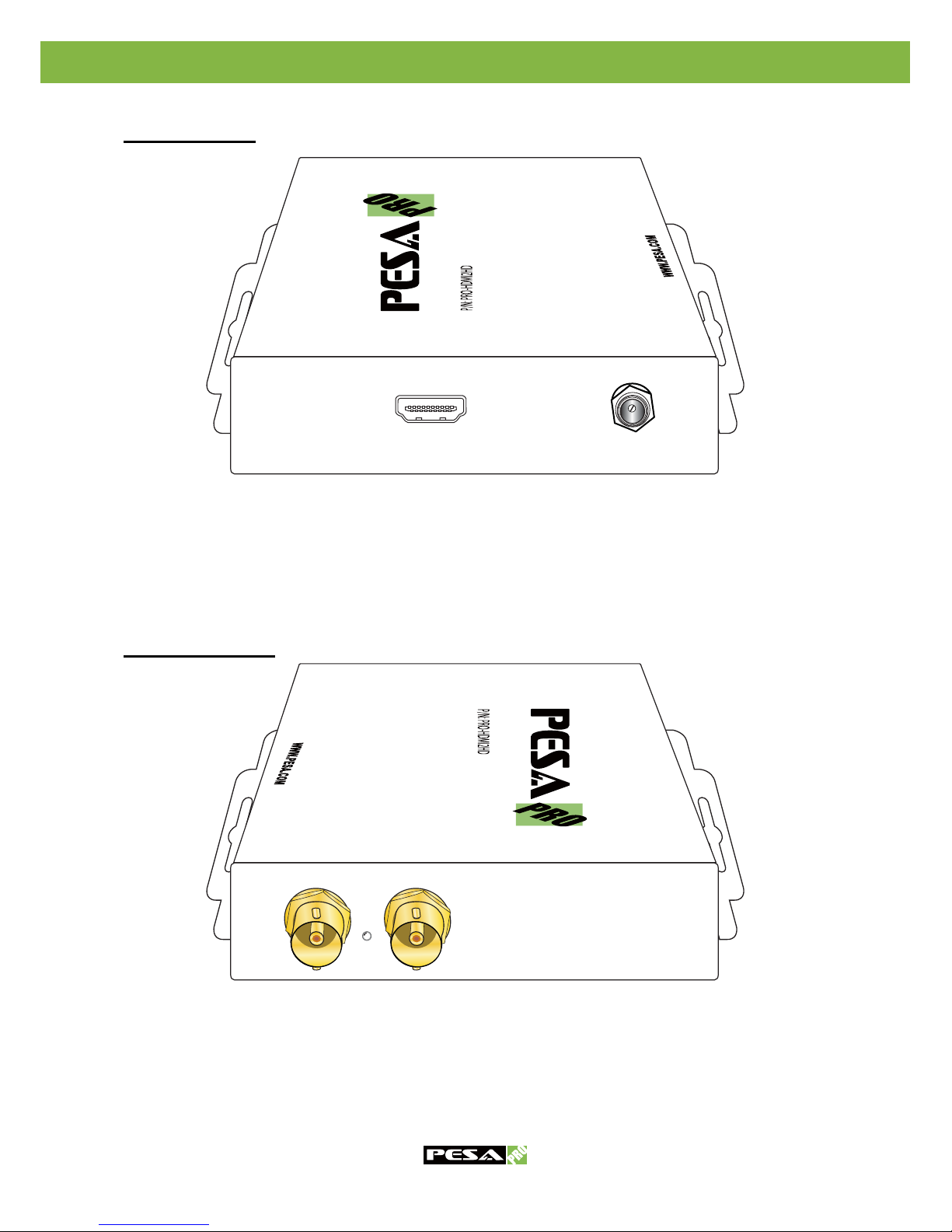
Input Panel
3G/HD/SD-SDI
OUTPUT 1
3G/HD/SD-SDI
OUTPUT 2
HDMI
IN
+5V DC
HDMI IN: Connect a HDMI male-male cable to be linked to one HDMI source device.
+5V DC: Connect to a 5V DC latch-locking power supply unit.
Output Panel
3G/HD/SD-SDI
OUTPUT 1
3G/HD/SD-SDI
OUTPUT 2
HDMI
IN
+5V DC
3G/HD/SD-SDI OUTPUT 1: Plug in a coaxial cable to be linked to one SDI device.
Signal LED: Indication of the existence of audio/video signal
3G/HD/SD-SDI OUTPUT 2: Plug in a coaxial cable to be linked to the other SDI device
Page 6
~ 4 ~
INSTALLATION
Bottom Panel
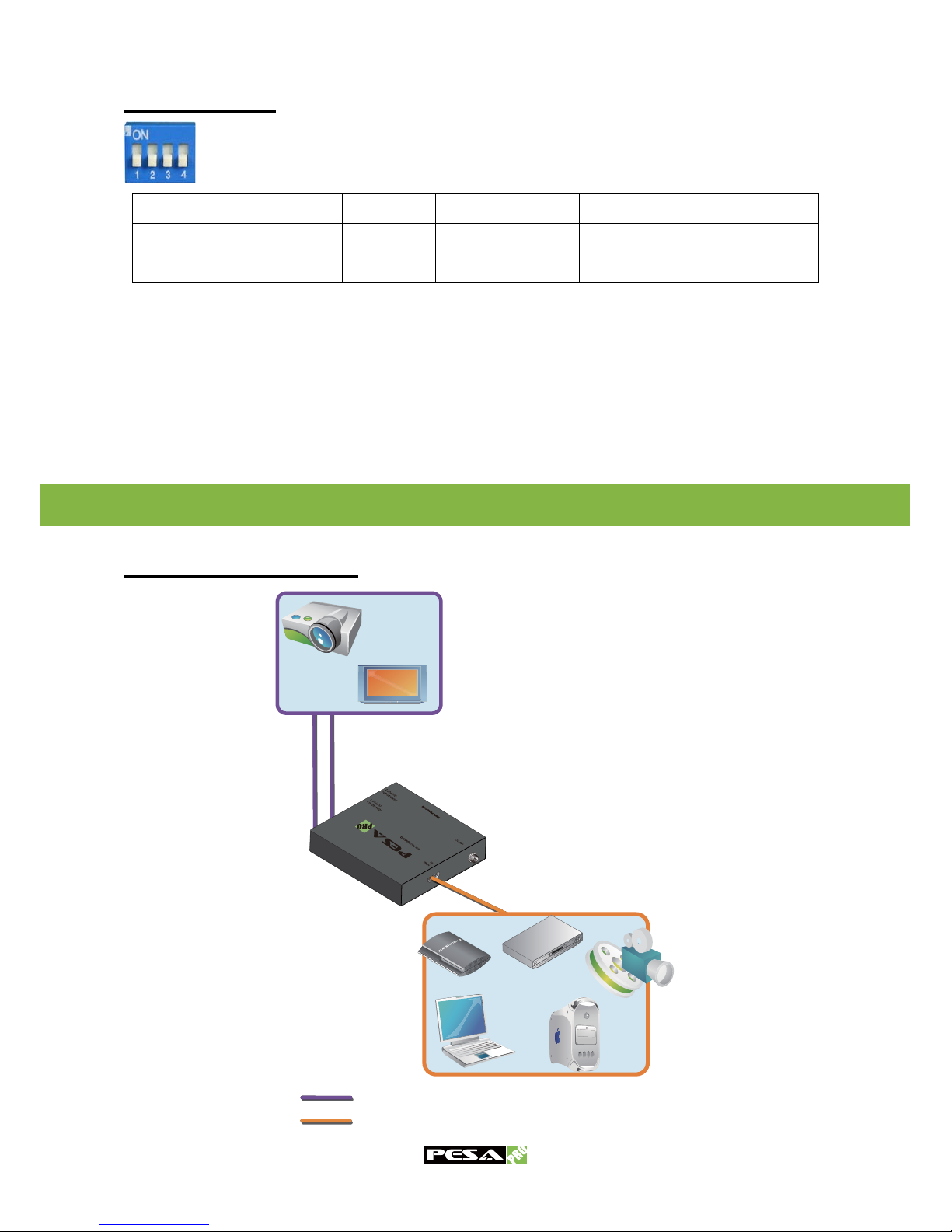
A 4-pin DIP switch is used for user interface, and users can access this switch from the
bottom of the unit.
Pin No. 1 2 3 4
ON (½)
Used for
SMPTE 352M
3G level B Audio group 3&4 Learn EDID
OFF (¾) 3G level A Audio group 1&2 Default EDID 1080p & stereo
Notice
1. Factory default for 4-pin DIP: OFF-OFF-OFF-OFF (
¾¾¾¾
).
2. The PRO-HDMI2HD supports only audio sample frequency at 48kHz.
Connection Diagram
SDI
HDMI Cable
HDMI
SDI Cable
Page 7
~ 5 ~
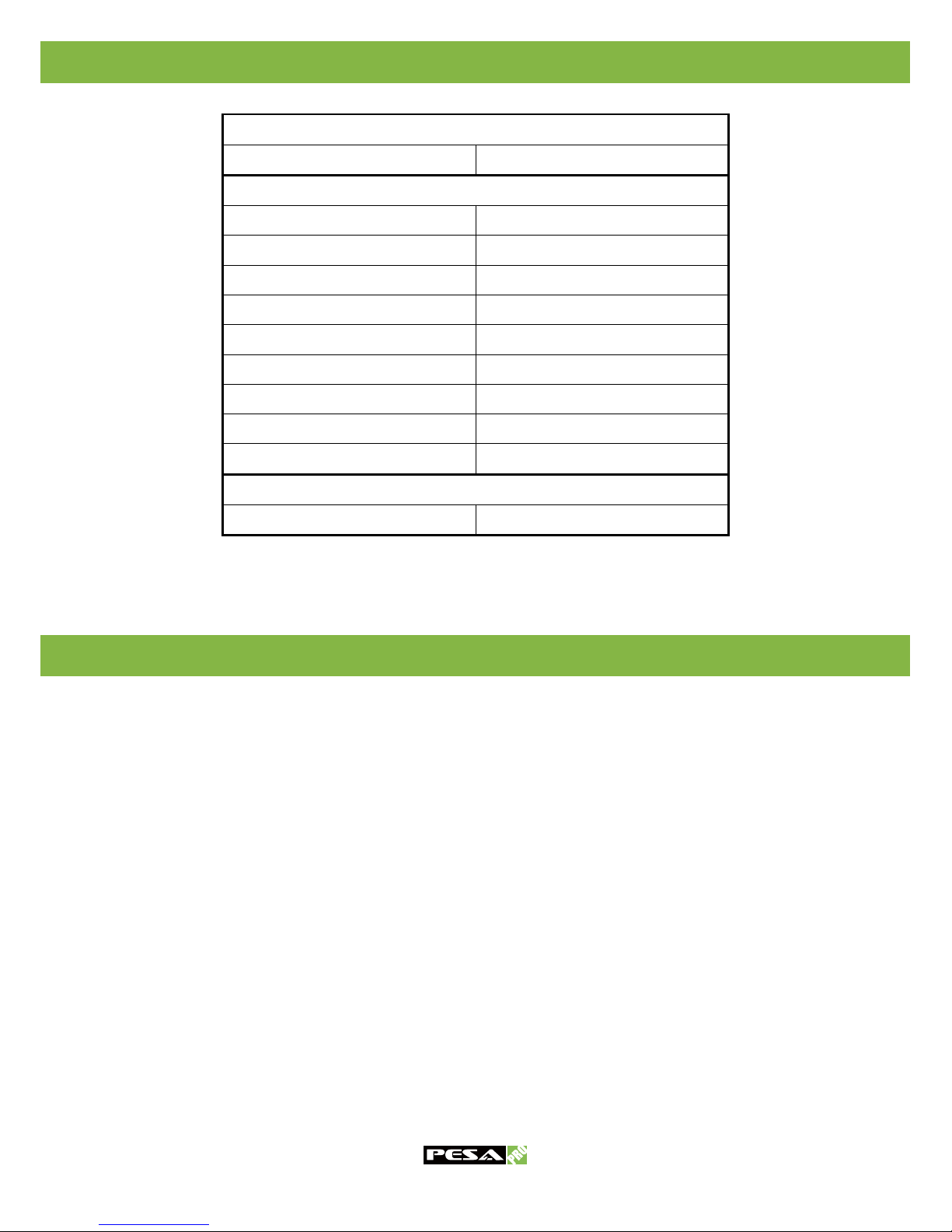
SUPPORTED RESOLUTIONS
EDID LEARNING
3G-SDI INPUT
1080p @ 50 / 59.94 / 60Hz SMPTE 424M / 425M (4:2:2)
HD-SDI INPUT
525p @ 59.94Hz SMPTE 293M, ITU-BT.1358
625p @ 50Hz ITU-BT.1358
720p @ 50Hz SMPTE 296M -3
720p @ 59.94 / 60Hz SMPTE 296M -1, -2
1080i @ 25Hz SMPTE 274M -6
1080i @ 29.97 / 30Hz SMPTE 274M -4, -5
1080p @ 23.98 / 24Hz SMPTE 274M -10, -11
1080p @ 25Hz SMPTE 274M -9
1080p @ 29.97 / 30Hz SMPTE 274M -7, -8
SD-SDI INPUT
NTSC PAL B, D, G, H, I
EDID learning function is used for the users have trouble getting normal audio/video output from
the HDMI source device. The sequence is
1. Turn off all devices. Dial the pin no.4 of the DIP switch at the bottom of the PRO-HDMI2HD
to ON (½) position.
2. Connect the HDMI display you want to learn its EDID profile to HDMI IN port of
PRO-HDMI2HD.
3. Turn on the HDMI display and the PRO-HDMI2HD.
4. Wait for 15 seconds to finish the EDID learning process.
5. Disconnect the HDMI display and resume installation.
Page 8

PRO-HDMI2HD
HDMI to SDI/3G-HD-SD Converter
PESA Switching Systems, Inc.
103 Quality Circle, Suite 210
Huntsville, Alabama 35806
Tel: +1 (256) 726-9222
Fax: +1 (256) 726-9268
Email: [email protected]
 Loading...