

Page 1
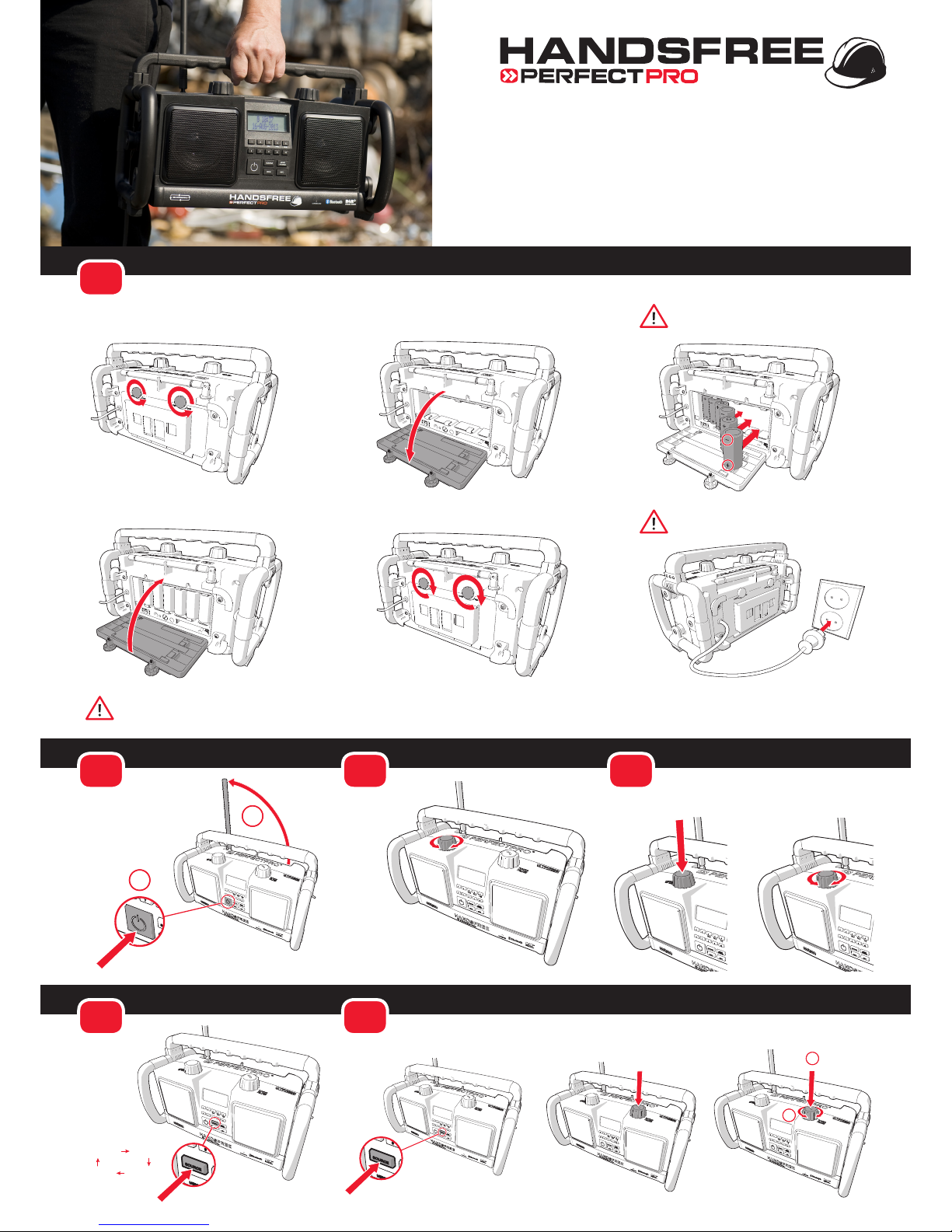
How to insert the batteries and connect to the mains (230V)
1
How to adjust the Tone (bass or treble)
4
1x / 2x
How to switch the
device on or o
2
1x
2
1
How to adjust
the volume
3
How to scan DAB BAND for available stations and select a station
6
1x
DAB
2
1
1x
Quickstart manual
Handsfree jobsite radio
Mind the + and - polarity when
placing the batteries
After connecting to the mains for the rst time, the handsfree jobsite radio will perform a quick scan of the FM and DAB bands and switches to standby
Fully charge the batteries before rst use!
FM RADIO Bluetooth
AUX INDAB
How to switch
sources
5
Page 2
Technical specications
9
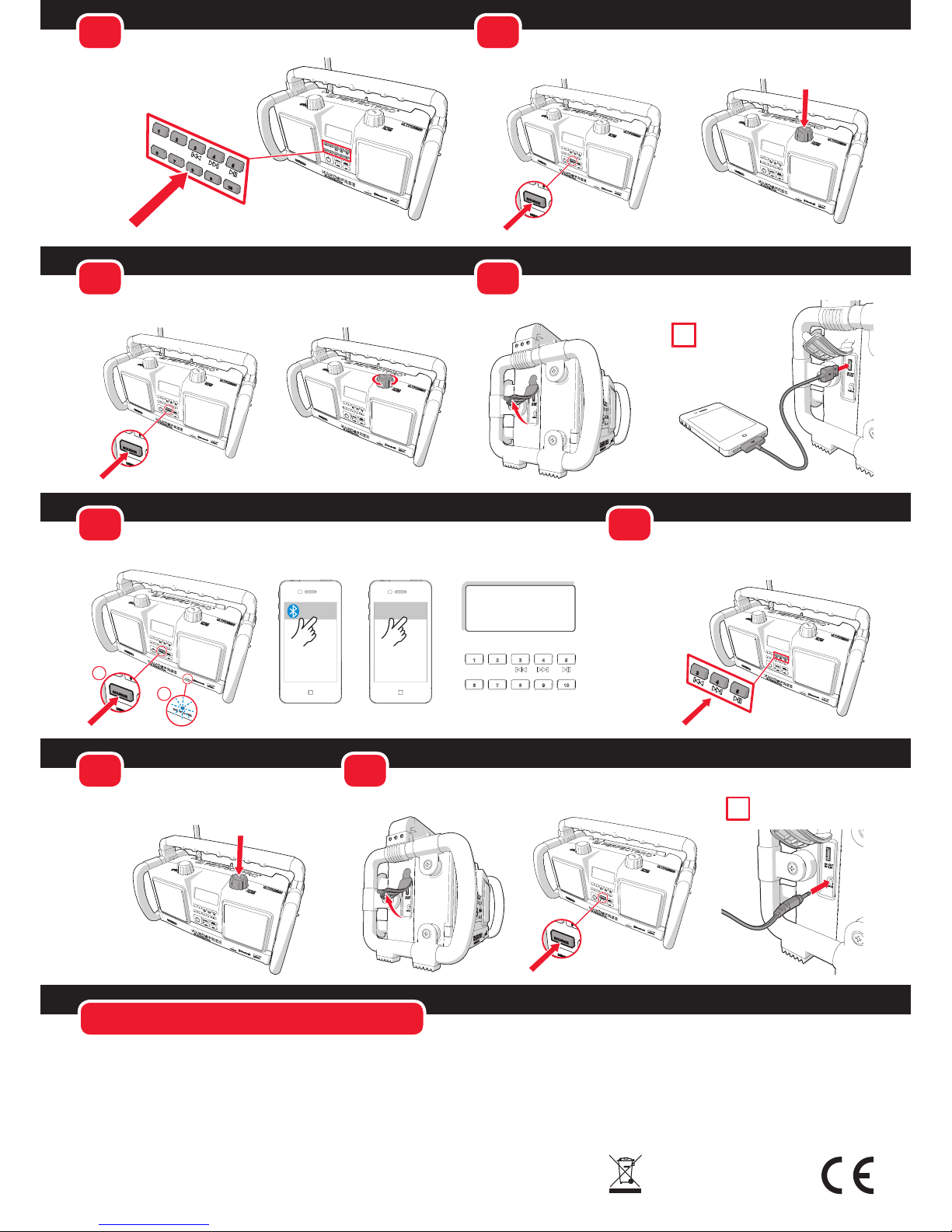
How to search for a radio station in FM modus manually
8
How to search for a radio station in FM modus automatically
FM RADIO
FM RADIO
1x
11
How to make a Bluetooth connection
Bluetooth
121
2
Bluetooth PP Handsfree
12
How to operate music on your mobile device via
the Handsfree jobsite radio (Bluetooth modus)
1x
Power Source: AC 230V, 50-60Hz
Batteries: 6 x 1,5V or 6 x 1,2V (D)
Batteries for backup: 2 x 1,5V (AA)
Power usage:
In use: <15W
Standby: <0,5W
Frequency range:
FM88 – 108,0 MHz
DAB 174,928 – 239,200 MHz
Speakers:
Measurements: 2 x Ø100mm
Resistance: 16 ohm
Output: Nominal 2 x 5W
Aux in connection: Ø 3,5mm
Bluetooth:
Version: 4.0
Support: A2DP, ACRCP and HFP
Rain, dirt and dust resistant (IPX4)
This product is intended for the European market.
For more information go to
www.perfectpro.eu or read the Instruction manual.
14
How to make an AUX IN connection
AUX IN
The AUX IN cable is not
included!
10
How to charge a mobile device using the USB connection
i
The USB cable and the
mobile device are not
included!
How to save a radio station preset
(DAB and FM radio modus)
7
3 sec.
How to answer an incoming phonecall while
connected with Bluetooth
13
1x
Bluetooth
Connected
i
 Loading...