

Page 1
Page 2

1
I. Product Introduction
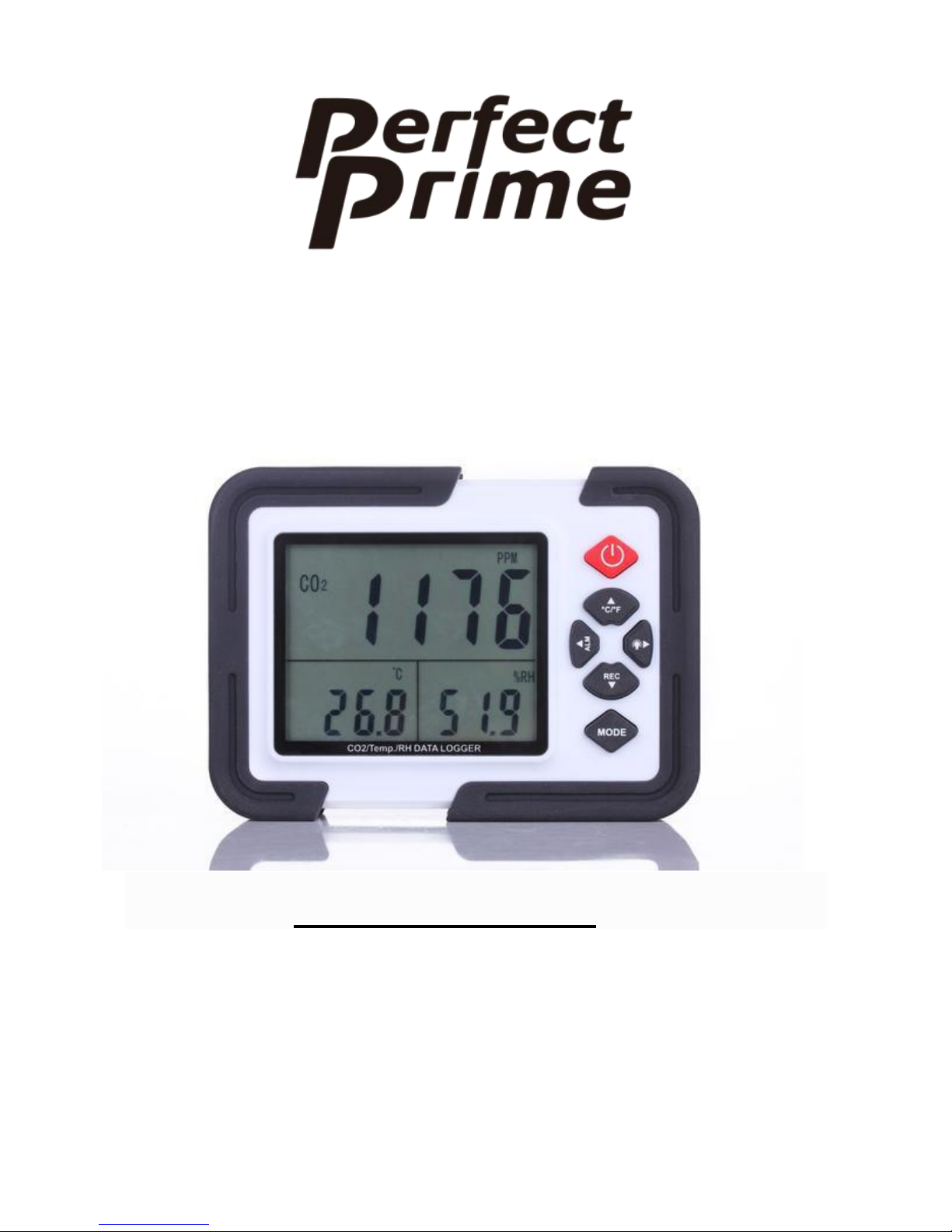
This CO2 / TEMP / RH DATA LOGGER can be used for
measuring CO2 concentration, temperature and humidity.
The product is packed with :
- CO2 / Temp. / RH DATA LOGGER
- AC Power Adapter (110-240V AC Input, DC 6V Output)
- USB Data Cable
The product can be utilized in many fields such as:
1. Monitoring air conditions on roads or in houses.
2. Weather prediction and observation.
3. Monitoring CO2 concentration of indoor greenhouse.
4. Data logging for scientific analysis.
II. Operating Instruction
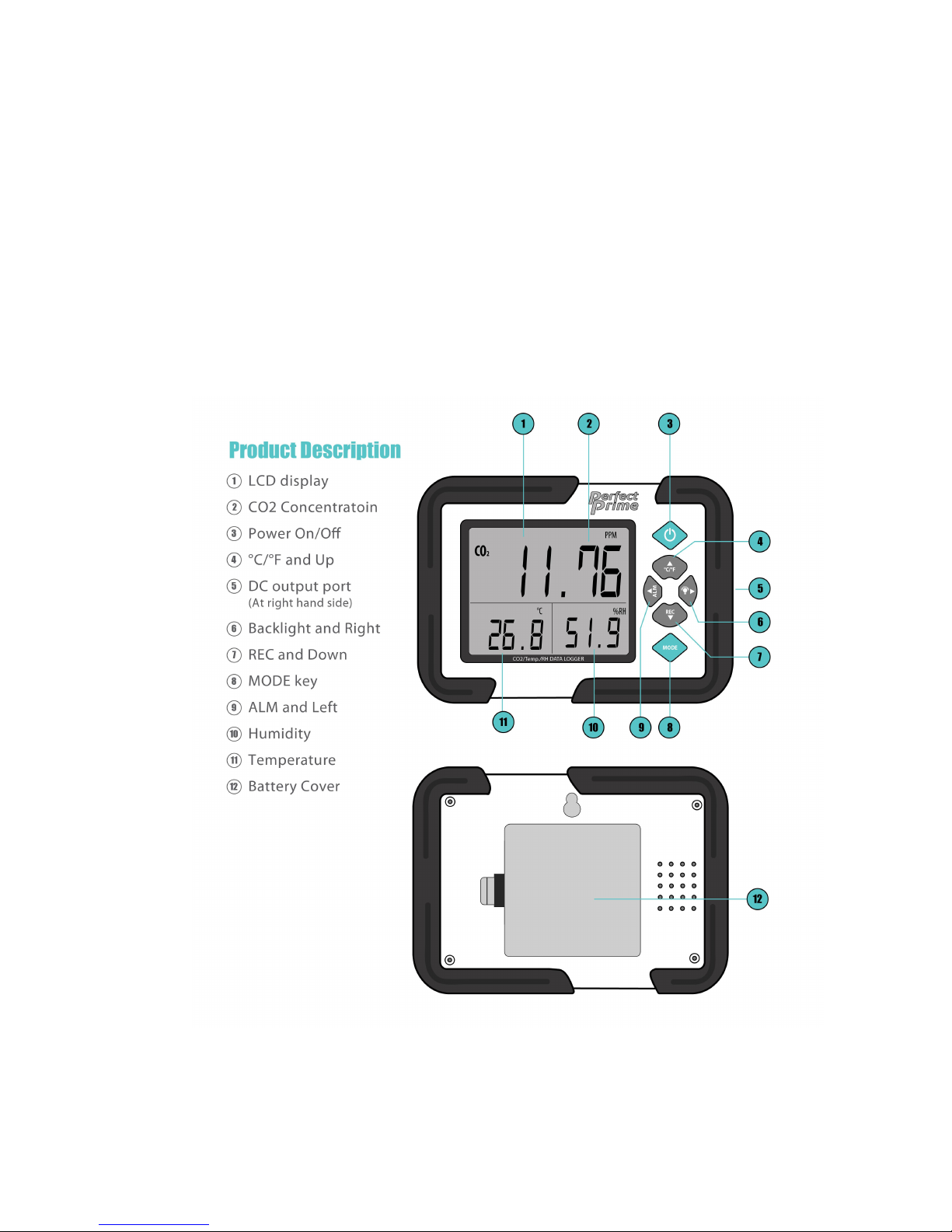
1. Connect AC Power Adapter to DATA LOGGER.
-->DC output port is at the Right Hand Side of the case.
2. Press the POWER button, then the LCD will turn on within
15 seconds during this time CO2 sensor will start up.
3. After countdown , the product will start functioning and
Page 3

2
show the CO2 concentration, temperature and humidity,
III. Modify Settings
1. At Main Display mode, press MODE key to access CO2
concentration alarm.
2. Press MODE twice to access Date screens.
3. Press MODE 3 times to access Time setting screens.
MODE(Press for 2 sec) -> CO2 Concentration -> Date -> Time
4. At each setting screen, press LEFT or RIGHT key to select
the digit to be adjusted.
5. Press UP or DOWN key to adjust the data digit.
6. Press MODE key to access the next setting screen, or the
Main Display mode.
Page 4

3
IV. PC Software for setting data logging or upload
The CO2000 CO2 data logger can also measure temperature
and humidity. To adjust the logging settings, simple
download the free software from
https://perfectprime.com/pages/manual and connect the
CO2000 to the PC to set it.
In order to set the device, please install the PC software on
PC (Windows OS) first.
After installation, please refer to the HELP manual in the
software for more details of data log settings, upload and etc.
V. Start Data Log Manually
To enable manual data logging, change the setting from the
PC.
1. Select the “Manual” instead of “Immediately” button.
2. Close the software and disconnect the device.
3. When the data logging location is reached, set the device
and press the REC button to start data logging.
Page 5

4
VI. Product Features and Functions
Button Function :
1. Power : ON / OFF
2. °C /°F and UP :
a. Toggle between °C and °F display.
b. During settings it will act as UP/Increase the digit
value button.
3. ALM and LEFT :
a. At Main Display Mode: turn ON/OFF CO2
concentration alarm function.
b. During settings it will act as LEFT key to select.
4. Backlight and RIGHT :
a. At Main Display Mode: turn ON/OFF display
backlight
b. During settings it act as RIGHT key to select.
5. REC and DOWN :
a. After data log is set to Manual, press this key to
start measurement and log.
Page 6
5
b. During settings it will act as DOWN/Decrease digit
value.
6. MODE :
a. At Main Display Mode: Press for 2 sec to edit
settings.
b. After editing the settings: Press again to confirm
setting.
Page 7

6
Product Features :
- Large LCD display with Backlight ON/OFF fucntion
o CO2 / Temperature / Relative Humidity
o Calendar
o Time
- 12700 data log memory
- CO2 level warning alarm
- NDIR Sensor (Non-Dispersive Infrared)
- Waveguide technology with Automatic Background
Calibration (ABC)
VII. Product Specifications
- Carbon Dioxide (CO2)
o Range : 0 ~ 9999 ppm (Out of scale)
o Accuracy : ± 50ppm ± 5% reading (0~ 2000)
o Response time : 10 sec
- Temperature
o Range : - 10 ~ 70°C (14 ~ 158°F)
o Resolution : 0.1°C
o Accuracy : ± 0.6°C / ± 0.9°F) – (0~50°C / 32 ~
122°F), others ± 1.2°C
Page 8

7
- Humidity
o Range : 0.1 ~ 99.9%
o Resolution : 0.1 %
o Accuracy : ± 3% (10 ~ 90%)
- Operating Condition : 0 ~ 50°C, 0-95% RH (without
condensation)
o Storage Temperature : 0 ~ 70°C
VIII. Battery Replacement and Notes
Battery Replacement :
The battery is nearly empty when:
-->LCD is dimmed
-->The CO2 reading is zero
Please replace the AA X 4 batteries or use AC power adapter.
Page 9

8
Notes :
1. Keep this product dry.
2. Put it in a place where children cannot access.
DC Batteries have limited lifetime and should be used during
data transfer:
-->USB Power (of USB Power Bank) is suggested.
-->AC power adapter is suggested.
IX. Carbon Dioxide Readings
For reference only:
250 ~ 350 ppm – Normal level outdoor air
350 ~ 1,000 ppm – Typical good living environment
1,000 ~ 2000 ppm – Level of possible oxygen shortage
2,000 ~ 5,000 ppm – Level of bad air quality, may cause
headache, sleepiness, less concentration, faster
heartbeat and mild nausea.
> 5,000 ppm – May cause severe health issues, possibly
lead to brain damage, coma and even death.
 Loading...