

Page 1
BATTERY INFORMATION
1. Install only new batteries of the same type in your
product.
2. Failure to insert batteries in the correct polarity, as
indicated in the battery compartment, may shorten the
life of the batteries or cause batteries to leak.
3. Do not mix old and new batteries.
4. Do not mix Alkaline, Standard (Carbon-Zinc) or
Rechargeable (Nickel Cadmium or Nickel Metal Hydride)
batteries.
5. Do not dispose of batteries in fire.
Batteries should be recycled or disposed of as per state and
local guidelines.
FCC INFORMATION
This device complies with Part 15 of the FCC Rules.
Operation is subject to the following two conditions:
1) This device may not cause harmful interference, and
2) This device must accept any interference received, including
interference that may cause undesired operation.
WARNING: Changes or modifications to this unit not expressly
approved by the party responsible for compliance could void the
user’s authority to operate the equipment. Note: This equipment
has been tested and found to comply with the limits for a Class
B digital device, pursuant to Part 15 of the FCC Rules. These
limits are designed to provide reasonable protection against
harmful interference in a residential installation. This equipment
generates, uses and can radiate radio frequency energy and,
if not installed and used in accordance with the instructions,
may cause harmful interference to radio communications.
However, there is no guarantee that interference will not occur
in a particular installation. If this equipment does cause harmful
interference to radio or television reception, which can be
determined by turning the equipment off and on, the user is
encouraged to try and correct the interference by one or more
of the following measures:
• Reorient or relocate the receiving antenna.
• Increase the separation between the equipment and
receiver.
• Connect the equipment into an outlet on a circuit
different from that to which the receiver is connected.
• Consult the dealer or an experienced radio/TV technician
for help.
This device complies with Industry Canada’s licence-exempt
RSSs. Operation is subject to the following two conditions:
1) This device may not cause harmful interference.
2) This device must accept any interference received including
interference that may cause undesired operation of the device.
FCC ID – 2AE3ABTM023PC
Le présent appareil est conforme aux CNR d’Industrie Canada
applicables aux appareils radio exempts de licence. L’exploitation est
autorisée aux deux conditions suivantes :
1) l’appareil ne doit pas produire de brouillage;
2) l’utilisateur de l’appareil doit accepter tout brouillage
radioélectrique subi, même si le brouillage est susceptible d’en
compromettre le fonctionnement.
ONE (1) YEAR LIMITED WARRANTY
The manufacturer warrants this product to be free from defects in
functionality, materials and workmanship for a period of one (1) year
from the date of purchase. This warranty applies only to the original
consumer purchaser and only to products used in normal use and
service. If this product is found to be defective, the manufacturer's
only obligation, and your exclusive remedy, is the repair or
replacement of the product at the manufacturer's discretion, provided
that the product has not been damaged through misuse, abuse,
accident, modifications, alterations, neglect or mishandling. This
warranty shall not apply to any product that is found to have been
improperly installed, set up, or used in any way not in accordance
with the instructions supplied with the product. This warranty shall
not apply to a failure of the product as a result of an accident,
misuse, abuse, negligence, alteration, faulty installation, or any other
failure not relating to faulty material or workmanship. This warranty
shall not apply to the finish on any portion of the product, such
as surface and/or weathering, as this is considered normal wear
and tear. The manufacturer does not warrant and specifically
disclaims any warranty, whether expressed or implied, of
fitness for a particular purpose, other than the warranty
contained herein. The manufacturer specifically disclaims
any liability and shall not be liable for any consequential or
incidental loss of damage, including any labor/expense costs
involved in the replacement or repair of said product.
For warranty claims, please contact Perfect Company at
[email protected], (360) 524-3001, or write to
Perfect Bake Support, 705 Main Street, Suite 201, Vancouver,
WA 98660.
Version 3.1
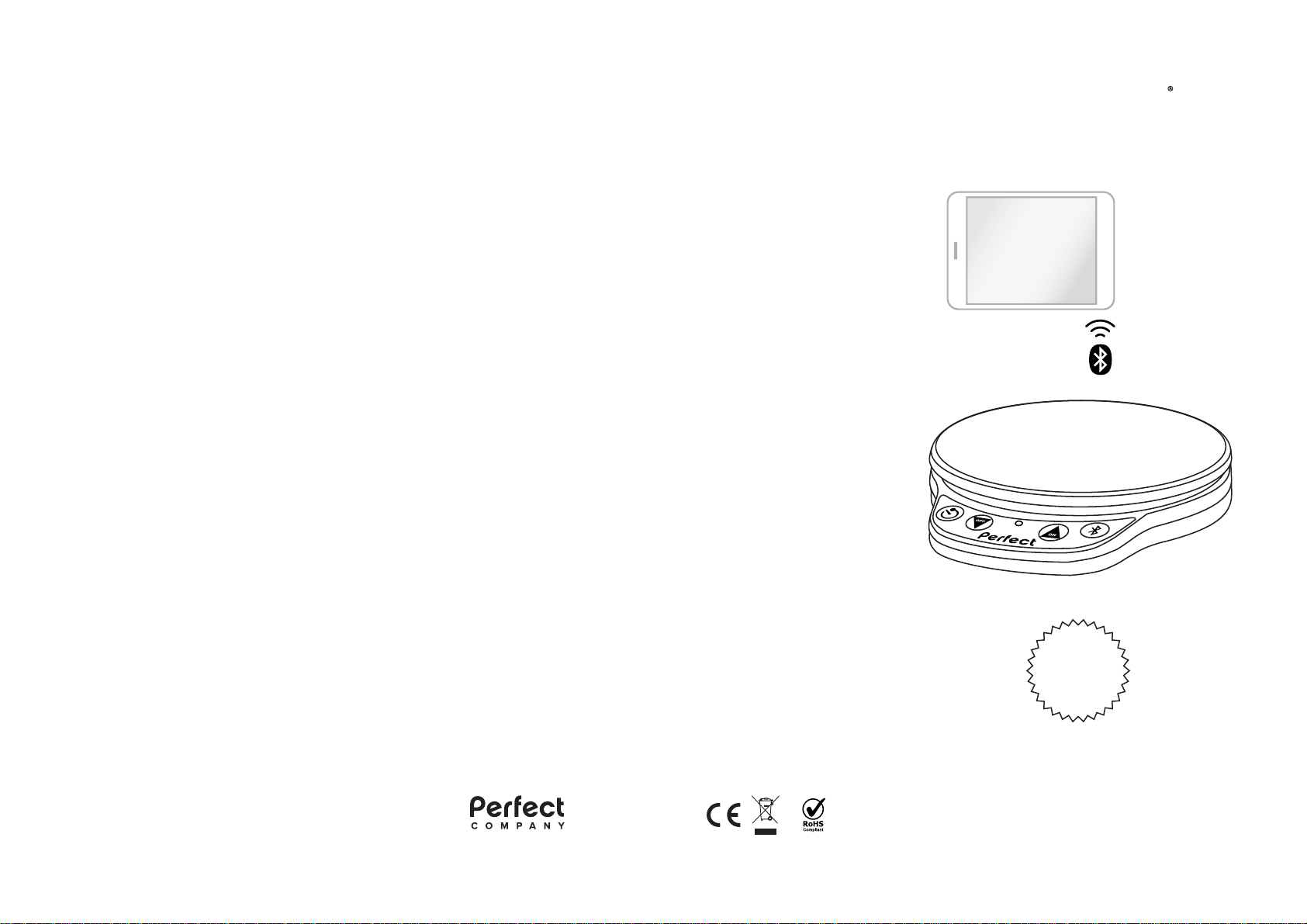
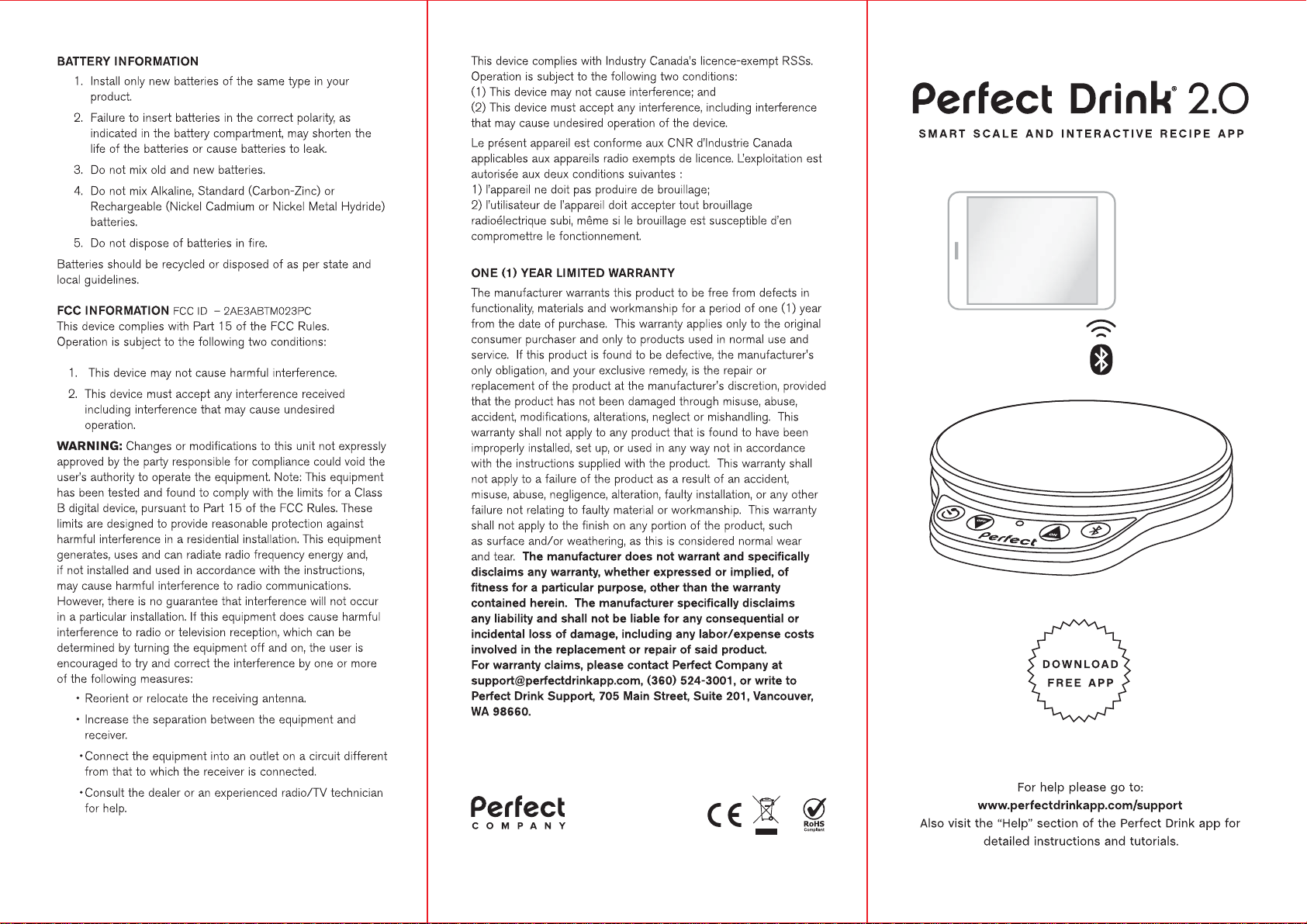
Perfect Bake 2.0
SMART SCALE AND INTERACTIVE RECIPE APP
DOWNLOAD
FREE APP
For help please go to:
www.perfectbakeapp.com/support
Also visit the “Help” section of the Perfect Bake app for
detailed instructions and tutorials.
Page 2
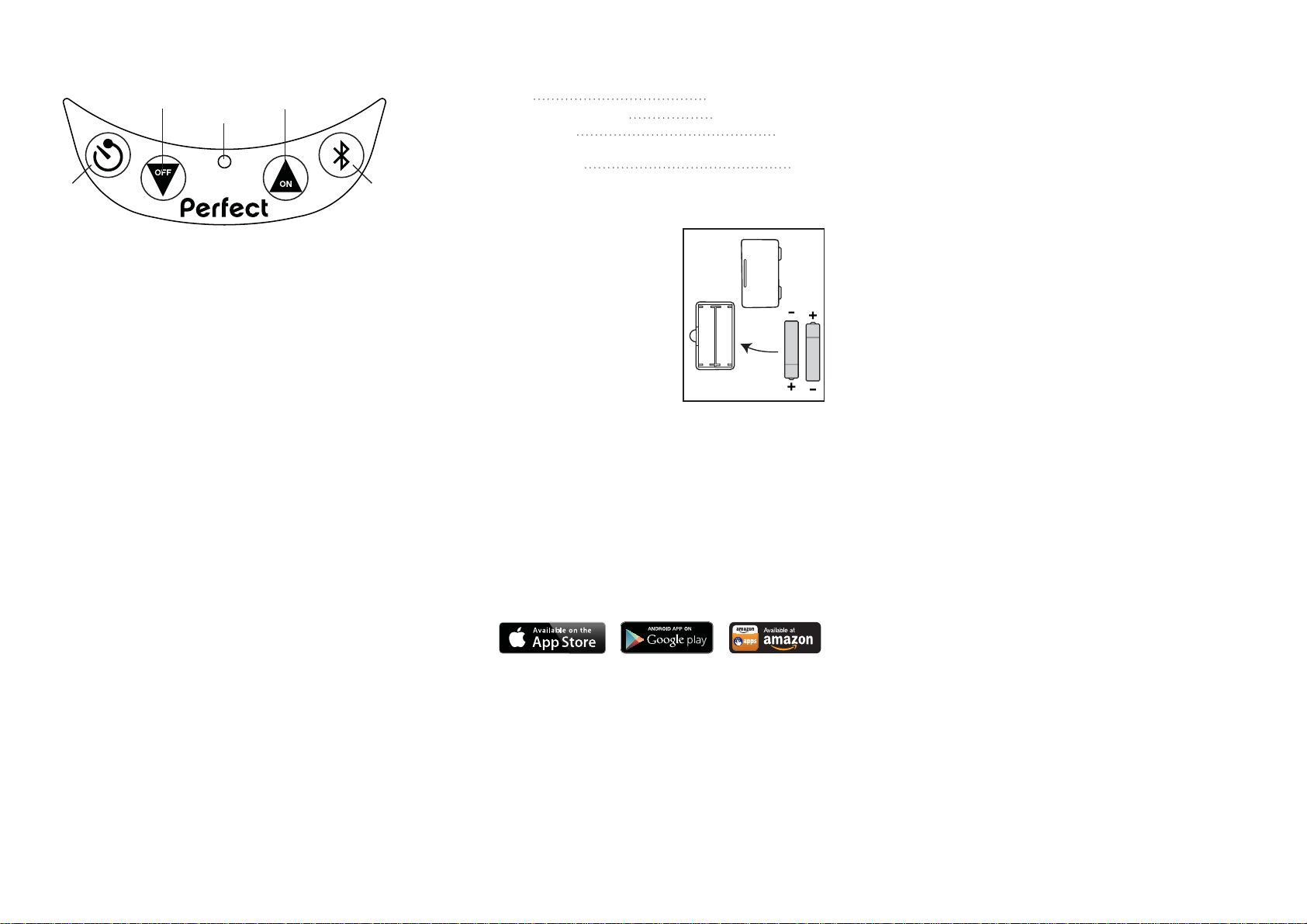
CONTROL LAYOUT
42
3
1
1. TIMER Button
Press to start and stop in-app timers.
2. OFF/DOWN Button
Hold for 4 seconds to turn off the scale. When
connected to the app, use to select the previous recipe
block.
3. BLUETOOTH INDICATOR LED
Blinks to indicate the scale is available for the app to
connect. Remains on when a connection has been
made. If no connection is made within 3 minutes the
scale will turn off to save power.
4. ON/UP Button
Press to turn on the scale. When connected to the app,
use to select the next recipe block or manually advance.
5. BLUETOOTH Button
Press to disconnect the scale from your smart device
and begin looking for a connection. (Note: Bluetooth
turns on automatically when the scale is turned on.)
5
CARE
CLEANI N G – Never immerse the scale in water; simply wipe
it with a damp cloth. The scale is not dishwasher safe.
STORAGE – Do not place heavy objects on top of the scale
during storage. Doing so may affect the accuracy of the scale.
BOWLS – The bowls are dishwasher, freezer, and microwave
safe.
STATIC – In an environment with electrostatic discharge,
the product may malfunction. In this case, please remove
the batteries and wait for 5 minutes and then replace the
batteries.
SPECIFICATIONS
Batteries 2 x 1.5V AAA/LR03
Maximum Weight Capacity 5000 grams/11 lbs
Bluetooth Range 50 feet*
*Depends on connected mobile device and other devices nearby that may cause interference
Weight Resolution 0.5 g
SETUP AND USE
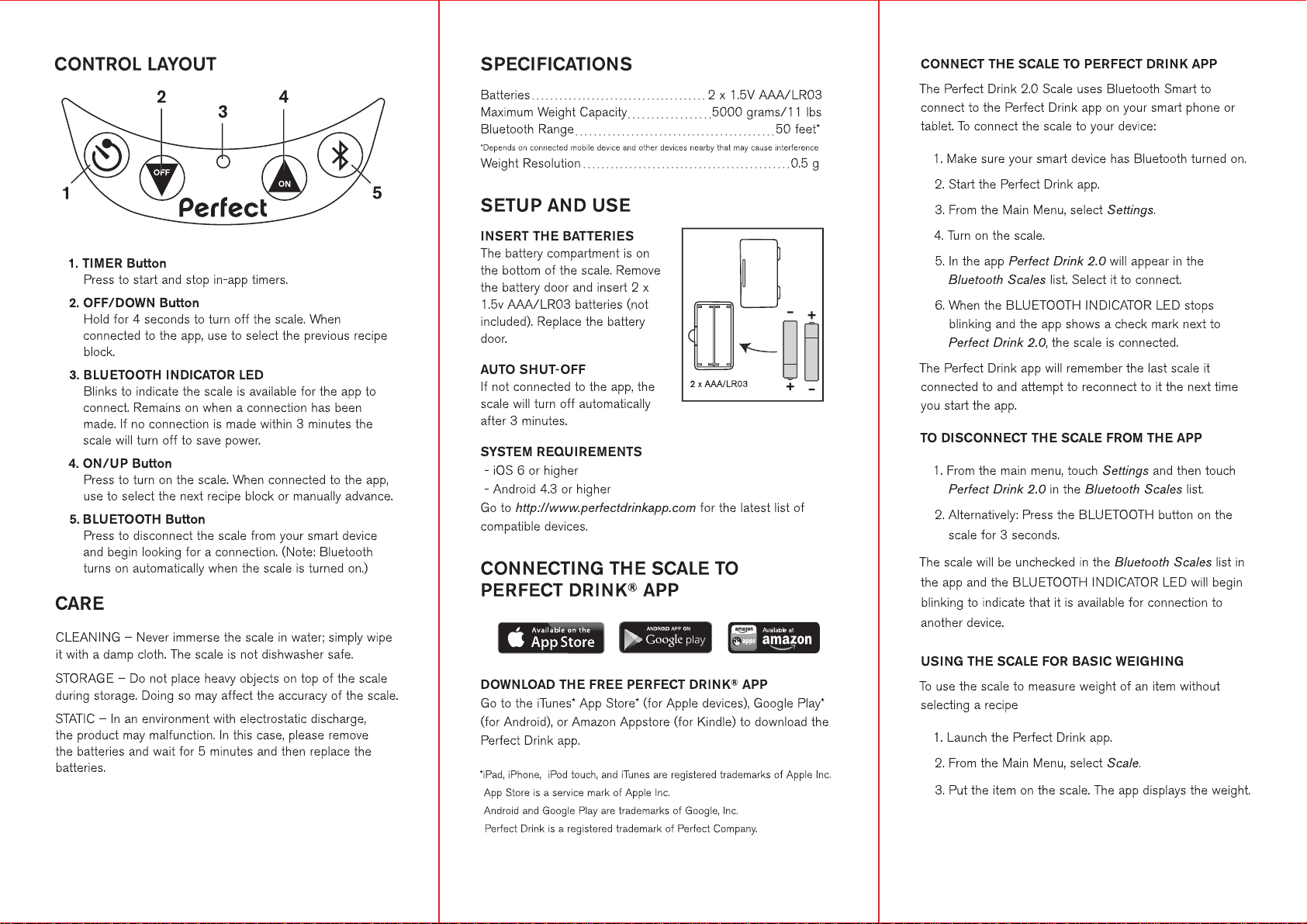
INSERT THE BATTERIES
The battery compartment is on
the bottom of the scale. Remove
the battery door and insert 2 x
1.5v AAA/LR03 batteries (not
included). Replace the battery
door.
AUTO SHUT-OFF
If not connected to the app, the
scale will turn off automatically
after 3 minutes.
SYSTEM REQUIREMENTS
- iOS 6 or higher
- Android 4.3 or higher
Go to http://www.perfectbakeapp.com for the latest list of
compatible devices.
2 x AAA/LR03
CONNECTING THE SCALE TO
®
PERFECT BAKE
DOWNLOAD THE FREE PERFECT BAKE® APP
Go to the iTunes* App Store* (for Apple devices), Google Play*
(for Android), or Amazon Appstore (for Kindle) to download the
Perfect Bake app.
*iPad, iPhone, iPod touch, and iTunes are registered trademarks of Apple Inc.
App Store is a service mark of Apple Inc.
Android and Google Play are trademarks of Google, Inc.
Perfect Bake is a registered trademark of Perfect Company.
APP
CONNECT THE SCALE TO PERFECT BAKE APP
The Perfect Bake 2.0 Scale uses Bluetooth Smart to
connect to the Perfect Bake app on your smart phone or
tablet. To connect the scale to your device:
1. Make sure your smart device has Bluetooth turned on.
2. Start the Perfect Bake app.
3. From the Main Menu, select Settings.
4. Turn on the scale.
5. In the app Perfect Bake 2.0 will appear in the
Bluetooth Scales list. Select it to connect.
6. When the BLUETOOTH INDICATO R LE D stops
blinking and the app shows a check mark next to
Perfect Bake 2.0, the scale is connected.
The Perfect Bake app will remember the last scale it
connected to and attempt to reconnect to it the next time
you start the app.
TO DISCONNECT THE SCALE FROM THE APP
1. From the main menu, touch Settings and then touch
Perfect Bake 2.0 in the Bluetooth Scales list.
2. Alternatively: Press the BLUETOOTH button on the
scale for 3 seconds.
The scale will be unchecked in the Bluetooth Scales list in
the app and the BLUETOOTH IND I CATO R LED will begin
blinking to indicate that it is available for connection to
another device.
USING THE SCALE FOR BASIC WEIGHING
To use the scale to measure weight of an item without
selecting a recipe
1. Launch the Perfect Bake app.
2. From the Main Menu, select Scale.
3. Put the item on the scale. The app displays the weight.
Page 3
Version 2
Page 4
 Loading...