

Page 1
PRODUCT SPECIFICATION
video management solutions
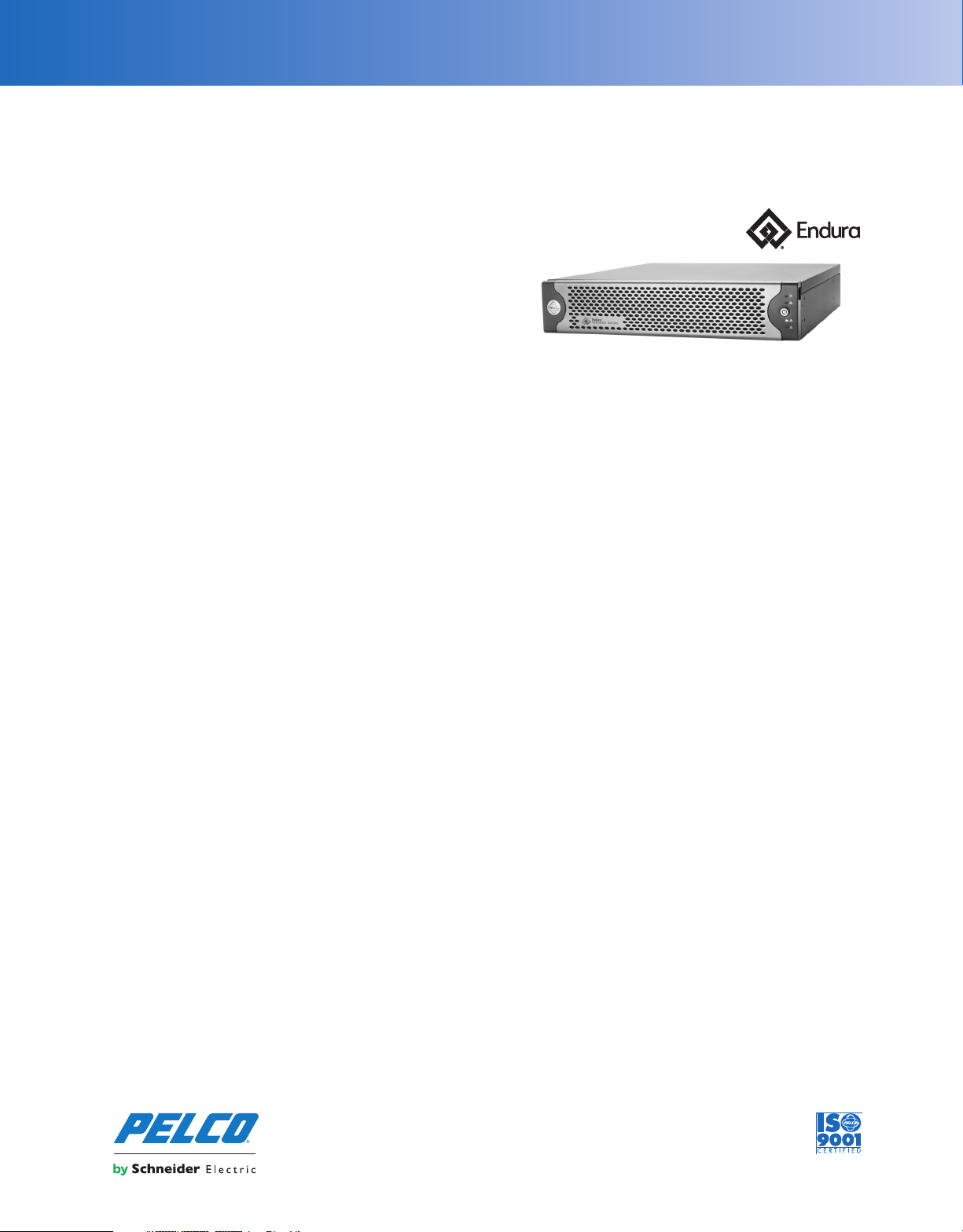
WS5080 Endura® Workstation
WITH WS5200 ADVANCED SYSTEM MANAGEMENT SOFTWARE
Product Features
• Provides Full Access to Operations and Administration Through
User-Friendly Graphical User Interface
• Microsoft® Windows® 7 Ultimate 64-Bit Operating System
• Highly Intuitive Graphical User Interface Optimized for Surveillance
Professionals
• Optional Endura Mapping Interface Provides Editing and Alarm
Monitoring/Management Tools
• Support for Standard and Megapixel Resolution Cameras
• Support for MPEG-4, H.264 Baseline, Main, and High-Profile Codecs
• Audio Streaming and Playback
• Zone of Interest™ Allows Independent View and Management of
Specified Areas Within a Camera’s Field of View in Live or Playback
Views
• Synchronized Playback of Multiple Cameras
• Digital Zoom in Live or Playback Views
• Convenient Tear-off Options to Customize Display
• Maintains Camera’s Native Aspect Ratio While Supporting 4:3 or
16:9 Aspect Ratio Monitors and a Mix of SD or Megapixel Video
Content
• Capable of Up to 16 Simultaneous 4SIF/CIF Resolution, 30/25 Frames
per Second (fps) MPEG-4 Decode, 12 H.264 4SIF/CIF Resolution,
30/25 fps H.264 Baseline Decode, or 4 Full 1080p Streams
• EnduraView™ Technology Mitigates CPU Processing Requirements
and Network Bandwidth Consumption for Multiscreen Configurations
• Integrated Configuration and Administration Interface Provides Full
Management Capability for all Components
• Powerful Scripting Engine to Automate Virtual Matrix Functionality
Across a Built-in Monitor Wall Capability
• On-Screen Pan/Tilt/Zoom (PTZ) Controls Including Click to Center and
PTZ to Selected Area
• Camera Call Up and PTZ Control from KBD5000
• Advanced Search Capabilities Including Motion, Alarm, Event, and
Camera
• Integrated Event and Alarm Monitoring and Management Interface
• User-Specific Choice of Language, Rights and Permissions, and
Screen Configurations
• Export Video and Still Images in Multiple Formats Including PEF,
QuickTime
®
, MPEG-4, AVI, PNG, BMP, and JPG
The Endura® workstation is a high-end personal computer running
Windows
®
7 Ultimate that is optimized for the WS5200 advanced
system management software. The Endura workstation can
decode and display up to 16 video streams simultaneously and can
process up to 30/25 (NTSC/PAL) images at 4CIF resolution per
second, per stream. The Endura workstation includes the WS5200
software package.
The WS5200 software provides access to all operation and
configuration features of the Endura system in a unified, intuitive,
graphical user interface. The interface has been optimized for the
demanding needs of surveillance professionals and utilizes dragand-drop operations, shortcut menus, built-in tooltips, and online
Help to enable the most direct, intuitive interactions with cameras
and components distributed across the network.
Video Display Optimized for Surveillance
Surveillance operators require access to real-time live video and
instant access to playback. The WS5200 has been specifically
designed to optimize performance, productivity, and effectiveness.
Operators can customize up to six active workspaces. Each
workspace can have its own screen configuration populated with any
grouping of cameras. These workspaces allow the operator to rapidly
switch from camera group to camera group. The workspaces and
camera associations are automatically loaded upon logon, along
with the user’s language preferences and permission levels. This
eliminates any lost time in changing screen layouts or configurations
during shift changes.
International Standards
Organization Registered Firm;
ISO 9001 Quality System
C4011 / REVISED 7-21-16
Page 2
TECHNICAL SPECIFICATIONS
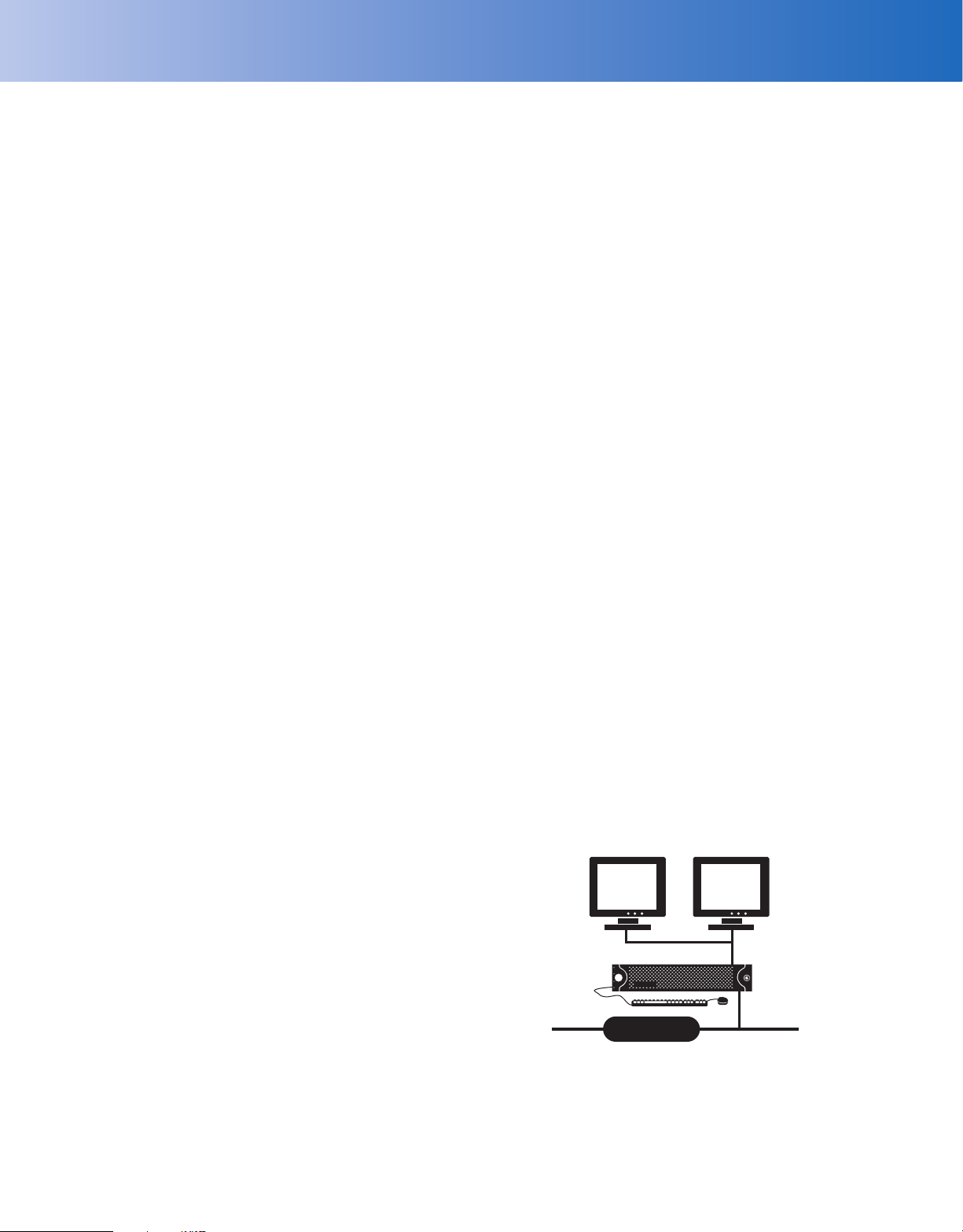
IMPORTANT NOTE: PLEASE READ. The network implementation is shown as a general
representation only and is not intended to show a detailed network topology. Your actual network
will differ, requiring changes or perhaps additional network equipment to accommodate the system
as illustrated. Please contact your local Pelco representative to discuss your specific requirements.
The second generation of the WS5200 has also been designed to
deliver optimum decoding performance to take advantage of the
latest capabilities of analog cameras and advances in compression
technology. The WS5200 supports MPEG-4 as well as all common
profiles of the latest H.264 codec. Provided the host PC has enough
processing power, users can simultaneously decode sixteen 4CIF,
MPEG-4 video streams in real time, or twelve H.264 Baseline profile
streams in real time, or four 1080p streams in real time. Of course,
any combination is also supported. Additionally, more cameras can
be viewed simultaneously using the WS5200’s convenient tear-off
tabs and leveraging multiple monitors to display more content.
™
Endura’s patent-pending EnduraView
technology will manage the
CPU processing load and network bandwidth requirements by
automatically seeking out and displaying a lower resolution,
secondary stream (if one exists), or reducing the refresh rate to
ensure that system stabilization is not jeopardized.
To take advantage of the latest developments in monitor technology
and camera capabilities, the WS5200 interface automatically detects
the monitor’s native resolution and aspect ratio and configures the
display to accommodate what the monitor can support. Based on the
monitor’s native aspect ratio, the WS5200 supports screen
configurations in single-image, 2 x 2, 3 x 3, 4 x 4, 1 + 5, 1 + 12, and
2 + 8 for 4:3 aspect ratio displays and adds 3 x 2 and 4 x 3 for 16:9
aspect ratio displays. As different cameras operate in different aspect
ratios, the WS5200 will maintain the native aspect ratio of the
camera to minimize any potential distortion of the image. An
™
innovative Zone of Interest
feature makes it convenient to leverage
the power of today’s megapixel cameras to cover a large field of view
while allowing a user to independently select certain areas of the
scene to get a closer view. The WS5000’s zone of interest capability
consumes no additional processing power or network bandwidth as a
user creates up to six independently controlled zones of interest from
a single camera.
Recorded footage can be instantly accessed for any camera without
impacting the ability to maintain live surveillance over other cameras
on the same monitor. Flexible synchronous playback allows operators
to synchronize the playback of 16 cameras for investigations that
require multiple vantage points of the same event. Additionally, the
WS5200 allows users to review recorded footage from any camera
while simultaneously viewing the live stream from that camera on the
same monitor. Camera controls, PTZ operation, video playback
controls, snapshot capture, and export tools all conveniently appear
over the video when the cursor is placed on the desired camera’s view.
All diagnostic messages from every component on the Endura
network are available to any user and any viewing device. With
proper credentials, administrators can easily configure all users and
devices on the system. User actions and system messages are
continuously logged and available for audit trail purposes.
Integrated Alarm Management Engine
The WS5200 has a built-in alarm management engine. System
alarms, motion, and video analytics alarms are displayed in a
dedicated alarm workspace. As the alarm is generated, indicators
display the type of alarm, the priority level of the alarm, and the
current state of the alarm. Users can simply select the alarm and
visually verify its cause before determining whether to acknowledge
or snooze the alarm. Comments and instructions inserted by an
administrator serve to provide more detail about the alarm or to
instruct the operator about the next actions taken. Operators can
also add their own comments to be logged with the associated
alarm.
Extensible Architecture
The WS5200 provides built-in support for monitor wall configuration
and operation. Using NET5402R-HD network video decoders or
VCD5202 virtual consoles, operators can maneuver and control video
on any network monitor through the WS5200 interface or the
VCD5202 interface.
The WS5200 offers an optional interface to Endura Mapping. The
mapping extension adds editing and map construction tools while
providing for a convenient way to monitor the entire facility for
alarms. Multiple layers can be turned on and off to provide access to
key devices. In addition, multiple maps can be hyperlinked together
to provide for easy navigation between map views.
As a fully integrated component of the WS5200, the mapping
interface provides a convenient visual verification from a pop-up
view. In addition to access to recorded and live video from the
pop-up, operators can acknowledge or snooze the alarm, manually
execute relays and scripts as a response to the alarm, capture a
snapshot, or direct the associated camera onto the Endura monitor
wall for further analysis and action.
DVI DVI
Fully Integrated Administration and Management
In addition to access to live and recorded video, the WS5200 also
serves as an administration and management console for the Endura
system. With proper user credentials, administrative users can easily
configure all devices and users on the system. Camera, encoder,
recorder, and decoder hardware and software parameters can be
accessed and managed from the administrative screens. Software
patches and updates can easily be pushed out to select or multiple
devices from the same console. User passwords, preferences, and
credentials can be centrally managed from one WS5200.
ENDURA WORKSTATION
NETWORK
Page 3

TECHNICAL SPECIFICATIONS
WORKSTATION HARDWARE SPECIFICATIONS
Processor Intel® Xeon® E3-1275 v3
Internal Memory 8 GB DDR3 RAM ECC
Operating System Windows 7 Ultimate 64-bit SP1
User Interface Graphical User Interface, WS5200 version
2.x, advanced system management software
Internal Storage
SSD 120 GB
Drive Bays 4 (3 unused)
Optical Drive DVD±RW
USB Ports 3 USB 2.0 ports (1 front, 2 rear)
2 USB 3.0 ports (rear)
VIDEO
Video System Intel HD Graphics P4700 (shared memory)
Max Resolution 3840 x 2160 per DisplayPort output (2x)
1920 x 1200 at 60 hz on DVI-D output
1920 x 1200 at 60 hz on VGA output
Video Outputs Supports up to 3 simultaneous displays using
any combination of the four outputs
Video Standards 60 Hz capable for NTSC
75 Hz capable for PAL
Video Decoding Supported MPEG-4 ASP; H.264 Baseline, Main, and High
profiles
Video Display Modes 1 image, 4 images (2 x 2), 9 images (3 x 3),
16 images (4 x 4), 6 images (1 large + 5 small),
10 images (2 large + 8 small), 13 images
(1 large + 12 small);
High definition monitors can also display
6 images (3 x 2) and 12 images (4 x 3)
Decoding Performance 16X real-time MPEG-4 streams at 704 x 480;
12X real-time H.264 Baseline profile streams
at 704 x 480;
4X H.264 Baseline profile streams at 720p;
4X real-time H.264 Baseline profile streams
at 1080p
1x EVO-05 Series streams
AUDIO
Audio Decoding G.711 speech codec
Audio Bit-rate 64 kbps
Audio Levels
Input Electret microphone
Output Up to 3 Vp-p, adjustable, minimum load of
8 ohms
Audio Connectors 2, 3.5 mm stereo jacks
Connector Tip Signal left (input and output)
Connector Ring Signal right (input and output)
Connector Sleeve Common
Audio Inputs Microphone
Audio Outputs Speaker or line out
FRONT PANEL
Buttons Power, configuration/reset
Indicators
Unit Status Green, amber, red
Primary Network Green, amber, red
Secondary Network Green, amber, red
Software Status Green, amber, red (based on diagnostics)
Hard Disk Status Green, red, off (behind bezel)
POWER
Power Input 100 to 240 VAC, 50/60 Hz, autoranging
Power Supply Internal
Power Consumption Operating Maximum
100 VAC 160 W, 1.60 A, 547 BTU/H
115 VAC 160 W, 1.39 A, 547 BTU/H
220 VAC 160 W, 0.72 A, 547 BTU/H
ENVIRONMENTAL
Operating Temperature 10° to 35°C (50° to 95°F) at unit air intake
(front of unit)
Storage Temperature –40° to 65°C (–40° to 149°F)
Operating Humidity 20% to 80%, noncondensing
Maximum Humidity Gradient 10% per hour
Operating Altitude –15 to 3,048 m (–50 to 10,000 ft)
Operating Vibration 0.25 G at 3 Hz to 200 Hz at a sweep rate of
0.5 octave/minute
Note: The temperature at the unit air intake can be significantly higher than
room temperature. Temperature is affected by rack configuration, floor layout,
air conditioning strategy, and other issues. To prevent performance failure
and unit damage, make sure the temperature at the unit is continuously
within the operating temperature range.
PHYSICAL
Construction Steel cabinet
Finish
Front panel Gray metallic with black end caps
Chassis Black matte finish
Dimensions 50.8 x 43.4 x 8.9 cm
(20" D x 17.1" W x 3.5" H)
Mounting Desktop (feet) or rack (2 RU per unit)
Unit Weight 13.06 kg (28.8 lb)
NETWORK
Interface 2 Gigabit Ethernet RJ-45 port (1000Base-T)
Page 4

TECHNICAL SPECIFICATIONS
Pelco, the Pelco logo, and other trademarks associat ed with Pelco products referred
to in this publication are trademarks of Pelco, Inc. o r its affiliates. ONVIF and the
ONVIF logo are trademarks of ONVIF Inc. All othe r product names and
services are the property of their respective companies.
Product specifications and availability are subject to change without notice.
©Copyright 2015, Pelco, Inc. All rights reser ved.
MODELS
Use the following table to create a model number for your WS5080. For
example, the model number for a unit with a United Kingdom power cord
would be WS5080-EUK.
Model Country Code Description
Endura Workstation with
WS5200 version 2.x advanced
system management software
package (WS5200-1) and
regional power cord
WS5080
US = North America
EUK = Europe/United
Kingdom
SUPPLIED ACCESSORIES
Keyboard
Mouse
DisplayPort to DVI Adapter
USB drive containing resource and recovery information
Windows 7 Ultimate Disc with License
Rack Mount Kit
Power Cord
Note: Units shipped to China do not include power cords.
OPTIONAL POWER ACCESSORIES
PWRCRD-S-AR Standard power cord, Argentina
PWRCRD-S-AU Standard power cord, Australia
PWRCRD-S-EU Standard power cord, Europe
PWRCRD-S-UK Standard power cord, United Kingdom
PWRCRD-S-US Standard power cord, United States
OPTIONAL SOFTWARE ACCESSORIES
WS5200-MAP Endura Mapping interface
CERTIFICATIONS
• CE, Class A
• FCC, Class A
• UL/cUL Listed
• S-Mark for Argentina
•CCC*
•C-Tick
* At the time of this publication, these certifications are pending. Consult the
factory, our Web site (www.pelco.com), or the most recent B.O.S.S.
update for the current status of certifications.
®
STANDARDS/ORGANIZATIONS
• Pelco is a member of the MPEG-4 Industry Forum
• Pelco is a member of the Universal Plug and Play (UPnP) Forum, Steering
Committee
• Pelco is a member of the Universal Serial Bus (USB) Implementers Forum
• Pelco is a contributor to the International Standards for Organization /
Electrotechnical Commission (ISO/IEC) Joint Technical Committee 1
(JTC1), “Information Technology,” Subcommittee 29, Working Group 11
• Compliance, ISO/IEC 14496 standard (also known as MPEG-4)
• Compliance, International Telecommunication Union (ITU)
Recommendation G.711, “Pulse Code Modulation (PCM) of Voice
Frequencies”
Pelco by Schneider Electric
3500 Pelco Way, Clovis, California 93612-5699 United States
USA & Canada Tel (800) 289-9100 Fax (800) 289-9150
International Tel +1 (559) 292-1981 Fax +1 (559) 348-1120
www.pelco.com www.pelco.com/community
 Loading...