

Page 1
© HoIP Telecom, 2017 Publication number PEBBELL_v2_VF10.3_4402.1625
USER MANUAL
Page 2
STARTING PEBBELL 2
1
STARTING PEBBELL™ v2
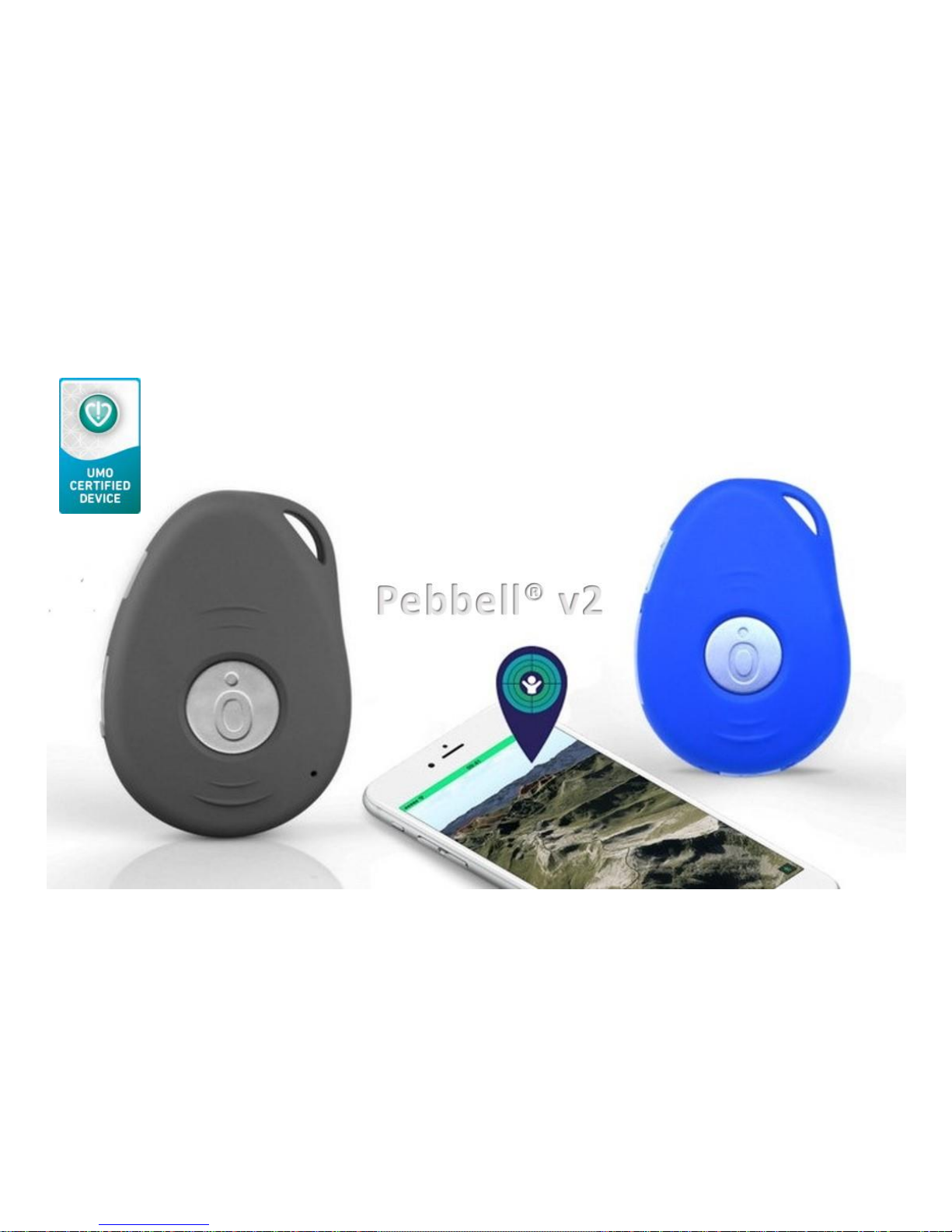
Thank you for purchasing PEBBELL v2 GPS. PEBBELL v2 is especially built for real time monitoring
and can be used in all areas of life from travelling and lone worker protection to specialized care
and security services. It is suitable for children, the elderly, people suffering from dementia,
patients but also outdoorsmen, sportsmen etc.
Using latest advanced GPS and wireless technology combined
with IPX6 waterproofness and an innovative miniature size,
it increases safety and reduces stress.
When needed, you can, communicate your PEBBELL’s exact
position. You can request location, set tracking and area
tracking of the device(s), and view your PEBBELL’s position
on the map. PEBBELL can be used with any smartphone and
you do not need to install any applications**. The device is
designed for use on the 850/900/1800/1900 MHz mobile
networks. You can use it also in all countries worldwide where
HoIP Telecom has a SIM roaming contract.
(**exception: Live Tracking Android and IOS Mobile Client).
Page 3

STARTING PEBBELL 2
2 – www.pebbell-gps.com
Information in this User manual is subject to change without notice.
HoIP Telecom reserves the right to change or improve their products and make changes in the
content without obligation to notify any person or any organization of such changes or
improvements. HoIP Telecom is not responsible for any loss of data, income or any consequential
damage whatsoever caused.
Some of the features described in this User Manual may be optional and intended to be purchased
separately. For details, please contact HoIP Telecom or your local reseller.
For more information, details and descriptions, including device configuration and assortment of
chargers and accessories, please visit the web site: http://www.pebbell-gps.com, or contact your
PEBBELL country dealer.
HoIP Telecom warrants its products to be free of defects in material or workmanship when leaving
the factory. For details, see the warranty terms at: http://www.pebbell-gps.com/warranty-terms.
PEBBELL™ is a registered trademark of HoIP Telecom.
Correct disposal of this product: The PEBBELL device(s) should not be disposed with household or
other commercial waste. Remove the battery from the device and dispose it according to local
battery recycling laws.
Page 4

STARTING PEBBELL 2
3
Please read this document before using the product. Neglecting the rules may be dangerous or
illegal. Further detailed information is given in this manual.
Do not switch on the product when wireless phone use is prohibited or may cause
interference or danger.
Do not use the product in hospitals. Follow the hospital regulations or rules. Switch off the
product near medical equipment.
Do not use the product on aircrafts. Wireless devices can cause interference in aircraft.
Do not use the product at a refuelling point. Do not use the product near fuel or chemicals.
Do not use the product where blasting is in progress. Observe restrictions and follow any
regulations or rules.
Never try to disassemble or service the product. Only qualified personnel may repair the product.
Use only approved accessories and batteries. Do not connect incompatible battery charger or
charge other devices with the PEBBELL GPS charger. A wrong charger may damage the device.
-We wish you enjoyable moments with PEBBELL v2-
Page 5
STARTING PEBBELL 2
4 – www.pebbell-gps.com
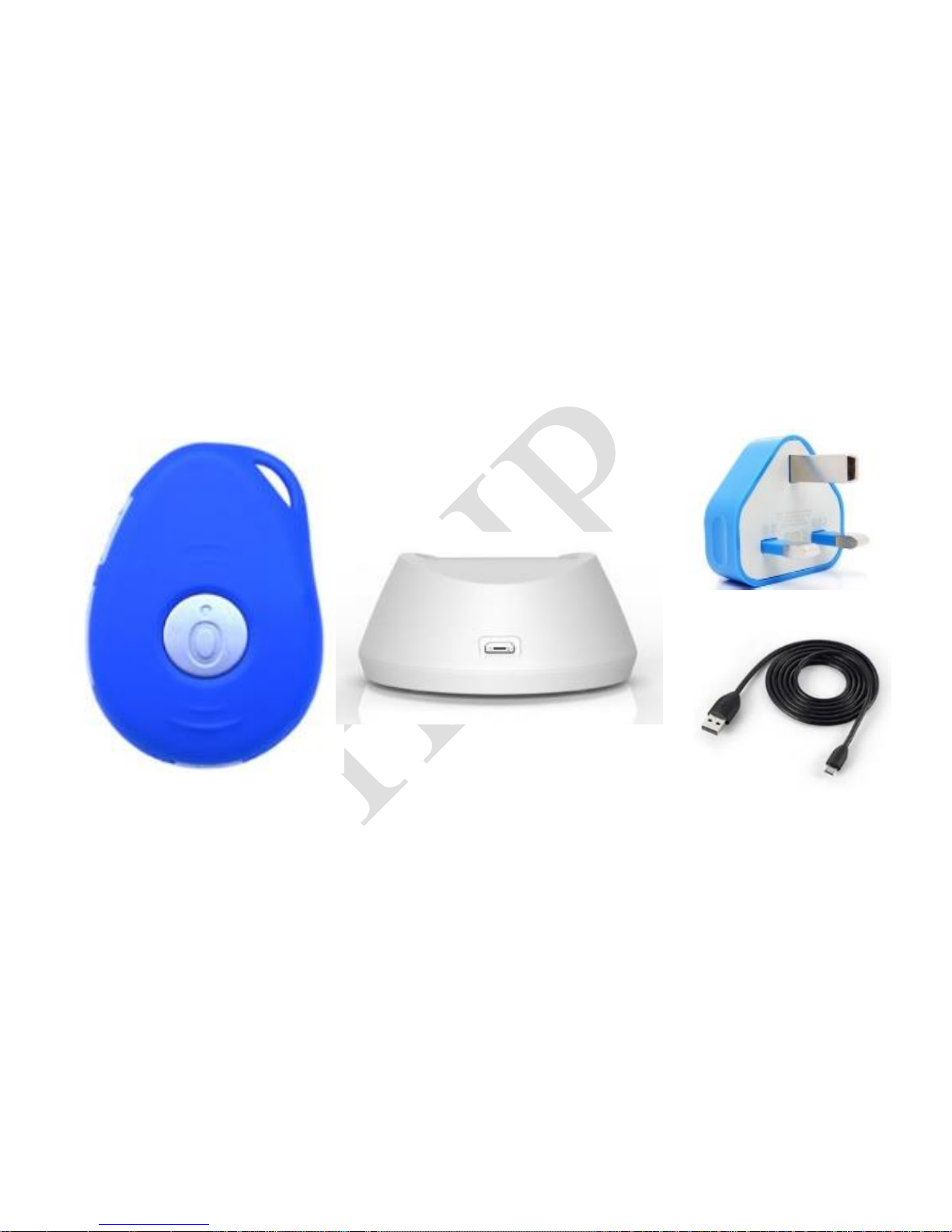
RECOMMENDED PACKAGE CONTENT IN UK
PEBBELL v2
Desktop Docking Charger
AC Charger Adapter
USB Charging Cable
Page 6
STARTING PEBBELL 2
5
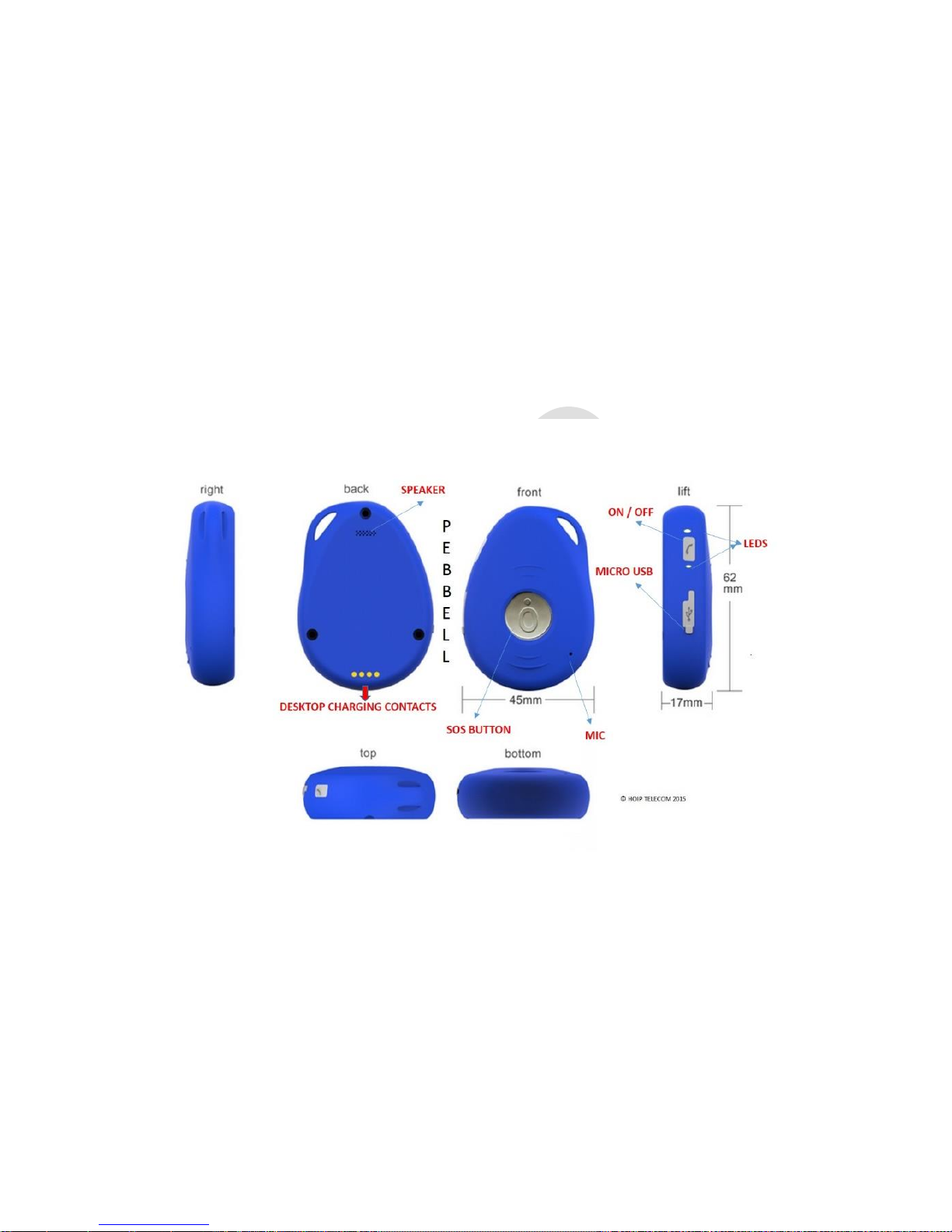
① GETTING TO KNOW YOUR DEVICE
Page 7
STARTING PEBBELL 2
6 – www.pebbell-gps.com
② DEVICE CHARGING
The PEBBELL v2 device is equipped with an internal rechargeable battery. The autonomy of the
battery may vary depending on the GPS and GSM activity and the use of the device.
When charging for the first time use, please fully charge the battery for around 2-3 hours, using
the USB charger or the docking station.
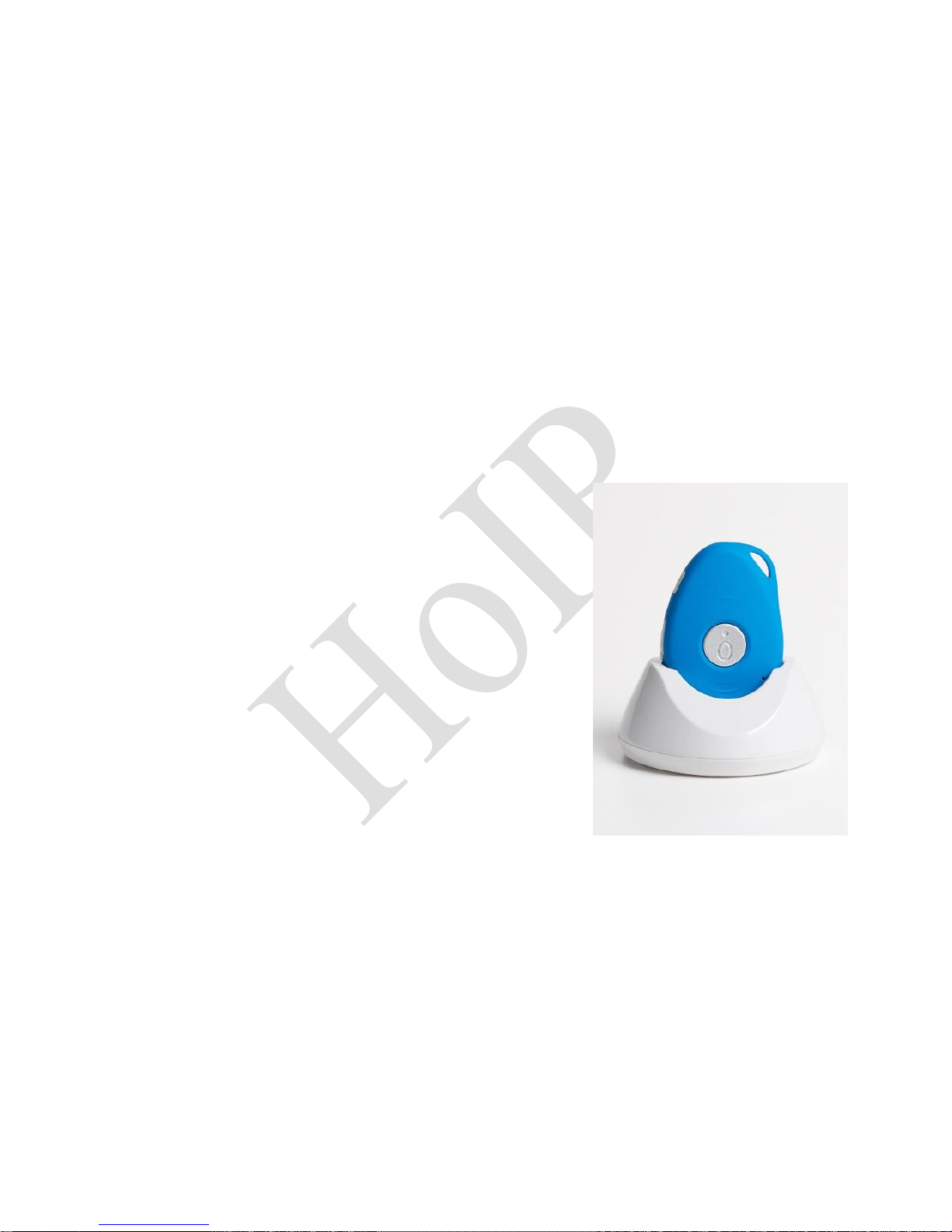
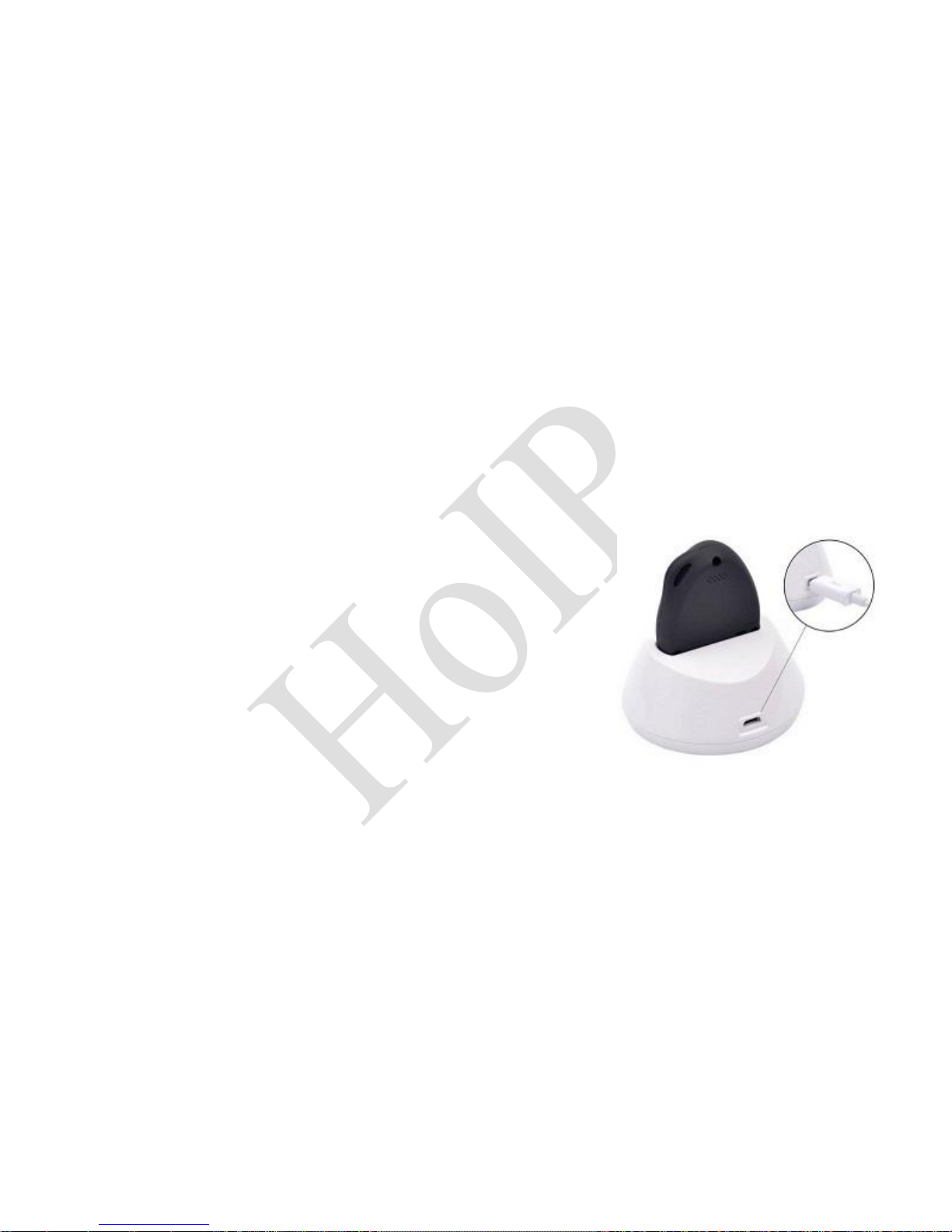
o Place the device on the docking station.
o Connect the Micro USB side of the cable to the docking
station port and connect the other end of the cable to
the designated AC power source (USB/AC adaptor).
o When charging, the RED LED (on the docking station)
will be blinking. After the device has been fully charged,
the RED LED WILL BE SOLID DIM.
NOTE: A wrong charger may damage the device. Use only the
original PEBBELL charger. The ideal temperature range for
charging is between +10°C and +30°C. The battery life might
be shortened if charging the battery outside of this temperature
range.
Page 8
STARTING PEBBELL 2
7
LOW BATTERY ALARM
When the unit’s battery is less than 15%, it will send an SMS alarm “BAT: LOW!” to all authorized
numbers. If the battery is less than 15%, the blue light will flash rapidly to advise the user to
charge the device as soon as possible.
③ SWITCHING ON THE DEVICE
To turn on the device: Press the side
power button for 1 second, all the LEDs
will flash rapidly.
Device can also be turned on
automatically by charging via USB or
placing in on the docking station.
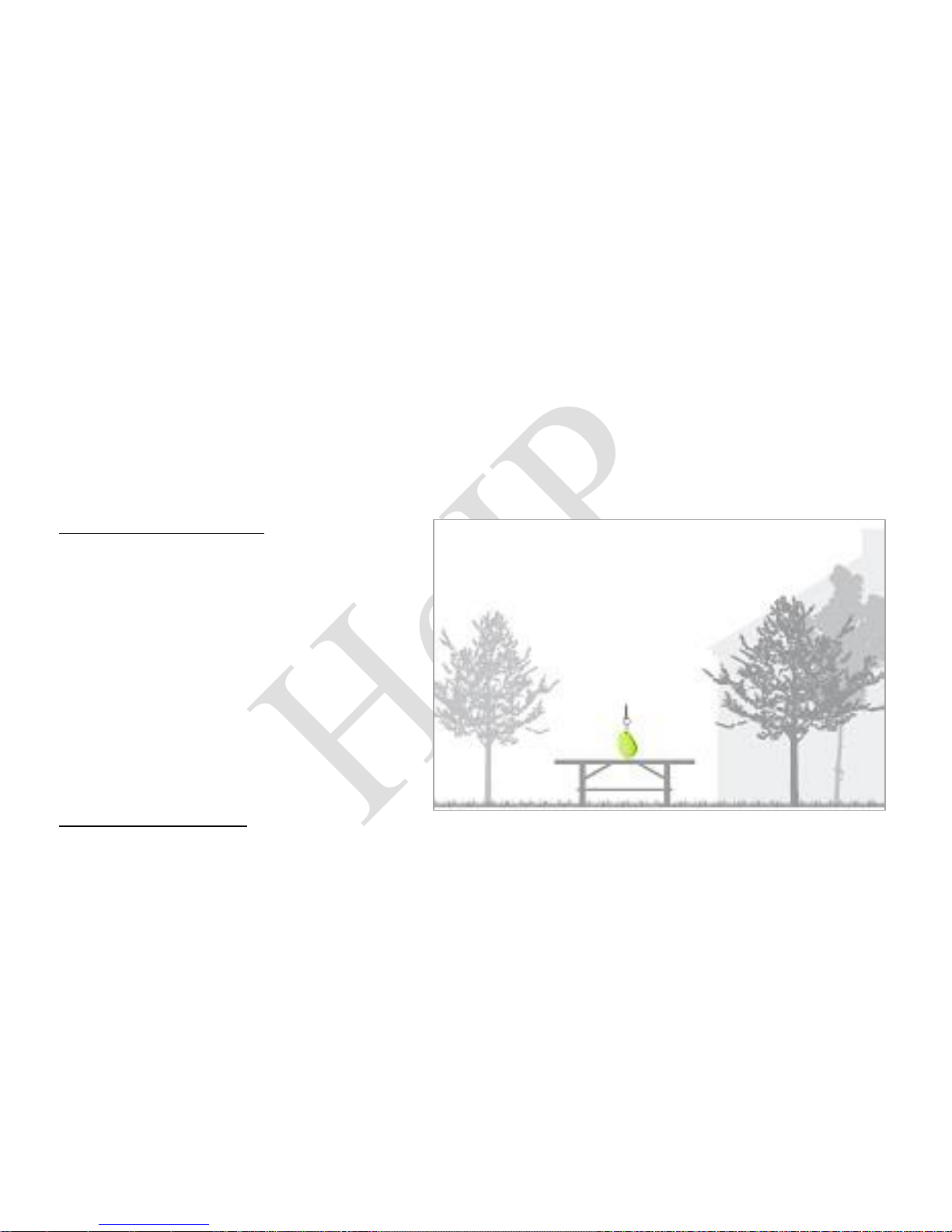
To get an initial first location, stay
outdoors or near a window so the device
can fix itself onto the satellites.
④SWITHCING OFF THE DEVICE
To turn off the device: Press and hold the
side button and SOS button together for 1 second until the LEDs turn off
Page 9
STARTING PEBBELL 2
8 – www.pebbell-gps.com
⑤ WHAT DO THE LIGHTS MEAN?
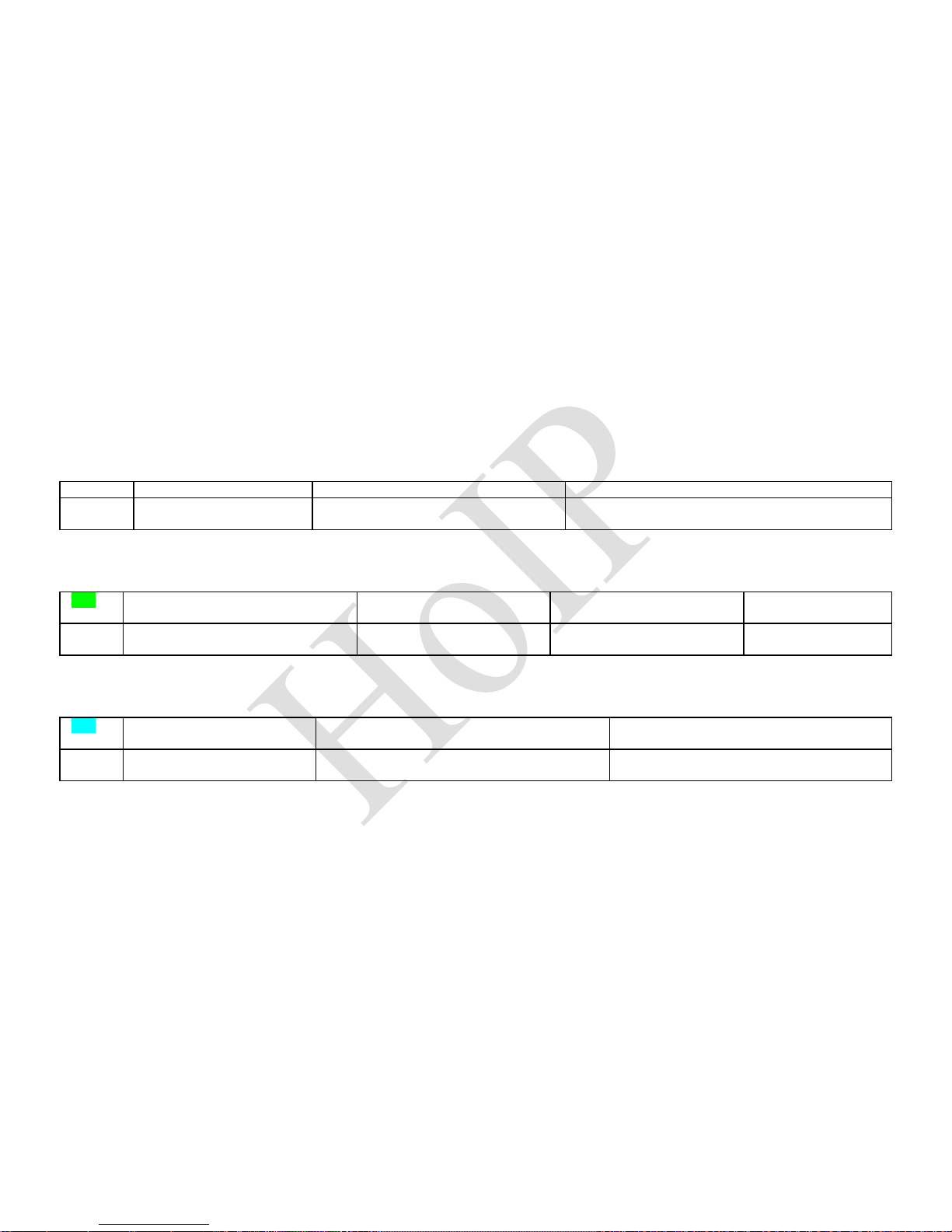
POWER STATUS - LED
LED
Blue ON (solid)
Blue blinking quickly
Blue OFF or blinking slowly
STATE
The device is charging
Battery power is lower than 15%
Device has been fully charged or it’s not
charging
GSM LED – GREEN
LED
Light shows a rapid single flash
every 3 seconds
Light shows a rapid double
flash every 3 seconds
Light shows a slow flash
every 3 seconds
Light solid (not
flashing)
STATE
The device is connected to the
GSM network
The device is registered to
the GPRS network
The device is connecting
to the GSM network
No SIM card is
detected
GPS LED - BLUE
LED
Light shows a rapid single
flash every 3 seconds
Light shows a slow flash every 3 seconds
(1 second ON and 3 seconds OFF)
Blue OFF (when device not charging)
STATE
The device has a GPS
positioning fix
The device has NO GPS position fix
The GPS chip is sleeping
Page 10
STARTING PEBBELL 2
9
⑥ SETTING THE AUTHORIZED NUMBERS (A, B and C)
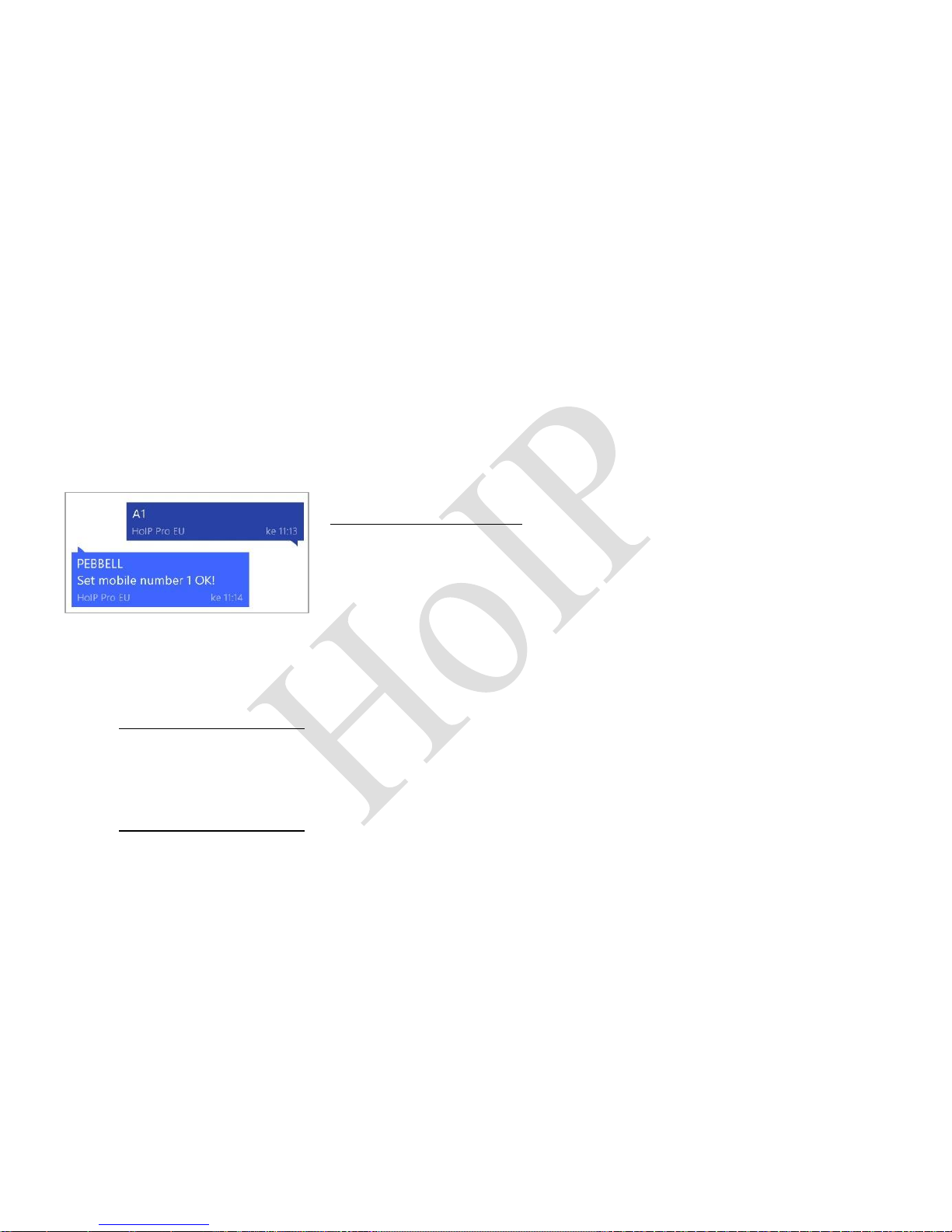
① Send SMS command: A1
NOTE: No spaces in the text, case-insensitive.
Using your mobile phone, send SMS with a text A1 to the phone number of the device. It
will reply: “Set mobile number 1 OK!”
To delete this number, send command A0 to the Pebbell.
NOTE: It is not mandatory for all three of the authorized
numbers to be set, however a minimum of one must
always be set.
②Send SMS command: B1,phone number (Example: B1, +447624123456)
Using your mobile phone, example send B1,+447624123456 to the phone number of the
device. It will reply: “Set mobile number 2 OK!”
To delete this number, send command B0 to the PEBBELL
③Send SMS command: C1,phone number (Example: C1, +447624987654)
Using your mobile phone, example send C1,+447624987654 to the phone number of the
device. It will reply: “Set mobile number 3 OK!”
To delete this number, send command C0 to the PEBBELL
Page 11
STARTING PEBBELL 2
10 – www.pebbell-gps.com
⑦ ACTIVATING THE SOS “BUDDY” ALARM
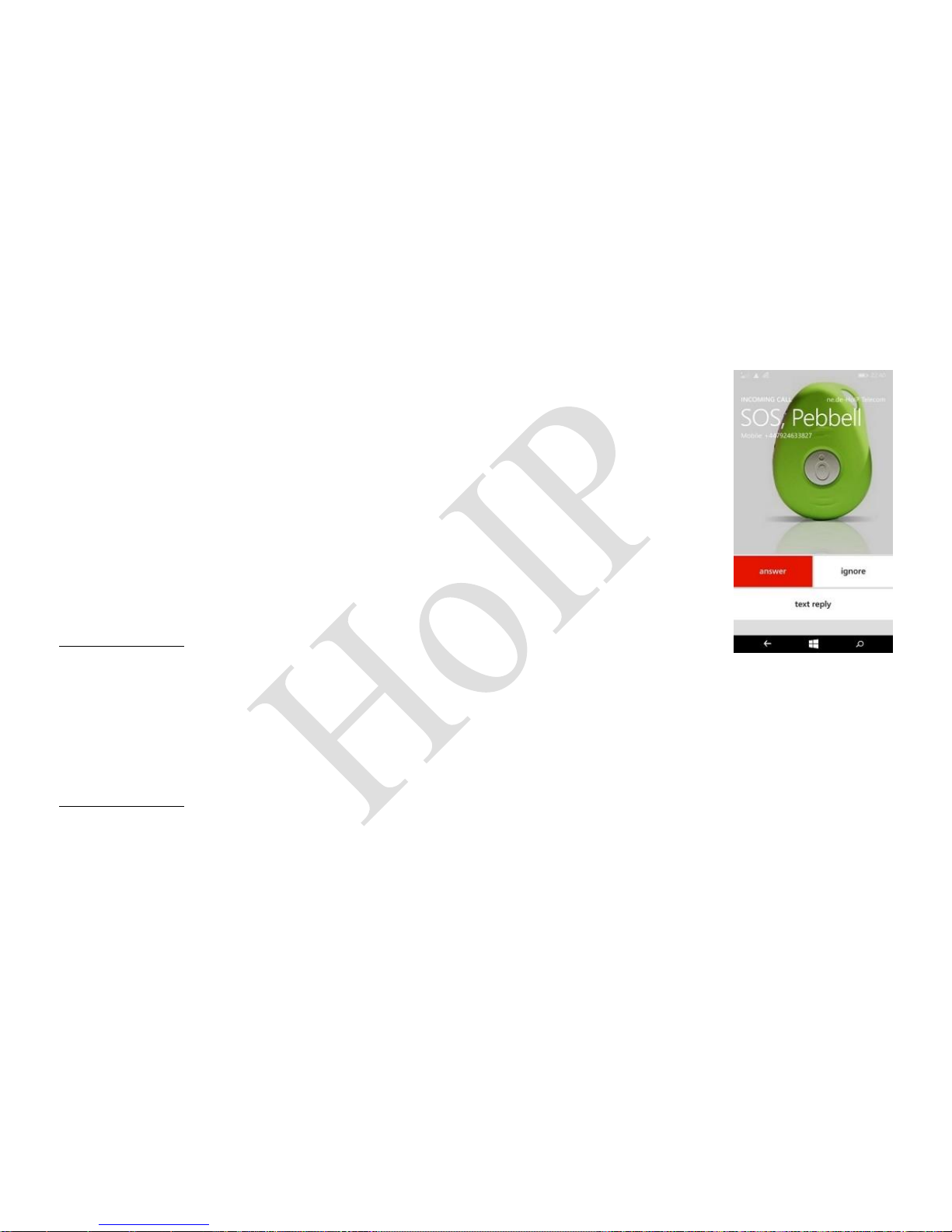
Press and hold the SOS button for 3 seconds until the device vibrates, after
which the green light will start flashing rapidly to confirm the request.
Following this, an SOS alarm “Help me” –an SMS message with location
coordinates– is sent to all authorized phone numbers. The device will also
dial the 3 authorized numbers in sequence. If it fails to connect to the first
number (A1), it will call the second one (B1). In case the second number
fails to be connected as well, the device will call to the third number (C1). If
the device fails to dial all 3 numbers, it will start dialling the numbers again
after 5 minutes. This will continue until one of the phone numbers answers
the call.
To end the call, press the SOS button.
⑧ MAKING A NORMAL PHONE CALL
To make a normal call, press and hold the side button for 3 seconds and you will hear a beep.
The green light will flash rapidly to confirm the request after which the device dials the call to
number C1.
To end the call, press the SOS button.
Page 12
STARTING PEBBELL 2
11
⑨ RECEIVING A NORMAL PHONE CALL
To receive a normal call (only from authorized A1, B1 or C1 numbers), PEBBELL will vibrate.In
order to start the call press SOS button. To end the call, press the SOS button.
⑩ LISTEN-IN (Voice wiretapping)
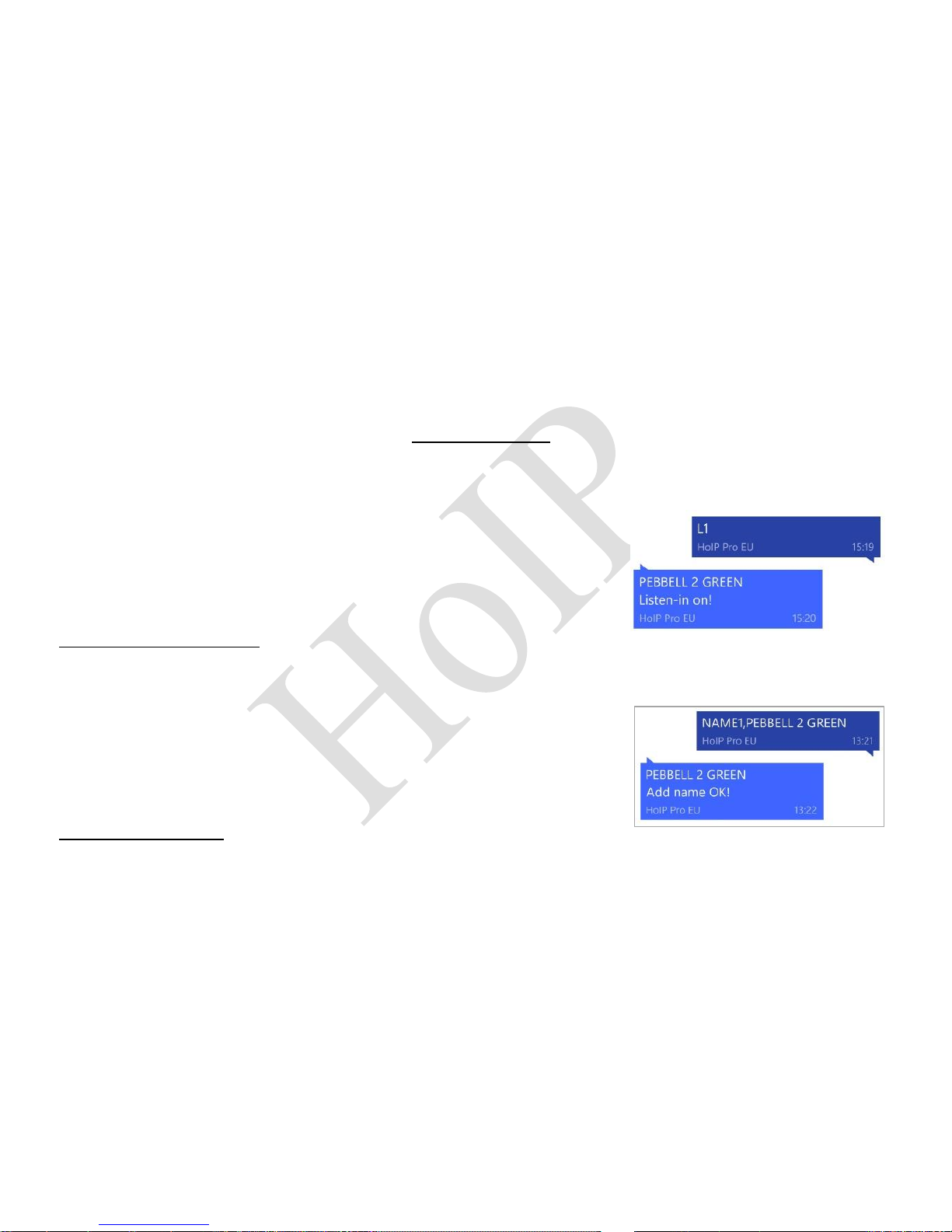
Send SMS command: L1 (Default L0)
A1, B1 and C1 can make a silent call to the device. PEBBELL
answers the call automatically and allows the caller to hear what
is happening around the device. There is no voice indication that
the call is in progress.
To turn off this function, send command L0 to the device.
⑪ USER-DEFINED NAME IN PEBBELL SMS
CONTENT
Send SMS command: NAME1,user name (Default PEBBELL)
Example: NAME1,PEBBELL, PEBBELL will reply “Add name OK!”
To delete the name send command NAME0 to the device
Page 13
STARTING PEBBELL 2
12 – www.pebbell-gps.com
⑫ TURNING OFF THE LEDs
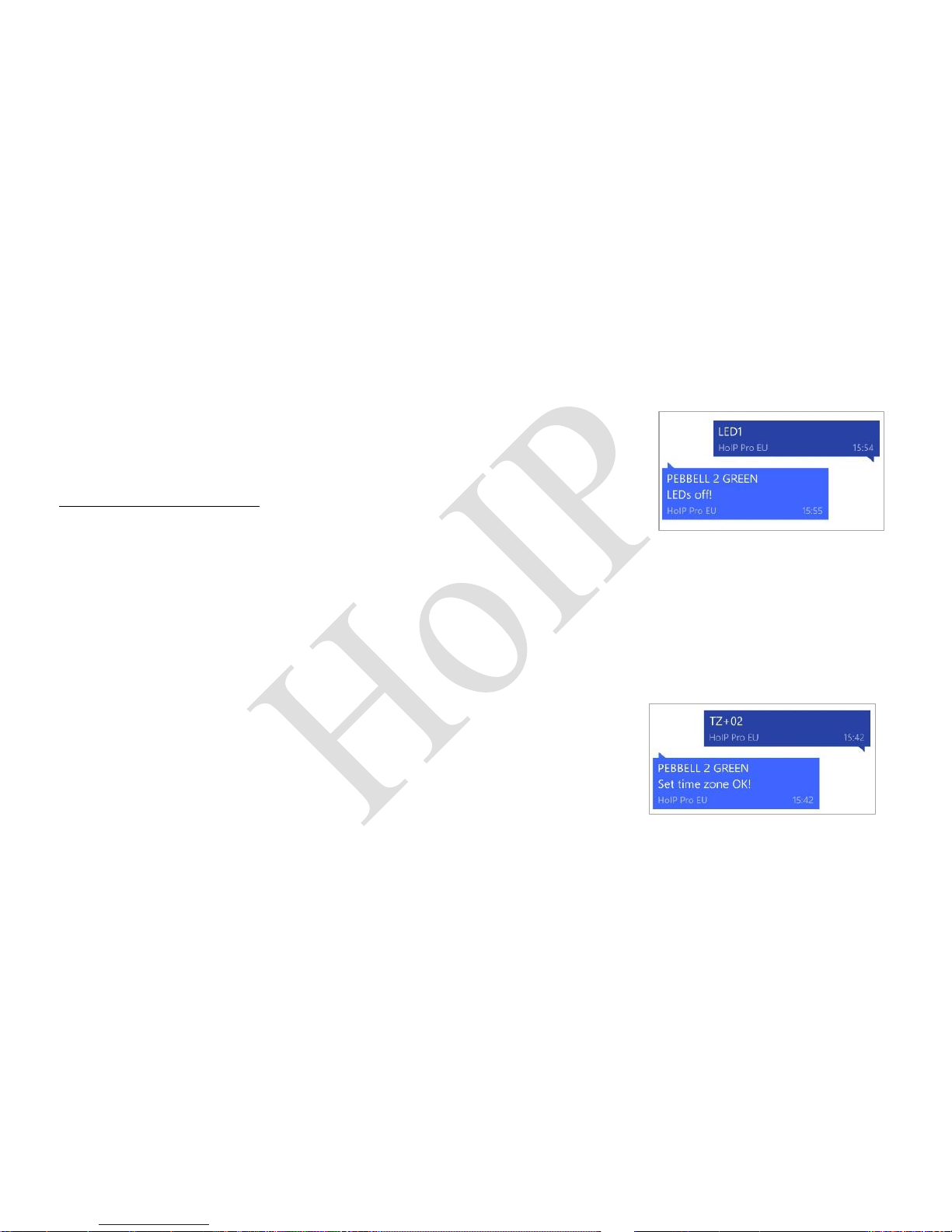
Send SMS command: LED1
The device will reply “LEDs OFF!” and after a short while the LEDs
will stop flashing, but the device is actually on.
To turn off this function, send command LED0 to the device
⑬ MODIFYING THE TIME ZONE
Send SMS command: TZ+00/-00
NOTE: UTC time has been set as default time.
NOTE: The time must be given in 2 digits with the maximum of 23 hours in value. The symbol “+”
in the “time zone” portion of the text indicates east. The symbol “-“ indicates west.
Example:
TZ+02: The system will add 2 hours based on the UTC
time (CET Time Zone)
TZ-02: The system will reduce 2 hours based on the UTC
time.
Page 14
STARTING PEBBELL 2
13
⑭REGUESTING A SINGLE LOCATION
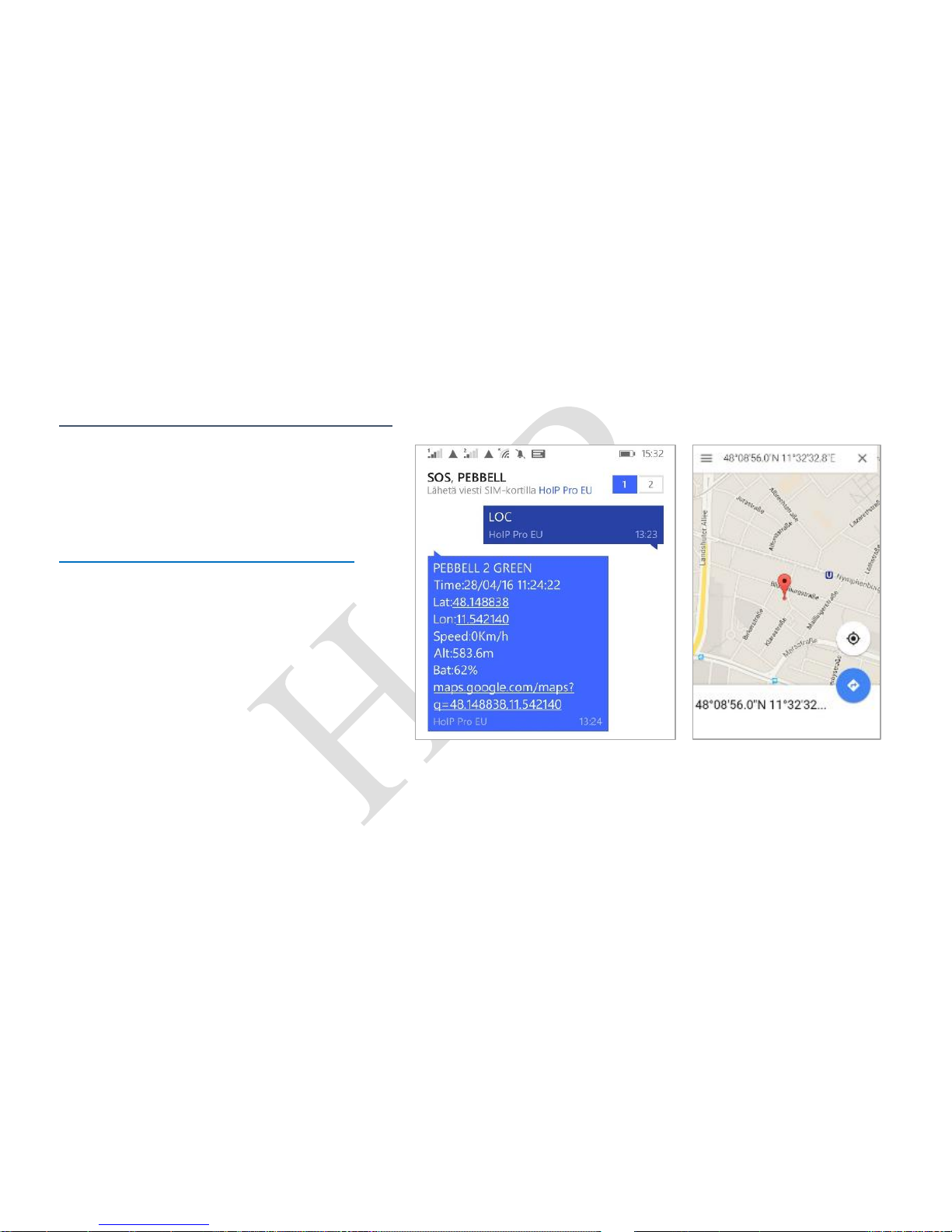
1. Reply with coordinates and web link Send SMS Command: LOC
The device will reply.
“Time: xxxxx; Lat: xxxx; Lon: xxxx;
Spd: xxxxx; Altitude:xxxx Bat: xxx”
and a link to Google Maps:
maps.google.com/maps?q=48.148838,11.542140
By clicking on the link, the location will be
shown directly on Google Maps on your
mobile phone (mobile phone needs to be
connected to Internet).
NOTE: Always check the time stamp of
received reply. If the time stamp is not
correct, the device has sent back a nonvalid old location. In this case, please
repeat the LOC command.
Page 15

STARTING PEBBELL 2
14 – www.pebbell-gps.com
2. Reply with Address (not in standard usage)
Send SMS command: add
The device will reply with an address, e.g. “Add: Coombe Lane, Awbridge, SO51 0HN Hampshire,
UK”
NOTE: This function needs DATA server function support to activate, for which please contact:
⑮ LOCATING THE CELL
If the GPS signal is not available, the unit can be tracked by a GSM base station tower. However,
as compared to a GPS satellite, GSM accuracy is proven to be worse with some regional areas
having errors of 300m–5km.
Send SMS Command: CL1
The device will reply “Cell locate on!”
To turn off this function, send command CL0 to the device
Page 16

STARTING PEBBELL 2
15
⑯ OVER-SPEED ALARM
Send SMS command: SPEED1,speed (Default SPEED0)
NOTE: The speed must be given in km/h in 2 or 3 digits (01-255 km/h).
Example: SPEED1,100
Suppose the overspeed alarm we want to set is 100 km/h. When the device exceeds 100 km/h, it
will send the message “Overspeed! + GPS info” to all preset authorized numbers.
To turn off this function, send SMS command SPEED0 to the device.
⑰ GEO-FENCE ALARM
Send SMS Command: GX,Y,Z,xxxM/KM (Default G0)
Example: G1,1,1,100M Notes: No spaces in between.
X=No. of Geo-fences (1~3), user can set 3 Geo-fences
Y=0; turn off the function
Y=1; turn on the function
Z=1; set alarm when the PEBBELL enters the preset area
Z=0; set alarm when the tracker breaches the district
Page 17

STARTING PEBBELL 2
16 – www.pebbell-gps.com
xxx is the preset distance to PEBBELL’s original place, and
it must be given in 3 digits. M stands for meters, KM
stands for kilometres.
The device will send the message to the authorized numbers as
“Geo fence alarm!+GPS info” when it enters the set area (user
must set this function when the blue light is flashing rapidly).
To turn off this function, send SMS command G1,0 or G2,0 or
G3,0 to the device.
The minimum setting is 100 meters, and it works only on Power Save OFF mode or LIVE Tracking
mode.
⑱ MOVEMENT ALERT
Send SMS command: M1, xxxM/xxxKM (Default M0,0)
NOTE: xxx must be given in 3 digits. M stands for meters, KM stands for kilometres.
PEBBELL must be stationary when setting this function.
Example: M1,100M
When PEBBELL moves beyond 100 meters, it will send an SMS alarm to the preset numbers.
Page 18

STARTING PEBBELL 2
17
To turn off this function, send command M0 to the device. The minimum setting is 100 meters.
⑲ MOTION ALARM
Send SMS command: V1,xx S/M/H (Default V0)
NOTE: No spaces in between, S stands for seconds, M stands for minutes, H stands for hours, xx
stands for the time you set and must be given in two digits.
Example: V1,05M
If the user turns on this function, the device will detect motion every 5 minutes and will send an
SMS warning alarm to all registered phone numbers.
To turn off this function, send command V0 to the device.
⑳ FALL DETECTION
Send SMS command: FL1 (Default FL0)
The device must sense both the impact and the angle of the fall, after which it must remain in a
lying position for at least 10 seconds. After this, the device will raise alarm. A simple fall may
cause harm, but the fall sensor might support you to get immediate help without missing any
important moment.
Page 19
STARTING PEBBELL 2
18 – www.pebbell-gps.com
To turn off this function, send command FL0 to the device.
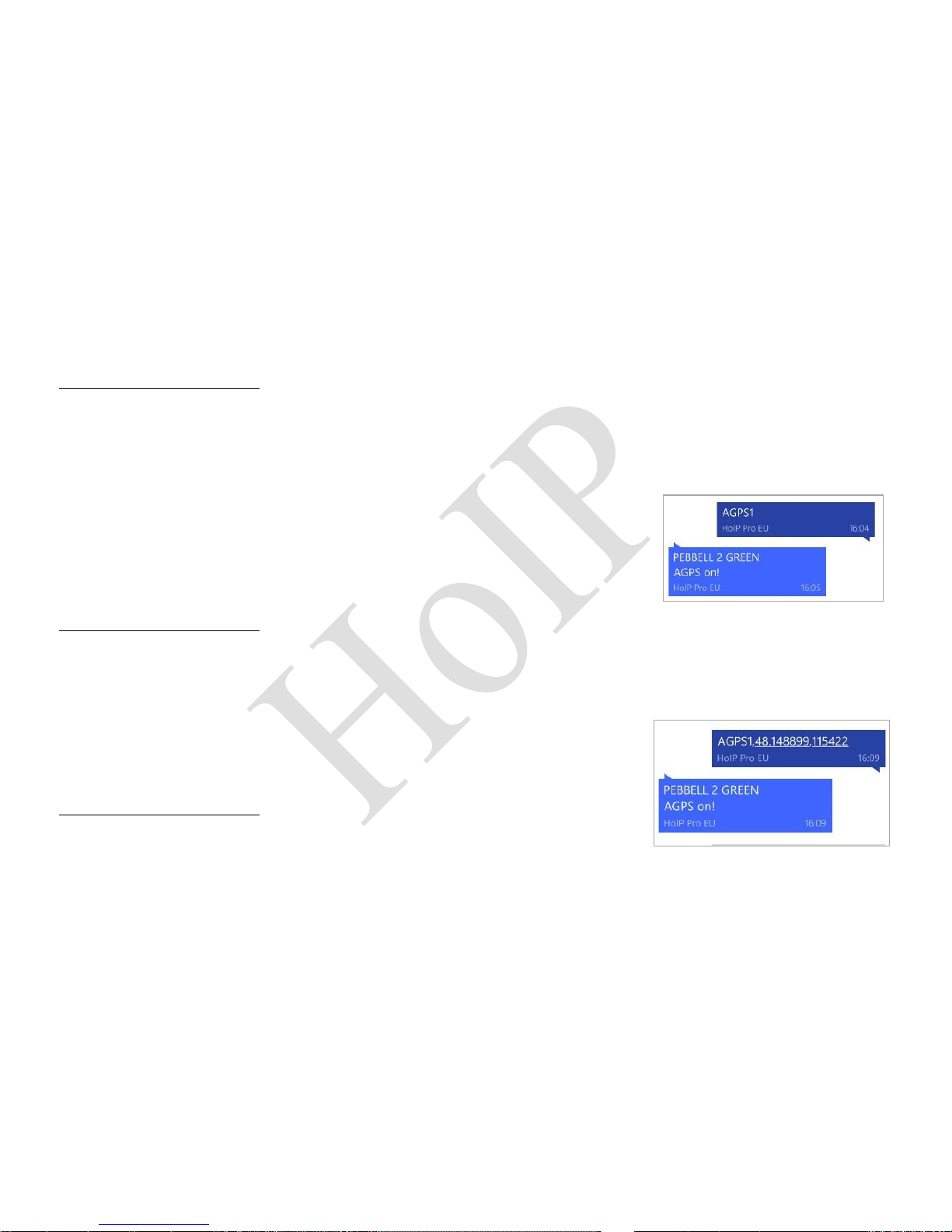
②① A-GPS
Send SMS Command: AGPS1 (Default on)
A-GPS serves for accelerated positioning and helping position a device
when GPS signals are weak or not available. GPS satellite signals may
be impeded by tall buildings and do not penetrate building interiors
well. A-GPS uses proximity to cellular towers to calculate position
when GPS signals are not available.
To turn off this function, send command AGPS0 to the device
②② A-GPS WITH KNOWN POSITION
Send command: AGPS1,latitude,longitude
Example: AGPS1,48.148899,11.542254
To turn off this function, send command AGPS0 to the device
Page 20
STARTING PEBBELL 2
19
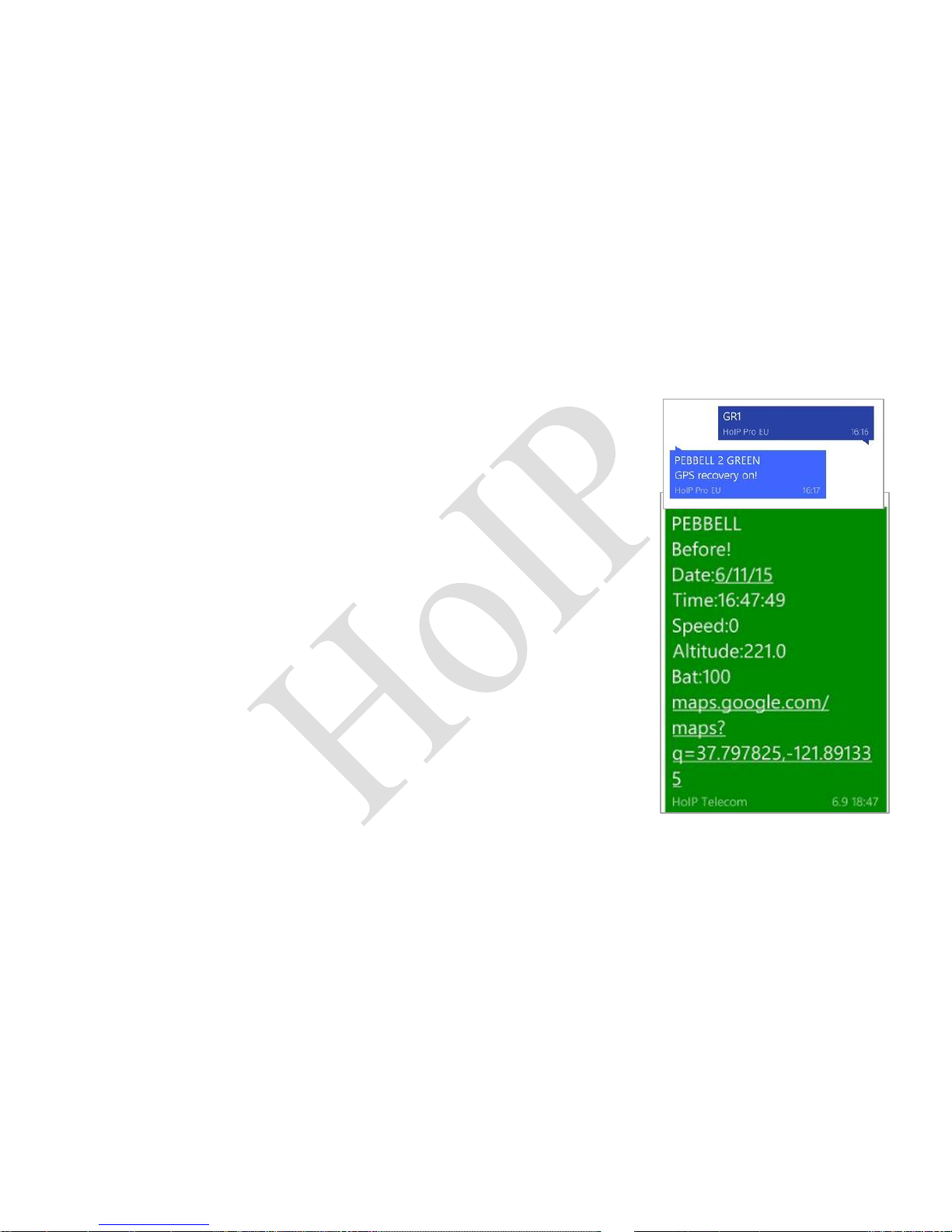
②③ GPS SIGNAL LOST AND RECOVERY ALERT
Send SMS command: GR1 (Default GR0)
The device will automatically send the latest available GPS
information to the preset numbers when it enters an area without
GPS signal. If the user goes into an area that does not have a GPS
signal, such as a tunnel, cave, parking garage etc., the device will
know where the user was 10 minutes before they entered such an
area. This is critical! If a child goes missing, you’ll be able to know
the closest possible location before the GPS signal was lost.
For any SMS sent during the period lacking GPS signal, the device
will reply GPS information to preset numbers soonest as the GPS
signal is recovered.
To turn off this function, send command GR0 to the device.
NOTE: This can generate many SMS messages.
Page 21
STARTING PEBBELL 2
20 – www.pebbell-gps.com
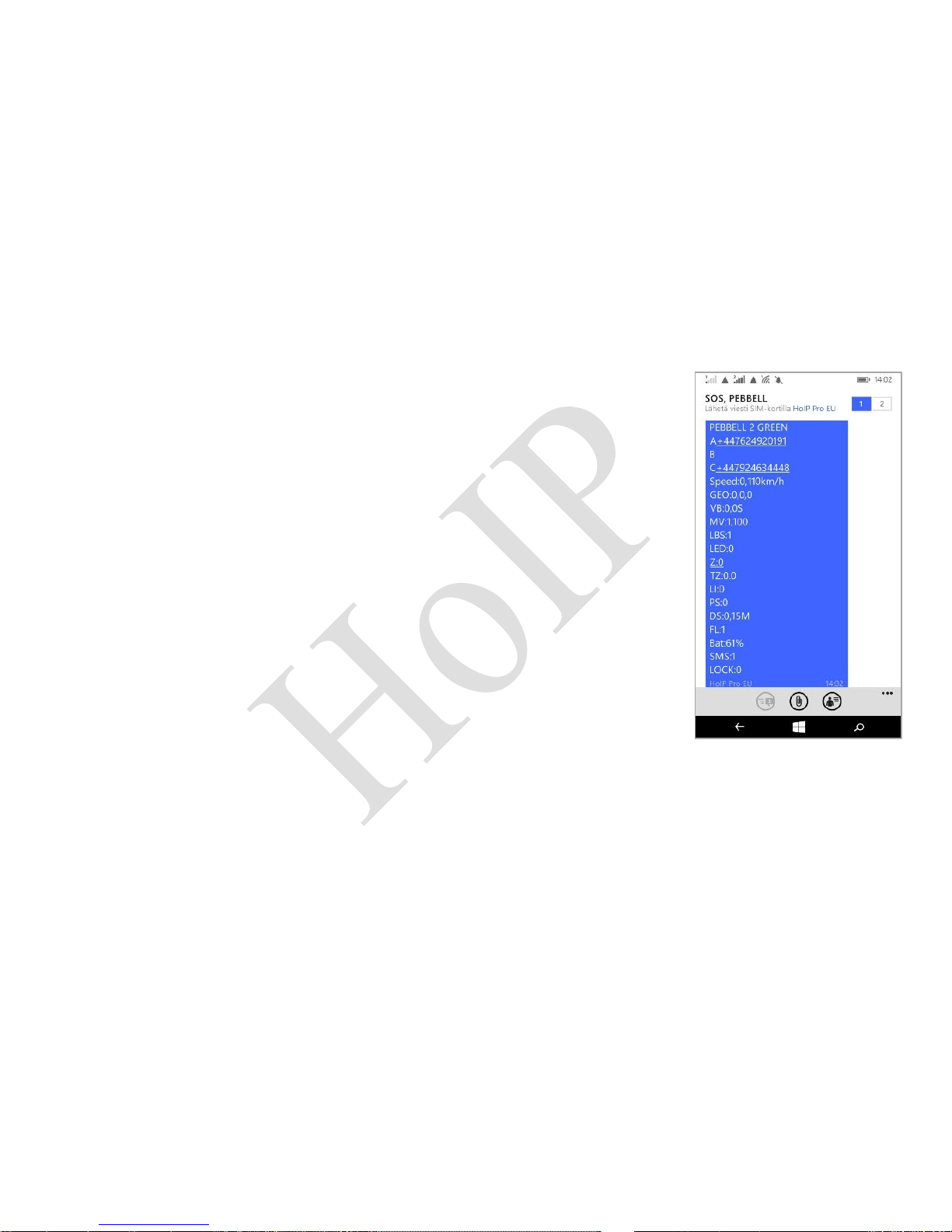
②④ CHECKING THE SETTINGS
Send command: STATUS
The device will reply e.g. “A+44xxxxxxxxxx B+44xxxxxxxxxx
C+44xxxxxxxxxx; Speed: 0,110km/h; GEO: 0,0,0; VB: 0,0S; MV: 0,0;
LBS: 1; LED: 0; Z:0; TZ: 2.0; LI: 0; PS: 1; DS: 0,15M; FL: 1; Bat: 61%;
SMS: 1; LOCK: 0”
The meaning of “0” & “1”:
The number “0” implies that the function is turned off, while “1” indicates
that the function is turned on.
Page 22
STARTING PEBBELL 2
21
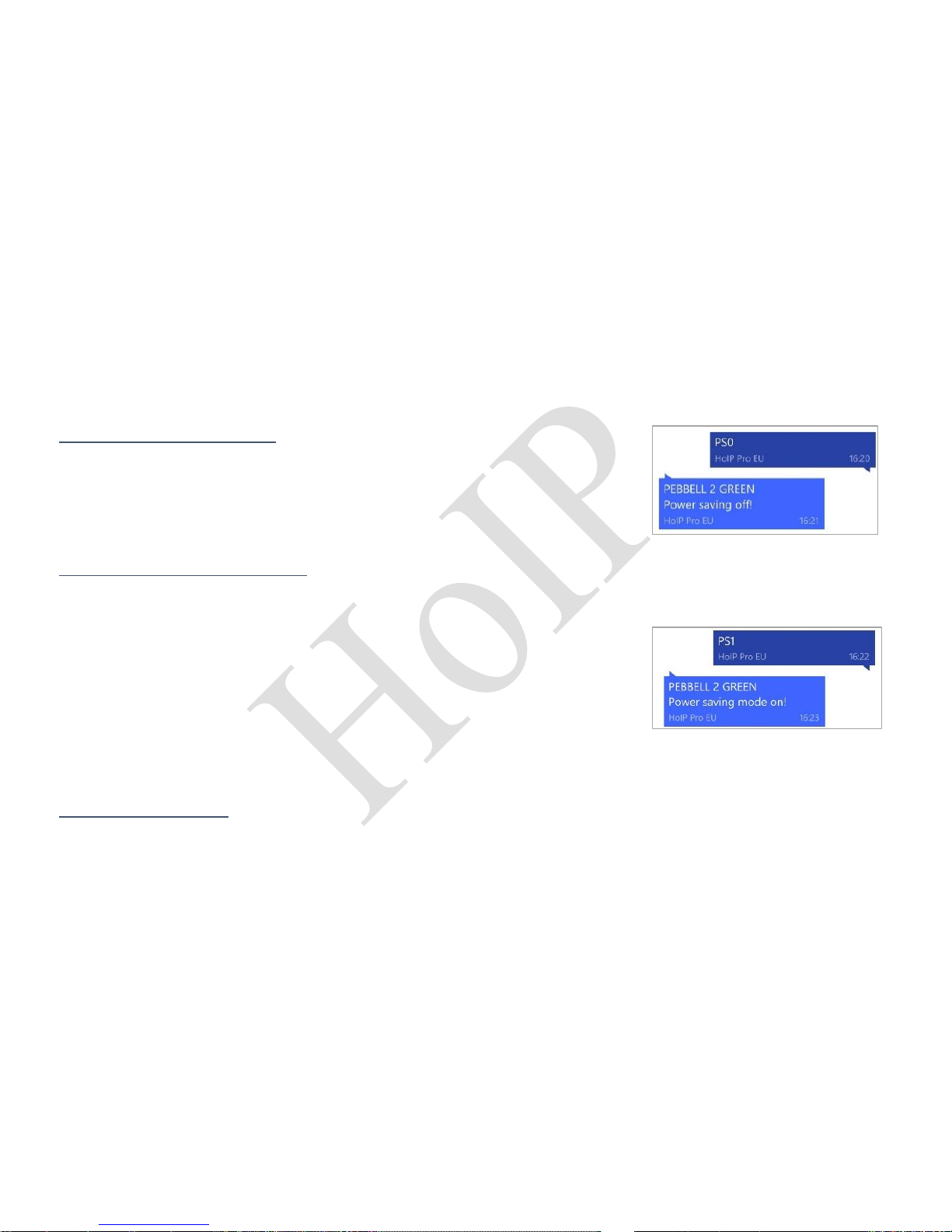
②⑤ DEVICE POWER MODES
1. No Power Saving Mode
Send command: PS0
In this mode, both GSM and GPS are on, battery can last 18~36
hours.
2. Smart Power Saving mode
Send SMS command: PS1 (Default mode)
In this mode, the GSM chip is working and receives calls as well as
SMS and transmits location. The GPS chip is activated by motion,
incoming calls and SMS. The GPS chip is off when there is no
movement or phone usage. Battery life is not consumed when the
device isn't moving.
In normal use, the battery can last 4 ~ 8 days.
3. Deep Sleep Mode
Send SMS command: DS1
Page 23
STARTING PEBBELL 2
22 – www.pebbell-gps.com
The device can be only activated by movement. Once movement is detected, it will run for the set
time (15 minutes) and sleep again if no movement is detected.
The battery can last 40 days if there is no movement at all.
To turn off this function, send command DS0 to the device.
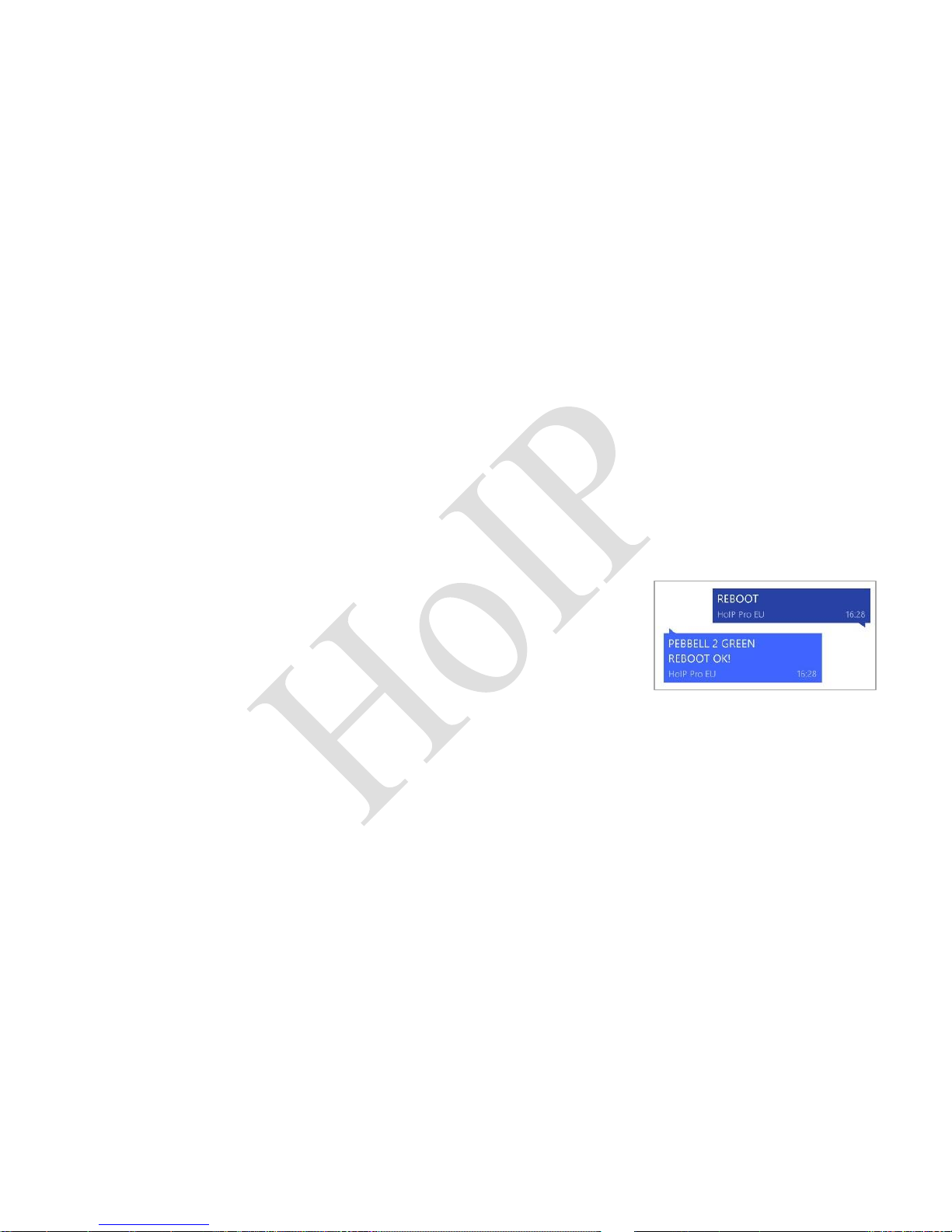
②⑥ REBOOT DEVICE
Send SMS command: REBOOT
The device will reply: “REBOOT OK!”
NOTE:: The device will restart itself without changing any settings.
②⑦ INITIALIZATION
Send SMS command: RESET!
The device will reply: “RESET OK!”
NOTE: This will restore all settings to the factory default.
Page 24

STARTING PEBBELL 2
23
②⑧ BUILT –IN MEMORY
The device has a built-in 8MB flash memory. It will store the GPS information when there is no
GSM network coverage (e.g. very low population density areas, mountainous terrain, and
underground areas). The device will transmit GPS locations to the web server automatically once
the GSM network is recovered.
②⑨ DELETE STORED TRACKING HISTORY DATA
Send SMS command: flush
The device will stop sending the stored tracking history data to the tracking platform
HARDWARE SPECIFICATION
Content
Specs.
Mainframe Dimension
65 x 35 x 16 mm
Weight
35g
GSM Frequencies
900/180/850/1900Mhz
GPS Chip
U-blox 7 (Support AGPS)
GPS Sensitivity
Cold start: -148dBm, Hot start: -162dBm
GPS Accuracy
<2.5m
Page 25

STARTING PEBBELL 2
24 – www.pebbell-gps.com
Time to First Fix
Cold start 32s, Warm start 11s, Hot start 1s
Charging Voltage
5V DC
Battery
Chargeable 3.7V 800mAh
Standby Current
≤2mAh
Storage Temperature
-40°C to +85°C
Operation Temperature
-20°C to +80°C
Humidity
5%-95% non-condensing
ORIGINAL PEBBELL™ v2 WARRANTY
The purchaser of the PEBBELL GPS device and its accessories, included in the box as sold, has a
limited warranty.
HoIP Telecom undertakes that during the period covered by the limited warranty, any defects in
the materials, design or manufacture of the PEBBELL GPS device and its accessories will be
corrected by HoIP Telecom or one of its approved after-sales companies, free of charge and
within a satisfactory time-frame. This correction shall cover the repair of the PEBBELL GPS device
and its accessories, or, if HoIP Telecom considers it necessary, at its sole discretion, its
replacement free of charge under the stipulations of this limited warranty. This limited warranty
does not affect your rights under the laws in force in your country or your rights against the
vendor of the PEBBELL GPS device and its accessories.
Page 26

STARTING PEBBELL 2
25
Warranty Period
The warranty period starts at the time of the product’s original purchase by the first end-user.
The product may consist of several different parts and different parts may be covered by a
different warranty period (hereinafter “Warranty Period”). The different Warranty Periods are:
1. Twelve (12) months for PEBBELL device and three (3) months for accessories (whether
included in the device sales package or sold separately). Other than the consumable parts and
accessories as listed in “2.” below:
2. Three (3) months for the following consumable parts and accessories: batteries and chargers
As far as your national laws permit, the Warranty Period will not be extended or renewed or
otherwise affected due to subsequent resale or a HoIP Telecom authorized repair or replacement
of the product. However, part(s) repaired or product(s) replaced during the Warranty Period will
be warranted for the remainder of the original Warranty Period or for sixty (60) days from the
date of repair or replacement, whichever is longer.
How to use the warranty service
To be able to use this limited warranty, kindly return the following items to the after-sales service
company approved by HoIP Telecom:
Page 27

STARTING PEBBELL 2
26 – www.pebbell-gps.com
a) The PEBBELL GPS device or the item in question, carefully protected in its original packaging,
by registered mail with proof of delivery. HoIP Telecom informs the purchaser that it is not liable
for the loss of the device and does not repair damage occurring during transport.
b) The original proof of purchase and a copy of the contract subscribing to the PEBBELL LIVE
Services, indicating clearly the name and address of the vendor as well as the date and place of
purchase.
c) The standard repair form available on the internet site http://www.pebbell-gps.com, dated and
signed, or a letter on ordinary paper giving your details and identifying the product and its
accessories (kindly attach the self-adhesive tab with the product number or write it clearly, giving
the IMEI number which you can obtain simply by contacting [email protected] and
describing the symptoms of the fault).
For further details on how to take advantage of this limited warranty, please check the website
http://www.pebbell-gps.com or contact [email protected].
When you file a claim under the limited warranty, you must notify [email protected] of
the alleged fault within a reasonable period of having discovered it, and, in any case, by the
expiry date of the warranty period at the latest.
HoIP Telecom may use new or "as-new" parts or products or others equivalent to new parts or
products to repair or replace the PEBBELL GPS device and its accessories.
Page 28

STARTING PEBBELL 2
27
All parts of the PEBBELL GPS device and its accessories, or any other item replaced by HoIP
Telecom shall remain the property of HoIP Telecom.
Warranty exclusions
1 – This limited warranty does not cover the user manuals included in the box as sold with the
PEBBELL GPS device.
2 – This limited warranty does not cover:
• normal wear and tear
• faults due to misuse (including those caused by sharp objects, bending, crushing, falls,
etc.)
• faults and damages due to misuse of the PEBBELL GPS device and its accessories, in
particular using it in other ways than as per the instructions provided by HoIP Telecom
(among others those stipulated in the PEBBELL GPS device user manual)
• other acts beyond the control of HoIP Telecom
Page 29

STARTING PEBBELL 2
28 – www.pebbell-gps.com
3 – This limited warranty does not cover effective or alleged faults caused because the PEBBELL
GPS device has been used with, or connected to, a product, accessory or service not
manufactured or supplied by HoIP Telecom or it has been used for purposes other than those for
which the PEBBELL GPS device has been designed.
4 – This limited warranty is not applicable if the PEBBELL GPS device and its accessories have
been opened, damaged, used with equipment other than that for which they were designed
(battery and SIM card), modified or repaired by anyone other than a HoIP Telecom -approved
servicing centre, if they have been repaired using non-approved swapped parts or if the serial
number of the PEBBELL GPS and its accessories or the IMEI number has been removed, deleted,
degraded, modified or made illegible in any way. Such removal, deletion etc. is to be determined
solely by HoIP Telecom.
5 – This limited warranty is not applicable if the socket for charging the PEBBELL GPS device is
rusty because the protective rubber cover has not been properly closed.
6 – This warranty is not applicable if the PEBBELL GPS device and its accessories have been
exposed to extreme temperatures or environments, to corrosion, to rusting or to the action of
chemical products.
Outside the warranty period or conditions of application of the warranty:
Page 30

STARTING PEBBELL 2
29
An estimate will be provided, on request, if the PEBBELL GPS device and its accessories are no
longer under warranty or do not comply with the conditions of application of the warranty.
To send a request for an estimate for repairs outside the warranty period or where the warranty
does not apply, kindly return the following items to the after-sales service company approved by
HoIP Telecom:
a) The PEBBELL GPS device or item in question, carefully protected in its original packaging, by
registered mail with proof of delivery. HoIP Telecom informs the purchaser that it is not liable for
the loss of the device and does not repair damage occurring during transport.
b) The original proof of purchase and a copy of the form subscribing to the PEBBELL Services,
indicating clearly the name and address of the vendor as well as the date and place of purchase.
c) Either the standard repair form available on the internet site http://www.pebbell-gps.com,
dated and signed, or a letter on ordinary paper giving your details and identifying the product and
its accessories (kindly attach the self-adhesive tab with the product number or write it clearly,
giving the IMEI number which you can obtain simply by contacting: [email protected]
and describing the symptoms of the fault).
The estimate issued by HoIP Telecom at your request will be valid for one (1) month.
Page 31

STARTING PEBBELL 2
30 – www.pebbell-gps.com
Should you accept the estimate, the repair indicated on the estimate will be performed as soon as
possible and the estimate will be free of charge.
The invoice corresponding to the estimate including dispatch costs, which are borne by you, will
be issued at the same time as the repaired PEBBELL GPS device and accessories will be sent to
you.
If you do not accept the estimate or fail to reply in the time-frame of one (1) month, the PEBBELL
GPS device and its accessories will be returned to you without repairing and the cost of the
estimate as well as the cost of dispatching the PEBBELL GPS device and its accessories will be
invoiced as a global and lump sum of fifteen (15) GBP, including tax.
The invoice corresponding to the estimate and dispatch costs will be sent to you at the same time
as the repaired PEBBELL GPS device and accessories.
Limitation of liability
This limited warranty is your only recourse against HoIP Telecom and the only liability accepted
by HoIP Telecom with regard to possible faults in the PEBBELL GPS device and its accessories.
Page 32

STARTING PEBBELL 2
31
However this limited warranty shall not, under any circumstances, exclude or limit your rights
under the laws in force in your country or your rights against the vendor of the PEBBELL GPS
device and its accessories.
Within the limits authorised under current legislation, HoIP Telecom waives all liability with regard
to loss of profits, a loss of enjoyment of the PEBBELL GPS device and its accessories or their
functions, commercial loss, loss of contract, loss of invoicing or expected savings, increase in
costs or expenditure or even indirect, consecutive or special loss and damages.
Within the limits authorised under current legislation, HoIP Telecom’s liability is limited to the
purchase price of the PEBBELL GPS device and its accessories. The above limits are not applicable
in case of a serious or intentional fault of HoIP Telecom, or in case of death or injury resulting
from a serious fault attributable to HoIP Telecom.
CAUTIONS
Please comply with the instructions to extend the unit life:
1. Keep the unit dry. Any liquid may destroy or damage the inside circuitry.
2. Don’t use or store the unit in dusty places.
Page 33

STARTING PEBBELL 2
32 – www.pebbell-gps.com
3. Don’t place the unit in overheated or overcooled places.
4. Clean the unit with a piece of dry cloth. Don’t clean with chemicals or detergent.
5. Don’t disassemble or refit the unit.
6. Don’t use other batteries, since that will cause problems.
REAL TIME TRACKING at http://tracking.pebbell.com/
Our web-based tracking system incorporates the TCP/IP protocol and allows users to monitor it in
real time over the Internet.
If you have a web tracking license, please register your PEBBELL LIVE license at:
http://www.pebbell-gps.com/live-registration-2.
If you do not have a web tracking license, you can purchase one at:
http://www.pebbell-gps.com/apps/webstore/products/show/6670029.
Page 34

STARTING PEBBELL 2
33
FAQ can be found at: http://www.pebbell-gps.com/apps/blog/
 Loading...