

Page 1
PC-PEN User’s Guide
Shenzhen pc-pen Co.,Ltd
TEL:+86-755-83995718 FAX:+86-755-83995708 http://www.pc-pen.com
1
Page 2

Content
Description
Abstract
Feature
Shipment content
Hardware introducing
The right way of pen holding
Quick Installation
How to apply instant handwriting to chat
Handwrite to chat(Take MSN as an example)
Electronic whiteboard
How to apply software for handwriting
Applying Microsoft Office 2007(Word, Excel, PowerPoint,
Outlook)
Vista applies to PC-PEN
Vista’s handwriting input
Ink tools in Vista
Windows Journal in Vista
OneNote in Vista
Games in Vista
Other relevant information
System requirements
Specification
Abstract
Shenzhen pc-pen Co.,Ltd
TEL:+86-755-83995718 FAX:+86-755-83995708 http://www.pc-pen.com
2
Page 3

PC-PEN provides a powerful function for handwriting and
drawing. A PC-PEN has not only replaced the functions of mouse,
but also can be used to chat, send E-mails, handwrite, draw
pictures on the table and etc. In order to make full use of PC-PEN,
please read the user’s guide carefully before you use it.
Feature
- Three kinds of speed adjustment handwriting mode
- Exclusive relevant identification sensor technique
- Increased double clicks mode
- High analyzed CMOS senor technique
- Intensive type 2.4G wireless module
- Advanced surface treatment craft for pen
- Rolling mouse function
- Fit for the humanized Engineering with a pen seat
- 1 year limited warranty
Shipment Contents
- PC-PEN
- CD driver (one piece)
- Pen seat
- User’s guide
- Guarantee card
Safety Precaution
-Do not put the PC-Pen into water
-Do not clean it with volatilized chemistry products
-Don’t let the pc-pen fell down onto the floor
-Avoid strongly crashing and vibration
-Avoid plucking
-Avoid to be over pressed
Shenzhen pc-pen Co.,Ltd
TEL:+86-755-83995718 FAX:+86-755-83995708 http://www.pc-pen.com
3
Page 4
-Avoid detaching the pen freely, which will make the guarantee
become invalid.
Any trouble, please contacts the local distributor and
don’t open it by you!
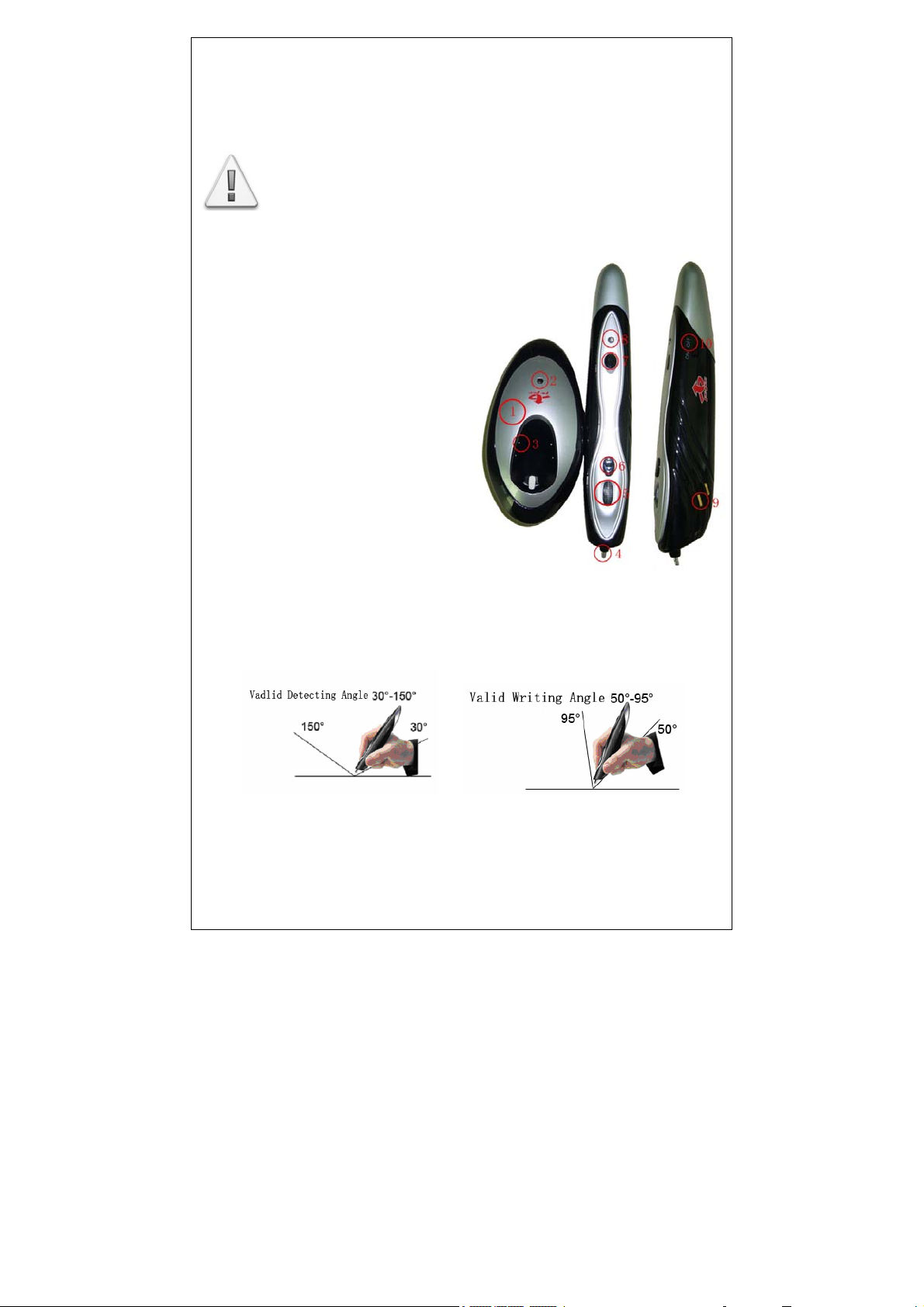
Hardware introduction
错误!未找到引用源。Pen seat
② Pen seat source of
electricity indicated light
③Battery charger
④Pen nib
⑤Rolling key +Middle key
⑥Right key
⑦LED speed control button
⑧ Pen working indicated light
⑨ Charging copper chip
⑩ Switch for power supply
The right way of holding pen
1. Please follow the below pictures to control the pen.
2. In order to avoid the useless detecting, when you hold the
Shenzhen pc-pen Co.,Ltd
TEL:+86-755-83995718 FAX:+86-755-83995708 http://www.pc-pen.com
4
Page 5

pen, please don’t let it over slope and down the rolling
key.(see pictures)
3. Applying the functions, please following two kinds of
operation modes:
◆ A. Press pen’s rolling key ⑤ to realize double clicks
function.
B. Double click nib of pen
Quick install
1. Connect the pen seat to PC’s or notebook’s USB interface.
2. Put the CD into CD DRIVER and let it moves automatically SETUP
and complete the installment.
3. Turn “ON” the source electricity of PC-PEN, if you don’t
need it; please adjust the button to “OFF”.
4. The first time you use it, please insert the pen into pen seat
to recharge. The red light shows the volume of power, the green
light shows the power full.
Caution: We adopt the built-in lithium polymer battery,
the first time you use it, please put the pen into pen
seat above three hours until the light become green.
Apply to use handwrite software
Shenzhen pc-pen Co.,Ltd
TEL:+86-755-83995718 FAX:+86-755-83995708 http://www.pc-pen.com
5
Page 6

Handwriting to chat
Currently, using instant handwriting to chat is not only
very popular among the youth but also among the middle-aged
one. They are using it to display their emotion,
communication through internet. Having a PC-PEN, you can use
it with your friends to chat by your handwriting style, which
can get more intimated relations with them.
Now it can support lots of chatting software, such as MSN(It
can support handwriting edition).
Electronic Whiteboard
Electronic whiteboard seems an interactive communication
mode, through computer and you can realize in the one picture
to add, supplement, delete, sketch and so on, such as in the
course of long-distance education.
Before you applying the electronic whiteboard, please install
Netmeeting first (You can use the search engine for Netmeeting
to download).
How to use Electronic Whiteboard
After installation is finished, connect to the Internet,
open the Netmeeting ,input IP address who you want to give a
call .Click “start”-“operation” input CMD and then input
ipconfig, then you can get the IP address.
It will emit a call when you input IP address, and then
connect all of the IP address appealed in the program; it shows
you got a successful connecting.
Open Netmeeting in the bottom of right corner, and click
Electronic Whiteboard, the program will automate to open a
drawing picture window, and then you can freely to draw pictures
Shenzhen pc-pen Co.,Ltd
TEL:+86-755-83995718 FAX:+86-755-83995708 http://www.pc-pen.com
6
Page 7
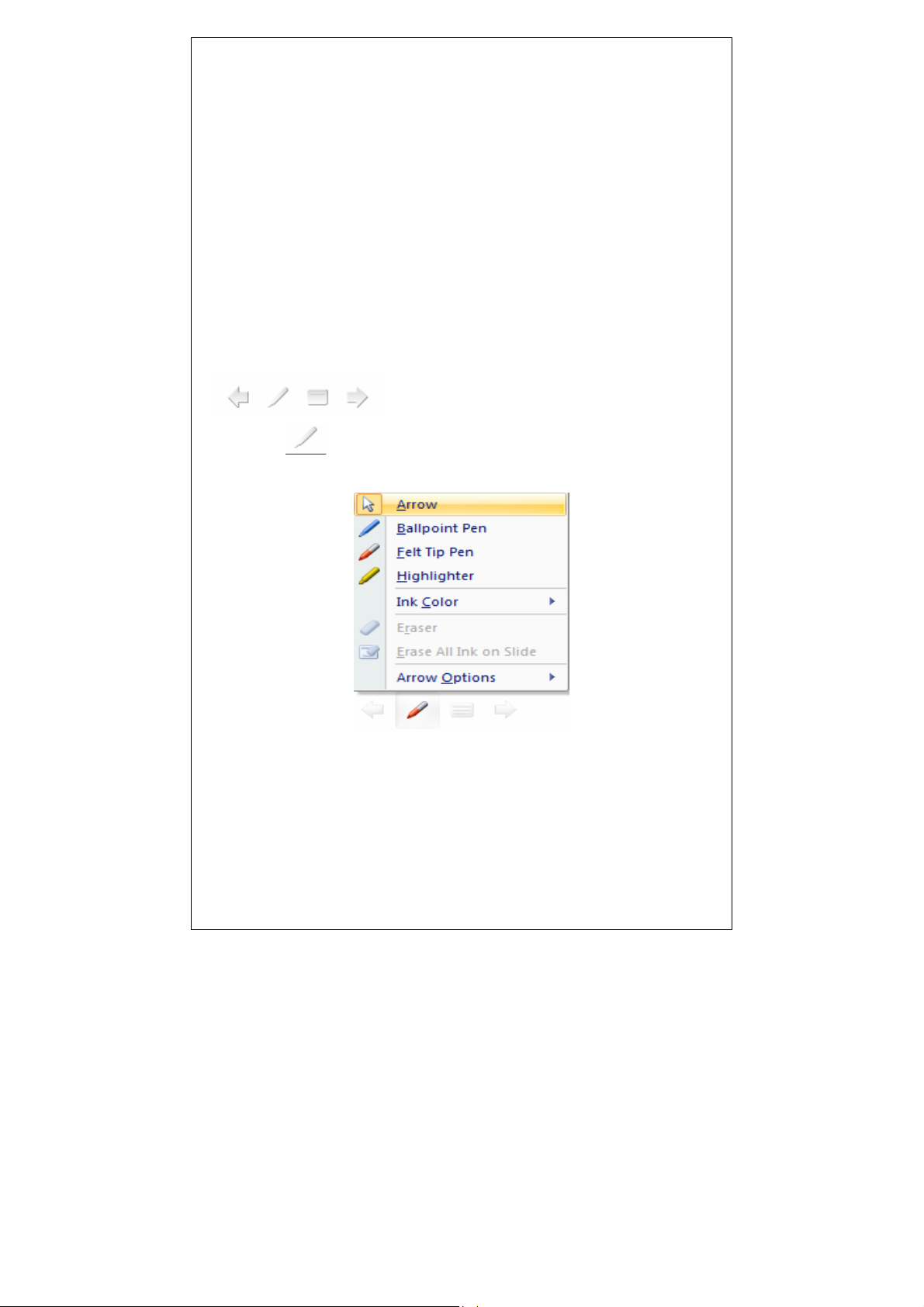
and handwrite freely in it.
Use Microsoft Office XP/2003 /2007
◆When you use Microsoft Office XP/2003/2007(PowerPoint,
Outlook):
It is unnecessary to install any procedures, you can write
just like on a paper and PowerPoint to mark and emphasize as well
as drawing tables:
1. When you use Microsoft Office PowerPoint XP2003 or further
advanced software to play the PowerPoint, move cursor, then you
will find the following icons in the left-down corner:
2. Click
and choose the relevant tools from the menu, then
you can do marking and drawing in the PowerPoint.
◆ You can add electronic signature in the document of
Microsoft Office XP/2003(Word)
Under the condition of activation the identification
function, users can add electronic signature in any
Shenzhen pc-pen Co.,Ltd
TEL:+86-755-83995718 FAX:+86-755-83995708 http://www.pc-pen.com
7
Page 8
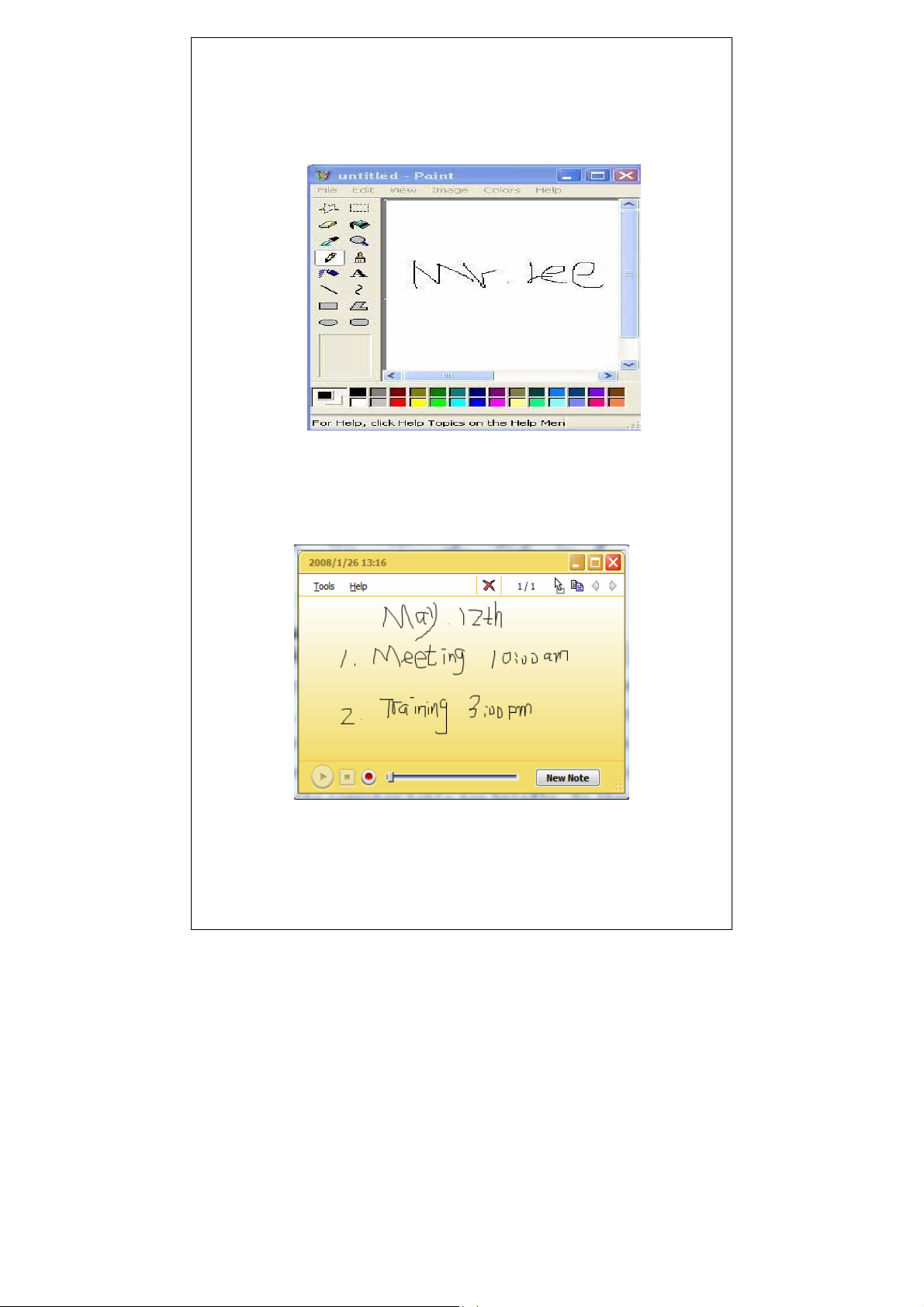
Microsoft Office 2007 document .See the picture as below:
Open a Microsoft document, click “handwriting” button,
choose “drawing board”, inset electronic signature.
◆Use Microsoft Office 2003/2007 OneNote handwrite to take notes
Shenzhen pc-pen Co.,Ltd
TEL:+86-755-83995718 FAX:+86-755-83995708 http://www.pc-pen.com
8
Page 9
Handwriting in Vista
Since its invention, Vista always advocates a concept of
people-oriented, simple natural. Vista added many convenient
and direct functions, the most unique is handwriting. Vista not
only owns the traditional characters input, but also you can
write freely in any place, moreover, it can save you own writing
style. Owning powerful handwriting functional PC-PEN, which
perfectly combines with the vista, you are leading in the fashion
of handwriting.
一、Vista handwriting input
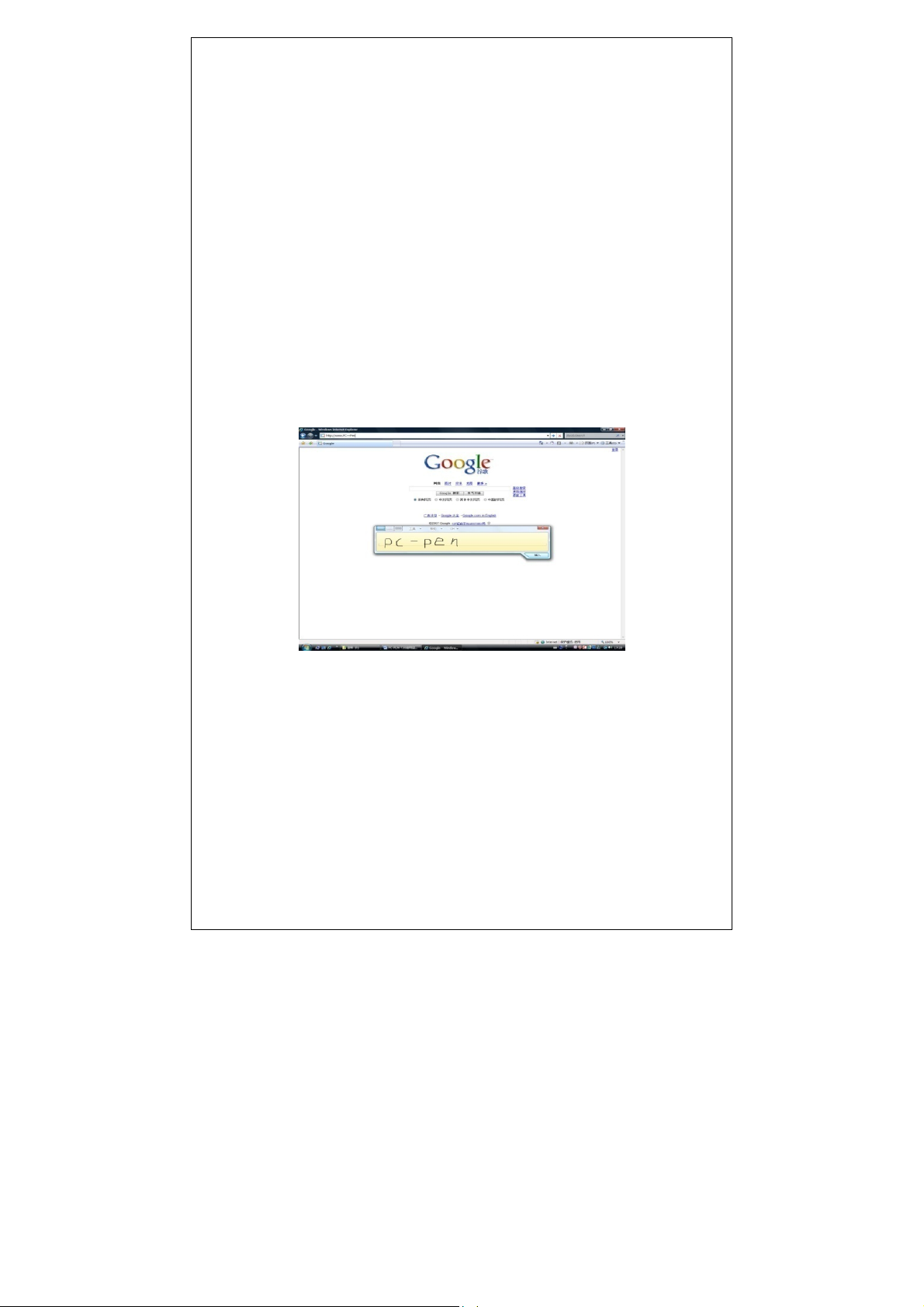
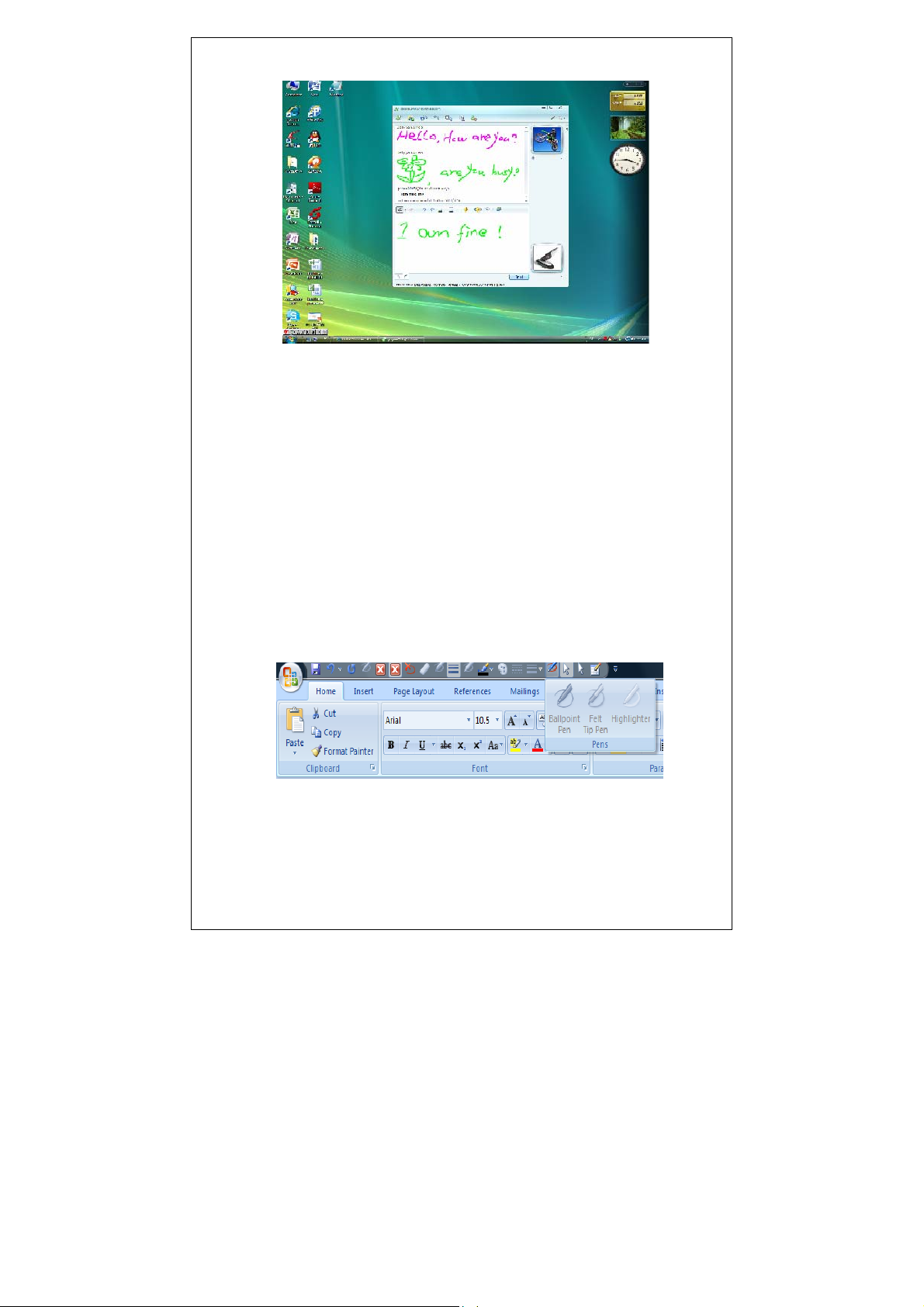
In the window of vista input handwriting, you can handwrite
on MSN, IE.and other software.
Writing in the IE browsing address column as below:
On MSN, you can send your personal handwriting and any mood
marks.
Shenzhen pc-pen Co.,Ltd
TEL:+86-755-83995718 FAX:+86-755-83995708 http://www.pc-pen.com
9
Page 10
二、Ink tools in Vista
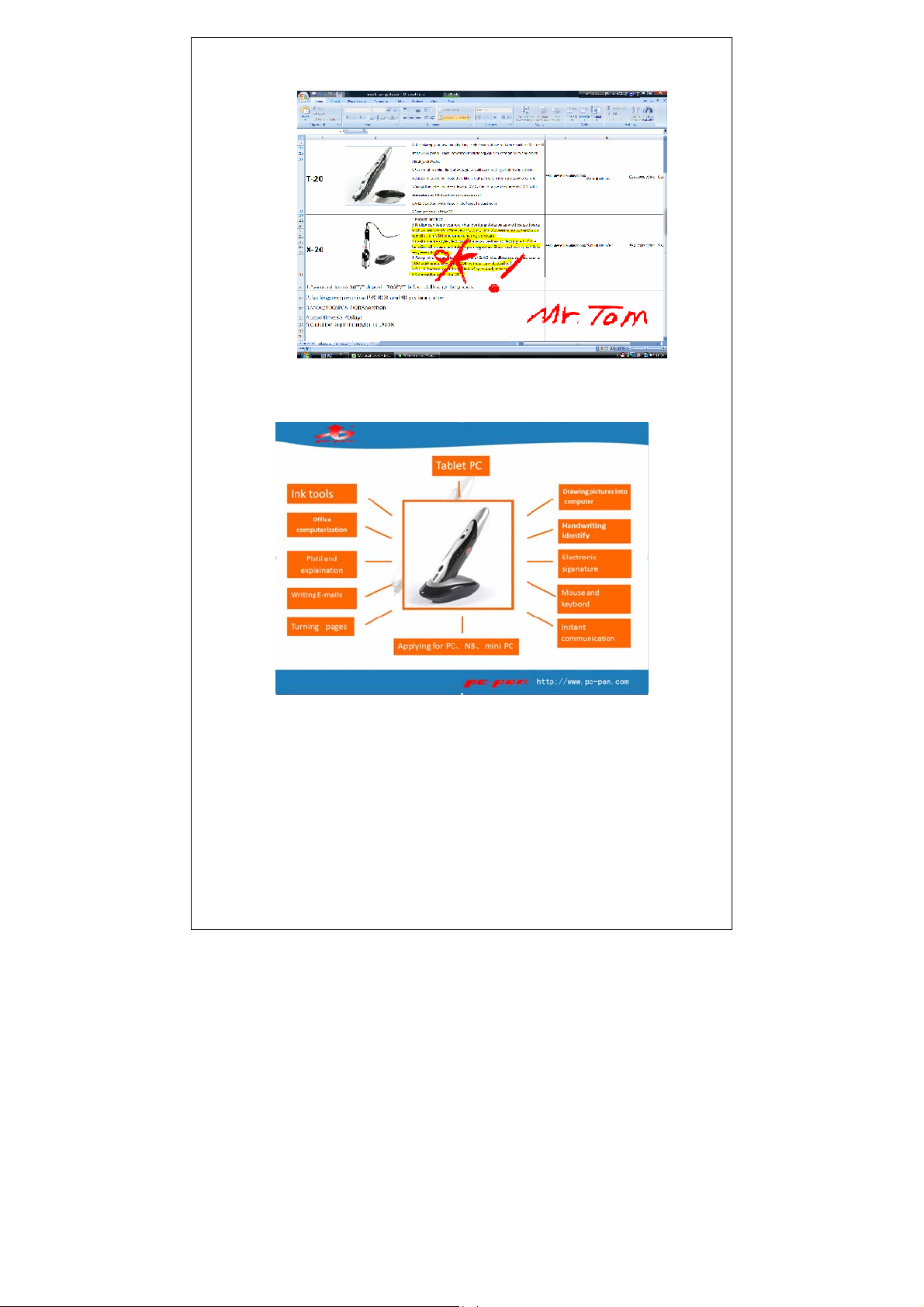
Under the operating system of Vista, it can maintain the
original handwriting through the ink tools from Microsoft Office
2007 (Word, Excel, PowerPoint, Outlook), which it can be more
fast, natural and convenient when you doing the office
demonstration and it also can be more successful when you doing
marks and explanation, checking the files, signature the
contract and mending craft and so on.
Office 2007 ink tools state of inactivation:
Shenzhen pc-pen Co.,Ltd
TEL:+86-755-83995718 FAX:+86-755-83995708 http://www.pc-pen.com
10
Page 11
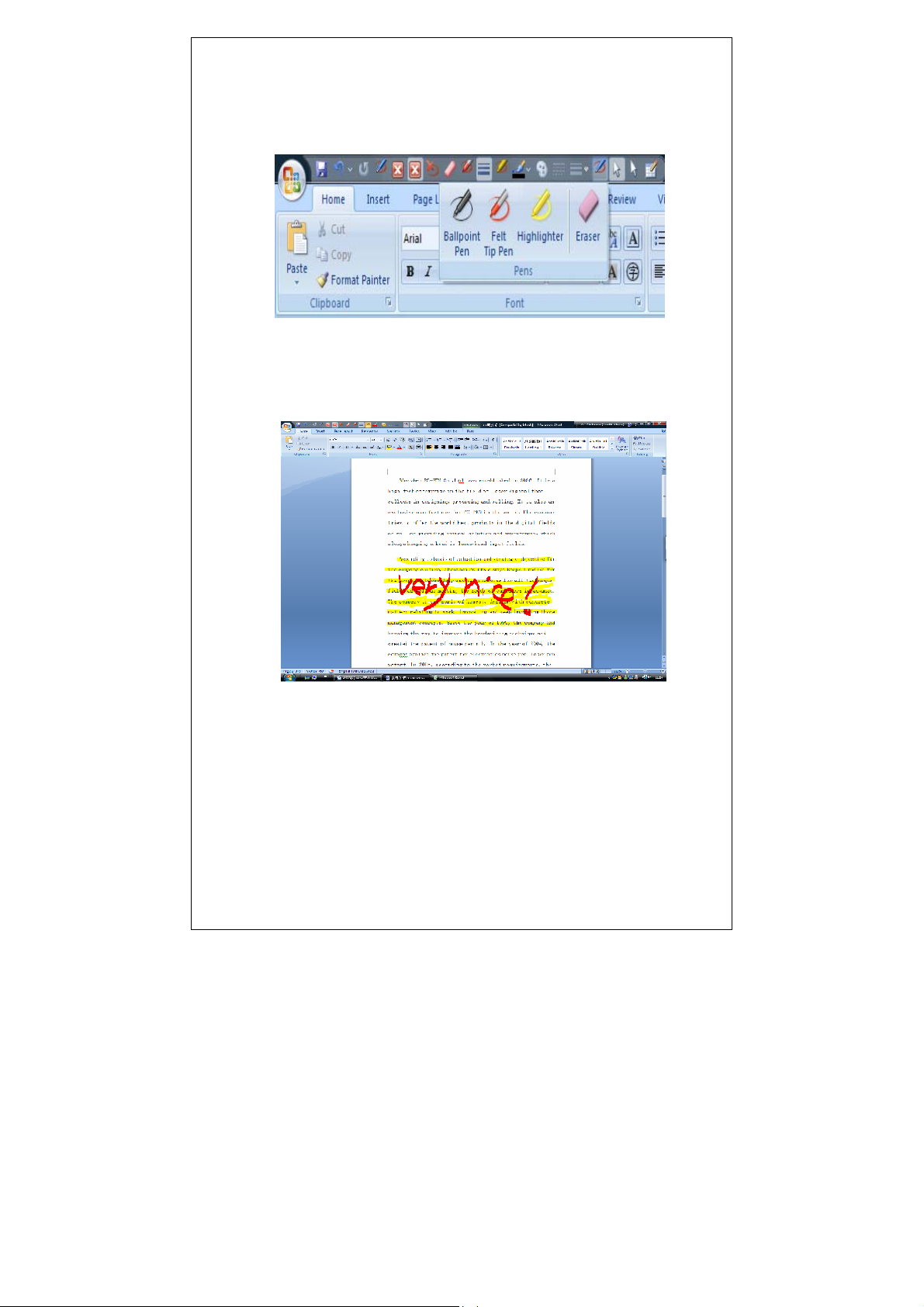
Office 2007 ink tools state of activation:
Ink Tools handwriting in Word document:
Ink Tools handwriting in Excel electronic forms:
Shenzhen pc-pen Co.,Ltd
TEL:+86-755-83995718 FAX:+86-755-83995708 http://www.pc-pen.com
11
Page 12
Ink Tools handwriting in PowerPoint:
Ink Tools handwriting in Outlook:
Shenzhen pc-pen Co.,Ltd
TEL:+86-755-83995718 FAX:+86-755-83995708 http://www.pc-pen.com
12
Page 13
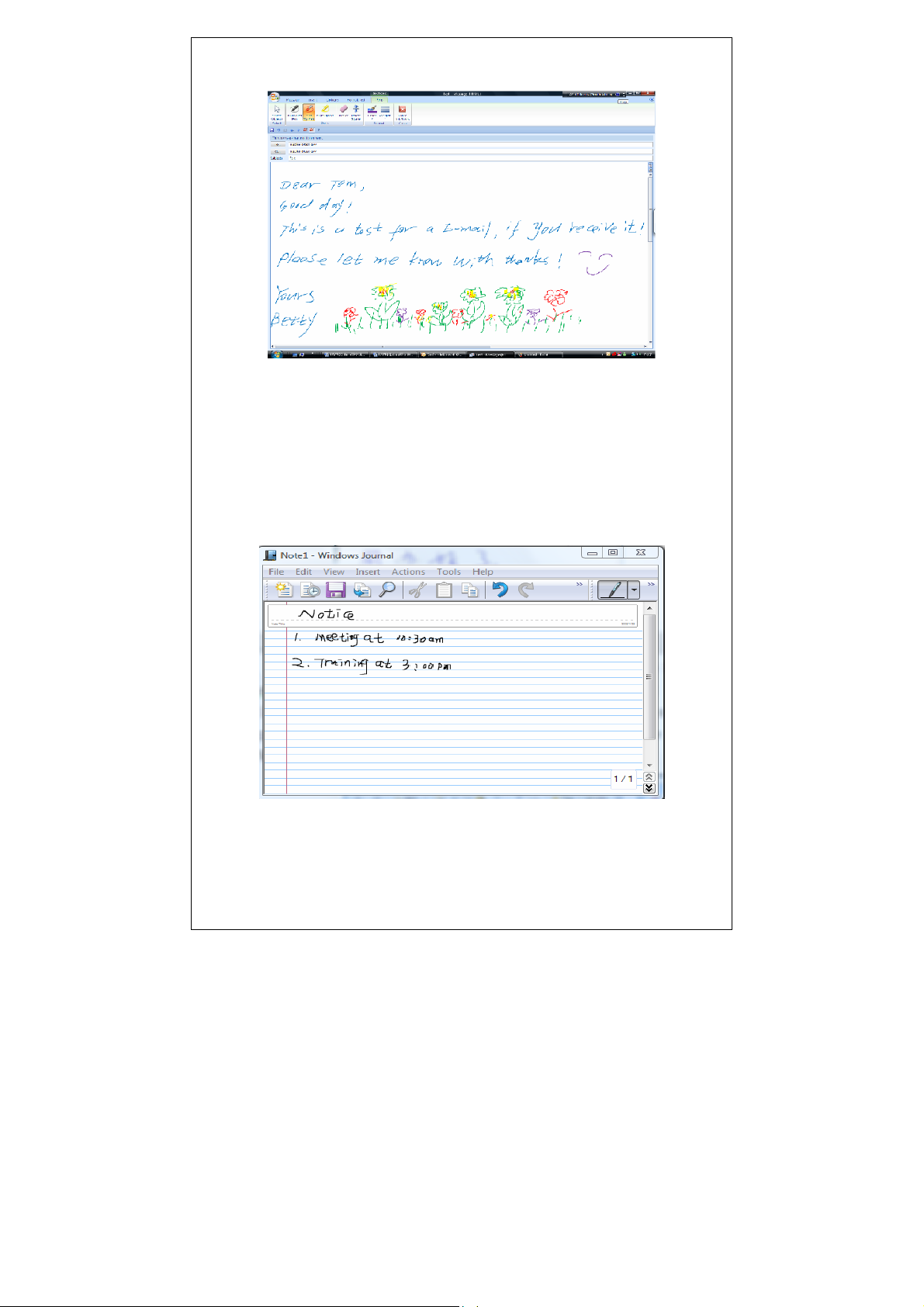
三、Windows Journal in Vista
Vista increased a creative and personalizes function, that is,
a text format---diary text. Comparing with the traditional text,
it can maintain your natural handwriting just like write on a
paper and you can draw any pictures as you like to show your mood.
Windows Journal handwriting format:
Shenzhen pc-pen Co.,Ltd
TEL:+86-755-83995718 FAX:+86-755-83995708 http://www.pc-pen.com
13
Page 14
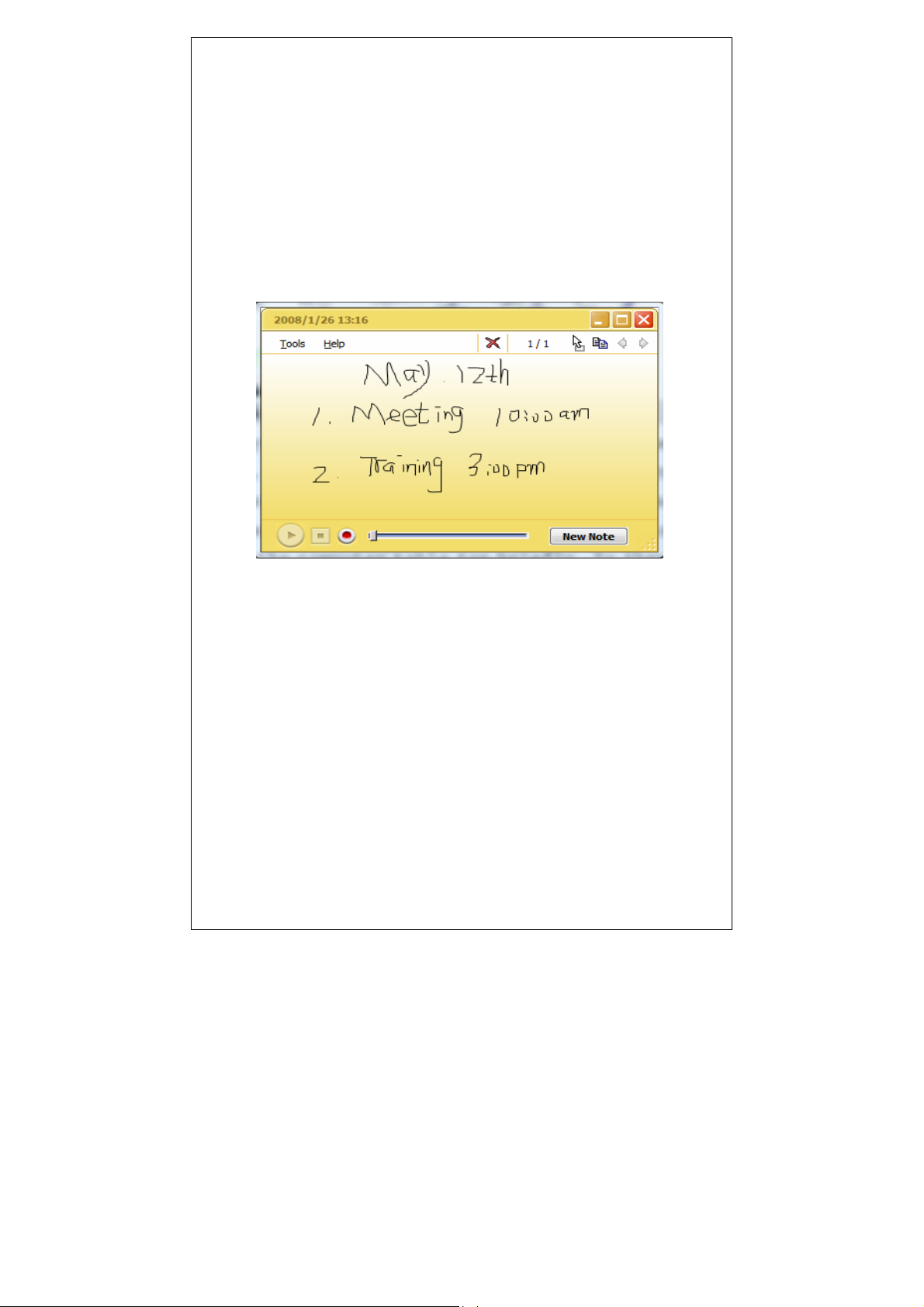
四、OneNote in Vista
Today, with the accelerated rhythm of society, whatever job
and life, paper is necessary to take down any important things,
that is, writing a memo. Vista's write the memo function have
satisfied need of extensive white collars with note written on
electron memo paper in the computer table top briefly. So it is
unnecessary for you to worry you will forget anything.
Write memos as below:
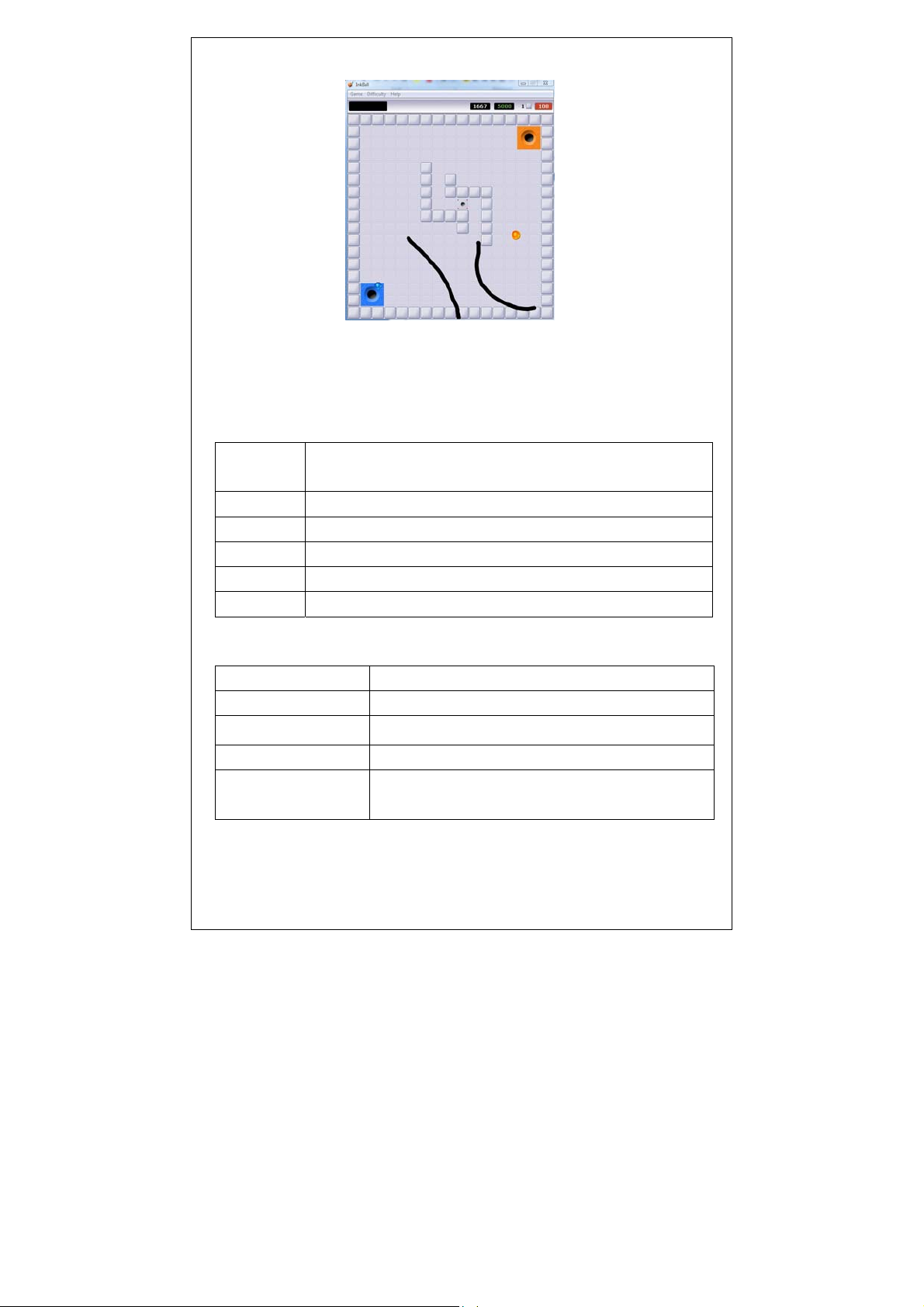
五、Games in Vista
Vista has a very interesting game called InkBall. Use PC-PEN
to draw the ink strokes to guide the balls into holes of the same
color and to block balls from entering holes of a different color
in a set time. The more balls inside, the higher scores you got.
InkBall game:
Shenzhen pc-pen Co.,Ltd
TEL:+86-755-83995718 FAX:+86-755-83995708 http://www.pc-pen.com
14
Page 15
Functions matched so perfect, and you can handwrite so
freely. Don’t you want to own one? Go to buy one piece of PC-PEN
Other relevant information
System requirements
Operating
Microsoft Windows 98SE/ME/2000/2003/XP/ Vista/Mac
system
CPU speed Above Pentium III 1.0 GHZ
interface Available USB2.0 port
memory Above 256m memory
driver CD-ROM /DVD-ROM (For installing driver software)
screen Multicolor screen
Specification
type PC-PEN (T-20)
Frequency 2.4GH
Valid distance Without obstacle:50M;with obstacle: 15M
resolution 800DPI/400DPI/300DPI
Valid inspect
30°-150°
angle
Shenzhen pc-pen Co.,Ltd
TEL:+86-755-83995718 FAX:+86-755-83995708 http://www.pc-pen.com
15
Page 16

Valid handwriting
50°-90°
angle
power USB port(DV 5V)
Consumption power Max:0.2W
Input power Max:500mA
Battery Li-Polymer DC3.7V,300mA
Usage life 5.5hours
Standby time 26hours
size 155mm ( length ) *26mm ( diameter ) *29mm
(height)
weight At most 50g(exclude USB wire)
1.This device complies with Part 15 of the FCC Rules.
Operation is subject to the following two conditions:
(1) this device may not cause harmful interference, and
(2) this device must accept any interference received,
including interference that may cause undesired operation.
2 .Changes or modifications not expressly approved by the party
responsible for compliance could void the user's authority to
operate the equipment .
Shenzhen pc-pen Co.,Ltd
TEL:+86-755-83995718 FAX:+86-755-83995708 http://www.pc-pen.com
16
 Loading...